CHECK OUR FEEDBACK
Free Demo Upon Request
Free Tutorial Video Links Below
CEPrint 870 v2.5 (latest version)
CEPrint is the leading software for use with the Datacard 870 ID Card Personalization system to emboss & foil tip.
VIDEO DEMO: https://www.youtube.com/watch?v=KMqux-SeWJg&t=107s
CEPrint 870 allows you:
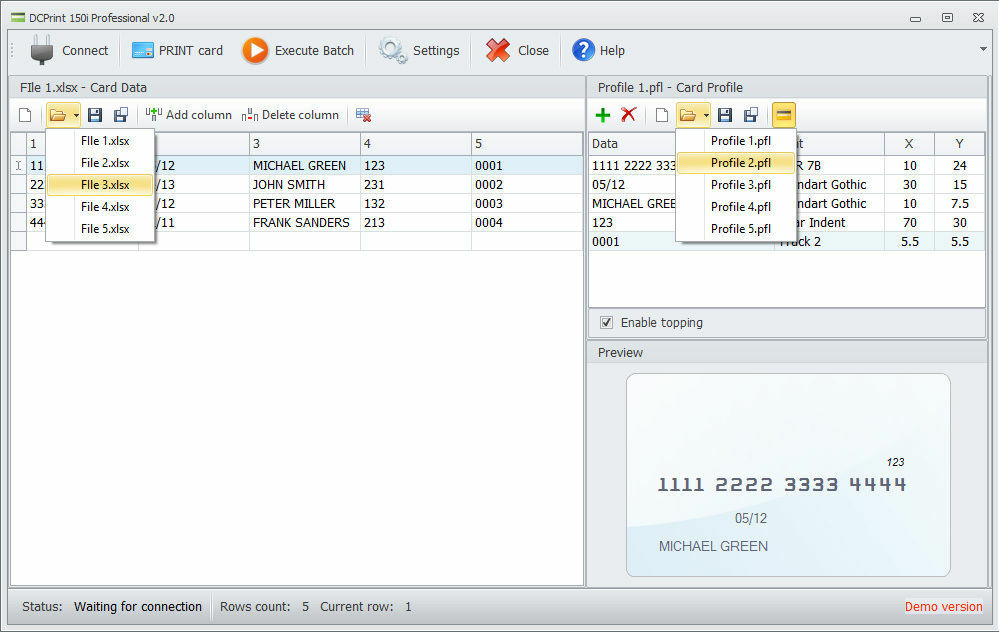
– to Emboss, Foil Tip, Front & Rear Indent & Magnetic Stripe Encode
– Does NOT support card printing function or Smart Card encoding
– to Visually design / edit / save an unlimited number of card layouts (profiles) within CEPrint
– to create / edit / save data files in XLS XLSX (Excel format) files within CEPrint
– to create / edit / save data files within Excel for use in CEPrint
– to create single cards or batches of cards
– to emboss only or emboss plus color foil tip
– to front and/or rear indent black flat numbers (front and back of card)
– to encode up to 3 tracks of magnetic stripe
Ideal for retailers and businesses with ID, membership, loyalty, affinity, discount and credit programs that want to offer new, high impact card products to increase revenue, strengthen customer loyalty and raise brand awareness.
System requirements
– The software runs on Windows XP, Vista, 7, 8, 10, 11.
– The software requires connection to an ethernet port on computer.
– USB to Ethernet adapter can be used for the connection.
There are no returns or refunds after software has been activated.