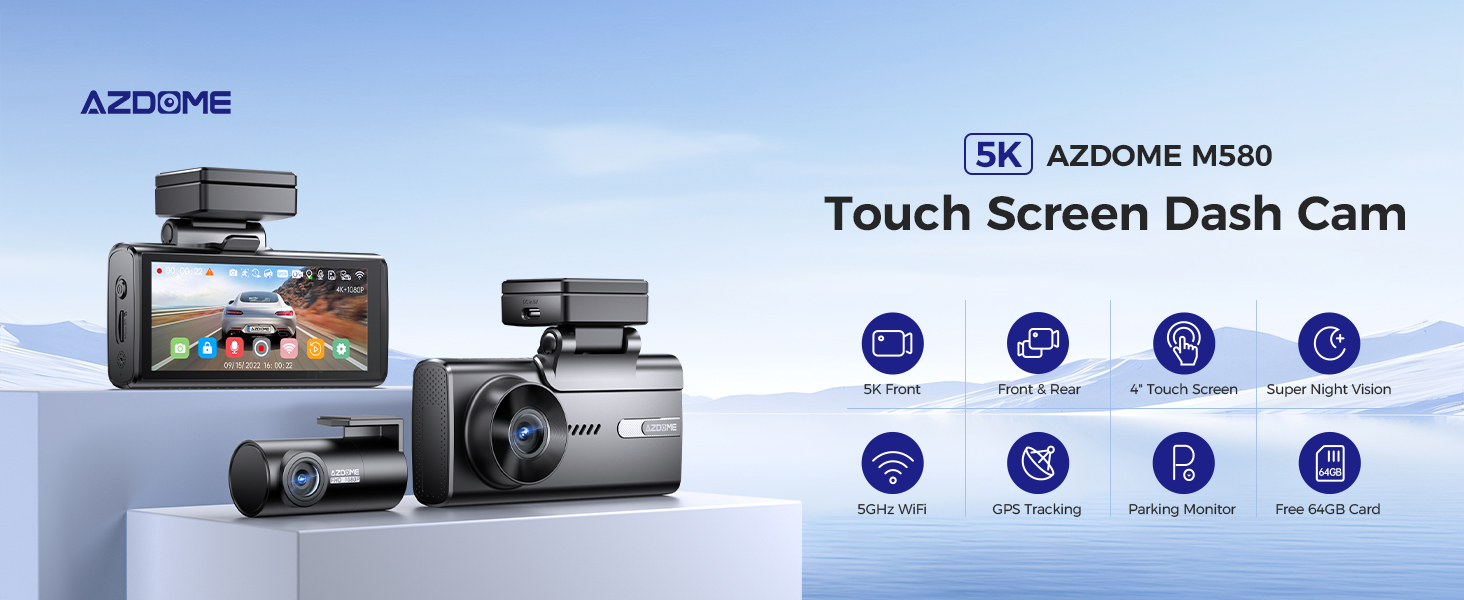
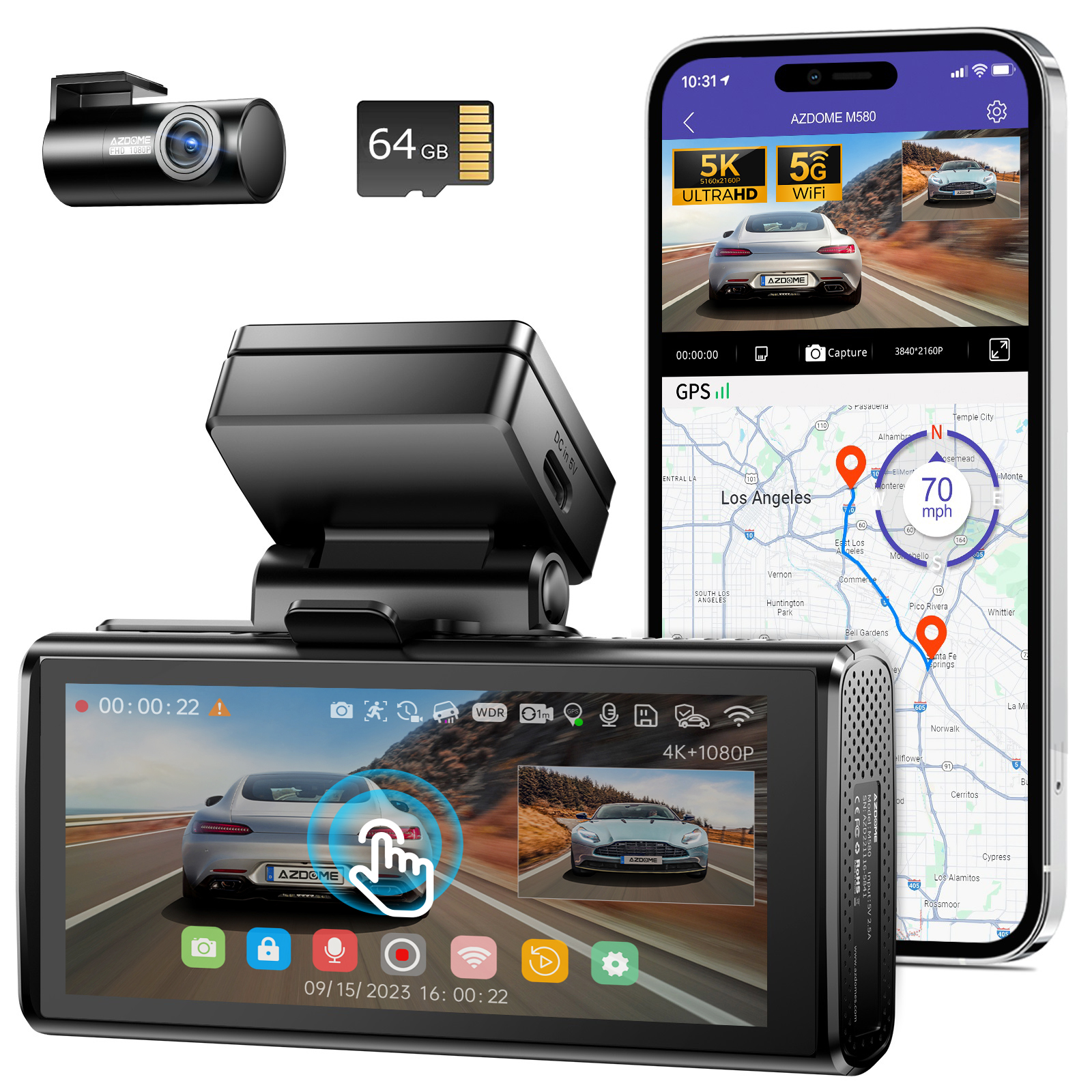
AZDOME 5K M580-2CH Dash Cam, Front and Rear 4K+1080P Car Camera with 5GHz WiFi & GPS, 4" IPS Touch Screen, Free 64GB Card, 24H Parking Mode, Motion Detection, Loop Recording, Time-Lapse G-Sensor, Super Capacitor Screen saver, WDR Night Vision, Easy to Install
FREE AZDOME APP
Revolutionary Built-In WiFi Function: You can easily access your video on your iPhone or Android Phone while on the road with FREE AZDOME APP.
At AZDOME, our goal is to keep working hard to make innovative hardware & software of the camera to give you that personalized experience. We provide updates for Camera Firmware, Software, iOS & Android App Improvements periodically for FREE.
100% BASED CUSTOMER-CENTRIC COMPANY & CUSTOMER CARE
This dash camera for cars is backed by full 1-YEAR WARRANTY. You can text us for (Faster Response) or Email our customer service and we will answer all your questions and resolve any issues quickly. If you are having any doubts, it comes with a FULL REFUND within 30 DAYS.
Warm Tips:
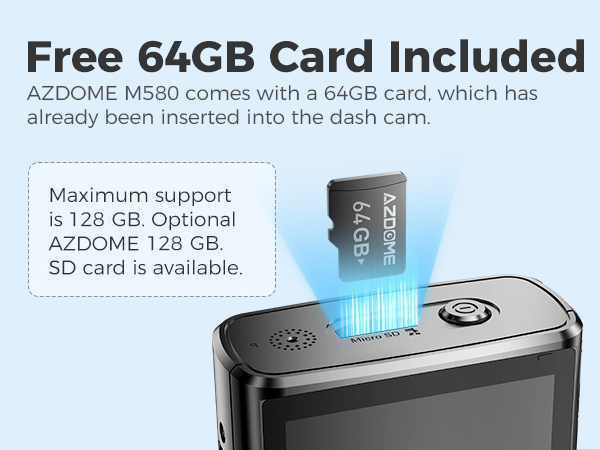
Be sure to format your SD card for the first time with your auto dash cam, and we recommend reformatting it monthly. A 64GB SD card is included. Please DO NOT USE any “SanDisk Ultra” or "Generic Class 10 for HD Video" cards from third-party sellers. They are NOT suitable for a high-end dash cam like this one.
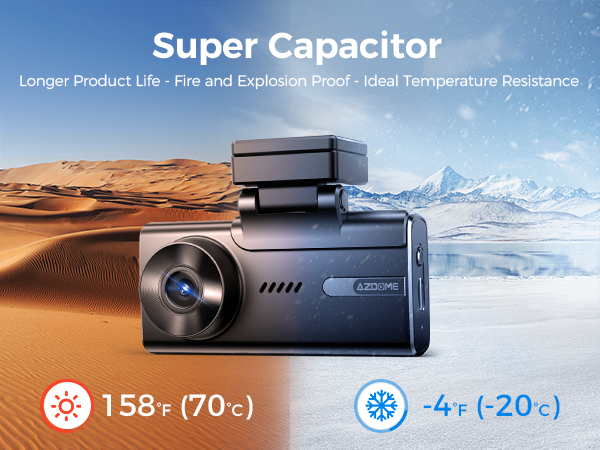
It features a built-in super capacitor (only 1mAh lithium metal battery is used for maintaining the time). Please always connect the dash cam to an external power source (USB hardware kit not included) while in use.
If you want to buy the M580 which has three cameras, you can visit this link, it comes with three cameras: https://www.ebay.com/itm/256223416905 .
Our dashcam's rear camera comes with a 5-6 meter cable, which is suitable for most cars, so most customers do not need to buy this rear camera extension cable accessory. We recommend that you check the length of your car. If your car body is long, the cable may not be long enough when installing the rear camera, and you will need an extension cable. You can buy the extension cable through this link: https://www.ebay.com/itm/256553494300 (If you buy a dashcam from our store, we can give you a discount on the extension cable, please contact our customer service with the order).
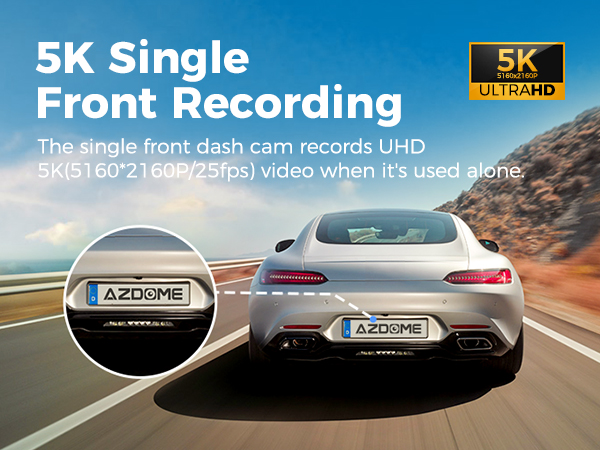 | 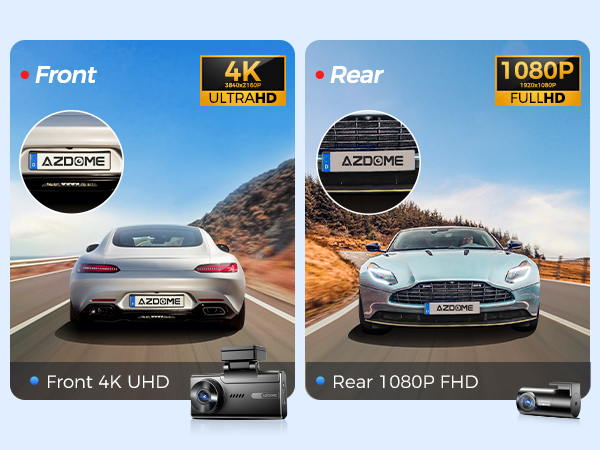 | 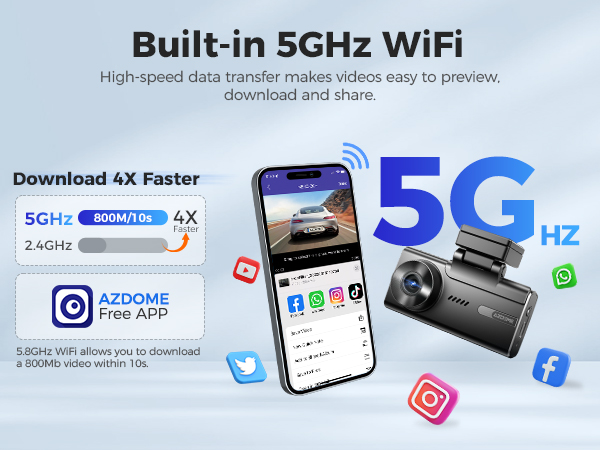 |
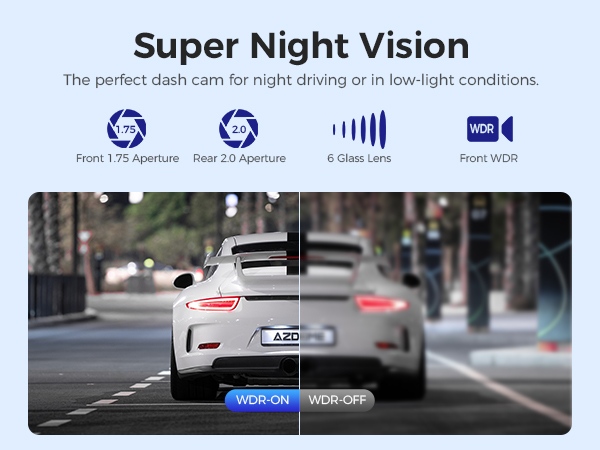
True 5K Ultra-High-Definition Driving Recorder AZDOME M580 driving recorder records video with 5K resolution (5160x2160P@25fps) for the front camera, and provides 4K (3840*2160P@30fps)+1080P+1080P for the front cabin rear cameras Resolution, equipped with IMX415 ultra-low light capture sensor and upgraded chip NT98529. With its WDR feature, the dash cam captures clear images of license plates and road signs in both day and night conditions. | Ultra HD 4K+1080P Dual Dash Cam The AZDOME M580-2CH Dual dashcam supports 4K+1080p dual-road recording. The front camera captures ultra-high-definition 4K video (3840x2160p), while the rear camera records full HD 1080p video (1920x1080p). With this dual-way recording feature, you get more comprehensive driving records and video information from both perspectives as needed. | Pair Your Smartphones with 5GHz WiFi You can seamlessly connect your iOS or Android devices utilizing the dual band 5GHz and 2.4GHz WiFi functionality. Experience the convenience of our AZDOME app, allowing you to effortlessly view, download, and share your videos with friends and family at a single touch on social media platforms or through any messenger app. |
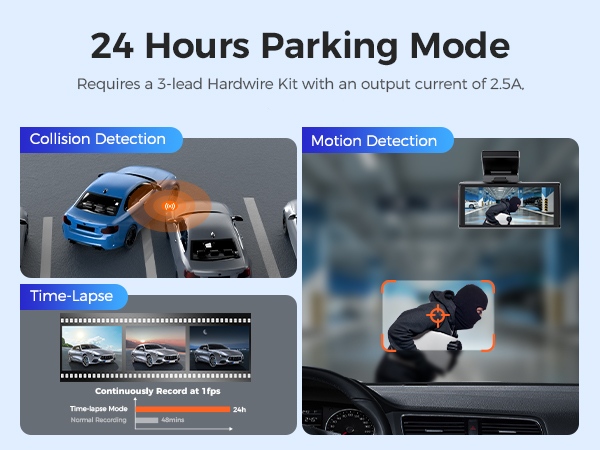 |  |  |
24-Hour Parking Monitoring
| Super Night Vision Mode
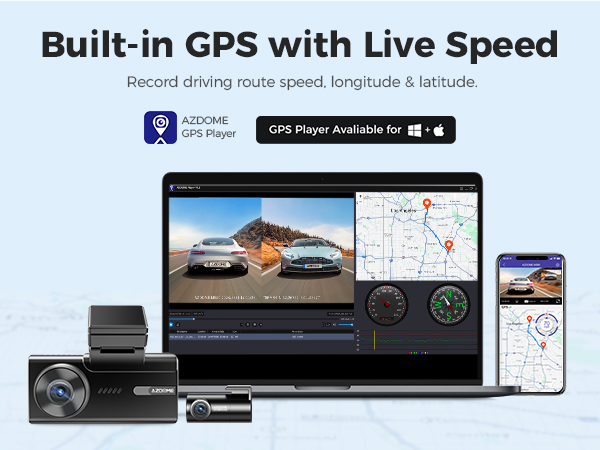
| Built-in GPS AZDOME GPS Player could view the speed route latitude and longitude of the recorded video. M580 dash camera provides evidence during emergencies. Car camera could completely record the driving route data. |
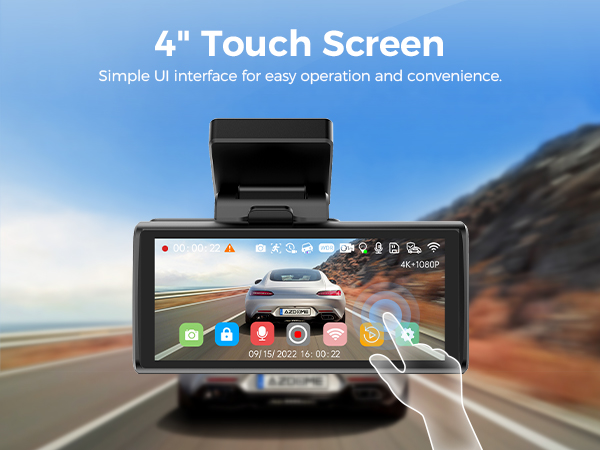 |  |  |
4"IPS Touch Screen Display
| Heat Resistant with Super Capacitor
| Free 64GB SD Card The car camera is equipped with a free 64GB memory card. Users do not need to purchase it separately, and once they receive it, they can |
Specifications:
| Model | M580-2CH | Video Format | MP4 |
| Hersteller | AZDOME | Only Front Cam Resolution | 5K/4K/2K/1080P |
| Number of Cameras | 2 (Front + Rear) | Front Cam+Rear Cam Resolution | 4K+1080P; 2K+1080P; 1080P+1080P |
| GPS | Built-in GPS | Wi-Fi | 2.4G&5G Wifi |
| Language | Englisch / 日本語/ Deutsch/ Francais / Español / Italiano / Pyccknn.etc | Memory card | (Includes 64GB SD card) Max supports 128GB (TF card, Class 10/U3 or above) |
| G-Sensor | Support | Microphone | Support |
| Color | Black | Speaker | Support |
| Screen Size | 4”IPS Touch Screeen | Battery pack | Built-in Super Capacitor |
| Wide angle lens | 150° | Working temperature | -20 °C to 70 °C |
| Picture format | JPG | Storage temperature | -20℃~ +80℃ |
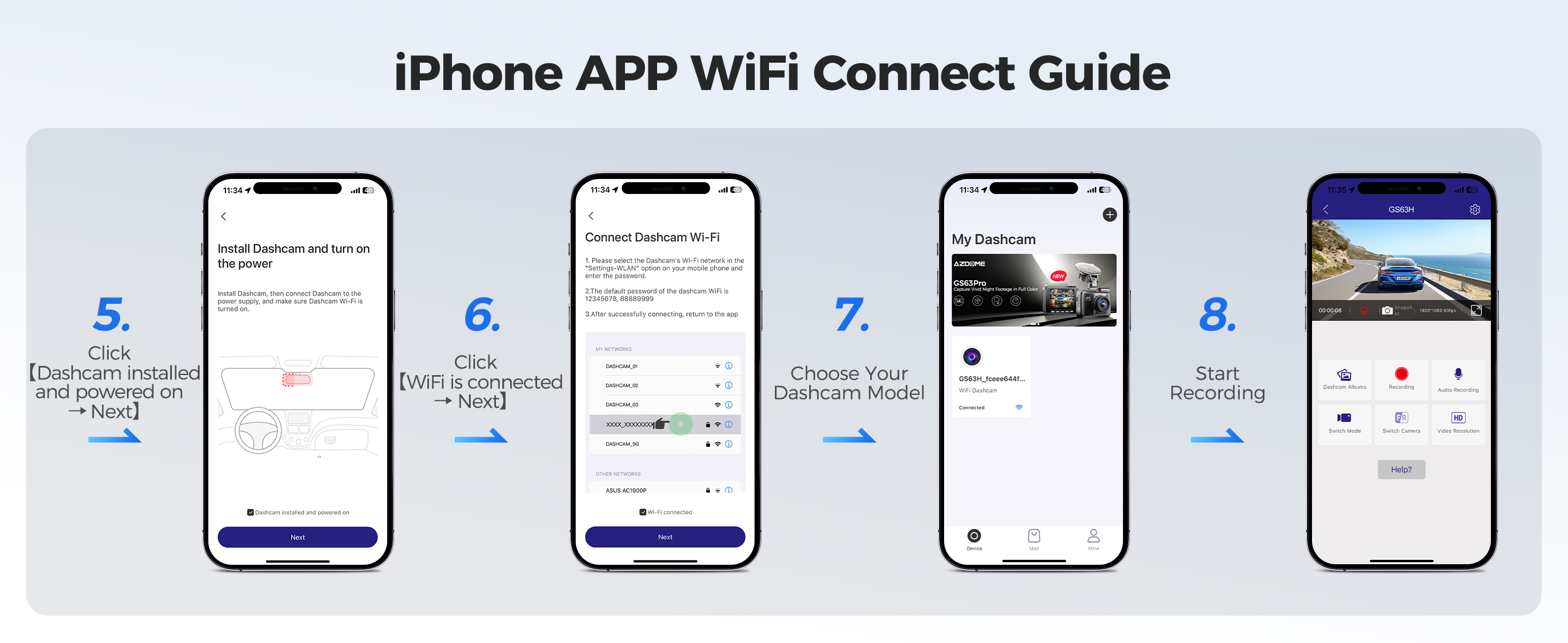
How to connect to WiFi?
The content of the following two pictures and videos can help you to connect the WIFI of the car recorder, if there are more questions about this step, please contact customer service, thank you!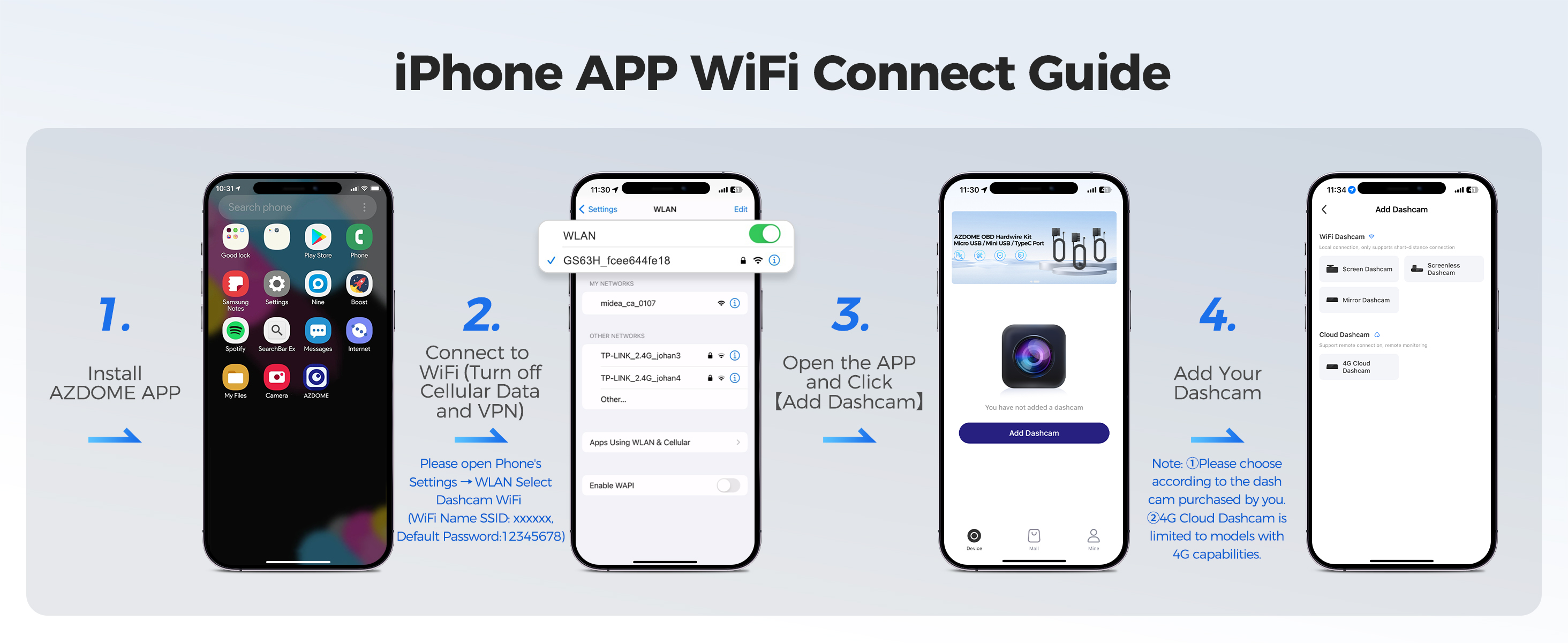
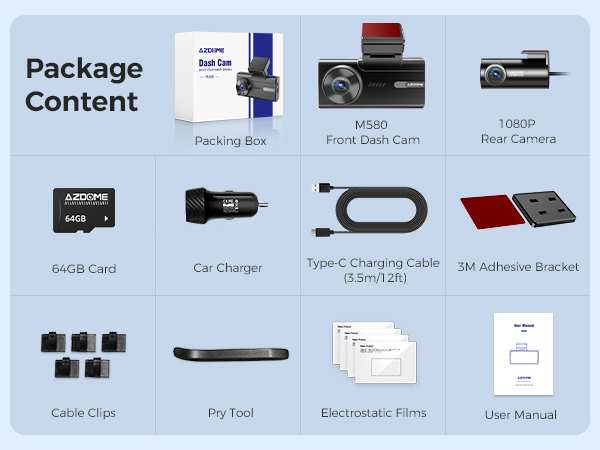
M580-2CH Standard Packaging List:
Front dash camera x1
Rear camera (6M/20ft) x1
Electrostatic films for front and rear x4
Type-C USB power cable (3.5M/12ft) x1
64GB Card x1
USB car charger x1
Pry tool x1
Cable clips x 5
User manual x1
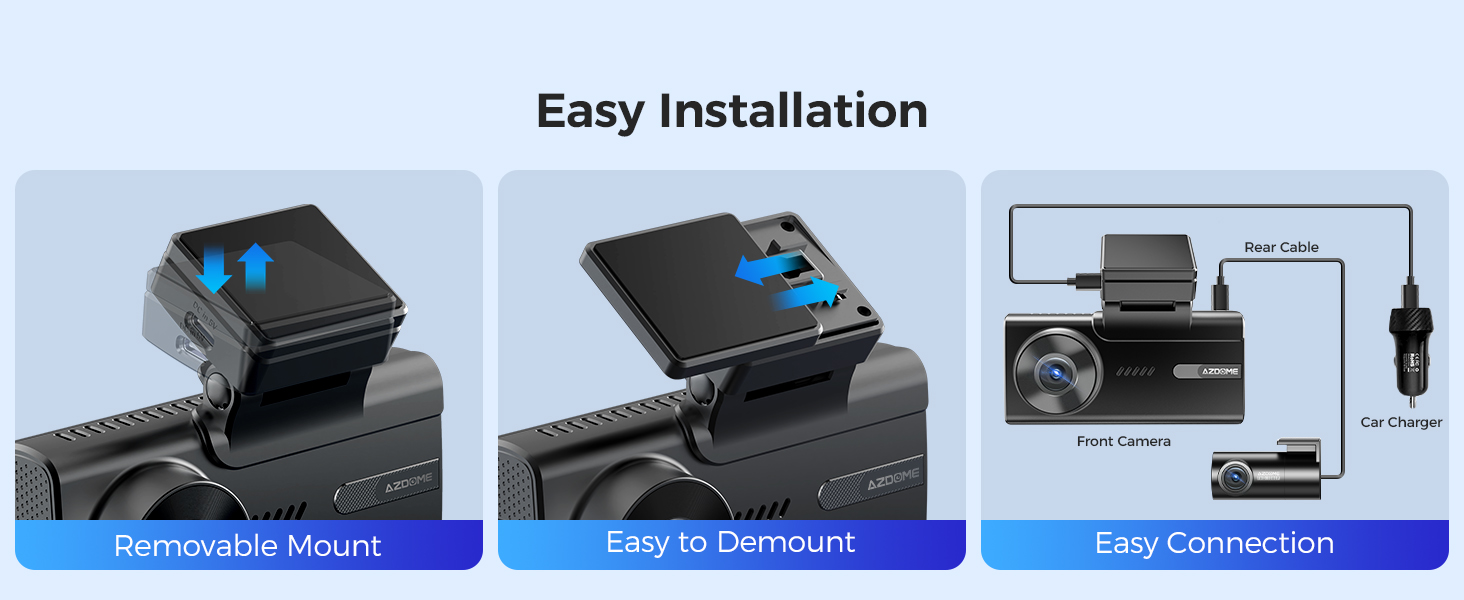
Easy to install:
You can install it yourself according to the instructions in the manual without hiring a professional, which can save you installation costs.
Install the front camera at the top of the front windshield. Install the rear camera at the top of the back windshield. Remove any foreign matter and clean and dry the windshield before installation.
STEP:
1. Stick the electrostatic films on your windshield, then stick the sticky bracket of front camera on top of the electrostatic films.
2. Turn off the engine, gently push the card into the slot until it locks into place.(Please using class 10 or above high-speed U3 micro-SD card)
3. Connect the charging cable to the Type-C USB port of the connection cable. Use the pry tool to lift the edges of the windshield trim/molding and tuck in the power cord. Connect cabin camera to the dash cam by using connection cable.
4. Adjust the angle of the lens by the bracket of the front camera. We recommend pointing the lens slightly downwards (≈10° below horizontal), so as to record video with a 6:4 road to background ratio.
5. Peel off the protective film from the double-sided tape and attach the rear camera to the rear windshield. Adjust the angle of the lens by the bracket of the rear camera.
6. Use the pry tool to lift the edges of the rubber window sealing and molding and tuck in the rear camera connection cable. Connect the three cameras by the cable.
7. Turn on the engine. The dashcam will power up and startrecording. Video files are stored on the eMMC memory.When the eMMC memory fills up, the newest video files will start to replace the oldestvideo files (called loop recording) - so you will always have the most recent video files.
Questions and Answers:
Q1: Camera turns ON/OFF automatically?
A: To ensure optimal performance, please use our car charger and confirm that the output current reaches 5V/2.5A. Additionally, make sure to correctly connect the rear camera for improved stability. Note that if different cameras are detected, the dashcam will automatically reboot once to maintain consistency.
Q2: Video lmage is blurred?
A: Remove the protective lens cover, clean the lens, make sure the windshield is clean and clear of grease, dirt, and debris.
Q3: Camera gets HOT?
A:It is normal for your camera to run slightly hot. Due to video being recorded at high speed, the dash cam may be hot during using. (No more than 158°F/70C).
Q4: No power to my Dash Cam but it works upon my computer?
A: The cigarette power cable is not working. Inspect the fuse in the Car Power Cable plug. If the fuse is found to be blown, inspect the power cable for damage which may have caused the fuse to blow.
Q5: The sound is not synchronised with video during playback?
A: The Codecs upon your PC may not be compatible or the latest standard. Download the latest AZDOME GPS Player from www.azdomes.com> Support>Downloads.
Q6: Video Files cannot be played on my computer?
A: The video files from the Dash Cam are in MP4 format and may not be compatible with your PC if suitable playback software is not installed.
Q7: Video has no sound?
A: Ensure that‘Record Audio’setting is turned ON within the Setup Menu. And ensure that‘Timelapse Record’setting is turned OFF within the Setup Menu.
Q8: Photograph is blurred?
A: Make sure the Dash Cam is still while taking the photo. The Dash Cam has a minimum focal range of around 2 meters. Objects closer than this are likely to become blurred.
Q9: I can not delete files on my Dash Cam?
A: Check to see if these files are ‘locked’. If so please follow instructions to ‘un-lock'.
Shipping Information:
1. Items will be shipped within 1 business day on payment received.
2. Item are shipped from Warehouse of US, Estimated Delivery Time: About 1-5 working days.

1.Our office hours are 9:00 a.m to 6:00 p.m (GMT +8) of Monday to Saturday.
2.And our Office is closed on Sunday and public holidays.
3.We apologize for the late reply during the holidays