⭐ Be sure to format your SD card for the first time with your auto dash cam, and we recommend reformatting it monthly. A 64GB SD card is included. Please DO NOT USE any “SanDisk Ultra” or "Generic Class 10 for HD Video" cards from third-party sellers. They are NOT suitable for a high-end dash cam like this one.
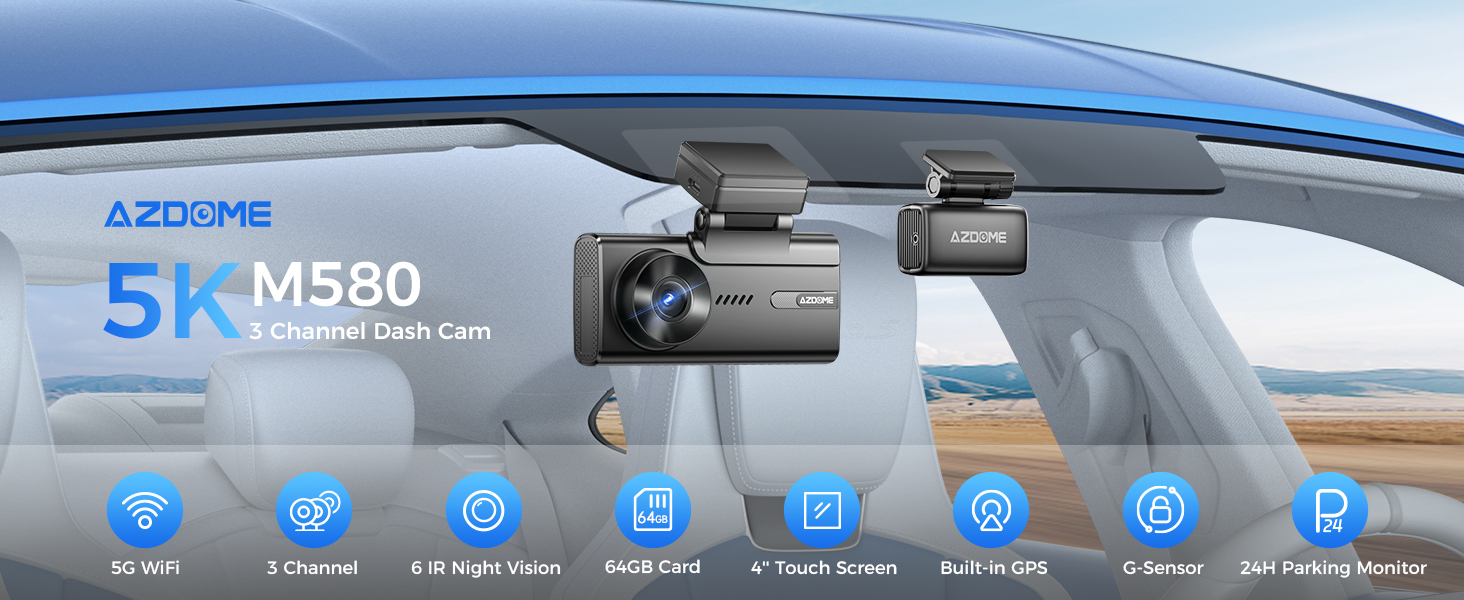
AZDOME 5K 3 Channel Dash Cam, 5G WiFi GPS Dashcam Front+Cabin+Rear Cameras 4K+1080P+1080P, 4" IPS Touchscreen, IR Night Vision Driving Recorder for Car, G-Sensor 24Hours Parking Mode, Motion Detection, Loop Recording, Time-Lapse, Super Capacitor Screen saver, Free 64GB Card, Easy to Install, M580
About this item
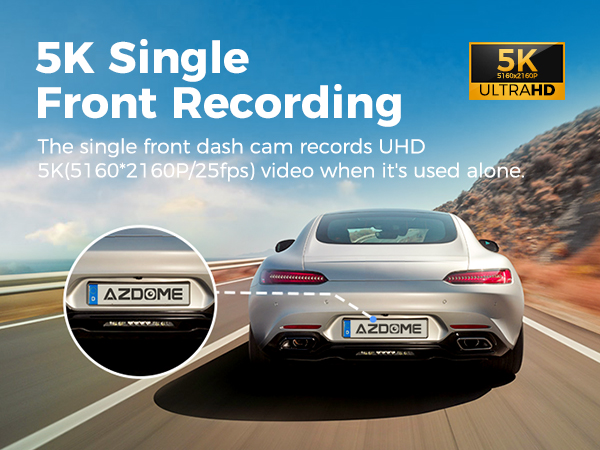
【5K Single Front Recording】
How important is a high-definition driving recorder for drivers? 5K high-definition resolution can ensure that the video picture of the road ahead is clearly visible. This superior image quality helps accurately identify license plates, road signs and other important details. In the event of an accident or dispute, this evidence can be invaluable in an insurance claim or legal action.
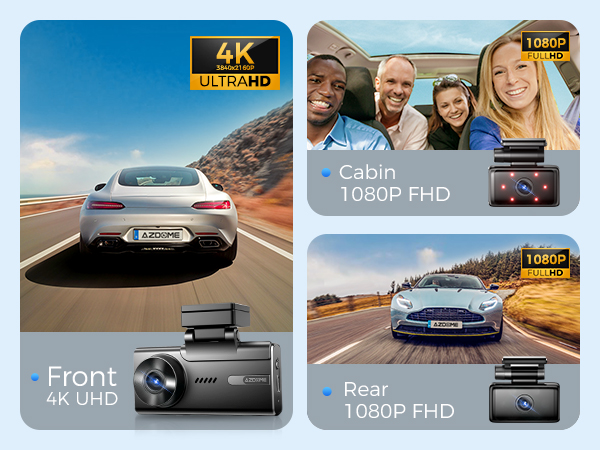
【4K Three-Channel Dash Cam】
1. Front: 5K (5160x2160P); 2. Front and rear: 4K+1080P; 3. Front and inside: 4K+1080P; 4. Front and rear inside: 4K+1080P+1080P. M580-3CH dashboard camera captures incredibly clear and detailed footage of your travels day and night.
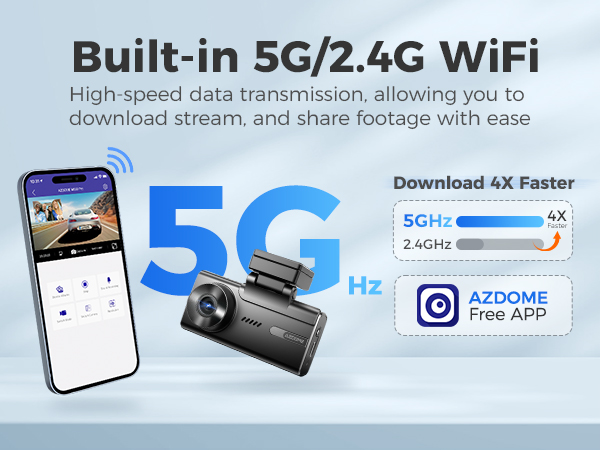
【Built-in 5G WiFi】
AZDOME M580-3CH dash cam 2023 new design comes with 5GHz WiFi. 5.8GHz transmission speed is 4~6 times that of 2.4GHz. 5.8GHz WiFi allows user to download 800Mb video within 10 seconds.
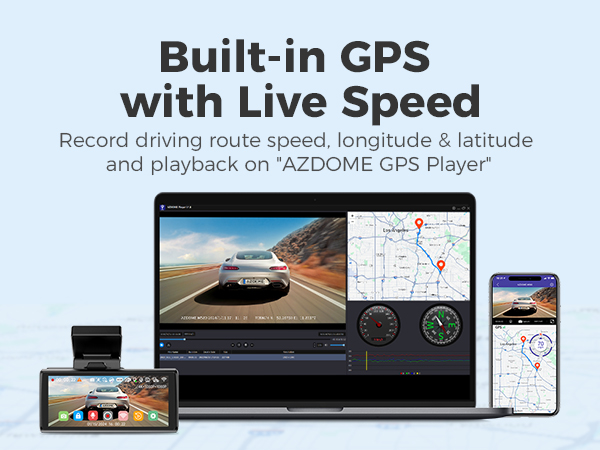
【Dash Cam with GPS】
Equipped with a built-in GPS system that accurately records the driving route, real-time speed, location, and more. You can conveniently track and view this information on Google Maps after downloading the video via WiFi by using the AZDOME App. Additionally, for both Windows and Mac users, our AZDOME GPS Player offers further substantial evidence in case of an accident.
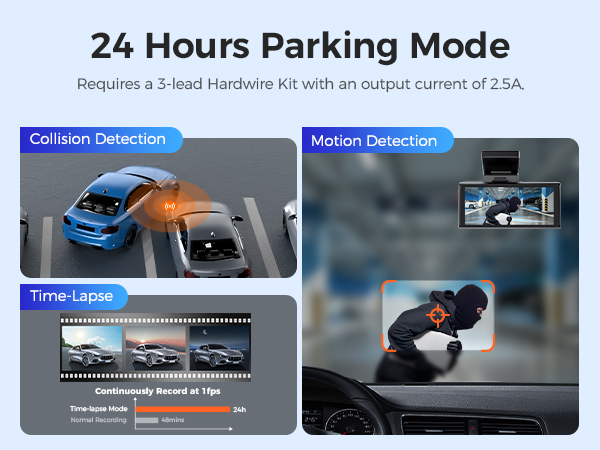
【24-Hour Parking Monitoring】
AZDOME M580-3CH Dash camera offers 3 parking modes:
1. Collision detection parking mode, G-sensor can detect the collision and lock the video.
2. Delay parking mode, the dash cam can record continuously for 24 hours.
3. Motion detection parking mode, car camera can detect motion and start recording automatically.
(In order to avoid fire, our product does not have a high capacity battery installed. So if you want it to work even when the car is parked, you need to install a cable set, you can buy it from this link: https://www.ebay.com/itm/256004133341 or https://www.ebay.com/itm/256487986659 ).
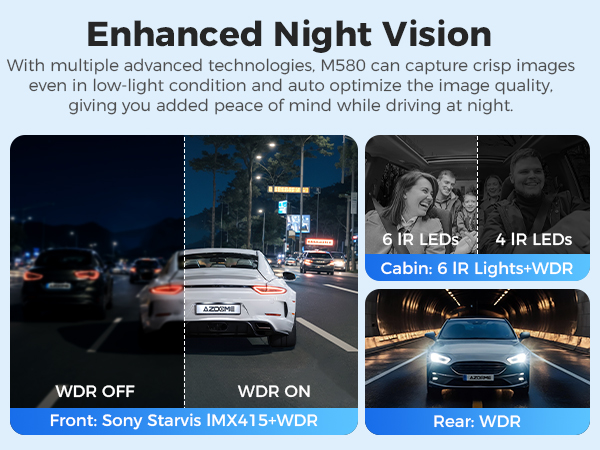
【Enhanced Night Vision】
AZDOME M580-3CH Dash Cam is equipped with F2.0 aperture 6 glass lens to observe the road. Wide Dynamic Range (WDR) processes images to ensure clear recording in bright and dark light. This allows the dash cam to combine multiple images at different brightness levels to create one high-quality image. The night vision function of the driving recorder can enhance the brightness and clarity of images under low-light conditions, allowing the driving recorder to capture clear images at night or in low-light environments, helping to ensure driving safety.
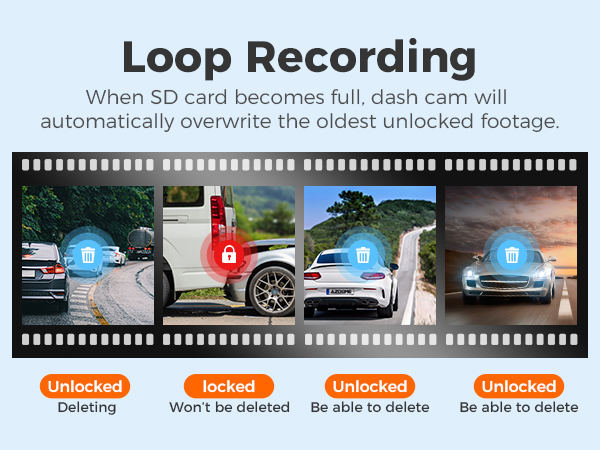
【Loop Recording-1 Minutes(Default)/3 Minutes/5 Minutes】
Loop recording has the functions of continuous recording, space saving and convenient management. You can choose the recording period according to your needs(1/3/5min). By continuously overwriting old recordings, loop recording can effectively use the storage space and reduce the waste of memory card capacity. Loop recording ensures that the dash cam continuously records and saves the latest driving footage without the need to manually clean up the storage space or replace the memory card.
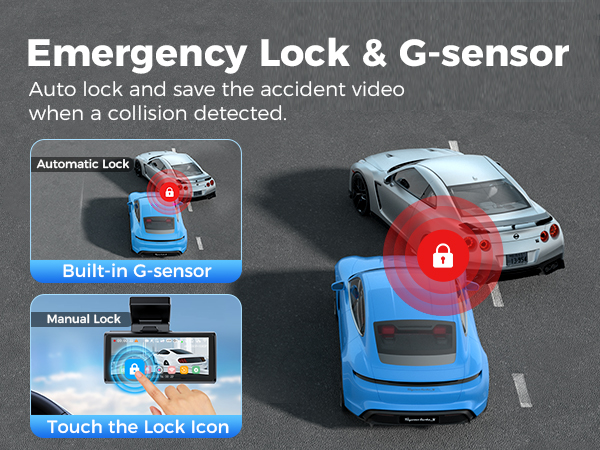
【G-Sensor】
AZDOME M580-3CH The Built-In G-Sensor gets activated by sudden collision and locks the current video file as important evidence for further investigation. G-Sensor also records the 3-Axis impact data on an X-Y-Z Axis graph, so you can see and prove when and where you hit that pot hole on the road or where exactly the impact occurred on the google maps.
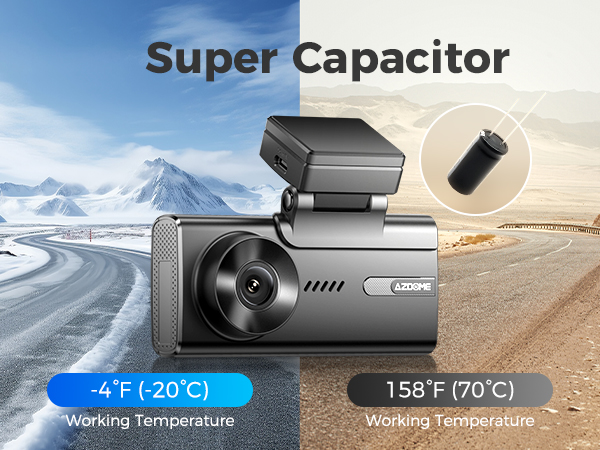
【With Super Capacitor】
Our dash cam is built to withstand extreme weather conditions, from -4°F (-20°C) to 158°F (70°C), making it perfect for exploring any destination. Plus, with a super capacitor, you'll get a longer lifespan compared to lithium-ion battery dash cams on the market.
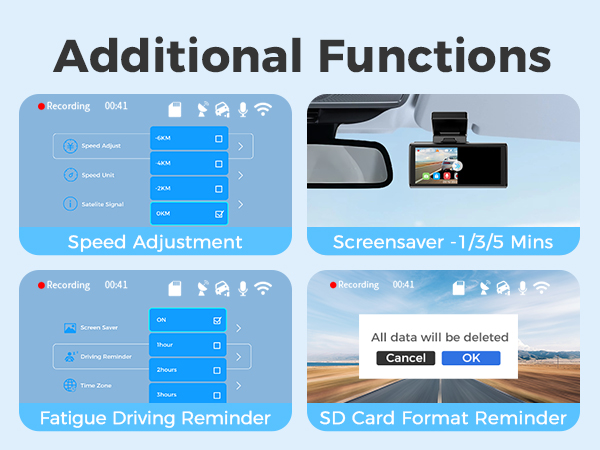
【Additional Functions】
The M580-3CH also includes additional features such as speed adjustment, screen saver, driving fatigue reminder and SD card format reminder. Convenient for you to use this car recorder better.
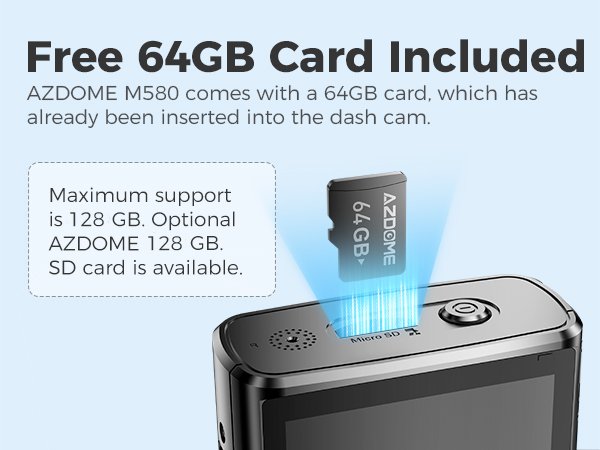
【Free 64GB Card Included】
AZDOME 64GB card has already been inserted into the dash cam.Users do not have to purchase SD card separately. Dash camera for car supports up to 128GB SD card. Please format 64GB SD card at first time using for your dash cam.
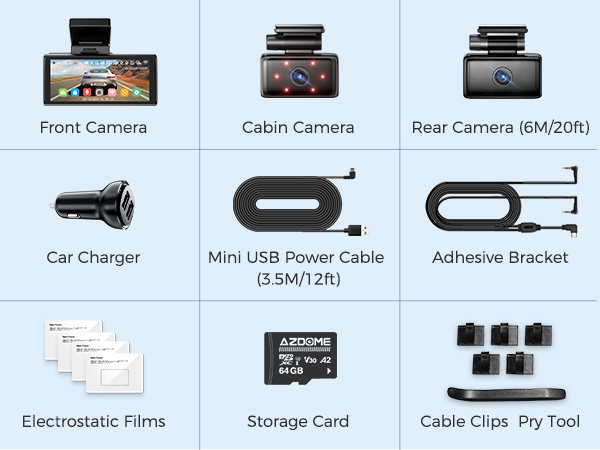
【M580-3CH Standard Packaging List】
Front dash cameraX1
Rear camX1
Cabin camx1
Connection cable for rear and cabin cam x1
Electrostatic films for front x2
Electrostatic films for rear and cabin x4
Type-C USB power cable (3.5M/12ft) X1
USB car charger x1
64GB Storage card x1
Pry tool x1
Cable clips x 5
User manual x1
Specification
| Model | M580-3CH | Video Format | MP4 |
| Hersteller | AZDOME | Video Resolution | 1-CH: 5K; 2-CH:4K + 1080P; 3-CH:4K+1080P +1080P |
| Number of Cameras | 3 (Front+Cabin+Rear) | Power | 5V/2.5A |
| GPS | Built-in GPS | Wi-Fi | 2.4G&5G Wifi |
| Language | Englisch / 日本語/ Deutsch/ Francais / Español / Italiano / Pyccknn.etc | Memory card | (Includes 64GB SD card) Max supports 128GB (TF card, Class 10/U3 or above) |
| G-Sensor | Support | Microphone | Support |
| Color | Black | Speaker | Support |
| Screen Size | 4”IPS Touch Screeen | Battery pack | Built-in Super Capacitor |
| Wide angle lens | 150° | Working temperature | -20 °C to 70 °C |
| Picture format | JPG | Storage temperature | -30℃~ +80℃ |
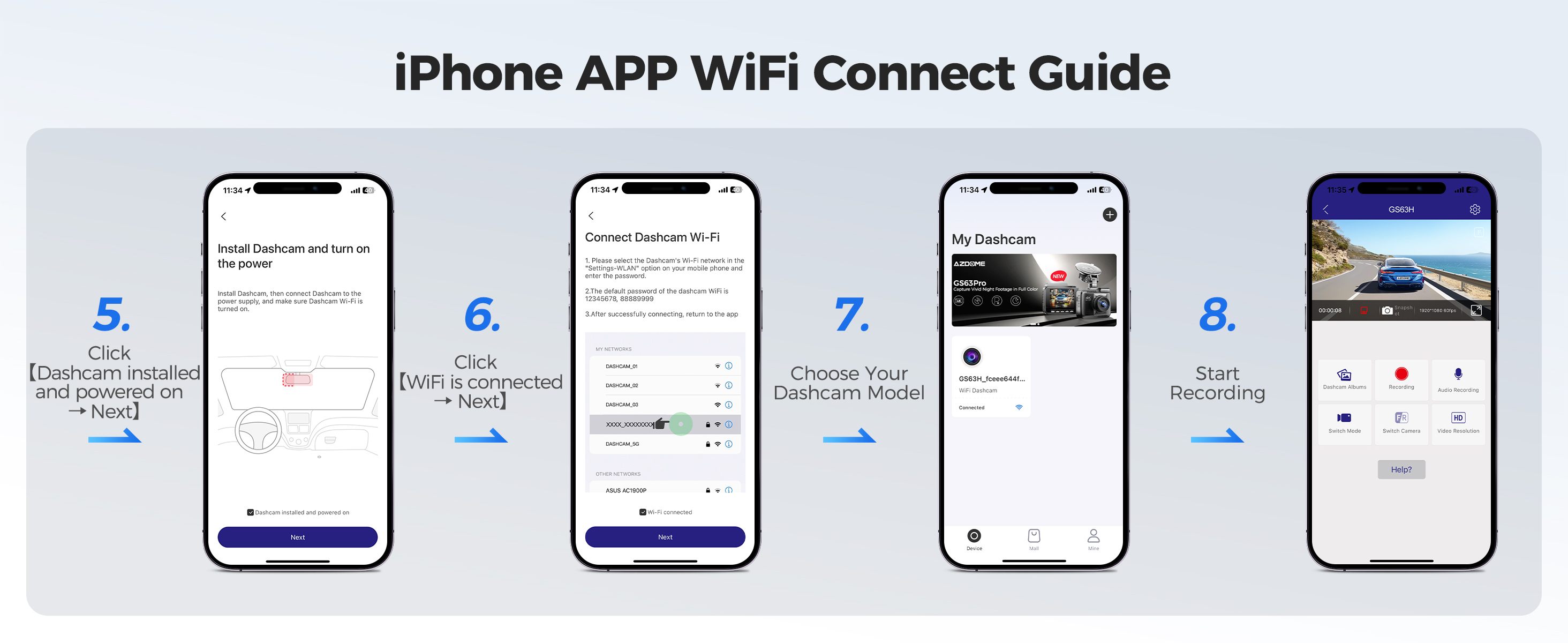
How to connect to WiFi?
The content of the following two pictures and videos can help you to connect the WIFI of the car recorder, if there are more questions about this step, please contact customer service, thank you!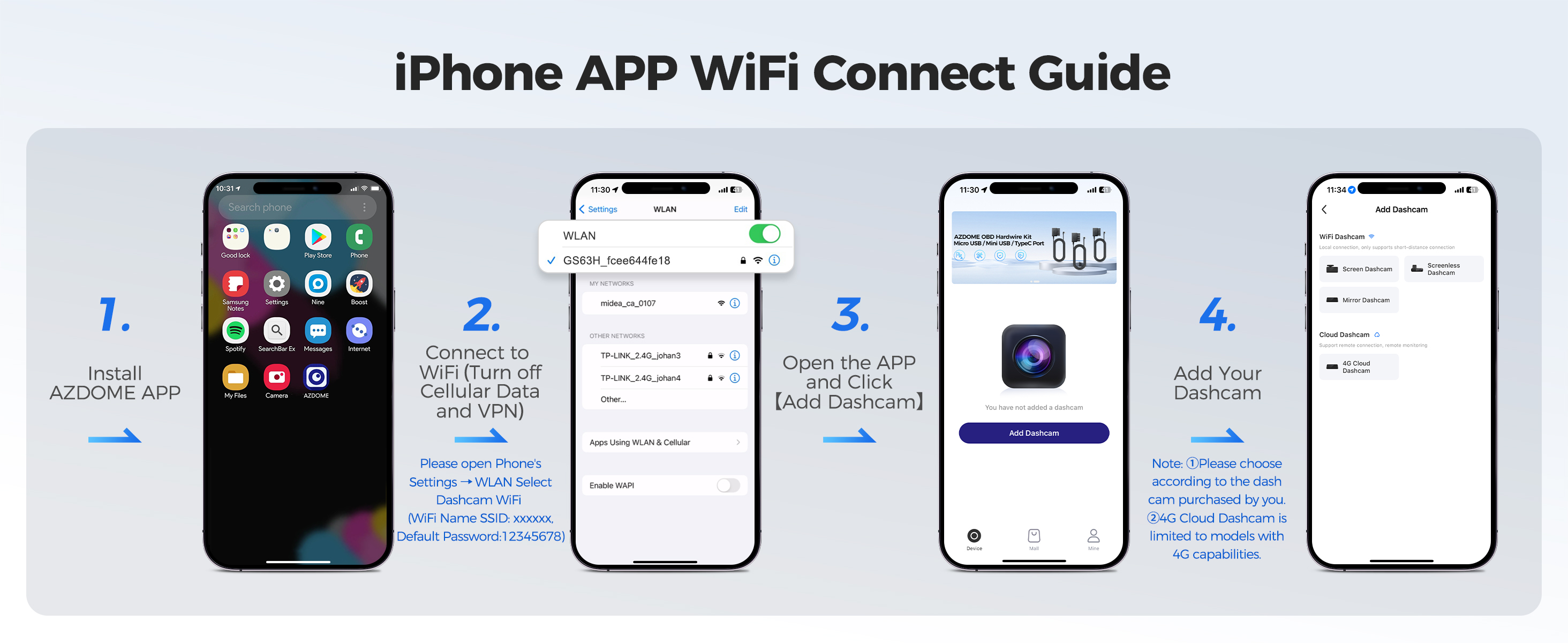
Warm Tips
⭐ It features a built-in super capacitor (only 1mAh lithium metal battery is used for maintaining the time). Please always connect the dash cam to an external power source (USB hardware kit not included) while in use.
⭐ At AZDOME, our goal is to continue working hard to provide you with innovative hardware & software for the camera to give you that personalized experience. We offer updates for camera firmware, software, iOS & Android app improvements regularly for FREE.
⭐ This dash camera for cars is backed by full 1-YEAR WARRANTY. You can text us for (Faster Response) or Email our customer service and we will answer all your questions and resolve any issues quickly. If you are having any doubts, it comes with a FULL REFUND within 30 DAYS.
⭐ Our dashcam's rear camera comes with a 5-6 meter cable, which is suitable for most cars, so most customers do not need to buy this rear camera extension cable accessory. We recommend that you check the length of your car. If your car body is long, the cable may not be long enough when installing the rear camera, and you will need an extension cable. You can buy the extension cable through this link: https://www.ebay.com/itm/256553494300 (If you buy a dashcam from our store, we can give you a discount on the extension cable, please contact our customer service with the order).
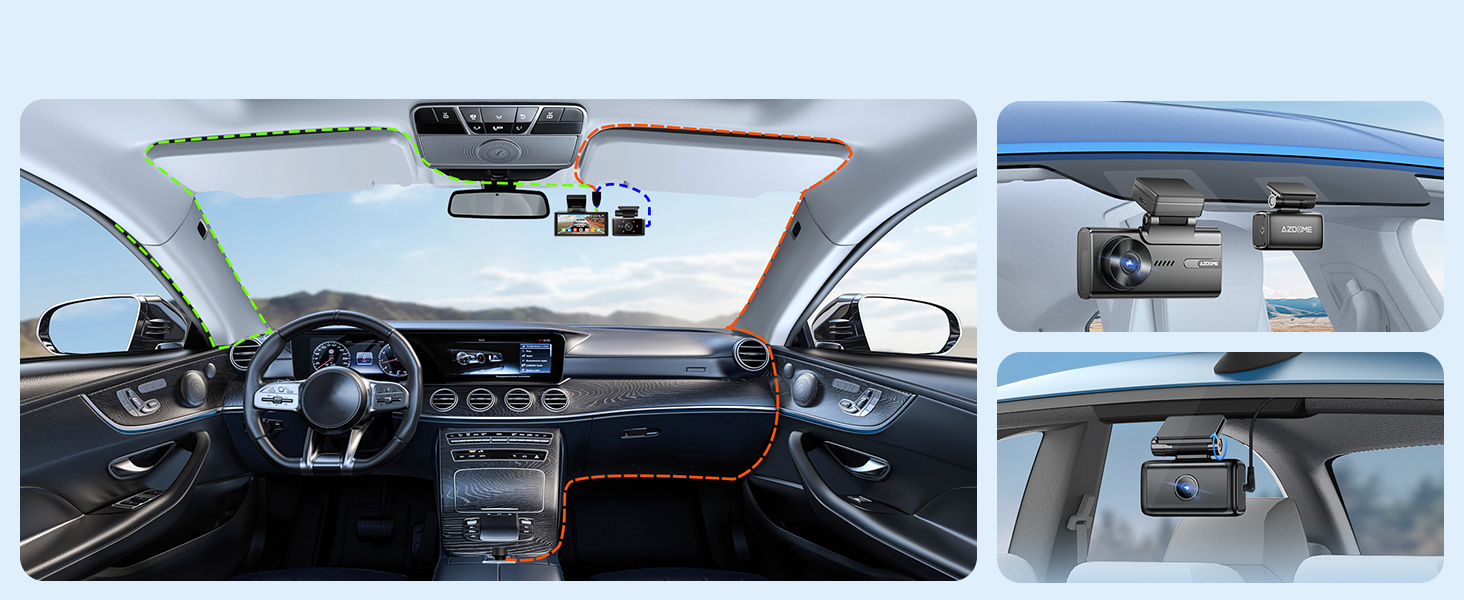
Easy to install
You can install it yourself without hiring a professional, which can save you installation costs.
Install the front and cabin camera at the top of the front windshield. Install the rear camera at the top of the back windshield. Remove any foreign matter and clean and dry the windshield before installation.
STEP:
1. Stick the electrostatic films on your windshield, then stick the sticky bracket of front camera on top of the electrostatic films.
2. Turn off the engine, gently push the card into the slot until it locks into place.(Please using class 10 or above high-speed U3 micro-SD card)
3. Connect the charging cable to the Type-C USB port of the connection cable. Use the pry tool to lift the edges of the windshield trim/molding and tuck in the power cord. Connect cabin camera to the dash cam by using connection cable.
4. Adjust the angle of the lens by the bracket of the front camera. We recommend pointing the lens slightly downwards (≈10° below horizontal), so as to record video with a 6:4 road to background ratio. Adjust the angle of the lens by the bracket of the cabin camera.
5. Peel off the protective film from the double-sided tape and attach the rear camera to the rear windshield. Adjust the angle of the lens by the bracket of the rear camera.
6. Use the pry tool to lift the edges of the rubber window sealing and molding and tuck in the rear camera connection cable. Connect the three cameras by the cable.
7. Turn on the engine. The dashcam will power up and startrecording. Video files are stored on the eMMC memory.When the eMMC memory fills up, the newest video files will start to replace the oldestvideo files (called loop recording) - so you will always have the most recent video files.
Customer questions & answers
Q1: Camera turns ON/OFF automatically?
A: To ensure optimal performance, please use our car charger and confirm that the output current reaches 5V/2.5A. Additionally, make sure to correctly connect the rear camera for improved stability. Note that if different cameras are detected, the dashcam will automatically reboot once to maintain consistency.
Q2: Video lmage is blurred?
A: Remove the protective lens cover, clean the lens, make sure the windshield is clean and clear of grease, dirt, and debris.
Q3: Camera gets HOT?
A:It is normal for your camera to run slightly hot. Due to video being recorded at high speed, the dash cam may be hot during using. (No more than 158°F/70C).
Q4: No power to my Dash Cam but it works upon my computer?
A: The cigarette power cable is not working. Inspect the fuse in the Car Power Cable plug. If the fuse is found to be blown, inspect the power cable for damage which may have caused the fuse to blow.
Q5: The sound is not synchronised with video during playback?
A: The Codecs upon your PC may not be compatible or the latest standard. Download the latest AZDOME GPS Player from www.azdomes.com> Support>Downloads.
Q6: Video Files cannot be played on my computer?
A: The video files from the Dash Cam are in MP4 format and may not be compatible with your PC if suitable playback software is not installed.
Q7: Video has no sound?
A: Ensure that‘Record Audio’setting is turned ON within the Setup Menu. And ensure that‘Timelapse Record’setting is turned OFF within the Setup Menu.
Q8: Photograph is blurred?
A: Make sure the Dash Cam is still while taking the photo. The Dash Cam has a minimum focal range of around 2 meters. Objects closer than this are likely to become blurred.
Q9: I can not delete files on my Dash Cam?
A: Check to see if these files are ‘locked’. If so please follow instructions to ‘un-lock'.
Brand History