Product Description

|
|
|
|---|---|---|
Qualcomm apt-XQualcomm apt-X technology preserves the highest possible quality sound that you don't miss a beat. | Bluetooth 5.0Qualcomm bluetooth 5.0 provides a stable connection for non-stop high-quality wireless streaming. | Up to 26 hours PlaytimeYou can get 6 hours playtime per charge and extra 26 hours with charging case. 10 minutes quick charge can provide 2 hours playtime. |



|
|
|
|---|---|---|
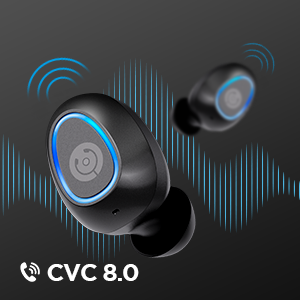
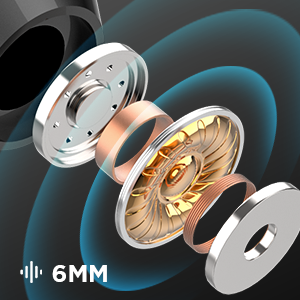
Advanced Noise Reduction for Clear CallBuilt-in microphones with cVc 8.0 noise reduction technology allow you to make loud and clear phone calls even in noisy environment. | Feel the Beat of Your PassionsWith the built-in 6 mm graphene drivers, you'll experience a rich, clear, expansive sound and powerful sonic punch by enhanced deep bass expertly tuned. | IPX7 WaterproofIPX7 waterproof technology protects Fusion wireless earbud against sweat, accident splashes and light rain. |


FAQ:
1. How to pair Cystereo Fusion wireless earbuds on first use?
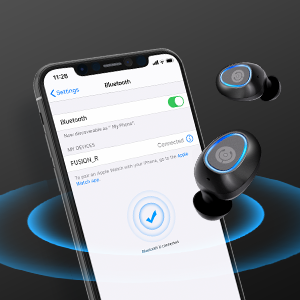
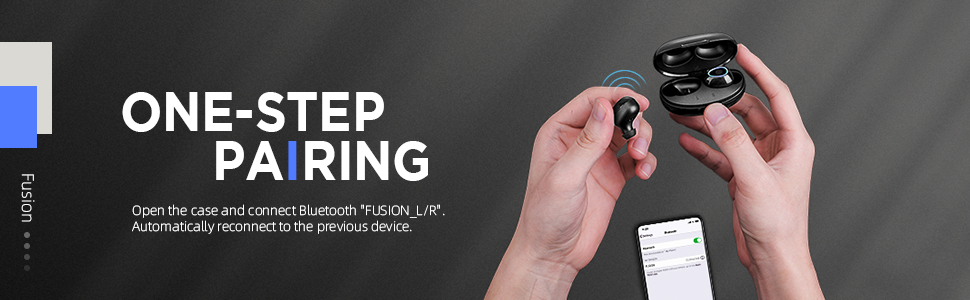
First, take the earbuds out from the charging case, and turn on the Bluetooth of your phone or other devices. Second, connect to Fusion_L or Fusion_R. Then, a pairing request for the other earbud will pop up, and please also pair it. After that, you can use single or both earbuds per your need.
2. How to reset the wireless earbuds?
Place the two earbuds into the charging case, then simultaneously touch and hold the touchpad of both earbuds for 5s until the red light turns blue which means reset successfully. After resetting, the blue light will flash 10s to clear the data.
3. How far can my Cystereo Fusion true wireless earbuds be away from the device without disconnected?
According to laboratory data, the earbuds can stay connected with device in 10 meters without obstacle.
4. Can either earbud be used independently while the other is in the case?
Yes. After pairing successfully, simply remove the one you don’t want to use and put it into the case. Or simply take the one you want to use only.
5. What should I do if there is a connection error or no sound in one side?
This may happen due to the earbuds connected with too many devices. You may put the earbuds in the charging case and wait until the light on both earbuds turns red, then try to reconnect.
6. How to control volume and answer calls?
To control the volume, please tap the touchpad of the right earbud twice for volume up and the left earbud twice for volume down. For incoming calls, please tap the touchpad of either earbud once to answer, or hold the touchpad for 2 sec to reject. All those information can be found in User Manual.