V3 Pro Replacement Voice Remote Control Compatible with vSeeBox V5 Pro / V3 Plus/V3 Pro / V2 Pro / V1 Pro/V1 Max/Elite/Max
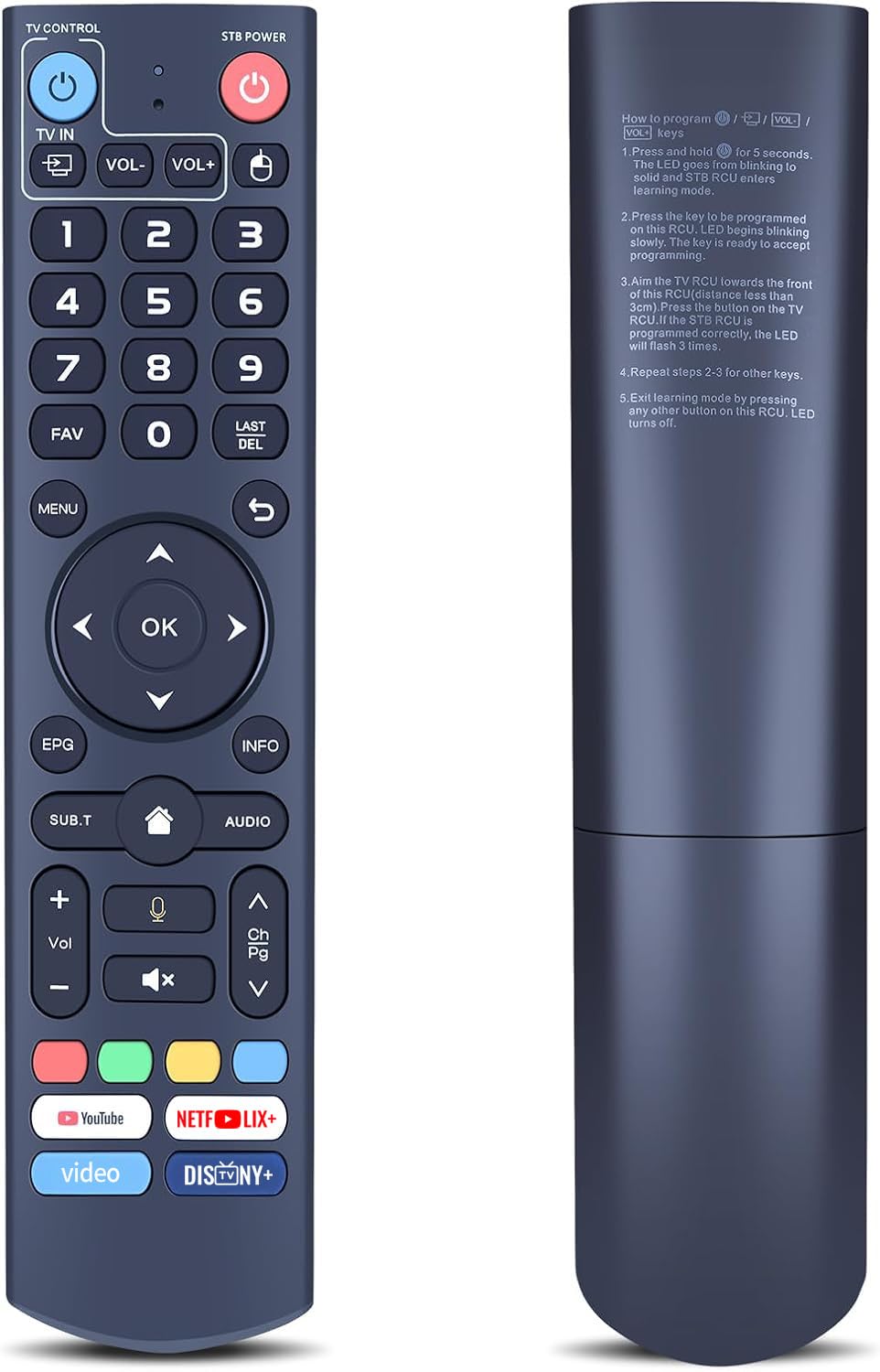
- ⚠️Some functions are Not available? Please follow the steps below - 1) Press and hold [POWER] key for 5 seconds. the LED goss from blinking to solid and STB RCU enters Learning Mode. 2) Press the key to be programmed on this RCU. LED begins blinking slowly. The key is ready to accept programming. 3)Aim the TV RCU towards the front of this RCU(distance less than 3cm) Press the button on the TV RCU. If the STB RCU is programmed correctly, the LED will flash 3 times. 4)Repeat steps 2-3 for other keys and Exit learning mode by pressing any other button on this RCU. LED turns off
- 【ONLY Compatibility】this V3 Pro voice remote control work with part vSeeBox models, Including for vSeeBox V5 Pro / V3 Plus/V3 Pro / V2 Pro / V1 Pro/V1 Max/Elite/Max. Tips: V1 Max, V1 Pro, V2 Pro (No Voice Command Feature). Please make sure your box model is in the above list
- 【Enhanced Connectivity】Equipped with cutting-edge technology for lightning-fast pairing, rock-solid stability and extended range, Makes the connection process more convenient!
- 【Two working modes】V3 working mode and V2 working mode. Press and hold the number key 5 for more than 10 seconds and the indicator light flashes, indicating that the mode switch is successful. V3 Pro working mode is applicable to V3 Pro; V2 Pro working mode is applicable to V1 Pro/V2 Pro/Max/Elite.(Note: Vseebox V3 remote control defaults to V3 working mode)
- 【How to Use the V3 Remote Control On V1 Pro/V2 Pro/Max/Elite?】Press and hold the OK and vol- keys simultaneously (about five seconds) until the remote control indicator light continues to flash, which means the Bluetooth of the V3 remote control is enabled. Pair the remote control under System Settings - Bluetooth - Pair New Device, find the vseebox remote control, and connect to the vseebox. (If it is not found, it may be that Bluetooth is not turned on. Please press and hold the OK and vol- keys on the remote control at the same time to turn on Bluetooth)
- 【Package Including & After-Sales Service】1* Replacement Voice Remote Control for vSeeBox V3 Pro;If your device models is not on the compatible list, please contact us via amazon messaging tool. We can check it for you.
RETROSUN V3 Pro Replacement Voice Remote Control Compatible with vSeeBox V5 Pro / V3 Plus/V3 Pro / V2 Pro / V1 Pro/V1 Max/Elite/Max.
- We offer FREE shipping on all orders!
- We ship within Three business days of payment, usually sooner.
- We use a selection of shipping services such as UPS, FedEx, USPS etc.
- We only ship to the lower 48 states, no APO/FPO addresses or PO Boxes allowed.
- Local pickups and combined shipping options are not provided at this time.

- You can return a product for up to 30 days from the date you purchased it.
- Any product you return must be in the same condition you received it and in the original packaging. Please keep the receipt.

We accept payment by any of the following methods:
PayPal
Please pay as soon as possible after winning an auction, as that will allow us to post your item to you sooner!

Customer satisfaction is very important to us.
If you have any problem with your order, please contact us and we will do our best to make you satisfied.

If you have any queries, please contact us via ebay. We usually respond within 24 hours on weekdays.