


Our products are dedicated to the car, the wire is the socket docking without breaking the line, do not cause secondary damage to
the car.
12.3" Car GPS Navi Carpaly Radio Stereo For Benz Vito Metris 2014-2022 64 GB
About this item
💡12.3-Inch High-Resolution Touchscreen:
- A large and vibrant 12.3-inch touchscreen display that provides a wide, clear view for navigation, media control, and app usage, enhancing your in-car experience.
💡Android 13 Operating System:
- Runs on the latest Android 13 , delivering fast performance, a responsive interface, and access to the newest features and apps for ultimate customization.
💡Apple CarPlay Integration:
- Easily connect your iPhone to the stereo for seamless access to apps like Maps, Music, Calls, and Messages, helping you stay connected and safe on the road.
💡Built-in GPS Navigation:
- Enjoy real-time GPS navigation with turn-by-turn directions, ensuring you always find your way, no matter where you drive.
💡Steering Wheel Control Compatibility:
- Supports steering wheel controls, allowing you to adjust volume, skip tracks, and control other functions without taking your hands off the wheel, improving safety and convenience.
💡Backup Camera Support:
- Compatible with a backup camera , offering extra safety when reversing and clearer visibility for parking.
💡FM Radio:
- Built-in FM radio functionality, so you can listen to your favorite radio stations while on the go.
💡Bluetooth Connectivity:
- Allows for hands-free calling and wireless music streaming from your phone or other Bluetooth-enabled devices, providing easy connectivity and safe communication while driving.
💡Powerful 8-Core Processor:
- Equipped with a powerful 8-core processor, ensuring smooth, lag-free performance even when running multiple apps or playing high-definition videos.
💡4 GB RAM + 64 GB Storage:
- 4 GB of RAM for efficient multitasking and smooth app performance. The 64 GB of internal storage gives you ample space for apps, media, and files, with the option to expand via external storage.
💡Vehicle-Specific Compatibility:
- Tailored For Mercedes-benz Vito 2014-2022 providing a seamless fit and integration into your vehicle’s dashboard for a clean, professional look and easy installation.
Product Description
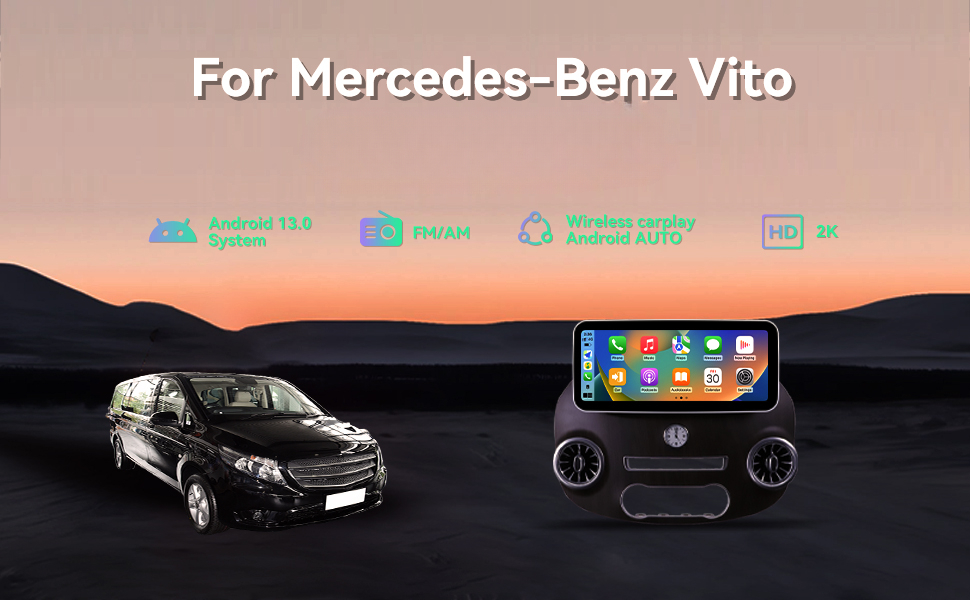
12.3" Touch Screen for Mercedes Benz Vito 2014-2020 Android Car Radio Stereo GPS Navigation Support DSP in Dash Multimedia with Wireless Charging

Functional Properties
[Buyer Note]Please provide accurate model year information and pictures of the original radio to us for confirmation; if you can determine the original system, you can directly buy corresponding model.
[Retain OEM Functions]
Perfectly compatible with the original car amplifier, air conditioning, steering wheel control.
[Android Stereo Function Parameters]
Android 13.0 system, octa-core CPU, works with wireless Carplay & wireless Android Auto via Car Link, AM/FM RDS radio, Dual Blue-tooth, Split Screen (run two apps on one screen), GPS Navigation, Steering Wheel Control, 2 USB ports, support rear view camera, WiFi connection, you can download thousands of apps
|
|
|
|
|
|---|---|---|---|
SWC FunctionsSteering wheel control, seamlessly connected to the original car |
Built-in CarPlay/Android auto/WIFI/BT5.0Wireless CarPlay and Android auto to connect to networked mobile phones, faster and safer |
Built-in 4G LTEBuilt-in 4G lte network, enjoy surfing the web |
Support Google Play StoreDownload as many popular apps as you like,youtube,facebook,ins,tiktok,etc. |
|
|
|
|
|---|---|---|
|
|
|
|
|
|
|
|
|---|---|---|
|
|
|
|
Installation Instructions
Special car dedicated
non-destructive installation

