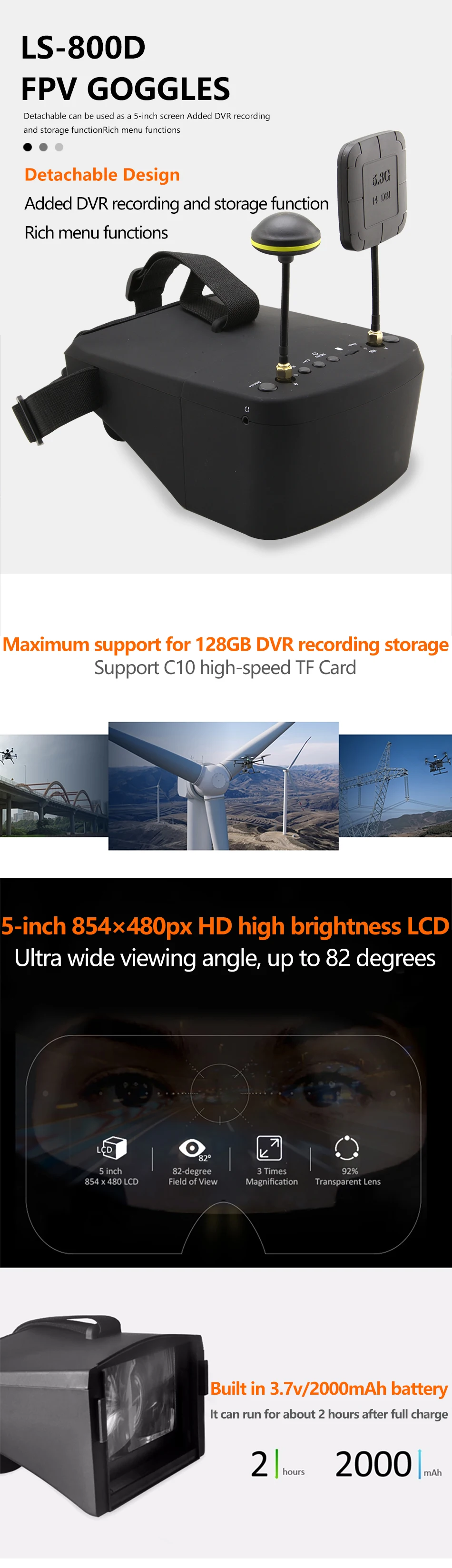
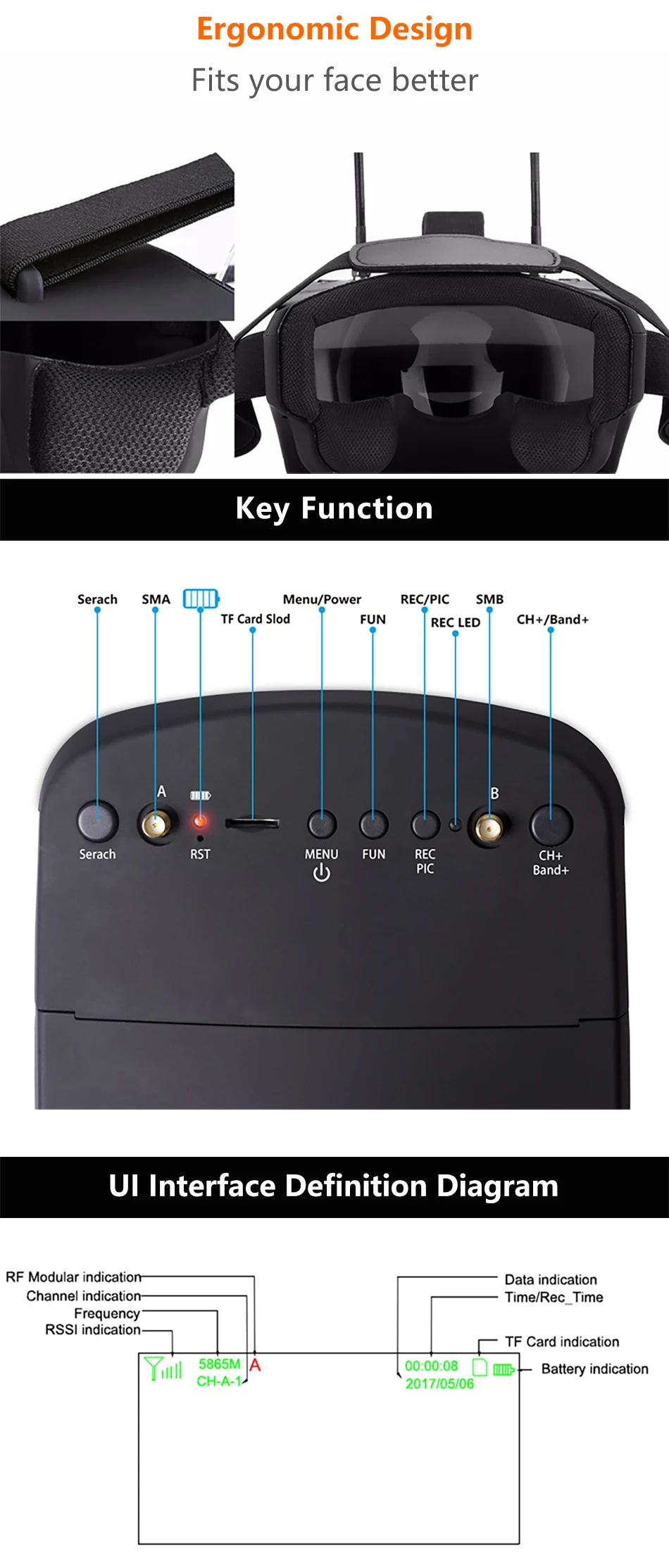
LS - 800D is an exceptional pair of FPV goggles at a low price. Compared with other FPV goggles, it has a bigger and clearer display - 5 inch 854 x 480; its built-in DVR supports up to 128GB micro SD card for recording 720 x 480 videos.
More importantly, two sets of chips are dedicated to displaying and recording respectively, so you are able to have an enjoyable aerial view with maximum fluency.
Main Features
5 inch big screen, 854 x 480 HD display, 82-degree FOV for FPV racing
Built-in DVR supports recording 720 x 480 videos and up to 128GB micro SD card
Separated chips for displaying / recording, which ensures no latency and no frame lost
Maximum signal coverage with dual receivers and antennas + channel auto searching
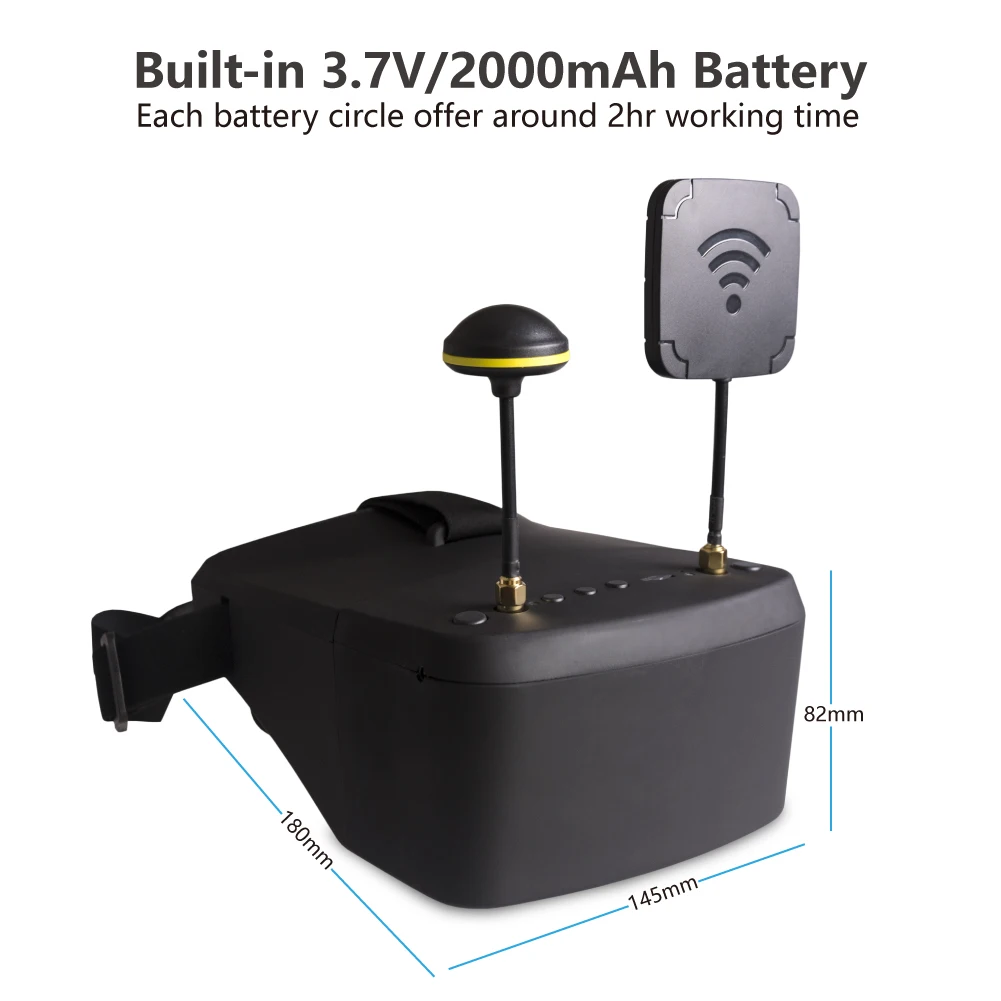
3.7V 2000mAh LiPo battery provides up to 2h operation time after each full charge
Specifications
Display
Screen size: 5.0 inches
Resolution: 854 x 480 ( no blur after enlarge by the lens )
Brightness: 450cd / square meter
Screen type: LED-backlit LCD for outdoors
Aspect ratio: 16:9
FOV: 82 degree
Lens: 3x boost of the image
DVR
Video recording: 720 x 480 ( AVI )
Supported micro SD card: up to 128GB ( Class 10 required )
Connectivity
Diversity receiver: 2 x RX5808
Sensitivity: -90dBm
Frequency: 5.8GHz
Number of channels: 40
Auto searching: yes
Antenna: 14dBi flat, 14dBi mushroom
Interface: micro USB Type-B, 3.5mm video input
Power Supply
Built-in battery: 3.7V 2000mAh LiPo
Operation time: 2 hours
Charger: 5V 2A
Charge time: 4.5 hours
Description: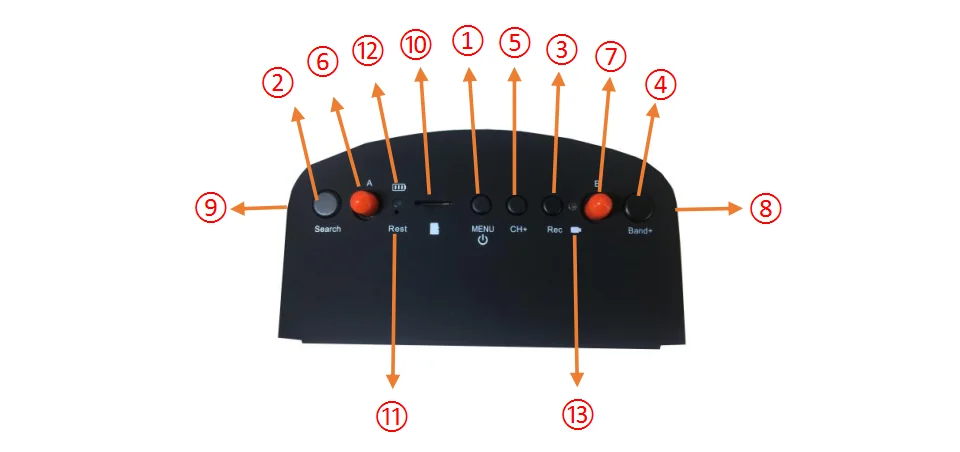 ① Key 1: Short press into MENU mode; Long press (More than 2 sec) for Power ON/OFF.
② Key 2: Short press for Auto-Searching; Long press (More than 1.5 sec) into AV mode.
③ Key 3: Short press to start or stop Recording.
④ Key 4: Short press for Band+ (Change bands A-B-E-F-R circularly).
⑤ Key 5: Short press for Channel+ (Change channels 1-2-3-4-5-6-7-8 circularly).
⑥ Antenna port A: RP-SMA male.
⑦ Antenna port B: RP-SMA male.
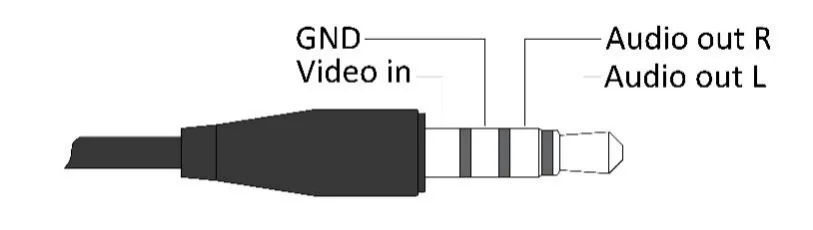
⑧ AV Jack: In RFreceiving mode can output Audio signal; In AV mode can enter the video signal.
⑨ Micro-USB Charging port: Supports DC5V only.
⑩ Card slot: Used for inserting memory card.
⑪ RESET: Power Reset.
⑫ Charging indicator: When is charging, the red light is on; When is full, the green light is on.
⑬ REC indicator: Show the different working states of the DVR module.
Menu Instructions:
In the normal mode, press Key 1 to enter the MENU mode.
In MENU mode:
Key 1: Scroll options bar.
Key 2: Auto-Searching.
Key 3:Invalid.
Key 4: Enter / Value +.
Key 5: Enter / Value -.
Playback Instructions:
In the menu mode, select the "DVR" option bar to enter the DVR mode.
In DVR mode:
Key 1: Return / Quit Playback mode.
Key 2: Delete current file.
Key 3:Play / Pause.
Key 4: Forward selection of video / Fast Forward (When video is playing).
Key 5: Backward selection of video / Fast Rewind (When video is playing).
AV port Instructions:
Dimension Diagram:
Not included antennas and headband.
Safety instruction:
1. Read the entire instruction manual to become familiar with the features of the product before operating.
2. Age Recommendation: Over 14 years old.Using any near eye displays on children under 14 can cause eye development problems. This is not a toy.
3. Please avoid wet or humid environments.
4. Please use standard USB charger, charging voltage can only be 5V.
5. Audio output and Video input cannot work at the same time.