Description
DVD Course for Adobe Photoshop Basic and Advanced Level
Adobe Photoshop is a powerful graphic editing prpgram that allows you you to create and manipulate image for print, the web and other media. Photoshop is almost limitless in the ability to manipulate and edit images, but don't let that scare you!
Our instructor will explain the workspace clearly and guide you how to set up the workflow. Then, she will explain the selection of image size and understanding the concept of layers. In addition, you will learn how to use brush and painting tools. Finally, you will learn the essential skills, such as straightening and cropping images, recomposing the image, transforming artwork, making color and tonal adjustment, processing file in camera raw and adjusting image sharpness and blur. In addition, this tutorial will cover advanced topics, such as vector shapes and paths and advanced composition. Finally, we will discuss how to work with video and animation, files for Web and printing for colors.
This tutorial is suitable for version CS6 and latest CC versions.
For a limited time, we will provide hundred of images for you to use.
This tutorial will run on your Windows 10, 8, 7 or vista Operating system. All you need to do is to insert this DVD into your drive and follow the on-screen instructions. No internet is required and guaranteed of no spasm nor virus.
Harness The Power Of Photoshop To Create Beautiful Photos And Improve Your Digital Photography
Adobe Photoshop is a powerful graphic editing prpgram that allows you you to create and manipulate image for print, the web and other media. Photoshop is almost limitless in the ability to manipulate and edit images, but don't let that scare you!
Our instructor will explain the workspace clearly and guide you how to set up the workflow. Then, she will explain the selection of image size and understanding the concept of layers. In addition, you will learn how to use brush and painting tools. Finally, you will learn the essential skills, such as straightening and cropping images, recomposing the image, transforming artwork, making color and tonal adjustment, processing file in camera raw and adjusting image sharpness and blur. In addition, this tutorial will cover advanced topics, such as vector shapes and paths and advanced composition. Finally, we will discuss how to work with video and animation, files for Web and printing for colors.
This tutorial is suitable for version CS6 and latest CC versions.
For a limited time, we will provide hundred of images for you to use.
This tutorial will run on your Windows 10, 8, 7 or vista Operating system. All you need to do is to insert this DVD into your drive and follow the on-screen instructions. No internet is required and guaranteed of no spasm nor virus.
Basic Level Course Contents:
Advanced Level Course Contents:

High Quality Photoshop PSD Files
Fabulous Photo Images
Clip arts
Lesson 1; Exploring Workspace, including 5 topics
Lesson 2: Understanding Photoshop Workflow, including 5 topics
Lesson 3: Selecting Image size, including 6 topics
Lesson 4: Working with Layers, including 5 topics
Lesson 5: Using Typo Graphics Design, including 3 topics
Lesson 6: Using Brush and painting tools, including 5 topics
Lesson 7: Restoring and Enhancing Images, including 6 topics
Lesson 2: Understanding Photoshop Workflow, including 5 topics
Lesson 3: Selecting Image size, including 6 topics
Lesson 4: Working with Layers, including 5 topics
Lesson 5: Using Typo Graphics Design, including 3 topics
Lesson 6: Using Brush and painting tools, including 5 topics
Lesson 7: Restoring and Enhancing Images, including 6 topics
Advanced Level Course Contents:
Lesson 1; Vector Shapes and Paths, including 6 topics
Lesson 2: Designing Advanced Composition, including 5 topics
Lesson 3: Automating Photoshop Steps, including 4 topics
Lesson 4: Working with Video and Animation, including 4 topics
Lesson 5: Preparing Files for Web, including 3 topics
Lesson 6: Producing and Printing Consistent Colors , including 3 topic
Lesson 2: Designing Advanced Composition, including 5 topics
Lesson 3: Automating Photoshop Steps, including 4 topics
Lesson 4: Working with Video and Animation, including 4 topics
Lesson 5: Preparing Files for Web, including 3 topics
Lesson 6: Producing and Printing Consistent Colors , including 3 topic
High Quality Photoshop PSD Files
Fabulous Photo Images
Clip arts
Catalog of Filters
and many more....
and many more....
Benefits:
- No internet is required.
- No Monthly Fee
- Fee online access to this course so you can learn anytime and anywhere
- 100% Guaranteed and replacement of the DVD disc.
- Special Bonus of photoshop Images, clip arts and more.
DVD disc will run on your Windows PC
If you have a Apple Mac, please contact us so we can send the files to run on your Mac.
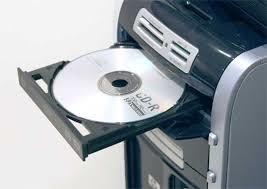
System Requirements:
Platform: Windows 10, 8, 7 and Vista
Processor: Pentium 133 Mhz or higher
RAM: 32MB
Hard drive space: 10MB
CD-ROM Drive speed: 24
Click image to enlarge
