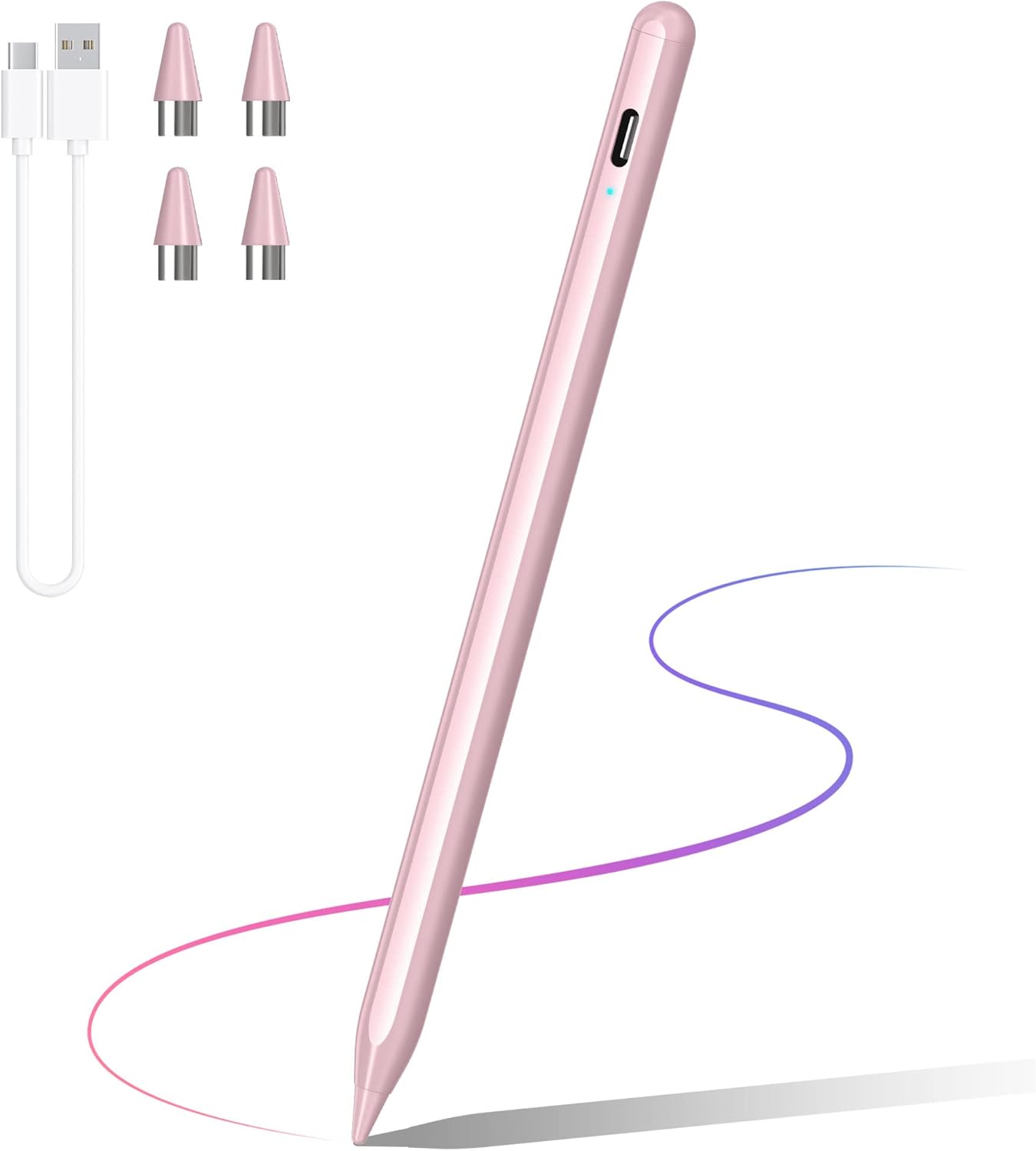
DRYMOKINI Stylus Pen, Active Pen Touch Screens Universal, Pink
Product Details
Product Dimensions: 5.91 x 1.73 x 0.39 inches
Item Weight: 3.52 ounces
Item model number: KD503-Pink
Batteries: 1 Lithium Metal batteries required. (included)
Manufacturer: DRYMOKINI
Color: Pink
Brand: DRYMOKINI
Material: Aluminum
Number of Batteries: 1 Lithium Metal batteries required. (included)
Item Weight: 0.1 Kilograms
Battery Average Life Standby: 30 days
Compatible Devices: Phone 14/14 Pro/14Pro Max/14 Plus/13/13 Pro/13 Pro Max/13 mini/12/12 Pro/12 Pro Max/12 mini/11/11 Pro/SE//XS/ XS MAX/ XR/ X/ 8/ 8 Plus/ 7/ 7 Plus/ 6S/ 6 plus, Samsung Galaxy Z Fold 4/Z Fold 3/S23/S23 Ultra/S22/S22 Ultra/S21/S21 Ultra/S21 FE/S20/S20 Ultra/S20 FE/S10/S9/S8/S7/S6/S5/S4/S3/A13/A33/A53/A32/A42 , etc. Samsung Note 20/Note 10/Note 9/Note 8, etc. And all models of Galaxy other A/F/S/Note/Z series, Smartphone, Tablet, iPad Air 3rd/4th/5th Gen, IPad (6th/7th/8th/9th/10th Gen), IPad Mini 5th/6th Gen, IPad Pro (11/12.9inch), IPad & iPad Pro(2018-2022) Phone 14/14 Pro/14Pro Max/14 Plus/13/13 Pro/13 Pro Max/13 mini/12/12 Pro/12 Pro Max/12 mini/11/11 Pro/SE//XS/ XS MAX/ XR/ X/ 8/ 8 Plus/ 7/ 7 Plus/ 6S/ 6 plus, Samsung Galaxy Z Fold 4/Z Fold 3/S23/S23 Ultra/S22/S22 Ultra/S21/S21 Ultra/S21 FE/S20/S20 Ultra/S20 FE/S10/S9/S8/S7/S6/S5/S4/S3/A13/A33/A53/A32/A42 , etc. Samsung Note 20/Note 10/Note 9/Note 8, etc. And all models of Galaxy other A/F/S/Note/Z series, Smartphone, Tablet, iPad Air 3rd/4th/5th Gen, IPad (6th/7th/8th/9th/10th Gen), IPad Mini 5th/6th Gen, IPad Pro (11/12.9inch), IPad & iPad Pro(2018-2022)Phone 14/14 Pro/14Pro Max/14 Plus/13/13 Pro/13 Pro Max/13 mini/12/12 Pro/12 Pro Max/12 mini/11/11 Pro/SE//XS/ XS MAX/ XR/ X/ 8/ 8 Plus/ 7/ 7 Plus/ 6S/ 6 plus, Samsung Galaxy Z Fold 4/Z Fold 3/S23/S23 Ultra/S22/S22 Ultra/S21/S21 Ultra/S21 FE/S20/S20 Ultra/S20 FE/S10/S9/S8/S7/S6/S5/S4/S3/A13/A33/A53/A32/A42 , etc. Samsung Note 20/Note 10/Note 9/Note 8, etc. And all models of Galaxy other A/F/S/Note/Z series, Smartphone, Tablet, iPad Air 3rd/4th/5th Gen, IPad (6th/7th/8th/9th/10th Gen), IPad Mini 5th/6th Gen, IPad Pro (11/12.9inch), IPad & iPad Pro(2018-2022) See more
Item dimensions L x W x H: 5.91 x 1.73 x 0.39 inches
Are Batteries Included: Yes
Batteries Required?: Yes
HIGHLY PRECISE & NO LAG - Drymokini stylus pens has a high-quality 1.5mm tip that provides exceptional accuracy and smoothness on the screen, outperforming over 80% of other styluses. You won't experience any lag, skipping, or disconnections while using it. It's perfect for a wide range of applications and works seamlessly with all Android and iOS device.
COMPATIBLE WITH ALL YOUR DEVICES - The stylus supports both Android and iOS, includes i-Pad 10th/ 9th/ Pro/ Mini/ Air, Phone 13/12/12P/ XS/ XS MAX/ XR/ X/ 8/ 8 plus/ 7/ 7 plus/ 6S/ 6 plus, and other smartphones and tablets (iOS/ Android) devices, it can give you a amazing writing and drawing experience. [NOTE: Windows is not yet supported.]
LONG-LASTING STYLUS - This i-pad stylus is designed to keep up with your busy lifestyle - it only takes 1 Hour to charge and provides up to 20 Hours of continuous use and 30 days of standby time. With a built-in battery and an advanced USB-C charging port, you can focus on your studies or work without worrying about the pen dying mid-task.
EASY TO USE - Open the box and start using this lovely stylus pen for touch screens immediately! No need drivers, or any apps. Start your drawing, writing, or gaming. Whether it's for artistic purposes, meetings or classroom notes, or just avoiding messy fingerprints on your screen.
QUALITY AND SERVICE COME FIRST & EXTRA PEN TIP GIFT - Comes with 1 i-pad Pencil, 4 replacement Nib, 1 Type C charging cable, and 1 user manual. Your experience comes first. Your pleasant experience is our only goal and we provide lifetime professional technical support.【Turn off the "Only Draw with A-pple Pencil" on tablets before using it.】
【Notice】What if the stylus pen doesn't work on the i-Pad? Please disconnect your Pad from the App|e Pencil first, and if there is a switch inside the app for A-pple-Pencil use only, please turn it off. 2)Why doesn't this stylus work on notability? Please modify your settings in the app to use it. Click "Info" in Notability - find " App|e Pencil :" - select "Disconnect", then you can use it normally. Other applications where the stylus doesn't work can refer to this operation. (GoodNotes/Note)