






Please Note:
This item only shipped to United States,If you are Buyers from United States, Only take 1-5 Business Days for Delivery.
If you need to return the item for some reasons, please contact us via eBay message at the first time to get the RMA#,and return address instead of sending back directly without permission,thank you!
Original Autel MaxiVCI Mini VCI Mini Bluetooth-compatible Diagnostic Interface
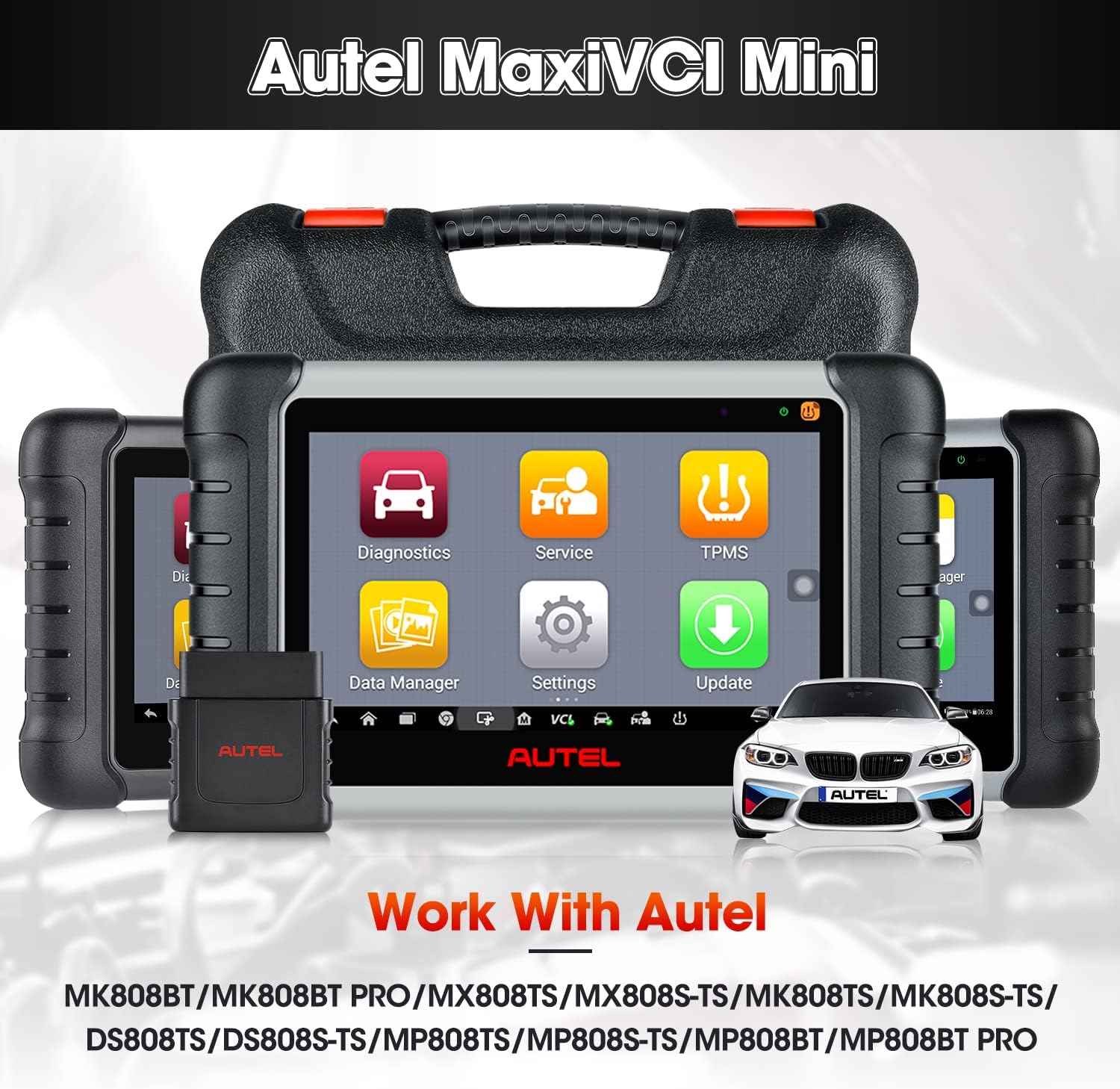
Autel VCI Mini is designed to connect wirelessly with the MaxiCom / Maxicheck / MaxiPro and MaxiTPMS Display Tablet, as a vehicle communication interface (VCI) for vehicle data transmission. Thanks to the wireless Bluetooth-compatible technology, with which you are allowed to work freely around the vehicle. This interface device can communicate with vehicles' electronic control units (ECUs), guaranteeing performance and speed that redefine multi-brand diagnostics.
Vehicle Communication interface: MaxiVCI MINI
Broad Compatibility: It can work with Autel MK808BT/ MK808BT Pro/ MX808TS/ MK808TS/ MK808S-TS/ DS808TS/ DS808S-TS/ MP808TS/ MP808S-TS/ MP808BT/ MP808BT Pro/ MP808BT Kit/ TS608 etc.
Wireless Bluetooth Technology + 10m Working Range: Thanks to wireless Bluetooth technology, the VCI Mini offers 10-meter wireless diagnostic range that allows you to work unfettered outside the car.
Power Sources: The MaxiVCI Mini operates on 12-volt vehicle power, which is received through the vehicle’s DLC. The unit powers on whenever it is connected to the vehicle’s DLC.
Wirelessly connects ECU to perform ECU Coding, Full TPMS, Bi-directional Control, Services etc.

Connect MaxiVCI Mini to Autel Scanner
Connect the VCI MINI to the scanner in three simple steps
Step 1: Insert the MaxiVCI Mini on the vehicle’s DLC
Step 2: Power up scanner
Steps 3: Turn on scanner Bluetooth icon, connect with VCI MINI
To connect to Non-OBD II Vehicles
1. Locate the required OBD I adapter and connect its 16-pin jack to the Vehicle Data Connector on the MaxiVCI Mini.
2. Connect the attached OBD I adapter to the vehicle’s DLC.
Another way to connect via USB Cable:
After VCI mini connected with DLC, you can also use USB Cable to conect with Autel scaner.
NOTE: When both the communication methods are applied at the same time, the MaxiCOM system will use the USB communication as the default priority.

Update Autel MaxiVCI Mini
Update via Scanner:
Before updating the VCI software, ensure the scanner’s connection to the Internet is stable.
To update the MaxiVCI Mini software
1. Power on the scanner.
2. Connect the MaxiVCI Mini to the scanner via USB.
3. Tap the VCI Manager application on the MaxiCheck Job Menu of the scanner.
4. Select Update from the connection mode list.
5. The current version and the latest version of the VCI software will be displayed after a few seconds. Click Update Now to update the VCI software if available.
Update via P-C
1. Download the Maxi P-C Suite from offi-cial we-b> Support > Downloads > Diagnostic Tools, and install it onto your wind-ows-P-C.
2. Connect the MaxiVCI Mini to a P-C using a USB cable.
3. Launch the P-C Suite on the P-C which is installed after the installation of Maxi P-C Suite and click MaxiVCI Mini icon in the Device Selection window.
4. The P-C will automatically recognize the MaxiVCI Mini.
5. Click Update to complete the update if an update is available.

Special Functions
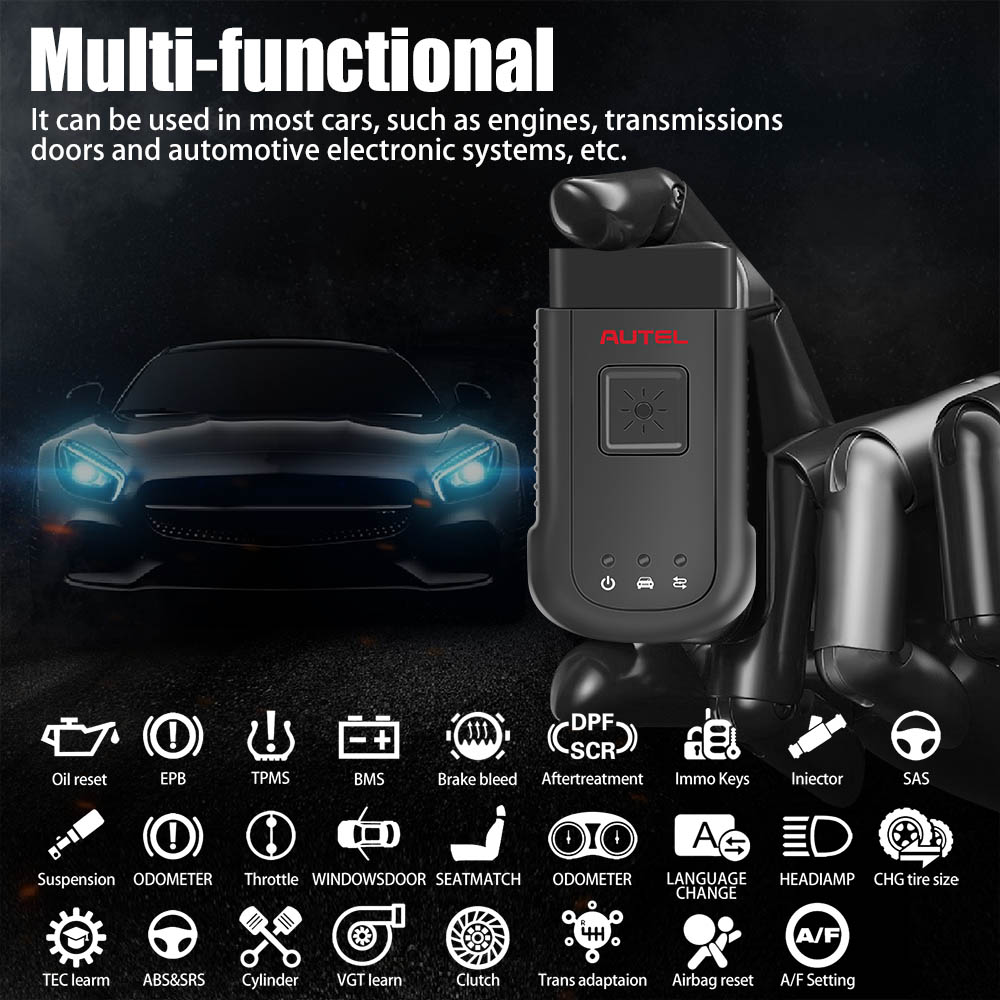
Once connected to the scanner, the MaxiVCI mini can perform advanced features such as ECU Coding, hot services for 99% cars, all system diagnosis, active test ect.
Using the Bluetooth connector makes maintenance easier and more convenient, doubles the efficiency and doubles the convenience.


Tips:
1. Connects to The Vehicles OBDII Port
2. Lightweight Vehicle Connection Interface (VCI)
3. Enables The Autel Tablet to Connect to The Vehicles
4. Allows Technician to Perform Testing Outside Vehicles
5. The Tablet in This Advertising is Not Included! It is for Reference Only!
6. The MaxiVCI Need to Be Used With Autel Tablet Device Like MK808BT, MK808TS, MX808TX, MP808TS, etc.
Power Sources
The MaxiVCI Mini operates on 12-volt vehicle power, which is received through the vehicle's DLC. The unit powers on whenever it is connected to the vehicle's DLC.
Autel MaxiVCI – Vehicle Communication Interface
The wireless diagnostic interface MaxiVCI Mini is a small vehicle communication interface (VCI) used to connect to a vehicle's data link connector (DLC) and connect wirelessly with the tablet for vehicle data transmission.

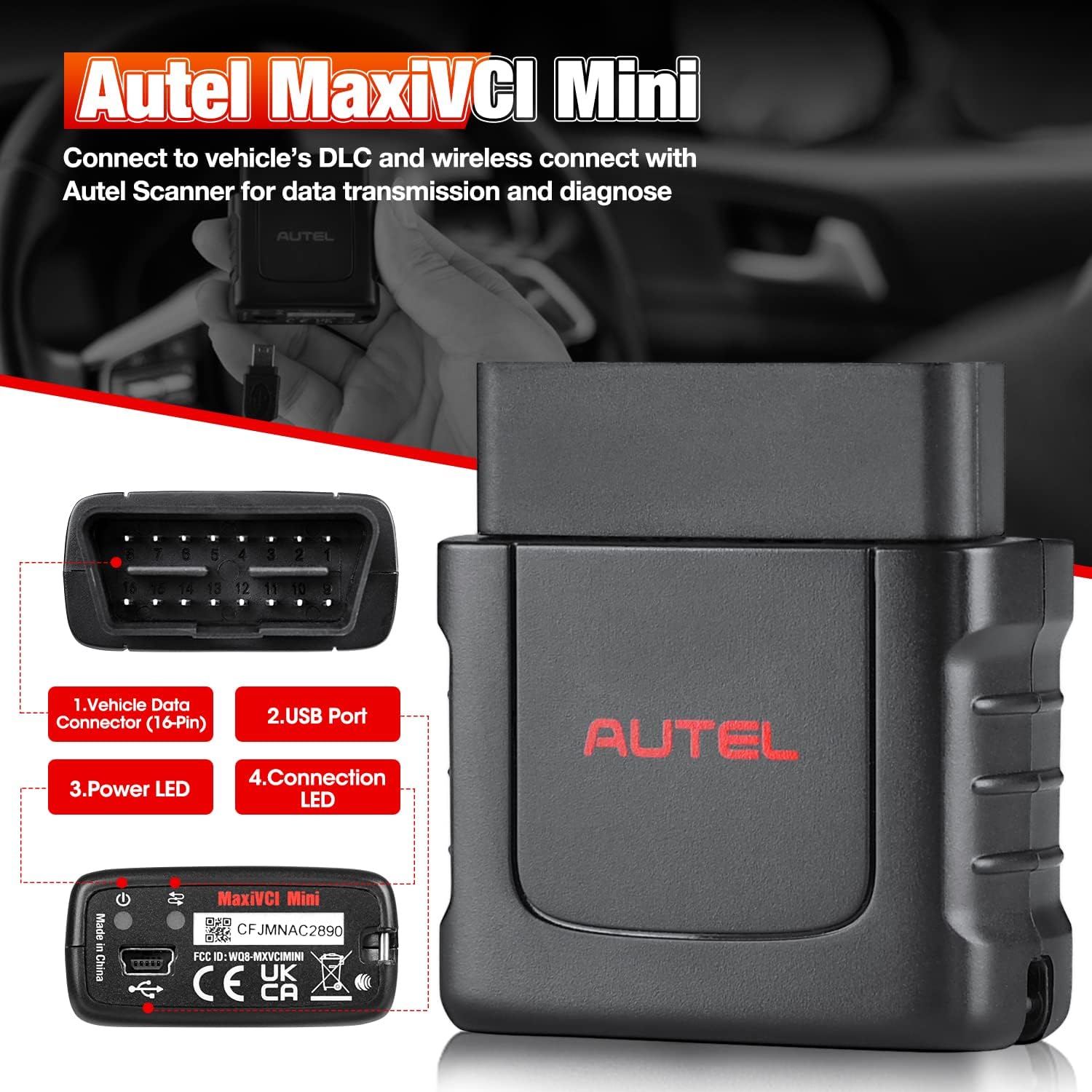
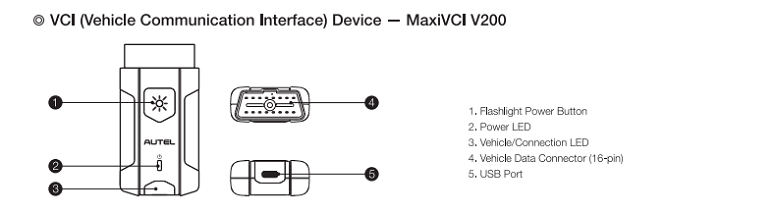
1. Vehicle Data Connector (16-Pin) – connects the MaxiVCI Mini to the vehicle's 16-pin DLC directly.
2. Power LED – refer to Table 2- 2 Power LED on the Front Panel
3. Connection LED – refer to Table 2- 3 Connection LED on the Front Panel
4. USB Port – provides the easiest connection between the device and the tablet via a USB cable.
Table 2- 2 Power LED on the Front Panel
LED | Color | Description |
Power | Green | Lights solid green when powered on |
Red | Blinks red when system failure occurs. Note: The power LED briefly lights red each time the device powers on and then lights green when the device is ready |
Table 2- 3 Connection LED on the Front Panel
LED | Colo | Description |
Connection | Green | * Lights solid green when the device is successfully connected via the USB cable but is not communicating with the vehicle. |
Blue | * Lights solid blue when the device is successfully connected via BT but is not communicating with the vehicle. |

Specification:
Item | Description |
Communications | * BT V.2.1 + EDR |
Wireless Frequency | 2.4 GHz |
Input Voltage Range | 12 VDC to 24 VDC |
Supply Current | 150 mA @ 12 VDC |
Operating | 0°C to 50°C (ambient) |
Storage | -20°C to 70°C (ambient) |
Package includes:
1pc x Autel MaxiVCI Mini
Autel MaxiVCI V100 Compact Bluetooth Vehicle Communication Interface

Features and Benefits:
- 👍【2025 AUTEL MAXIVCI V100, WORK WITH MS906BT/MS906TS/MK906BT】Autel MaxiVCI V100 vehicle communication interface works with MS906TS, MK906BT, MS906TS to do E-C-U coding, bi-directional control, maintenance etc. The working range of VCI 100 is as far as 98.4 feet (30 meters), not limited 1 meter distance. Based on advanced high-tech, VCI100 speeds up identification and pairing, offers more stable data transmission to avoid diagnostic interruption,and realizes uninterrupted communication.
- 👍【AUTEL WIRELESS CONNECTOR】Autel MaxiVCI V100 wireless diagnostic interface is a mini dongle, used to connect the car DLC port with MaxiSys tablet or P-C, which display the overall car diagnose result in the form of DTC on the scanner. It can offer intuitive repair guidance for professional technicians and auto repair shops.
- 👍【ULTRA-LONG WORKING RANGE】This Autel VCI V100 Wireless Diagnostic Interface working range is up to 98.4 feet (30 meters). Compared with 3.3 feet limited distance of MS906, VCI100 expand diagnose distance by 30 times. Autel MaxiVCI V100 has low energy consumption, low latency and enhanced anti-interference ability, which further improves cruising ability of the tablet. Note: When the signal range is out of range, the connection will be auto disconnected, and restored after entering the working range.
- 👍【TWO CONNECTION METHODS, EASY TO USE】Autel car wireless box MaxiVCI V100 is a bridge between the car and scanner, easy to connect. Only need three steps to connect instantly: Step 1: insert V100 into the car DLC; Step 2: power on scanner; Step 3: open the scanner's settings and connect. In addition, the VCI100 is also directly connected to USB cable to establish communication with the scanner, and the system will give priority to USB communication.
- 👍【THREE WAYS TO CHARGING, LED LIGHT DESIGN】Autel MaxiVCI V100 can not only be charged through the OBD II/ EOBD compliant Data Link Connector (DLC), but also can be powered through a USB cable or P-C connection. The three indicator lights designed on the fuselage correspond to the power indicator light, the car communication indicator light and the connection mode indicator light respectively, and judge the VCI connection status and communication status according to different colors.
- 👍【1-YEAR WARRANTY,】 Autel MaxiVCI V100 interface is only compatible with MS906BT/ MK906BT/ MS906TS. If your VCI100 is broken due to long-term use, you can buy this product and replace it. Our products has 1 year warranty
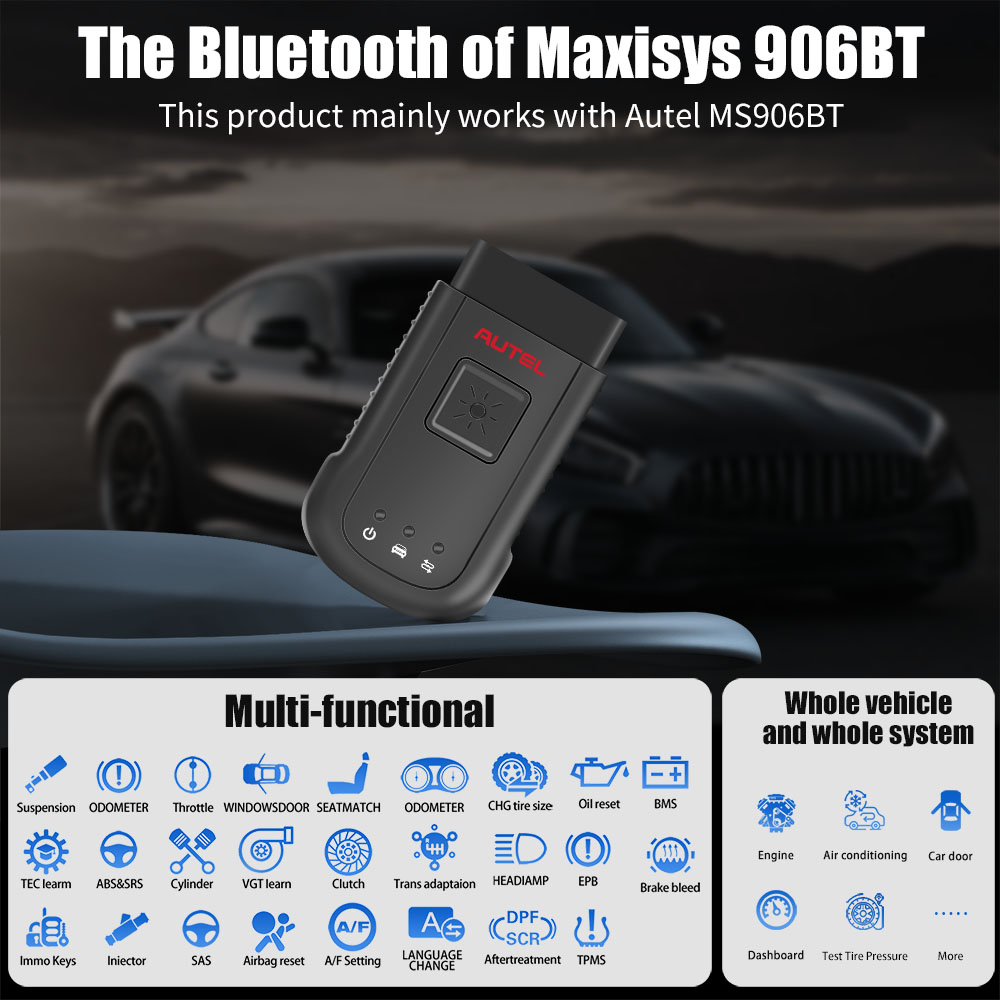
Work with Autel MS906BT/ MS906TS/ MK906BT
The wireless diagnostic interface MaxiVCI V100 is a small vehicle communication interface (VCI) used to connect to a vehicle’s diagnostic connector (DLC) with the Display scanner, as well as standalone P-C, as a vehicle communication interface (VCI) for vehicle data transmission.
Autel MaxiVCI VCI100 Compact Bluetooth Features:
98.4 feet ultra-distance diagnosis, no longer limited to the 1-meter wired diagnosis distance
Reduce communication time and ensure utility
Bluetooth connection, superfast OBDII port communication, fast and stable, safe and efficient, low energy consumption.
Mini Bluetooth box for easy carry
Wirelessly connects E-CU to perform E-CU Coding, Full TPMS, Bi-directional Control, Services etc.

Easy 3 Steps in Two Way
There are 3 Steps to perform OBD II Vehicle Connection:
- Step 1: Insert the MaxiVCI V100 on the vehicle’s DLC
- Step 2: Power up MS906BT/ MS906TS/ MK906BT
- Steps 3: Turn on scanner Bluetooth icon, connect with VCI100.
To connect to a Non-OBD II Vehicle
- 1. Locate the required OBD I adapter and connect its 16-pin jack to the Vehicle Data Connector on the MaxiVCI V100.
- 2. Connect the attached OBD I adapter to the vehicle’s DLC.
USB Cable Connection:
After VCI100 connected with DLC, you can also use USB Cable to conect with Autel scaner,
NOTE: When both the communication methods are applied at the same time, the MaxiCOM system will use the USB communication as the default priority.
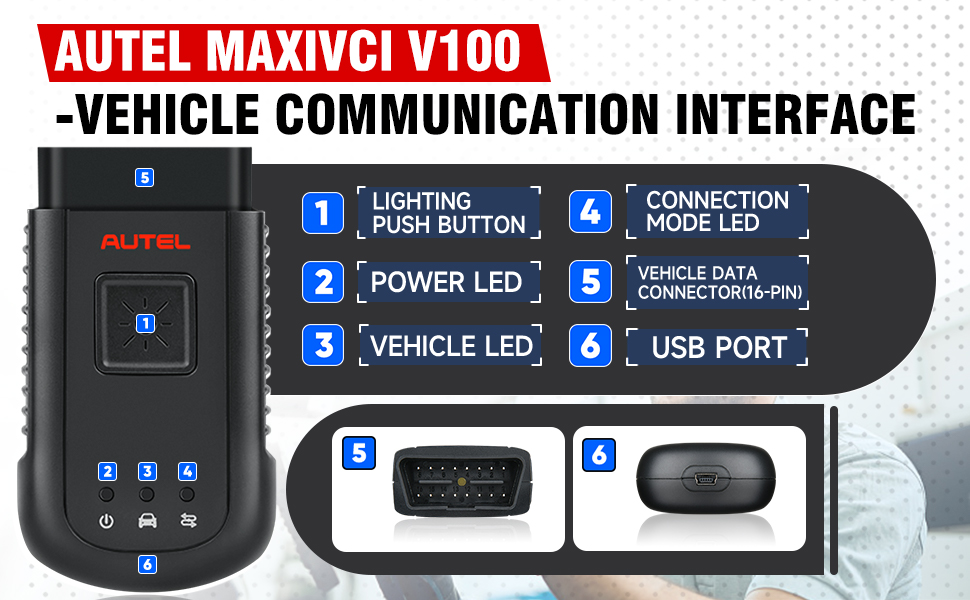
1. Lighting Push Button – presses to turn on the white LED in the vehicle data connector socket
2. Power LED – indicates power and system status
Green: illuminates solid green when powered on.
Amber: flashes green and amber automatically when performing firmware update.
Red: illuminates red automatically when powered up, and flashes red when system failure occurs.
3. Vehicle LED – flashes green when communicating with the vehicle’s system
4. Connection Mode LED – illuminates solid green when the device is properly connected with the Display scanner or PC via the USB cable, or illuminates solid blue via wireless BT connection
5. Vehicle Data Connector (16-pin)
6. USB Port
The Wireless Diagnostic Interface supports both the wireless BT and the USB communication. It can transmit vehicle data to the Display scanner with or without a physical connection. The working range of the transmitter through BT communication is about 98.4 feet (about 30 m). A signal lost due to moving out of range automatically restores itself when the Display scanner is brought closer to the VCI unit.
|
|
|
|---|---|---|
Extension Vehicle Coverage
| Wireless Bluetooth Connect
| Support Multi-Automotive Protocols
|


Specifications:
Item | Description |
Communications | BT V.2.1 + EDR USB 2.0 |
Wireless Frequency | 2.4 GHz |
Input Voltage Range | 12 VDC |
Supply Current | 150 mA @ 12 VDC |
Operating Temperature | 0°C to 50°C (ambient) |
Storage Temperature | -20°C to 70°C (ambient) |
Built-in Battery | 3.7V Lithium Battery |
Light | White LED |
Package List:
1pc x Autel MaxiVCI V100
Autel MaxiVCI V200 Bluetooth Vehicle Communication Interface
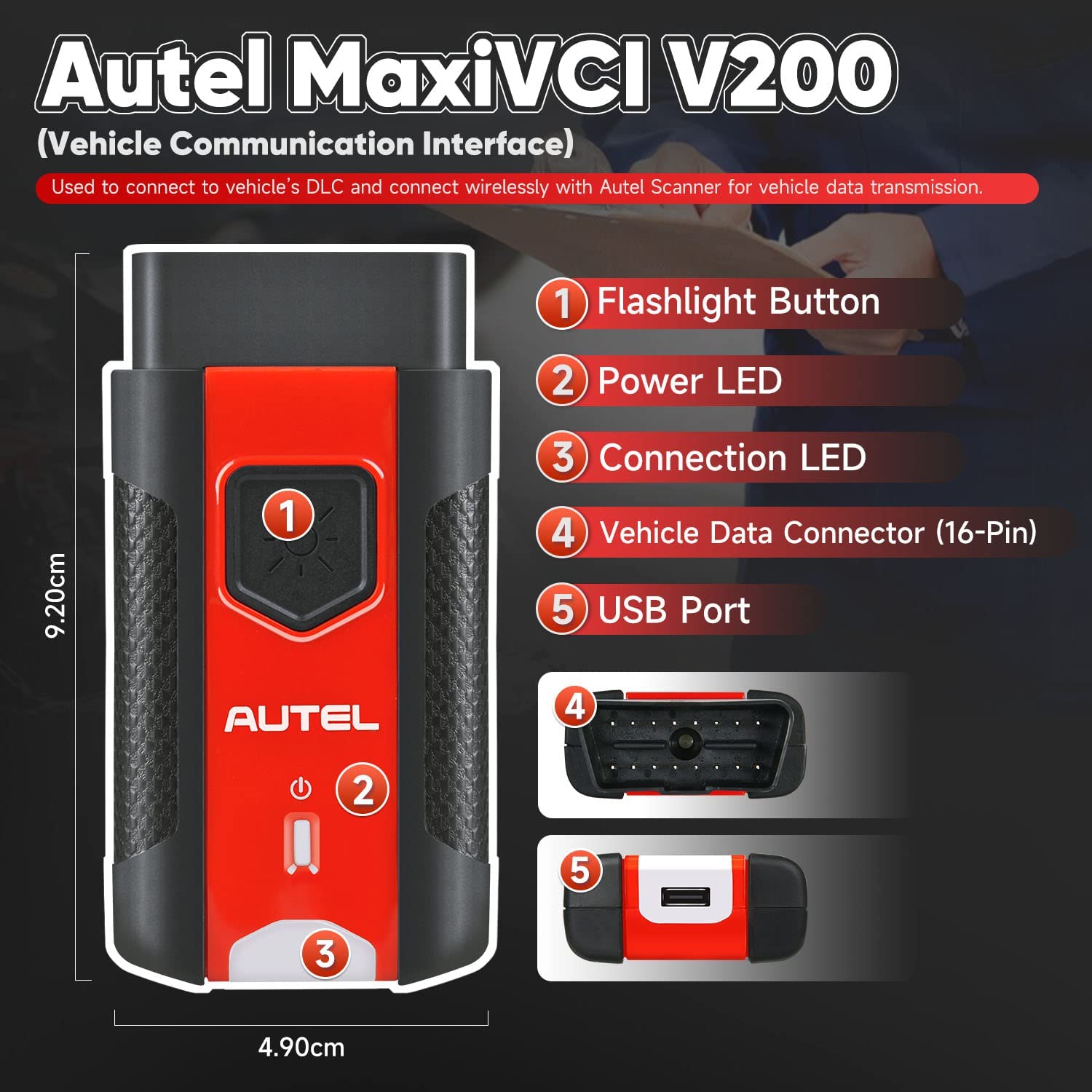
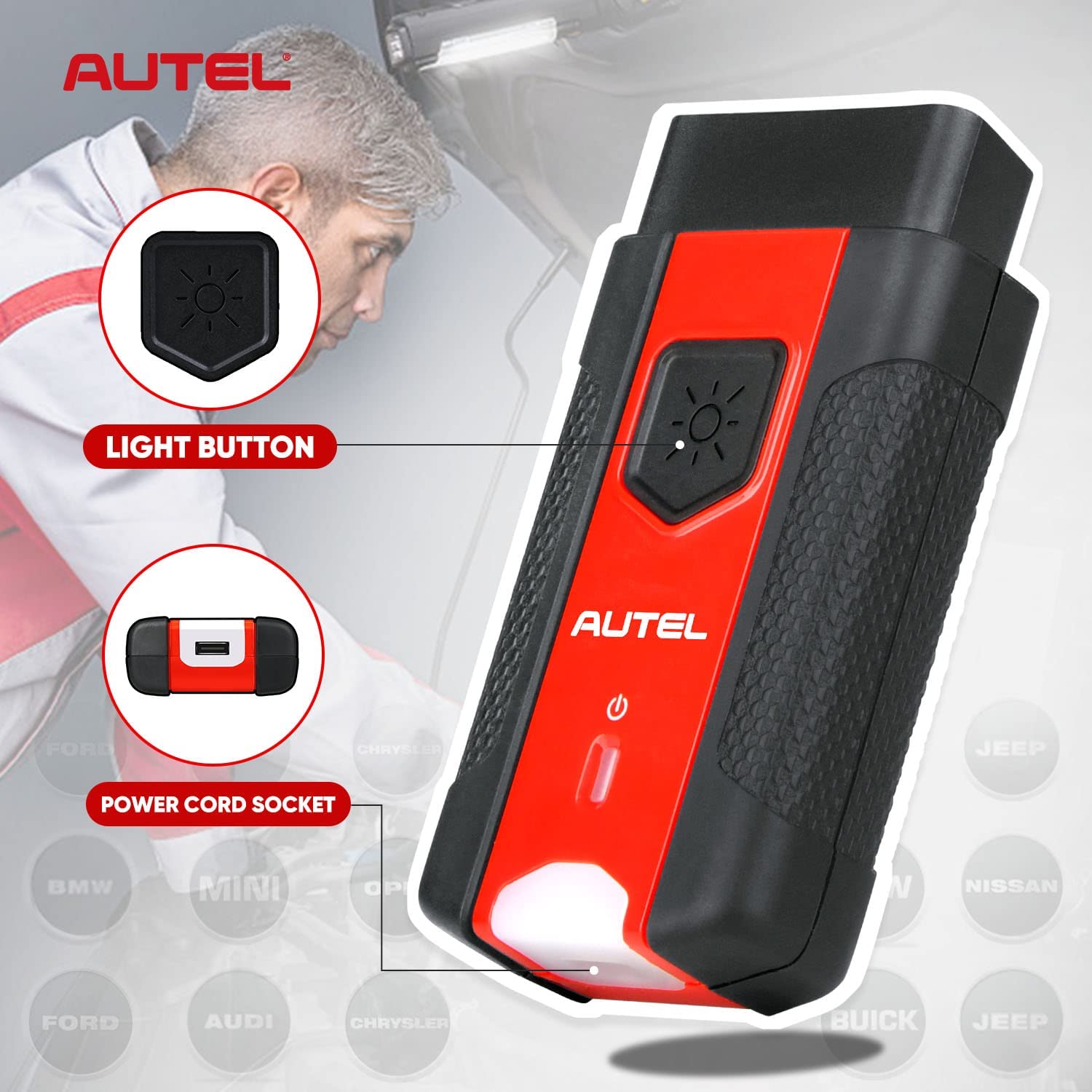
Autel MaxiVCI V200 wireless diagnostic interface is a small interface box used to connect to a vehicle's diagnostic connector (DLC) and connect wirelessly with the MaxiSYS Display Tablet, as well as standalone PC, as a vehicle communication interface (VCI) for vehicle data transmission. Thanks to the wireless BT technology, with which you are allowed to work freely around the vehicle. The MaxiVCI V200 can communicate with vehicles' electronic control units (E-CUs), guaranteeing performance and speed that redefine multi-brand diagnostics. The development of this interface has been focused on reducing the communication time, and ensuring the tool is practical to use. The MaxiSYS diagnostic platform combines the MaxiVCI V200 and the display tablet with technical information into a single p-rogram, ensuring quick and simple access to the vehicle to perform comprehensive diagnostics applications.

Product Features:
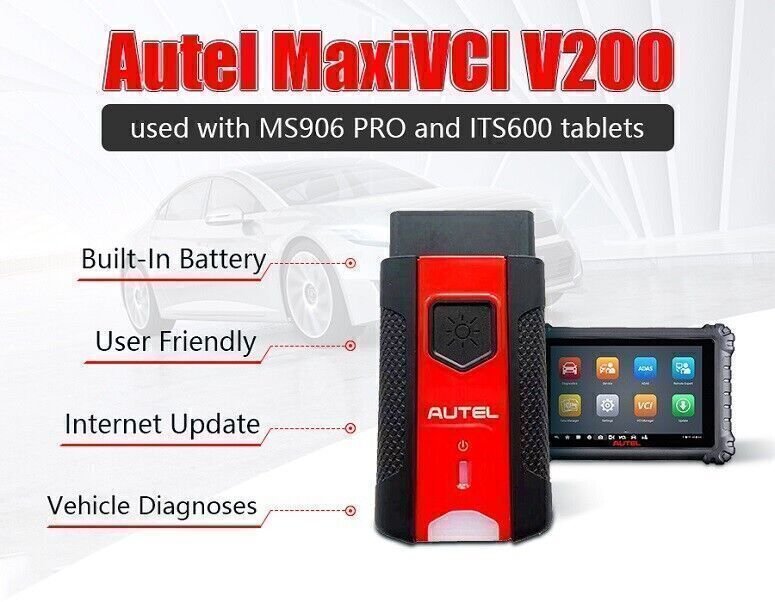
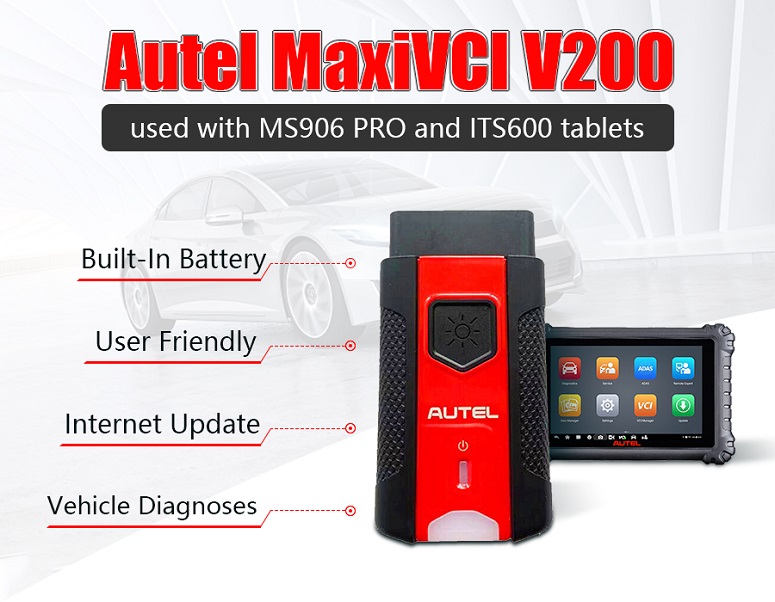
1. Compatible with Autel BT609, MaxiIM KM100, MS906Pro, MS906Pro-TS, MaxiBAS BT608, MaxiTPMS ITS600
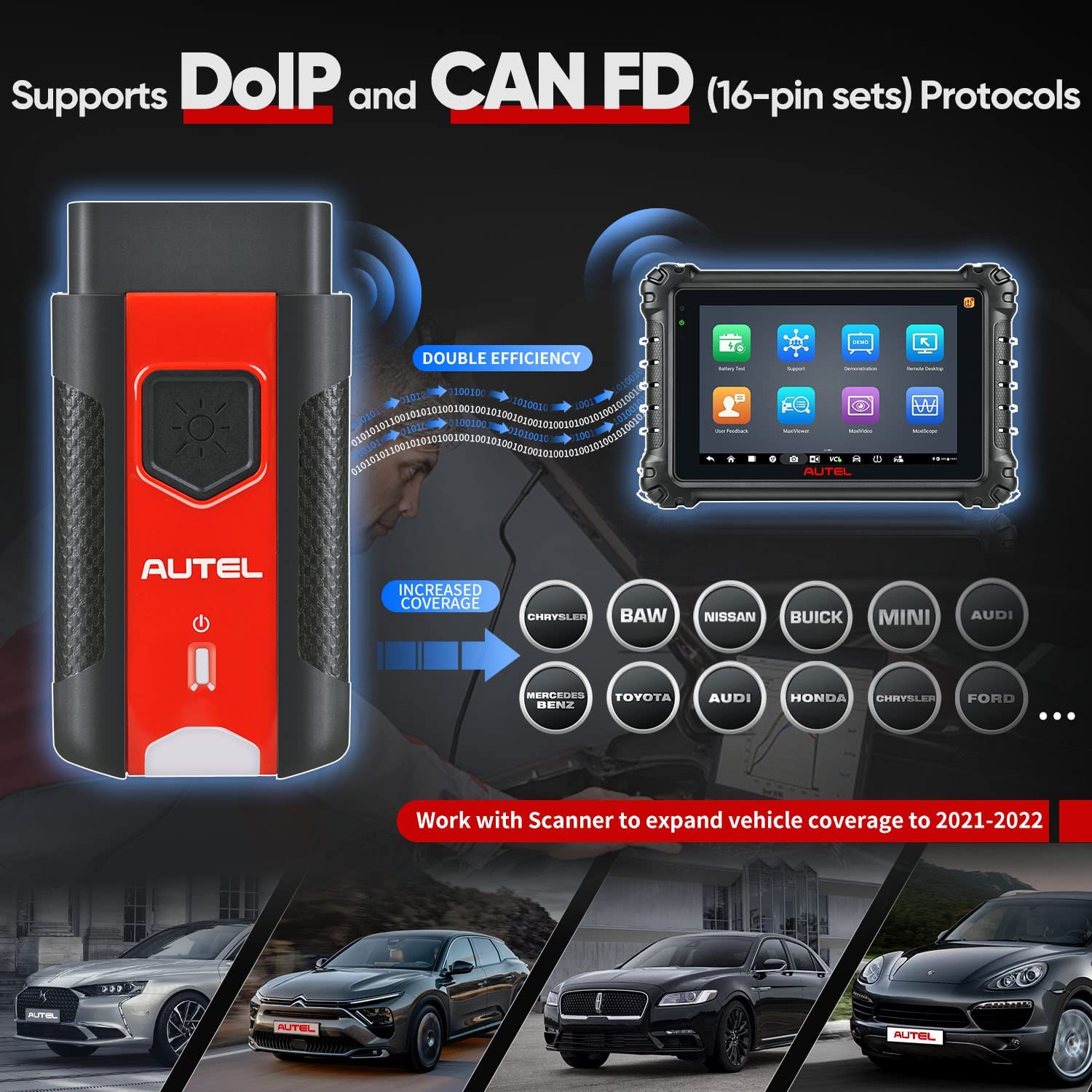
2. Supports The Latest OBD2 Protocols: DoIP and CAN-FD (4-pin sets)
3. Built-In Battery, Internet Update, User Friendly
4. Ultra-Fast OBDII-Port Communication Within 75 Feet
5. Supports Comprehensive Diagnosis and Reading of Control Modules
6. Wirelessly Connects Vehicle E-CU to MaxiSYS Tablets Supporting Bluetooth
7. Features Convenient Wireless Bluetooth Technology Enabling Tech to Perform Diagnostics Outside of Vehicle

Functions:
1. Connects to the vehicles OBDII port
2. Lightweight vehicle connection interface (VCI)
3. Enables the Autel tablets to connect to the vehicles
4. Allows technicians to perform testing outside of the vehicles
5. The tablets mentioned in this advertisement is not included! It is for reference only!
6. The MaxiVCI V200 needs to be used with Autel tablets like MS906 PRO, ITS600, etc.
VCI LED Description:
LED | Color | Description |
Power LED | Yellow | The VCl is powered on and performing self-check, |
Green | The VCl is ready for use. | |
Flashing Red | The firmware is updating. | |
Vehicle/Connection LED | Green | Solid Green: The VCI is connected via USB cable. |
Flashing Green: The VCl is communicating via USB cable. | ||
Blue | Solid Blue: The VCI is connected via Bluetooth. | |
Flashing Blue: The VCI is communicating via Bluetooth. |

General Notice:
The new, ultra-compact MaxiVCI V200 features the latest advances in wireless Bluetooth connectivity. It has been carefully designed and tested to comply with OBDII protocols. However, some vehicle models are not in full compliance with these protocols for various reasons. In addition, the computer control systems or sensors on any given vehicle may be malfunctioning.
While Autel's testing and the experiences of the users have shown the unit to be safe and reliable, there is an inherent risk in using any product that may potentially affect the operation or drive-ability of your vehicle.
If you are concerned about the operation of your vehicle at any time while using the MaxiVCI V200
1. Pull off the roadway immediately or as soon as it is safe to do so.
2. Disconnect the device from the OBDII port.
3. Consult a licensed mechanic or automobile service center.
Specifications:
| Communications | BDR+EDR USB 2.0 |
| Wireless Frequency | 2.4 GHz |
| Input Voltage Range | 6-36 VDC |
| Supply Current | 150 mA @ 12 VDC |
| Operating Temperature | -10°C to 60°C (ambient) |
| Storage Temperature | -40°C to 80°C (ambient) |
| Built-in Battery | 3.7V Lithium Battery |
| Light | White LED |
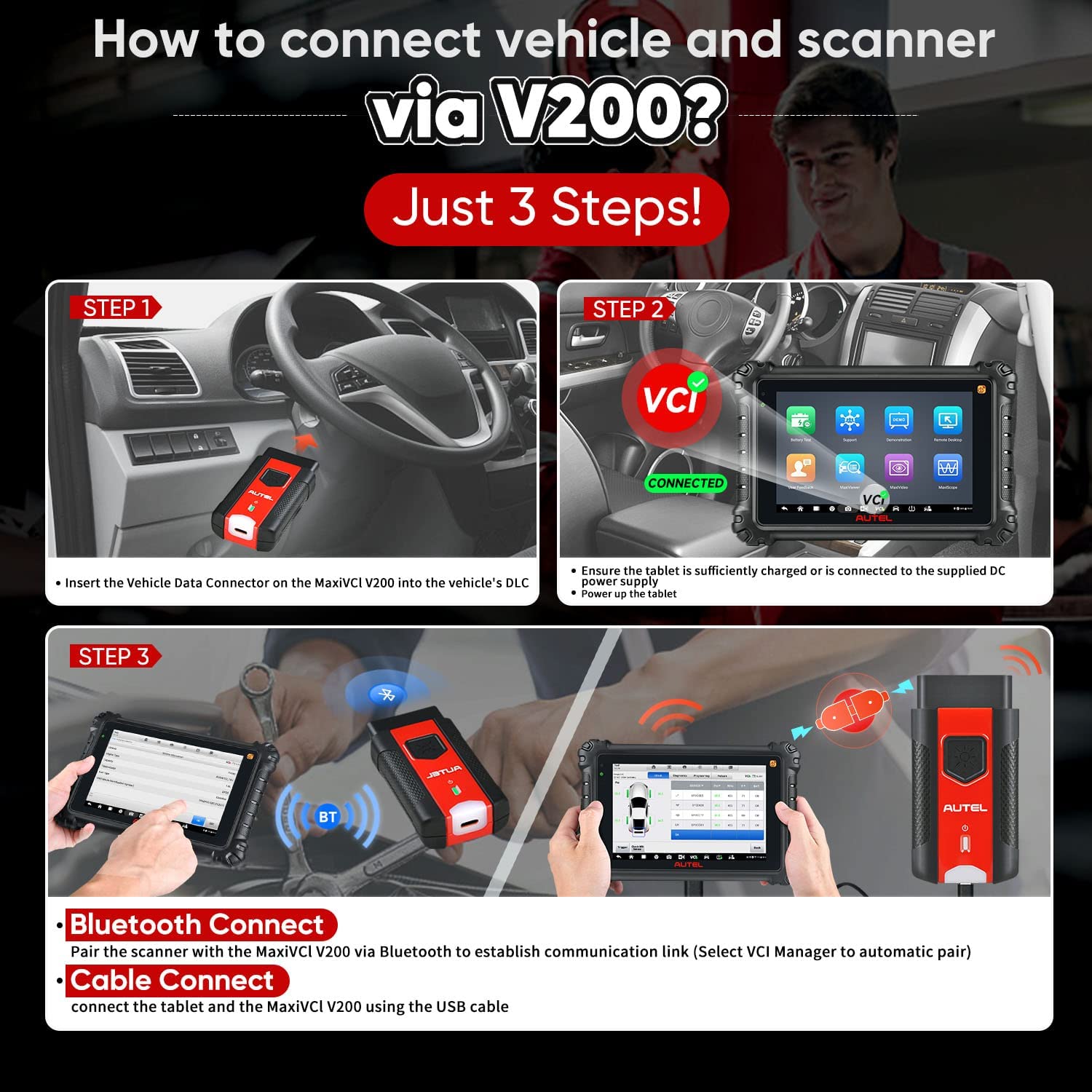
How to Use Autel MaxiVCI V200

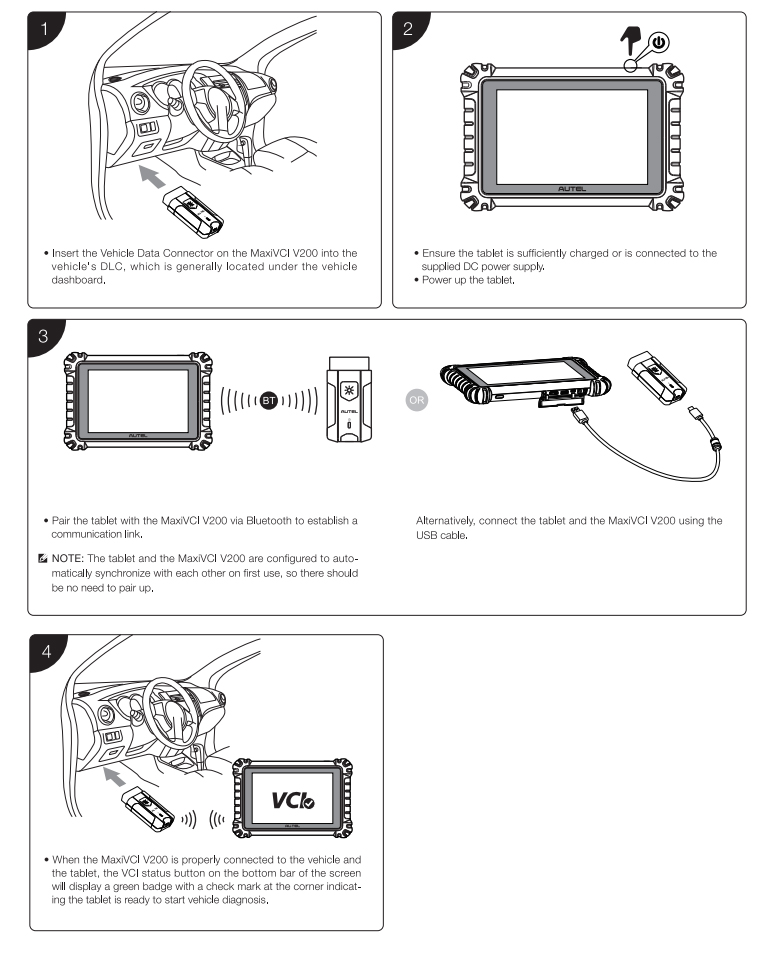
Package Includes:
1pc x Autel MaxiVCI V200
 ,E-Check will be held until cleared.