Craft high-quality, durable custom stickers with Koala Paper Printable
Vinyl Sticker Paper for inkjet printers. This premium, self-adhesive
vinyl features a smooth glossy/matte surface that is anti-tear,
scratch-resistant, and designed for exceptional ink retention. Your
designs will resist color fading, peeling, and cracking for both indoor
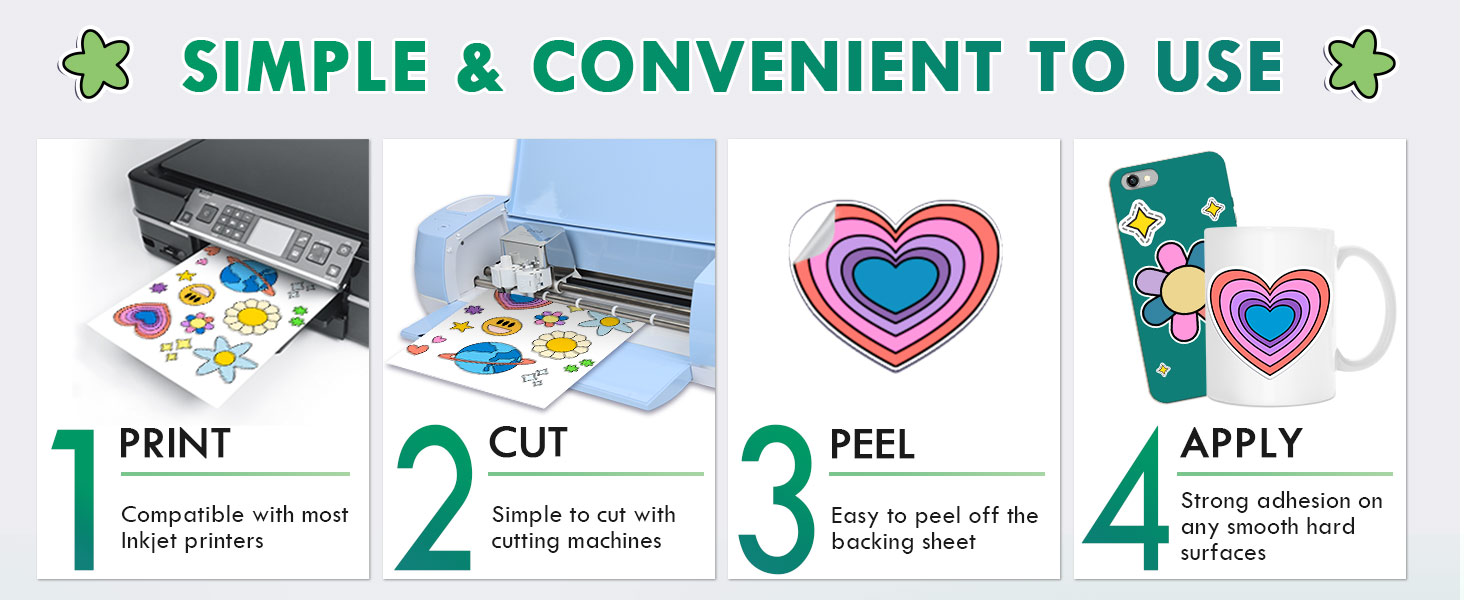
and outdoor use. Simply print on any inkjet printer, cut with your
Cricut or scissors, and apply—it removes cleanly with no sticky residue.
The material is water-resistant and repels smearing, even when
submerged; for extended outdoor durability, add a UV-resistant sealer
spray. Perfect for creating custom car decals, window clings, signs,
scrapbooking, and safe, fun sticker projects for kids.
Koala Printable Vinyl Sticker Paper for Inkjet & Laser Printers - 50 Sheets Matte White Waterproof Sticker Paper 8.5x11 Inches, Work with Cutting Machines
- 【COMPATIBILITY】Compatible with inkjet printers using Dye ink or Pigment Ink, and also works with most laser printers. 8.5x11 inches in size, with a total of 50 sheets.
- 【WATER-RESISTANT PRINTABLE VINYL】Valuable printable vinyl sticker paper helps you create beautiful water-resistant labels and stickers for both indoor and outdoor use. Recommend printing with PIGMENT INK;
- 【HIGHLY DURABLE PRINTABLE VINYL STICKER PAPER】Our white matte vinyl sticker paper absorbs and carries ink very well, resulting in excellent prints with vivid colors and high resolution, without smudging. Ink dries quickly.
- 【WATER-RESISTANT & TEAR-RESISTANT】 Waterproof and durable vinyl sheets allow the label stickers to be used both indoors and outdoors. Printing with PIGMENT INK or dye ink, or adding a UV sealer spray to boost waterproofness and durability;
- 【 CUSTOMIZABLE】Full-sheet printable self-adhesive vinyl sticker paper gives you the freedom to design decals in various sizes and shapes. Perfect for customizing stickers for car bumpers, tumblers, bottles, notebooks, and laptops;
- 【EASY TO USE】Our inkjet printable vinyl is easy to cut both by hand and most Cutting Machines, such as Cricut.
- 【BUY WITH CONFIDENCE】30 Days money back, free returns, BUT IT NOW!



Warm Tips:
1. Print a test copy first. Adjust settings and let it dry.
2. Let the printed sticker dry completely before using it.
3. Cut your design out and crinkle a corner to peel it easily.
4. For best results, use dye-based ink. For outdoors, use UV ink and add extra protection for weatherproofness.
5. Feed sheets one by one to avoid printer jams.
6. Store unused paper in its original package, keep it in a cool, stable place, at temp. around 25℃, humidity around 50-60%.