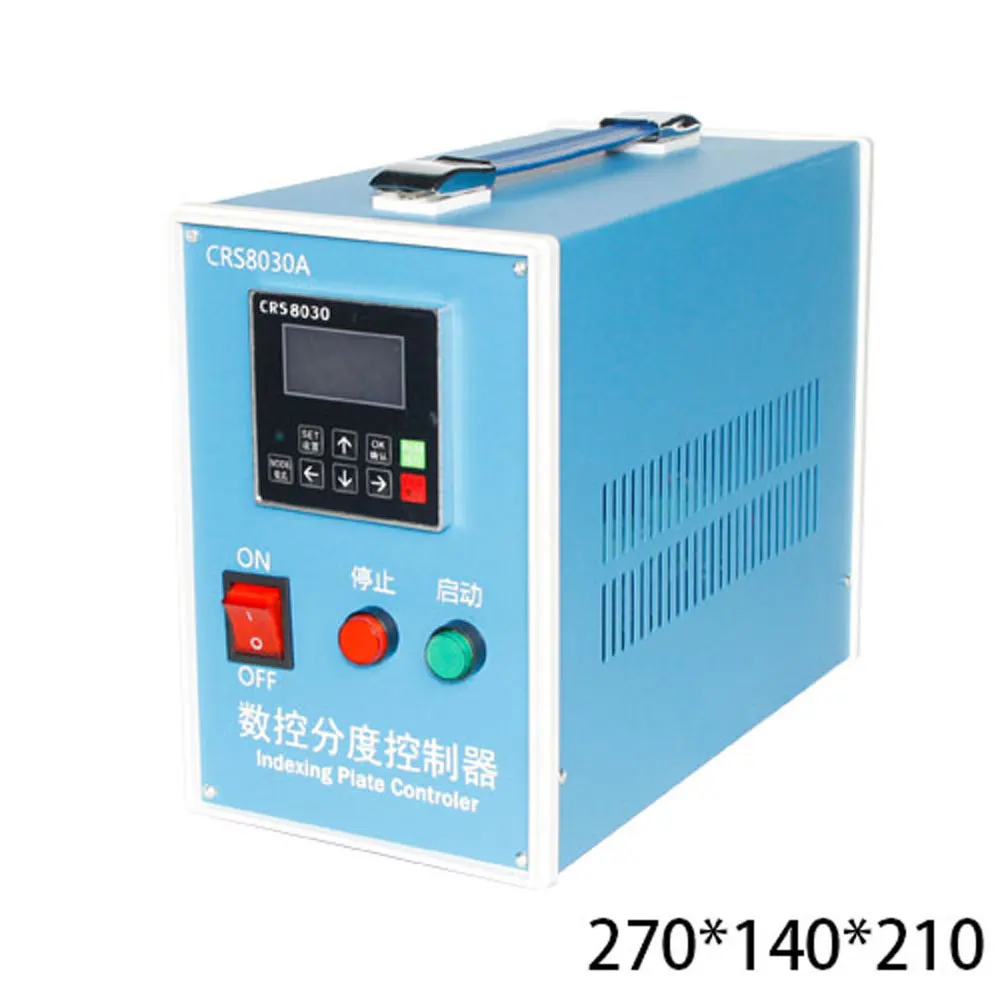
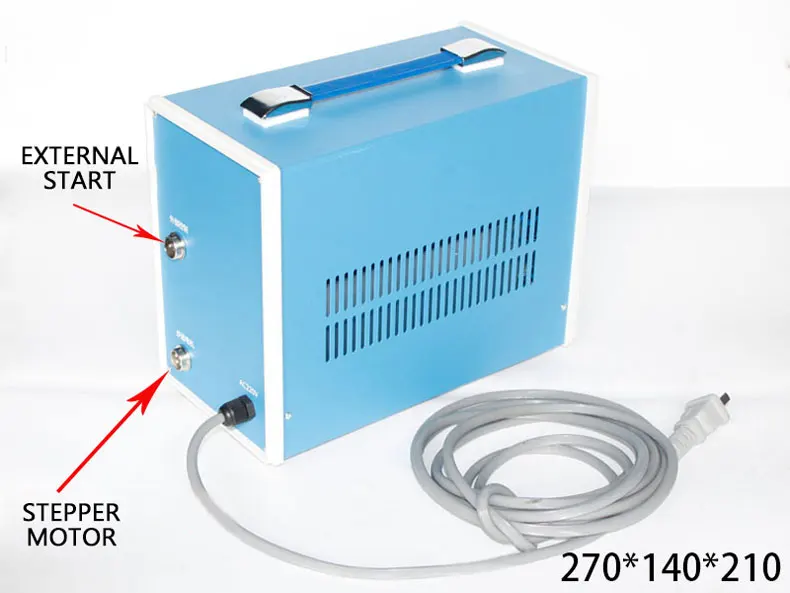
(A axis, rotary axis, CNC indexing head) control box
Model number: CRS8030A (Chinese display)
Input voltage: AC220V
Equal portion mode: 1~999 equal portions
Angle mode: 1~20 arbitrary angle (0.1 degree/step)
Stepping motor: suitable for two-phase 4-wire stepping motor (current maximum 4.5A)
Reduction ratio: suitable for 1~999:1
Carton size: 270*140*210MM
Weight: 3.5KG
Instructions:
Set up
1. Equal division mode (system default mode)
Turn on the machine → press the mode key (select equal fraction) → press the setting key → use the arrow to enter the number of equal parts → press the OK key → the setting is complete → press the run or start key to run the motor
Note: Single press the green button to start the motor, press the stop button to return to the previous level
2. Angle mode
Press the mode key (select angle) → press the setting key → use the arrow keys to input the angle value in the serial number → press the OK key → use the arrow ↑ key
Select the next angle → repeat the above steps until the required angle value is set (the last set of angle values is set to 0 degrees) → press the OK button to set successfully
Note: a. Press the green button to cycle the motor, and press the stop button to reset the current position of the motor shaft to the original position.
b. If the motor needs to return to the original mechanical position, the last set of angle values must be set to 360 degrees
3. Jog mode
Press the mode key (select jog) → press the setting key → use the arrow keys to input the number of pulses → press the OK key to complete the setting
Note: Press the green button to start the motor
4. Continuous mode
Press the mode key (select continuous operation) → press the OK key
Note: Press the green button to run the motor, press the red stop button to stop the motor
5. Speed setting
Press the mode key (select setting speed) → press the setting key → use the arrow keys to enter the speed value → press the OK key to set successfully
Reference value (below 20 for stepping motor)
6. Acceleration setting
Press the mode key (select to set acceleration) → press the set key → use the arrow keys to input the acceleration value → press the OK key to set the successful reference value (stepping motor 2 or 3)
7. Brake release time setting
Press the mode key (select the number of seconds to release the brake) → press the setting key → enter the time value with the arrow keys → press the OK key to set successfully
parameter settings:
A. Long press the set button for 5 seconds → press the mode button (select the drive subdivision number) → press the set button → use the arrow keys to enter the subdivision value → press the OK button to complete the setting
Note: The subdivision number of the drive is generally marked in the drive shell table
B. Press the mode key (select the number of steps per revolution of the motor) → press the set key → use the arrow keys to input the motor step value → press the OK key to set the complete reference value (stepping motor reference value 200)
C. Press the mode key (select the mechanical deceleration ratio) → press the setting key → use the arrow keys to input the mechanical deceleration ratio value → press the OK key to complete the setting → long press the setting key for 5 seconds to exit the parameter setting. The mechanical reduction ratio refers to the reduction ratio of the gearbox.
