There is a new improved version of this model: Power button for Garmin Edge 800 810 Touring Approach G6.Snap to back case cover. This button is still recommended if the rubber area surrounding the button has been removed (not just the circular part covering the button, but the entire surrounding area).
DESCRIPTION
COMBINE SHIPPING
If you want to order several products, aditional items have free shipping!
Rubber button to replace the power button in the Garmin Edge 800 and 810. It should be glued to the back case cover.
COMBINE SHIPPING
If you want to order several products, aditional items have free shipping!
SHIPPING TIME
They usually arrive in about 2-3 business days after I mark it as shipped. In the case that more than 10 days have passed and you have not received the product, please send me a direct message and I can resolve it for you. The reason is that due to Ebay requirements, if you open a dispute Ebay gives only a limited amount of time for it to be resolved, and therefore not give me enough time to send a second set before the deadline expires.
NOTE
They usually arrive in about 2-3 business days after I mark it as shipped. In the case that more than 10 days have passed and you have not received the product, please send me a direct message and I can resolve it for you. The reason is that due to Ebay requirements, if you open a dispute Ebay gives only a limited amount of time for it to be resolved, and therefore not give me enough time to send a second set before the deadline expires.
NOTE
Keep in mind that no glue, GPS, tools, or anything else will be sent apart from the button(s).
INSTALLATION
Installation Manual ( )
)
Installation Manual (
) The installation is not difficult. Remember that if you use B7000 glue (or derivaties) you can try as many times as you want until you are fine with the result. This glue is easy to remove (at least during its first 48 hours) if you want to retry again.
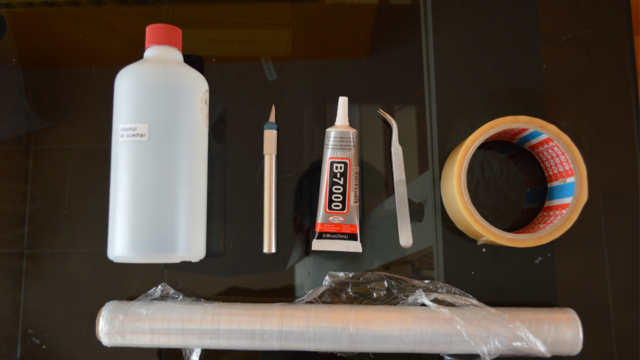
1) You will need: Alcohol, scalpel, glue, tweezers (optional), cellotape (optional)
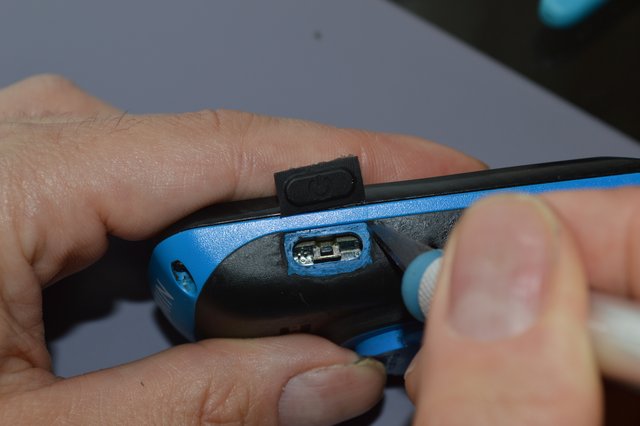
2) Cut the old rubber where the new button will be placed using the scalpel. Remove the last bits with alcohol.
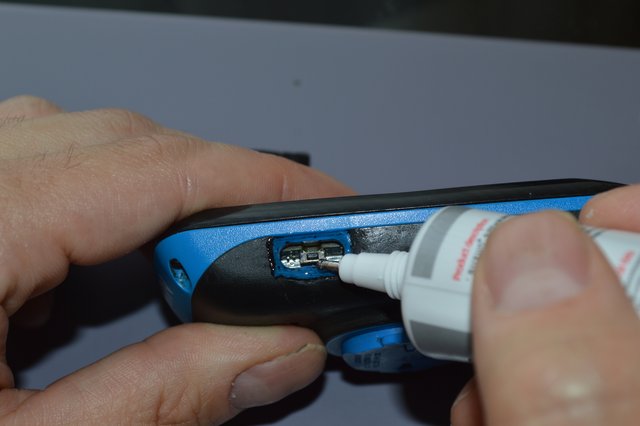
3) Apply the glue to the GPS and over the edge of the hole.
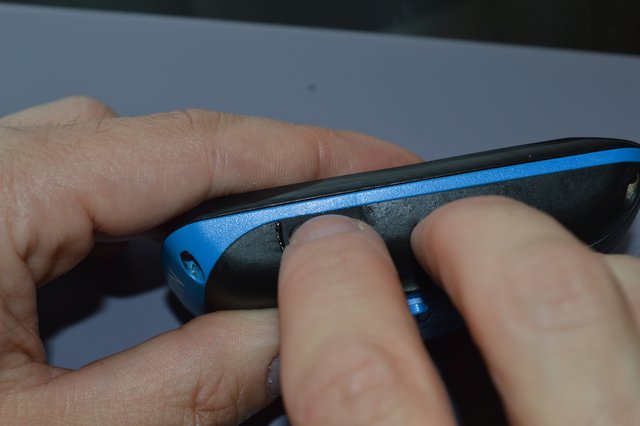
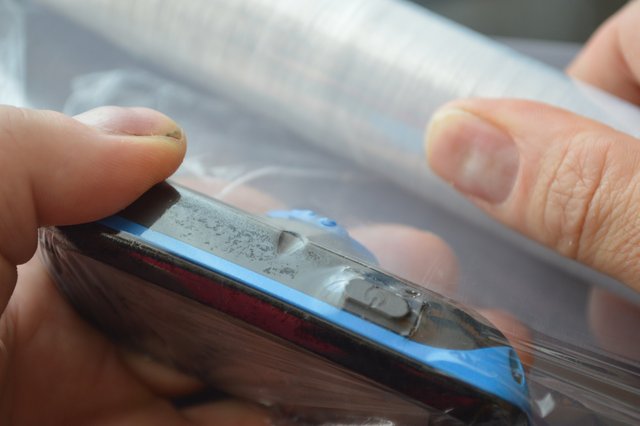
4) Place the new button in the GPS, and hold it in place using the cling film.
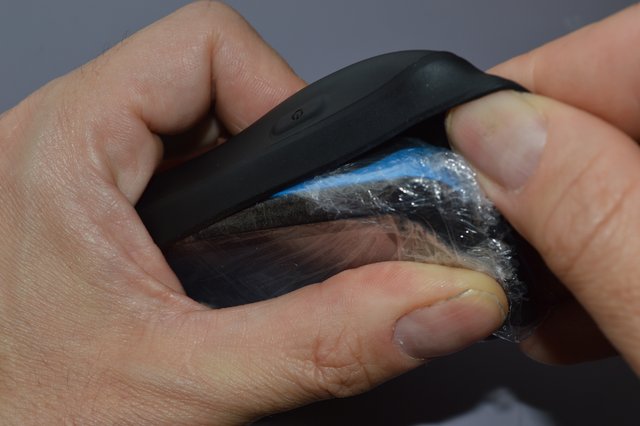
5) If you have a silicone sleeve, put it on to apply more pressure.
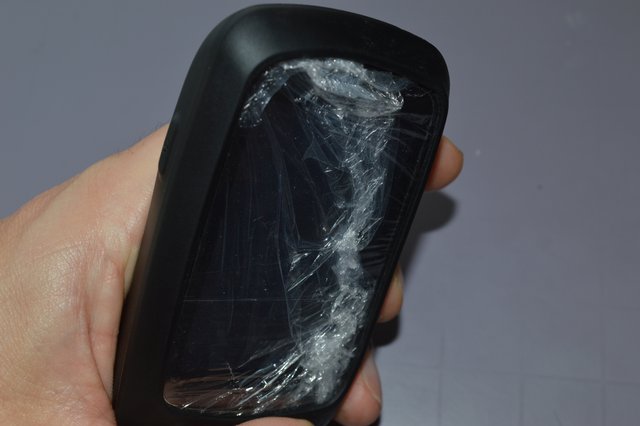
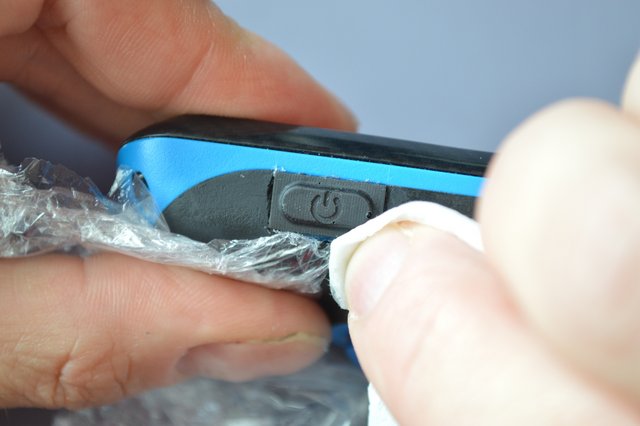
6) After 24 hours, remove the cling film and the excess glue with a tissue soaked in alcohol.
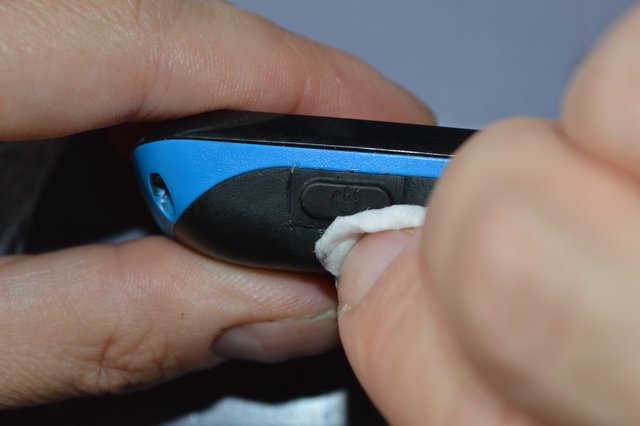
2) Cut the old rubber where the new button will be placed using the scalpel. Remove the last bits with alcohol.
3) Apply the glue to the GPS and over the edge of the hole.
4) Place the new button in the GPS, and hold it in place using the cling film.
5) If you have a silicone sleeve, put it on to apply more pressure.
6) After 24 hours, remove the cling film and the excess glue with a tissue soaked in alcohol.