
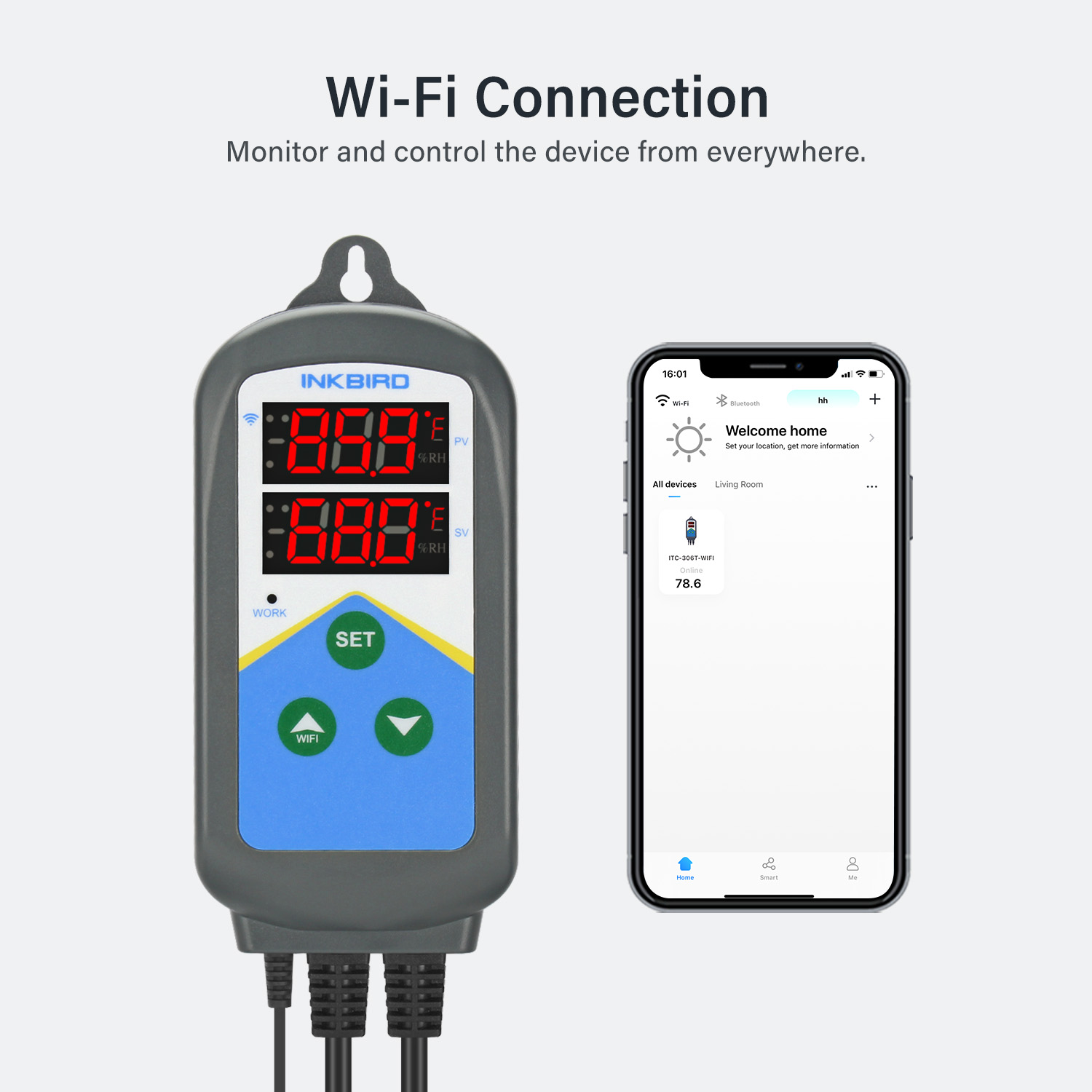
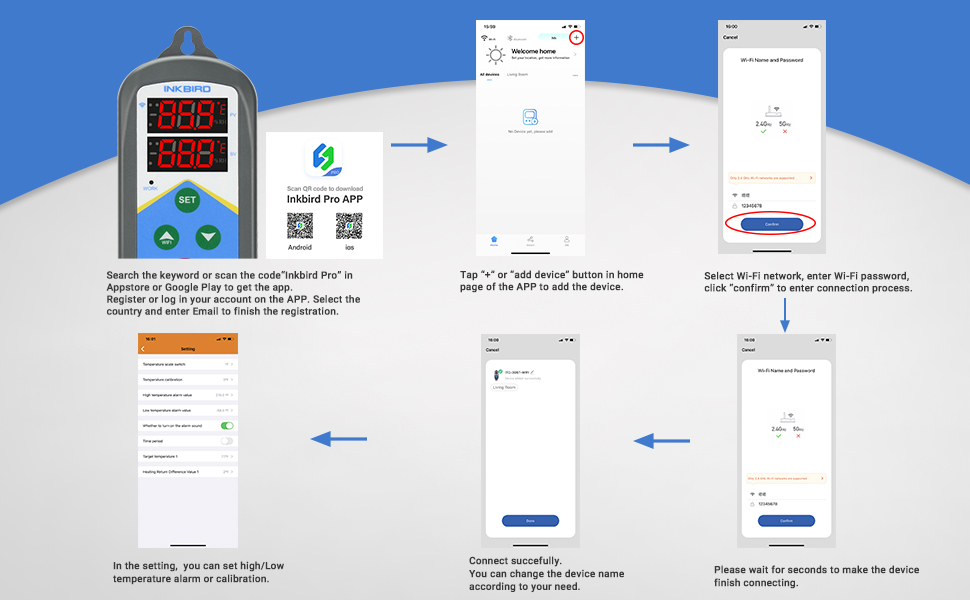
Please follow the steps to pair the temperature controller with your phone.
The device only supports 2.4GHz Wi-Fi router.
If the connection is failed, please feel free to download the user manual to see the AP mode connection and follow the steps.
【WiFi-Enable】Inkbird Smart Temperature Controllers support WiFi connection and control.
【APP Features】Temp graphs, alarms, ℃/℉ switch & timer. All can be set through the Inkbird Pro app.
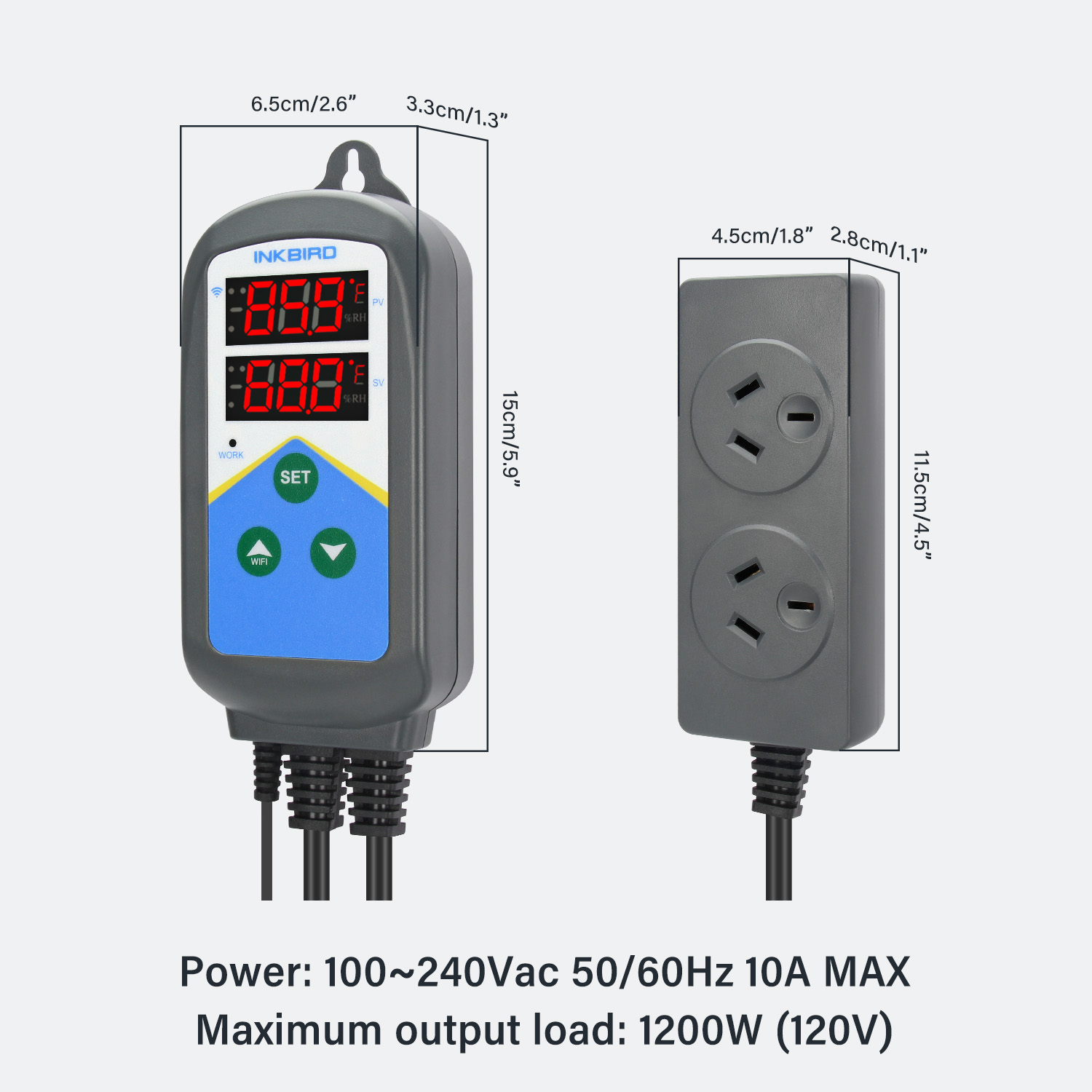
【Double Outlets】Supports plug-in 2 heating devices, like 2 heaters(1200W 10A Max).
【Digital Displays】Both the measured temp & set temp are displayed on Inkbird temperature controller.
【2 Cycle Timer】Inkbird ITC-306T temperature controller supports 2 cycle timer in 24 hours.

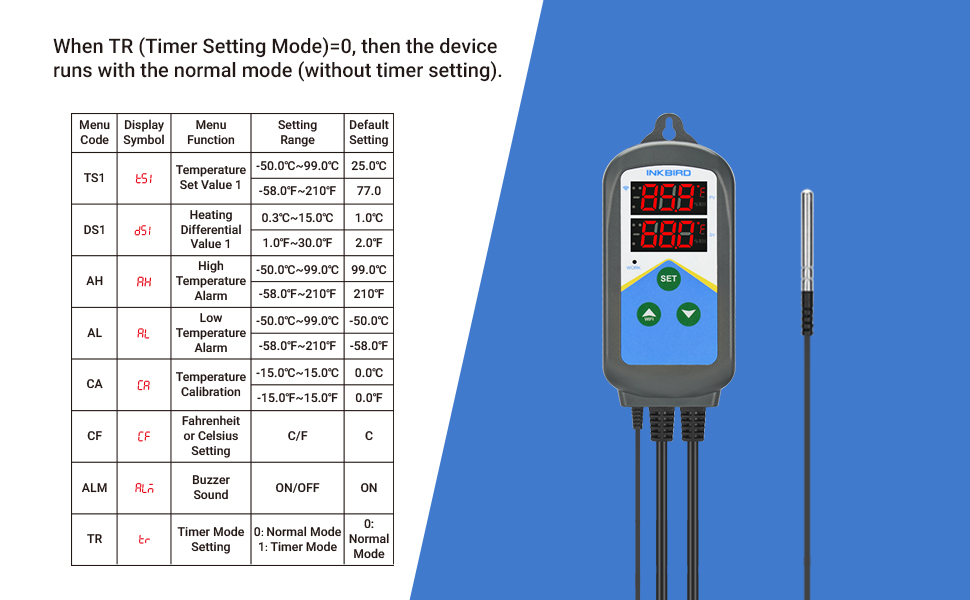
Normal mode (without timer setting)
When the controller is working normally (TR=0) , PV window displays the measured temperature, SV window displays temperature set value.
When the measured temperature PV ≥ TS1(Temperature Set Value1), the WORK indicator is off, the output sockets turn off.
When the measured temperature PV ≤ TS1 (Temperature Set Value1)-DS1 (Heating Differential Value 1), the WORK indicator is on, and the output sockets turn on.
For example, TS1=25.0°C, DS1=3.0°C, when the measured temperature ≤ 22°C (TS1-DS1), the output sockets turn on.
When the measured temperature ≥ 25°C (TS1), the output sockets turn off.
All the values can be set in "Inkbird Pro" APP.
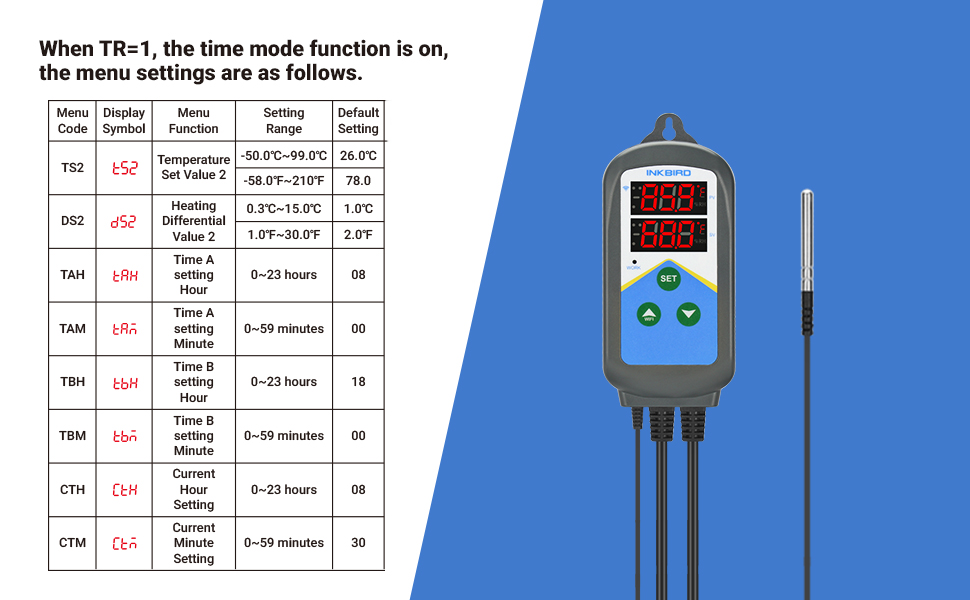
When TR=1, the Timer Mode is on.
Time A~Time B~Time A is a cycle, 24 hours.
During Time A~Time B, the controller runs as TS1 (Temperature Set Value1) and DS1 (Heating Differential Value1).
During Time B~Time A, the controller runs as TS2 (Temperature Set Value2) and DS2 (Heating Differential Value2).
For example: Set TS1=25, DS1=2, TR=1,TS2=18, DS2=2, TAH=8, TAM=30, TBH=18,TBM=00, CTH=9, CTM=30, CTH and CTM are the current time setting, the setting time is 9:30.
During 8:30-18:00 (Time A~Time B), the temperature controls between 22°C (TS1-DS1)~25°C (TS1).
During 18:00-8:30 (Time B~Time A), the temperature controls between 16°C (TS2-DS2)~18C (TS2).
All the values can be set in "Inkbird Pro" APP.
On 12/01/2026 at 19:18:03 AEDT, seller added the following information: