


Build a second hard drive: Add a second 2.5' HDD or SSD to your laptop via this drive caddy to expanse the capacity of the computer, which can bring you maximum data storage flexibility and back up important applications and critical data.
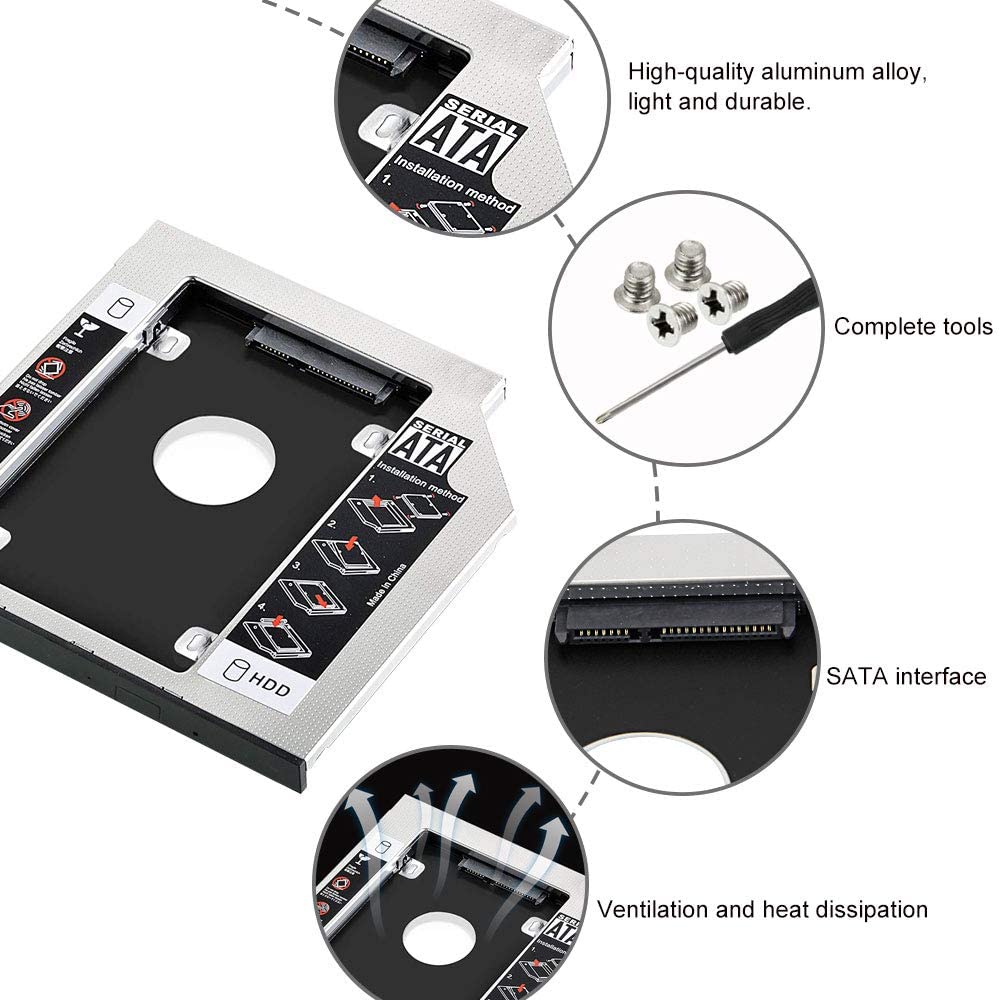
Hollow bottom design: The hollow design under the bottom of this laptop drive caddy gives it strong heat dissipation and makes your laptop run more stable and smooth. Greatly improve the performance of the computer and make it more comfortable when use.
Hollow bottom design: The hollow design under the bottom of this laptop drive caddy gives it strong heat dissipation and makes your laptop run more stable and smooth. Greatly improve the performance of the computer and make it more comfortable when use.
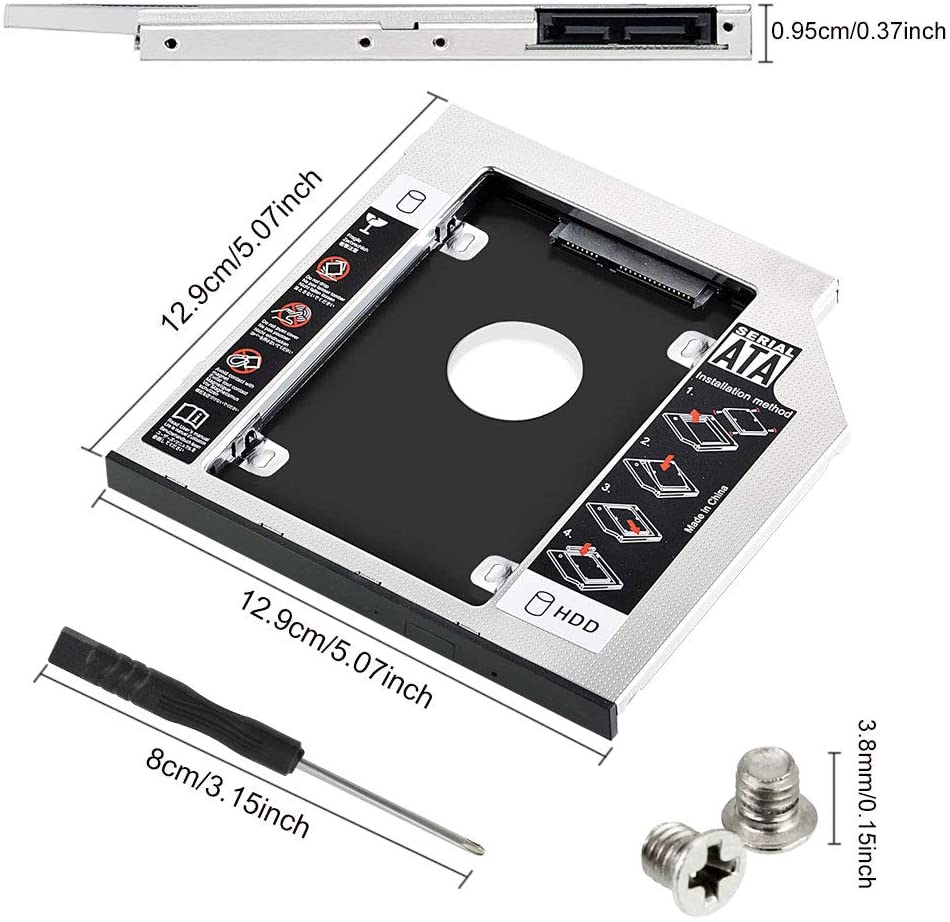
Trouble-free installation: There comes with 1 screwdriver and 4 screws for DIY installing, and the detailed installation steps are on the on the surface of the second HDD/SSD, just follow it to replace the optical drive to quickly upgrade the computer.
Durable aluminum alloy: This hard disk drive adapter uses high-quality aluminum alloy, features anti-rust, anti-corrosion, light weight, durable and long service life.It is suitable for 9.5mm drives with SATA interface in notebook computers.
Compatible with most brands: This 9.5mm universal caddy adapter is compatible with most brands and models of laptops, support 2.5" HDD, SATA, SATA II, SDD, suitable for Samsung Evo, for SanDisk, for Kingdian, for Crucian MX, for WD for Western Digital, for Seagate, for Kingston, for OCZ Vector, for Drevo, Intenso, for HyperX, ACER, ASUS, DELL, HP, LENOVO, SAMSUNG, TOSHIBA, SONY etc
The Hard Drive Caddy is suitable for mounting in a 9.5mm SATA CD / DVD slot (SATA 3 compatible) for 7mm / 9mm 2.5 "HDD SSD.
universal hard drive caddy with screwdriver -- Compatible for replace the optical drive of your laptop and increase its capacity -- never have to worry about insufficient computer storage anymore!
Improve the Speed of your Laptop:
This 9.5mm caddy tray can make your laptop with two hard drives, which means enlarge your laptop capacity and increase the running speed of your computer and reduce lag.
This 9.5mm caddy tray can make your laptop with two hard drives, which means enlarge your laptop capacity and increase the running speed of your computer and reduce lag.
Firmly Installed:
This hard drive adapter adopts comprehensive shockproof design. There are four screws on the bottom of the adapter and 1 Pcs screwdriver for fixing. After inserting this into the SATA interface, tighten the screws and the hard disk can be fixed firmly on the adapter.
This hard drive adapter adopts comprehensive shockproof design. There are four screws on the bottom of the adapter and 1 Pcs screwdriver for fixing. After inserting this into the SATA interface, tighten the screws and the hard disk can be fixed firmly on the adapter.
How to install it:
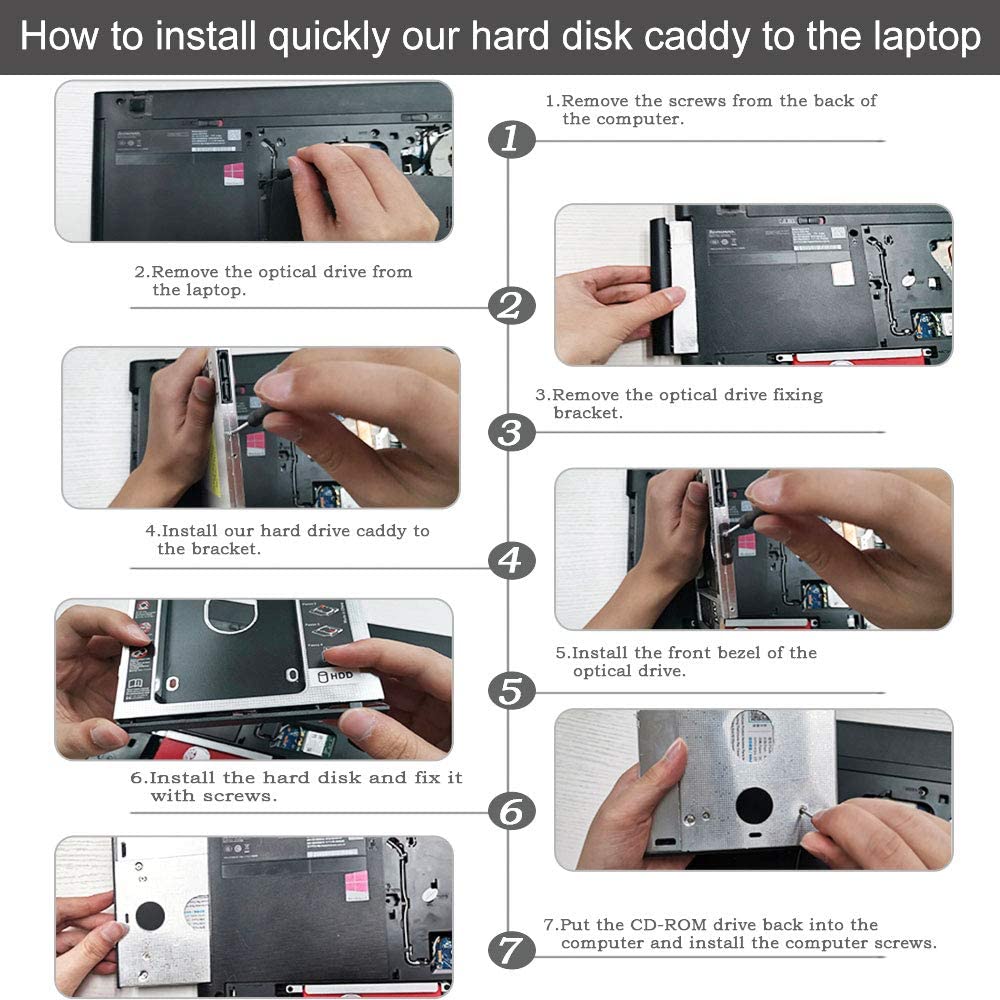
1.Remove the screws from the back of the computer
2.Remove the optical drive from the laptop
3.Remove the optical drive fixing bracket
4.Install our hard drive caddy to the bracket
5.Install the front bezel of the optical drive
6.Install the hard disk and fix it with screws
7.Put the CD-ROM drive back into the computer and install the computer screws
1.Remove the screws from the back of the computer
2.Remove the optical drive from the laptop
3.Remove the optical drive fixing bracket
4.Install our hard drive caddy to the bracket
5.Install the front bezel of the optical drive
6.Install the hard disk and fix it with screws
7.Put the CD-ROM drive back into the computer and install the computer screws
Specifications:
Name: Hard Drive Caddy
Material: Aluminum Alloy
Package Dimension: 20 * 17 * 2.5cm (Each)
Weight: 110g
Name: Hard Drive Caddy
Material: Aluminum Alloy
Package Dimension: 20 * 17 * 2.5cm (Each)
Weight: 110g
Package Includes:
1 x Hard Drive Caddy
1 x Screwdriver
4 x Screws
1 x Hard Drive Caddy
1 x Screwdriver
4 x Screws
Connectors: laptop end: SATA, hard drive end: SATA
On 25-Nov-2024 at 13:00:56 GMT, seller added the following information: