


SPECIFICATIONS
Brand Name: AODELAN
Certification: CE,FCC,RoHS
Choice: yes
Compatible Brand: Canon
High-concerned chemical: None
Model Number: BR-E1A
Origin: Mainland China
Package: Yes
Type: WireLess
Wireless Function: Yes
semi_Choice: yes
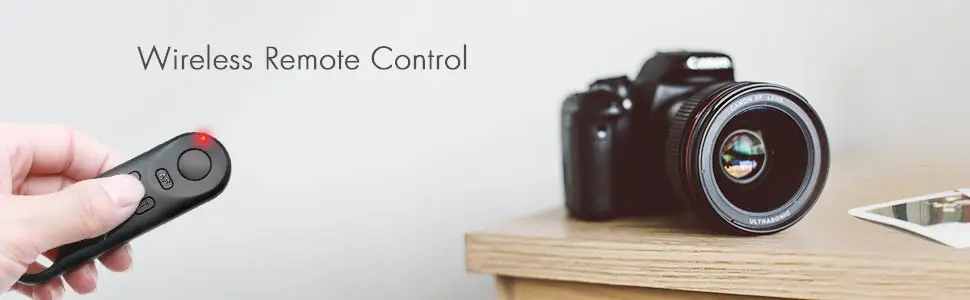
Dedicated to select Canon cameras, this BR-E1A Wireless Remote Control allows you to wirelessly release your camera's shutter via Bluetooth from within a 32.8' operating range. It can also start and stop video recording and focus the camera while recording video. It has low power consumption and requires no line of sight to the camera, and is also compatible with the PZ-E1 Power Zoom Adapter for remotely adjusting zoom position and movement of the EF-S 18-135mm f/3.5-5.6 IS USM lens.
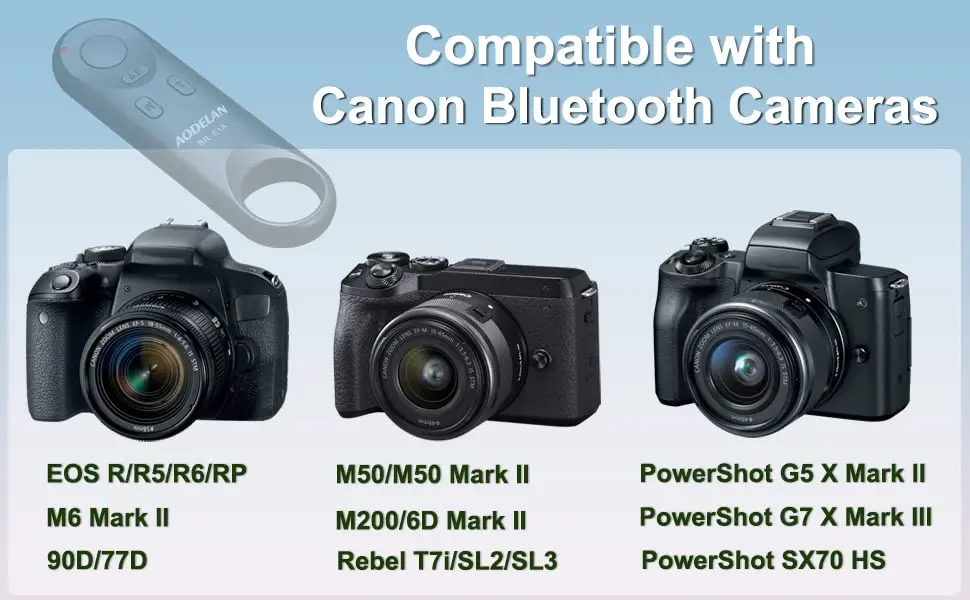
Canon Camera Compatibility:
EOS R, EOS RP, EOS Ra
EOS R1, EOS R3 ,
EOS R5 , EOS R5 II, EOS R5 C*,
EOS R6, EOS R6 II, EOS R6 III,
EOS R7 , EOS R8 ,
EOS R10, EOS R100,
EOS R50, EOSR50V,
EOS M50, M200
EOS M6 Mark II
EOS M50 Mark II
EOS 6D Mark II
EOS 90D, 77D(9000D)
EOS Rebel T7i(800D),T8i(850D)
EOS Rebel SL2(200D), SL3(250D, 200D II)
PowerShot G5 X Mark II
PowerShot G7 X Mark III
PowerShot SX70 HS
PowerShot V10, V1
NOTE:
* the Canon EOS R5C* can use with this wireless remote control only in photo mode.
* Only G7X3, G5X2 and SX70HS support remote zoom directly; other cameras need to be compatible with EF-S 18-135 IS NANO USM lens and uséd with PZ-E1 power zoom adapter to achieve remote zoom.

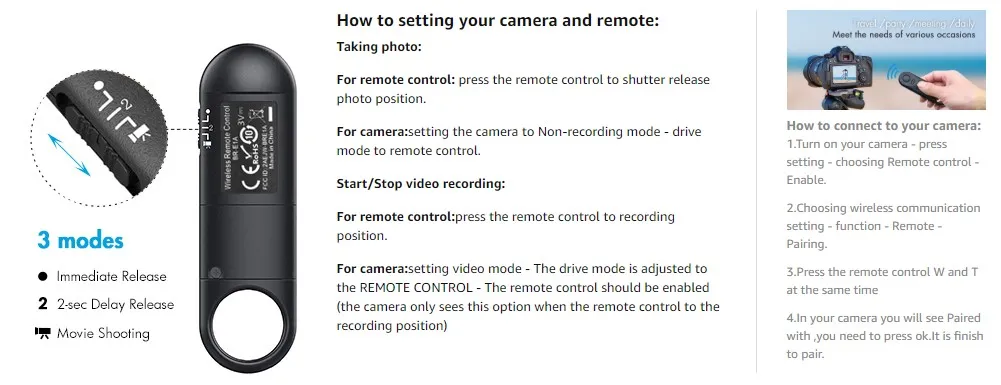
HOW TO USE:
1. Set the camera for still photo shooting:
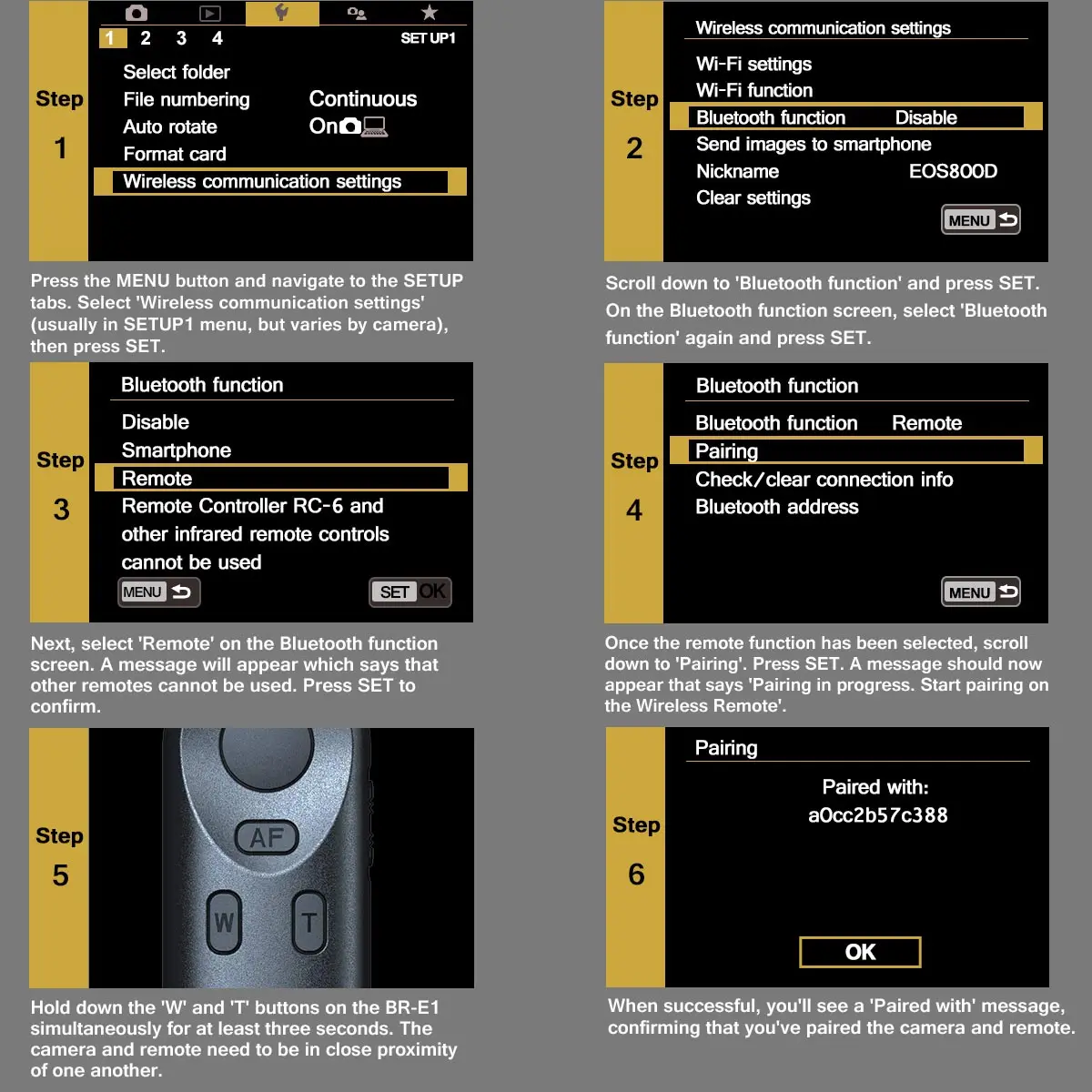
Clear remote controller connection information first if you have pair other remote before- select "wireless communication setting "- select "bluetooth function"- select "check or clear connection info".
Pairing: 2. select "wireless communication setting "- select "bluetooth function"- select "remote"- select "pairing", in this step, hold and press the W and T on remote control simultaneously for 3 sec. or more. The indicator will blink in the pairing process, and it will blink one more time when pairing is complete.
Set the drive mode of the camera to (remote control).
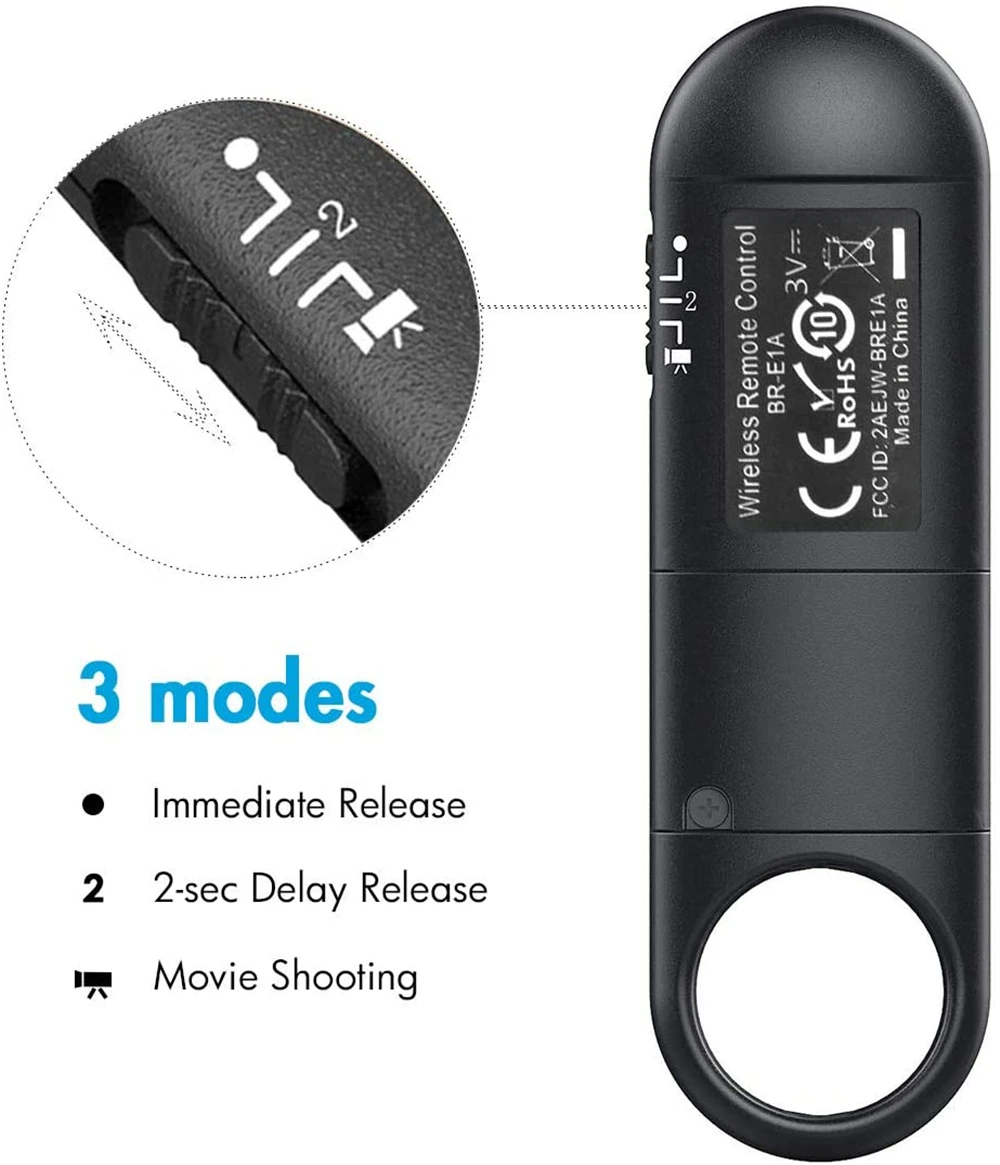
Set the shutter release timing/movie shooting switch on the BR-E1A to the <·> (immediate release) or <2> (2-sec. delay release) position.
For video shooting:
Set the camera for movie shooting and set [Remote control] to [Enable] from the menu screen of the camera.
Set the shutter release timing/movie shooting switch on the BR-E1A to the (movie shooting) position


| 30 Day Returns Shop with confidence knowing we offer a 30 day money back guarantee. | Packed With Care We take extra care with packing so your item arrives safely. |
| Photos Matter Listing photos form part of the description, so please review them closely. | Trusted Seller We focus on quality second-hand, vintage and hard-to-find items. |