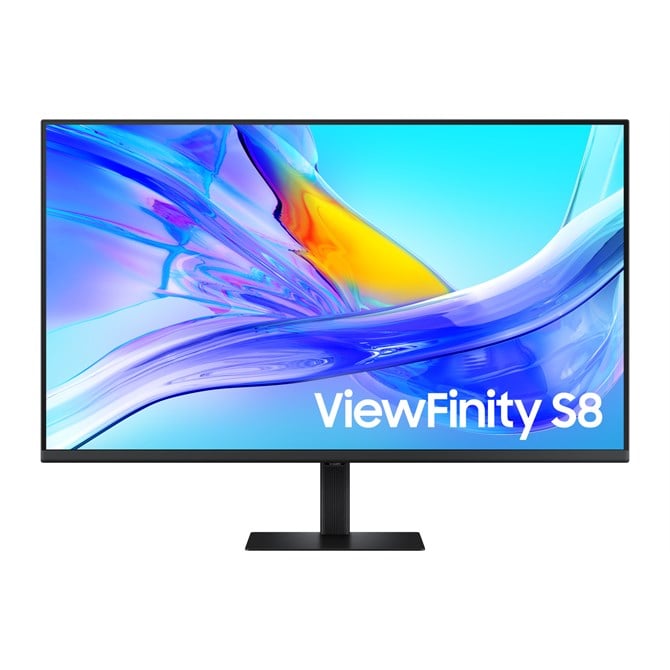

Samsung 37 S80UD UHD USB-C ViewFinity Monitor with KVM Switch"
Productivity boosted by an extra 5 inches
37" Ergonomic Workspace Display
Revolutionise your workspace with the world's first 37'' UHD monitor. The additional 5 inches compared to a 32'' display provide a 100% UHD experience without the need to scale down for better readability. With the expanded workspace, you can tackle complex tasks with ease and boost your productivity. Plus, the 37'' screen is TUV-certified for eye comfort and designed to reduce visual fatigue - helping you stay focused during long work sessions
Discover the deeper details
UHD resolution
Visual excellence that professionals demand. UHD (3840x2160) resolution reveals greater levels of detail with higher pixel density. Professionals can dive into greater colour detail and more screen space to build intricate designs, complex diagrams and dynamic video content with a smoother workflow.
Enhanced realism through more colour
1.07 billion colours with HDR10
See a wider gamut of colours for stunning accuracy and detail. HDR10 provide near limitless hues and true-to-life colour representation, with darker darks and the brighter brights. Every piece of content becomes a joy to look at and can be experienced exactly as intended.
Connect and adjust to meet your needs
USB-C and LAN Port
Connect it all to elevate your workspace. A USB-C port allows for 90W charging and data transfer at the same time, while a built-in LAN port offers seamless Ethernet connectivity for laptops.
Master multiple sources in harmony
Built-in KVM Switch
A built-in KVM switch lets you connect and control two sources to your monitor at once, with just one keyboard and mouse. You choose: split screen, Picture in Picture or Picture by Picture are all possible. Be more efficient and remove multi-device hassle with easy input switching and multitasking.
Effortless and instant setup
Easy Setup Stand
The Easy Setup Stand effortlessly creates an ideal workspace without any tools or screws. When it's time to change things up, simply push a button and enjoy flexible convenience.
View with enhanced versatility
Ergonomic Design
Enjoy ideal ergonomics in any environment. A heigh-adjustable screen tilts and swivels to give you the best angle, ultimate utility, and custom comfort.
Relieve your eyes from strain
TUV certified Intelligent Eye Care
Keep your eyes fresh with less screen strain. For those late-night projects, brightness and colour temperature automatically optimise for your environment. TUV-certified for intelligent eye care, Samsung reduces screen flickering and protects eyes against excessive blue light with eye saver mode.
Responsibly designed and built
Recycled Materials
Certified by TCO, ENERGY STAR and EPEAT Gold, and featuring a TUV-certified Product Carbon Footprint, the Samsung ViewFinity monitor contains over 50% recycled plastic. No chemical sprays are used on the monitor's plastic, making it easy to recycle. Plus, the packaging box joints are glued together instead of stapled, eliminating the need to remove staples during disassembly.
Specs
Display
Display diagonal
Size of the display for this product, measured diagonally, usually in inches.
94 cm (37")
Display resolution
The number of distinct pixels in each dimension that can be displayed. It is usually quoted as width - height, with the units in pixels: for example, "1024 - 768" means the width is 1024 pixels and the height is 768 pixels. The higher the number of pixels, the sharper the image.
3840 x 2160 pixels
HD type
Type of supported High Definition (e.g. Full HD, 4K Ultra HD).
4K Ultra HD
Native aspect ratio
The aspect ratio is the ratio of the width of an image to its height. The native aspect ratio is the one which the projector/display is particularly designed for. Images shown in native aspect ratio will utilize the entire resolution of the display and achieve maximum brightness. Images shown in other than native aspect ratio will always have less resolution and less brightness than images shown in native aspect ratio.
:9
Display technology
The technology used in the display e.g. plasma, LED.
LCD
Panel type
VA
Touchscreen
A screen of a laptop, smartphone, etc., that responds to touch so you can control the interface using your fingers.
Display brightness (typical)
Display brightness, measured by its Luminance, presented as a figure in nits. Typical brightness ratings for monitors range from 250 to 350 nits with a target value of between 80 to 120 nits being suitable for most displays in a normal viewing environment.
350 cd/m-
Display brightness (min)
280 cd/m-
Response time
The response time is the time difference between the moment that a source (for example a video card) sends a signal and that equipment (for example a monitor) receives or display the signal. (Used abbreviations: R/F = Rise and Fall.)
5 ms
Screen shape
Flat
Contrast ratio (typical)
The difference in light intensity between the brightest white and the darkest black.
3000:1
Dynamic contrast ratio marketing name
Mega Infinity DCR
Maximum refresh rate
60 Hz
Viewing angle, horizontal
Maximum horizontal angle at which a display can be viewed with acceptable visual performance.
8-
Viewing angle, vertical
Maximum vertical angle at which a display can be viewed with acceptable visual performance.
8-
Display number of colours
1.07 billion colours
Viewable size, horizontal
The viewable size is often somewhat smaller than the actual size of a monitor, because there is a border around the image.
80.8 cm
Viewable size, vertical
45.5 cm
Display diagonal (metric)
This is the size of the display screen, measured diagonally.
92 cm
High Dynamic Range (HDR) supported
High Dynamic Range (HDR) technology
High Dynamic Range 10 (HDR10)
Colour gamut standard
sRGB
sRGB coverage (typical)
0%
Performance
NVIDIA G-SYNC
AMD FreeSync
The product includes AMD Freesync Technology for the dynamic synchronization of the graphic card and the monitor in order to avoid screen tearing.
Flicker-free technology
Multimedia
Built-in speaker(s)
The device contains speaker(s) to produce sound.
Built-in camera
The product has an integrated camera.
Design
Market positioning
Under which category can the device be positioned in the market, e.g. camera phone.
Professional
Product colour
The colour e.g. red, blue, green, black, white.
Black
Feet colour
The colour of the feet, which are the projecting part on which a device/piece of furniture, or each of its legs, stands.
Black
Ports & interfaces
Built-in USB hub
Whether or not the device features a USB hub to connect more than one other device via USB.
USB hub version
3.2 Gen 1 (3.1 Gen 1)
USB upstream port type
USB Type-B, USB Type-C
Number of upstream ports
1
Number of USB Type-C upstream ports quantity
1
USB Type-A downstream ports quantity
2
USB Power Delivery (USB PD)
USB Power Delivery up to
90 W
HDMI
HDMI (High-Definition Multimedia Interface) is a compact audio/video interface for transferring uncompressed video data and compressed/uncompressed digital audio data from a HDMI-compliant device ("the source device") to a compatible computer monitor, video projector, digital television, or digital audio device. HDMI is a digital replacement for existing analog video standards.
HDMI ports quantity
The number of sockets (ports) for HDMI connections. HDMI (High-Definition Multimedia Interface) is a compact audio/video interface for transferring uncompressed video data and compressed/uncompressed digital audio data from a HDMI-compliant device ("the source device") to a compatible computer monitor, video projector, digital television, or digital audio device. HDMI is a digital replacement for existing analog video standards.
1
HDMI version
2.0
DisplayPorts quantity
Number of DisplayPorts. A DisplayPort is a digital display interface developed by the Video Electronics Standards Association (VESA). The interface is primarily used to connect a video source to a display device such as a computer monitor, though it can also be used to carry audio, USB, and other forms of data.
1
DisplayPort version
1.2
Headphone out
The socket for connecting headphones to the device.
Built-in KVM switch
HDCP
High-bandwidth Digital Content Protection (HDCP) is a form of digital copy protection to prevent copying of digital audio and video content as it travels across connections.
HDCP version
2.2
Network
Ethernet LAN
An Ethernet LAN (Local Area Network) interface is present, for a wired conection via a cable.
Ergonomics
VESA mounting
Ergonomics
Panel mounting interface
The product can be used wih VESA mounting interfaces.
0 x 100 mm
Cable lock slot
Holes on the edge of devices through which a cable lock can be passed, so the device can be locked to a desk etc.
Height adjustment
The part of the device that can be adjusted to change the height.
Adjustable height (max)
cm
Swivelling
Swivel angle range
-30 - 30-
Tilt adjustment
The tilt, which means the angle at which the device is pointing (up or down), can be changed.
Tilt angle range
-5 - 20-
Picture-in-Picture
Picture-in-picture (PiP) is a feature of some television receivers and similar devices. One program (channel) is displayed on the full TV screen at the same time as one or more other programs are displayed in inset windows. Sound is usually from the main program only.
Power
Energy efficiency class (SDR)
F
Energy efficiency class (HDR)
G
Energy consumption (SDR) per 1000 hours
37 kWh
Energy consumption (HDR) per 1000 hours
66 kWh
Power consumption (typical)
Amount of power consumed by this model, often expressed in watts (W). Typical values that manufacturers give are power consumption when off, standby/suspended mode, typical use, maximum usage.
37 W
Power consumption (standby)
The amount of electricity that is consumed when the product is on standby.
0.5 W
Power consumption (max)
The maximum amount of power used by the device.
0 W
Power consumption (off)
0.3 W
AC input voltage
The voltage of the AC electricity that is inputted into the product.
0 - 240 V
Power supply type
The type of power supply which this product uses.
Internal
Energy efficiency scale
A to G
Operational conditions
Operating temperature (T-T)
The minimum and maximum temperatures at which the product can be safely operated.
- 40 -C
Operating relative humidity (H-H)
- 80%
Weight & dimensions
Width (with stand)
823.9 mm
Depth (with stand)
250 mm
Height (with stand)
648 mm
Weight (with stand)
8.9 kg
Width (without stand)
823.9 mm
Depth (without stand)
41.8 mm
Height (without stand)
486.5 mm
Weight (without stand)
5.9 kg
Packaging data
Stand type
HAS stand
Package width
The distance from one side of the packaging to the other.
921 mm
Package depth
The distance from the front to the back of the packaging.
604 mm
Package height
The distance from the top to the bottom of the packaging.
1 mm
Package weight
Weight of the packaged product.
.3 kg
Packaging content
Stand included
Cables included
AC, HDMI, USB Type-C
Power cable length
1.5 m
Sustainability
Sustainability certificates
TCO
Other features
Picture-by-Picture (PbP)
RJ-45 ports quantity
1
USB charging port
Samsung Eye Saver Mode
Image size
Factory tunning
Adaptive picture
Off Timer Plus
Auto source switch+
Certification
Windows 11
