
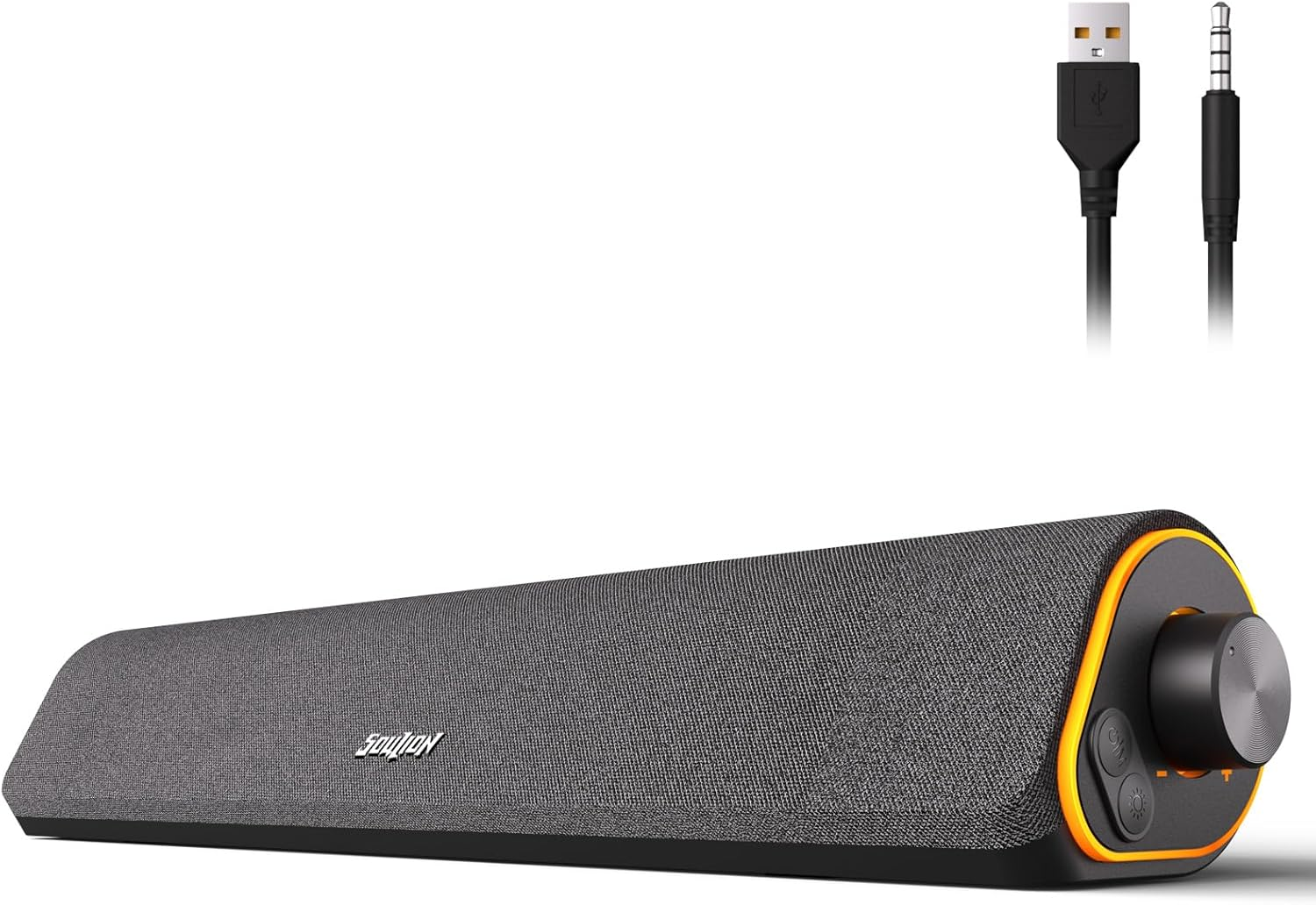
SOULION R50 Bluetooth Computer Speakers, 3.5Mm PC Sound Bar for Desktop Monitor, Wired USB Powered & Colorful LED Lights with Switch Button, Surround Sound Soundbar PC Spearkers for Computer
Description
| Item model number | R50 |
| Style | USB & 3.5 AUX |
| Signal-to-Noise Ratio | 30 dB |
| Power Source | Corded Electric |
| Control Method | Touch |
| Warranty Type | Extended |
| Compatible Devices | Desktop, Laptop, Smartphone, Tablet |
| Bluetooth Range | 10 Meters |
| Unit Count | 1.0 Count |
| Speaker Size | 3.5 Inches |
| Wireless Communication Technology | Bluetooth |
| Brand | SOULION |
| Material | Plastic |
| Input Voltage | 5 Volts |
| Model Name | R50-BK |
| Impedance | 50 Ohm |
| Recommended Uses For Product | For Computers |
| Included Components | Cable, 3.5+USB+Bluetooth+cable length exposed 1.5 meters |
| Indoor/Outdoor Usage | Indoor |
| Subwoofer Connectivity Technology | Wireless |
| Speaker Maximum Output Power | 10 Watts |
| Water Resistance Level | Not Water Resistant |
| Item Weight | 1.76 pounds |
| Connectivity Technology | Bluetooth, USB |
| Audio Driver Type | Dynamic Driver |
| Special Feature | Bluetooth/USB --- mode memory, press and hold for 4 seconds to clear the Bluetooth function, stepless knob, LED lighting, LED Light, Lightweight, USB Port |
| Mounting Type | Tabletop Mount |
| Color | Dark Grey |
| Surround Sound Channel Configuration | 1.0 |
| Frequency Response | 20 KHz |
| Speaker Type | Soundbar |
| Maximum Range | 10 Meters |
| Is Waterproof | FALSE |
| Shape | Rectangular with tilt |
| Audio Output Mode | Surround |
| Manufacturer | Shenzhen Soulion Technology Co., LTD |
| Product Dimensions | 16"D x 2.7"W x 3.5"H |
- 4 Dynamic Lighting Modes: Soulion newly upgraded R50 has 4 dynamic LED lighting modes: gradient mode, breathing mode, rhythm mode and monochrome fixed mode, which you can customize according to your preferences. The light button can turn on/off the light
- USB Mode: Plug into the USB port for power, press the "M" key to select "Aux Mode", the 3.5mm jack for sound. The soundbar is widely compatible with various devices such as PCs, laptops, tablets, smartphones and more
- Bluetooth Mode: Plug into the USB port for power supply and press the "M" key to select "Bluetooth Mode". Search "R50" on your smartphone and connect. Press and hold the light key for three seconds to clear the Bluetooth memory and connect again. The Bluetooth connection must be within a certain range (10 meters / 33 feet) to remain stable
- Clear Sound: This bluetooth computer speaker is equipped with unique boosters and two independent diaphragms, providingcrisp, rich sound to meet your audio needs for watching movies, listening to music and gaming
- Slanted Design: The PC sound bar has a compact design, a 30-degree slightly tilted design, and a layer of breathable cloth on the outside to prevent dust from entering. The volume knob adjusts the volume, fits for under the monitor
- Automatic Mute: Because computers have static electricity and electric current noise, in order to eliminate some noise, the SOULION R50 Bluetooth computer speaker is equipped with an automatic noise cancellation function. The electric current noise can be eliminated by controlling the volume above 10%
Product description
4 LED Ligthing Modes - Plug and Play
-
How to turn on/off?
Note:
The USB port powers on automatically when it is energized.
The video showcases the product in use.The video guides you through product setup.The video compares multiple products.The video shows the product being unpacked.video
Merchant Video -
How to select Aux mode?
Tips:
- Be sure do not plug with two devices as the audio output on computer at the same time.
- Be sure choose "R50" as audio output on your device.
- Be sure computer & R50 speaker both volume up and try to be MAX.
- Try to plug the 3.5mm & USB jack at the back of computer host port.
The video showcases the product in use.The video guides you through product setup.The video compares multiple products.The video shows the product being unpacked.video
Merchant Video -
How to select Bluetooth mode?
Tips:
- Be sure choose "R50" as audio output on your device.
- Be sure computer & R50 speaker both volume up and try to be MAX.
- Try to plug the 3.5mm & USB jack at the back of computer host port.
- Try to change Bluetooth mode and check work or not.
The video showcases the product in use.The video guides you through product setup.The video compares multiple products.The video shows the product being unpacked.video
Merchant Video -
How to turn on/off lights/switch light modes?
Notes:
- Mode swtich(Breath/Gradient/Rhythm/Monochrome Fixed)
- Press and hold for 3 seconds to clear Bluetooth memory
The video showcases the product in use.The video guides you through product setup.The video compares multiple products.The video shows the product being unpacked.video
Merchant Video -
How to turn the volume up/down?
The video showcases the product in use.The video guides you through product setup.The video compares multiple products.The video shows the product being unpacked.video
Merchant Video
2 Connection Methods
USB Powered and 3.5mm Aux Mode - Plug & Play
1.Plug into the USB port for power and press the "M" key to select “Aux Mode”;
2.Plug 3.5mm jack for sound. Press the "M" key to select "Aux Mode".
Tips: For desktop computers, insert 3.5mm jack into the back end of the host to reduce the current sound.
Bluetooth Mode - Plug & Pair
1. Plug in the USB port and press the "M" key to select “Bluetooth Mode”;
2. Search "R50" on your smartphone/tablet and connect.
Tips: The Bluetooth connection must be within a certain range (10 meters / 33 feet) to remain stable.
Mode Selection
- Power On/Off
- USB Powered and 3.5mm Aux Mode
- USB Powered and Bluetooth Mode
Light - Switch/Mode Selection
- Light On/Off
- 4 LED Lighting Modes: Breathing, Gradient, Rhythm, Monochrome fixed
- Press and Hold for 3 Seconds to Clear Bluetooth Memory
Rotate the Knob
- Turn Clockwise - Volume +
- Turn Counterclockwise - Volume -
Unique Design
- Comfort Material
- 30° Tilt Design
- Compact Size for PC/Desktop
SOULION COMPUTER SPEAKER - Just Play, Have Fun!
| Customer Reviews | 4.1 out of 5 stars 170 | 4.2 out of 5 stars 165 | 4.2 out of 5 stars 651 | 4.3 out of 5 stars 647 | 4.3 out of 5 stars 203 | 4.2 out of 5 stars 9,892 | 4.2 out of 5 stars 9,892 |
| Price | — | $16.99$16.99 | $19.99$19.99 | $20.98$20.98 | $21.99$21.99 | $21.99$21.99 | $20.99$20.99 |
| Bluetooth Mode(USB Powered) | ✔ | ✔ | ✔ | ✔ | ✔ | ✔ | ✔ |
| Memory Function | ✔ | ✔ | ✔ | ✔ | ✔ | ✔ | ✔ |
| Voice Prompt | ✔ | ✔ | ✔ | ✔ | ✔ | ✔ | ✔ |
| Wired Mode | 2-in-1 USB Cable | 2-in-1 USB Cable | USB & Aux Cable | 2-in-1 USB Cable | 2-in-1 USB Cable | 2-in-1 USB Cable | USB & Aux Cable |
| Lighting Effects | Optional LED Effects | Optional LED Effects | Optional LED Effects | Optional LED Effects | Optional LED Effects | Optional LED Effects | Auto Conversion |
| Color | Black | Black | Black | Grey | Black | White/Grey | White/Grey |
ABOUT US
We offer the best prices around on high quality products. Our E-store includes media such as books, movies, music and games while offering electronics, toys, sporting apparel, clothing, tools, general home, garden items and more.
SHIPPING
We are always working hard to ensure your package arrives as soon as possible. Please understand that some factors like weather, high postal traffic, and the performance of shipping companies are outside of our control.
We offer free shipping to the lower 48 states and ship within 2 business days of payment, usually sooner. We do not accept P.O. Boxes. Please provide a physical address.
RETURNS
We offer a 30-Day Return Policy on items which you are not completely satisfied with. You have the option for a full-refund or an exchange of the item. No returns are available on items shipped outside of the USA.
PAYMENT
We accept PayPal.
CONTACT US
This page content is yet to come
Please ad us to your favorite seller and visit again later
Thank You