New Upgraded Version M550 Max+Hardwire Kit:
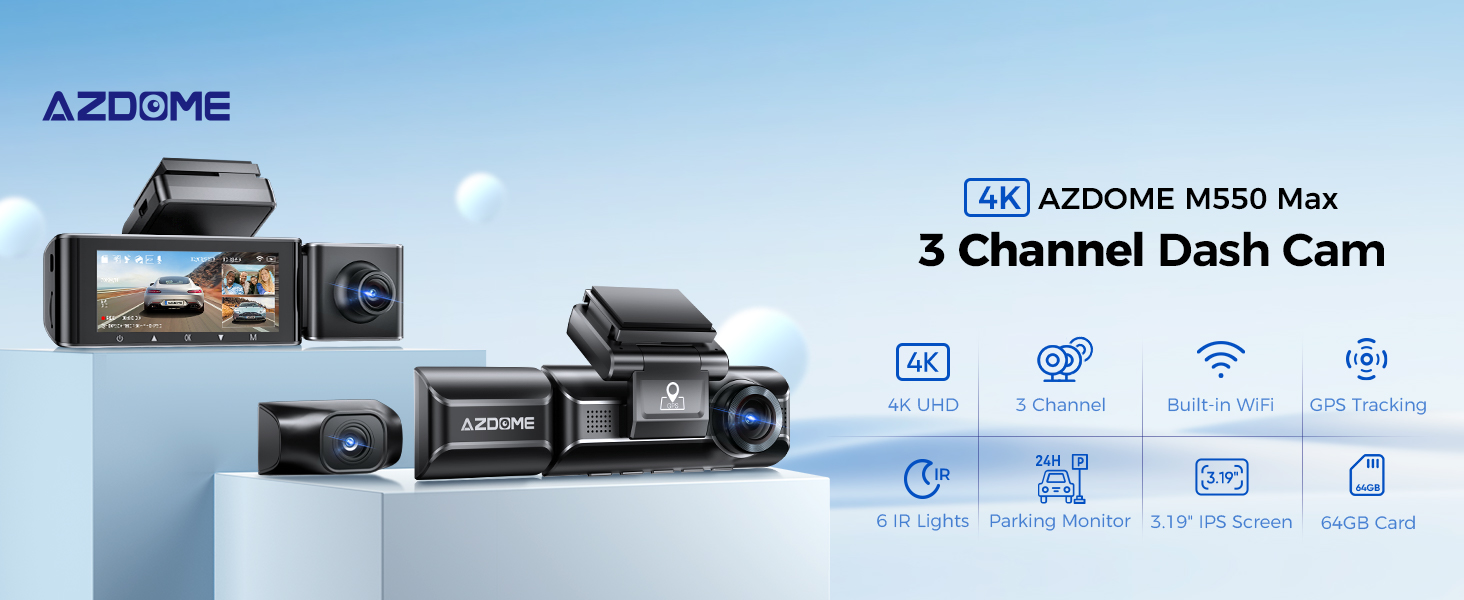
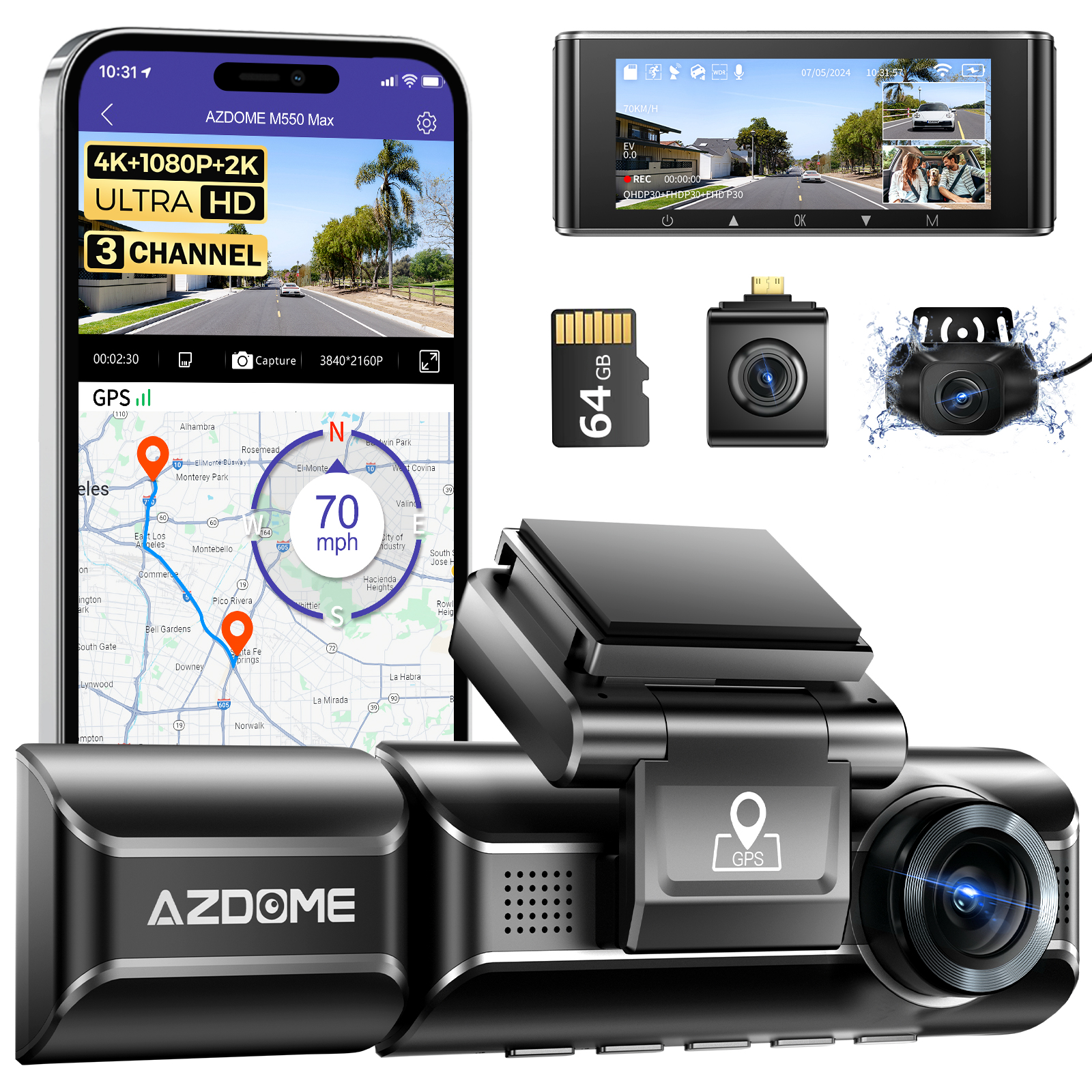
AZDOME M550 Max 3 Channel Dash Cam,4K+1080P+2.5K Front+Cabin+Rear with WiFi GPS,Free 64GB Card Car Camera with 3.19" Screen,24Hours Parking Mode,Motion Detection G-sensor Loop Recording Time-Lapse,6 IR LEDs Night Vision,Adjustable Rear Cam,Fatigue Remind,Super Capacitor Easy Installation
Warm Tips:
Every AZDOME M550 Max dashcam comes with an original AZDOME 64GB SD card in the packaging as gift. Class 10 Speed SD Card is required. Max Support: 128GB. Be sure to format your SD card with your dash cam for the first time use.
Battery is mainly used to save files in emergency. Please always connect Dash Cam to external power while it is in use.
At AZDOME, our goal is to continue working hard to provide you with innovative hardware & software for the camera to give you that personalized experience. We offer updates for camera firmware, software, iOS & Android app improvements regularly for FREE.
This dash camera for cars is backed by full 1-YEAR WARRANTY. You can text us for (Faster Response) or Email our customer service and we will answer all your questions and resolve any issues quickly. If you are having any doubts, it comes with a FULL REFUND within 30 DAYS.
This link includes JYX05, you don't need to buy extra!
Specifications:
Model: M550 Max+JYX05
Hersteller: AZDOME
Number of lenses: 3 (Front+Cabin+Rear)
Video Resolution: 1-CH: 4K, 2-CH: 4K+2.5K/4K+1080P, 3-CH: 4K+1080P+2.5K
Power: 5V/2.5A
Screen Size: 3.19" IPS Screen
Battery: Super Capacitor
Language:English/日本語/Deutsch/Franqais/Espanol/Italiano/Pyccknn,etc.
Loop Recording: 1 Minutes/3 Minutes(Default)/5 Minutes
WiFi: Built-in
GPS: Built-in
Max External Memory:256GB (Class10,U3 Speed, Included 64 GB SD Card)
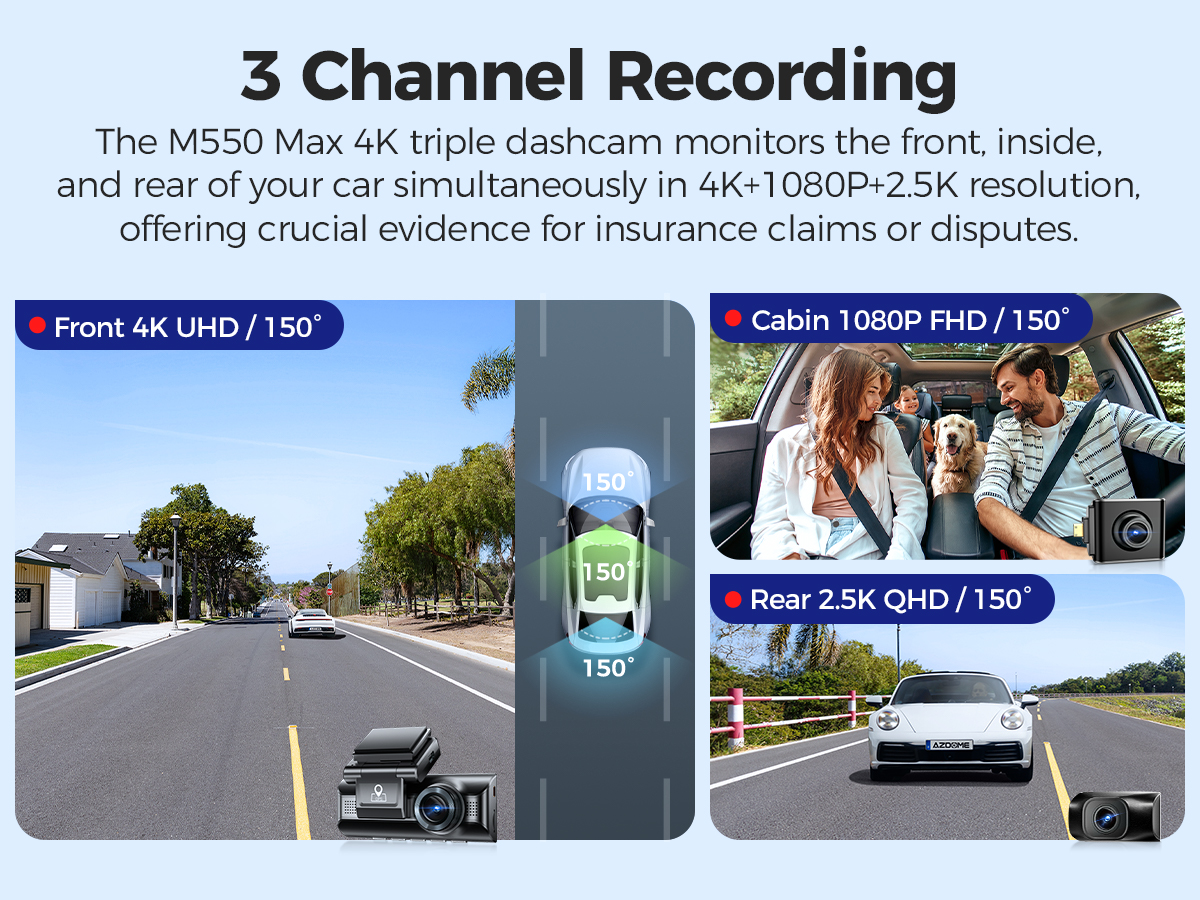 |  |  |
4K Three-Channel Recording The M550 Max 4K+1080P+2.5K 3 Channel Dash Camera is able to monitor the front, interior and rear of the vehicle in all directions through its high-resolution configuration, which includes a 4K Ultra HD front camera, a 1080P HD cabin camera, and a 2.5K Ultra HD rear camera, providing important evidence for insurance claims or disputes. | Built-in WiFi
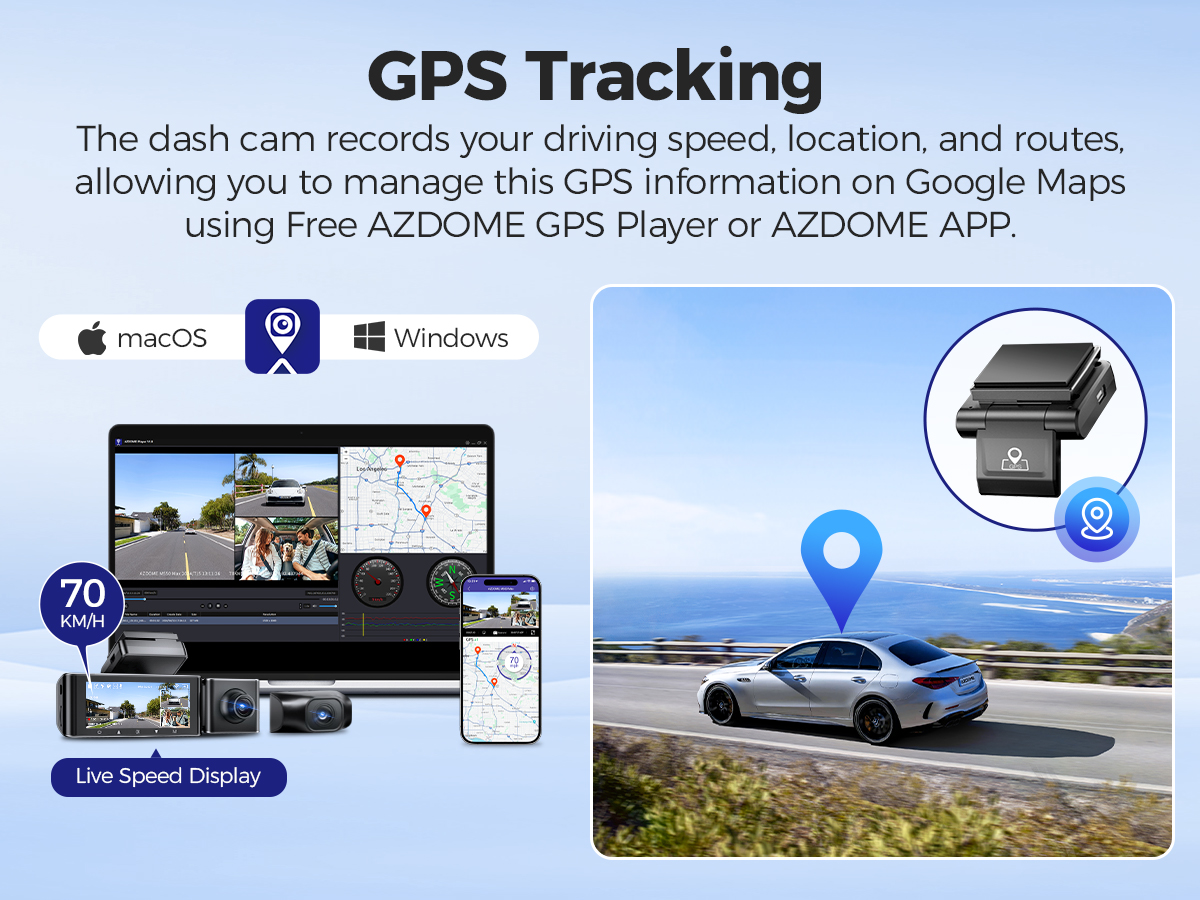
| Built-in GPS The dash cam records your driving speed, location, and routes, allowing you to manage this GPS information on Google Maps using Free AZDOME GPS Player or AZDOME APP. |
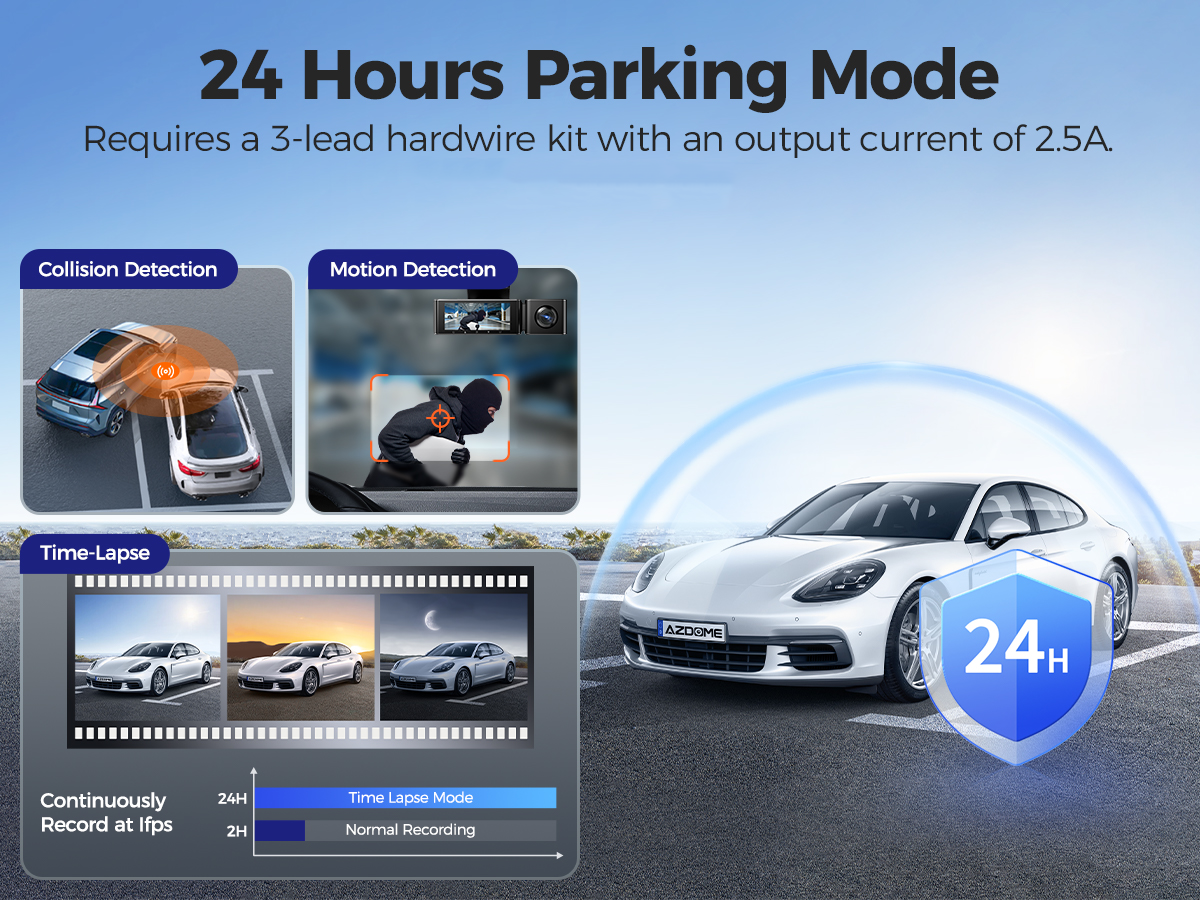 |  |  |
24h Parking Monitoring
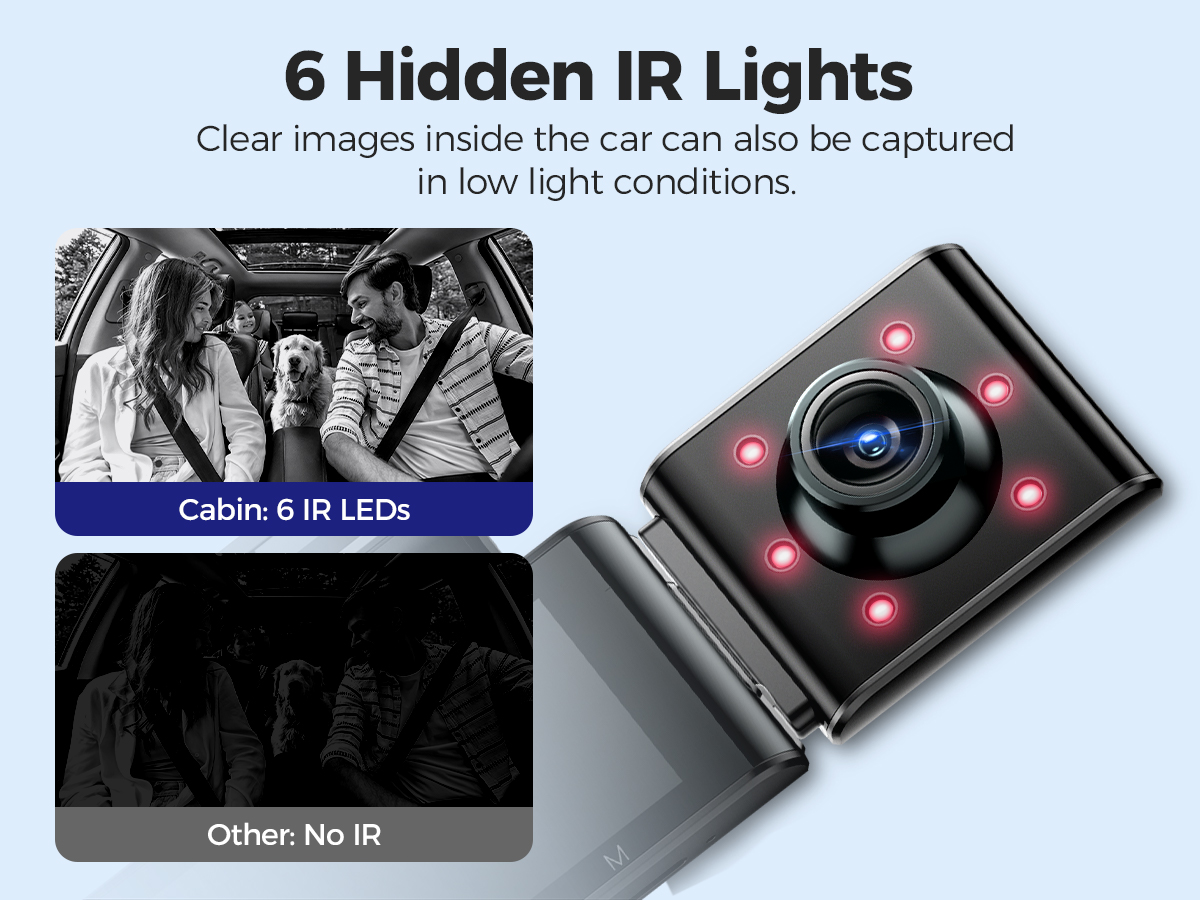
| 6 Hidden IR Lights Night Vision
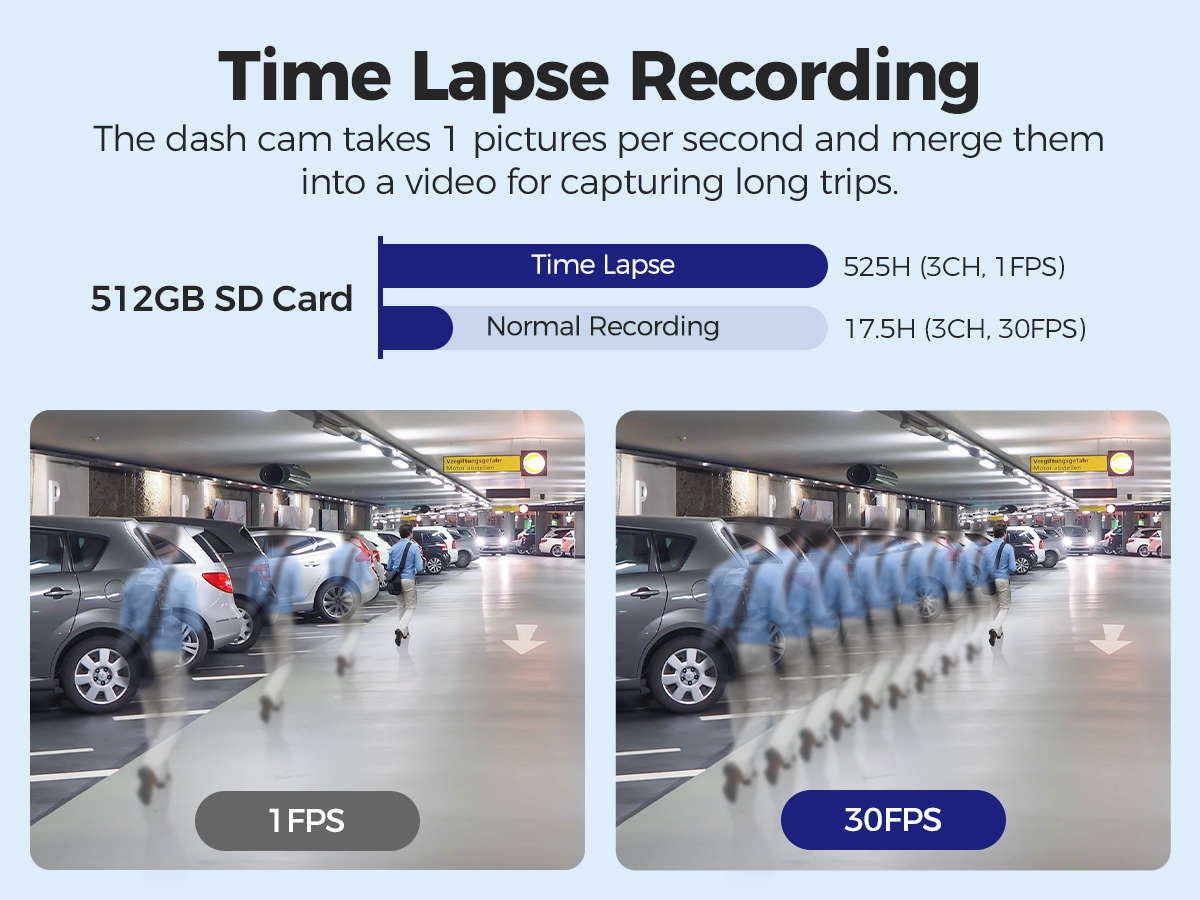
| Time-lapse Recording When you turn OFF the car's engine and turn the key to the lock position. Then the camera will STOP the continuous video recording and it will go into the timelapse 1fps recording mode automatically. Time-Lapse Video allows you to capture specific images per second at a much lower rate. So when you combine and play those images at the normal rate, everything seems to be moving faster in time lapse. |
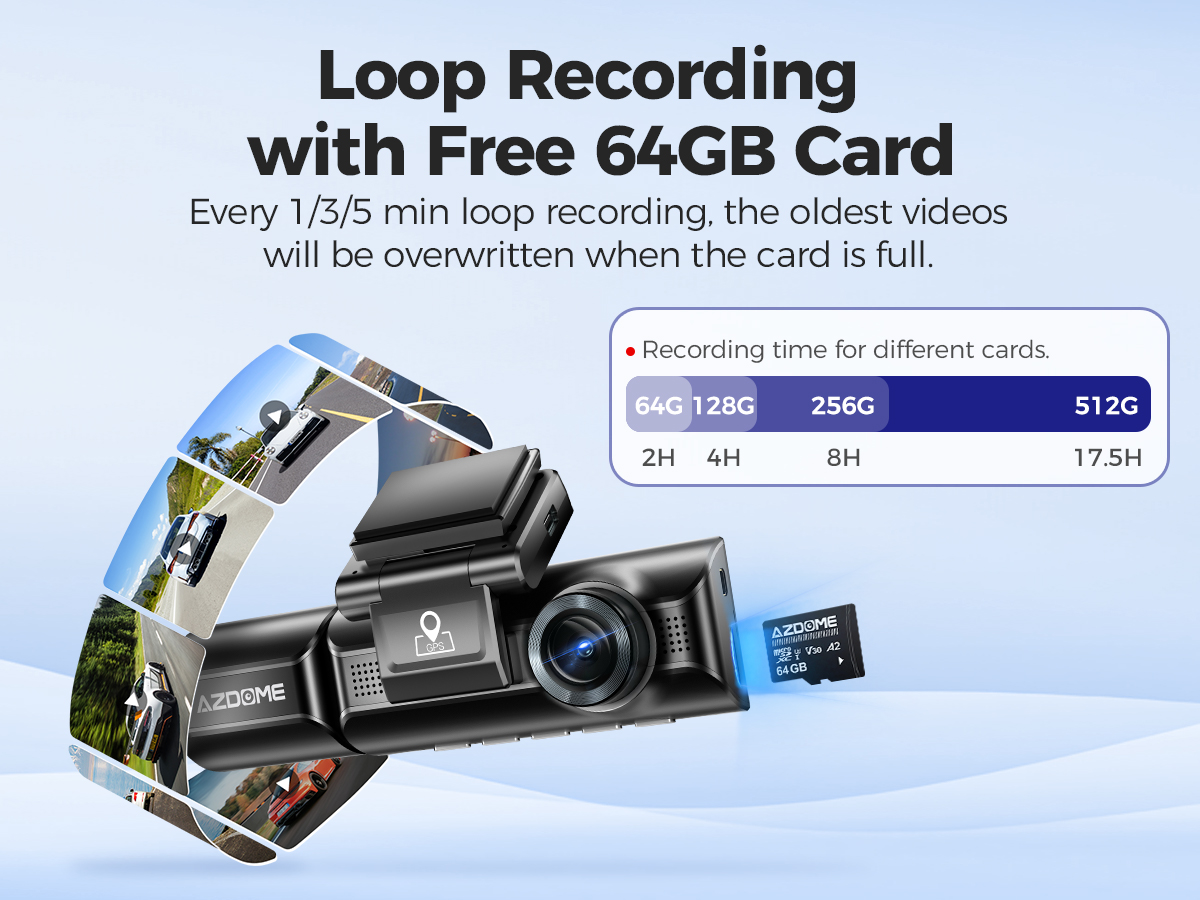 |  |  |
Loop Recording & Free 64GB Card
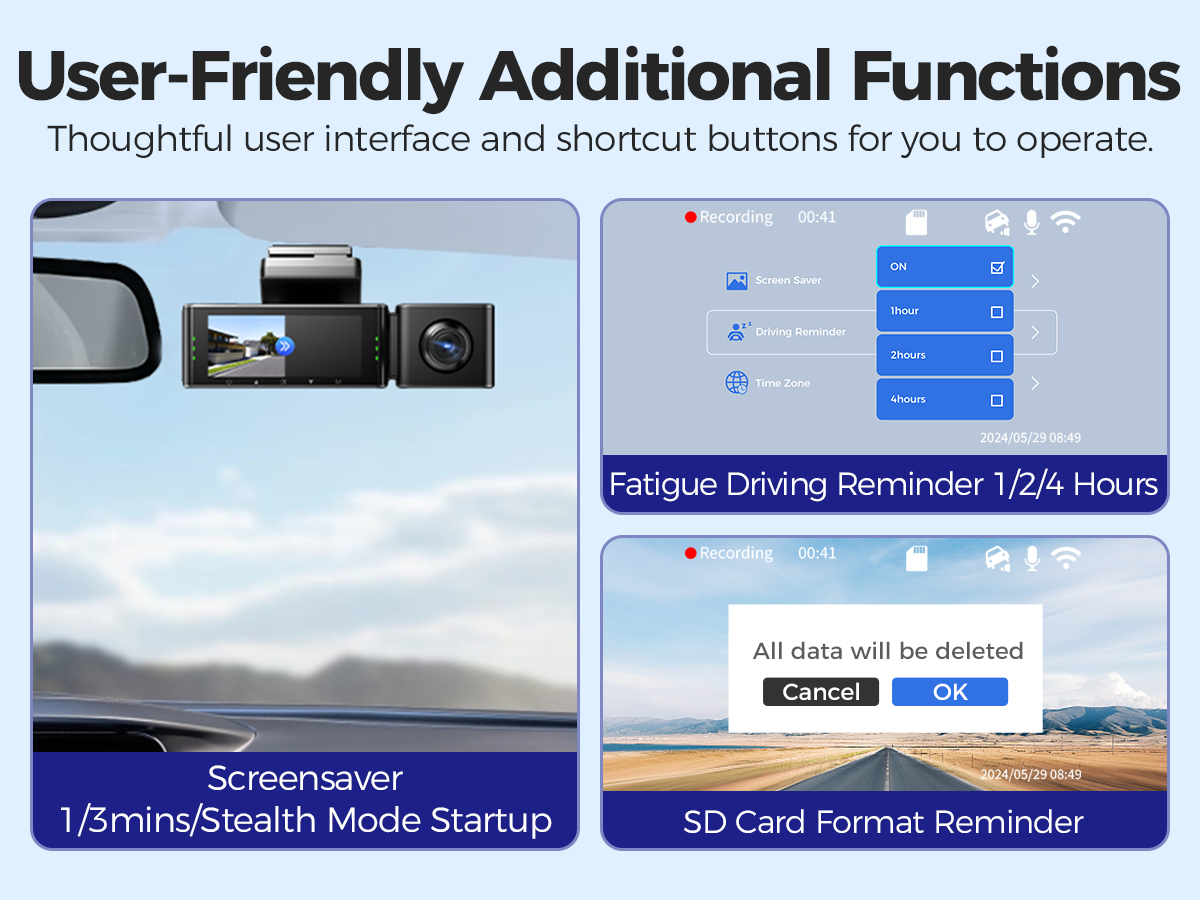
| User-Friendly Additional Functions
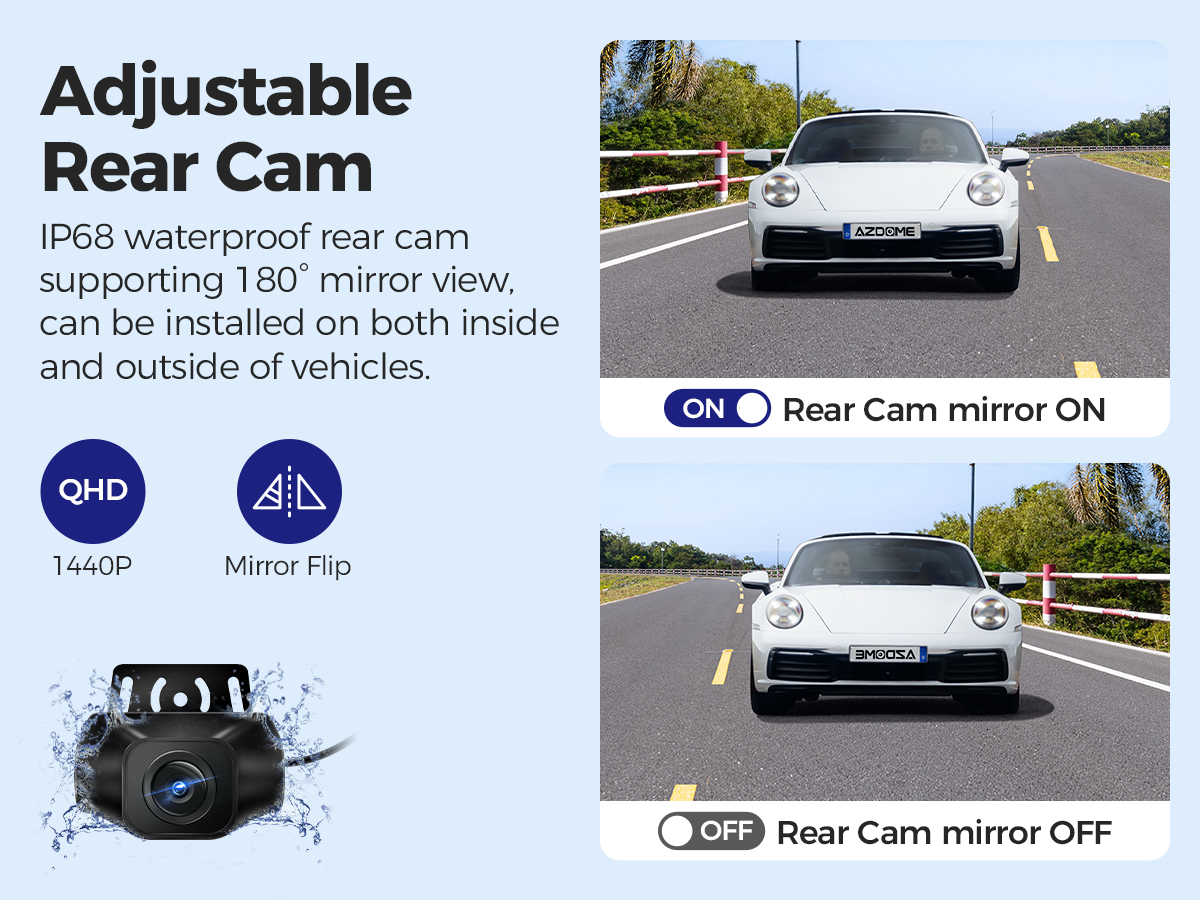
| IP68 Waterproof & Adjustable Rear Cam AZDOME M550 Max rear camera needs to be installed outside the car. Equipped with an IP68 waterproof rear camera, it is extremely durable and enhances overall driving safety and monitoring capabilities. This rear dash camera adds the latest exclusive functions, which can provide you with mirror flips of the picture. You can adjust it according to your actual situation, so it can be perfectly compatible with pickups, RVs, and trucks. |
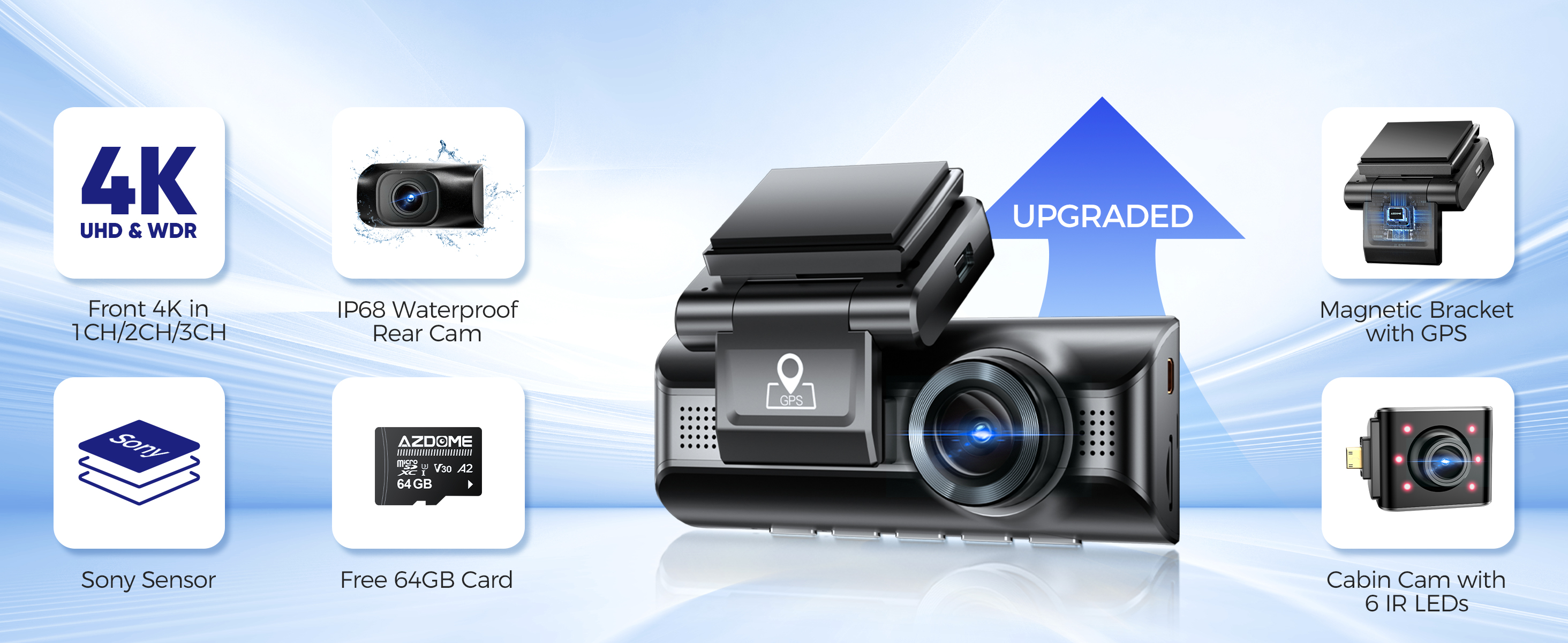
The New Upgraded Version of M550: M550 Max
✨ Higher Resolution - 4K+1080P+2.5K
✨ Cabin Cam with 6 IR LEDs Night Vision
✨ IP68 Waterproof Rear Cam
✨ Three parking modes, Includes motion detection
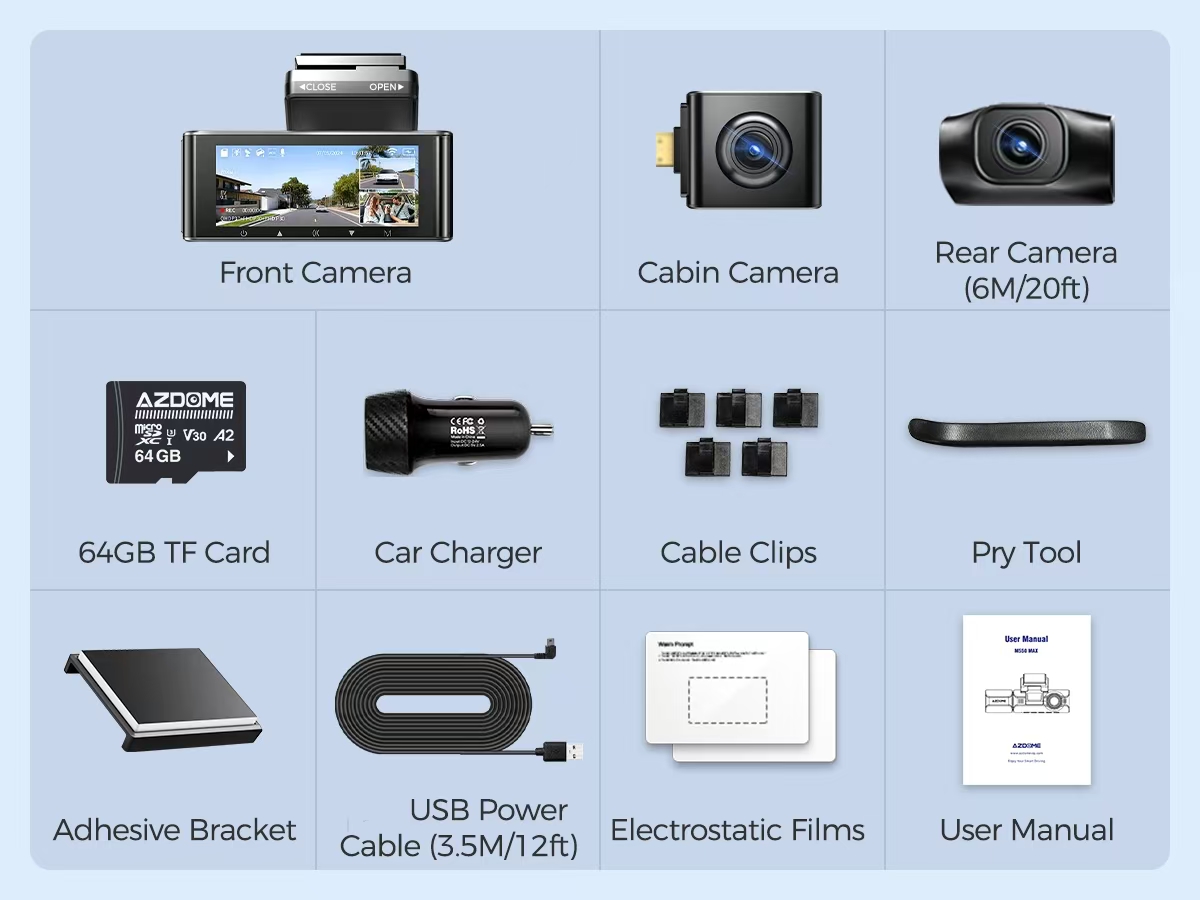
M550 Max Standard Packaging List:
Front Camera ×1
Cabin Camera ×1
Rear Camera (6M/20ft) ×1
64GB TF Card ×1
Car Charger ×1
USB Power Cable (3.5M/12ft) ×1
Cable Clips ×5
Pry Tool ×1
Adhesive Bracket ×1
Electrostatic Films ×2
User Manual ×1
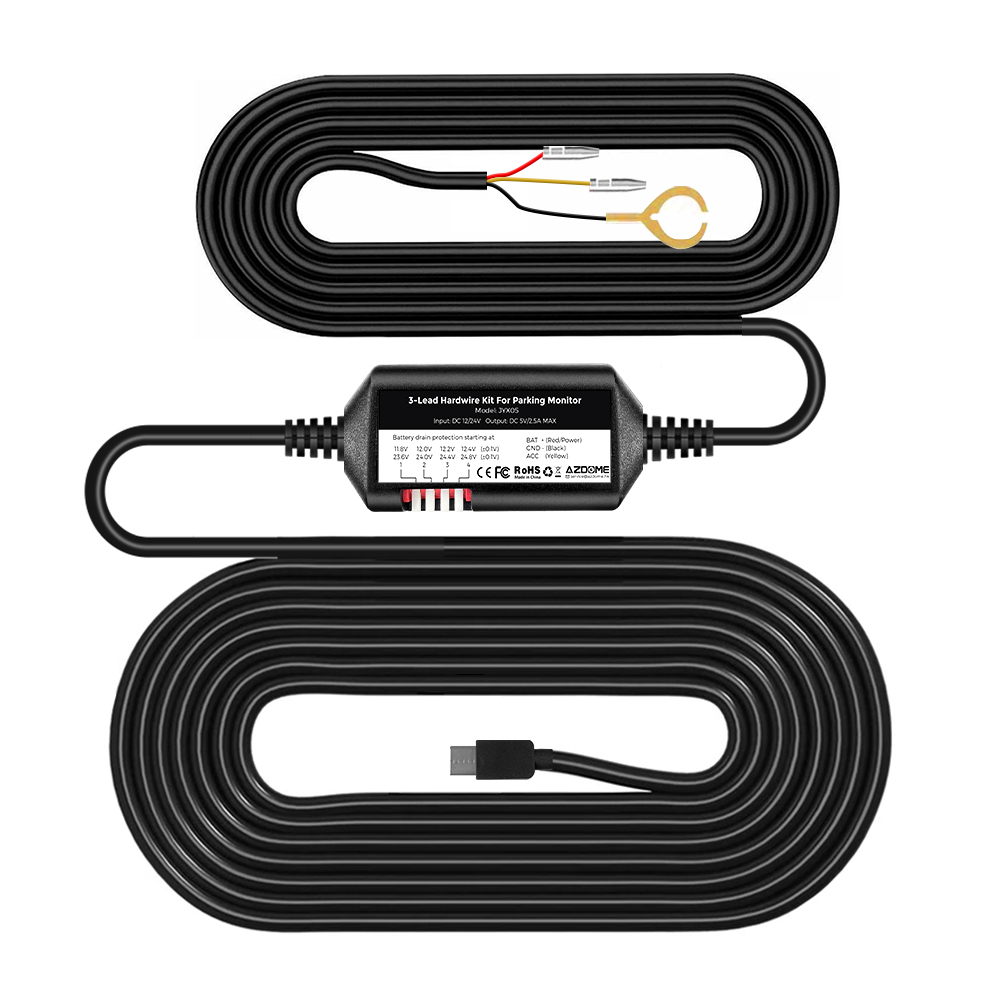
JYX05 Hardwire Kit x1
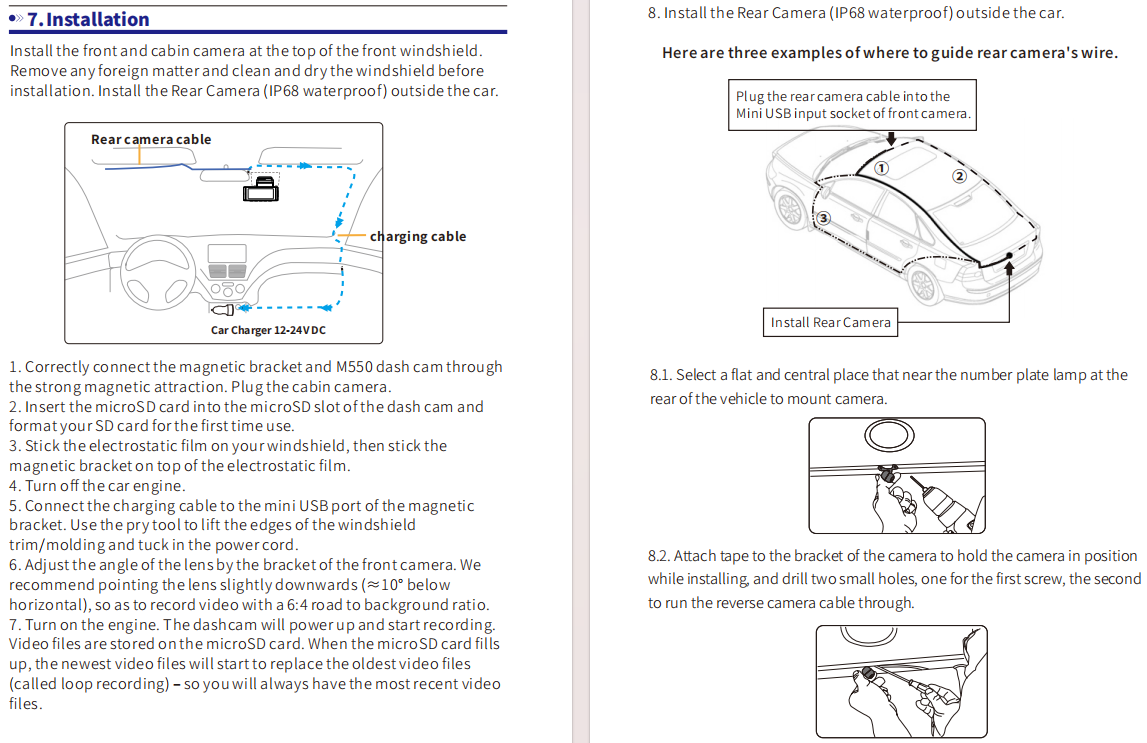
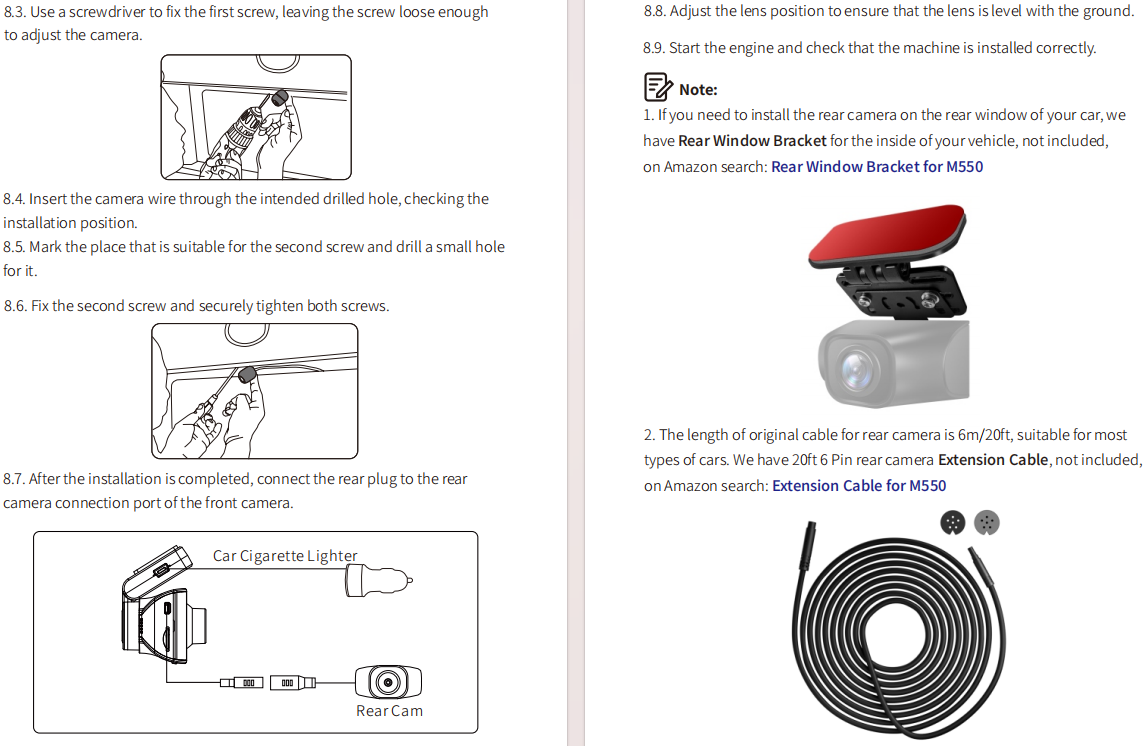
Easy Installation
You can install it yourself according to the instructions in the manual without hiring a professional, which can save you installation costs.
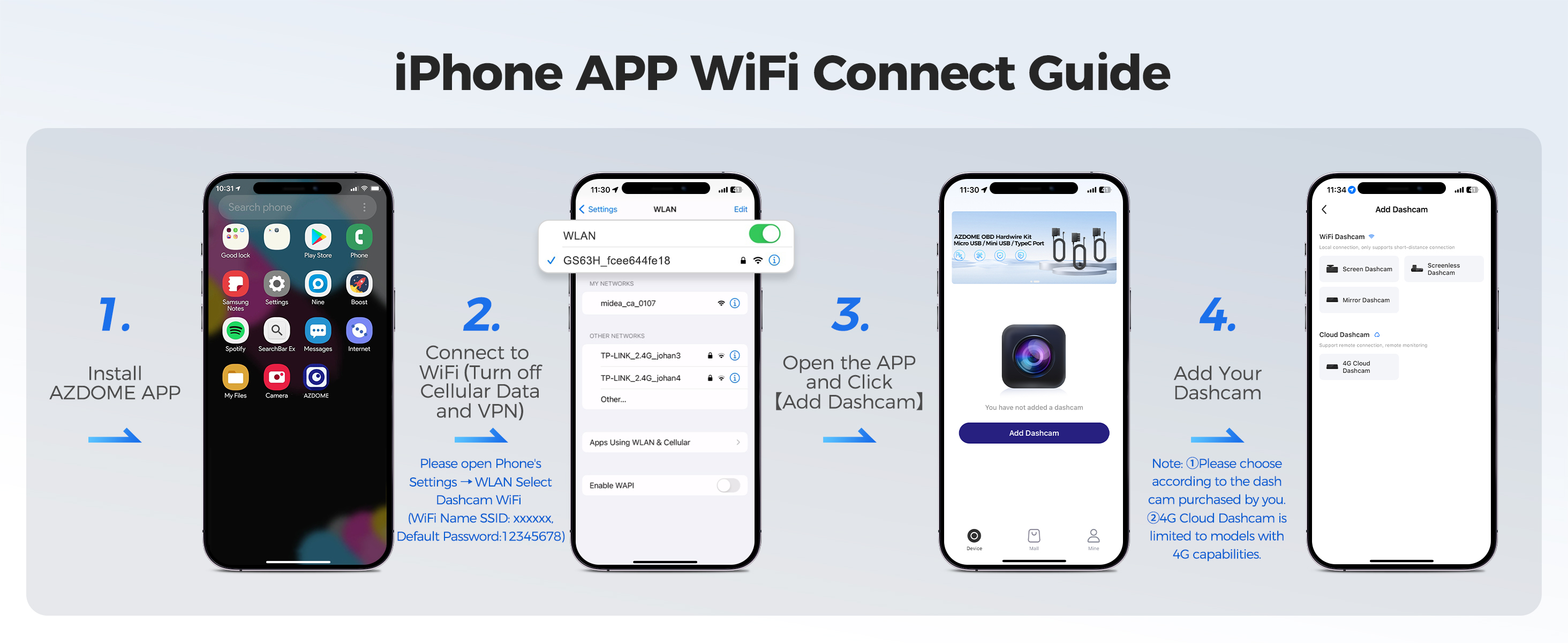
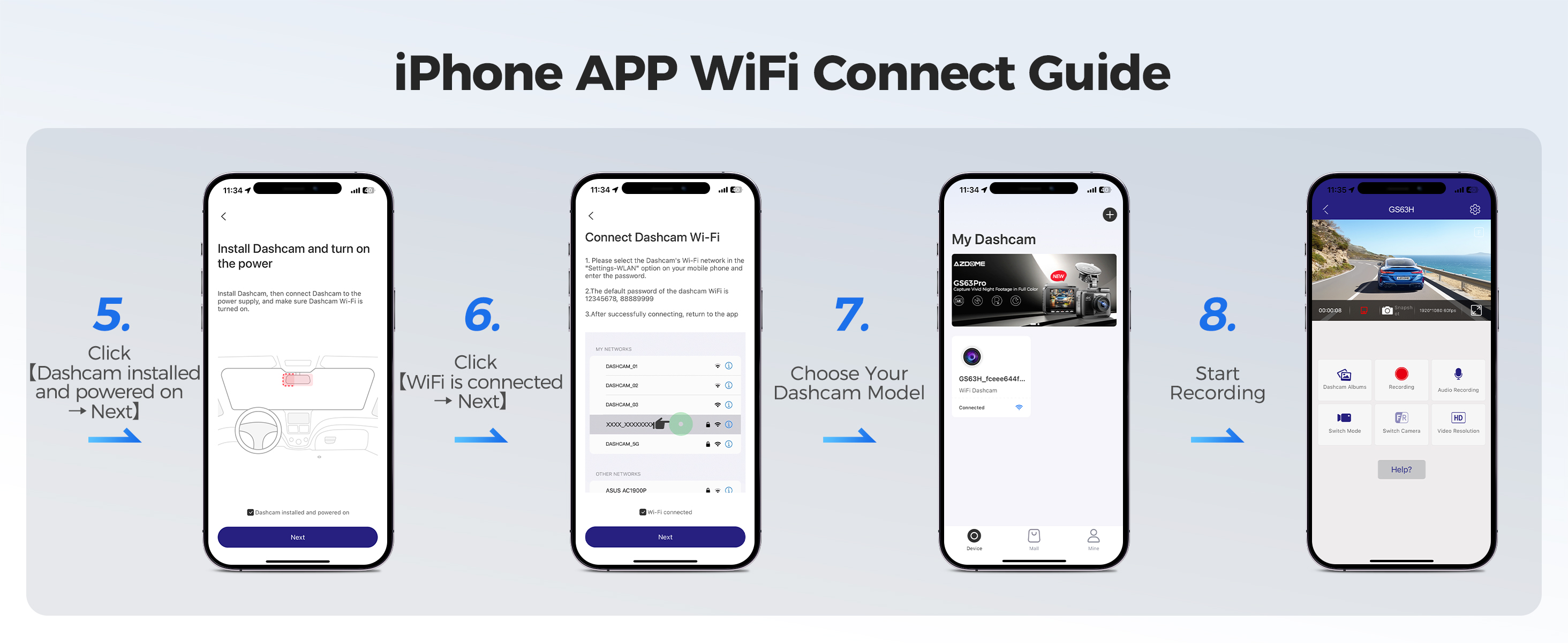
How to connect to WiFi?
The content of the following two pictures and videos can help you to connect the WIFI of the car recorder, if there are more questions about this step, please contact customer service, thank you!
Customer Questions & Answers
Q1: What is a WiFi Feature?
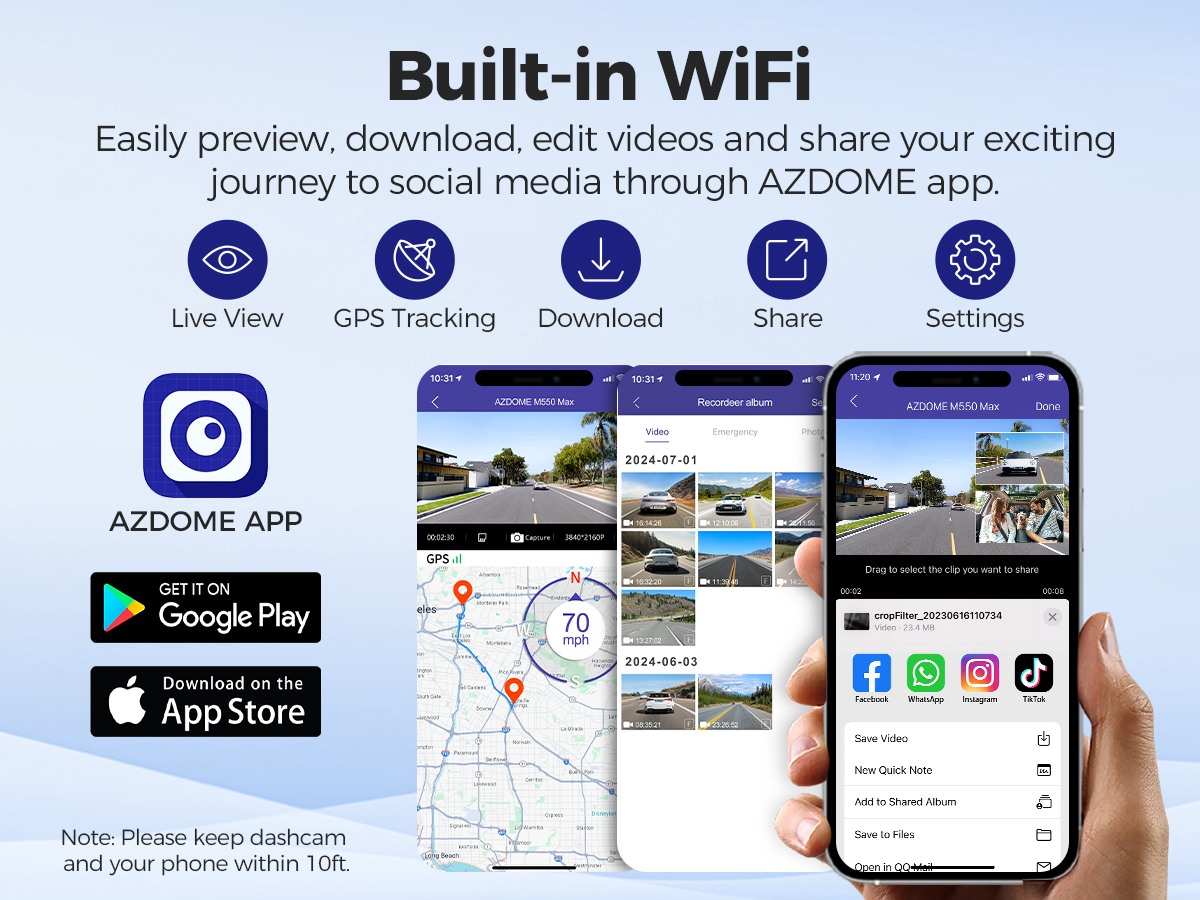
A: The WiFi feature has been designed so you can pair your dash camera wirelessly with your smartphone and access your recording instantly from the dash cam. Here you can view, download and share your videos easily with your friends and family. Just like how you would connect your Bluetooth speaker to your smartphone for wireless music play, the same way dash cameras use WiFi signal (instead of a Bluetooth) to pair your smartphone with AZDOME M550 Max.
Q2: Can I watch the videos around my car remotely?
A: NO.M550 Max dash cam is NOT made to broadcast footage over the cloud or internet. It is NOT a cloud or an IP camera and it is NOT meant to do that. You can get live video and footage on AZDOME dash cam's APP as long as you stay within the 10FT range from the dashcam.
Q3: What is the WiFi Range?
A: The WiFi signal range is about 10FT when there are NO obstructions in the middle. Please NOTE that just like your home WiFi network, you don't have WiFi signal outside your home, the same way, WiFi range is 10FT from this small device.
Q4: Camera turns ON/ OFF automatically?
A: Ensure that the output current can reach 5V/2.5A and use our car charger. And ensure that the rear camera are connected correctly. It is to improve stability that the dashcam reboots automatically once if it detects that there are different cameras connected.
Q5: Video lmage is blurred?
A: Remove the protective lens cover, clean the lens, make sure the windshield is clean and clear of grease, dirt, and debris.
Q6: Camera gets HOT?
A:It is normal for your camera to run slightly hot. Due to video being recorded at high speed, the dash cam may be hot during using. (No more than 158°F/70C).
Q7: No power to my Dash Cam but it works upon my computer?
A: The cigarette power cable is not working. Inspect the fuse in the Car Power Cable plug. If the fuse is found to be blown, inspect the power cable for damage which may have caused the fuse to blow.
Q9: Video Files cannot be played on my computer?
A: The video files from the Dash Cam are in MP4 format and may not be compatible with your PC if suitable playback software is not installed.
Q10: Video has no sound?
A: Ensure that ‘Record Audio’setting is turned ON. Press once the UP Button while the video is recording, and it will Mute the built-in microphone. Ensure that ‘Timelapse Record’setting is turned OFF within the Menu.
Q11: Video is blurred?
A: The Dash Cam has a minimum focal range of around 2 meters. Objects closer than this are likely to become blurred.
Q12: I can not delete files on my Dash Cam?
A: Check to see if these filesare‘locked’. If so please follow instructions to ‘un-lock’. In the thumbnail playback interface, you can long press the‘M’button to delete or un-lock related files.
Q13: Camera showing Memory Error or the video clips is recorded inconsistent length (e.g. 6, 10, 14, 18 seconds etc)?
A: Using unqualified SD or third party cards can affect dashcam's performance and in some cases, force the dash cam to reboot randomly during recording. If it still can not work normally, it should be that the TF card is unqualified and can not meet the recording requirements of the 3-channel dash cam. Please contact us to get a new memory card.
Shipping Information:
1. Items will be shipped within 1 business day on payment received.
2. Item are shipped from Warehouse of AU, Estimated Delivery Time: About 1-5 working days.

1.Our office hours are 9:00 a.m to 6:00 p.m (GMT +8) of Monday to Saturday.
2.And our Office is closed on Sunday and public holidays.
3.We apologize for the late reply during the holidays.
