
Vgate icar2 BLE(Black) features:
1. Small size, compact structure. Plug and never unplug
2. Stable wireless connection
3. No wires or batteries (adapter is powered by the diagnosis size sockets)
4. Stop communication, wait half an hour, auto sleep
5. Supports all OBDII protocols
6. The adapter uses the fastest and most reliable ARM chips
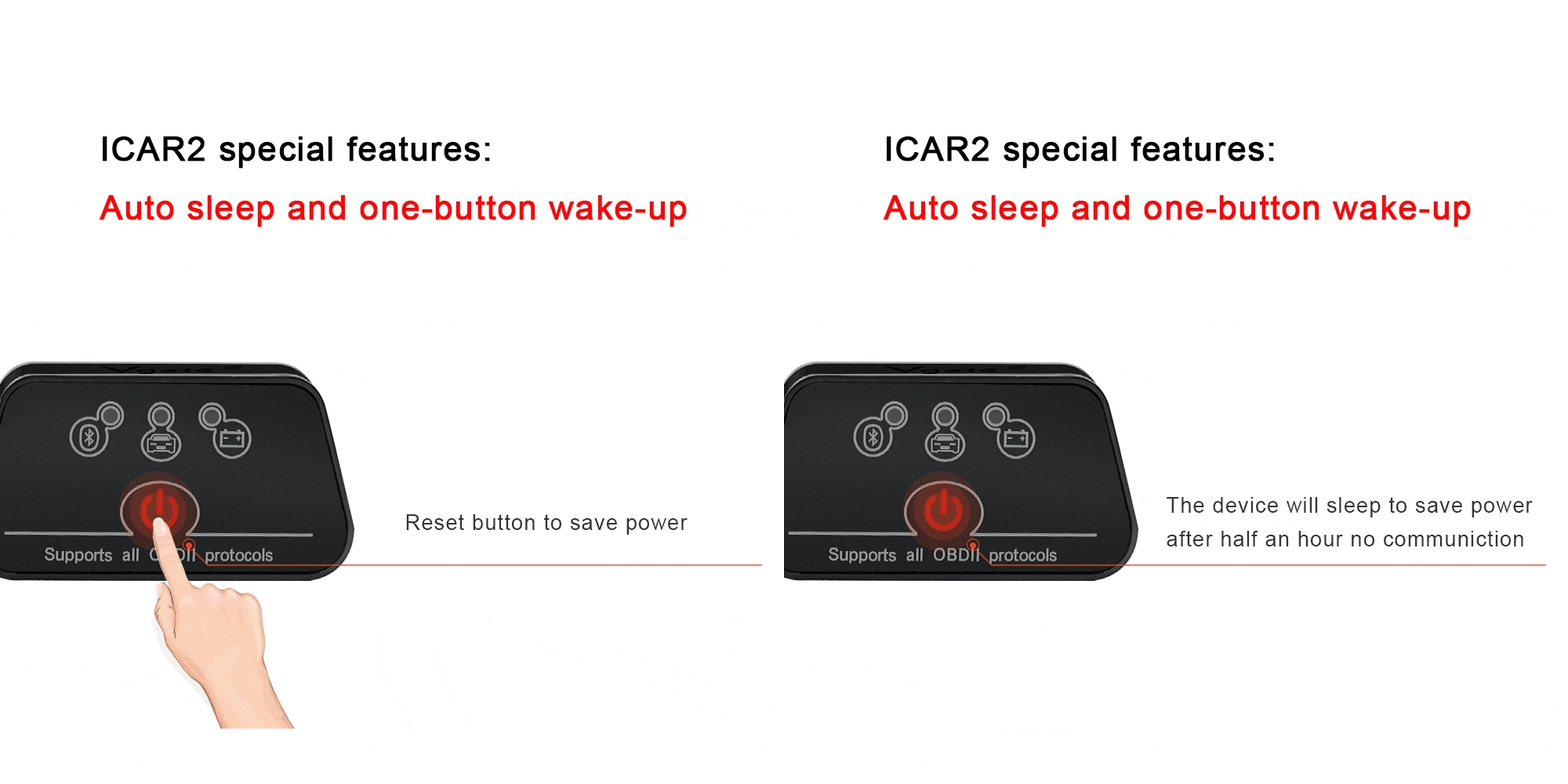
Set-and-forget installment and usage:
1.Download the APP. Install Vgate iCar2 Bluetooth device and start the vehicle
2.Enable Bluetooth on your iOS/Android Phone
3.Configure connectivity setting on APP
4.Select as “IOS -Vlink”(IOS)/ ”Android-Vlink” (Android)
5.Wait connection
ICAR2 Functions:
1.Read diagnostic trouble codes, both generic and manufacturer-specific, and display their meaning (over 3000 generic code definitions in the database)
2.Clear trouble codes and turn off the MIL ("Check Engine" light)
3.Display current sensor data, including:
•Engine RPM
• Calculated Load Value
• Coolant Temperature
• Fuel System Status
• Vehicle Speed
• Short Term Fuel Trim
• Long Term Fuel Trim
• Intake Manifold Pressure
• Timing Advance
•Intake Air Temperature
•Air Flow Rate
• Absolute Throttle Position
•Oxygen sensor voltages/associated short term fuel trims
• Fuel System status
• Fuel Pressure


How to connect the Vgate iCar2 OBD2 Bluetooth-compatible Adapter:
1. Clear your Bluetooth-compatibleD connection history, find the ELM327 device , and connect it, password is : 1234 ( If Wifi version , pls choose wifi connect )
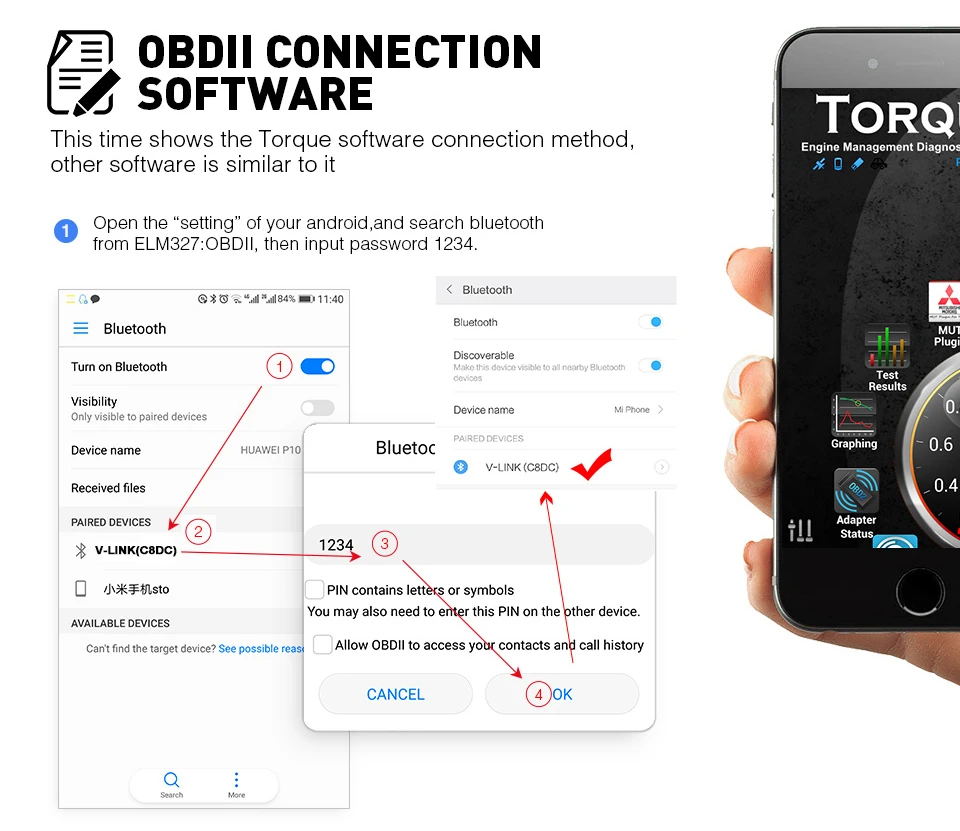
2.Open the software , and set it as the picture steps ( If Wifi version , pls choose wifi connect ) : 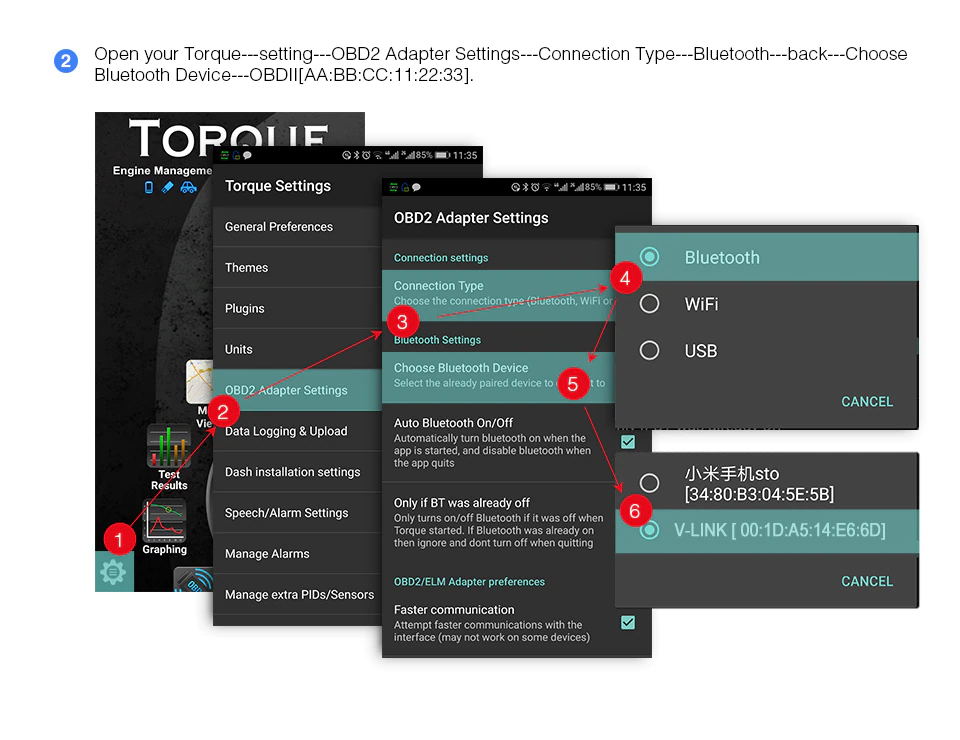
3. Click these two places of the picture, and wait for 30 seconds , it will connect successful 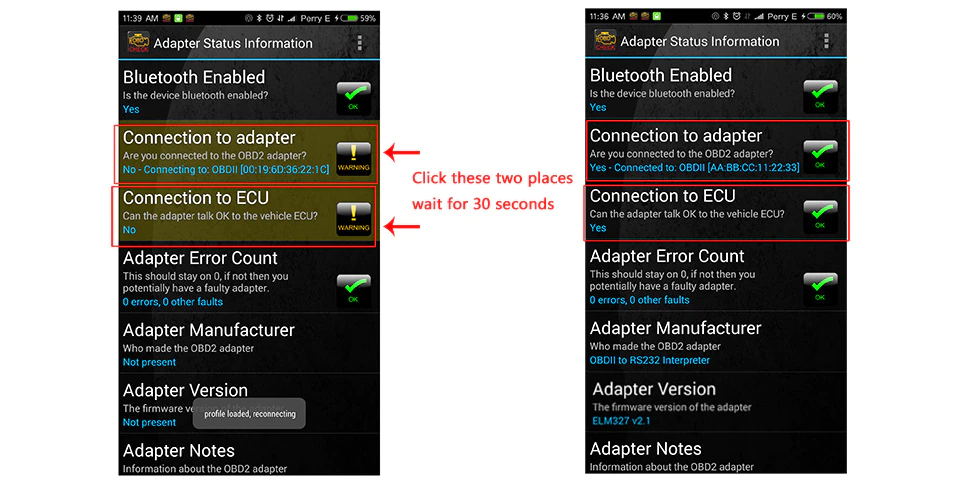

1x Newest Original Vgate iCar2 BLE(orange)
1 x User Manual

