vDrive ZX - Microdrive Hardware Emulator
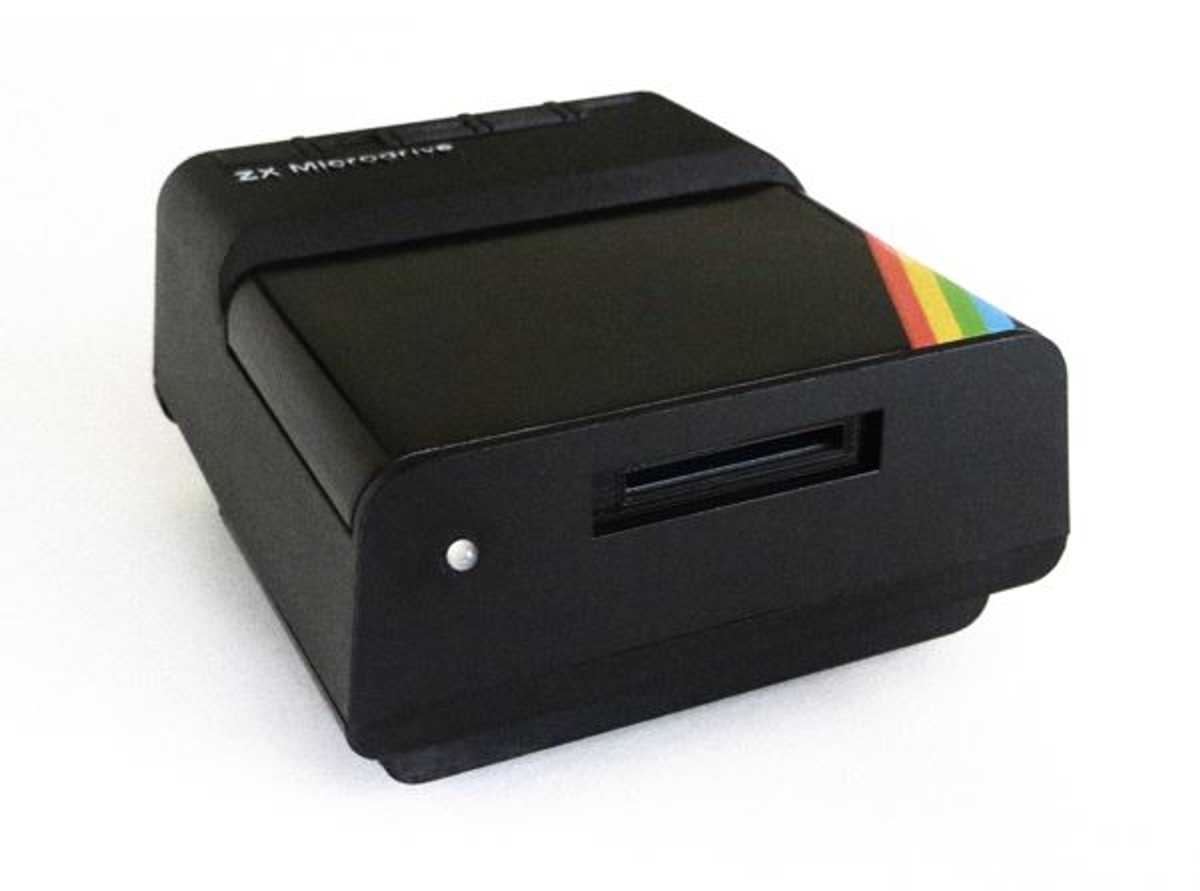
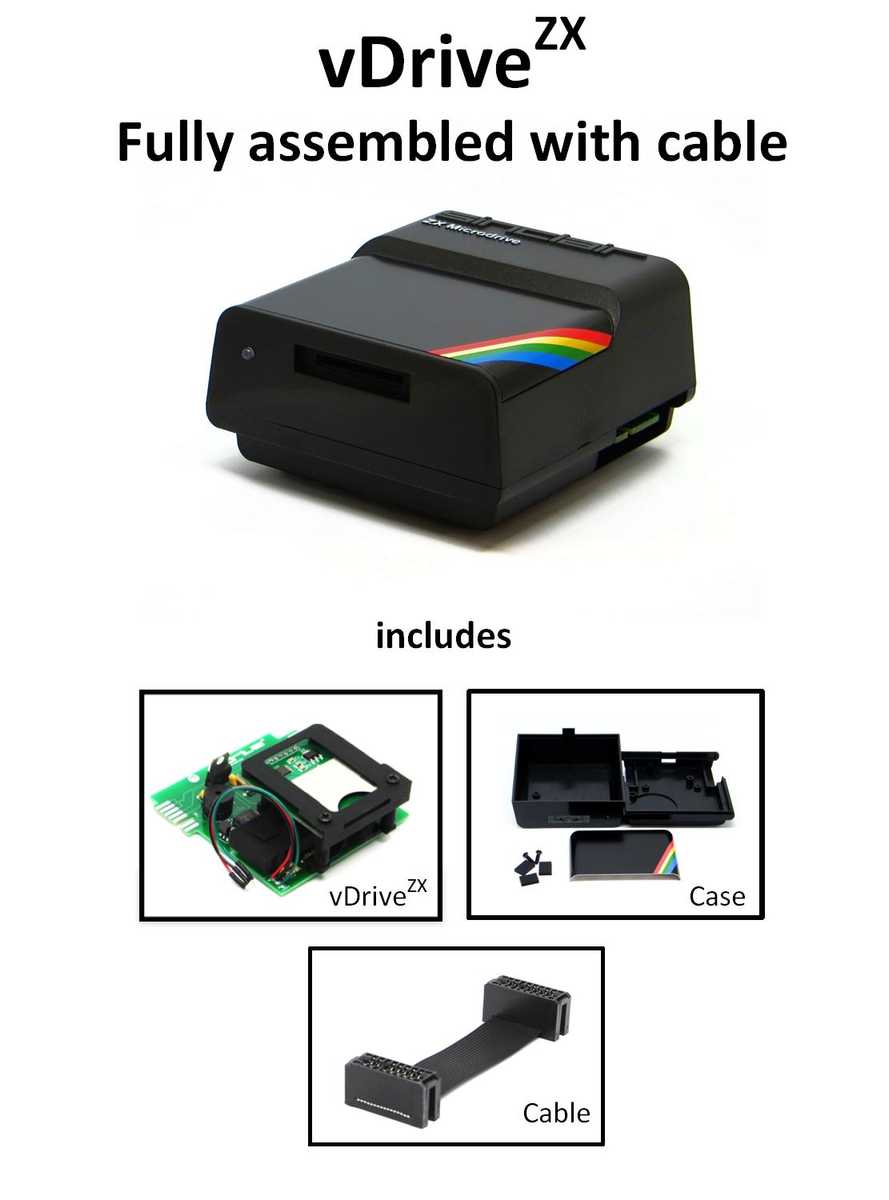
The vDriveZX provides hardware emulation for up to eight microdrives and includes a comprehensive toolkit for managing microdrive cartridge images stored on the SD card. The vDriveZX simply connects to your Interface 1, either with your existing microdrives or alone. An existing Microdrive enclosure (not included) is used to house the vDriveZX (the installation manual can be downloaded)(https://vdrivezx.com/downloads)).
The SD card file system implementation is based on DOS and is compatible with systems that can read or write to FAT16 or FAT32 media. The vDriveZX supports SD cards with a capacity of up to 32 GB.
The vDriveZX adopts the MDR image format. This format is supported by popular emulators such as Spectaculator and FUSE and generally images created with these emulators are compatible with vDriveZX and vice versa. MDR images can be formatted, saved, read and deleted using standard Interface 1 commands on real Spectrum hardware. The write-protect flag is fully supported.
In addition to the standard 16K and 48K Spectrum ROM, the vDriveZX supports the following:
- Spectrum 16K/48K standard, Gosh Wonderful and Beckman ROM
- Spectrum + Standard and Spanish ROM
- 128K Spectrum (Toast Rack) Standard, Spanish and French ROM
- 128K Spectrum +2 (Gray) Standard and Spanish ROM
- ZX Interface 1 Version 1 and Version 2 ROM.
- Multiface Multiface 1 and Multiface 128
Any combination of Spectrum and Interface 1 ROM listed above is supported. For the 128K systems listed, both 128K and 48K base modes are supported.
The goal of the vDriveZX is to simplify the use of microdrives and reproduce what the original hardware was intended to do.
The vDriveZX also provides an easy way to preserve existing cartridge contents, ensuring future cartridge wear is kept to a minimum.
The result is a unique solution that will hopefully help deliver the original Microdrive experience to the Spectrum.

Proven Quality from EU dealer
Immediate shipping and invoice with VAT
thousands of satisfied customers
Choose your shipment in the checkout
The vDriveZX provides hardware emulation for up to eight microdrives and includes a comprehensive toolkit for managing microdrive cartridge images stored on the SD card. The vDriveZX simply connects to your Interface 1, either with your existing microdrives or alone. An existing Microdrive enclosure (not included) is used to house the vDriveZX (the installation manual can be downloaded)(https://vdrivezx.com/downloads)).
The SD card file system implementation is based on DOS and is compatible with systems that can read or write to FAT16 or FAT32 media. The vDriveZX supports SD cards with a capacity of up to 32 GB.
The vDriveZX adopts the MDR image format. This format is supported by popular emulators such as Spectaculator and FUSE and generally images created with these emulators are compatible with vDriveZX and vice versa. MDR images can be formatted, saved, read and deleted using standard Interface 1 commands on real Spectrum hardware. The write-protect flag is fully supported.
In addition to the standard 16K and 48K Spectrum ROM, the vDriveZX supports the following:
- Spectrum 16K/48K standard, Gosh Wonderful and Beckman ROM
- Spectrum + Standard and Spanish ROM
- 128K Spectrum (Toast Rack) Standard, Spanish and French ROM
- 128K Spectrum +2 (Gray) Standard and Spanish ROM
- ZX Interface 1 Version 1 and Version 2 ROM.
- Multiface Multiface 1 and Multiface 128
Any combination of Spectrum and Interface 1 ROM listed above is supported. For the 128K systems listed, both 128K and 48K base modes are supported.
The goal of the vDriveZX is to simplify the use of microdrives and reproduce what the original hardware was intended to do.
The vDriveZX also provides an easy way to preserve existing cartridge contents, ensuring future cartridge wear is kept to a minimum.
The result is a unique solution that will hopefully help deliver the original Microdrive experience to the Spectrum.
Checkout
Use the eBay checkout and pay on eBay. Please ensure that your address information is correct, especially the shipping address. Choose your shipping method; we offer several options. Pay on eBay.
Shipping
Pick up
After notification by phone, you can pick up your item in our warehouse.
Please note our opening times for picking up your order: Mon-Fri: 8 a.m.-5 p.m.
Sintech has been your competent partner for over 30 years when it comes to spare parts and accessories in the field of smartphones, tablet PCs, smartwatches, game consoles and retro PCs.
You can find our contact information at the bottom under "Seller's Legal Information"
Tab 6 - Das Wichtigste auf einen Blick
Bitte den Text, den Sie ändern möchten doppelt anklicken oder markieren und beginnen zu tippen.
Um Bilder zu tauschen bitte das Bild anklicken und "Bild einfügen" in der Toolbar auswählen.
Zum Verlinken von Buttons und "Passend-Dazu"-Artikeln Text und Bild durch Doppelklicken markieren (für Buttons und die "Passend-Dazu"-Artikel rechts) und anschließend den Link über den Menüpunkt "Link einfügen" in der Toolbar hinterlegen.
Mehr Informationen in der Anleitung weiter unten
Lorem ipsum dolor sit amet
Lorem ipsum dolor sit amet, consetetur sadipscing elitr, sed diam nonumy eirmod tempor invidunt ut labore et dolore magna aliquyam erat, sed diam voluptua. At vero eos et accusam et justo duo dolores et ea rebum. Stet clita kasd gubergren, no sea takimata sanctus est Lorem ipsum dolor sit amet. Lorem ipsum dolor sit amet, consetetur sadipscing elitr, sed diam nonumy eirmod tempor invidunt ut labore et dolore magna aliquyam erat, sed diam voluptua. At vero eos et accusam et justo duo dolores et ea rebum. Stet clita kasd gubergren, no sea takimata sanctus est Lorem ipsum dolor sit amet. Lorem ipsum dolor sit amet, consetetur sadipscing elitr, sed diam nonumy eirmod tempor invidunt ut labore et dolore magna aliquyam erat, sed diam voluptua. At vero eos et accusam et justo duo dolores et ea rebum. Stet clita kasd gubergren, no sea takimata sanctus est Lorem ipsum dolor sit amet.Lorem ipsum dolor
Lorem ipsum dolor sit amet, consetetur sadipscing elitr, sed diam nonumy eirmod tempor invidunt ut labore et dolore magna aliquyam erat, sed diam voluptua. At vero eos et accusam et justo duo dolores et ea rebum. Stet clita kasd gubergren, no sea takimata sanctus est Lorem ipsum dolor sit amet. Lorem ipsum dolor sit amet, consetetur sadipscing elitr, sed diam nonumy eirmod tempor invidunt ut labore et dolore magna aliquyam erat, sed diam voluptua. At vero eos et accusam et justo duo dolores et ea rebum. Stet clita kasd gubergren, no sea takimata sanctus est Lorem ipsum dolor sit amet. Lorem ipsum dolor sit amet, consetetur sadipscing elitr, sed diam nonumy eirmod tempor invidunt ut labore et dolore magna aliquyam erat, sed diam voluptua. At vero eos et accusam et justo duo dolores et ea rebum. Stet clita kasd gubergren, no sea takimata sanctus est Lorem ipsum dolor sit amet.Lorem ipsum dolor sit
Lorem ipsum dolor sit amet, consetetur sadipscing elitr, sed diam nonumy eirmod tempor invidunt ut labore et dolore magna aliquyam erat, sed diam voluptua. At vero eos et accusam et justo duo dolores et ea rebum. Stet clita kasd gubergren, no sea takimata sanctus est Lorem ipsum dolor sit amet. Lorem ipsum dolor sit amet, consetetur sadipscing elitr, sed diam nonumy eirmod tempor invidunt ut labore et dolore magna aliquyam erat, sed diam voluptua. At vero eos et accusam et justo duo dolores et ea rebum. Stet clita kasd gubergren, no sea takimata sanctus est Lorem ipsum dolor sit amet. Lorem ipsum dolor sit amet, consetetur sadipscing elitr, sed diam nonumy eirmod tempor invidunt ut labore et dolore magna aliquyam erat, sed diam voluptua. At vero eos et accusam et justo duo dolores et ea rebum. Stet clita kasd gubergren, no sea takimata sanctus est Lorem ipsum dolor sit amet.Lorem ipsum dolor sit
Lorem ipsum dolor sit amet, consetetur sadipscing elitr, sed diam nonumy eirmod tempor invidunt ut labore et dolore magna aliquyam erat, sed diam voluptua. At vero eos et accusam et justo duo dolores et ea rebum. Stet clita kasd gubergren, no sea takimata sanctus est Lorem ipsum dolor sit amet. Lorem ipsum dolor sit amet, consetetur sadipscing elitr, sed diam nonumy eirmod tempor invidunt ut labore et dolore magna aliquyam erat, sed diam voluptua. At vero eos et accusam et justo duo dolores et ea rebum. Stet clita kasd gubergren, no sea takimata sanctus est Lorem ipsum dolor sit amet. Lorem ipsum dolor sit amet, consetetur sadipscing elitr, sed diam nonumy eirmod tempor invidunt ut labore et dolore magna aliquyam erat, sed diam voluptua. At vero eos et accusam et justo duo dolores et ea rebum. Stet clita kasd gubergren, no sea takimata sanctus est Lorem ipsum dolor sit amet.Lorem ipsum dolor sit
Lorem ipsum dolor sit amet, consetetur sadipscing elitr, sed diam nonumy eirmod tempor invidunt ut labore et dolore magna aliquyam erat, sed diam voluptua. At vero eos et accusam et justo duo dolores et ea rebum.- Stet clita kasd gubergren
- no sea takimata sanctus est
- Lorem ipsum dolor sit amet.
Lorem ipsum dolor sit amet, consetetur sadipscing elitr, sed diam nonumy eirmod tempor invidunt ut labore et dolore magna aliquyam erat, sed diam voluptua. At vero eos et accusam et justo duo dolores et ea rebum. Stet clita kasd gubergren, no sea takimata sanctus est Lorem ipsum dolor sit amet.
What distinguishes us
Quality
Since all of our products are already tested extensively in production, we can always guarantee you good quality.
Fast
Our products are dispatched within one working day after receipt of payment. We also answer support inquiries as soon as possible.
Support
If you have any questions about our products, please contact our support by email or phone. We're here to help.

|
powered by PlentyONE The all-in-one platform for successful e-commerce. |