
Sealey Pure Sine Wave Power Inverter 1000W 12V
The Sealey Pure Sine Wave Power Inverter 1000W 12V (Part Number: PSI1000).
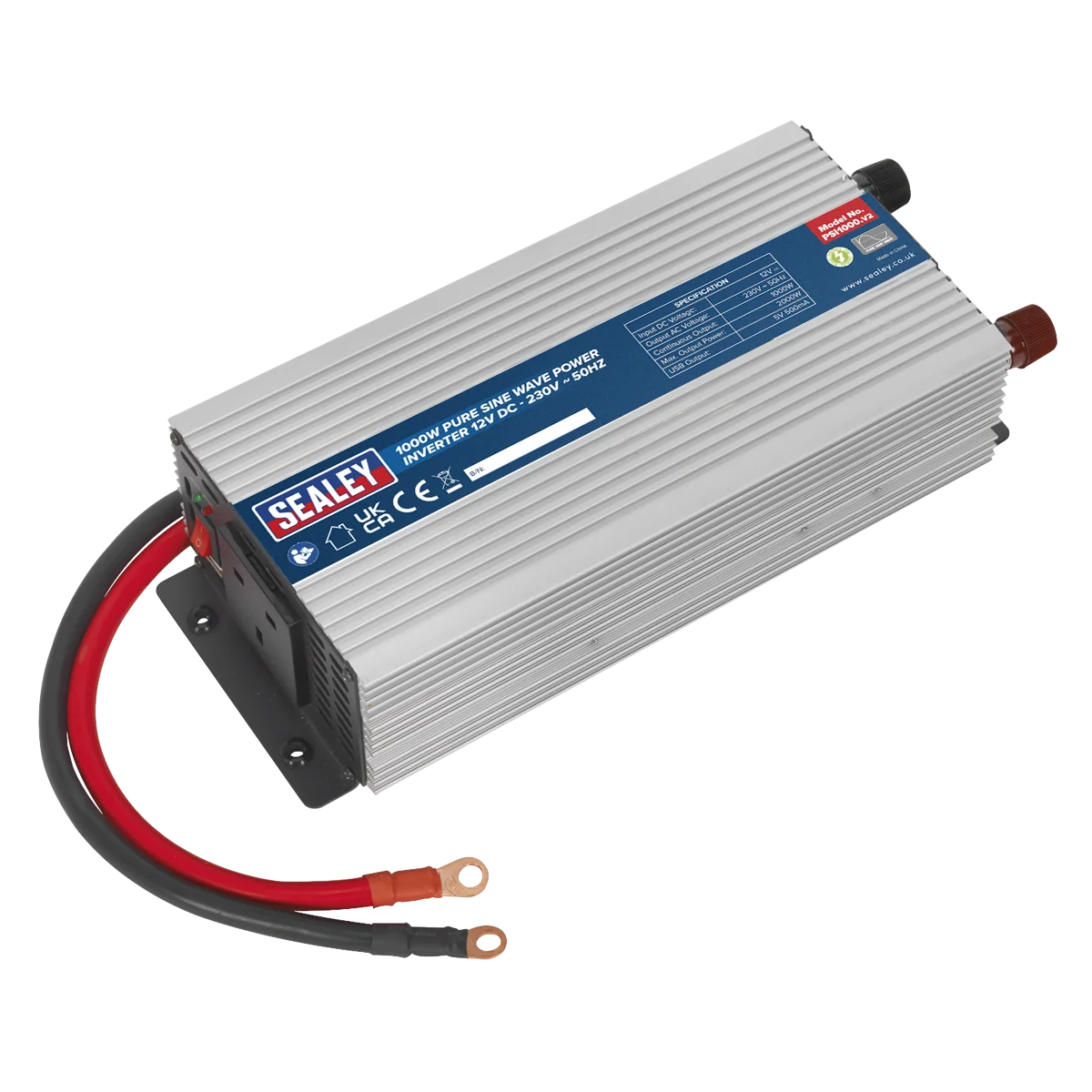
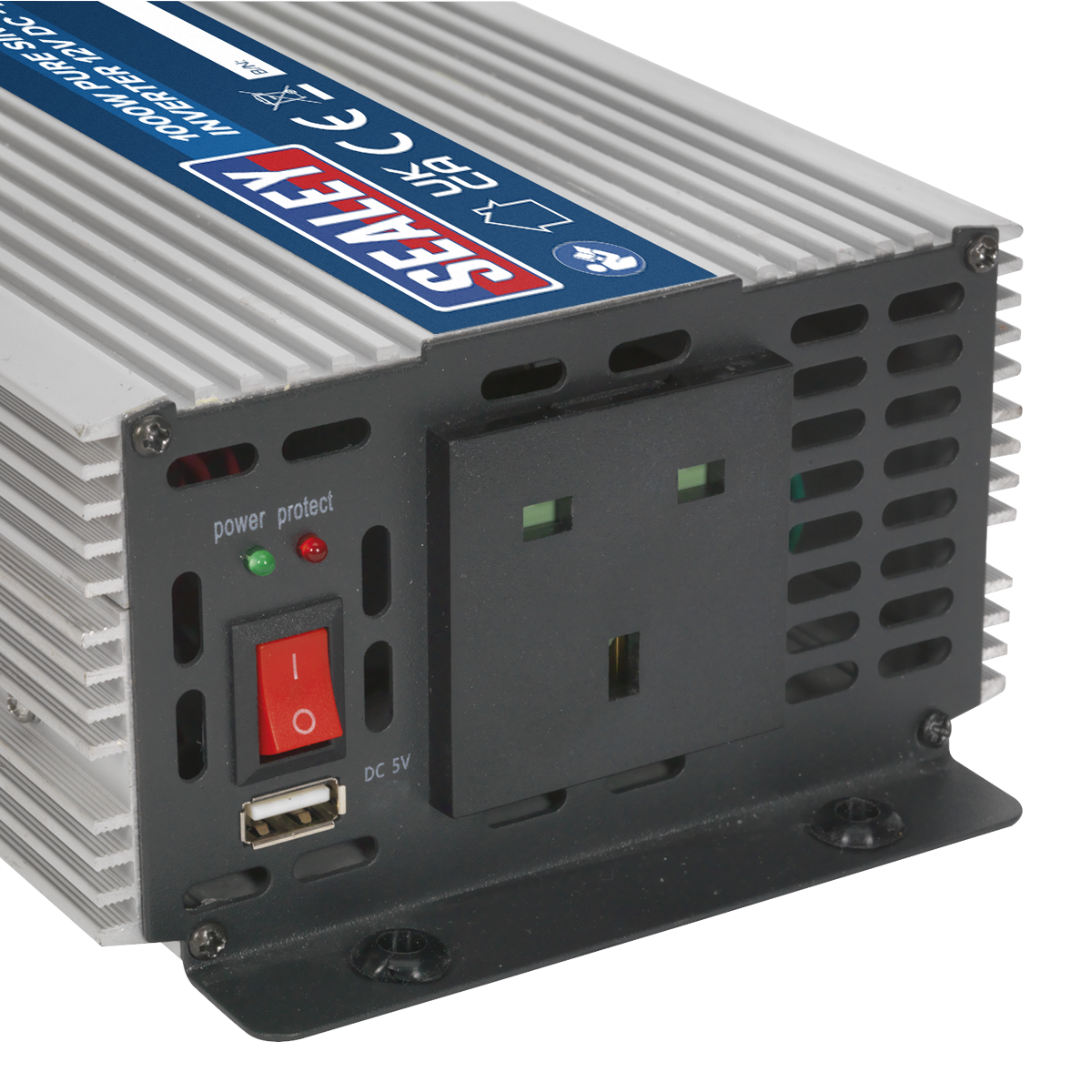
The Sealey Pure Sine Wave Power Inverter 1000W is designed to provide a stable and reliable power supply for various electrical devices. It operates from a 12V DC power source, making it ideal for use in cars, caravans, boats, and commercial vehicles.
- Continuous Output: 1000W
- Dimensions: 315 x 140 x 80mm
- USB Output: 5V DC 1A for charging small devices
- Safety Features: Automatic overload shutdown and short circuit protection
- Durable Design: Aluminium case for maximum heat dissipation
This inverter is suitable for powering small TVs, laptops, power tools, and other electrical equipment within its wattage rating.
Specifications
| Brand | Sealey |
| EAN | 5051747733558 |
| Type | Lighting & Power |
| Sub-Type | Power Inverters |
| Item Weight | 2.71 kg |
| Custom Bundle | No |
| Model No | PSI1000 |
| Continuous Output | 1000W |
| Dimension (W x D x H) | 315 x 140 x 80mm |
| Input Voltage | 12V DC |
| Nett Weight | 2.69kg |
| Output Frequency | 50Hz |
| Output Voltage | 230V AC/USB 5V 500Ma |
| Supply Connection | Battery Terminal Leads |
| USB Output | 5V DC 1A |
| Voltage | 12V |
| Power Source | Battery |
| Manufacturer Part Number (MPN) | PSI1000 |
Why Choose Sealey?
The UK workshop's favourite equipment brand.
- Massive professional range — hand tools, power tools, jacks, lifting, diagnostics and garage equipment.
- Workshop specification — designed for daily professional use.
- Genuine Sealey — full part numbers and technical data on every listing.
About Sealey
Sealey is a British family business and one of the UK's biggest names in professional tools and workshop equipment, with a catalogue running to tens of thousands of lines. From vehicle service tools and lifting equipment to hand tools and consumables, Sealey is a fixture in garages and workshops across the country.







Specifications & Datasheet
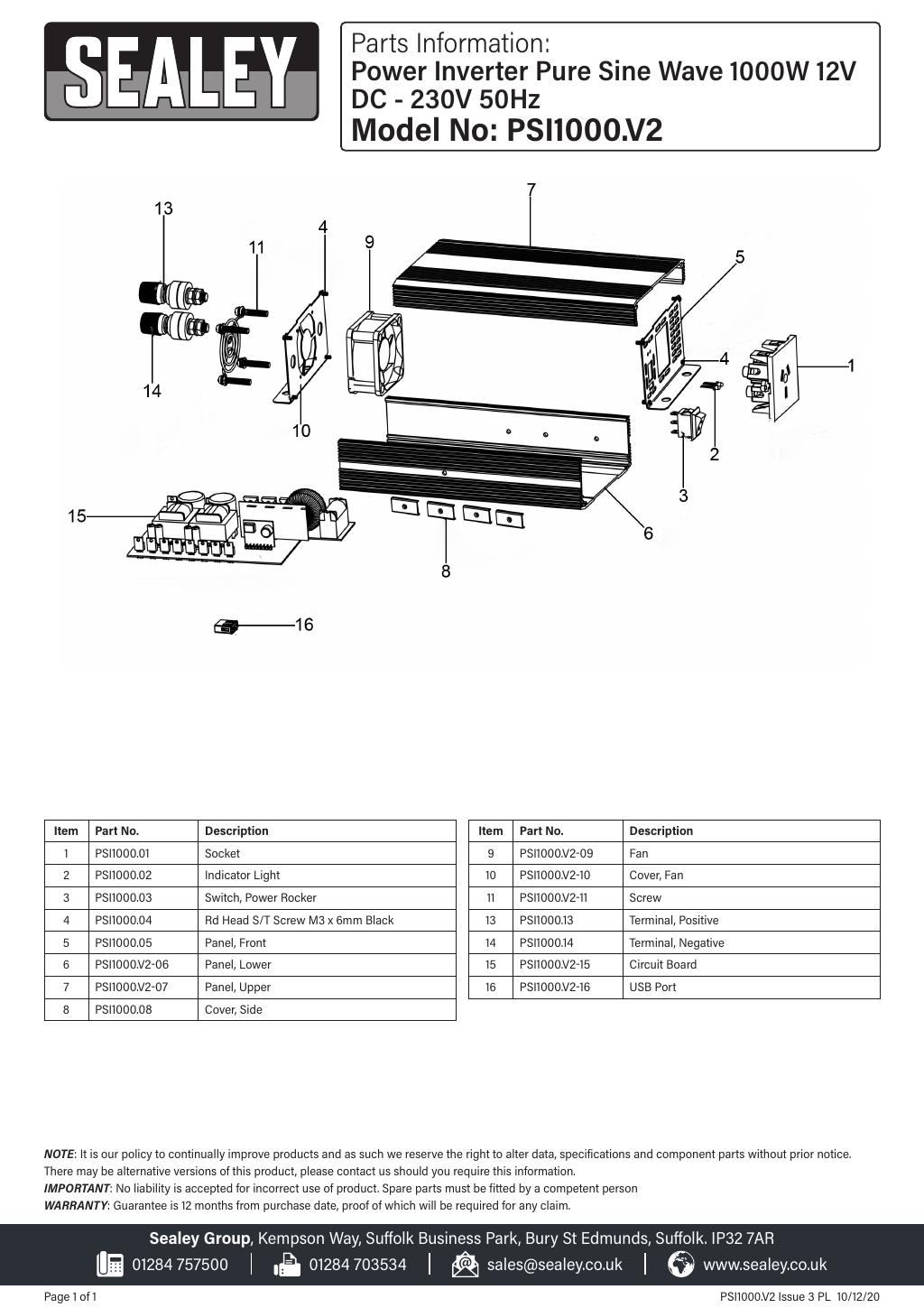
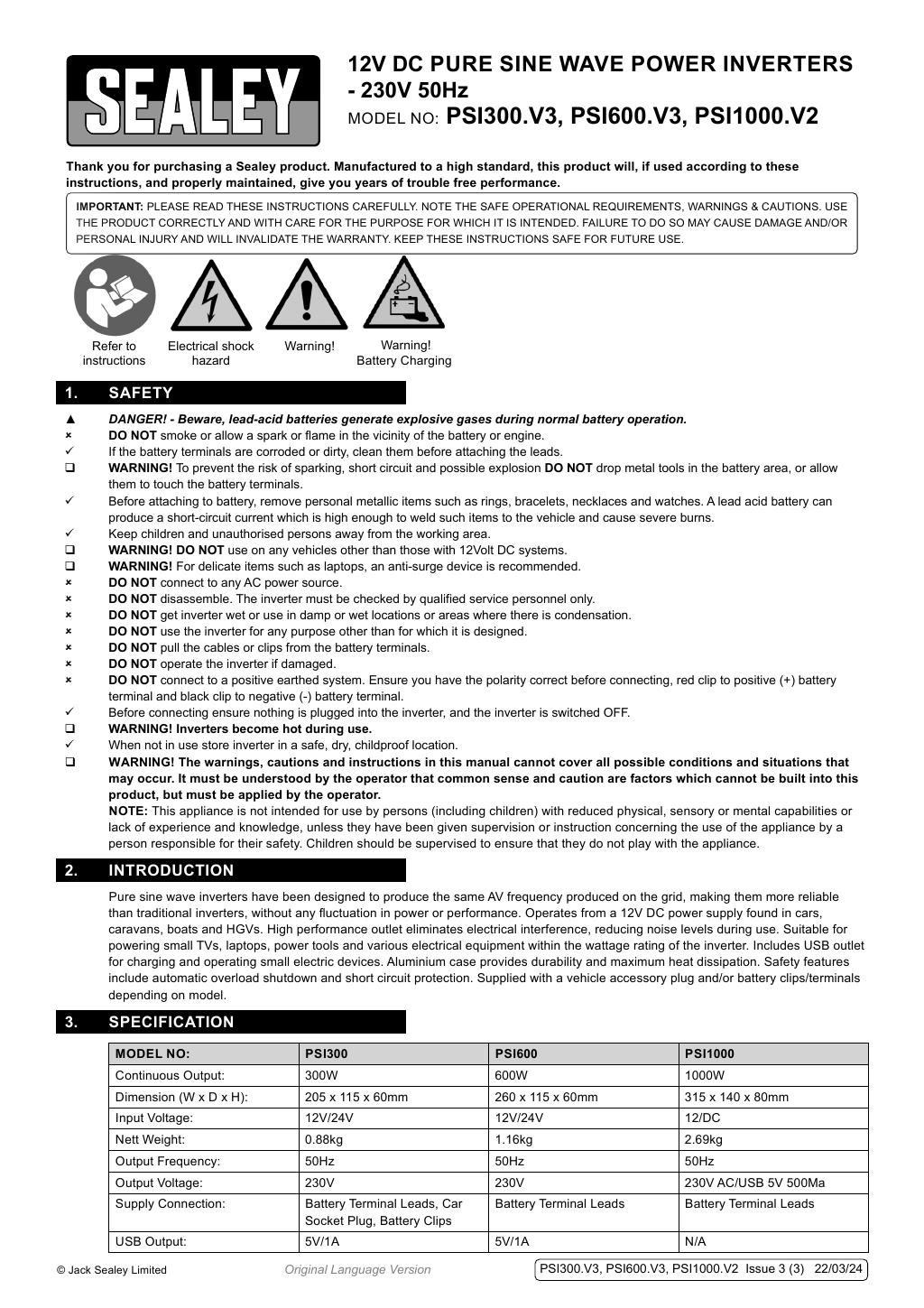
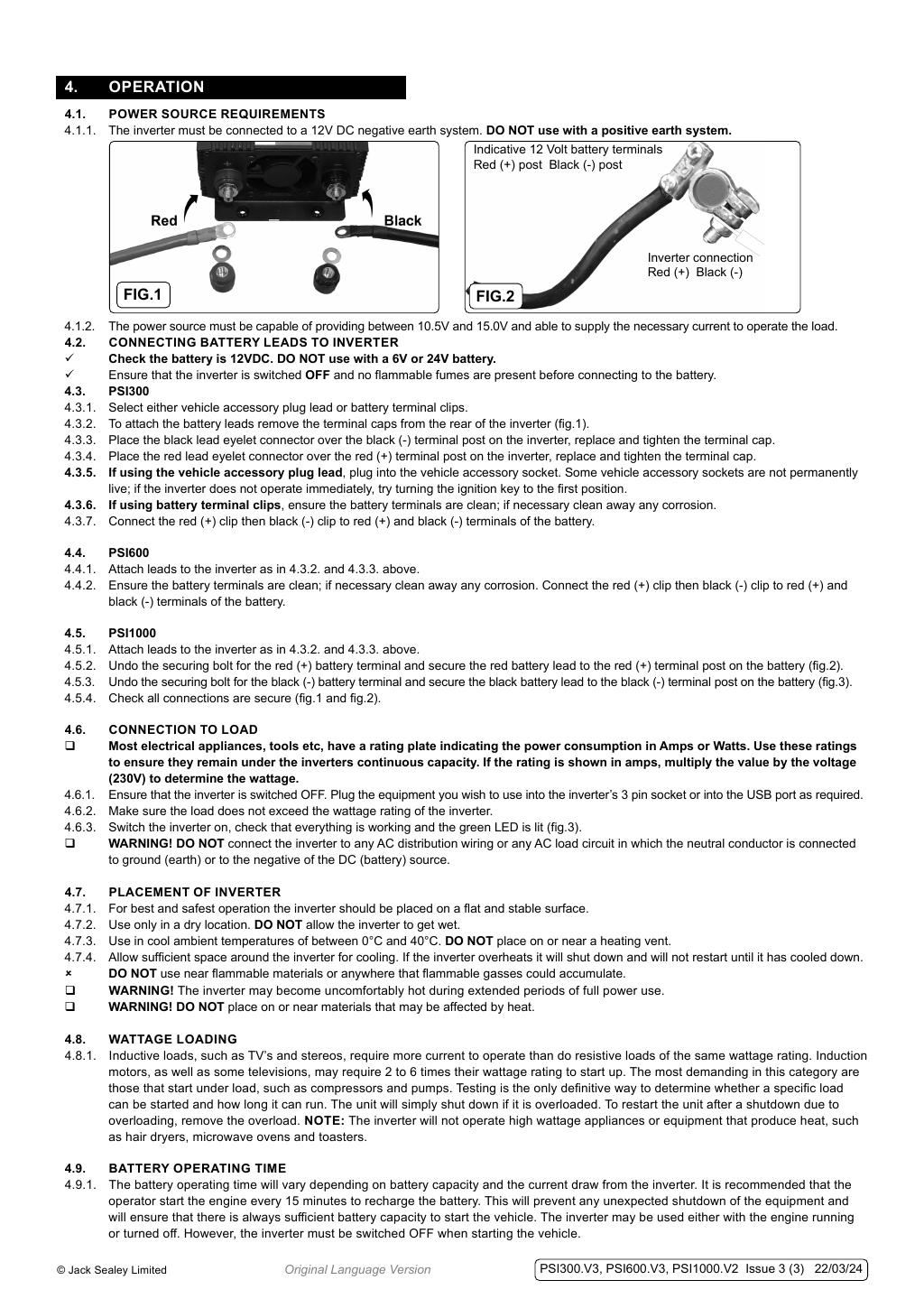
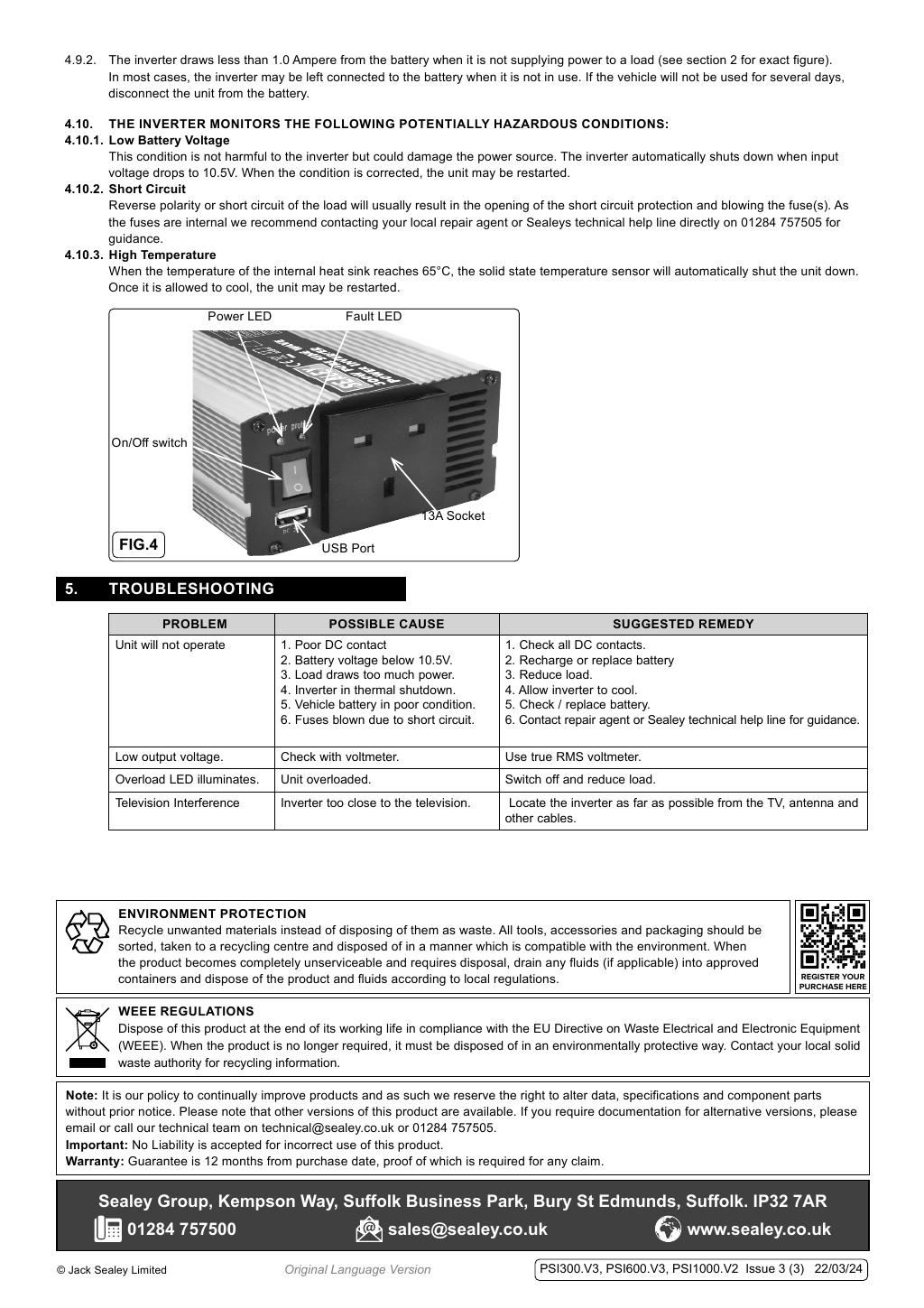
Click any page above to enlarge. Once enlarged, right-click and choose "Save image as" to save the datasheet to your device. Use ‹ / › to flip pages, × to close. Rendered from the manufacturer's official datasheet supplied with the product.