


3.5 Inch 480x320 Touch Screen TFT LCD SPI Display Panel for Raspberry Pi B,...
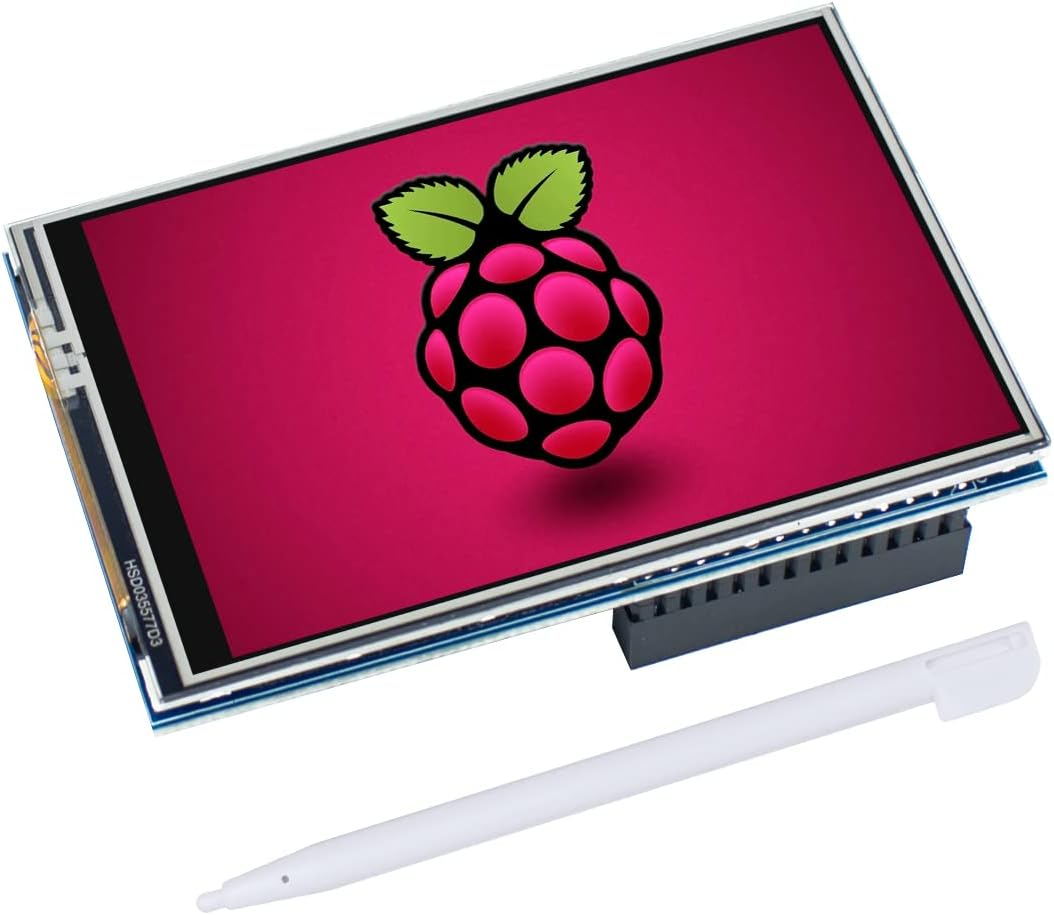
Specification
| Screen Size | 3.5 Inches |
| Resolution | 480 x 320 pixels |
| Aspect Ratio | 16:9 |
| Screen Surface Description | Glossy |
1.34 inches x 1.34 inches x 4.61 inches. Weight: 2.46 oz
Item Description
- 3.5 inch, 320×480 resolution, TFT LCD resistive touch screen, clear display effect and using easily with a touch pen.
- No external power supply required.Just plug it into the Raspberry Pi board correctly and install the driver to use it. (Driver installation tutorial is provided)
- This 3.5 inch touch screen is specially designed for Raspberry Pi, perfectly suitable for Pi5, Pi4B, Pi3B+, Pi3B, Pi2B, Pi1B (directly-pluggable).
- Compatible with a variety of systems, such as for Raspbian system, ubuntu system, kali Linux system and so on.
- You can get one 3.5 inch raspberry pi touch screen and one touch pen, what the important things is that the project introduction, code and tutorial is provided.We provide technical support, If you encounter any difficulties during use, please contact us first to help you solve it.
Product description
Features
- 320×480 resolution, LCD Interface: SPI(Fmax:32MHz)
- Resistive touch control, comes with touch pen
- Supports any revision of Raspberry Pi (directly-pluggable)
- Compatible with Raspberry Pi B, B+, 2B, 3B, 3B+, 4B, 5
- Drivers provided (works with your own Raspbian/Ubuntu directly)
- GPIO physical interface, Size perfectly fits the Raspberry Pi
- Supports Raspbian system, ubuntu system ,kali Linux system
Steps:
Warm Tips:If you have difficulty installing the driver, or if you still can't use the display properly after installing the driver, Please Try our Configned images for tested. Just need download and write the image into the TF card. DO NOT need any driver installation steps.
- Download and unzip the OS Image you intend to use
- Download and install Raspberry Pi image burn software
- Use Win32DiskImager software to flash the OS lmage with pre-loadder LCD Driver to the SD card
If you still keep getting the white screen issue, try the Raspbian Bullseye version at last or Please ask us for help first.
Tips
- When using with the Raspberry Pi, you must first install the driver and write the code, otherwise the screen will only display white.
- It is recommended to use a power supply above 5V 2.5A, otherwise it may fail to start and the screen will only display white.
Parameters
We offer the best prices around on high quality products. Our E-store includes media such as books, movies, music and games while offering electronics, toys, sporting apparel, clothing, tools, general home, garden items and more.
We are always working hard to ensure your package arrives as soon as possible. Please understand that some factors like weather, high postal traffic, and the performance of shipping companies are outside of our control.
We offer free shipping to the lower 48 states and ship within 2-3 business days of payment, usually sooner. We do not accept P.O. Boxes. Please provide a physical address.
For shipping outside of the continental USA, we only use eBay's Global Shipping Program.The item is shipped to KY and then sent to the rest of the world. International customers are responsible for all duties and taxes. Continue to check out to calculate costs for shipping the item to your country. Messages regarding eBay's Global Shipping Program MUST be directed at eBay EXCLUSIVELY.
We offer a 30-Day Return Policy on items in which you are not completely satisfied with. You have the option of a full-refund or an exchange of the item. No returns are available on items shipped outside of the USA
We try over very best to make sure every customer is completely satisfied. If there's a problem, message us! We're happy to help.