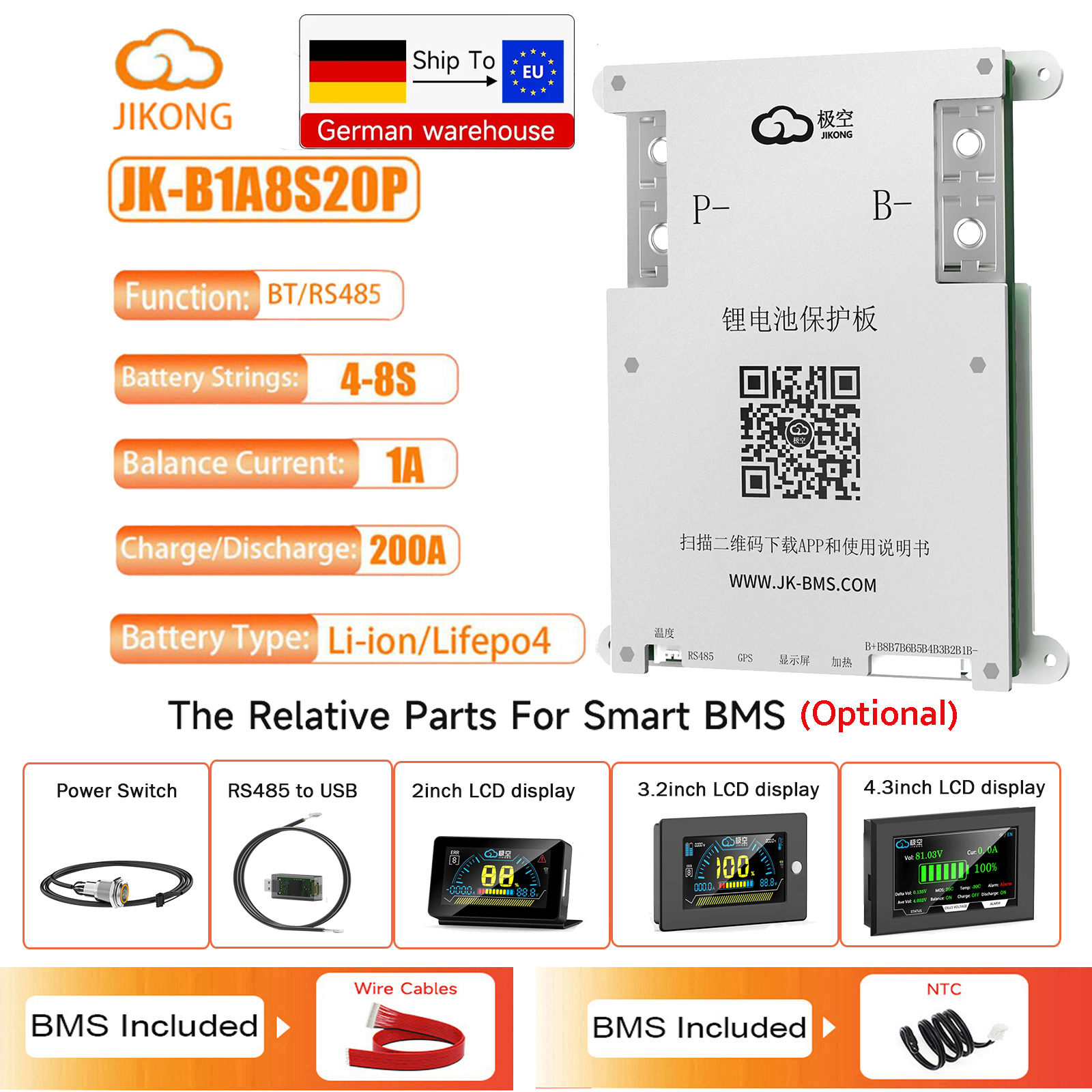





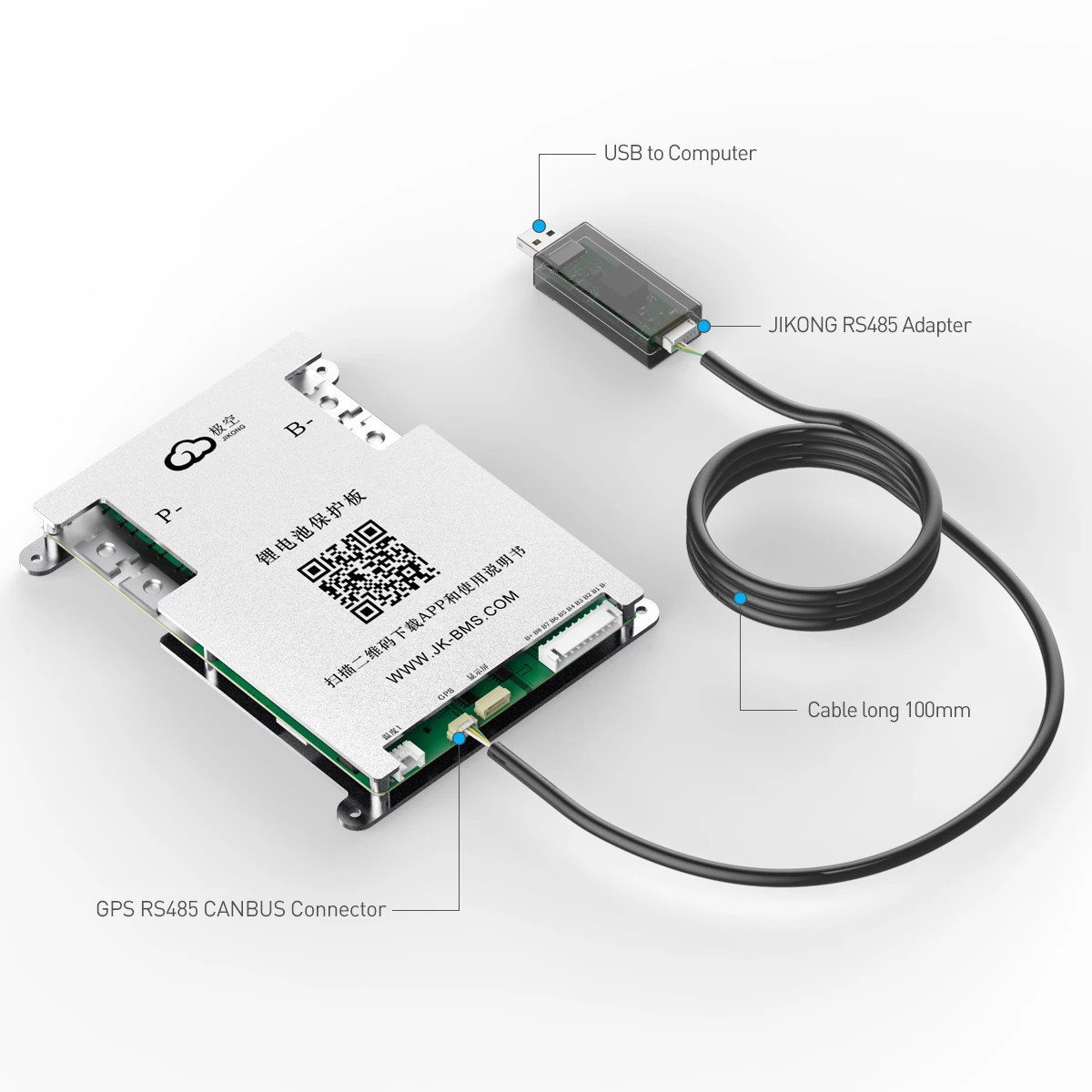
Feature:
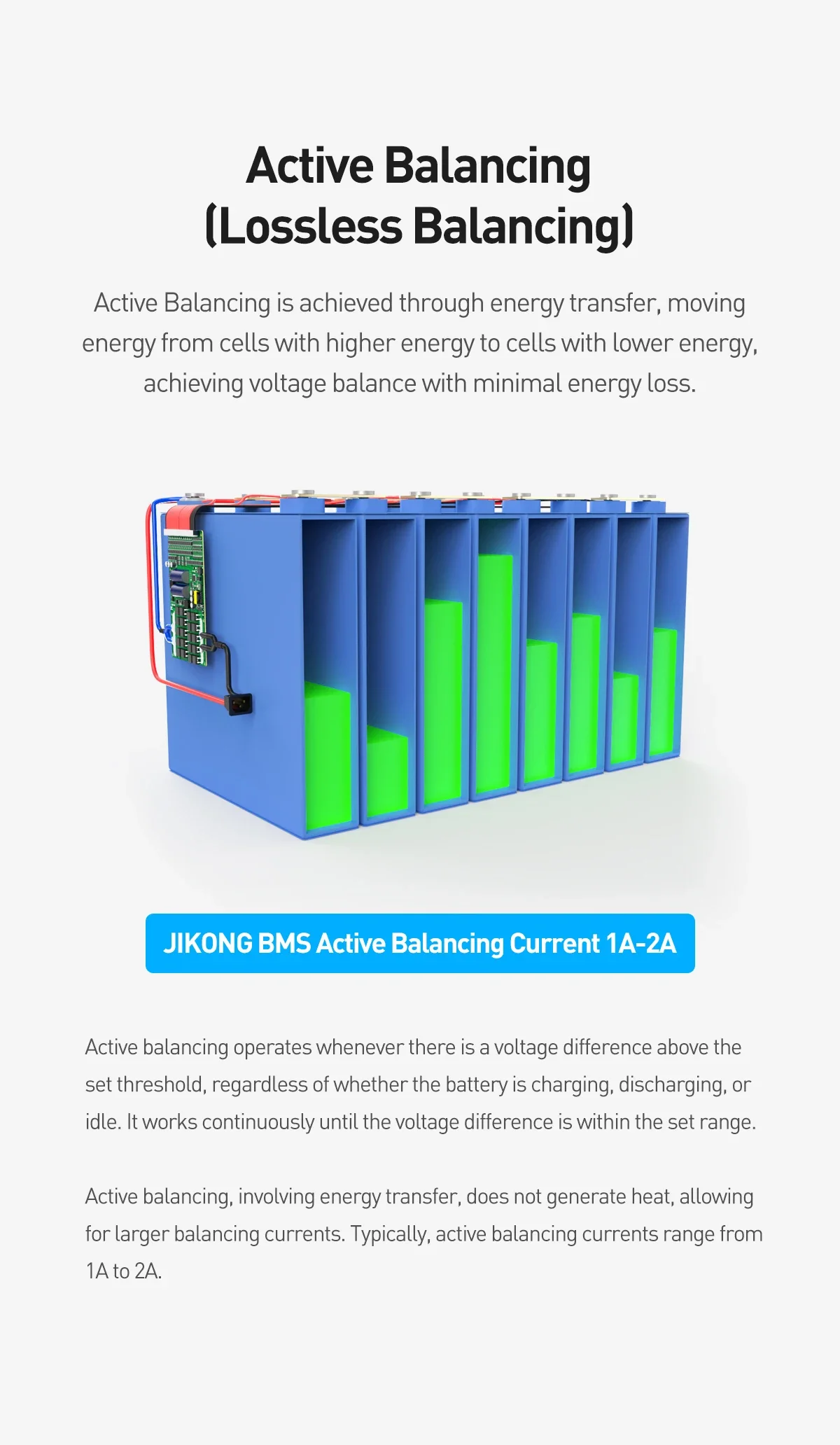
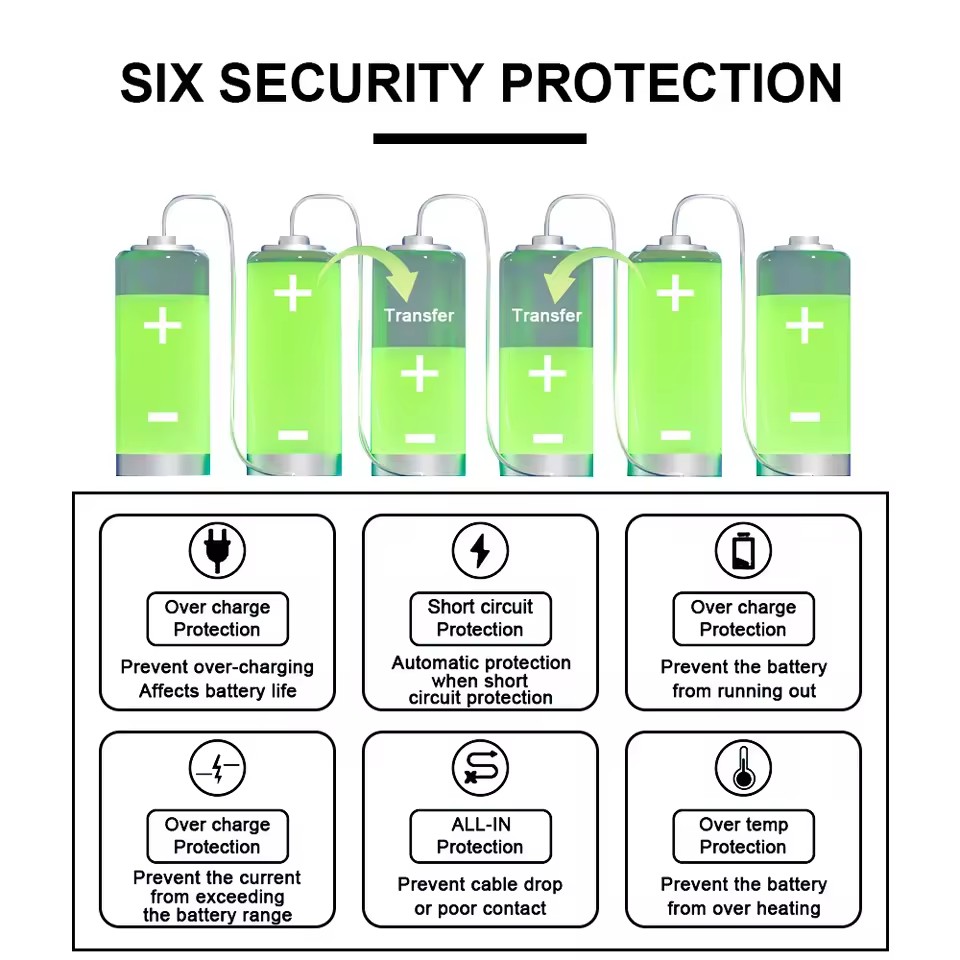
1. Active balance functionality, lose battery capacity no need to balance sales voltage difference, increase battery use efficiency for 95%
2. It has the protections of overcharging/overdischarging/overcurrent and short circuit, etc.
3. Single battery series voltage range is 1~5V, accuracy is 5mV
4. With coulomb meter function, the remaining power is very clear
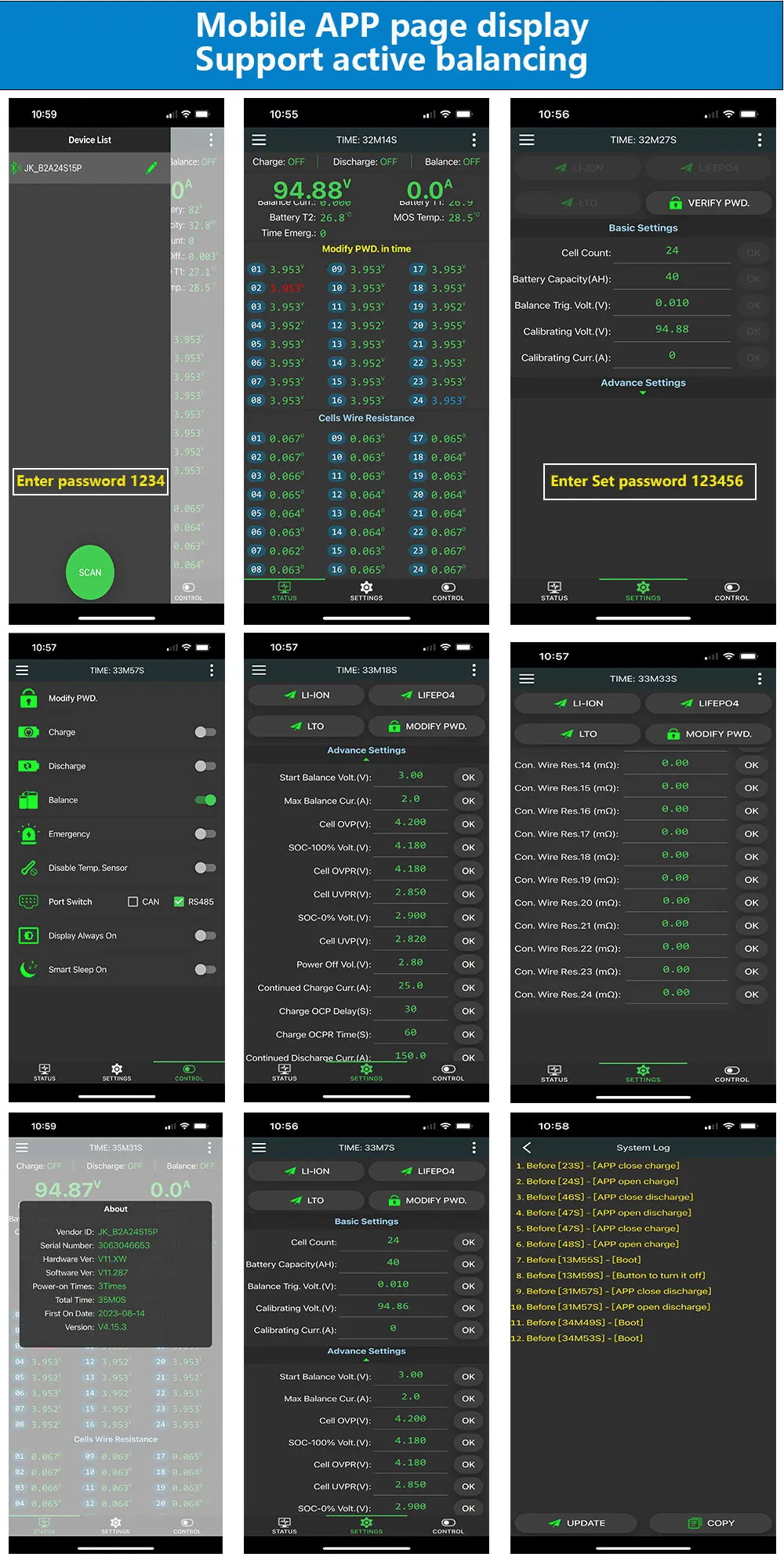
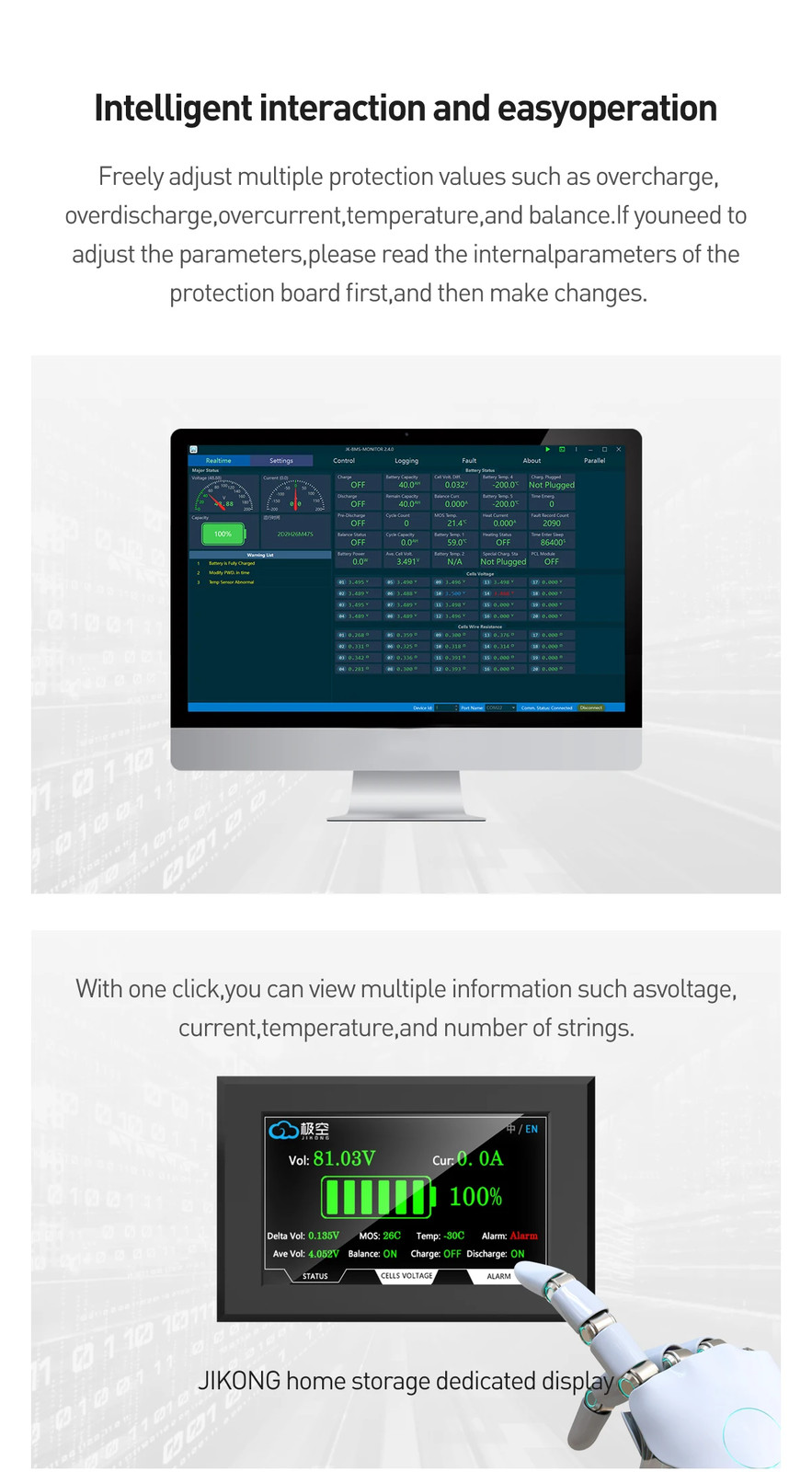
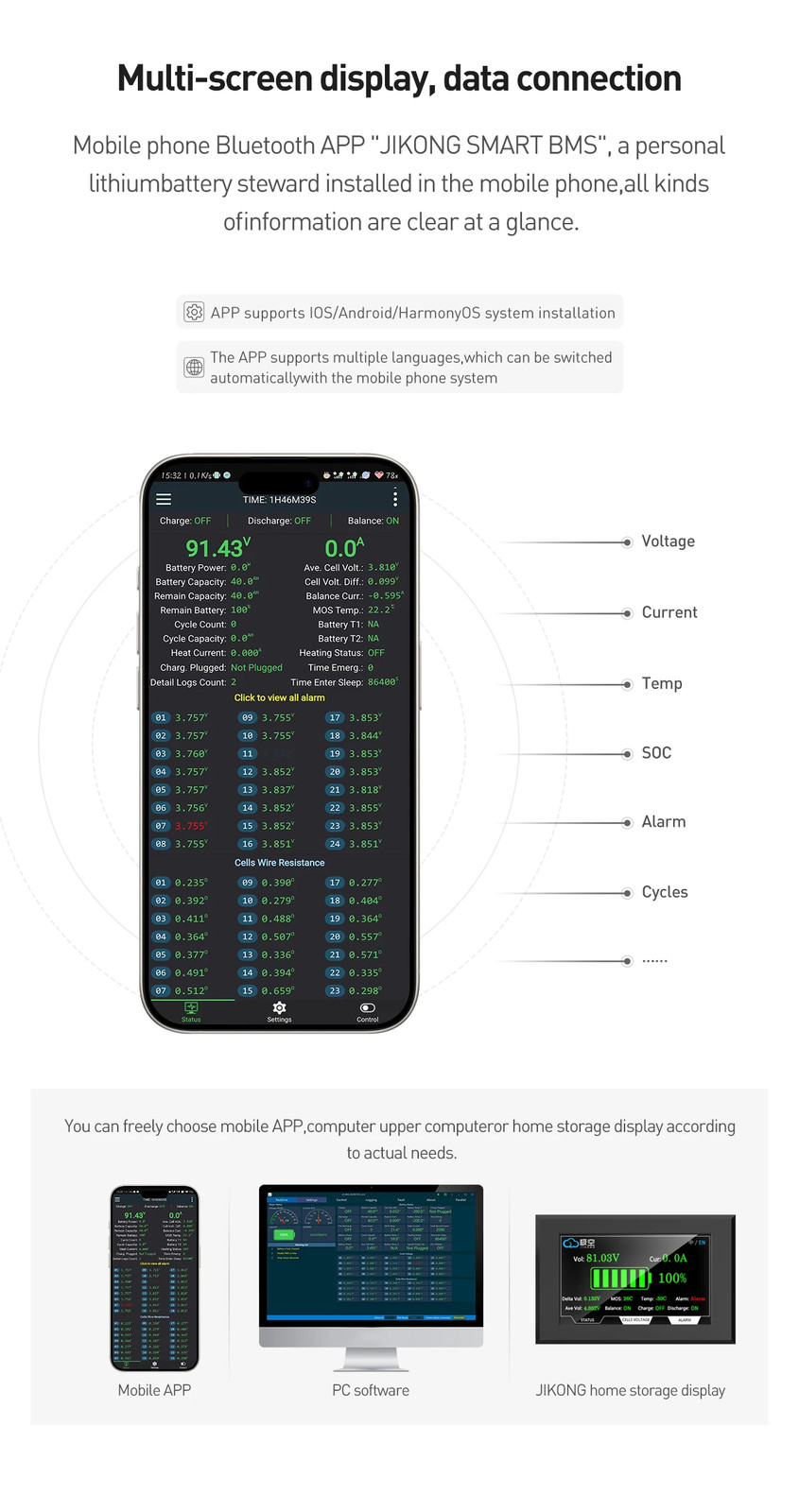
5. BT communication function, battery status can be displayed on APP
6.RS486 and can be customized
7.JK BMS, they are smart therefore with bluetooth and are equipped with a built-in active balancer, this will allow you to always have balanced cells and battery with full capacity
Specification:
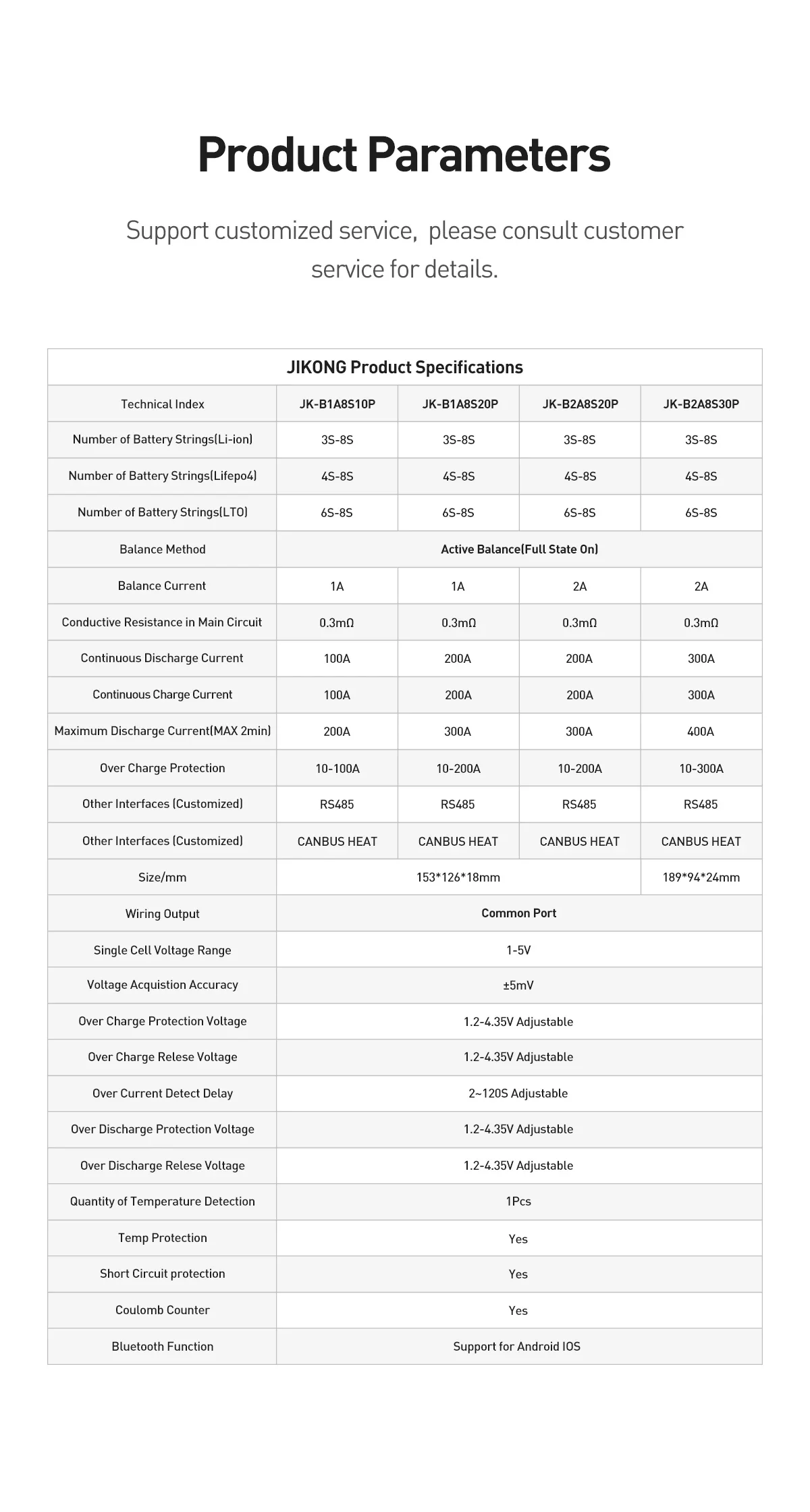
Over Current Protection (adjustable): 10A-200A
Wiring method: common port
Monomer voltage range: 1V-5V
Voltage acquisition accuracy: ± 5mV
Battery cell overcharge protection voltage: 1.2V-4.35V (adjustable)
Battery cell overcharge protection recovery voltage: 1.2V-4.35V (adjustable)
Applicable battery string quantity: 4S-8S (adjustable)
Battery cell over discharge protection voltage: 1.2V-4.35V (adjustable)
Battery cell over-discharge protection recovery voltage: 1.2V-4.35V (adjustable)
Temperature detection quantity: 3 pieces
temperature: -20~70℃
Power requirements: 24V ~ 100V, can be powered by battery or external power supply
BMS Package includes:
1*JK smart bms (Built-in Bluetooth)
1*Cable
1*Temperature Sensor
Other Accessories:(optional)
1*Power Switch (optional)
1*RS485 to USB (optional)
1*2inch LCD display (optional)
1*3.2inch LCD display (optional)
1*4.3inch LCD display (optional)
Use Manual
1. Download app and manual
2. Hardware connection
3. Startup
4. Open the app and connect the device
5. Set the number of strings and battery type
6. Check the battery status
Download IOS: Search (JIKONG BMS) in the APP STORE
Download Andriod : Search (JK BMS) in the Google STORE
(1) Connect the protection board and battery pack according to the following wiring diagram, Make sure that the last power cord is also Connected to the main positive pole, The total voltage of the battery pack must be greater than 20V(Default BMS)/10V(4S BMS) before tarting up.
(2) Use the display activation button or additional switch to activate the BMS.
(3) Turn on Bluetooth on your mobile phone.
(4) Make sure your mobile Bluetooth is turned on, then turn on APP click on the top left corner of APP to search for devices, and click on the device name to connect to the default password: 1234.
(5) Parameters need to be set for the first start-up Setting requires a password, The default parameter is set to password 123456,Simply set the number of units and battery type.
(6) Once the parameters are set, go back to the real-time status page, check the battery status, no error message is prompted and normal operation,blue is the highest voltage, red is the lowest voltage.
FAQ:
No power on
1. Ensure that the last "B +" line has been connected to the battery total positive pole.
2. Charge activation, make sure the charger voltage is more than 4V above the battery
pack voltage to activate.
3. Check whether the charger has voltage output.
voltage inaccuracy
Measure the actual total voltage of the battery pack with a multimeter, and fill in the actual
total voltage into the "Voltage Calibration" in the parameter setting page.
The current is not allowed
1. BMS B- and P- are two 7AWG wires, both need to be connected in parallel, otherwise it will
lead to current error.
2. Use a clamp meter to measure the actual current of the battery pack, fill in the actual current into
the parameter setting page "current calibration" inside; the larger the actual current, the higher
the calibration accuracy.
Capacity is not allowed
The first step, first set the battery capacity, the battery was how much, set how much capacity can
be set slightly larger, for example, the battery capacity of 100AH, can be set to 120AH or 150AH.
The second step, through the electric instrument to the battery discharge, the battery discharge,
put the protection board prompts the single under voltage protection.
The third step is to charge the battery, don't interrupt when charging, and keep charging until the
BMS prompts the single-unit over-voltage protection.
After doing the above steps, the capacity will be automatically updated, APP battery capacity
shown is the actual capacity of the battery, this time the SOC is also accurate, all the capacity-
related are accurate.
The number of designed strings does not match the actual number of strings
1. Check the parameter settings inside the "number of single unit" is set correctly.
2. If there is no voltage in the middle of a 2S or more strings, check whether the collection line is off.