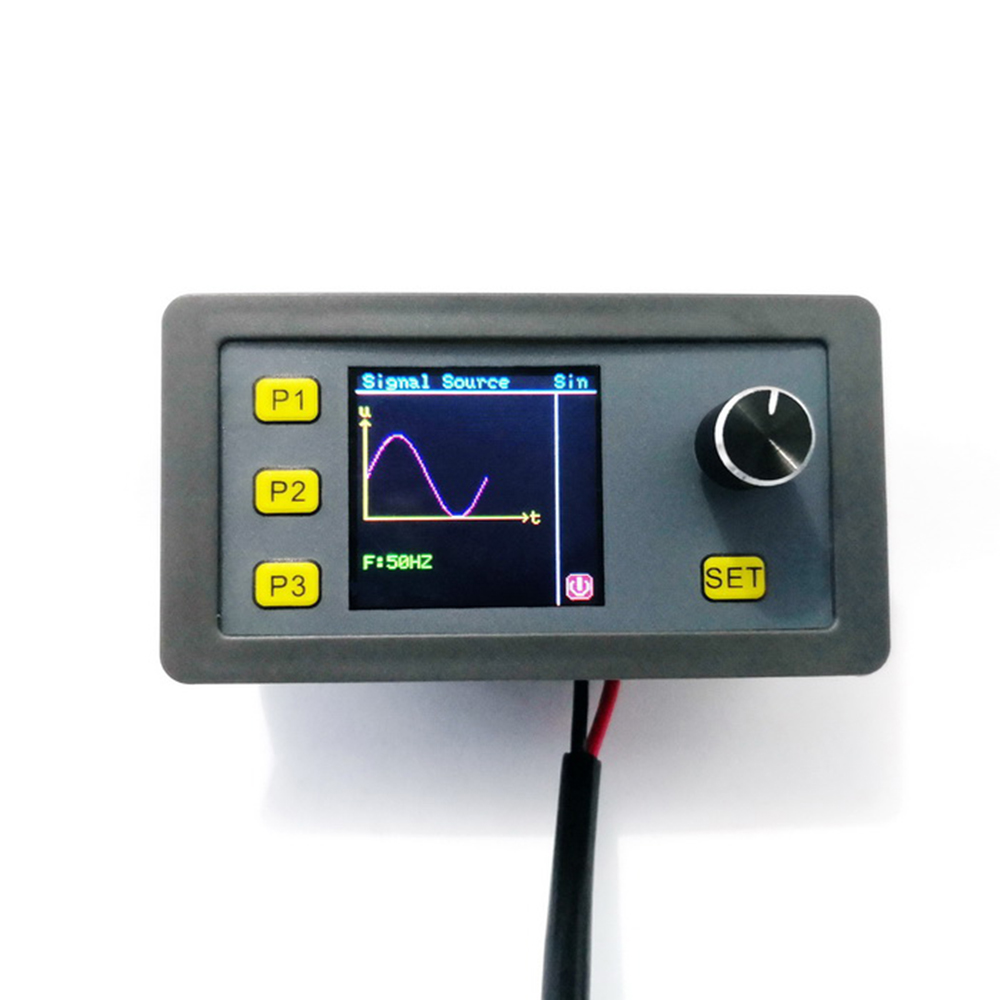
1. This module is divided into two versions, the signal generator and the version with MODBUS function
2. Multi-function support PWM mode, pulse mode, signal source, signal source mode, sine wave mode, support RS485 Modbus communication
3. The module signal source mode has voltage and current calibration function
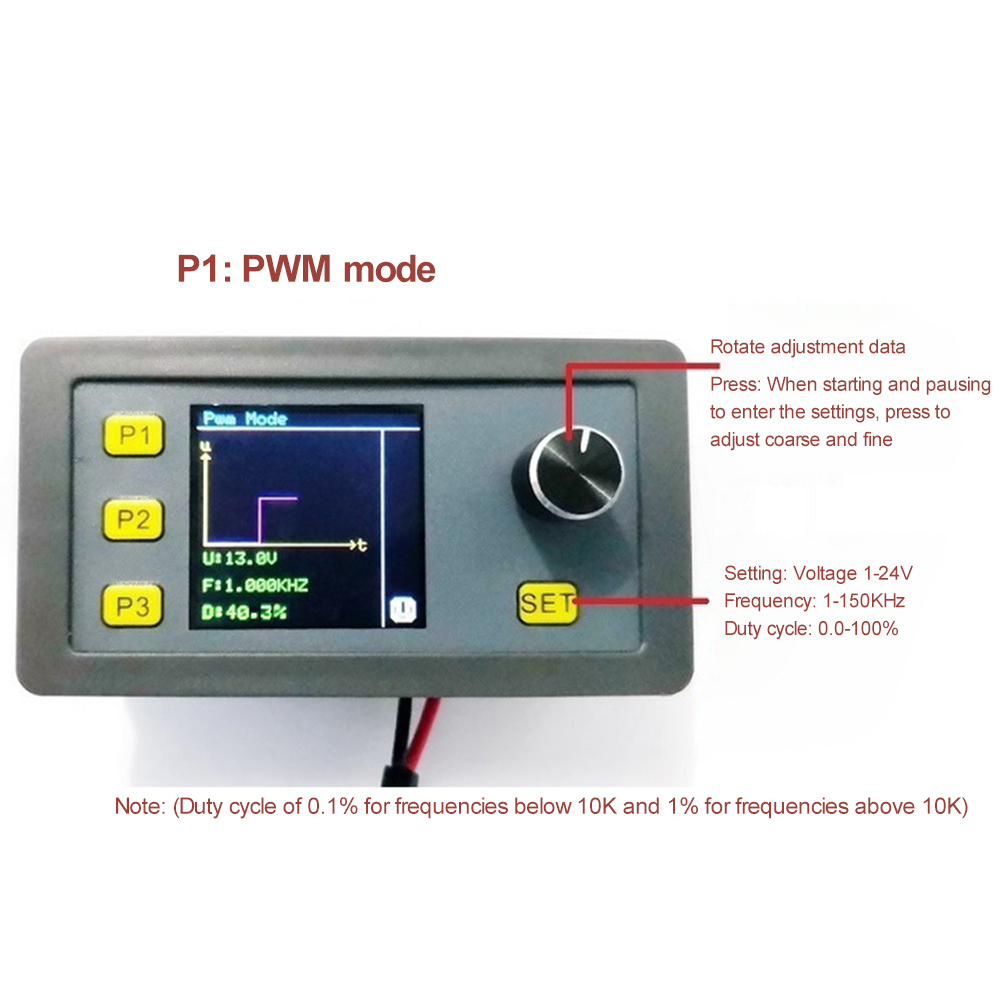
4. PWM mode voltage, frequency, duty cycle are adjustable
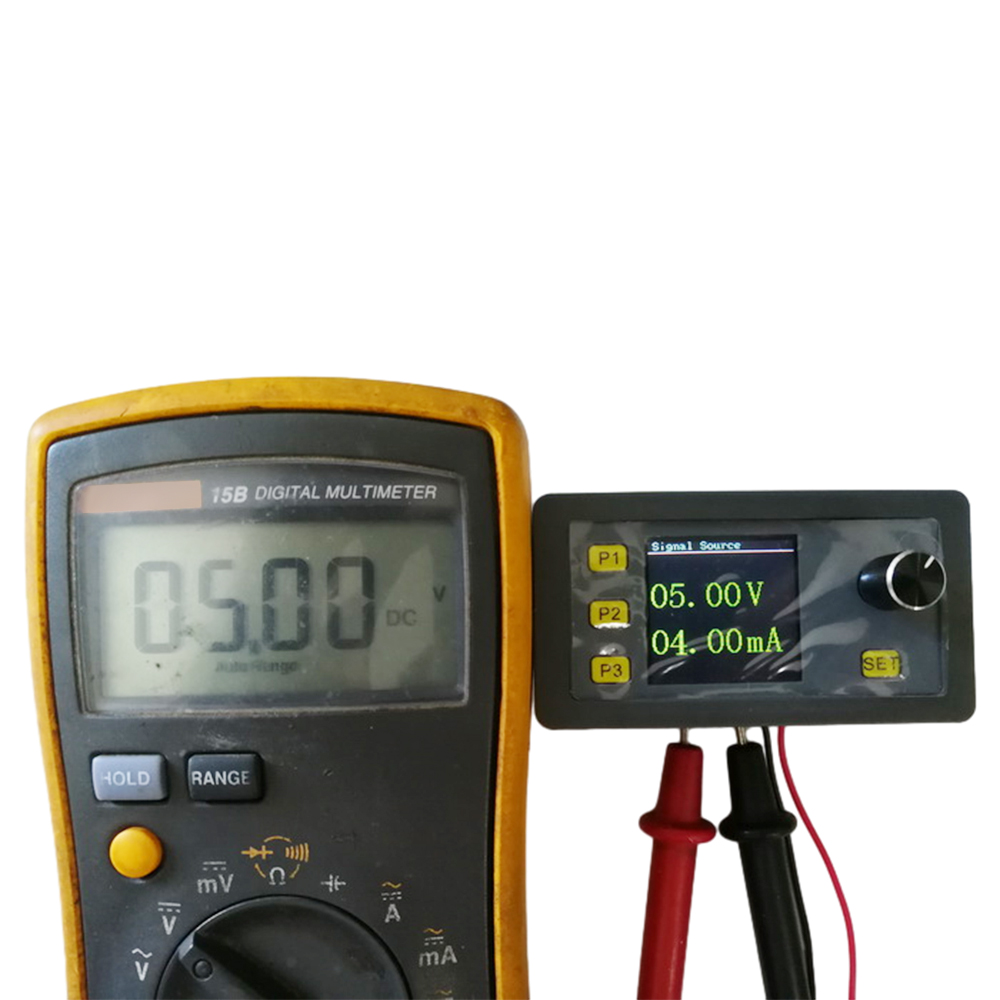
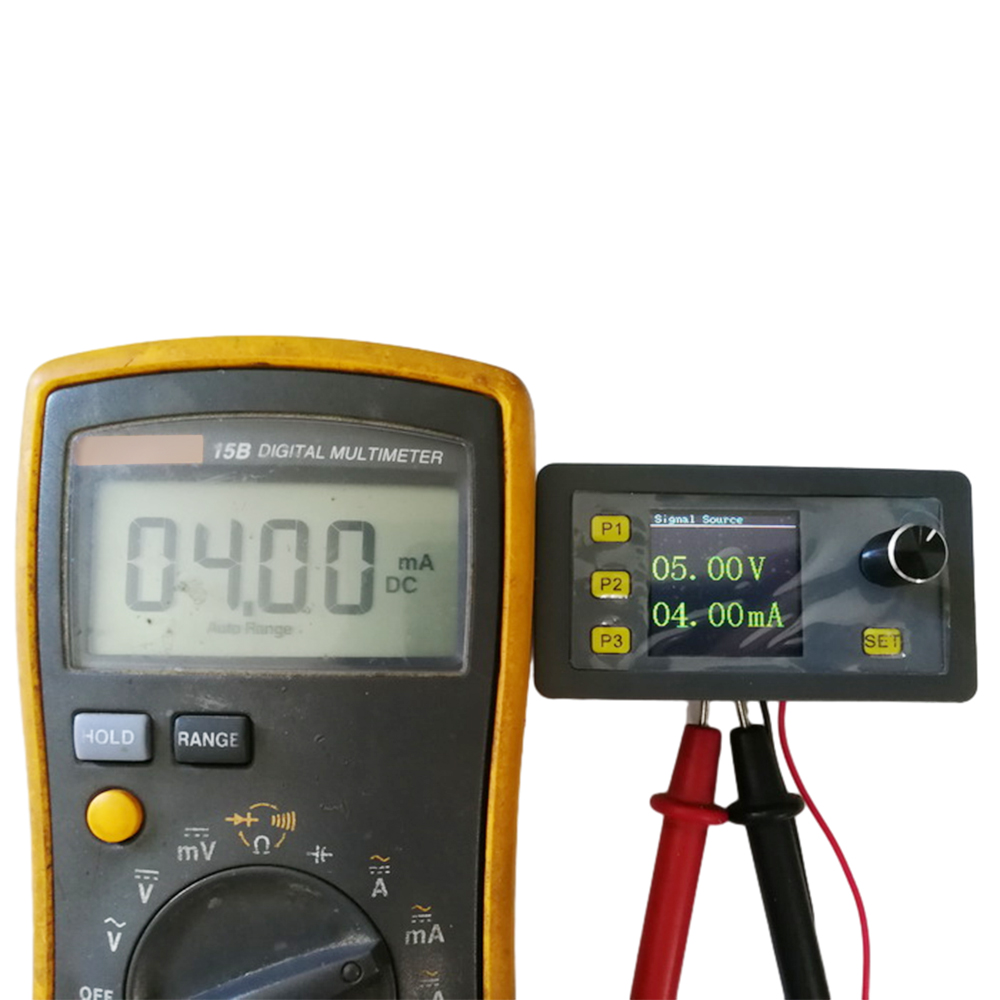
5. Signal source mode voltage source 0-10V adjustable, current source 0-20mA adjustable
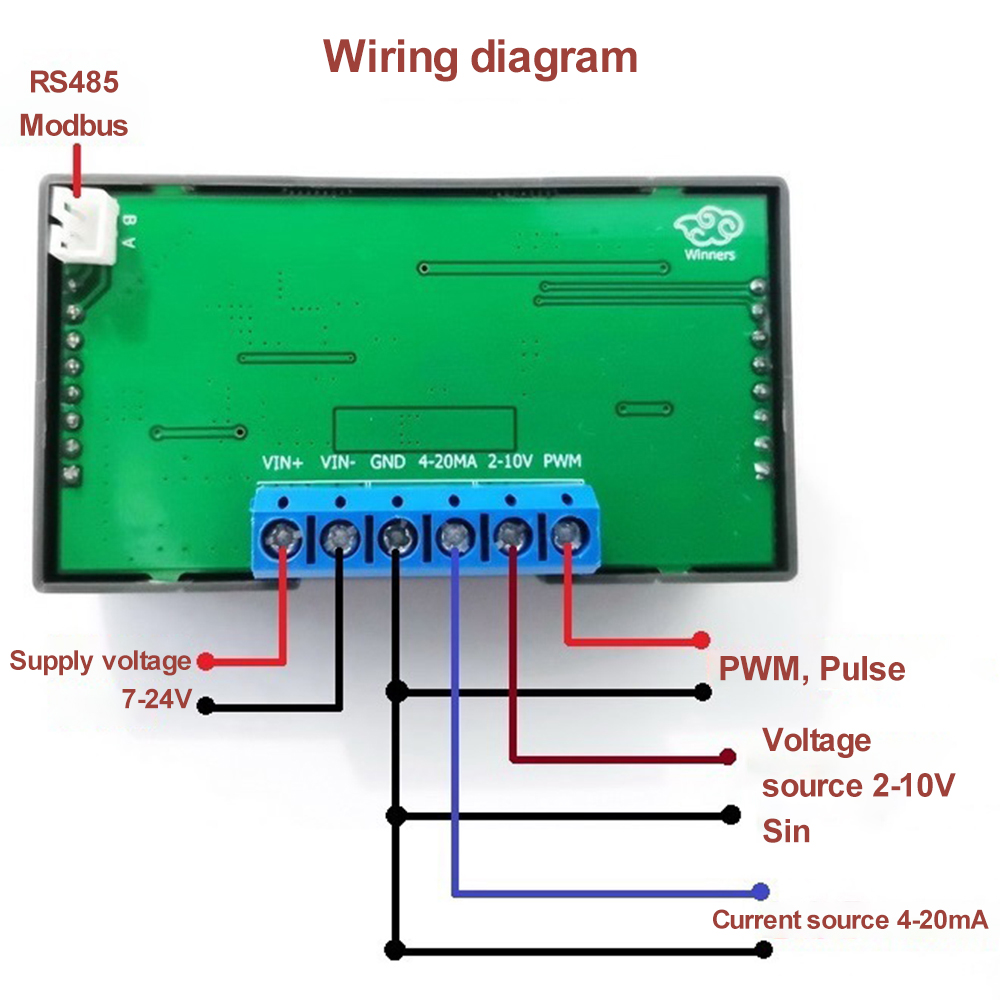
Power supply voltage: DC 7-24V
Product function: PWM mode, pulse mode, signal source mode, sine wave mode
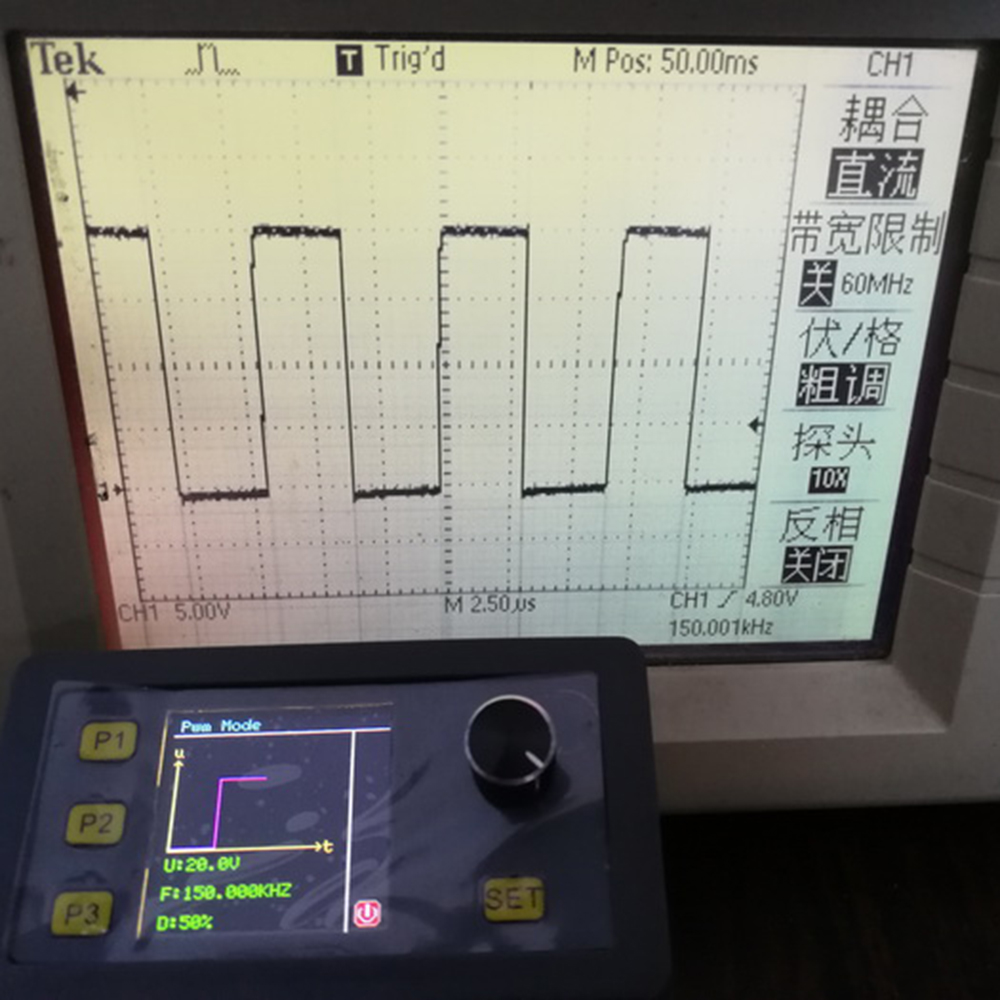
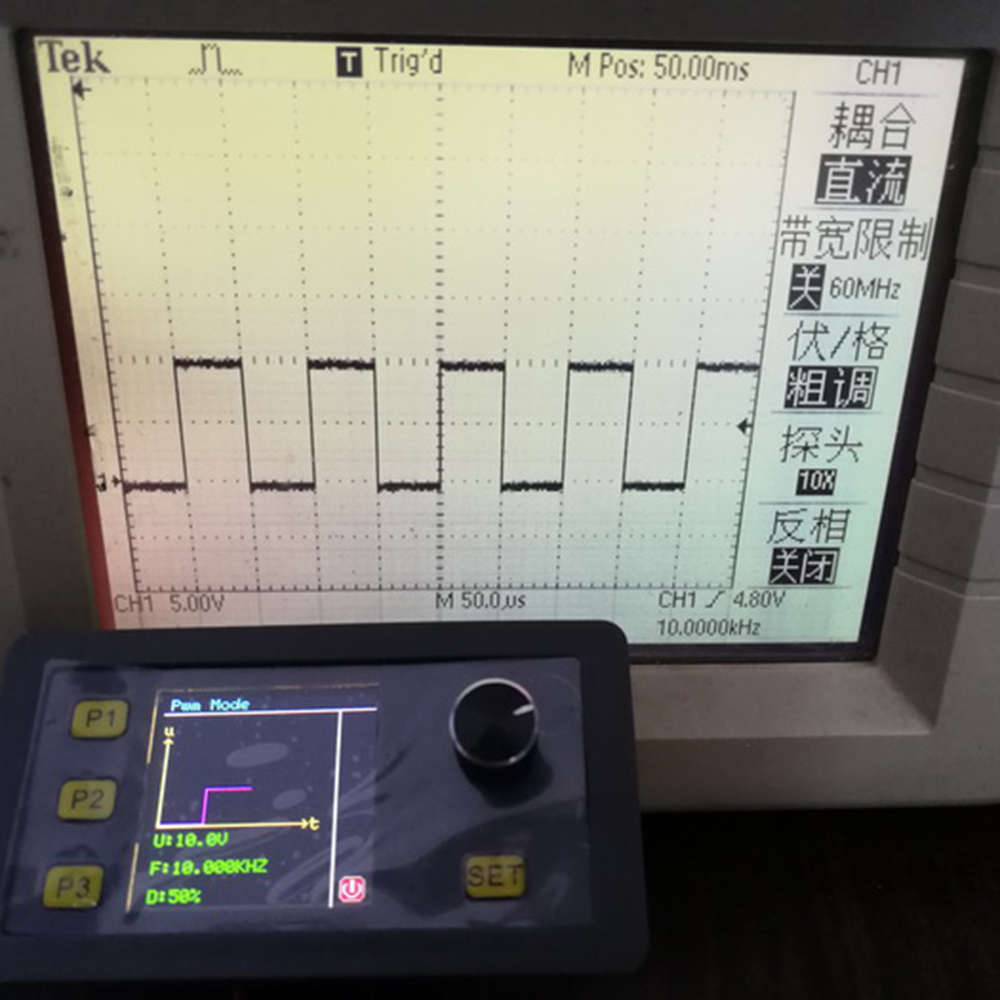
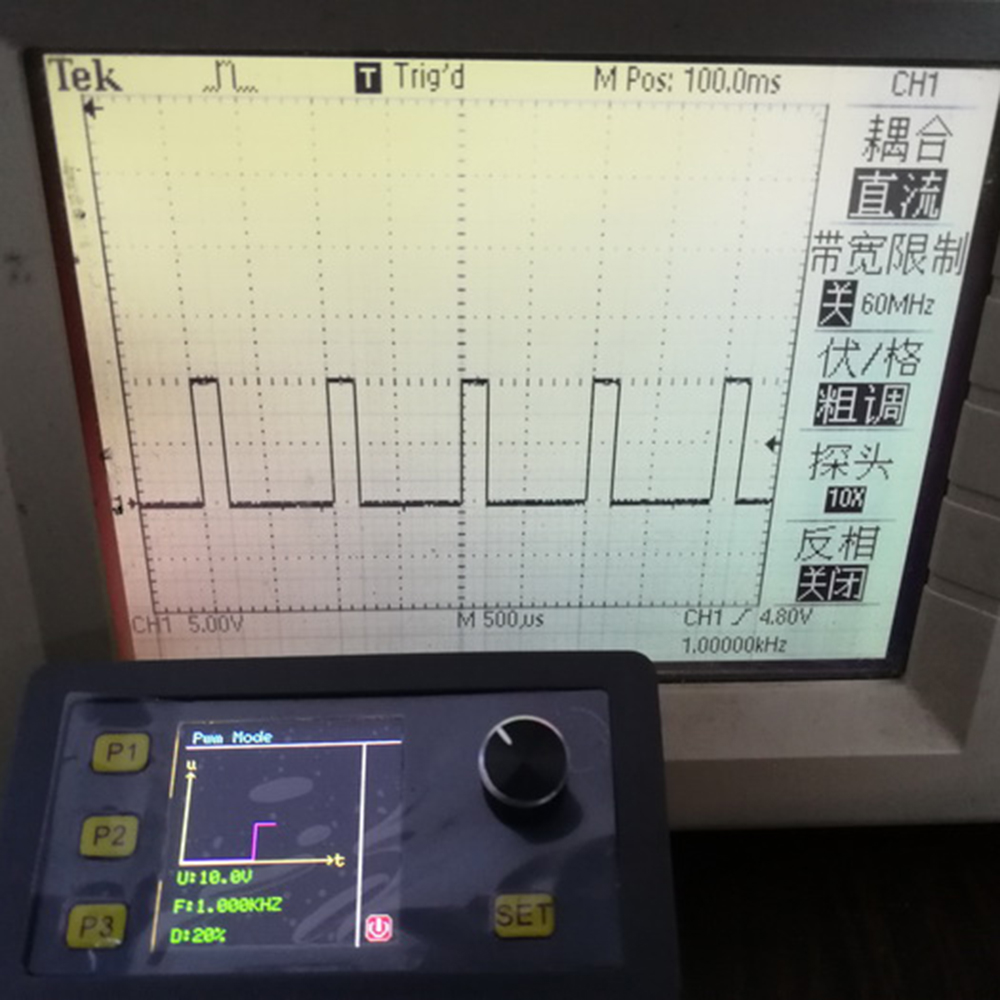
PWM mode: voltage, frequency, duty cycle are adjustable, frequency accuracy up to 0.1%; voltage range: 1-24V adjustable, frequency range: 1Hz-150KHz adjustable, duty cycle range: 0.1-100% adjustable
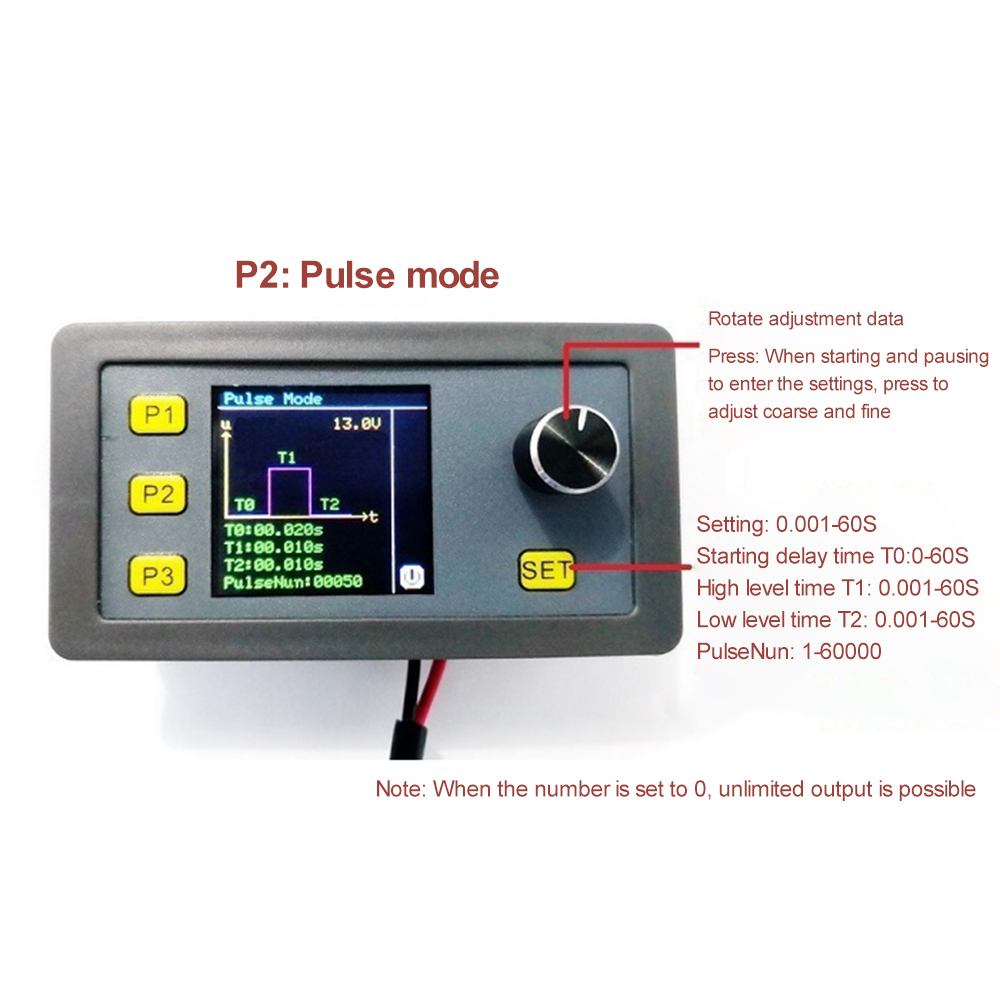
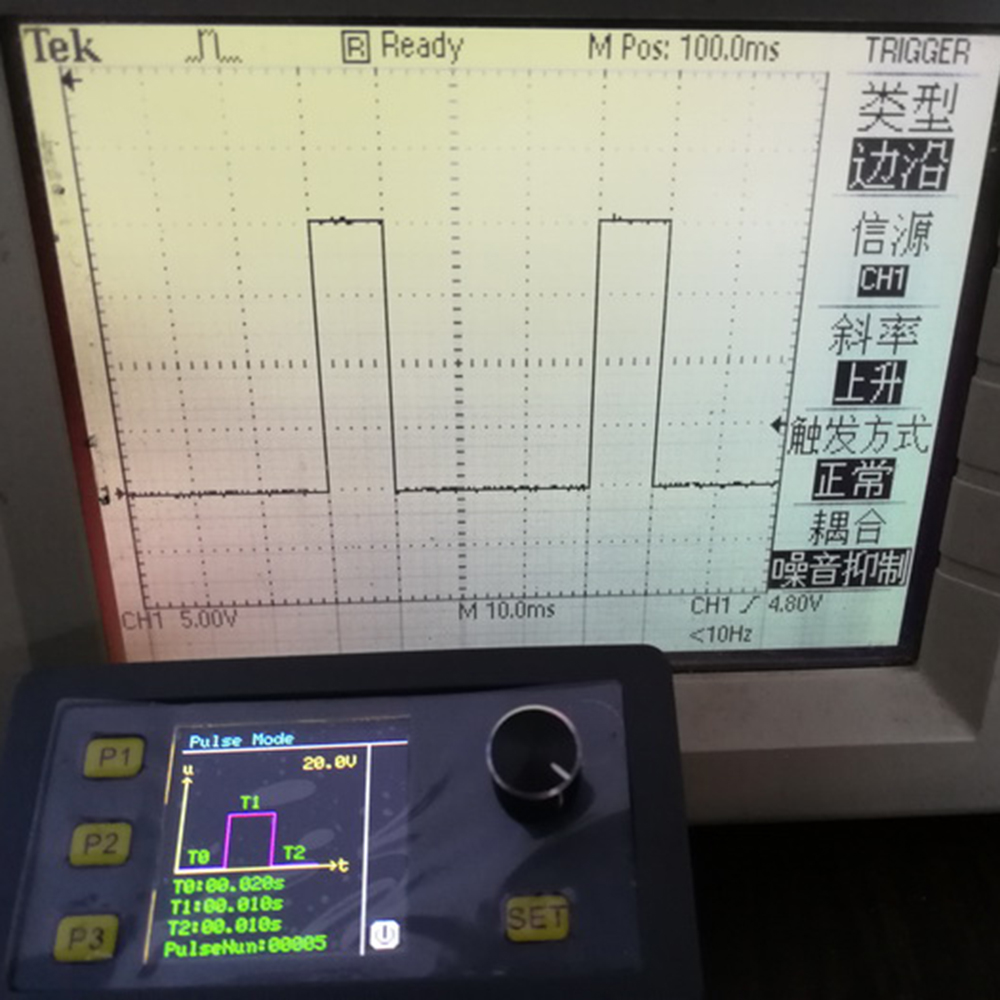
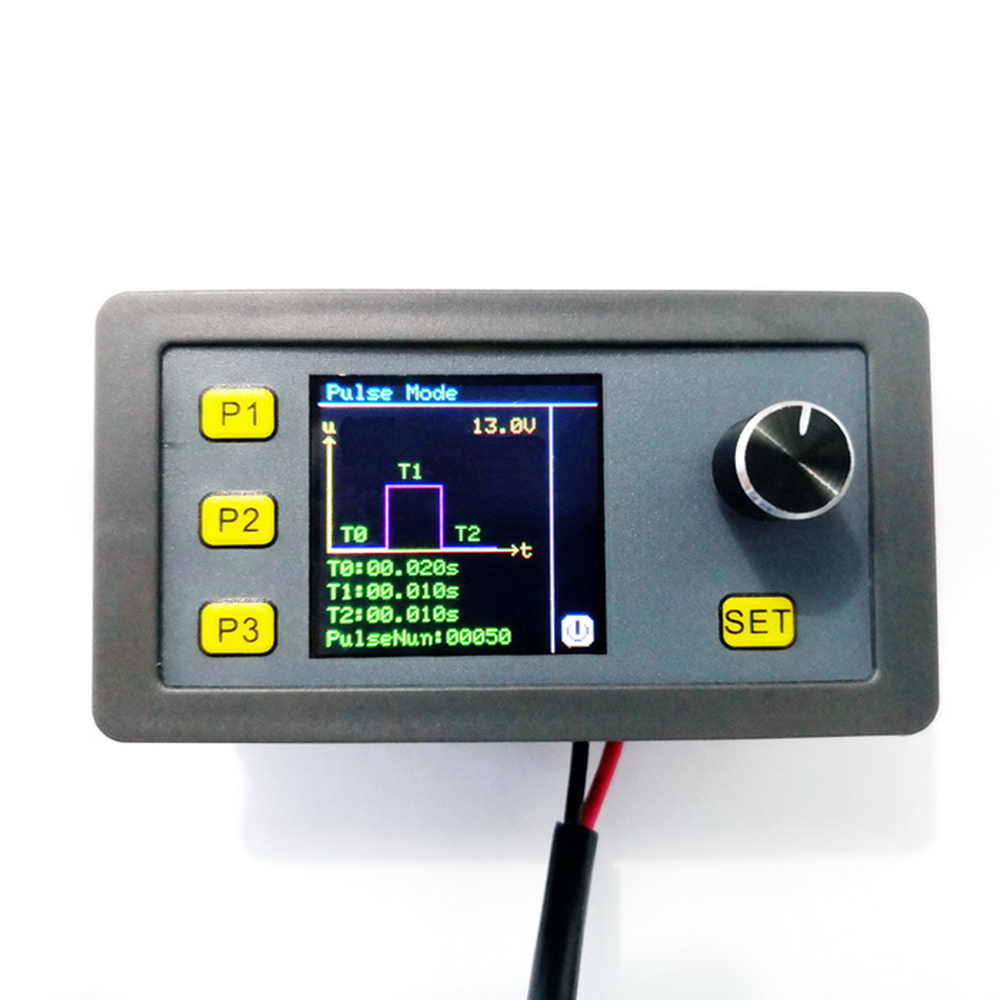
Pulse mode: time accuracy 0.001S, start delay time T0:0.001-60S, high level time T1:0.001-60S, low level time T2:0.001-60S, pulse number PulseNun:1-60000 (unlimited output when number is set to 0)
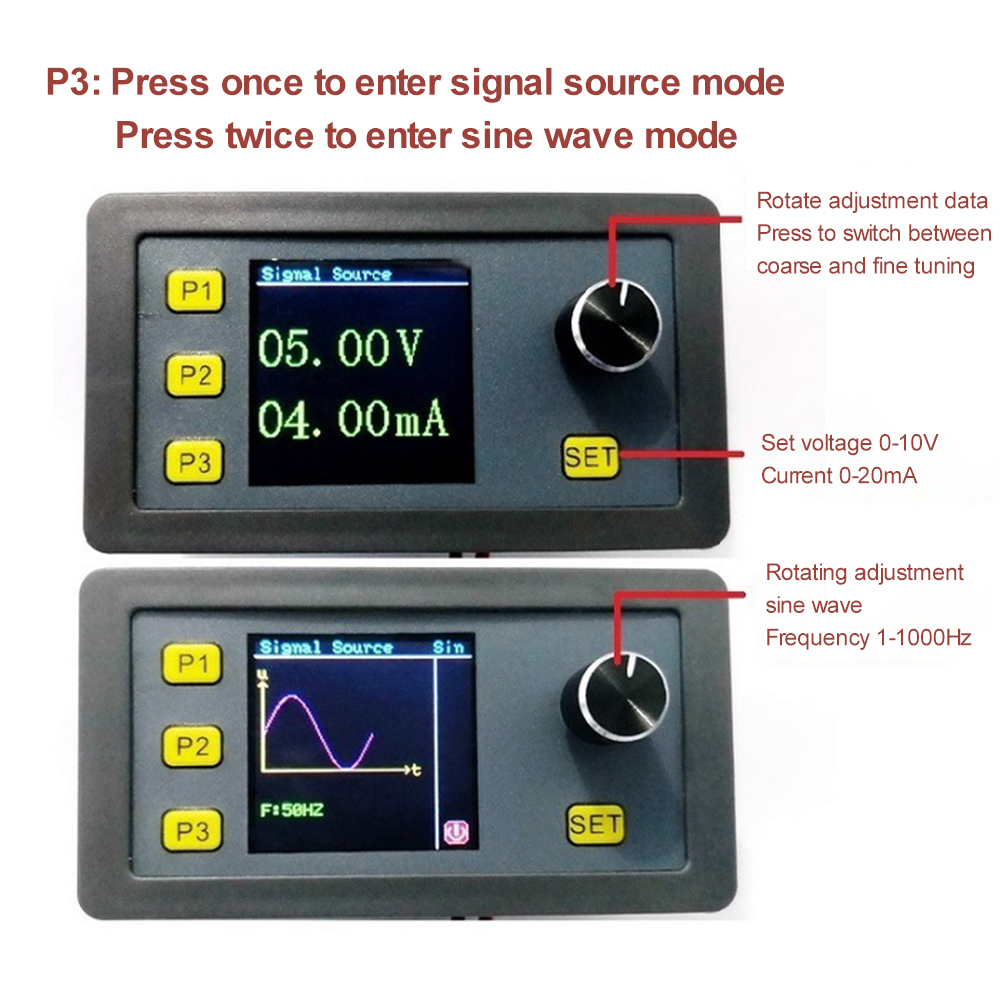
Signal source mode: voltage source 0-10V adjustable, current source 0-20mA adjustable (Note: the load is not greater than 250R)
Sine wave mode: 1-1000Hz adjustable, note: voltage peak to peak for about 5V can not be adjusted
Signal load capacity: the maximum output current 30mA (Note: this product is the output is a signal source, can not directly drive high-power load. If you want to use the PWM signal to drive high-power loads, such as motors, LEDs, etc., can be connected externally to the driver module)
Ambient temperature: -10-+70℃
Module size: length 79mm width 43mm height 41mm
Opening size: 76mm long by 39mm wide
Calibration function: The module signal source mode has voltage and current calibration function, if the display is not allowed, the following method can be used to calibrate: first power off, press and hold the code switch to power up, it will enter the voltage and current mode, use a multimeter to measure the output voltage (amount GND and 2-10V) or current (amount GND and 4-20MA), rotate the adjustment to the display and multimeter, press the code switch to save, three seconds after power off. Three seconds after power off can be, the accuracy can be calibrated to within 0.1%!
Pulse mode PULSE: Press P2 once to enter, press SET to switch the setting voltage, time T0\T1\T2, number of pulses, rotary encoder can adjust the data (short press to switch coarse and fine adjustment), the signal is output in real time during adjustment, press SET to exit when the adjustment data is finished, short press the encoder to turn on or off the output when exit SET state. Note: The voltage of pulse mode and PWM mode is the same, switch to PWM mode to adjust the voltage when you need to adjust it.
Voltage and current signal source mode: Press P3 once to enter, press SET key to switch to set voltage and current in turn, enter that is to start output signal, rotate the encoder to adjust the data (short press to switch coarse adjustment, fine adjustment), the signal is output in real time during the adjustment process, adjust the data to complete press SET key to exit. (Note: 4-20mA current source output when the load can not be greater than 250R)
Sine wave mode: press P3 twice to enter sine wave, enter that is to start output signal (peak to peak is about 5V, voltage is not adjustable), rotary encoder can adjust the frequency, the signal is output in real time during the adjustment process.
This signal generation module Modbus version supports RS485 interface Modbus RTU communication protocol
Upper computer software and protocol description: http://pan.baidu.com/s/1eSC3BDS
1* Signal generator
1. Customer satisfaction is our top goal. We believe our items are so outstanding. All products are quality checked. They are new and in good condition when shipped to our customers. We are convinced you will be happy with your Purchase.
2. If product is defective or damage upon arrival, or wrong product shipped, please contact us immediately. Returns accepted within 14 days of delivery date and item must be in original new condition, not worn or altered in any way with attached tags & wrap. Otherwise deal is final. Return shipping must be paid by buyer.
3. Please contact us first if you have any problems/questions/concerns. We will be happy to resolve any issues you may have in a cordial and friendly manner.
4. We appreciate your Postive Feedback, and will do the same in return. DO NOT leave negative feedback without first communication with us. Ple
1. Customer satisfaction is our top goal. We believe our items are so outstanding. All products are quality checked. They are new and in good condition when shipped to our customers. We are convinced you will be happy with your Purchase.
2. If product is defective or damage upon arrival, or wrong product shipped, please contact us immediately. Returns accepted within 14 days of delivery date and item must be in original new condition, not worn or altered in any way with attached tags & wrap. Otherwise deal is final. Return shipping must be paid by buyer.
3. Please contact us first if you have any problems/questions/concerns. We will be happy to resolve any issues you may have in a cordial and friendly manner.
4. We appreciate your Postive Feedback, and will do the same in return. DO NOT leave negative feedback without first communication
When you satisfied with our product and services please leave us positive feedback.
If a problem occurs, contact us immediately with any email request. Just contact us using the " Ask the seller a question" link on eBay.We will maill bakc within 24hours