
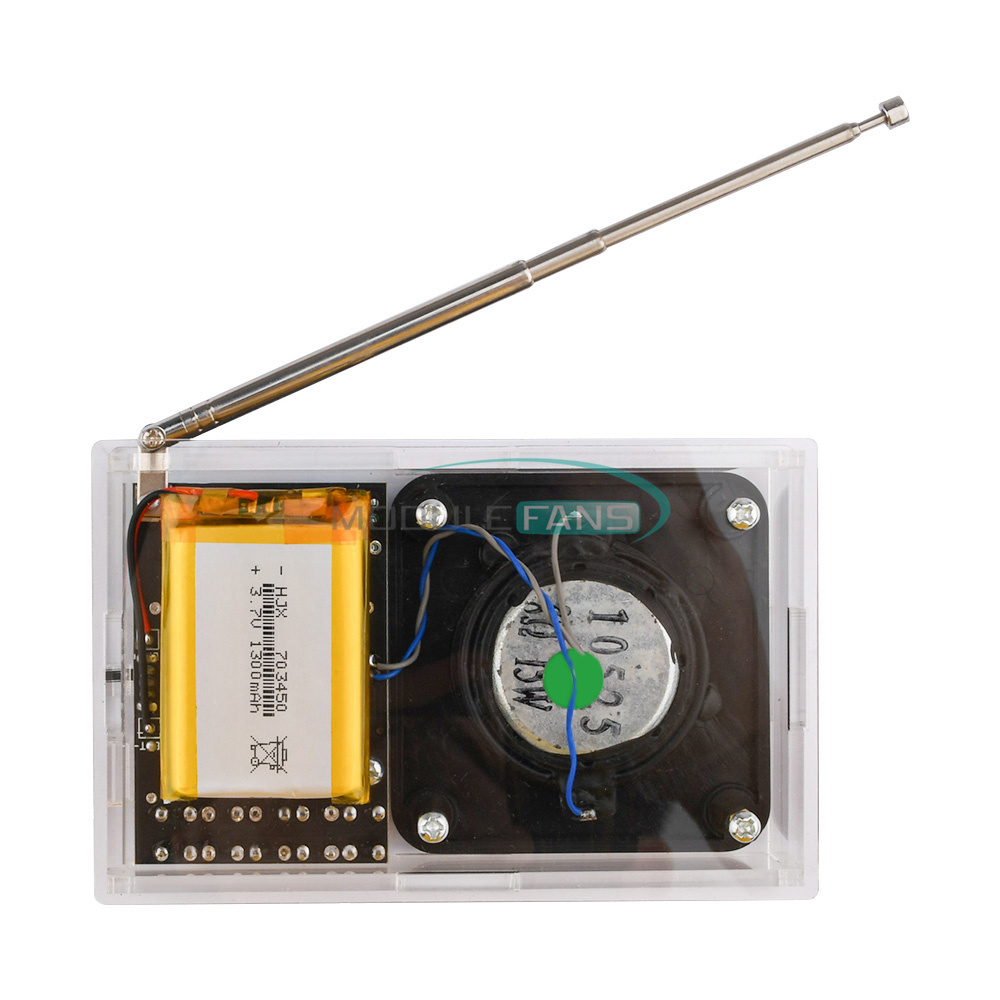
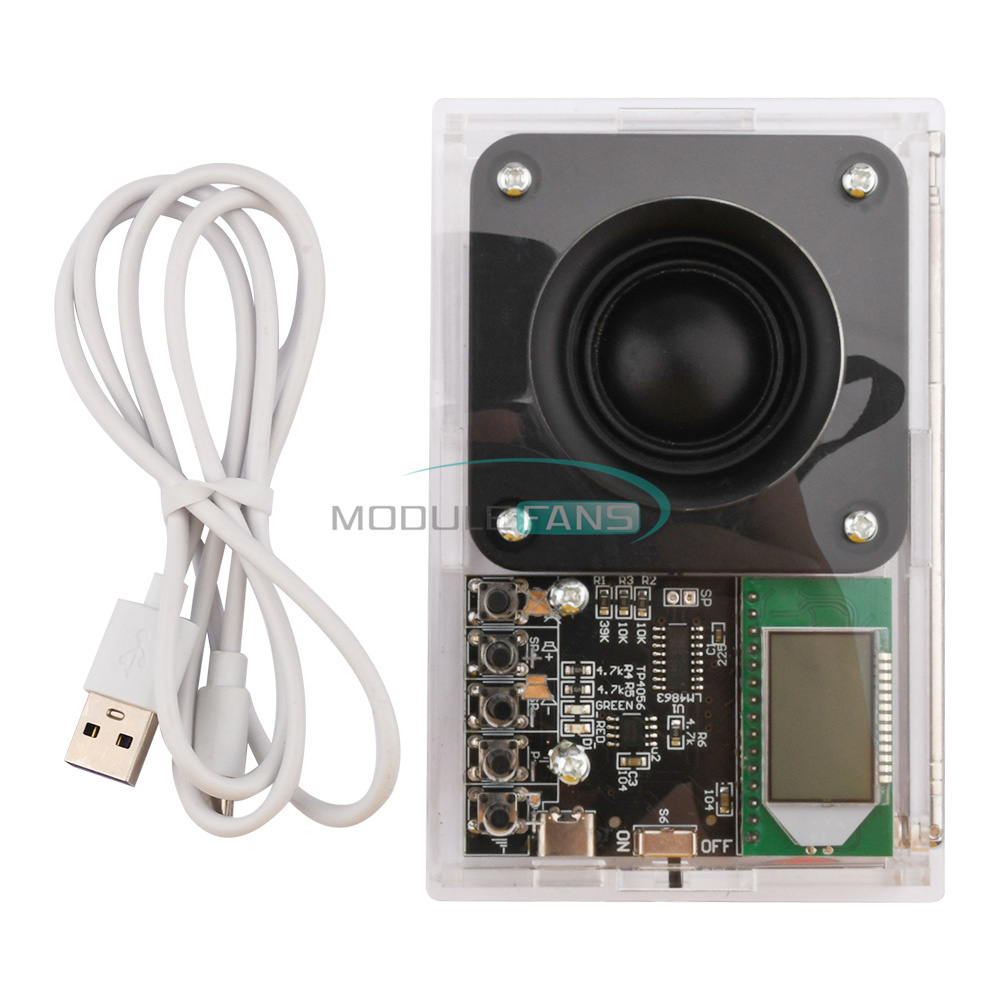
Feature Products

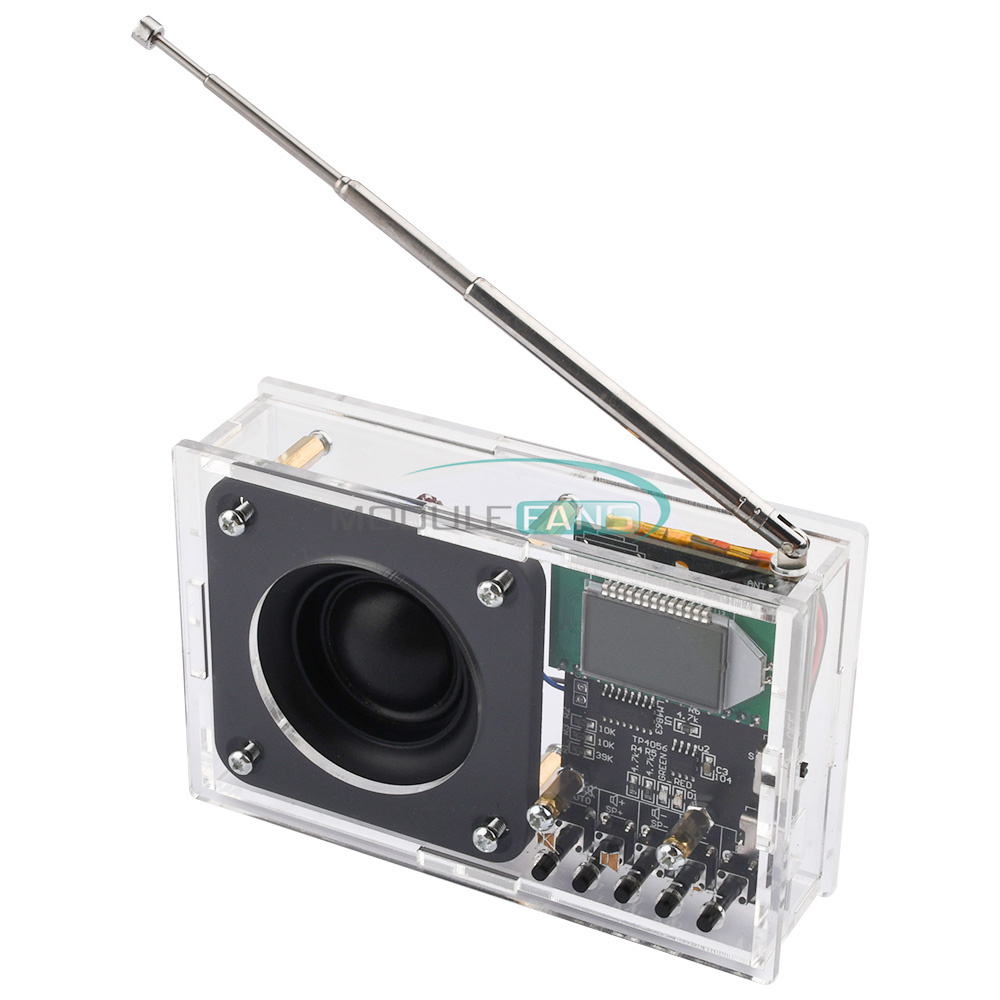
DIY FM Radio Receiver Module Electronic Kit Set 76-108MHz DIY Radio Speaker Kit

 
Features
1: The use of advanced digital audio signal processing technology (DSP) and FM phase-locked loop modulation technology (PLL) to make the sound quality more realistic, more stable performance, long time working frequency without offset.
Good reception signal, local can receive about 20 stations.
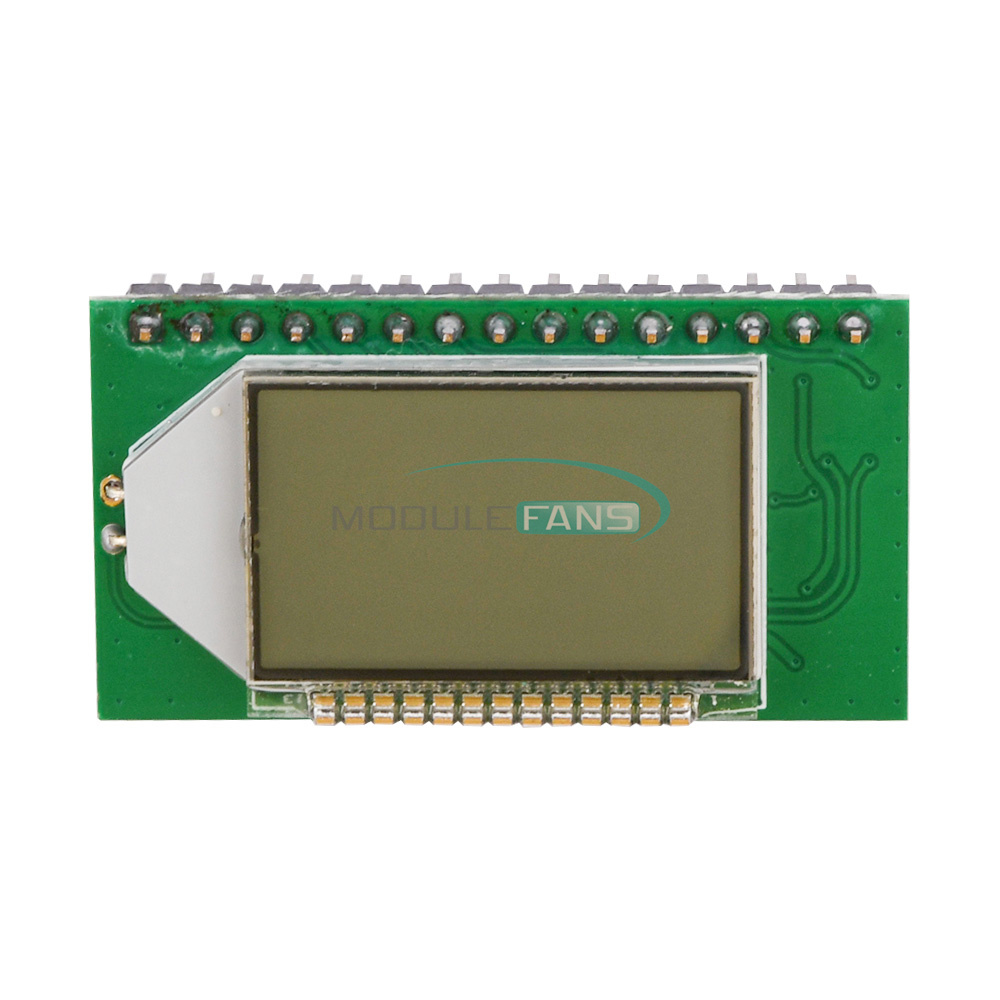
2: LCD display is more intuitive and accurate, with very low power consumption and minimal noise interference.
3: With automatic radio station search and storage function, easy to operate and use.
4: Built-in 30-level digital volume adjustment, easy to do by key operation.
5: Power-down automatic memory of data before power failure.
6: The use of quartz crystal frequency stabilization, temperature changes in the transmit frequency no longer drift.
7: The full frequency band (76-108MHZ) automatically search for a signal band and store memory.
8: built-in rechargeable lithium battery and charging circuit, with a cell phone charger can be charged, charging red light, full green light.
 
Specification
Power supply voltage:3.0V-5.0V
Built-in battery: 3.7V 1300MAH (fully charged can be used for about 7-8 hours)
Built-in: 2.5 inch 8 Ohm 15W speaker
Frequency response range: 50Hz-18KHz
Receiving frequency adjustment range:
Close campus radio 87.0MHz-108.0MHz, open campus radio 76.0MHz-108.0MHz
Equivalent noise: ≥30dB
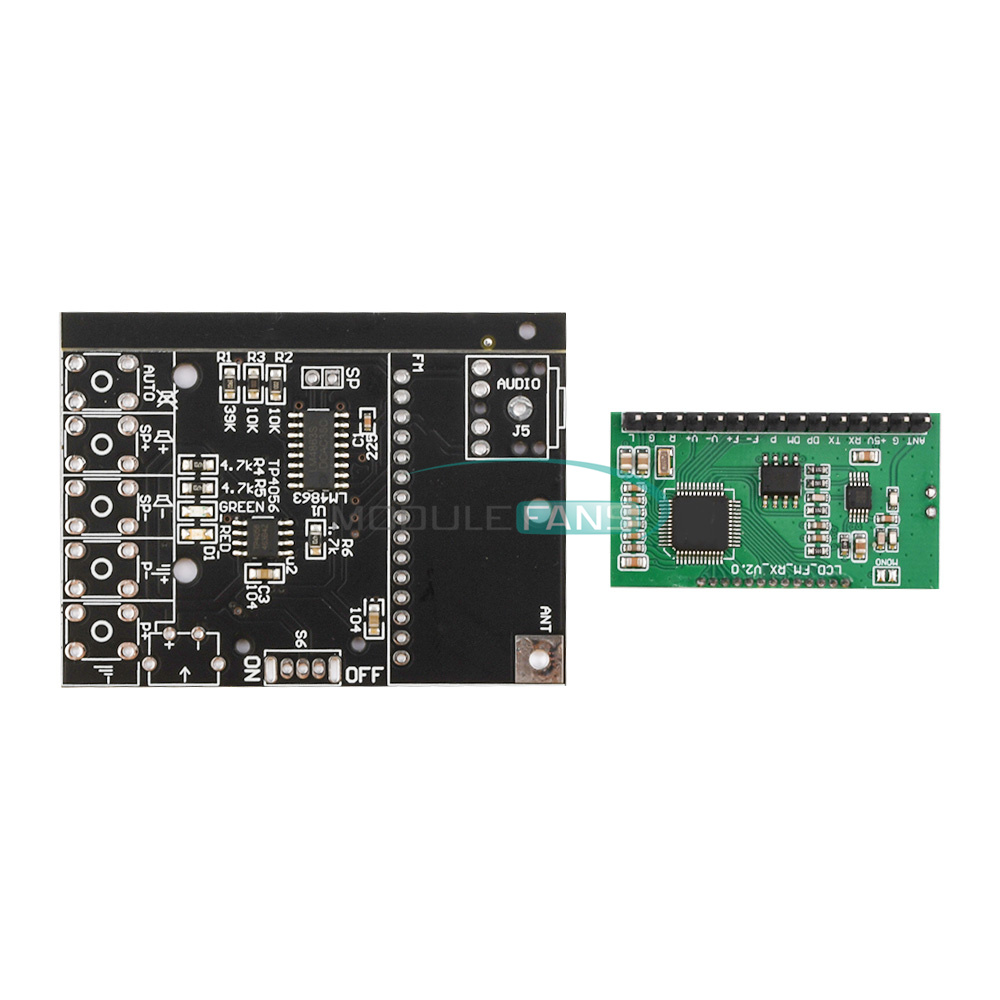
PCB board size: 6.4CM*4.3CM
Shell size: 11.85CM*7.6CM*3.14CM
 
Instructions for use:
1. After each module is ready, search the station automatically first. Long press the "automatic station search (AUTO key)" to start automatically search and store the radio stations that can be heard.
Users can press the "Previous Station" or "Next Station" key to switch the search stations.
3. This module can set the backlight status and whether to listen to the campus radio band according to the user's specific usage, the setting method is as follows.
4. Press and hold the VOL+ and VOL- keys in the power-off state and then power on the LCD display C1 to turn on the campus radio C0 to turn off the campus radio band, and the setting will take effect after reboot.
5. Set the backlight state then power off state while long press the radio key on, the radio key on, display B1 indicates that the backlight is always on, B0 indicates that the backlight 20 seconds off, restart after the setting takes effect. Change the setting state and repeat this step to switch. The factory unified setting is not open campus radio band, backlight without operation 20 seconds off.
 
Cautions:
1. When working, do not touch the back of the module components, so as not to affect the normal work of the module or cause a short circuit to burn the module.
2. The module is radio-sensitive equipment, interference from the power supply or nearby may affect the normal work of the module. Therefore, it is recommended to use battery or frequency transformer to supply power to the module with stable voltage after voltage stabilization.
3. Can not use switching power supply (such as cell phone chargers, and any other switching power supply), rechargeable batteries, nearby can not be working class D amplifiers, microwave ovens and other equipment, otherwise the interference generated by these devices will affect the module's reception effect, single buy DIY spare parts to develop their own friends please note.
 
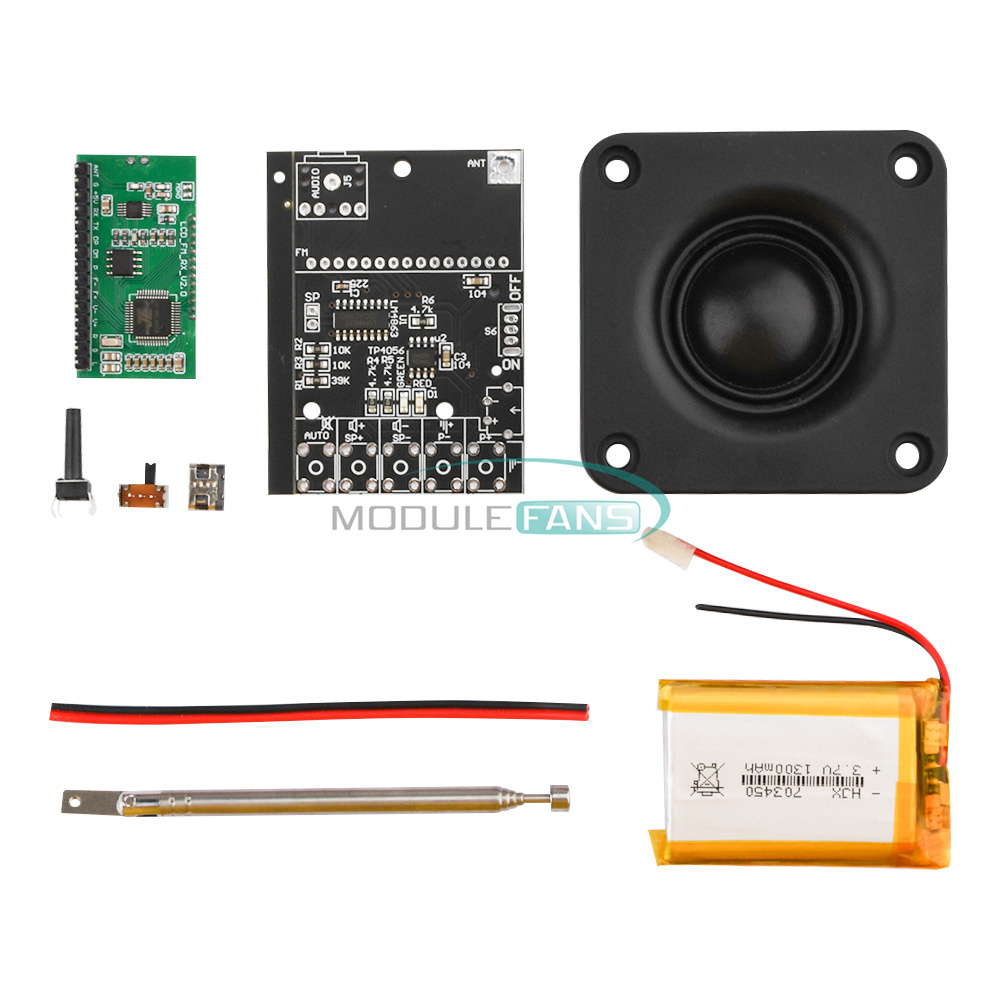
Without battery Without shell:
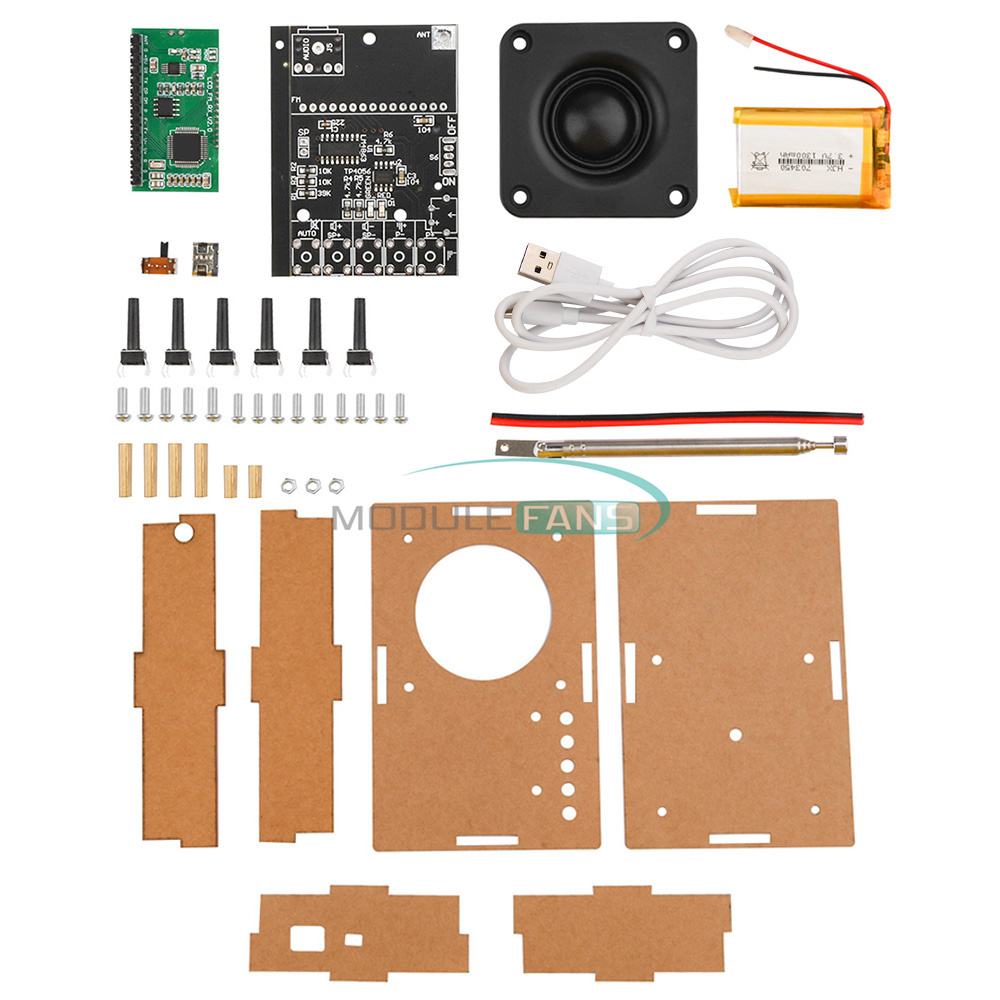
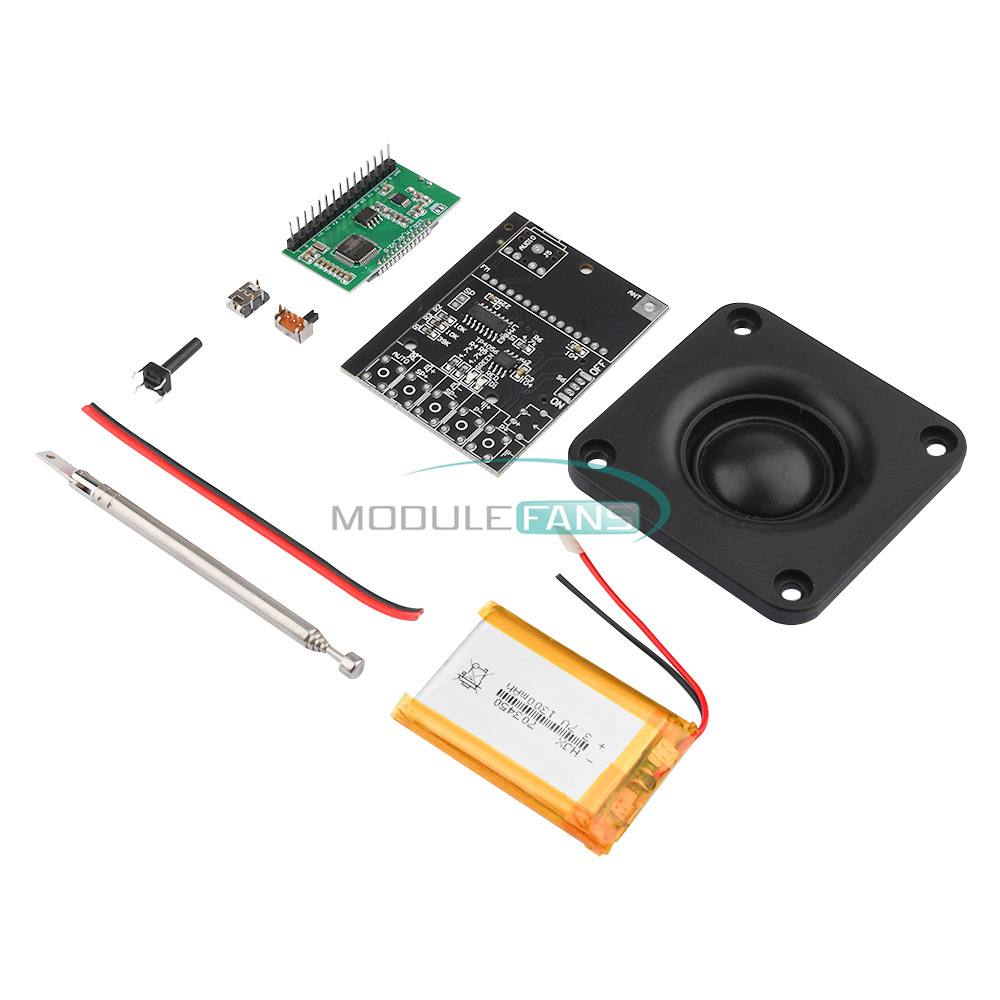
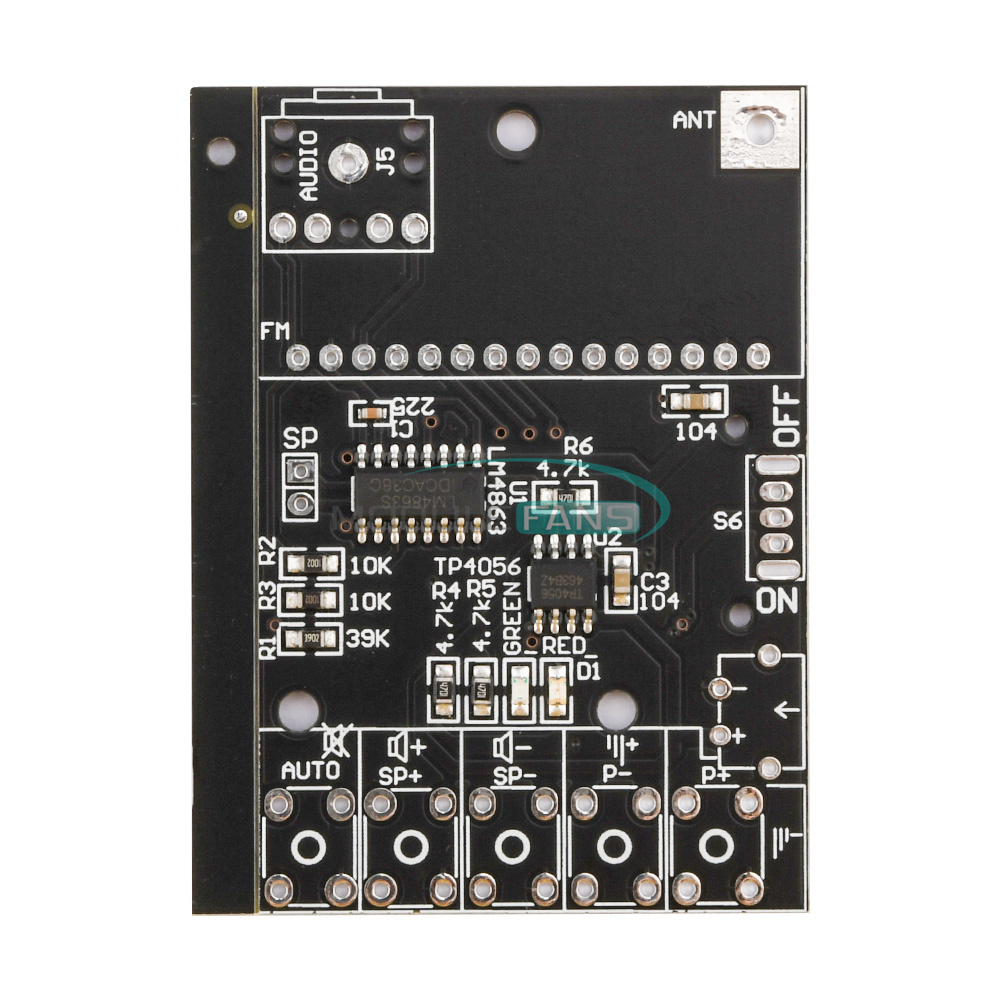
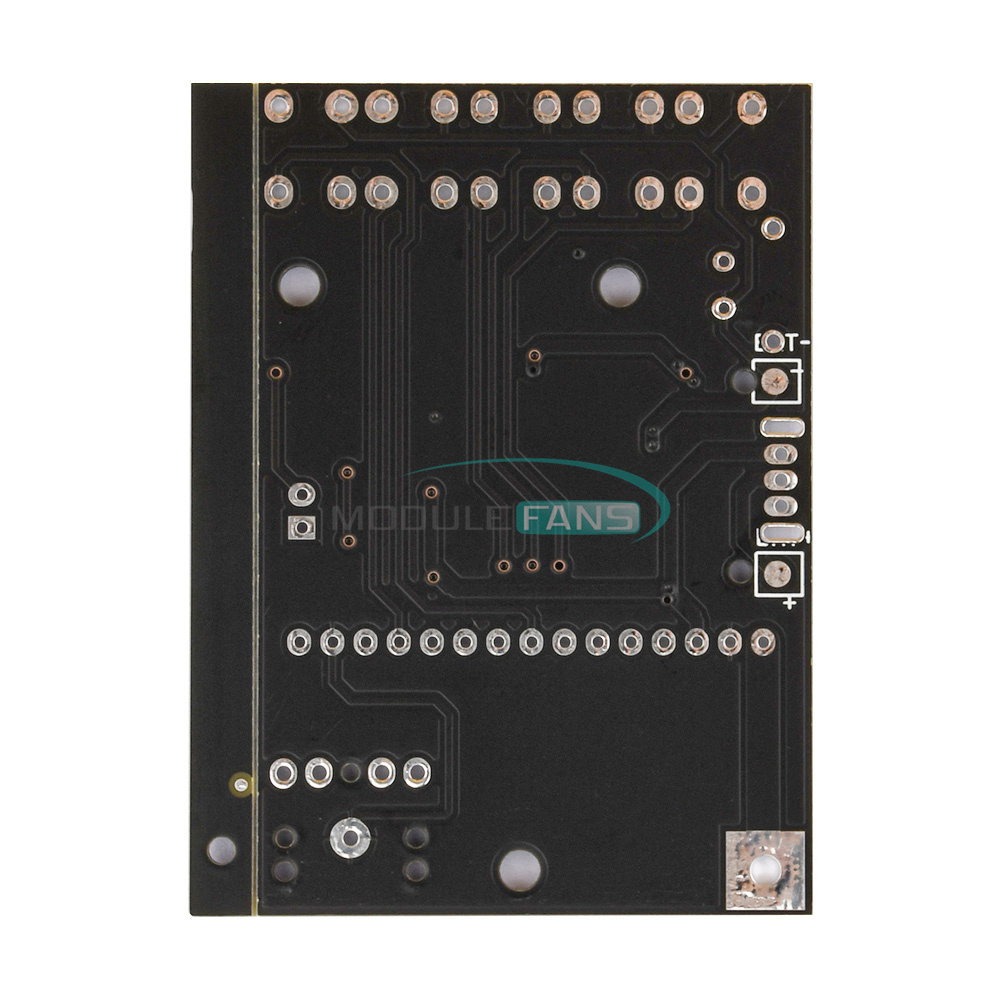
PCB board soldered patch device * 1 piece
6 * 6 * 17 keys * 6
TPEC_C interface * 1 piece
12D07 side dial switch * 1
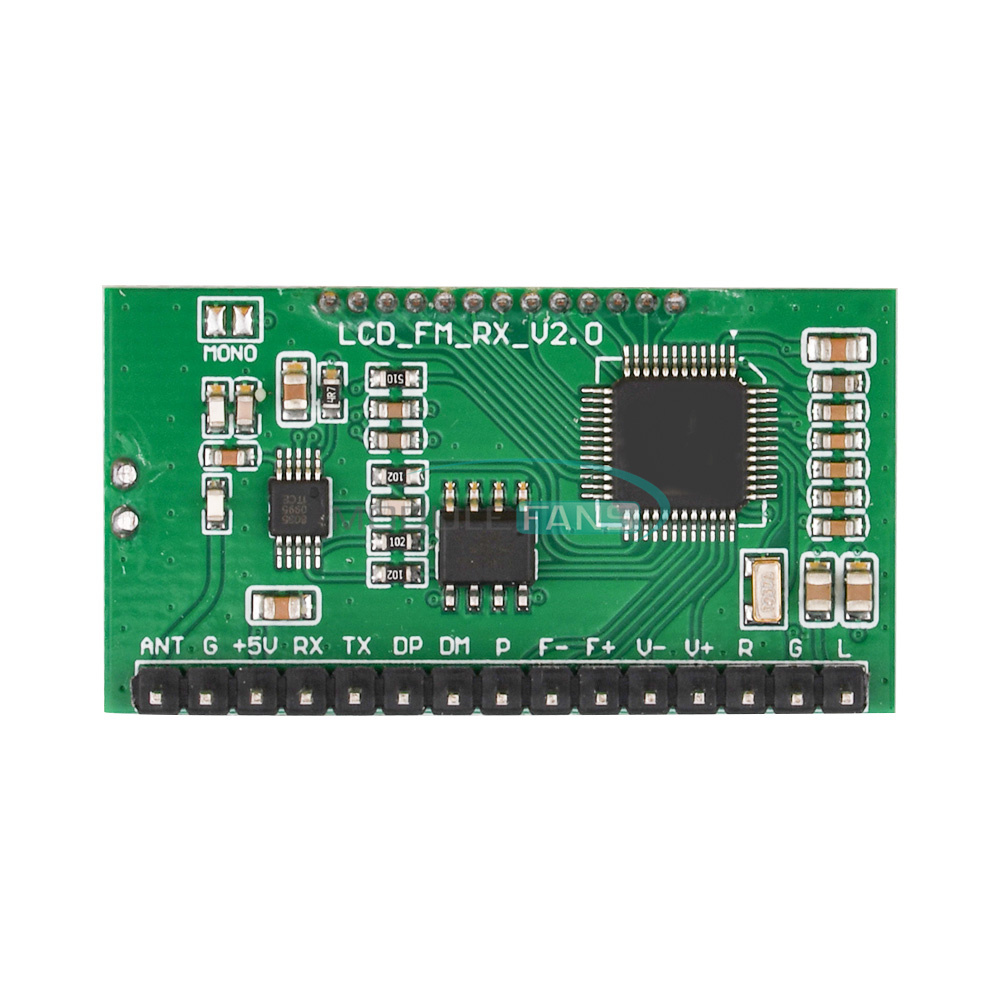
Radio module *1pc
2 core wire 10CM * 1 piece
Antenna * 1pc
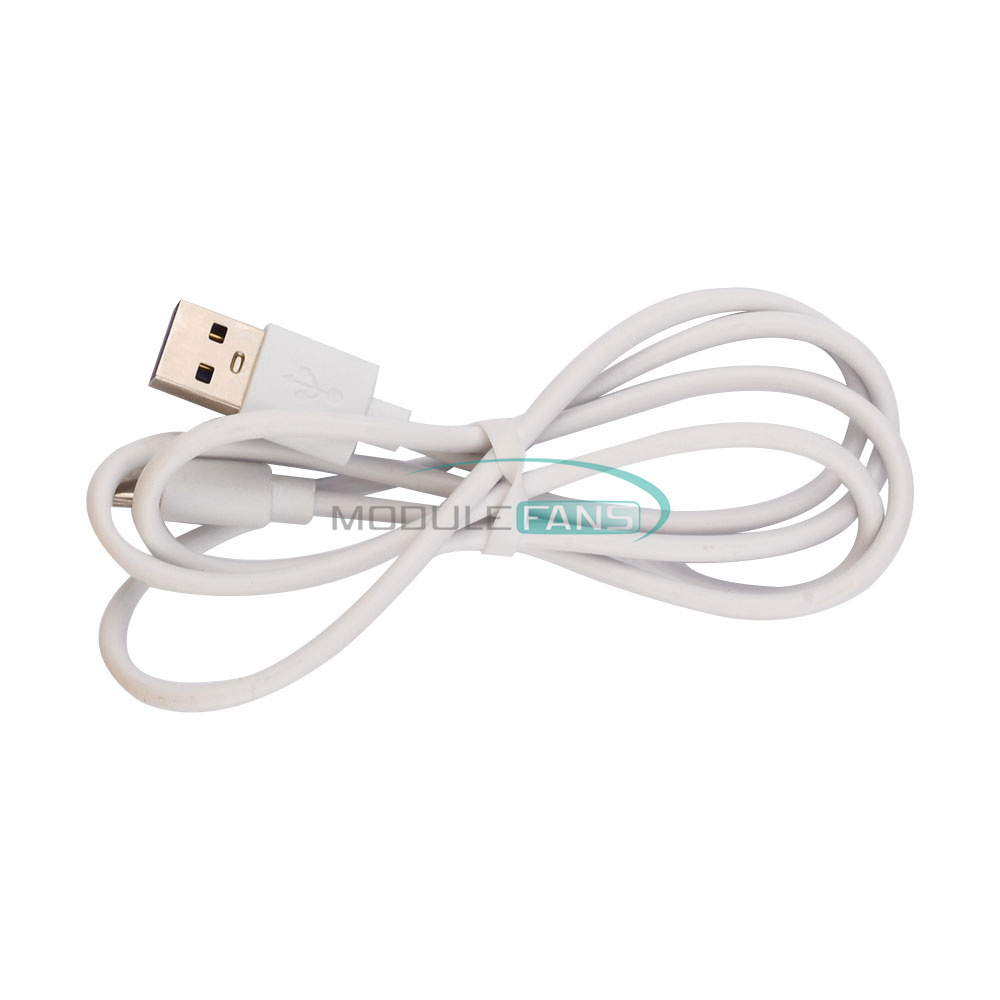
USB to TYPE_C cable * 1pc
 
With battery With case:
PCB board soldered SMD devices * 1 piece
6*6*17 keys *6pcs
TPEC_C interface *1pc
12D07 side toggle switch * 1 piece
Radio module *1pc
2 core wire 10CM * 1 piece
Antenna * 1pc
USB to TYPE_C cable * 1pc
703450 lithium battery 1300MAH (paste good foam rubber) * 1
Huewei 2.5-inch speaker * 1
Acrylic sheet * 1 set
Screw package:
M3*10 *5pcs
M3*8 * 9pcs
M3*10 double pass copper column * 2
M3*20 double pass brass column *4pcs
M3 nut *3pcs
 
Finished product:
FM FM digital radio finished * 1 set
USB to TYPE_C cable * 1
 
Housing + screw package:
Acrylic sheet * 1 set
M3*10 *5pcs
M3*8 *9pcs
M3*10 double pass copper column *2pcs
M3*20 double pass brass column *4pcs
M3 nuts * 3
 
Package Ship according nubmer choose
Features
1: The use of advanced digital audio signal processing technology (DSP) and FM phase-locked loop modulation technology (PLL) to make the sound quality more realistic, more stable performance, long time working frequency without offset.
Good reception signal, local can receive about 20 stations.
2: LCD display is more intuitive and accurate, with very low power consumption and minimal noise interference.
3: With automatic radio station search and storage function, easy to operate and use.
4: Built-in 30-level digital volume adjustment, easy to do by key operation.
5: Power-down automatic memory of data before power failure.
6: The use of quartz crystal frequency stabilization, temperature changes in the transmit frequency no longer drift.
7: The full frequency band (76-108MHZ) automatically search for a signal band and store memory.
8: built-in rechargeable lithium battery and charging circuit, with a cell phone charger can be charged, charging red light, full green light.
 
Specification
Power supply voltage:3.0V-5.0V
Built-in battery: 3.7V 1300MAH (fully charged can be used for about 7-8 hours)
Built-in: 2.5 inch 8 Ohm 15W speaker
Frequency response range: 50Hz-18KHz
Receiving frequency adjustment range:
Close campus radio 87.0MHz-108.0MHz, open campus radio 76.0MHz-108.0MHz
Equivalent noise: ≥30dB
PCB board size: 6.4CM*4.3CM
Shell size: 11.85CM*7.6CM*3.14CM
 
Instructions for use:
1. After each module is ready, search the station automatically first. Long press the "automatic station search (AUTO key)" to start automatically search and store the radio stations that can be heard.
Users can press the "Previous Station" or "Next Station" key to switch the search stations.
3. This module can set the backlight status and whether to listen to the campus radio band according to the user's specific usage, the setting method is as follows.
4. Press and hold the VOL+ and VOL- keys in the power-off state and then power on the LCD display C1 to turn on the campus radio C0 to turn off the campus radio band, and the setting will take effect after reboot.
5. Set the backlight state then power off state while long press the radio key on, the radio key on, display B1 indicates that the backlight is always on, B0 indicates that the backlight 20 seconds off, restart after the setting takes effect. Change the setting state and repeat this step to switch. The factory unified setting is not open campus radio band, backlight without operation 20 seconds off.
 
Cautions:
1. When working, do not touch the back of the module components, so as not to affect the normal work of the module or cause a short circuit to burn the module.
2. The module is radio-sensitive equipment, interference from the power supply or nearby may affect the normal work of the module. Therefore, it is recommended to use battery or frequency transformer to supply power to the module with stable voltage after voltage stabilization.
3. Can not use switching power supply (such as cell phone chargers, and any other switching power supply), rechargeable batteries, nearby can not be working class D amplifiers, microwave ovens and other equipment, otherwise the interference generated by these devices will affect the module's reception effect, single buy DIY spare parts to develop their own friends please note.
 
Without battery Without shell:
PCB board soldered patch device * 1 piece
6 * 6 * 17 keys * 6
TPEC_C interface * 1 piece
12D07 side dial switch * 1
Radio module *1pc
2 core wire 10CM * 1 piece
Antenna * 1pc
USB to TYPE_C cable * 1pc
 
With battery With case:
PCB board soldered SMD devices * 1 piece
6*6*17 keys *6pcs
TPEC_C interface *1pc
12D07 side toggle switch * 1 piece
Radio module *1pc
2 core wire 10CM * 1 piece
Antenna * 1pc
USB to TYPE_C cable * 1pc
703450 lithium battery 1300MAH (paste good foam rubber) * 1
Huewei 2.5-inch speaker * 1
Acrylic sheet * 1 set
Screw package:
M3*10 *5pcs
M3*8 * 9pcs
M3*10 double pass copper column * 2
M3*20 double pass brass column *4pcs
M3 nut *3pcs
 
Finished product:
FM FM digital radio finished * 1 set
USB to TYPE_C cable * 1
 
Housing + screw package:
Acrylic sheet * 1 set
M3*10 *5pcs
M3*8 *9pcs
M3*10 double pass copper column *2pcs
M3*20 double pass brass column *4pcs
M3 nuts * 3
 
Package Ship according nubmer choose
1. We Ship to Worldwide
2. We ship your orders within 1-2 business days after the payment cleared.
3. Item shipped from China via china Post Airmail, reach most of the countries within 2 to 4 weeks.
4. Delivery time depends on destination and other factors, it may takes up to 20 days. If you don't receive
the item after 30 days,please keep in touch with us, we'll investigate and solve the delivery problem.
5. Import duties, taxes, and charges are not included in the item price or shipping cost. These charges
are the buyer's responsibility. Please check with your country's customs office to determine what these
additional costs will be prior to bidding or buying.
 
ShenZhen

1. We accept PAYPAL only.
2. Payment must be made within 7 days of auction closing (Unpaid dispute will automatically open when item
is not paid in 7 days).
3. PLEASE NOTE: SHIPPING&HANDING DOES NOT INCLUDE DUTIES, LOCATL TAXES OR ANY OTHER IMPORTATION FEES.
4. Please list your special requests (color, packages, value of declaration, etc.) in the EBAY NOTES SECTION
when you make payment


1. Customer satisfaction is our top goal. All products are quality checked. They are new and in good
condition when shipped to our customers. If product is defective or damage upon arrival, or wrong
product shipped, please keep in touch with us immediately. Returns accepted within 14 days of delivery date
and item must be in original new condition, not worn or altered in any way with attached tags & wrap.
Otherwise deal is final. Return shipping must be paid by buyer.
2. Please keep in touch with us first if you have anyproblems/questions/concerns. We will be happy to resolve
any issues you may have in a cordial and friendly manner.
3. We appreciate your Positive Feedback, and will do the same in return. PLEASE DO NOT leave
negative feedback without first communication with us. Please allow max 24 HOURS for us to respond

We maintain high standards of excellence and strive for 100% customer satisfaction! Feedback is
very important to us. We request that you keep in touch with us immediately BEFORE you give us neutral or
negative feedback, so that we can satisfactorily address your concerns.It is impossible to address
issues if we do not know about them!

DataCaciques