
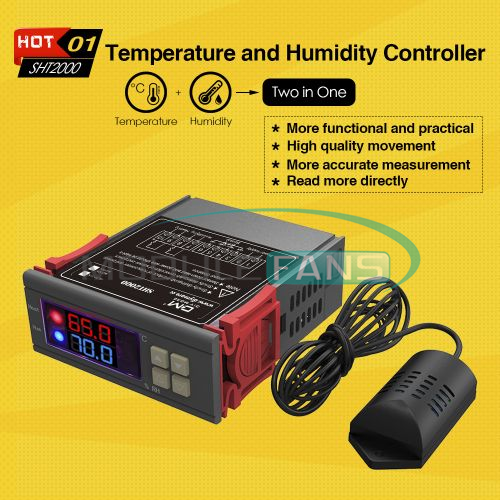
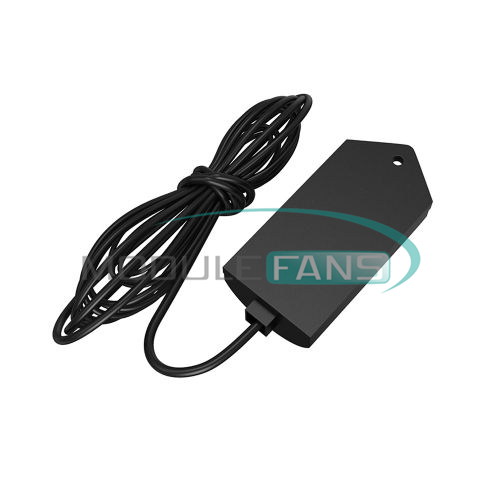

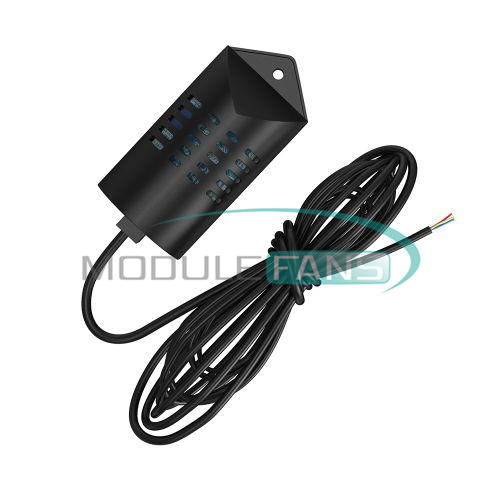
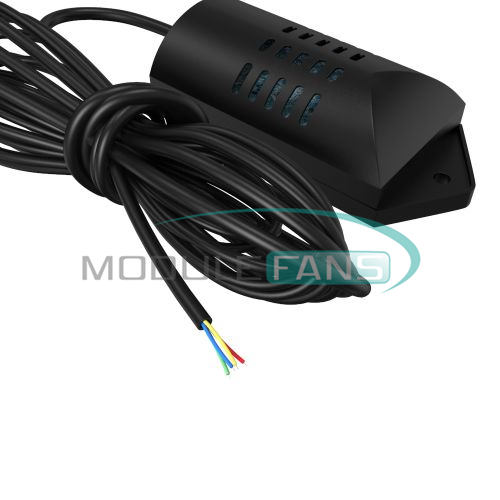
SHT2000 Thermostat Controller
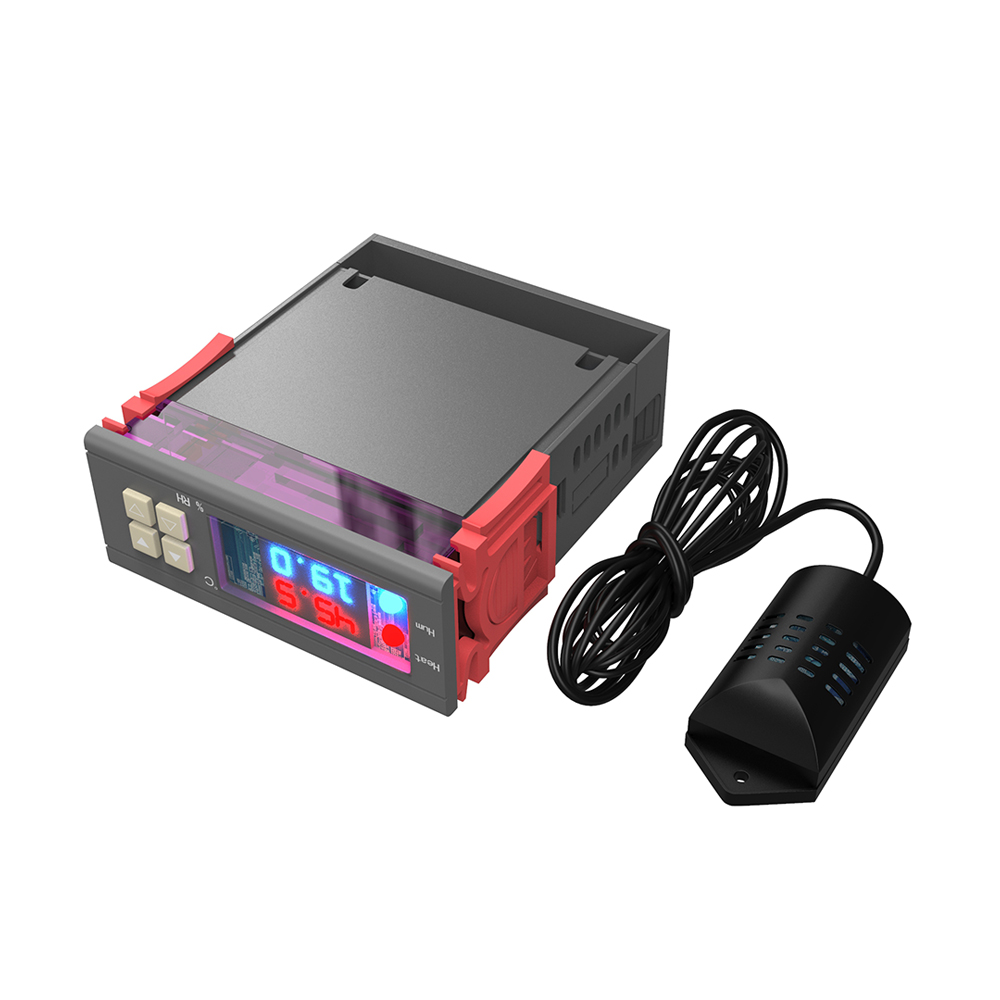
SHT2000 Temperature and Humidity Controller Operating Instructions
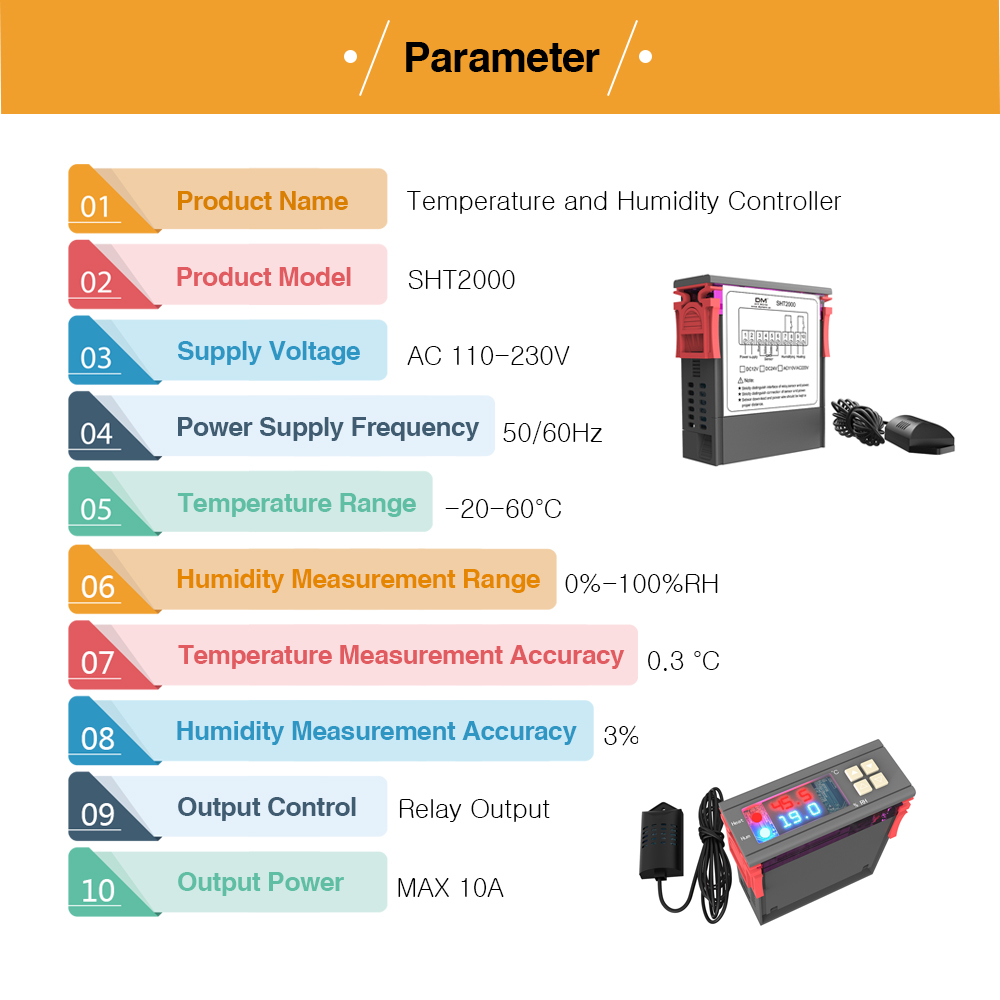
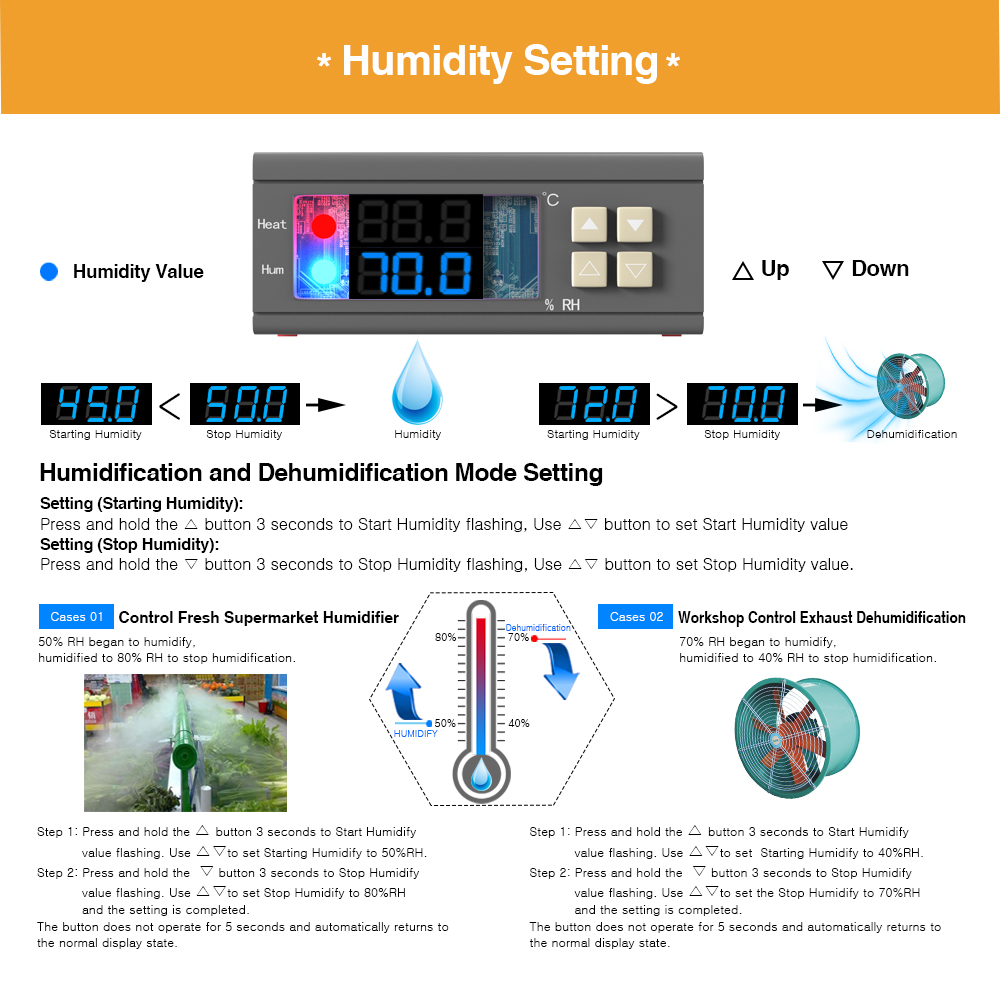
Setting method: Start value <stop value (program automatically determines working mode is heating/humidifying mode)
Setting method: Start value > stop value (the program automatically determines the working mode is cooling/dehumidifying mode)
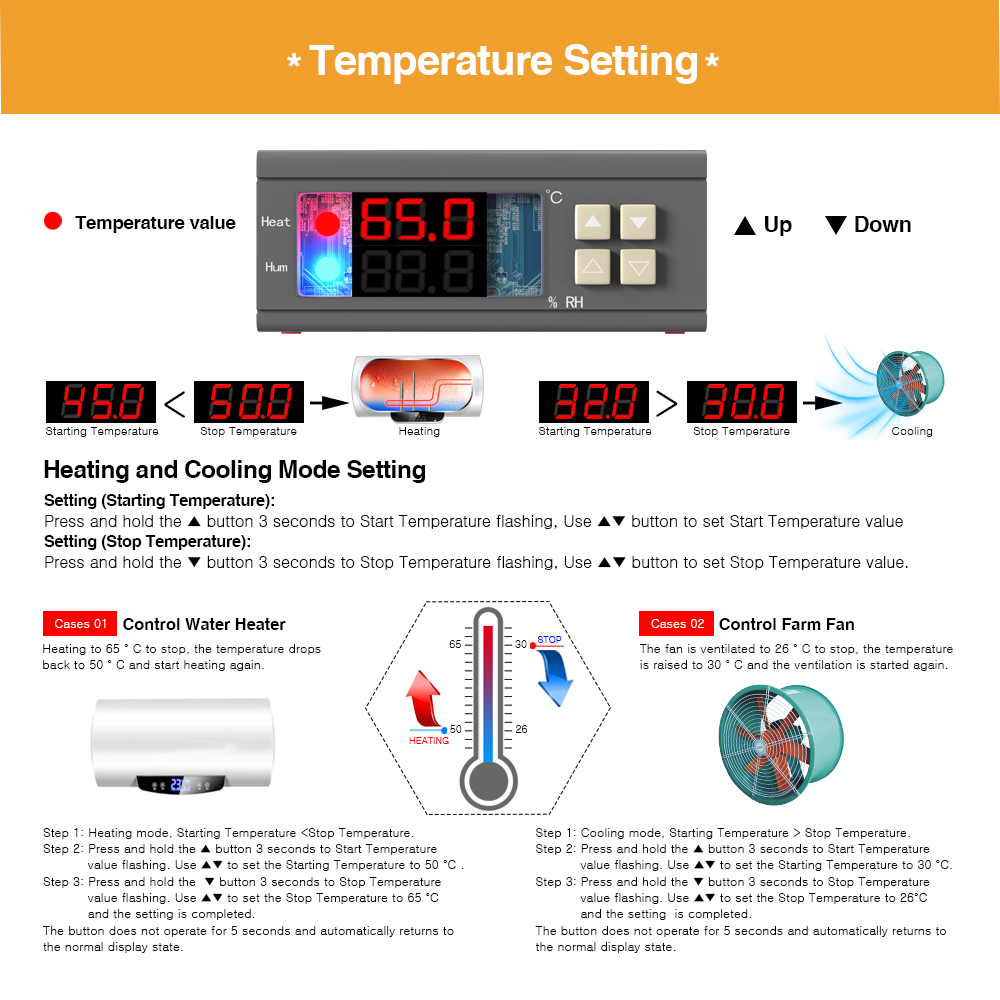
Heating/cooling mode setting
Setting mode: setting (starting temperature): Press and hold the ▲ button to start the temperature flashing. Use ▲▼ key to set the starting temperature value.
Setting (stop temperature): Press and hold the ▼ button to stop the temperature flashing. Use ▲▼ to set the stop temperature value.
Heating use case: control the water heater, heat to 65 ° C to stop, the temperature drops back to 50 ° C and start heating again
The first step: heating mode, starting temperature <stop temperature
Step 2: Press and hold the ▲ button to start the temperature flashing. Use ▲▼ to set the starting temperature to 50 °C.
Step 3: Press and hold the ▼ button to stop the temperature flashing. Set the stop temperature to 65 °C with ▲▼ keys, and the setting is completed!
Refrigeration use case: use in the farm, the fan is ventilated to 26 ° C to stop, the temperature is raised to 30 ° C and the ventilation is started again.
The first step: cooling mode, starting temperature > stop temperature
Step 2: Press and hold the ▲ button to start the temperature flashing. Use ▲▼ to set the starting temperature to 30 °C.
The third step: long press the ▼ button to stop the temperature flashing, set the stop temperature to 26 °C by ▲▼, the setting is completed!
Humidification/Dehumidification Mode Settings:
Setting (start humidity): Press and hold △ key to start the humidity value flashing. Set the humidity value by △ ▽ key. Set [Stop Humidity]: Press and hold △ key to stop the humidity value flashing, and set the humidity to stop by △ ▽ key value.
Humidification example: fresh supermarket humidification, control humidifier 50% RH began to humidify, humidified to 80% RH to stop humidification. Setup steps:
Step 1: Press and hold the △ button for 3 seconds to start the humidity value flashing, and set the starting humidity value to 50% RH.
Step 2: Press and hold the ▽ button for 3 seconds to stop the humidity value flashing. Set the value to 80% RH. After the setting is completed, the button will be operated for 5 seconds without returning to the normal display state.
Dehumidification example: workshop control exhaust dehumidification system, humidity 70% RH starts dehumidification, humidity 40% RH stops dehumidification
Setup steps:
Step 1: Press and hold the △ button for 3 seconds to start the humidity value flashing, and set the starting humidity value to 40% RH.
Step 2: Press and hold the ▽ button for 3 seconds to stop the humidity value flashing, set the value to 70% RH, the setting is completed, the button does not operate for 5 seconds, and automatically returns to the normal display state.
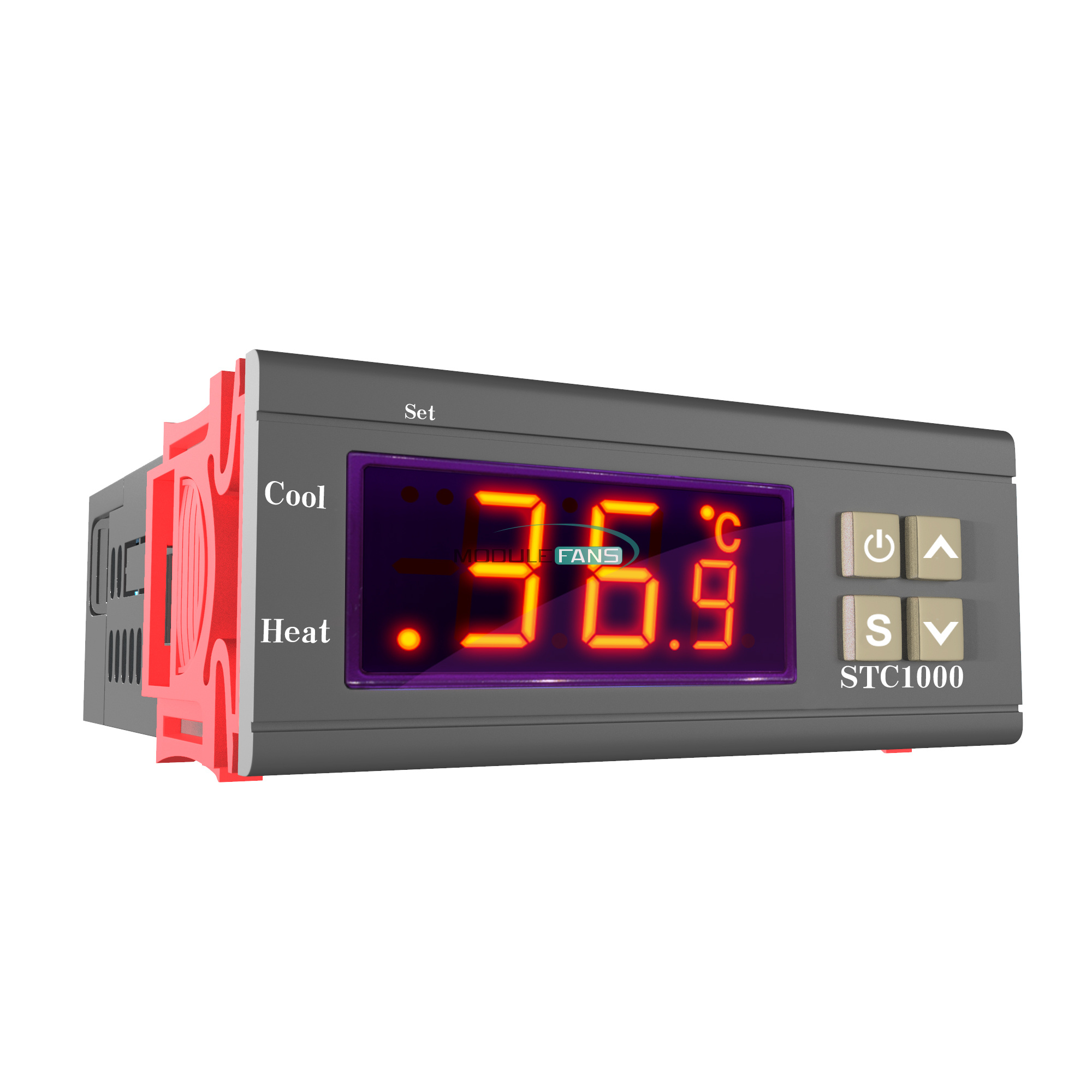
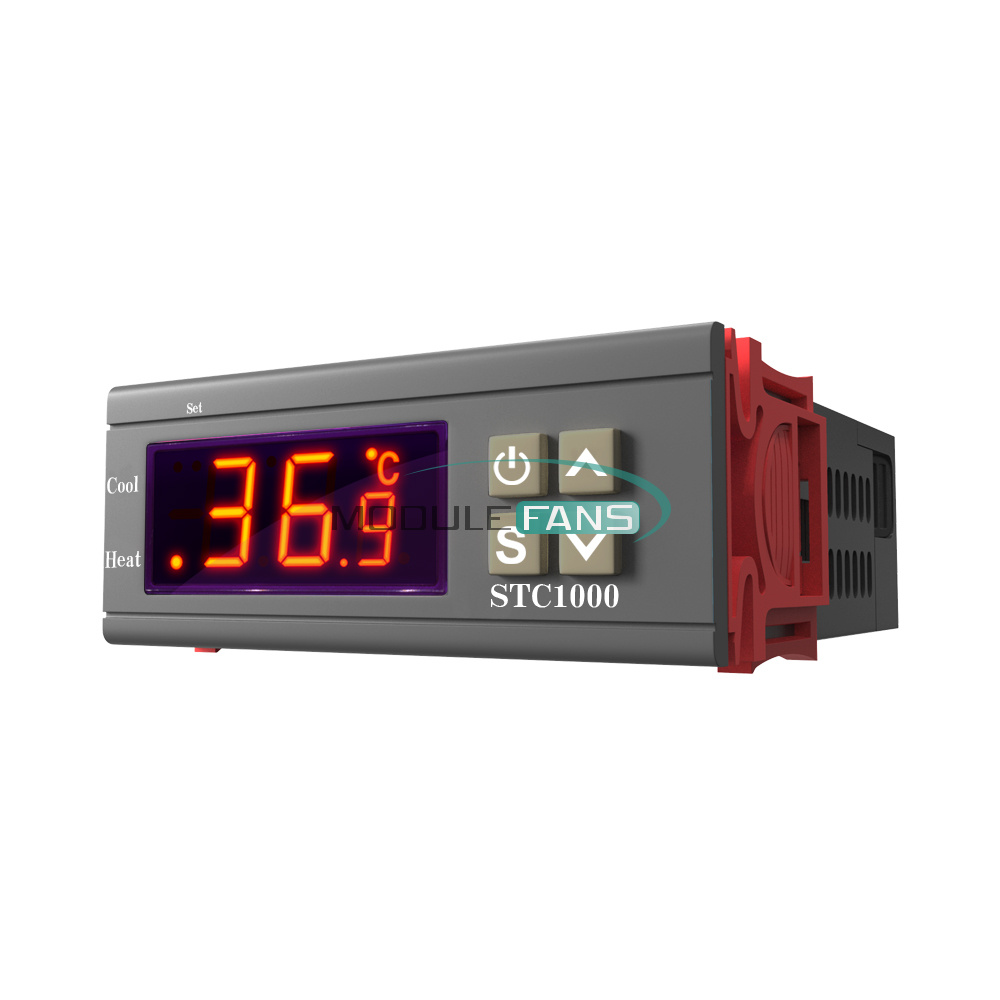
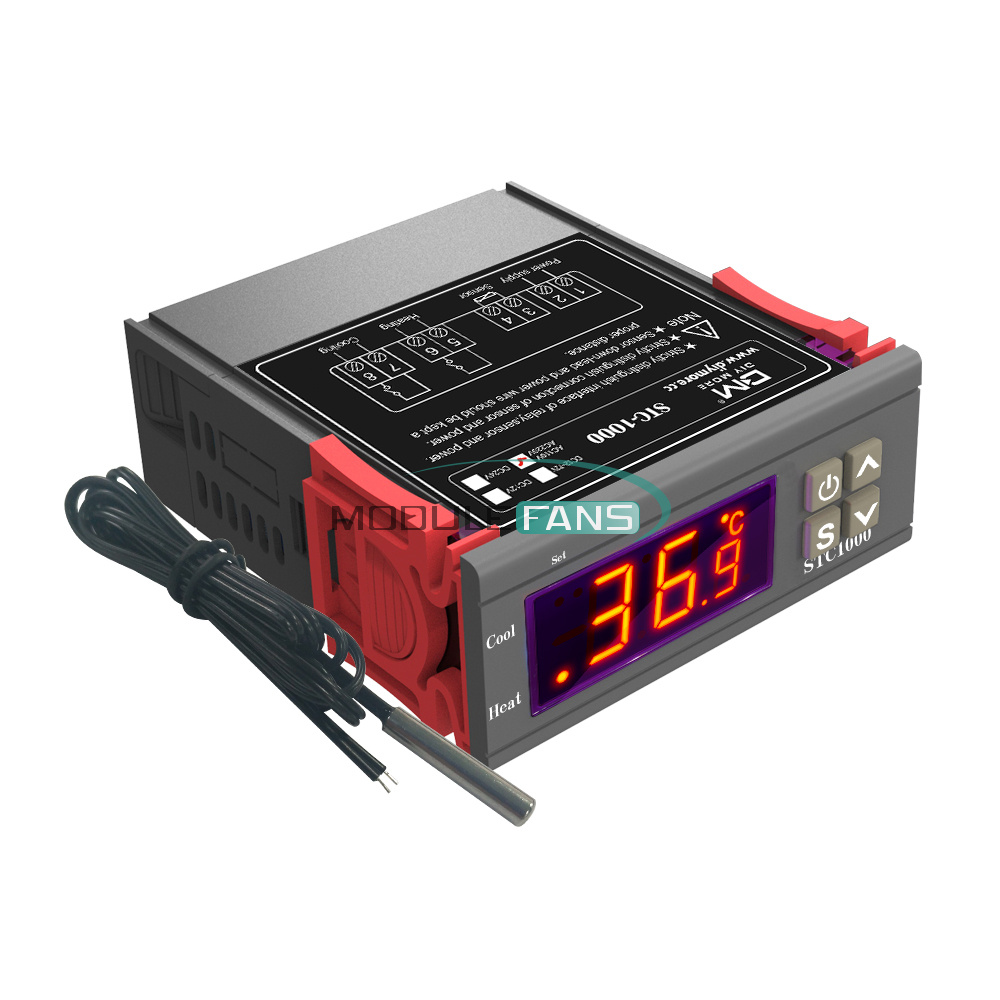
 STC-1000 Temperature Controller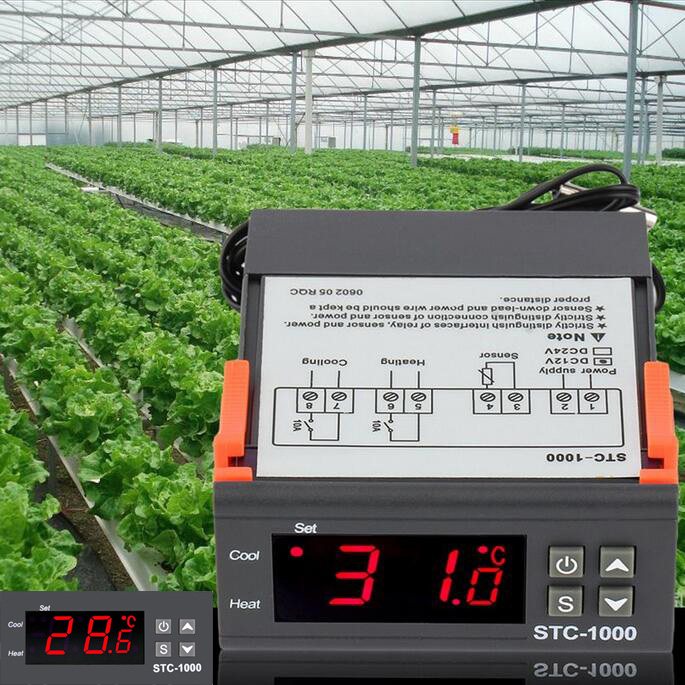
Features:
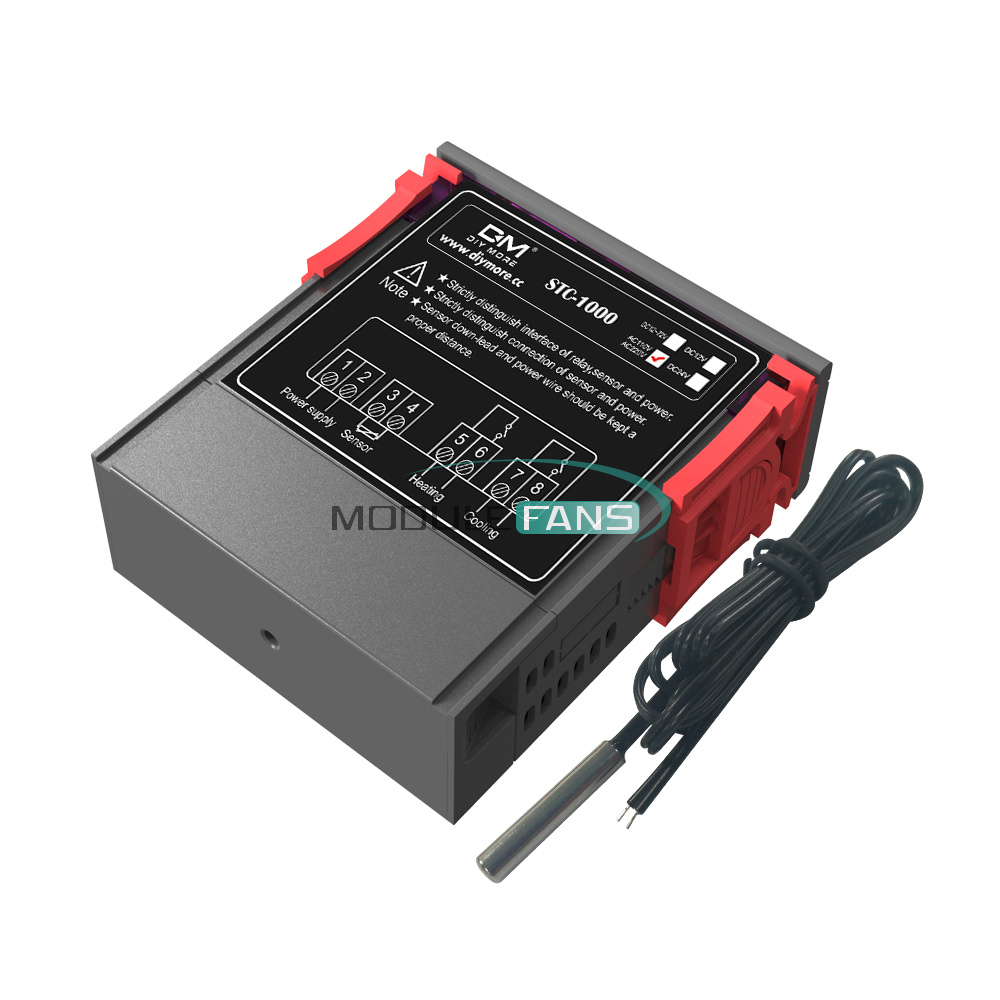
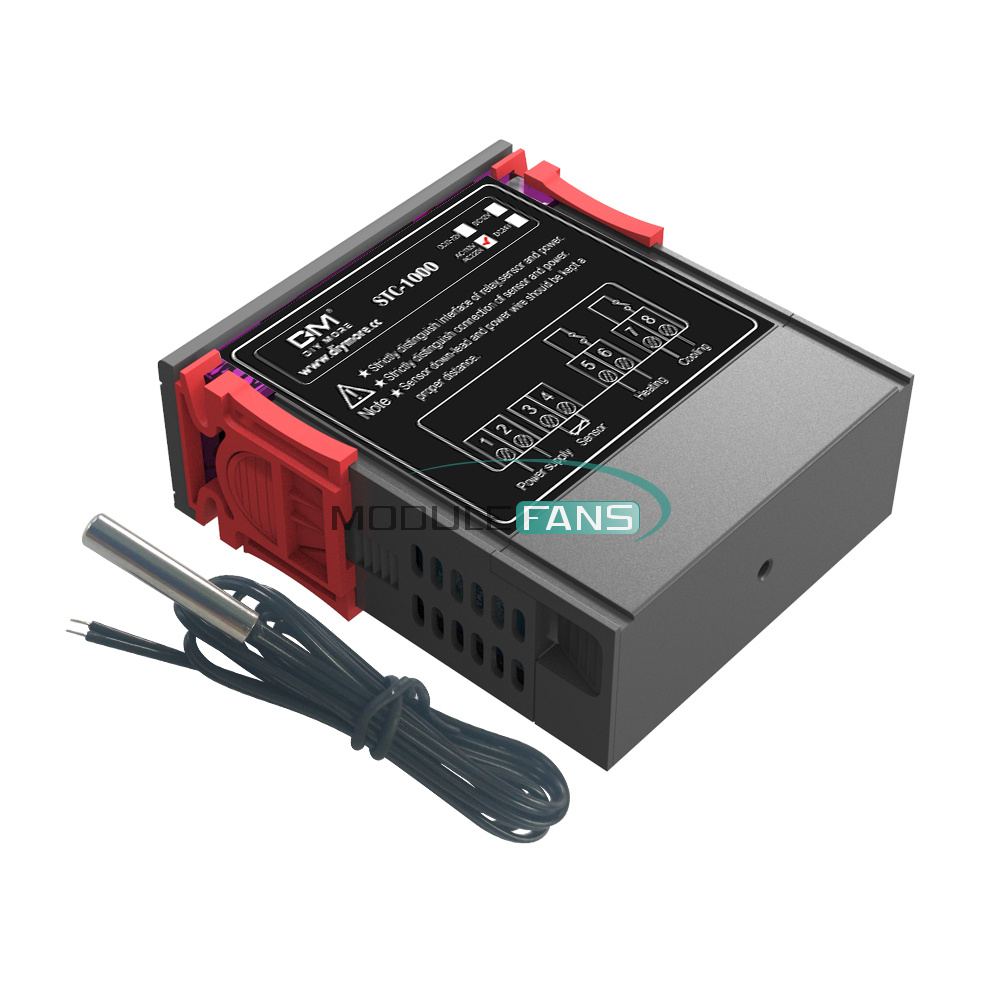
This mini Temperature Controller is an excellent and convenient multifunction device for controlling temperature in Aquariums. The stability of aquarium temperature is one of the crucial factors that contributes to the health and safety of your fish. By utilizing the temperature controller, you can provide an environment with optimal temperature for your fish. This advanced temperature controller can measure and control temperature from -50 to 90 °C.
This device is also suitable for Laboratories use and other temperature-controlled systems.
Mini and light weight design
Large and clear LCD display
Wide Temperature Range (-50-90 Deg.C)
Dual heating and cooling function
Automatic over temperature alarm
Control temperature by setting the temperature set value and the different value
Temperature Calibration
Refrigerating control output delay protection
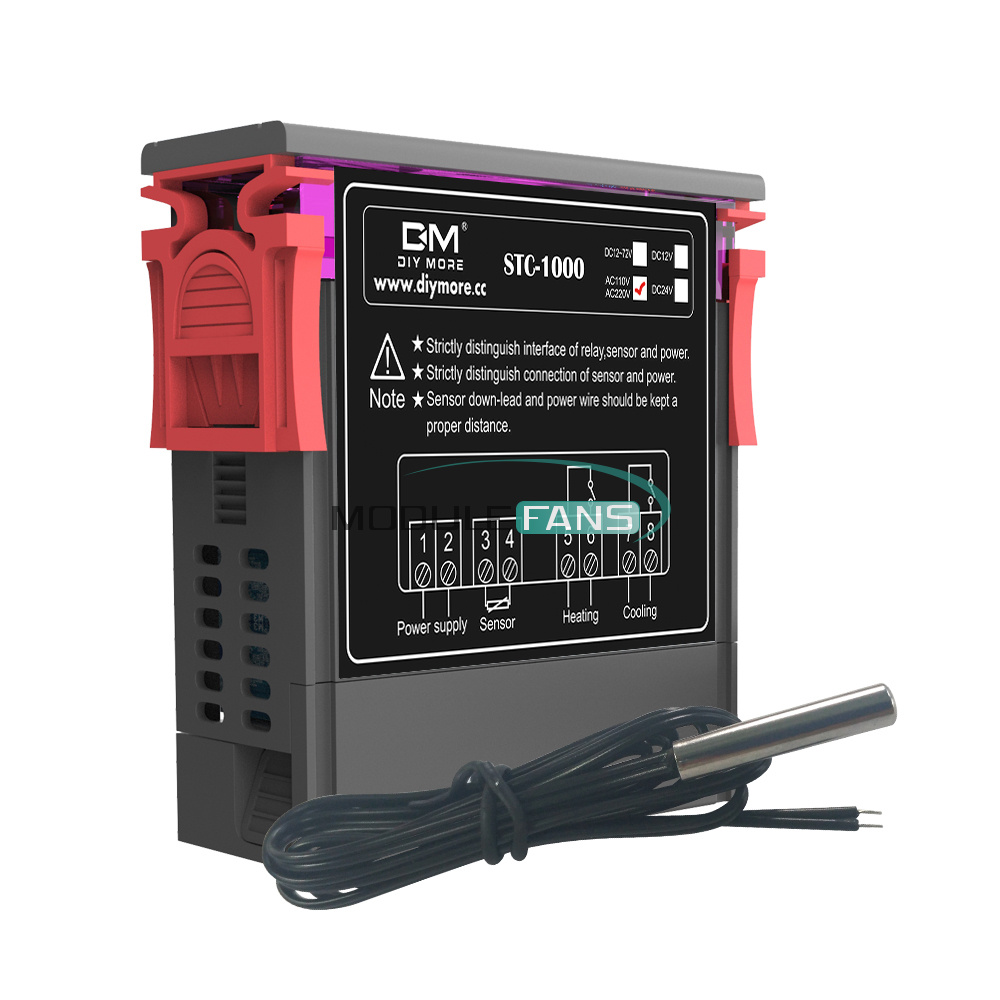
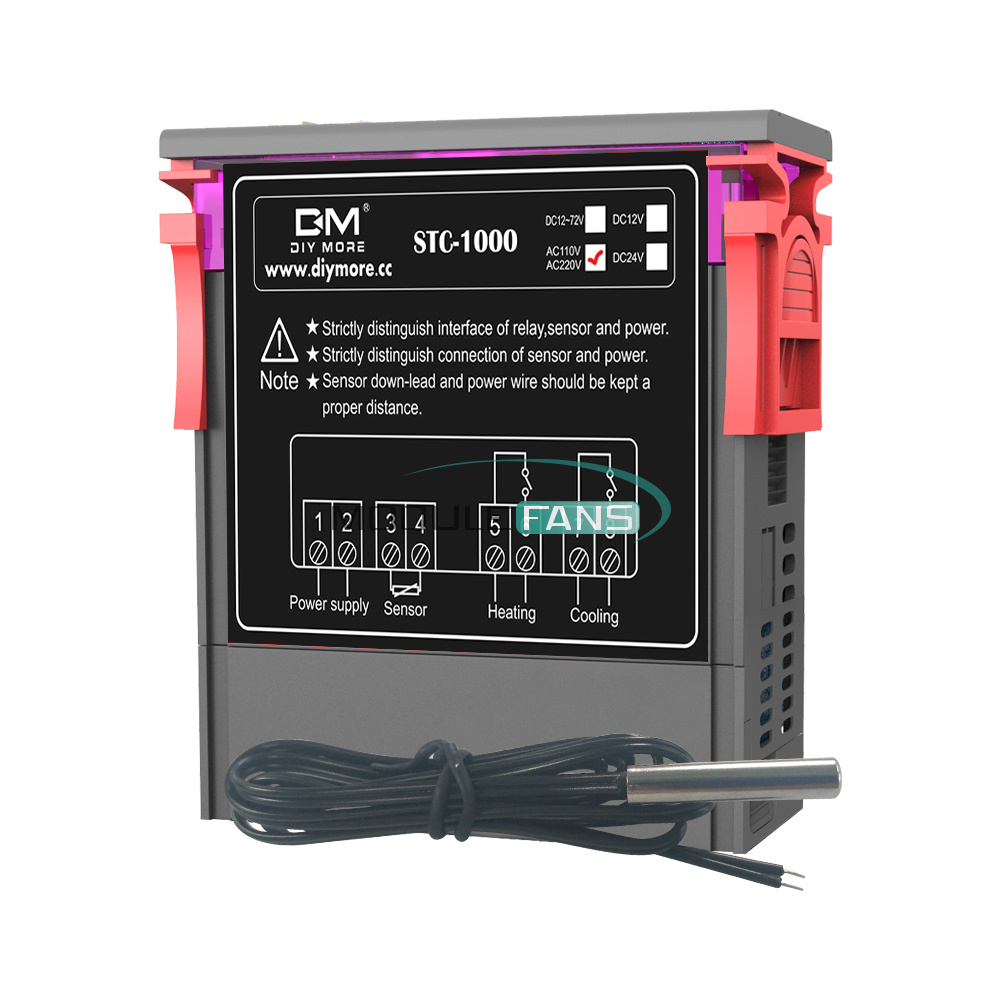
Wiring diagram for installation included
Specifications:
Color:Black
Applications:Aquarium, Terrarium, Vivarium, Paludarium ,Chicken Incubator
Temperature Measuring Range: -50 - 90 Deg.C
Control temperature range: -50 - 90 Deg.C (adjustable)
Control temperature difference: 0.3 - 10 Deg.C (adjustable)
Resolution: 0.1 Deg.C
Accuracy: ± 1 Deg.C (-50 - 70 Deg.C)
Sensor: NTC sensor
Sensor error delay: 1 minute
Relay contact capacity (Heating): 10A (max) 250 V
Relay contact capacity (Cooling): 10 A (max) 250 V
Compressor delay protection time: 1 ~ 10 minutes (adjustable)
Operating Temperature: 0 - 60 Deg.C
Storage Temperature: -30 - 75 Deg.C
Operating Relative Humidity: 20 ~ 85 % (No condensation)
Alarm Output : Buzzer
Power Supply: 110~ 220V AC ± 10% , 50 / 60 Hz
Power consumption: < 3 W
Cable length: 1 M
Item dimensions: approx. 84*69*34 MM
Net weight:138g
Package Included:
1 x Mini-Temperature Controller
This mini Temperature Controller is an excellent and convenient multifunction device for controlling temperature in Aquariums. The stability of aquarium temperature is one of the crucial factors that contributes to the health and safety of your fish. By utilizing the temperature controller, you can provide an environment with optimal temperature for your fish. This advanced temperature controller can measure and control temperature from -50 to 90 °C.
This device is also suitable for Laboratories use and other temperature-controlled systems.
Mini and light weight design
Large and clear LCD display
Wide Temperature Range (-50-90 Deg.C)
Dual heating and cooling function
Automatic over temperature alarm
Control temperature by setting the temperature set value and the different value
Temperature Calibration
Refrigerating control output delay protection
Wiring diagram for installation included
Specifications:
Color:Black
Applications:Aquarium, Terrarium, Vivarium, Paludarium ,Chicken Incubator
Temperature Measuring Range: -50 - 90 Deg.C
Control temperature range: -50 - 90 Deg.C (adjustable)
Control temperature difference: 0.3 - 10 Deg.C (adjustable)
Resolution: 0.1 Deg.C
Accuracy: ± 1 Deg.C (-50 - 70 Deg.C)
Sensor: NTC sensor
Sensor error delay: 1 minute
Relay contact capacity (Heating): 10A (max) 250 V
Relay contact capacity (Cooling): 10 A (max) 250 V
Compressor delay protection time: 1 ~ 10 minutes (adjustable)
Operating Temperature: 0 - 60 Deg.C
Storage Temperature: -30 - 75 Deg.C
Operating Relative Humidity: 20 ~ 85 % (No condensation)
Alarm Output : Buzzer
Power Supply: 110~ 220V AC ± 10% , 50 / 60 Hz
Power consumption: < 3 W
Cable length: 1 M
Item dimensions: approx. 84*69*34 MM
Net weight:138g
Package Included:
1 x Mini-Temperature Controller
1. We Ship to Worldwide
2. We ship your orders within 1-2 business days after the payment cleared.
3. Item shipped from China via china Post Airmail, reach most of the countries within 2 to 4 weeks.
4. Delivery time depends on destination and other factors, it may takes up to 20 days. If you don't receive
the item after 30 days,please keep in touch with us, we'll investigate and solve the delivery problem.
5. Import duties, taxes, and charges are not included in the item price or shipping cost. These charges
are the buyer's responsibility. Please check with your country's customs office to determine what these
additional costs will be prior to bidding or buying.
2. We ship your orders within 1-2 business days after the payment cleared.
3. Item shipped from China via china Post Airmail, reach most of the countries within 2 to 4 weeks.
4. Delivery time depends on destination and other factors, it may takes up to 20 days. If you don't receive
the item after 30 days,please keep in touch with us, we'll investigate and solve the delivery problem.
5. Import duties, taxes, and charges are not included in the item price or shipping cost. These charges
are the buyer's responsibility. Please check with your country's customs office to determine what these
additional costs will be prior to bidding or buying.
ShenZhen
1. We accept PAYPAL only.
2. Payment must be made within 7 days of auction closing (Unpaid dispute will automatically open when item
is not paid in 7 days).
3. PLEASE NOTE: SHIPPING&HANDING DOES NOT INCLUDE DUTIES, LOCATL TAXES OR ANY OTHER IMPORTATION FEES.
4. Please list your special requests (color, packages, value of declaration, etc.) in the EBAY NOTES SECTION
when you make payment
1. Customer satisfaction is our top goal. All products are quality checked. They are new and in good
condition when shipped to our customers. If product is defective or damage upon arrival, or wrong
product shipped, please keep in touch with us immediately. Returns accepted within 14 days of delivery date
and item must be in original new condition, not worn or altered in any way with attached tags & wrap.
Otherwise deal is final. Return shipping must be paid by buyer.
2. Please keep in touch with us first if you have anyproblems/questions/concerns. We will be happy to resolve
any issues you may have in a cordial and friendly manner.
3. We appreciate your Positive Feedback, and will do the same in return. PLEASE DO NOT leave
negative feedback without first communication with us. Please allow max 24 HOURS for us to respond
condition when shipped to our customers. If product is defective or damage upon arrival, or wrong
product shipped, please keep in touch with us immediately. Returns accepted within 14 days of delivery date
and item must be in original new condition, not worn or altered in any way with attached tags & wrap.
Otherwise deal is final. Return shipping must be paid by buyer.
2. Please keep in touch with us first if you have anyproblems/questions/concerns. We will be happy to resolve
any issues you may have in a cordial and friendly manner.
3. We appreciate your Positive Feedback, and will do the same in return. PLEASE DO NOT leave
negative feedback without first communication with us. Please allow max 24 HOURS for us to respond
We maintain high standards of excellence and strive for 100% customer satisfaction! Feedback is
very important to us. We request that you keep in touch with us immediately BEFORE you give us neutral or
negative feedback, so that we can satisfactorily address your concerns.It is impossible to address
issues if we do not know about them!
