
Sealey Mechanic's Utility Seat & Toolbox 136kg Capacity Green
The Sealey Mechanic's Utility Seat & Toolbox 136kg Capacity Green (Part Number: SCR18G).
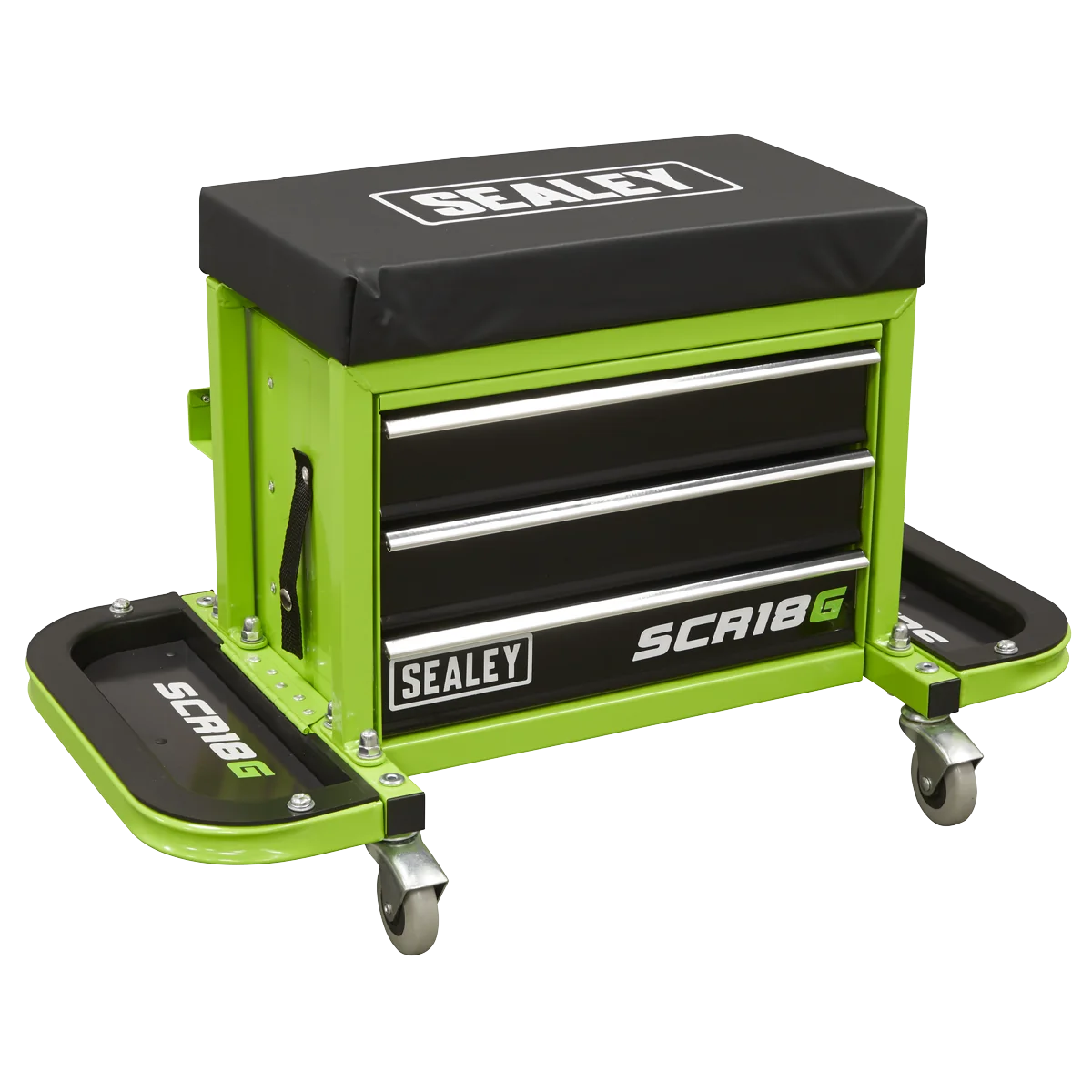
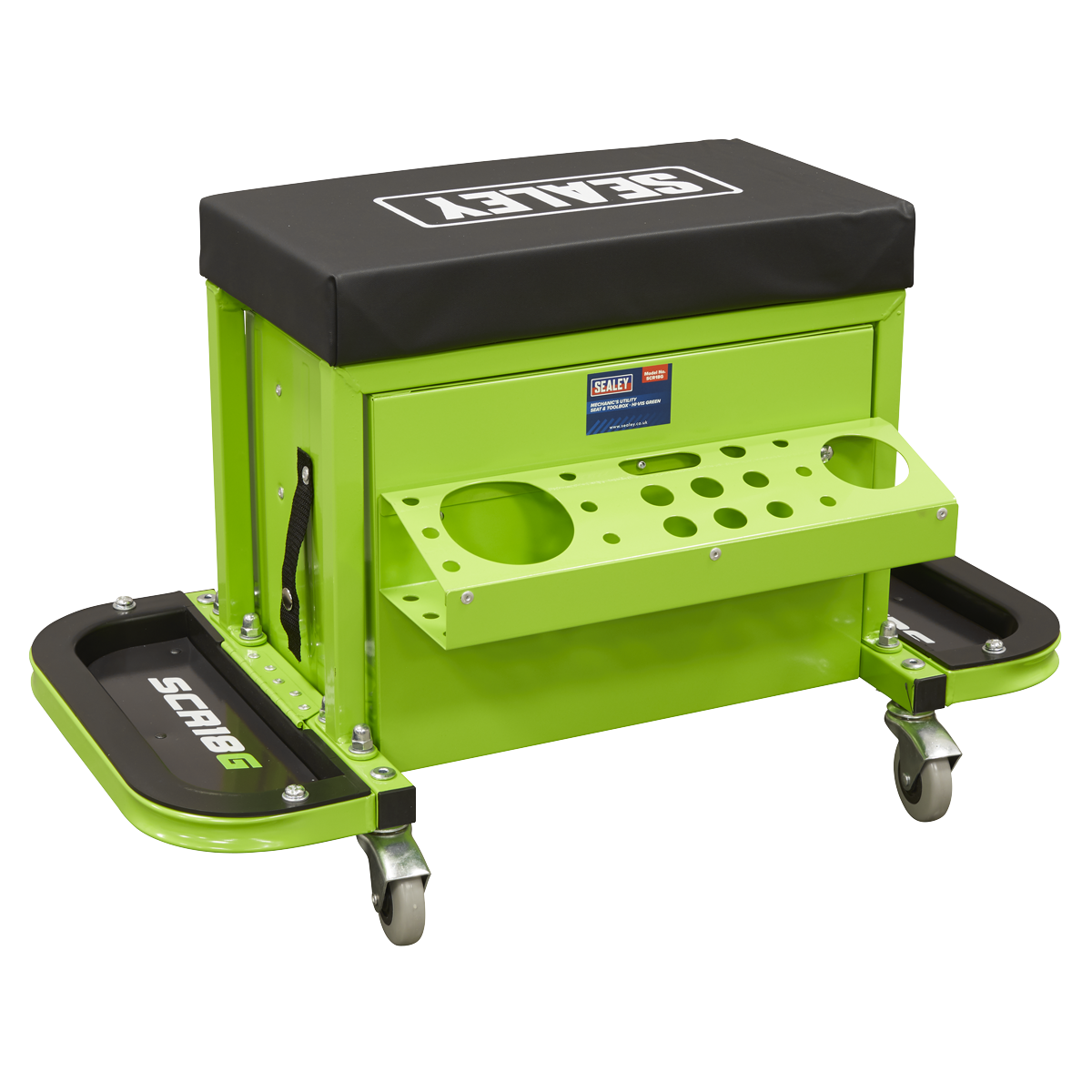
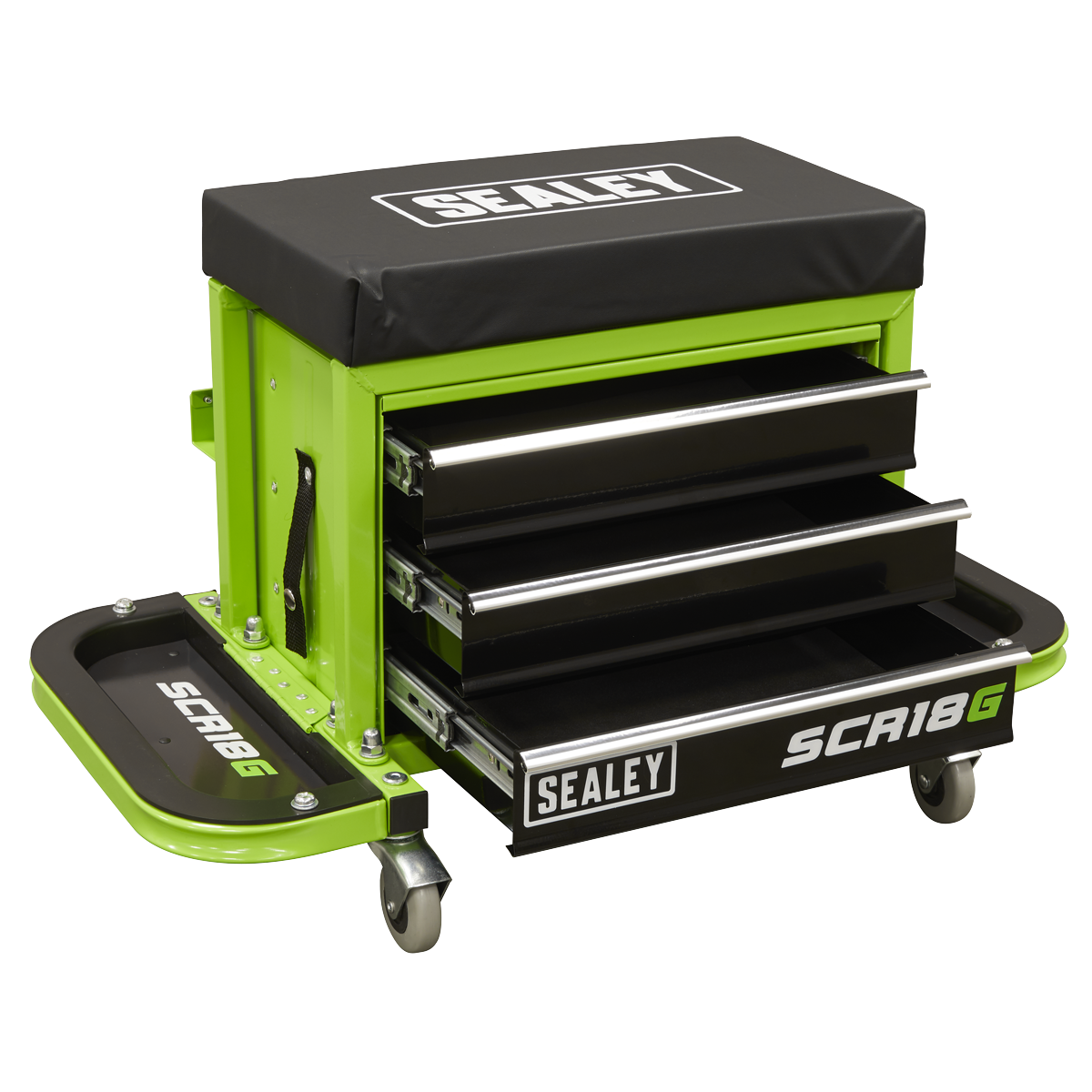
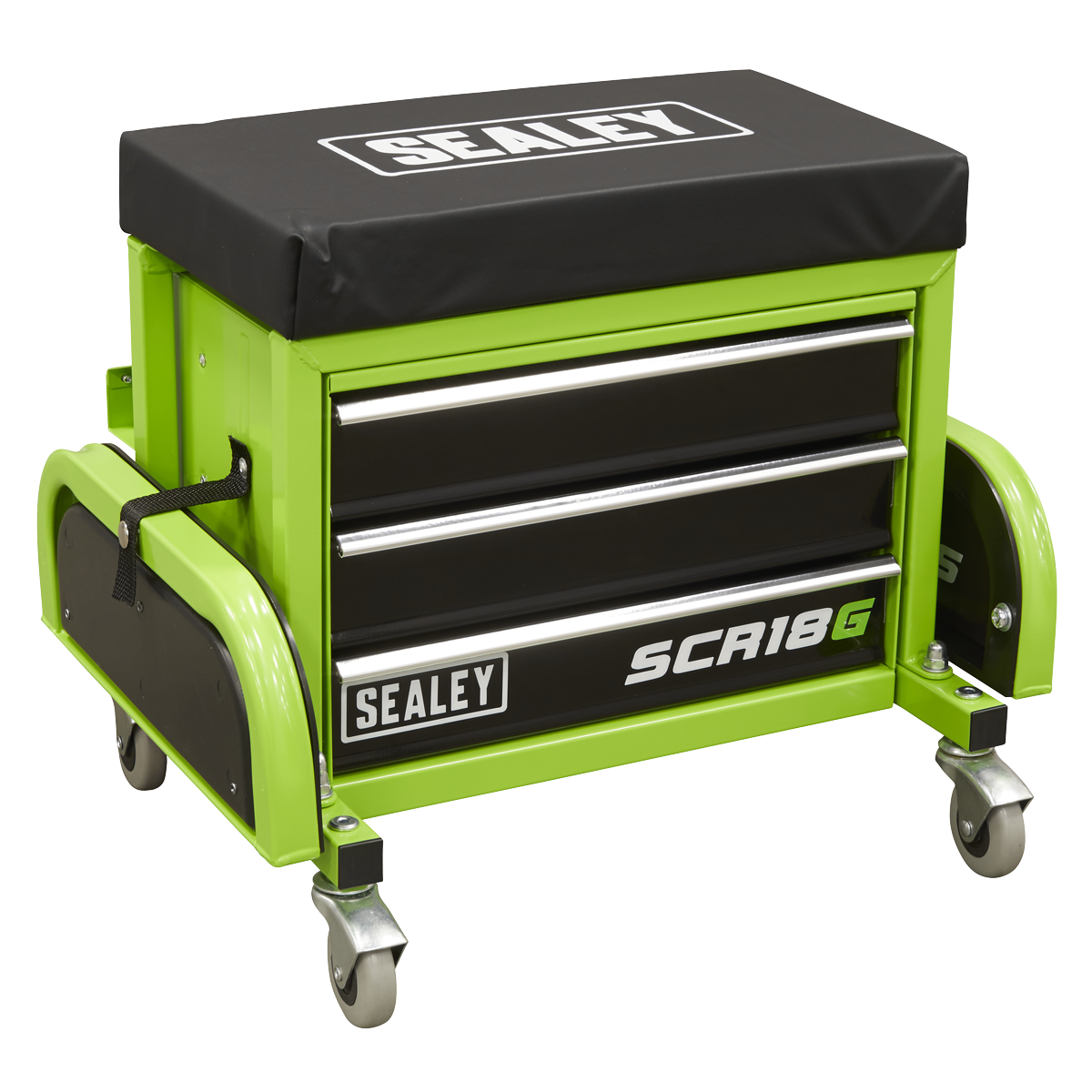
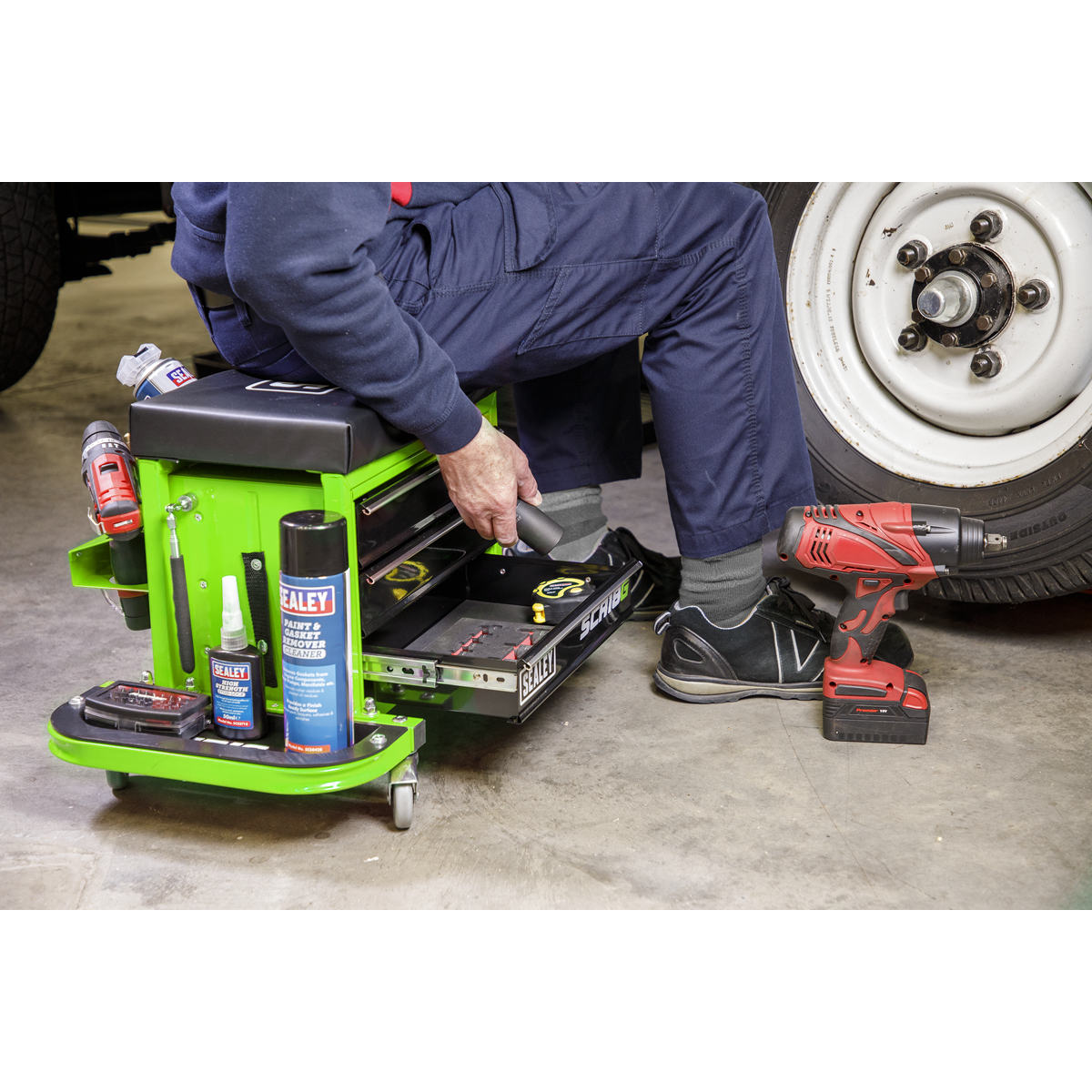
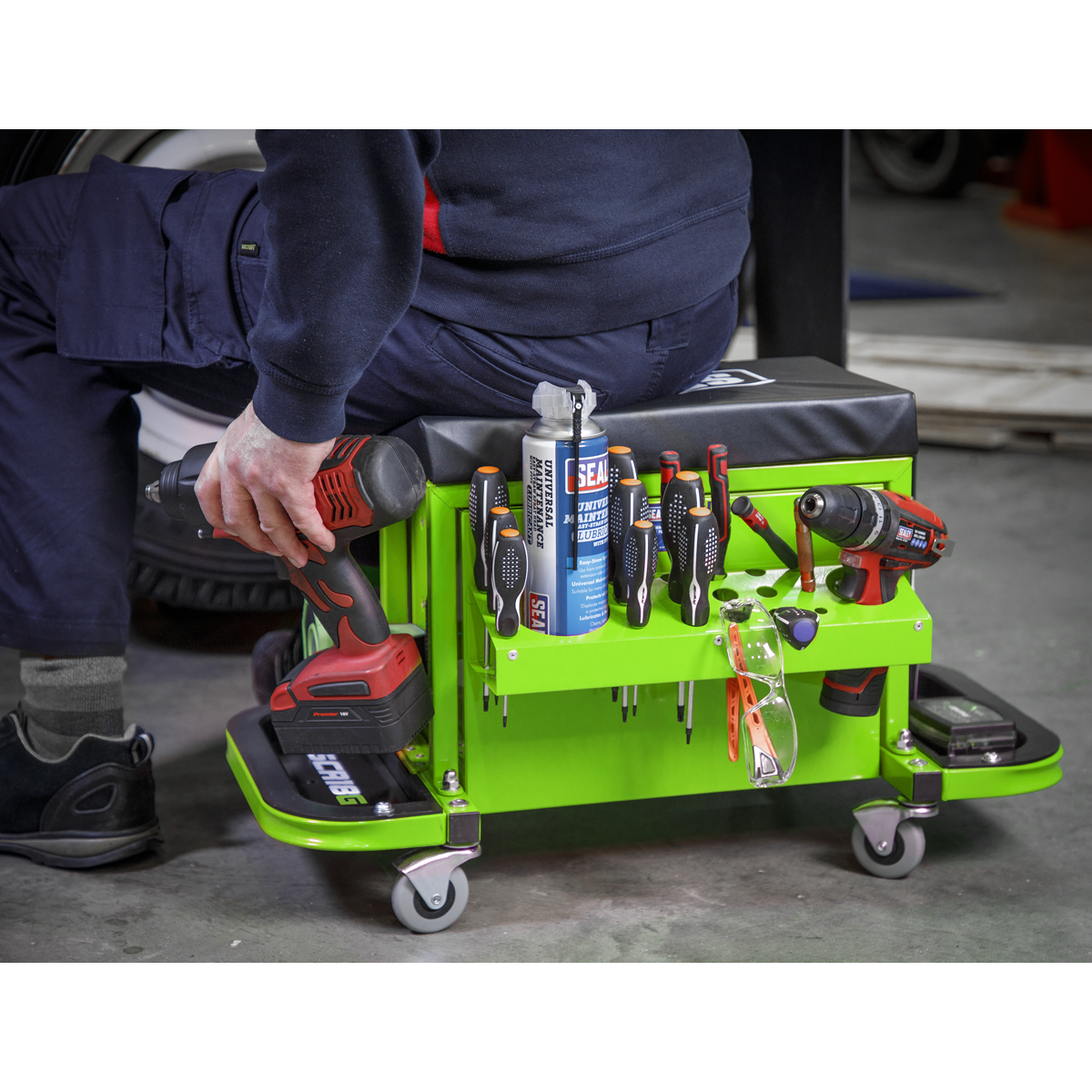
The Sealey Mechanic's Utility Seat & Toolbox is designed for convenience and efficiency in your workspace. With a robust capacity of 136kg, this mobile seat offers integrated storage for your essential tools and supplies.
- Mobile Tool Convenience: Features an integrated toolbox to keep frequently used items at hand.
- Fold-Out Trays: Two folding side trays provide ample space for storing nuts and bolts.
- Added Storage: Includes a twin drinks holder and a screwdriver rack for easy access to essential tools.
- Smooth Movement: Equipped with four Ø60mm oil-resistant swivel castors for easy manoeuvrability.
- Comfortable Seating: Thick vinyl padded seat reduces fatigue during prolonged tasks.
- Durable Design: Built for professional use, ensuring longevity and reliability.
Overall dimensions are 670 x 360 x 410mm (W x D x H) and the nett weight is 12.69kg.
Specifications
| Brand | Sealey |
| EAN | 5054511876918 |
| Type | Storage & Workstations |
| Sub-Type | Workshop Stools |
| Item Weight | 14.2 kg |
| Custom Bundle | No |
| Model No | SCR18G |
| Capacity | 136kg |
| Nett Weight | 12.69kg |
| Overall Size (W x D x H) | 670 x 360 x 410mm |
| Colour | Green |
| Manufacturer Part Number (MPN) | SCR18G |
Why Choose Sealey?
The UK workshop's favourite equipment brand.
- Massive professional range — hand tools, power tools, jacks, lifting, diagnostics and garage equipment.
- Workshop specification — designed for daily professional use.
- Genuine Sealey — full part numbers and technical data on every listing.
About Sealey
Sealey is a British family business and one of the UK's biggest names in professional tools and workshop equipment, with a catalogue running to tens of thousands of lines. From vehicle service tools and lifting equipment to hand tools and consumables, Sealey is a fixture in garages and workshops across the country.







Specifications & Datasheet
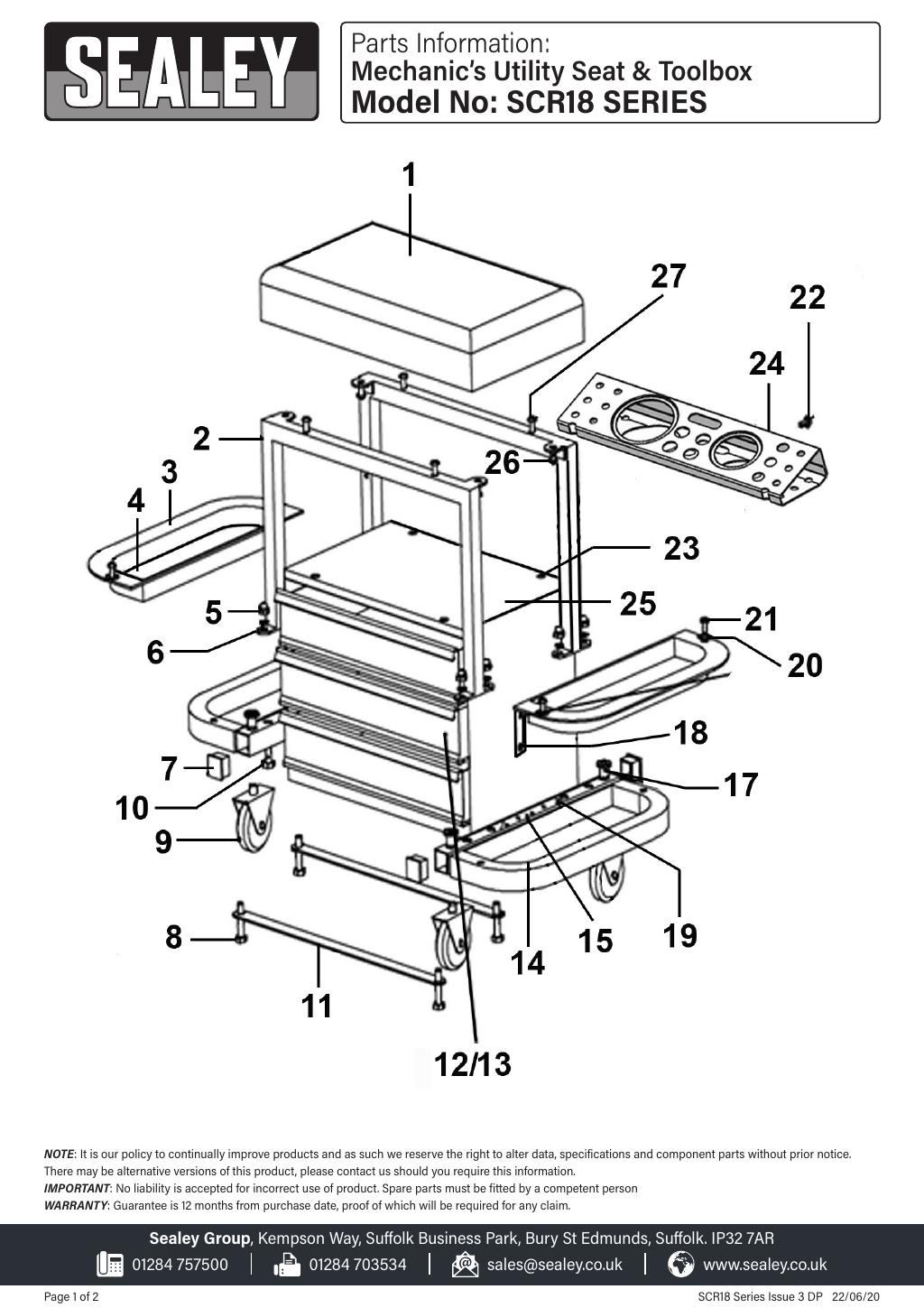
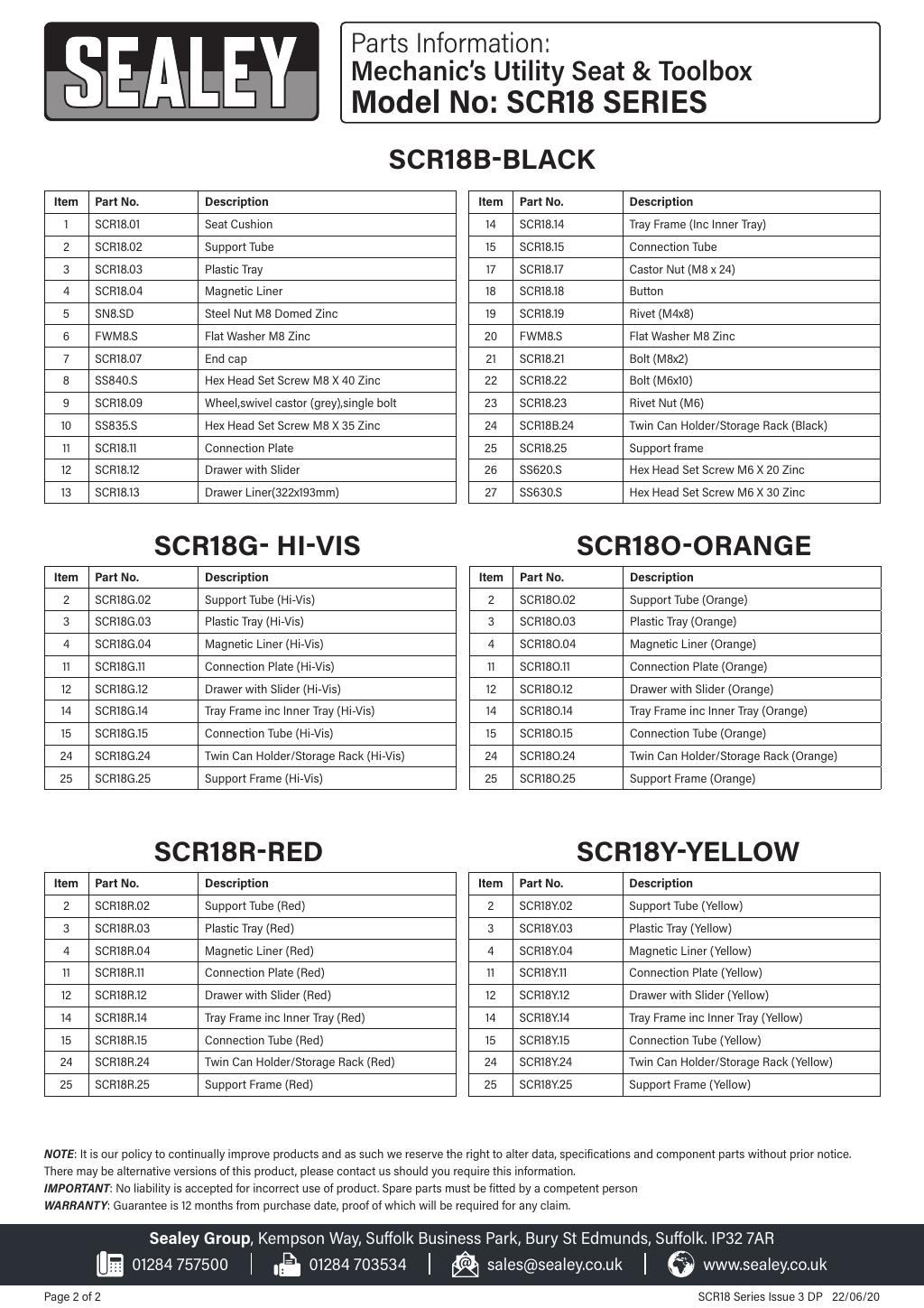
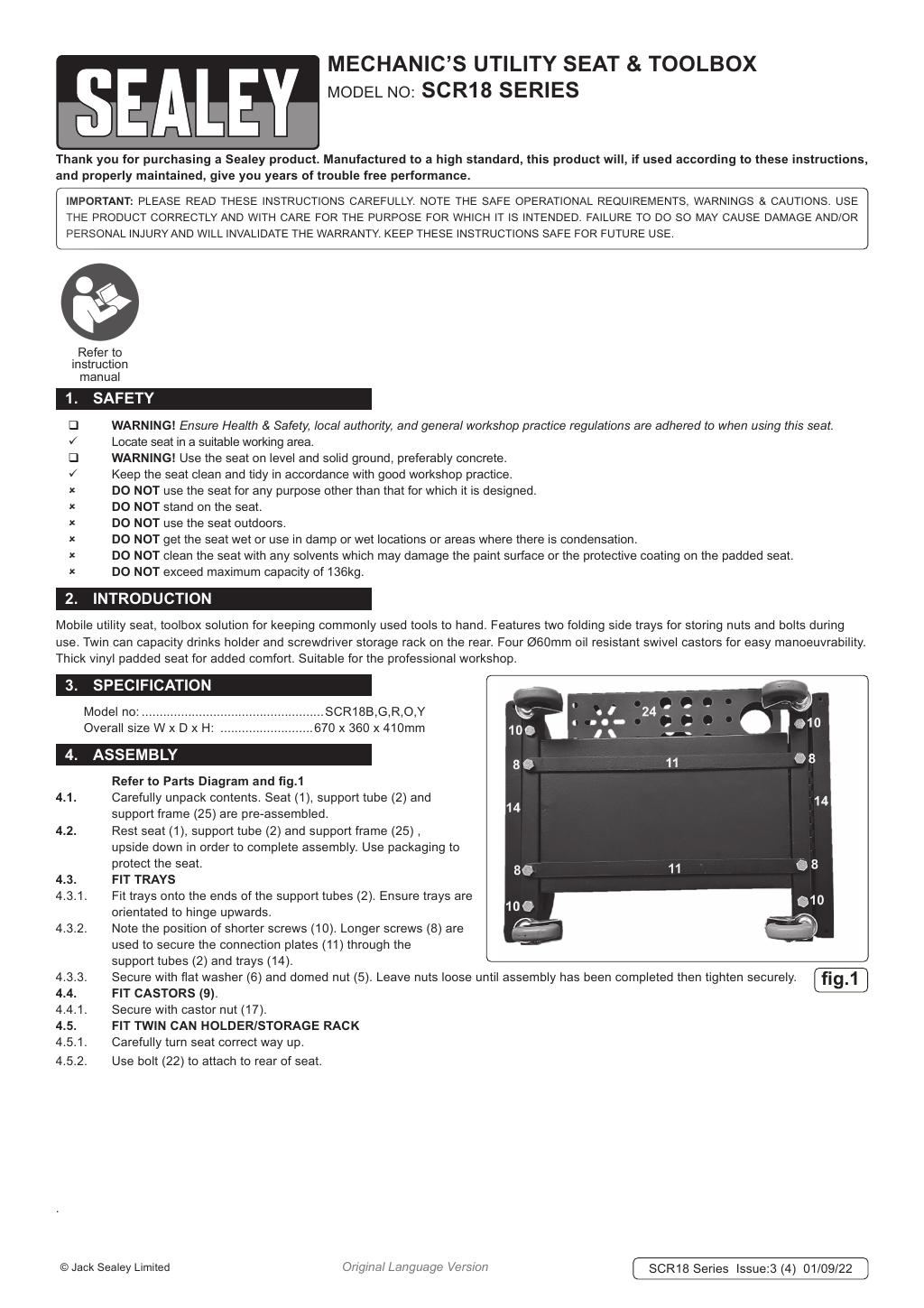

Click any page above to enlarge. Once enlarged, right-click and choose "Save image as" to save the datasheet to your device. Use ‹ / › to flip pages, × to close. Rendered from the manufacturer's official datasheet supplied with the product.