-86℃ 20L Lab Portable Ultra Low Temperature Refrigerator Freezer Deep Freezer
 
Ultra-Low Freezer

Application field:

The ultra low-temperature freezer is provided to departments of medicine, health, chemical industry, scientific research, etc. for low-temperature freezing, storage, test.

things to note:

If the transformer is not used, only 220V voltage can be connected. There is a separate transformer in the refrigerator package. Only the transformer can be plugged into the 110V power supply!!!

Parameters:

  • Model:DW-86W20
  • Size:780*410*515mm
  • Inner Size:327*200*305mm
  • Temperature:-40°C to -86°C
  • Input Power:270W
  • Voltage:110V/60Hz(Equipped with a transformer, which can convert 110V voltage)
  • Defrost:Manul
  • Package:Wooden Box Package
 

Lab Refrigerators

ultra cold freezer

Lab Refrigerators

easy to move:


  • The ultra-low temperature refrigerator weighs 49KG (110LB) and can be easily moved by adult men.


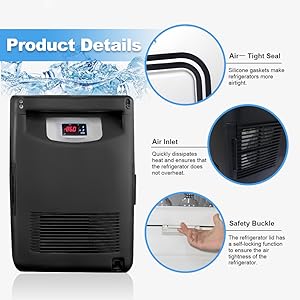
Safety buckle:


  • The refrigerator lid has a self-locking function to ensure the airtightness of the refrigerator


Ultra-low temperature


  • The minimum temperature of the refrigerator can be switched from 0 to minus 86°, and the precise temperature control panel


Lab Refrigerators

Lab Refrigerators

ultra cold freezer

Fast cooling


  • It only takes 1 minute to freeze the frost (pictured above) and can be cleaned with the snow shovel and gloves included in the package


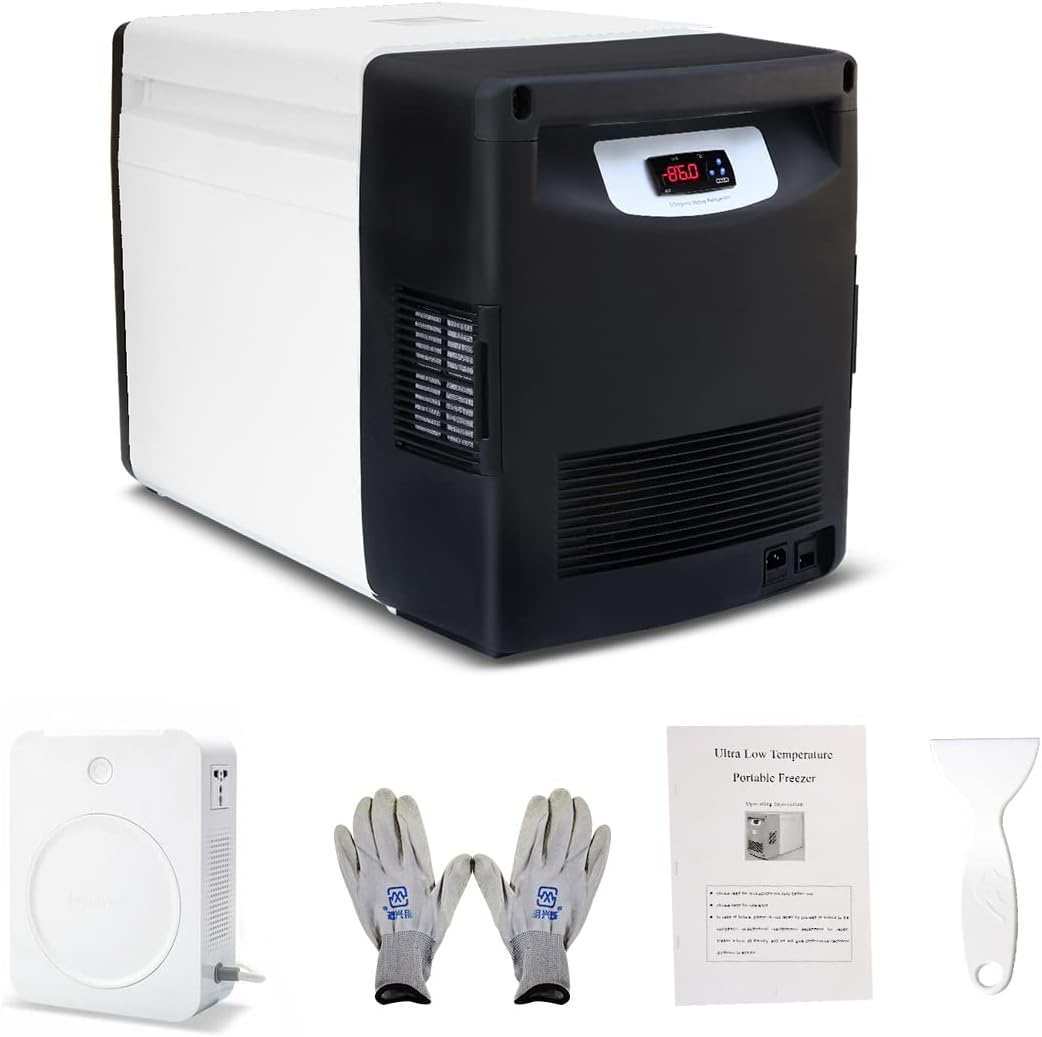
Product includes:


  • refrigerator
  • Gloves
  • transformer
  • manual


Good sealing


  • Silicone gaskets make refrigerators more airtight


Parameter description

SP - Shutdown temperature. When the temperature is lower than or equal to the shutdown temperature SP, the compressor will stop running (r1 to r2).

r0 -- return difference temperature. When the temperature is higher than the startup temperature (SP+r0), the compressor runs

r1 - Minimum shutdown temperature

r2 - The maximum shutdown temperature

P1 -- Temperature calibration. Used to compensate for measuring temperature

P4 -- Probe shows temperature with or without decimal point

A0 - Overtemperature alarm return error. When the temperature is lower than (high temperature alarm value -A0) or higher than (low temperature alarm value +A0), cancel the high temperature alarm

A1 -- Overtemperature alarm

High temperature alarm value = (SP+R0+A1)

Low temperature alarm value = (SP-A1)

A2 - The overtemperature alarm is prohibited during power-on. The alarm of overtemperature is prohibited during the A2 time when the power is just on

A8 -- Overtemperature alarm delay. When the temperature exceeds the limit, the timer will start. When the time reaches A8, the alarm will start

H5 - Advanced parameter access password

c0 -- Minimum downtime

c2: Compressor start-stop state when the probe is faulty

P4 - Indicates whether to display decimals

Parameter setting

Setting the temperature (SP) is the only parameter that can be set without entering a password.

Press the SET key.SP will appear on the screen.

Press SET again. The SP temperature is displayed.

You can use ↑ and ↓ to adjust the SP temperature

Press SET to confirm setting temperature.

Press the SET key and DOWN key at the same time to exit the parameter setting, or wait for one minute, the display will automatically exit the setting interface.

out prior notice.

Ultra Low Temperature Freezer for Laboratory Samples

Press and hold the SET key for 8 seconds, and the screen will display the input setting password (the factory initial password is 0).

Users can use the ↑ and ↓ keys to change the password.

Press the SET key to enter the password. If the password is correct, enter the first parameter setting (SP).

Use the ↑ and ↓ keys to set the desired value.

Press SET key to exit parameter setting.

Repeat until all parameters are set.

Press the SET key and DOWN key at the same time to exit the parameter setting, or wait for one minute, the display will automatically exit the setting interface.

Turn off the thermostat and press and hold the SET key while powering on to restore the password to 0

Led indication, buzzer and display information

The OUT on the LCD screen indicates whether cooling is taking place. When cooling is going on, the display light is steady on; While the thermostat is waiting for minimum downtime (50% on 50% off)

Normally, the temperature of the probe will be displayed on the display.

In the case of alarm, the displayed information is as follows (alarm indicator light on, buzzer sounds) :

000 -- Temperature probe rod fault -- short circuit fault ALH -- high temperature alarm ALL -- low temperature alarm

Alarm confirmation

In case of alarm, the internal buzzer and alarm indicator are activated to display the corresponding message. The buzzer can be silenced by pressing the SET key.