
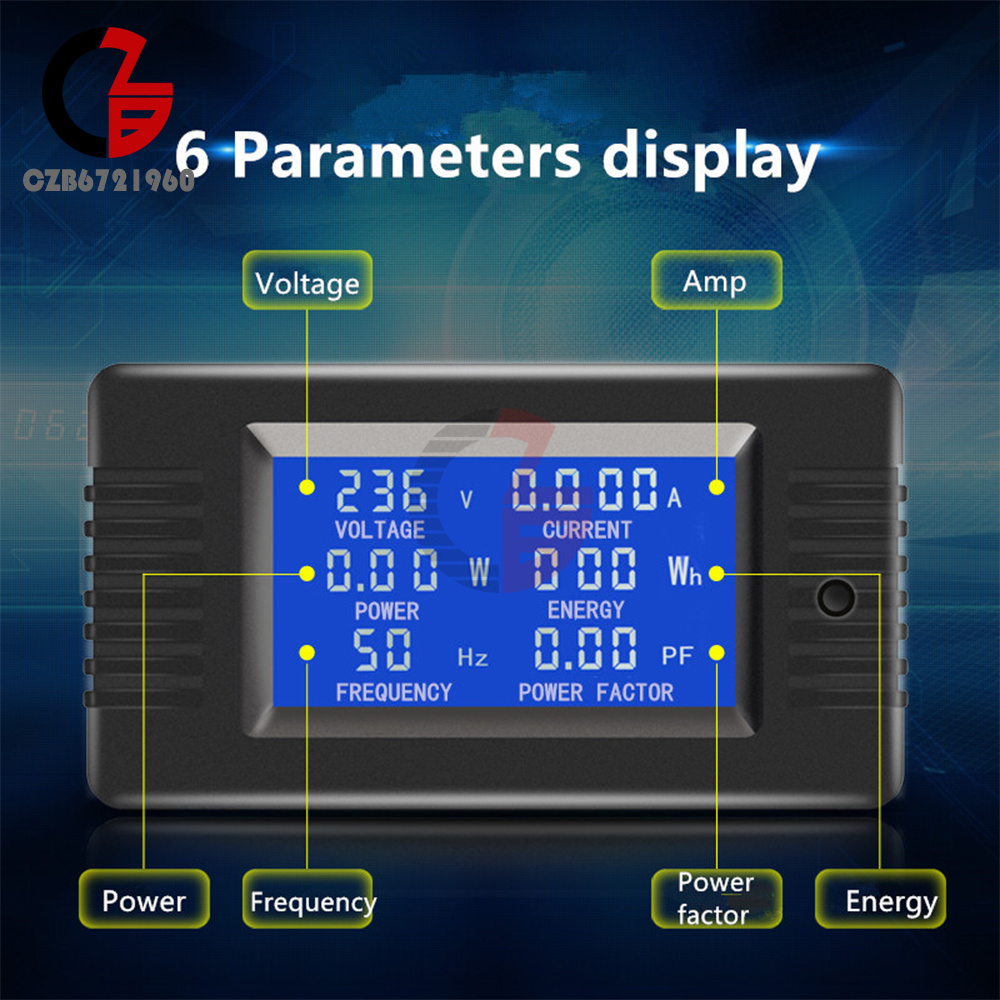
AC 80~260V 5A/10A/100A Battery Tester DC Voltage Current Power Capacity Meter
Popular
Product Introduction
Product selling points:
1. Seiko details are outstanding
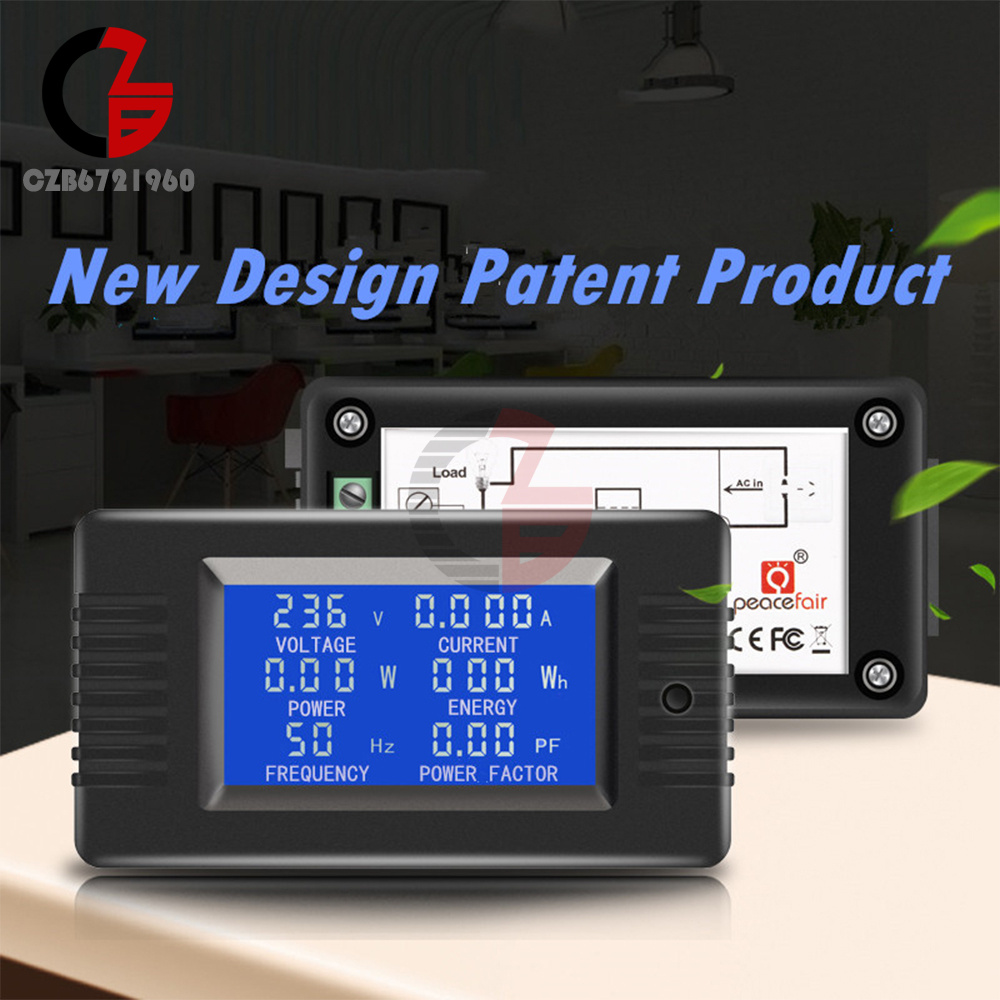
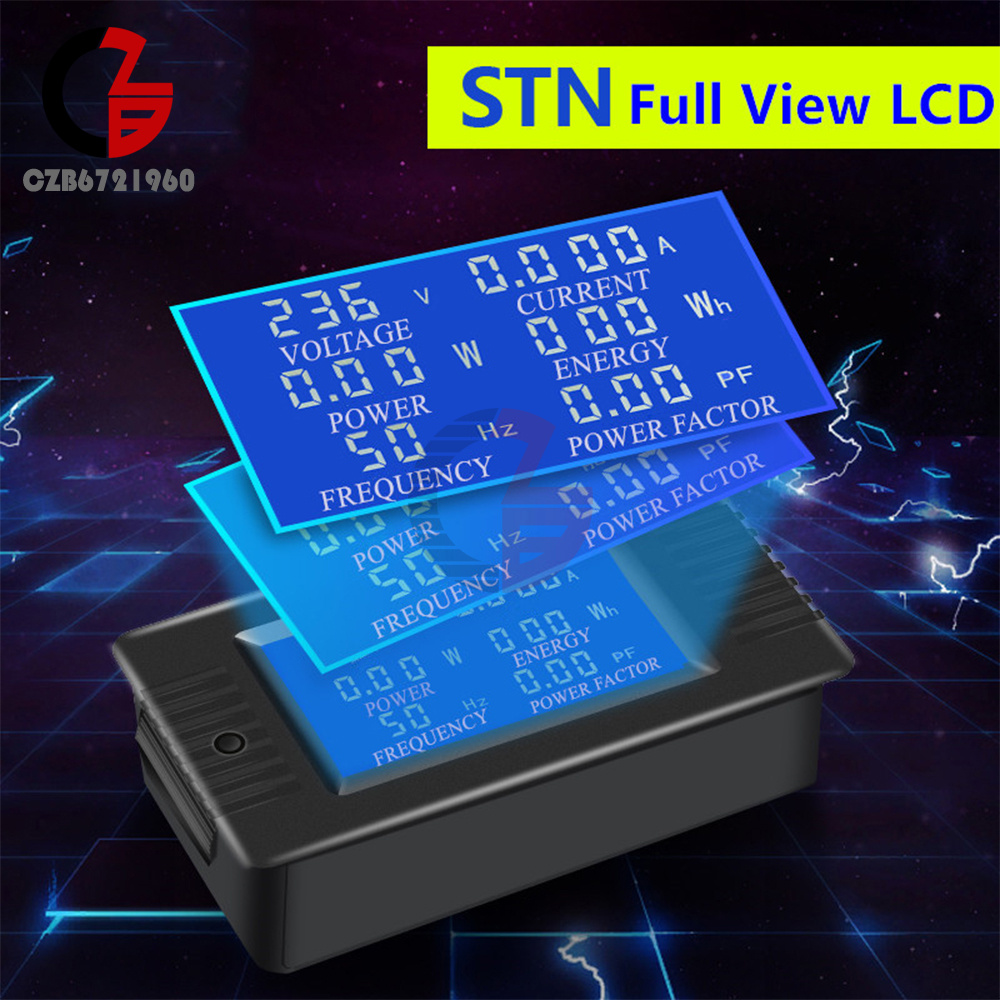
2.Large blue film LCD screen with full viewing angle, 360 degrees without dead angle
3. The full-screen parameter display in Chinese and English is simple and clear to choose according to needs
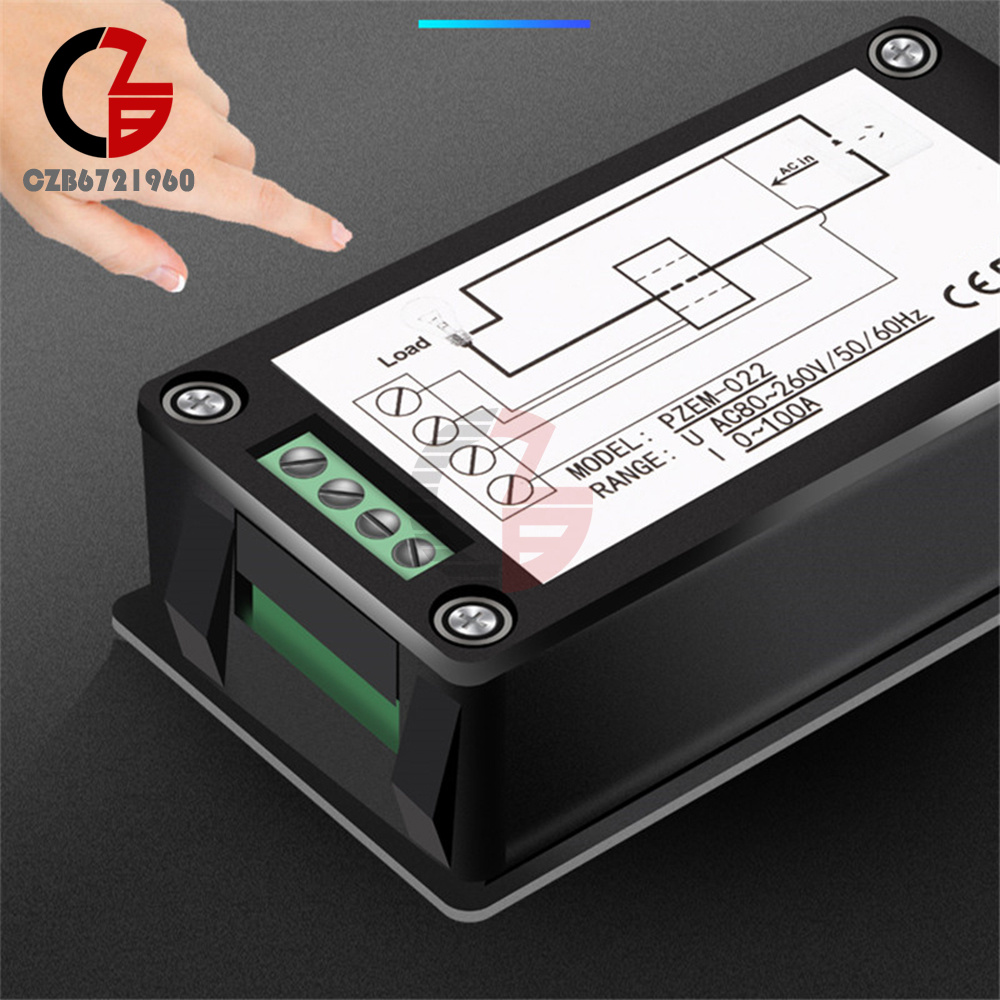
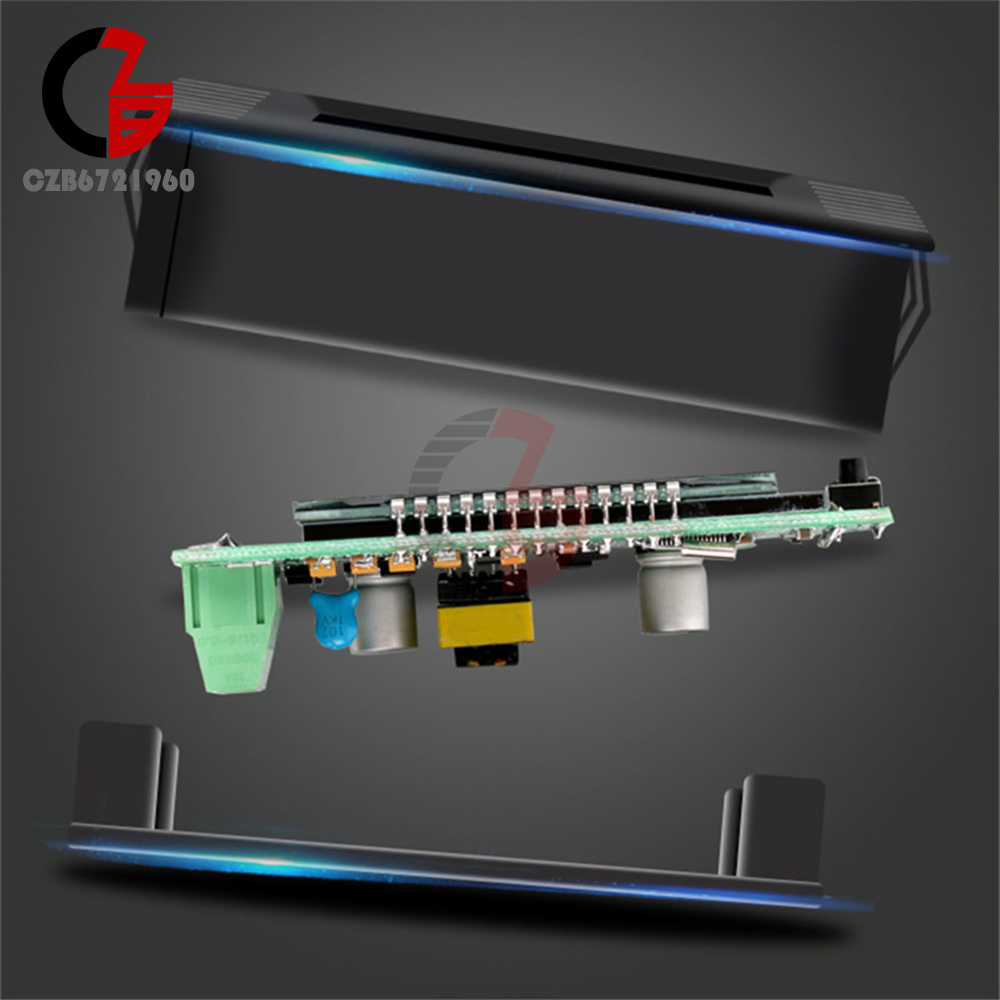
4. The installation is firmer and more durable: the three-point buckle design of reinforced nylon material is flexible and the card will not break
5. The material is delicate and comfortable to the touch
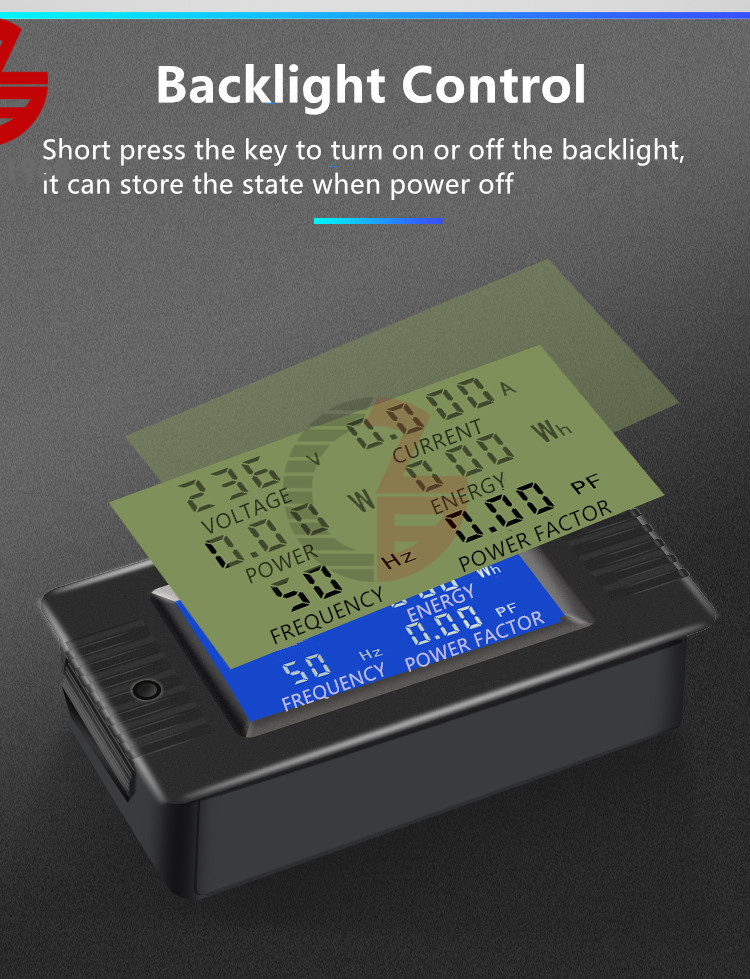
6. Backlight control: the backlight can be turned on or off by short pressing the button, and the backlight state will be automatically saved after power failure
Product specifications:
Product model: PZEM-018/020/022 5A/10A/100A
Optional version: Chinese/English
1. Seiko details are outstanding
2.Large blue film LCD screen with full viewing angle, 360 degrees without dead angle
3. The full-screen parameter display in Chinese and English is simple and clear to choose according to needs
4. The installation is firmer and more durable: the three-point buckle design of reinforced nylon material is flexible and the card will not break
5. The material is delicate and comfortable to the touch
6. Backlight control: the backlight can be turned on or off by short pressing the button, and the backlight state will be automatically saved after power failure
Product specifications:
Product model: PZEM-018/020/022 5A/10A/100A
Optional version: Chinese/English
1. Power:
(PZEM-018 5A) Power:
Working voltage: 80~260VAC:
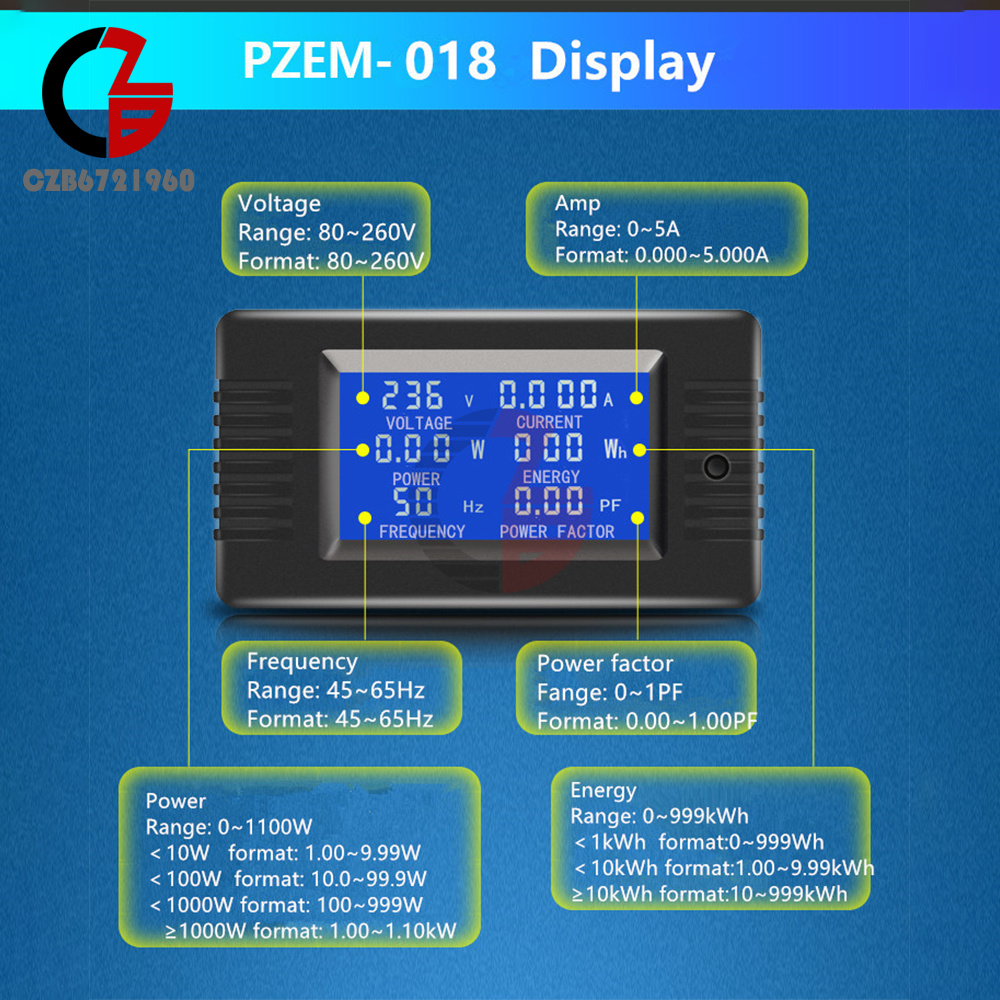
Test range 0~1100W, starting power 0.2W
<10W display format 1.00~9.99W
<10OW display format 10.0~99.9W
<1000W display format 100~999W
≥1000W display format 1.00~1.10kW
(PZEM-018 5A) Power:
Working voltage: 80~260VAC:
Test range 0~1100W, starting power 0.2W
<10W display format 1.00~9.99W
<10OW display format 10.0~99.9W
<1000W display format 100~999W
≥1000W display format 1.00~1.10kW
(PZEM-020 10A) Power:
Working voltage: 80~260VAC
Test range 0~2200W, starting power 0.5W
<10W display format 1.00~9.99W
<10OW display format 10.0~99.9W
<1000W display format 100~999W
≥1000W display format 1.00~2.20kW
Working voltage: 80~260VAC
Test range 0~2200W, starting power 0.5W
<10W display format 1.00~9.99W
<10OW display format 10.0~99.9W
<1000W display format 100~999W
≥1000W display format 1.00~2.20kW
(PZEM-022 100A) Power:
Working voltage: 80~260VAC
Test range 0~22000W, starting power 0.5W
<10W display format 1.00~9.99W
<10OW display format 10.0~99.9W
<1000W display format 100~999W
<10000W Display format 1.00~9.90kW
≥10000W Display format 10.0~22.0kW
Working voltage: 80~260VAC
Test range 0~22000W, starting power 0.5W
<10W display format 1.00~9.99W
<10OW display format 10.0~99.9W
<1000W display format 100~999W
<10000W Display format 1.00~9.90kW
≥10000W Display format 10.0~22.0kW
2. Energy consumption:
Test range 0~999kWh
<1kWh Display format 0~999Wh
≥10kWh Display format 10~999kWh
Test range 0~999kWh
<1kWh Display format 0~999Wh
≥10kWh Display format 10~999kWh
3. Voltage:
Test range 80~260V
Display format 80~260V
Test range 80~260V
Display format 80~260V
4. Current
Test range 0~5/10/100A, starting current 0.001/0.002/0.02A
Display format 0.000~5.000A/10.00A
(PZEM-022 100A): <10A display format 0.000~9.000A, ≥10A display format 10.00~99.99A
Test range 0~5/10/100A, starting current 0.001/0.002/0.02A
Display format 0.000~5.000A/10.00A
(PZEM-022 100A): <10A display format 0.000~9.000A, ≥10A display format 10.00~99.99A
5. Frequency
Test range 45~65Hz
Display format 45~65Hz
Test range 45~65Hz
Display format 45~65Hz
6. Power factor:
Test range 0~1PF
Display format 0.00~1.0OPF
Test range 0~1PF
Display format 0.00~1.0OPF
Product Features
1. Backlight control:
The backlight can be turned on or off by short pressing the button, and the backlight status will be automatically saved when power is off.
2. Reset the battery:
Step 1: Press and hold the button for 5 seconds until the energy figure flashes, then release the button;
Step 2: If you short press the button again, the power data will be cleared and exit the reset flashing state; Step 3: If there is no button action within 5 seconds, it means that the power data is not cleared and exit the reset state.
3. Power alarm value setting:
Step 1: Long press the button for 3 seconds until the screen displays "SET CLr" and then release the button to enter the power alarm value setting state;
Step 2: The power area displays the current power alarm value and the lowest digit starts to flash. At this time, you can press the button to +1 the digit. When there is no button operation for more than 3 seconds, the digit will be switched automatically. The setting method is the same as above;
Step 3: After the setting is completed, press and hold the button for more than 5 seconds to automatically save and exit, the active power threshold setting range is 0.0~1.1kW
1. Backlight control:
The backlight can be turned on or off by short pressing the button, and the backlight status will be automatically saved when power is off.
2. Reset the battery:
Step 1: Press and hold the button for 5 seconds until the energy figure flashes, then release the button;
Step 2: If you short press the button again, the power data will be cleared and exit the reset flashing state; Step 3: If there is no button action within 5 seconds, it means that the power data is not cleared and exit the reset state.
3. Power alarm value setting:
Step 1: Long press the button for 3 seconds until the screen displays "SET CLr" and then release the button to enter the power alarm value setting state;
Step 2: The power area displays the current power alarm value and the lowest digit starts to flash. At this time, you can press the button to +1 the digit. When there is no button operation for more than 3 seconds, the digit will be switched automatically. The setting method is the same as above;
Step 3: After the setting is completed, press and hold the button for more than 5 seconds to automatically save and exit, the active power threshold setting range is 0.0~1.1kW
List:
PZEM-018 5A Battery Tester DC Voltage Current Power Capacity Meter*1
PZEM-018 5A Battery Tester DC Voltage Current Power Capacity Meter*1
- We accept PayPal only. But we only Accept your Ebay Address,Please Make sure it's 100% right.
- Payment must be received in 5 business days of auction closing.
- Please leave note for your special request (e.g. Colors or Size) in PayPal when you pay the order.
- Any special request cannot be accepted after 24 hours of payment, because most of orders will be processed instantly and same day dispatched.
- We maintain high standards of excellence and strive for 100% customer satisfaction! Feedback is very important to us. We request that you contact us immediately BEFORE you give us neutral or negative feedback, so that we can satisfactorily address your concerns.
- All package need to wait 30 days(US only need 7-10 days),Please take care it.Less than 30 days,we can't take a refund.
- If the item is defect when you receive it or you are not satisfied with it, please return it within 14 days for a replacement or money back. But the items must be back in factory condition. Please contact us and double check the return address before you return it.
- If is item is defective in 12 months, you can return it to us. We will send you a new replacement after receiving the defective item.
AC 80~260V 5A/10A/100A Battery Tester DC Voltage Current Power Capacity Meter
Product Introduction
Product selling points:
1. Seiko details are outstanding
2.Large blue film LCD screen with full viewing angle, 360 degrees without dead angle
3. The full-screen parameter display in Chinese and English is simple and clear to choose according to needs
4. The installation is firmer and more durable: the three-point buckle design of reinforced nylon material is flexible and the card will not break
5. The material is delicate and comfortable to the touch
6. Backlight control: the backlight can be turned on or off by short pressing the button, and the backlight state will be automatically saved after power failure
Product specifications:
Product model: PZEM-018/020/022 5A/10A/100A
Optional version: Chinese/English
1. Seiko details are outstanding
2.Large blue film LCD screen with full viewing angle, 360 degrees without dead angle
3. The full-screen parameter display in Chinese and English is simple and clear to choose according to needs
4. The installation is firmer and more durable: the three-point buckle design of reinforced nylon material is flexible and the card will not break
5. The material is delicate and comfortable to the touch
6. Backlight control: the backlight can be turned on or off by short pressing the button, and the backlight state will be automatically saved after power failure
Product specifications:
Product model: PZEM-018/020/022 5A/10A/100A
Optional version: Chinese/English
1. Power:
(PZEM-018 5A) Power:
Working voltage: 80~260VAC:
Test range 0~1100W, starting power 0.2W
<10W display format 1.00~9.99W
<10OW display format 10.0~99.9W
<1000W display format 100~999W
≥1000W display format 1.00~1.10kW
(PZEM-018 5A) Power:
Working voltage: 80~260VAC:
Test range 0~1100W, starting power 0.2W
<10W display format 1.00~9.99W
<10OW display format 10.0~99.9W
<1000W display format 100~999W
≥1000W display format 1.00~1.10kW
(PZEM-020 10A) Power:
Working voltage: 80~260VAC
Test range 0~2200W, starting power 0.5W
<10W display format 1.00~9.99W
<10OW display format 10.0~99.9W
<1000W display format 100~999W
≥1000W display format 1.00~2.20kW
Working voltage: 80~260VAC
Test range 0~2200W, starting power 0.5W
<10W display format 1.00~9.99W
<10OW display format 10.0~99.9W
<1000W display format 100~999W
≥1000W display format 1.00~2.20kW
(PZEM-022 100A) Power:
Working voltage: 80~260VAC
Test range 0~22000W, starting power 0.5W
<10W display format 1.00~9.99W
<10OW display format 10.0~99.9W
<1000W display format 100~999W
<10000W Display format 1.00~9.90kW
≥10000W Display format 10.0~22.0kW
Working voltage: 80~260VAC
Test range 0~22000W, starting power 0.5W
<10W display format 1.00~9.99W
<10OW display format 10.0~99.9W
<1000W display format 100~999W
<10000W Display format 1.00~9.90kW
≥10000W Display format 10.0~22.0kW
2. Energy consumption:
Test range 0~999kWh
<1kWh Display format 0~999Wh
≥10kWh Display format 10~999kWh
Test range 0~999kWh
<1kWh Display format 0~999Wh
≥10kWh Display format 10~999kWh
3. Voltage:
Test range 80~260V
Display format 80~260V
Test range 80~260V
Display format 80~260V
4. Current
Test range 0~5/10/100A, starting current 0.001/0.002/0.02A
Display format 0.000~5.000A/10.00A
(PZEM-022 100A): <10A display format 0.000~9.000A, ≥10A display format 10.00~99.99A
Test range 0~5/10/100A, starting current 0.001/0.002/0.02A
Display format 0.000~5.000A/10.00A
(PZEM-022 100A): <10A display format 0.000~9.000A, ≥10A display format 10.00~99.99A
5. Frequency
Test range 45~65Hz
Display format 45~65Hz
Test range 45~65Hz
Display format 45~65Hz
6. Power factor:
Test range 0~1PF
Display format 0.00~1.0OPF
Test range 0~1PF
Display format 0.00~1.0OPF
Product Features
1. Backlight control:
The backlight can be turned on or off by short pressing the button, and the backlight status will be automatically saved when power is off.
2. Reset the battery:
Step 1: Press and hold the button for 5 seconds until the energy figure flashes, then release the button;
Step 2: If you short press the button again, the power data will be cleared and exit the reset flashing state; Step 3: If there is no button action within 5 seconds, it means that the power data is not cleared and exit the reset state.
3. Power alarm value setting:
Step 1: Long press the button for 3 seconds until the screen displays "SET CLr" and then release the button to enter the power alarm value setting state;
Step 2: The power area displays the current power alarm value and the lowest digit starts to flash. At this time, you can press the button to +1 the digit. When there is no button operation for more than 3 seconds, the digit will be switched automatically. The setting method is the same as above;
Step 3: After the setting is completed, press and hold the button for more than 5 seconds to automatically save and exit, the active power threshold setting range is 0.0~1.1kW
1. Backlight control:
The backlight can be turned on or off by short pressing the button, and the backlight status will be automatically saved when power is off.
2. Reset the battery:
Step 1: Press and hold the button for 5 seconds until the energy figure flashes, then release the button;
Step 2: If you short press the button again, the power data will be cleared and exit the reset flashing state; Step 3: If there is no button action within 5 seconds, it means that the power data is not cleared and exit the reset state.
3. Power alarm value setting:
Step 1: Long press the button for 3 seconds until the screen displays "SET CLr" and then release the button to enter the power alarm value setting state;
Step 2: The power area displays the current power alarm value and the lowest digit starts to flash. At this time, you can press the button to +1 the digit. When there is no button operation for more than 3 seconds, the digit will be switched automatically. The setting method is the same as above;
Step 3: After the setting is completed, press and hold the button for more than 5 seconds to automatically save and exit, the active power threshold setting range is 0.0~1.1kW
List:
PZEM-018 5A Battery Tester DC Voltage Current Power Capacity Meter*1
PZEM-018 5A Battery Tester DC Voltage Current Power Capacity Meter*1
- We accept PayPal only. But we only Accept your Ebay Address,Please Make sure it's 100% right.
- Payment must be received in 5 business days of auction closing.
- Please leave note for your special request (e.g. Colors or Size) in PayPal when you pay the order.
- Any special request cannot be accepted after 24 hours of payment, because most of orders will be processed instantly and same day dispatched.
- We maintain high standards of excellence and strive for 100% customer satisfaction! Feedback is very important to us. We request that you contact us immediately BEFORE you give us neutral or negative feedback, so that we can satisfactorily address your concerns.
- All package need to wait 30 days(US only need 7-10 days),Please take care it.Less than 30 days,we can't take a refund.
- If the item is defect when you receive it or you are not satisfied with it, please return it within 14 days for a replacement or money back. But the items must be back in factory condition. Please contact us and double check the return address before you return it.
- If is item is defective in 12 months, you can return it to us. We will send you a new replacement after receiving the defective item.