
Draper Digital Multimeter 200 Series, 600V AC/DC - 41817
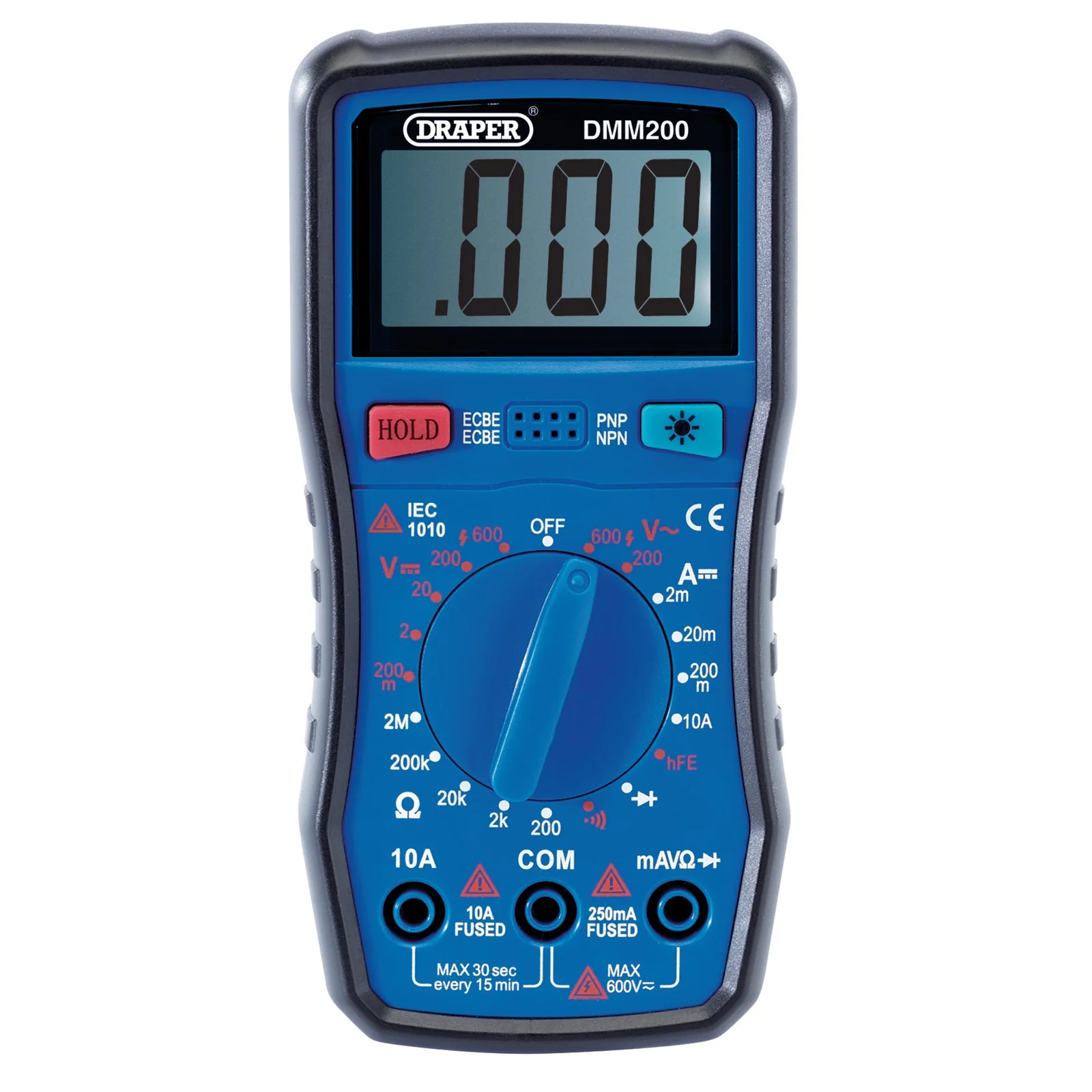
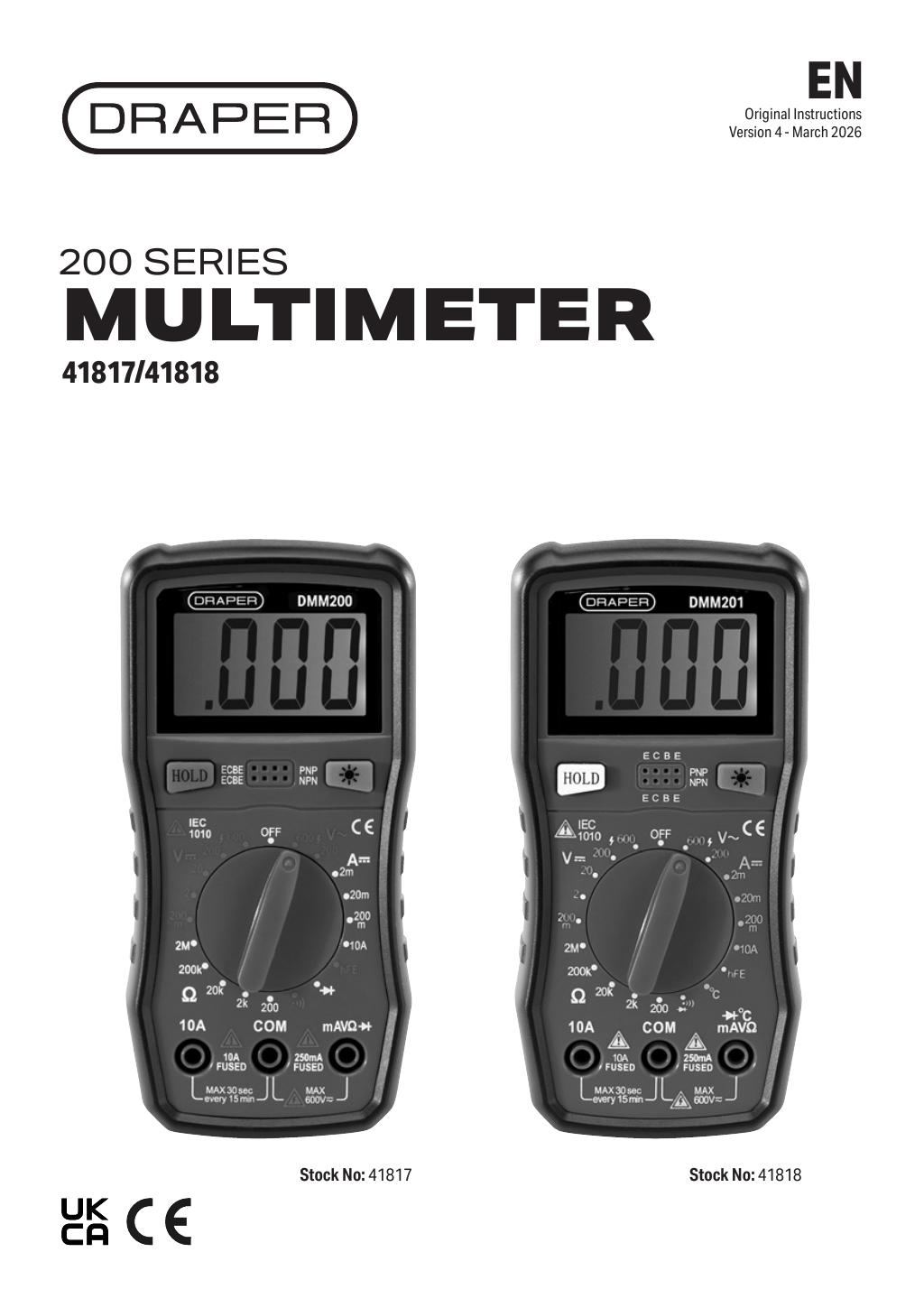
The Draper Digital Multimeter 200 Series, 600V AC/DC - 41817 (Part Number: 41817,DMM200).
Description
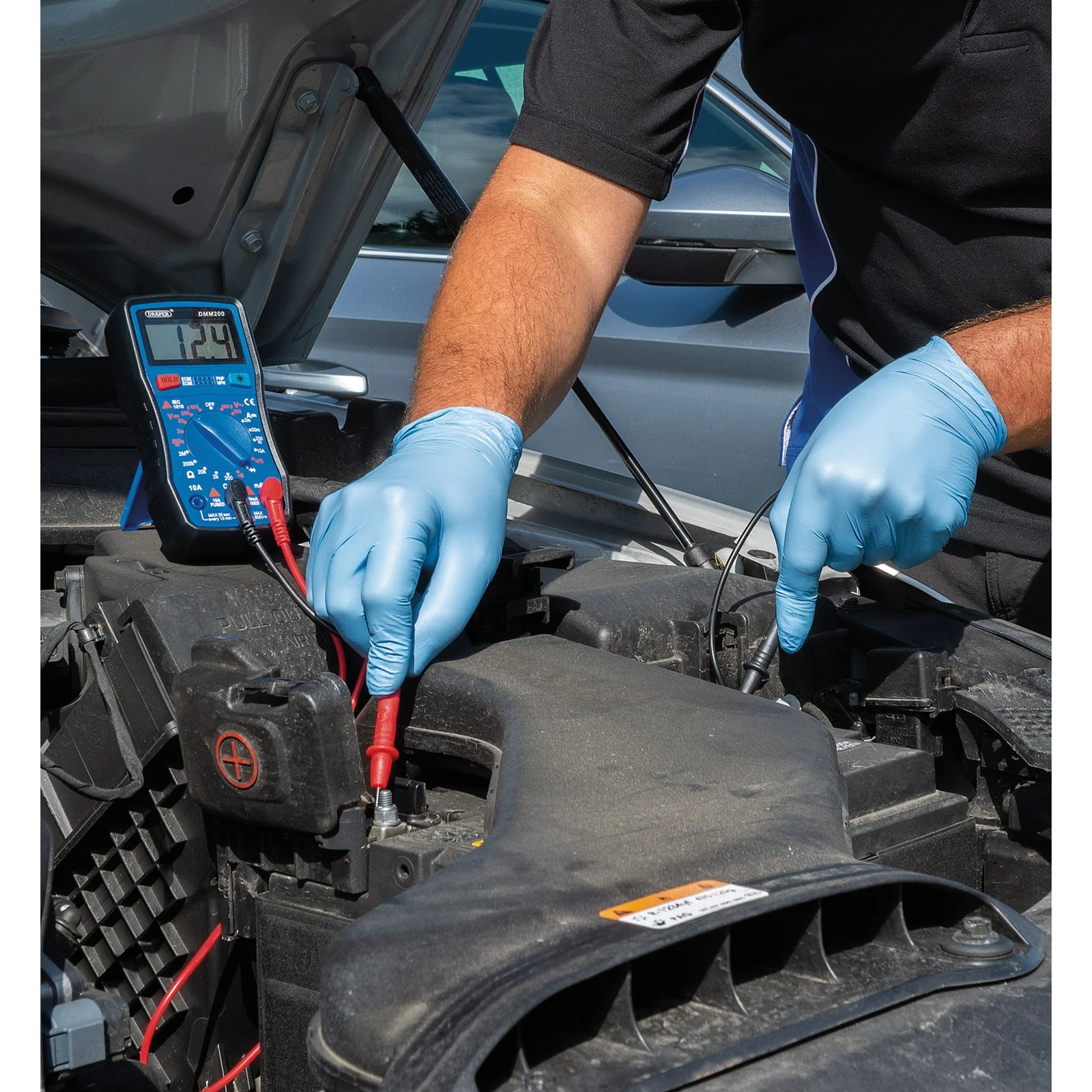
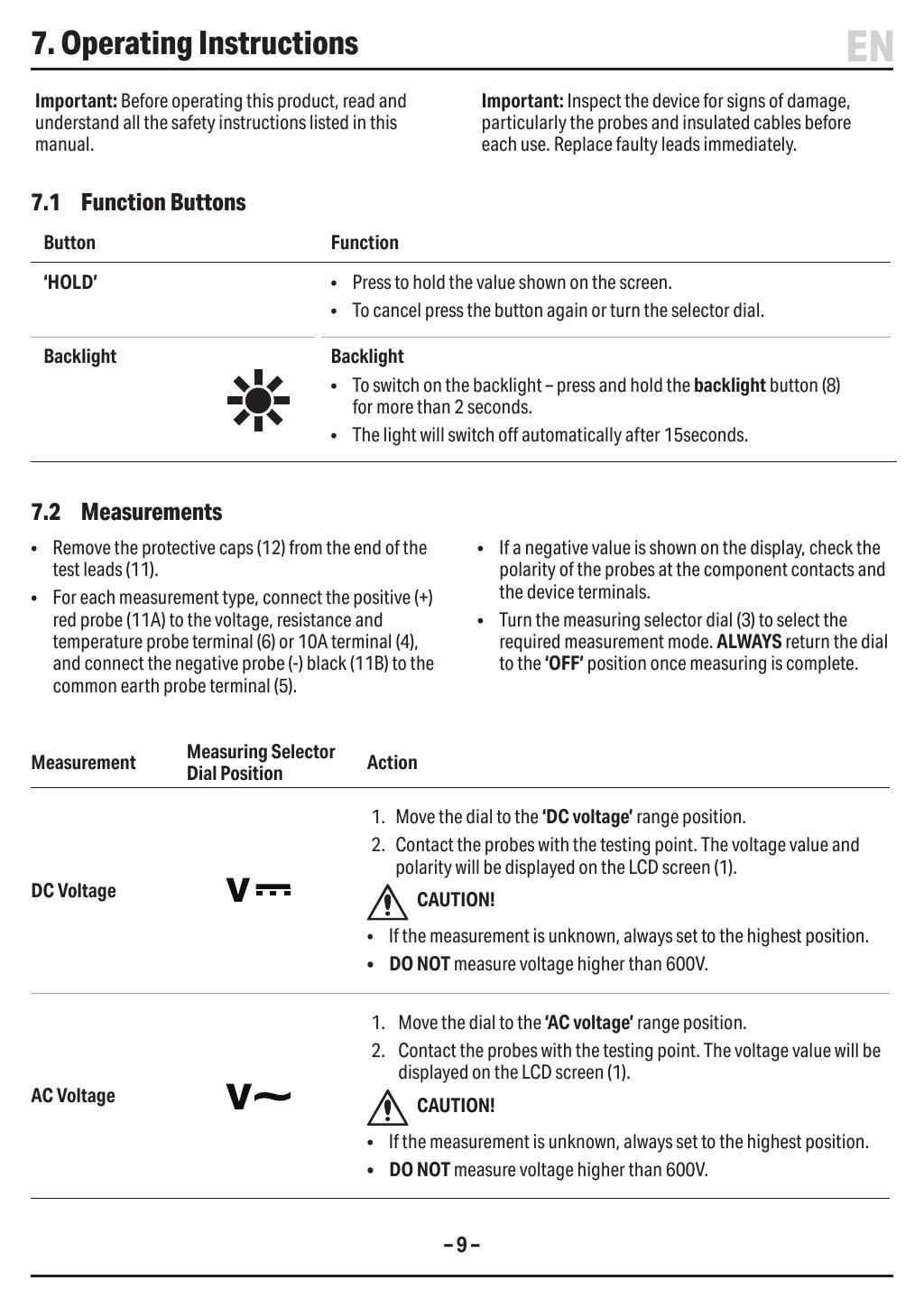
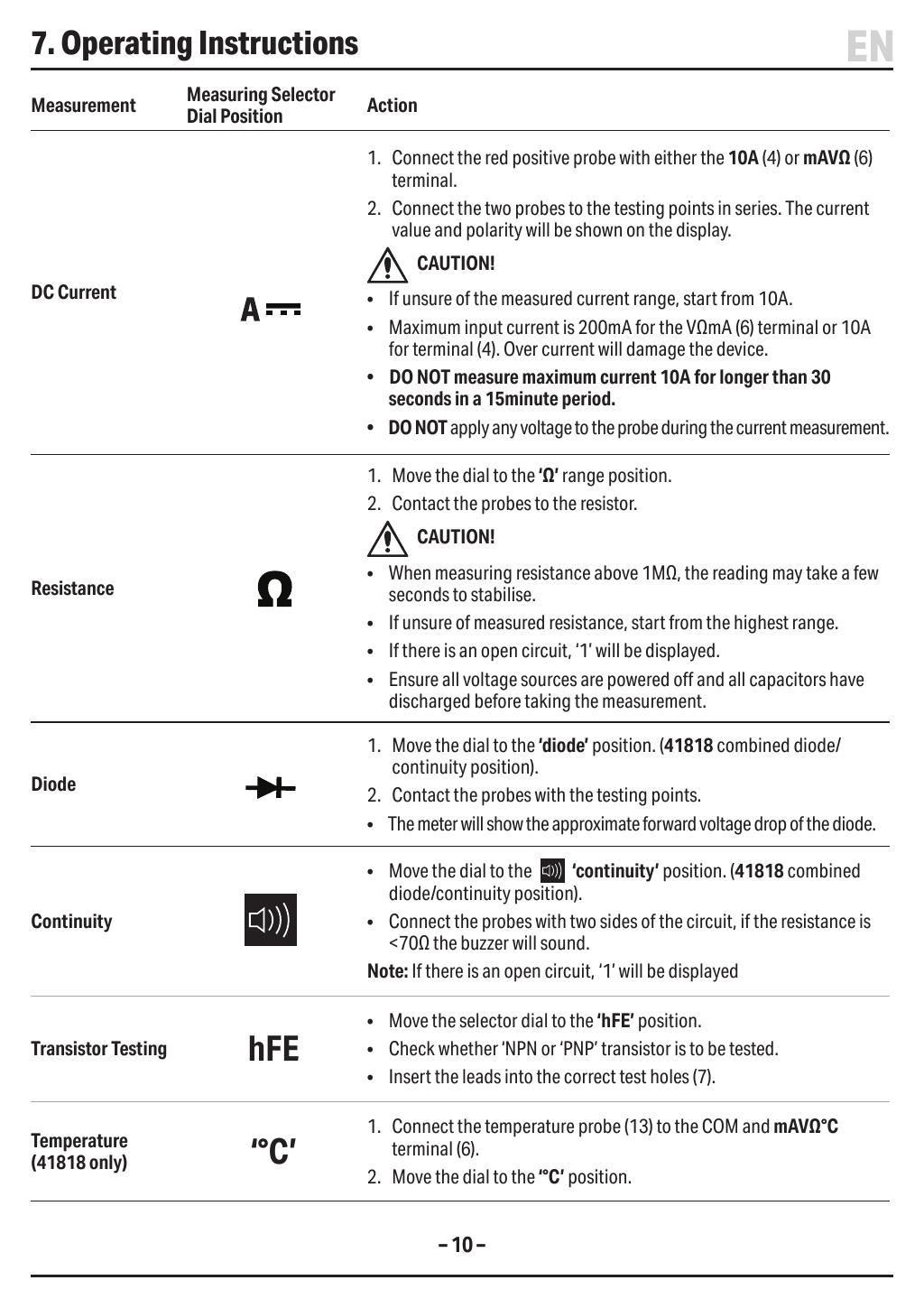
The Draper 200 Series Manual Ranging Digital Multimeter is designed for accurate voltage, current, and resistance testing. It is capable of handling AC and DC measurements up to 600V.
This multimeter features a backlit LCD screen for easy reading in various lighting conditions. It includes an auto power off function, a continuity buzzer for quick checks, and a data hold feature for capturing measurements.
Supplied with test leads, this multimeter is a reliable tool for both professional and DIY applications.
Key Features
- Manual ranging for precise measurements
- Backlit LCD screen for visibility
- Auto power off to conserve battery
- Continuity buzzer for quick testing
- Data hold feature for capturing readings
Specifications
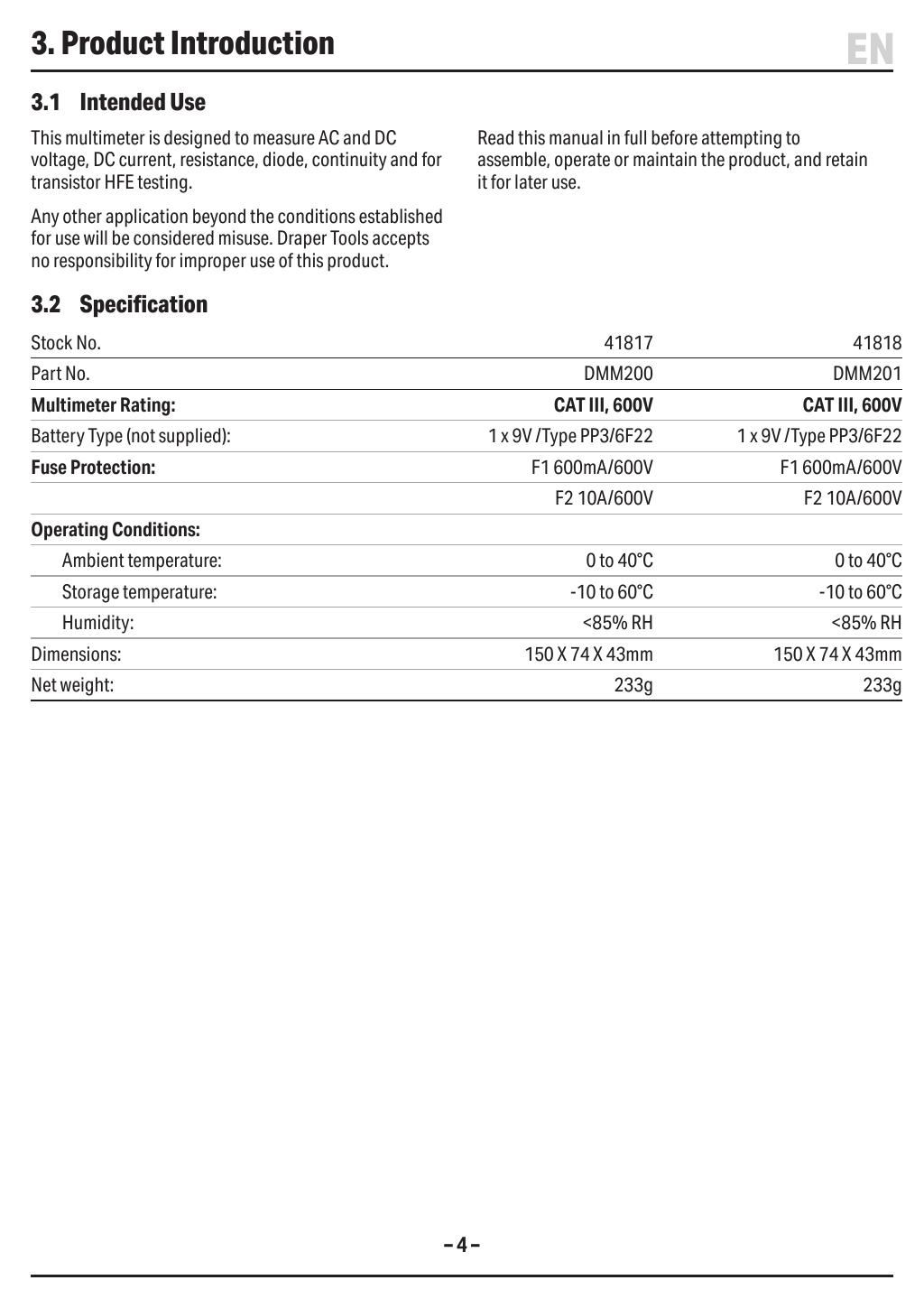
| Brand | Draper |
| EAN | 5010559418176 |
| Type | DRAPER |
| Item Weight | 0.338 kg |
| Custom Bundle | No |
| Voltage | 600V |
| Application | Automotive |
| Manufacturer Part Number (MPN) | 41817,DMM200 |
Why Choose Draper?
A century of British tool heritage.
- Established 1919 — one of the UK's longest-standing family tool businesses.
- Huge genuine range — hand tools, power tools, air tools, garden and automotive equipment from one trusted name.
- Specification-led quality — every product carries full manufacturer part numbers and technical detail.
- Trusted by trade — stocked in professional workshops across Britain for generations.
About Draper
Founded in 1919 and still family-run, Draper Tools is one of the UK's most recognised tool brands, supplying tens of thousands of product lines to trade and DIY customers. From its Hampshire headquarters, Draper develops tools across every major category — hand tools, power tools, storage, garden and automotive — all backed by clear specifications and genuine manufacturer part numbers.





Specifications & Datasheet
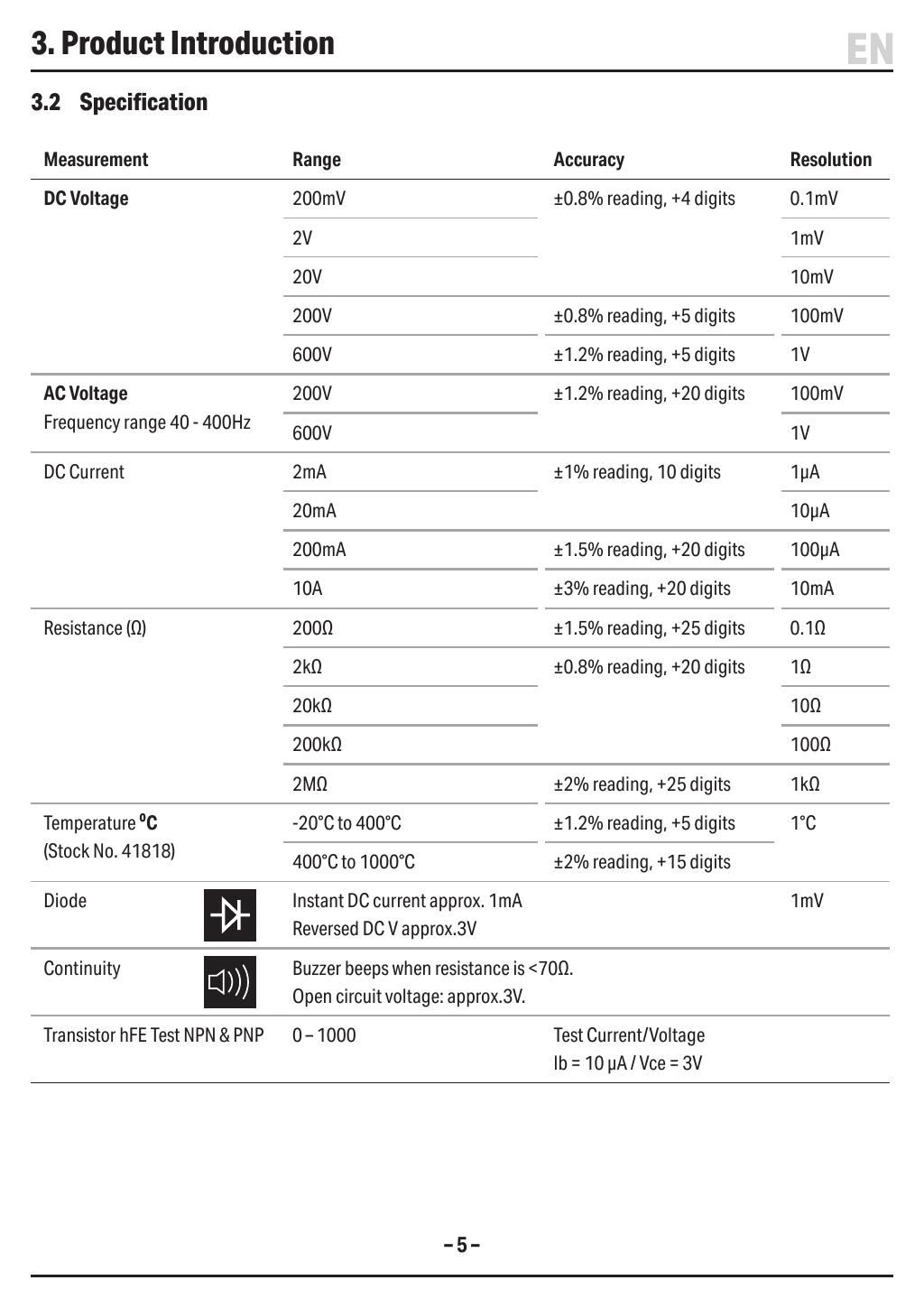
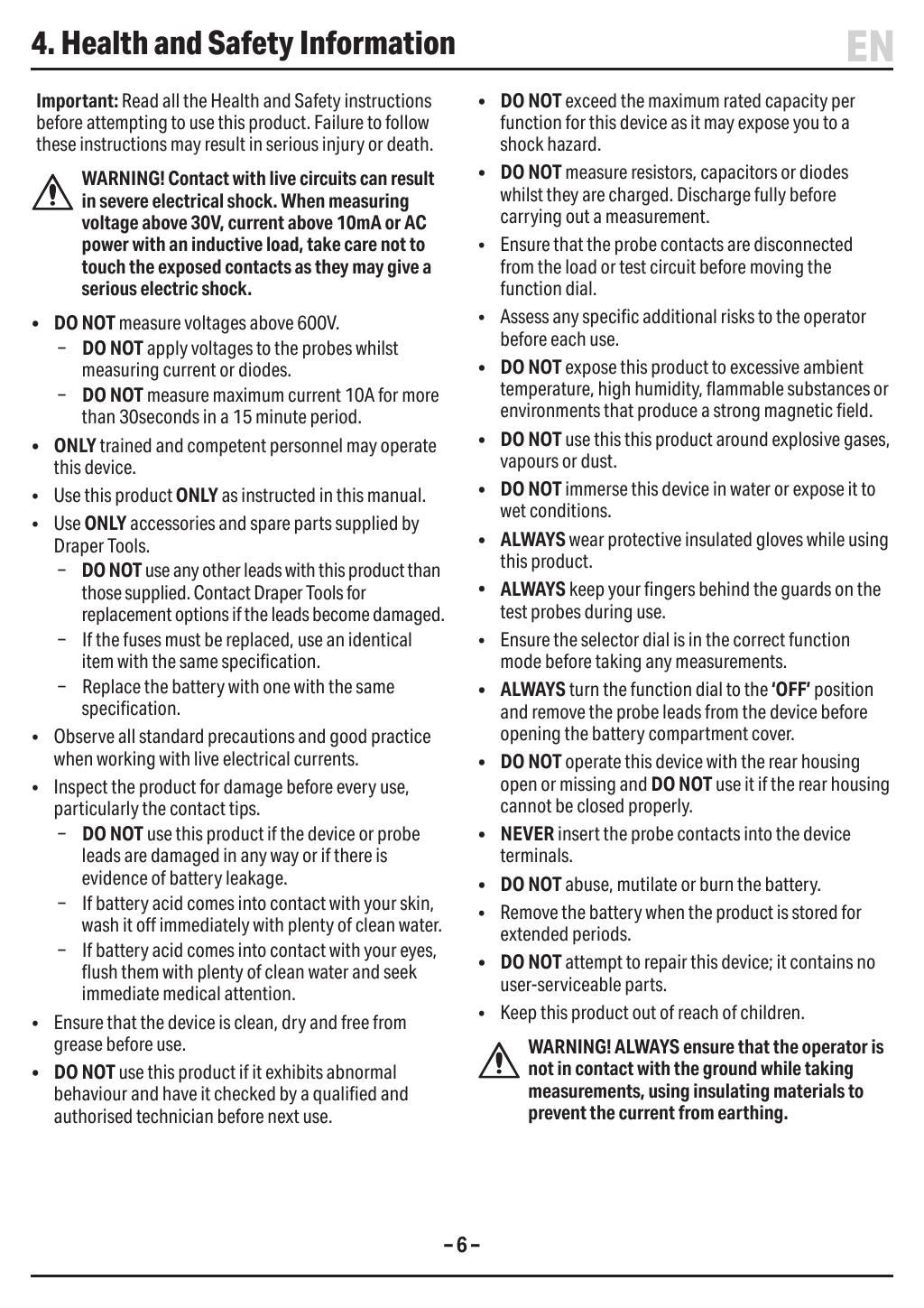
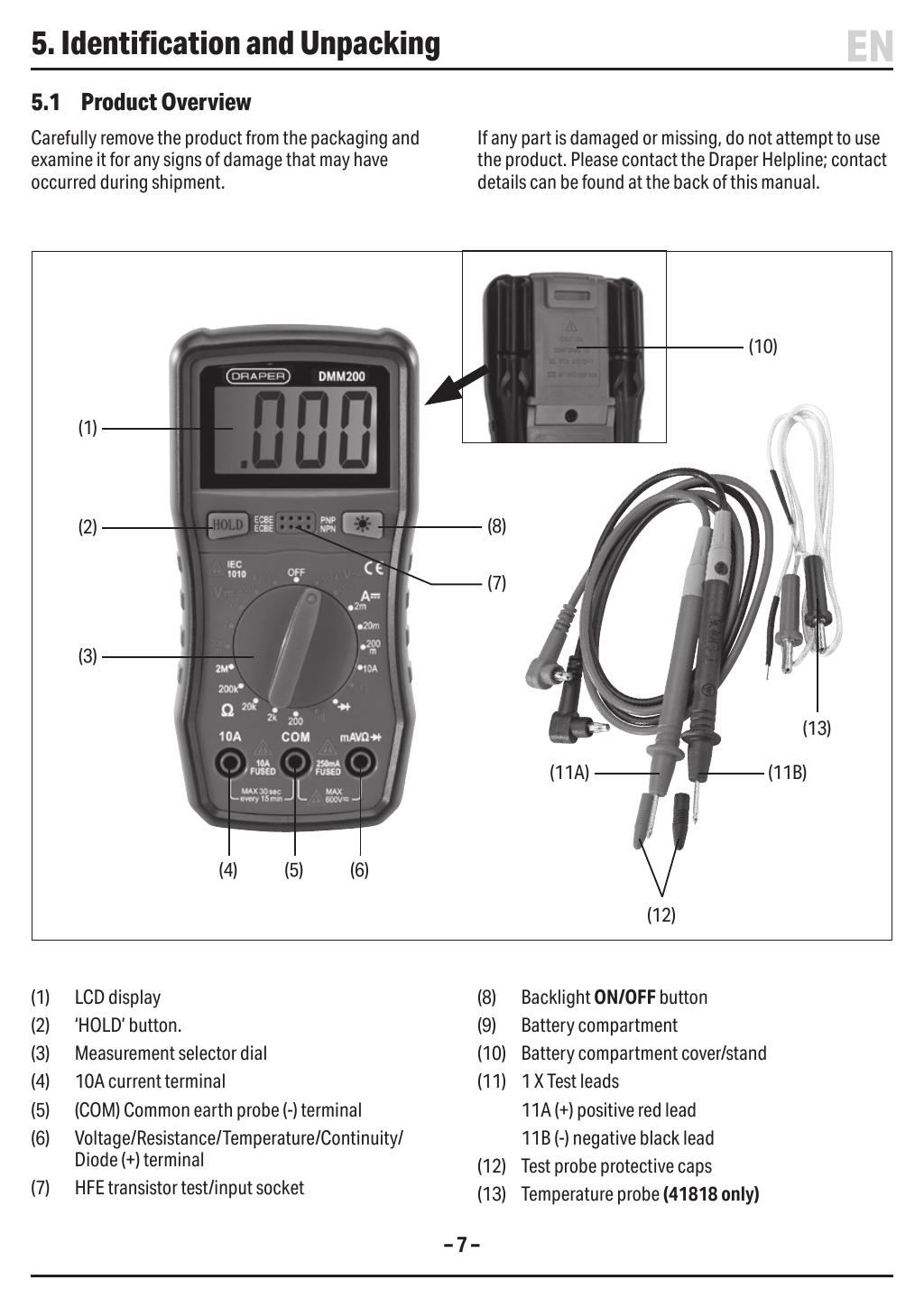
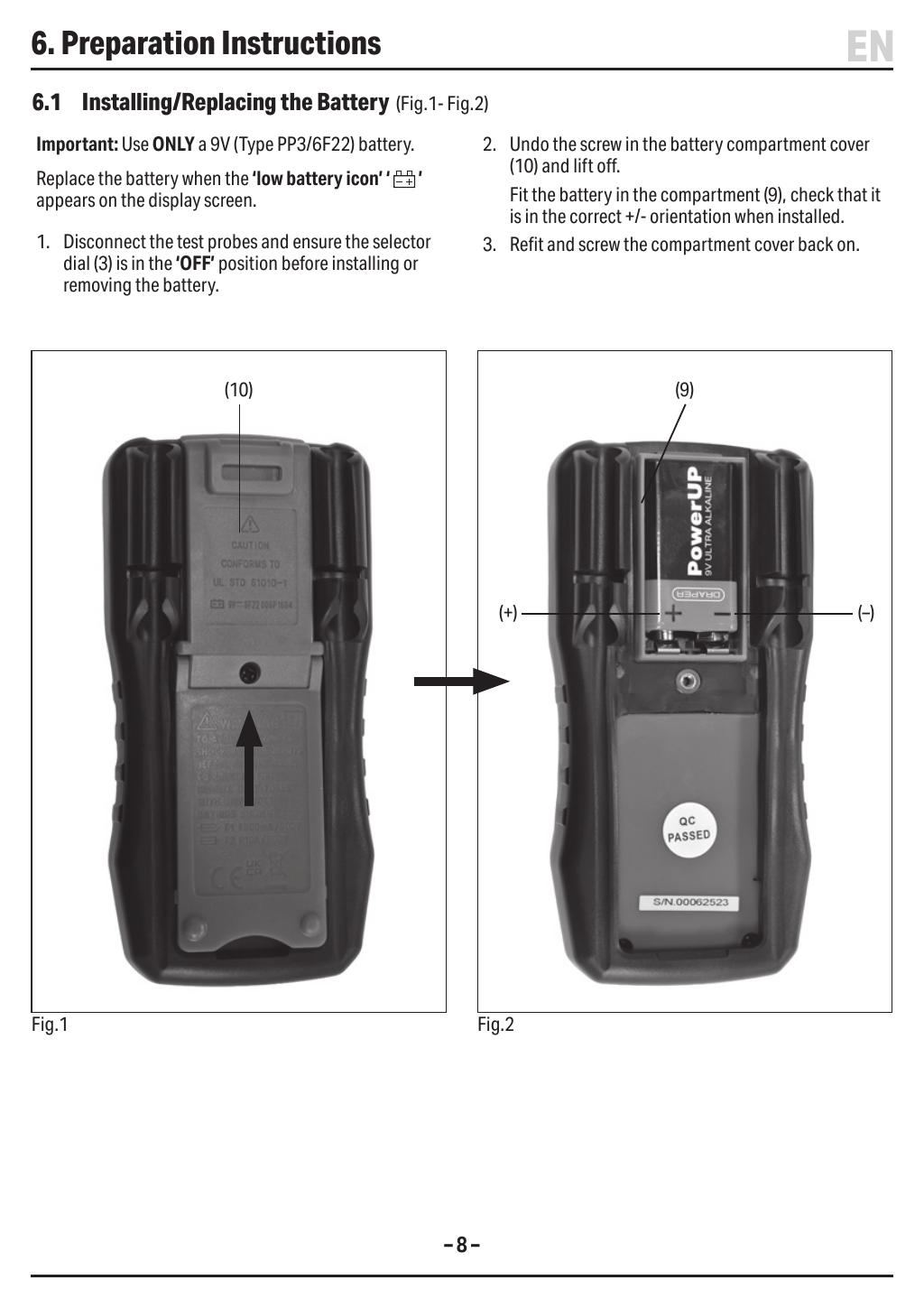
Click any page above to enlarge. Once enlarged, right-click and choose "Save image as" to save the datasheet to your device. Use ‹ / › to flip pages, × to close. Rendered from the manufacturer's official datasheet supplied with the product.
‹›‹›‹›‹›‹›‹›‹›‹›‹›‹›‹›‹›