
Sealey 2-Stroke Petrol Post Driver 100mm 52cc
The Sealey 2-Stroke Petrol Post Driver 100mm 52cc (Part Number: PPD100).
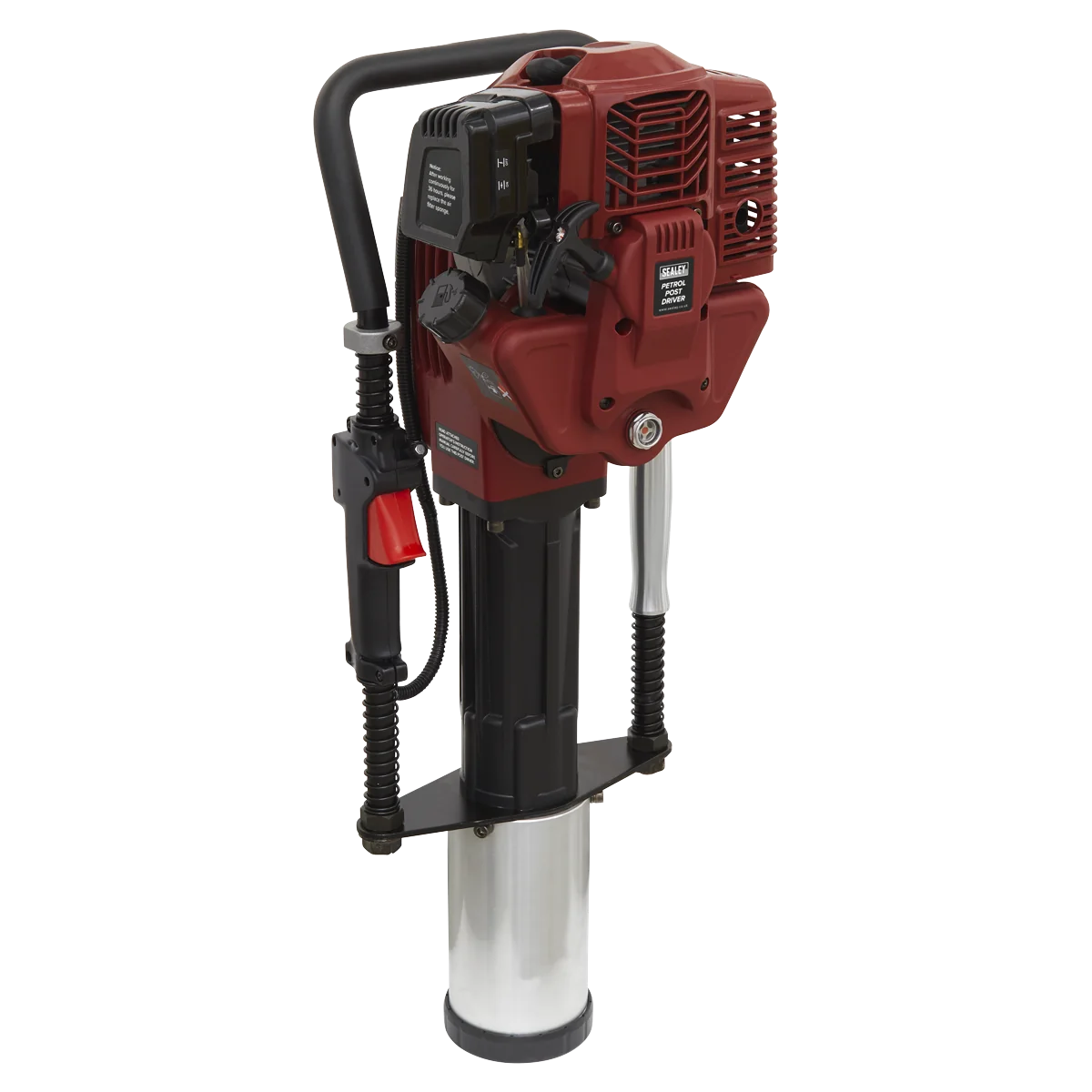
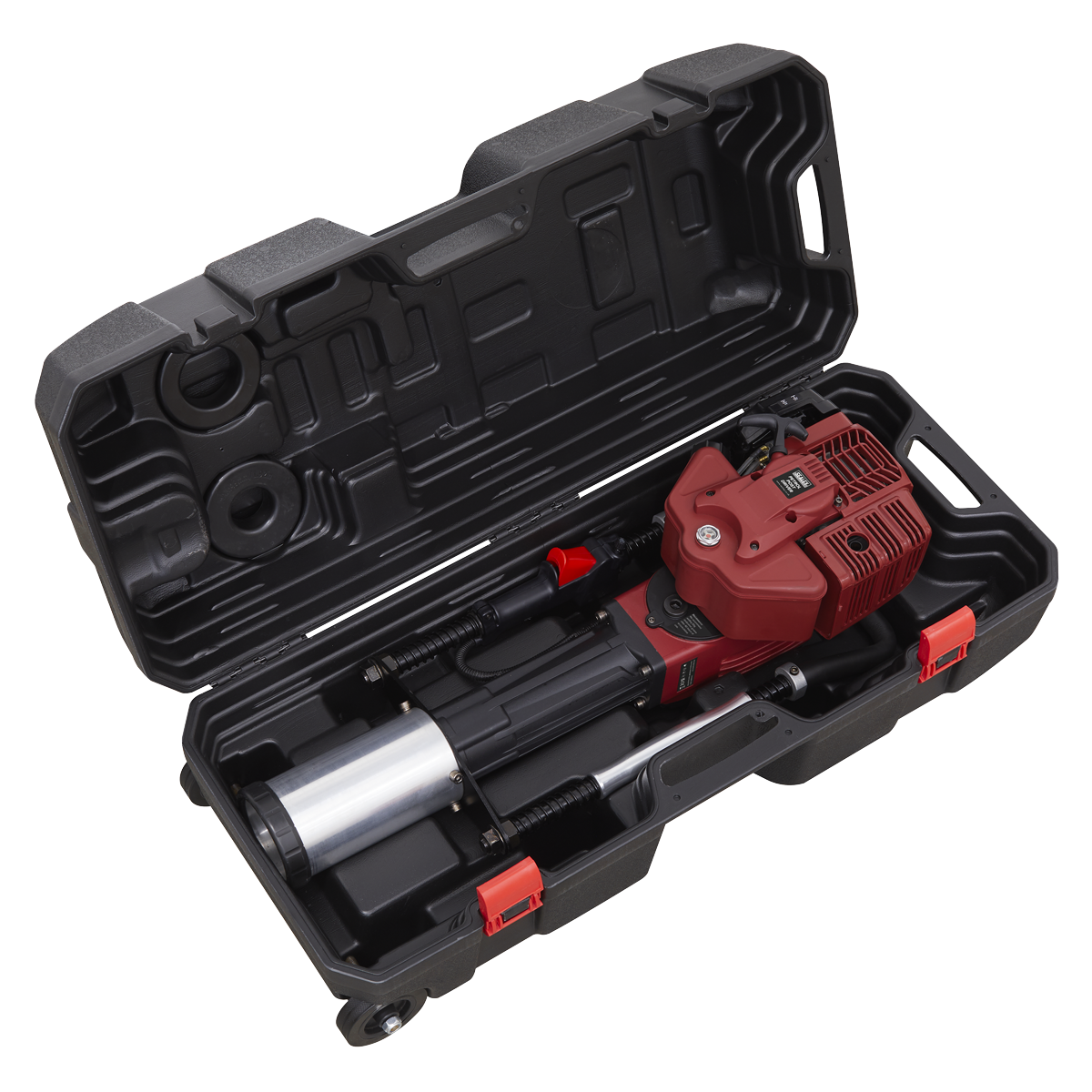
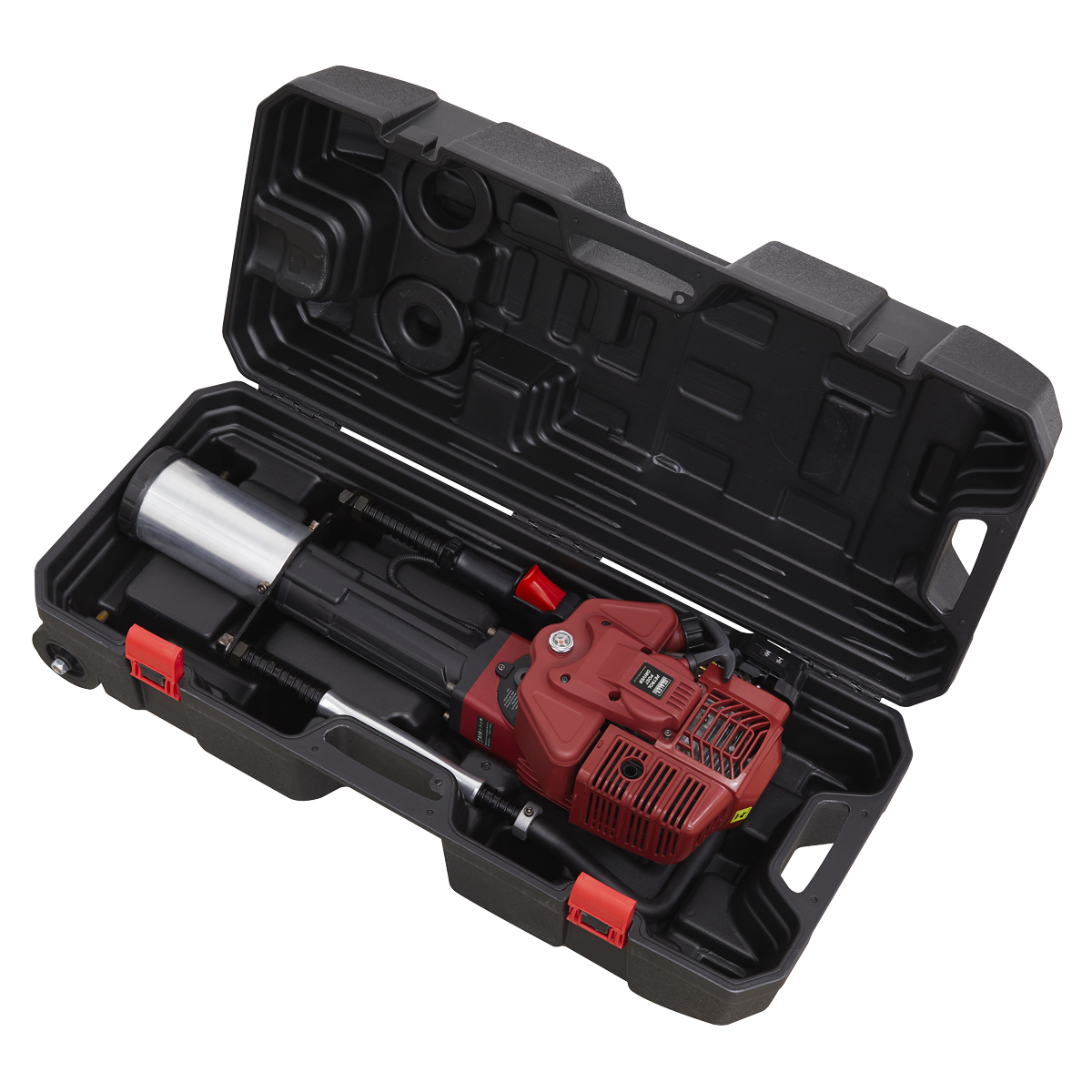
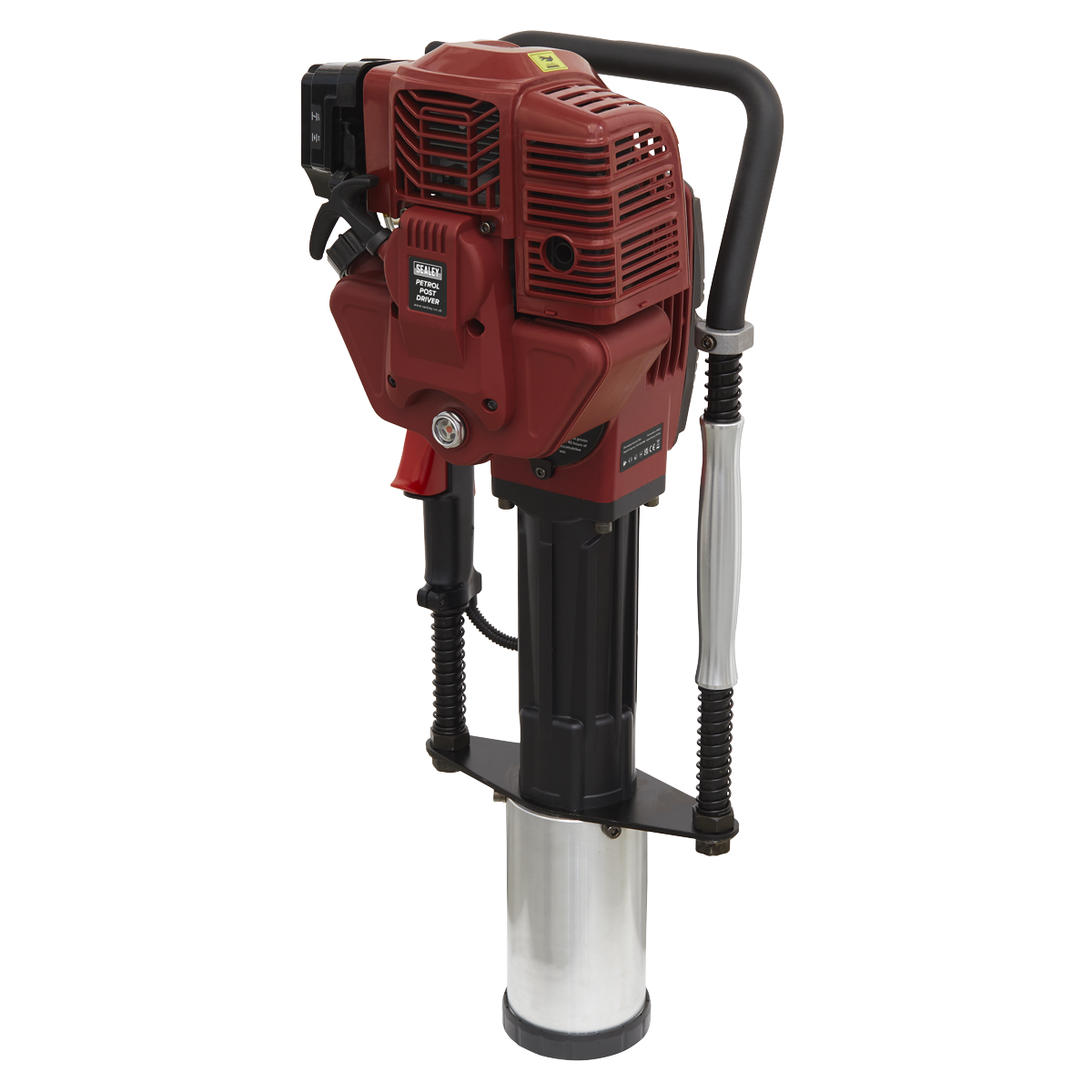
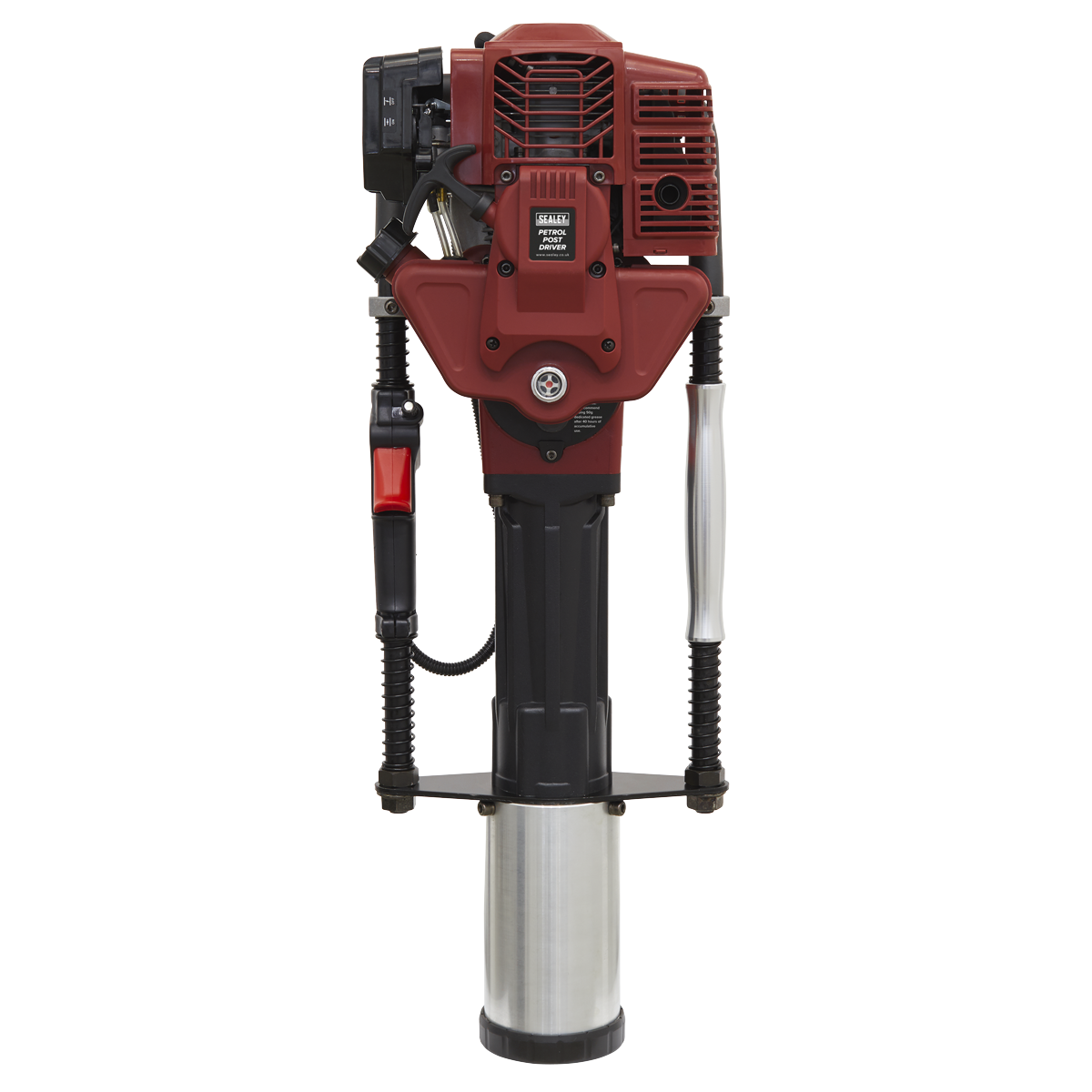
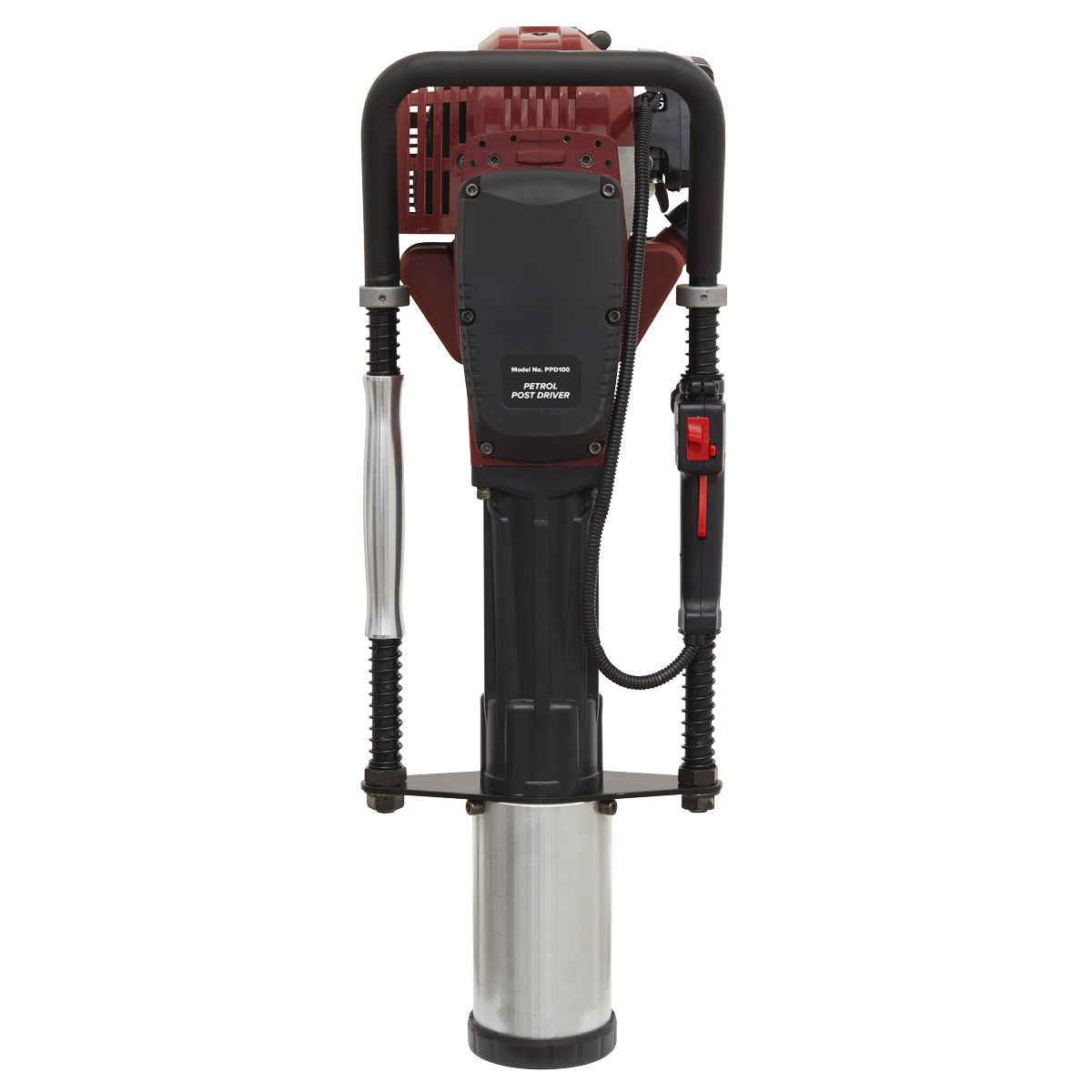
The Sealey 2-Stroke Petrol Post Driver is a heavy-duty tool designed for driving posts up to Ø100mm diameter into the ground. Powered by a 52cc air-cooled single cylinder engine, this post driver is both lightweight and powerful, making it ideal for various outdoor applications.
- Engine Capacity: 52cc 2-stroke engine
- Fuel Tank Capacity: 1.3L for extended use
- Impact Energy: Adjustable from 20-55 Joules
- Includes: Three sets of post rings for Ø49mm, Ø69mm, and Ø100mm posts
- Transport: Comes with a storage case featuring integral wheels
This tool is particularly useful for installing large numbers of posts or in areas where access is limited for heavier machinery.
Specifications
| Brand | Sealey |
| EAN | 5054511971101 |
| Type | Janitorial, Material Handling & Leisure |
| Sub-Type | Miscellaneous |
| Item Weight | 32 kg |
| Custom Bundle | No |
| Model No | PPD100 |
| Engine Capacity | 52cc |
| Engine Type | Single Cylinder Air Cooled 2-Stroke |
| Fuel Consumption | 0.6L/ph |
| Fuel Tank | 1.3L |
| Impact Energy | 20-55 Joules |
| Impact Frequency | 700-1350b/min |
| Max Engine Speed | 10,500 rpm |
| Maximum Power | 2hp @ 9,000rpm |
| Maximum Torque | 2.5 Nm @ 5,000rpm |
| Nett Weight | 21.5kg |
| Noise Rating | Lwa 112.1dB(A) |
| Vibration/Uncertainty | 13.89m/s² / 1.5 m/s² |
| Length | 100mm |
| Manufacturer Part Number (MPN) | PPD100 |
Why Choose Sealey?
The UK workshop's favourite equipment brand.
- Massive professional range — hand tools, power tools, jacks, lifting, diagnostics and garage equipment.
- Workshop specification — designed for daily professional use.
- Genuine Sealey — full part numbers and technical data on every listing.
About Sealey
Sealey is a British family business and one of the UK's biggest names in professional tools and workshop equipment, with a catalogue running to tens of thousands of lines. From vehicle service tools and lifting equipment to hand tools and consumables, Sealey is a fixture in garages and workshops across the country.







Specifications & Datasheet
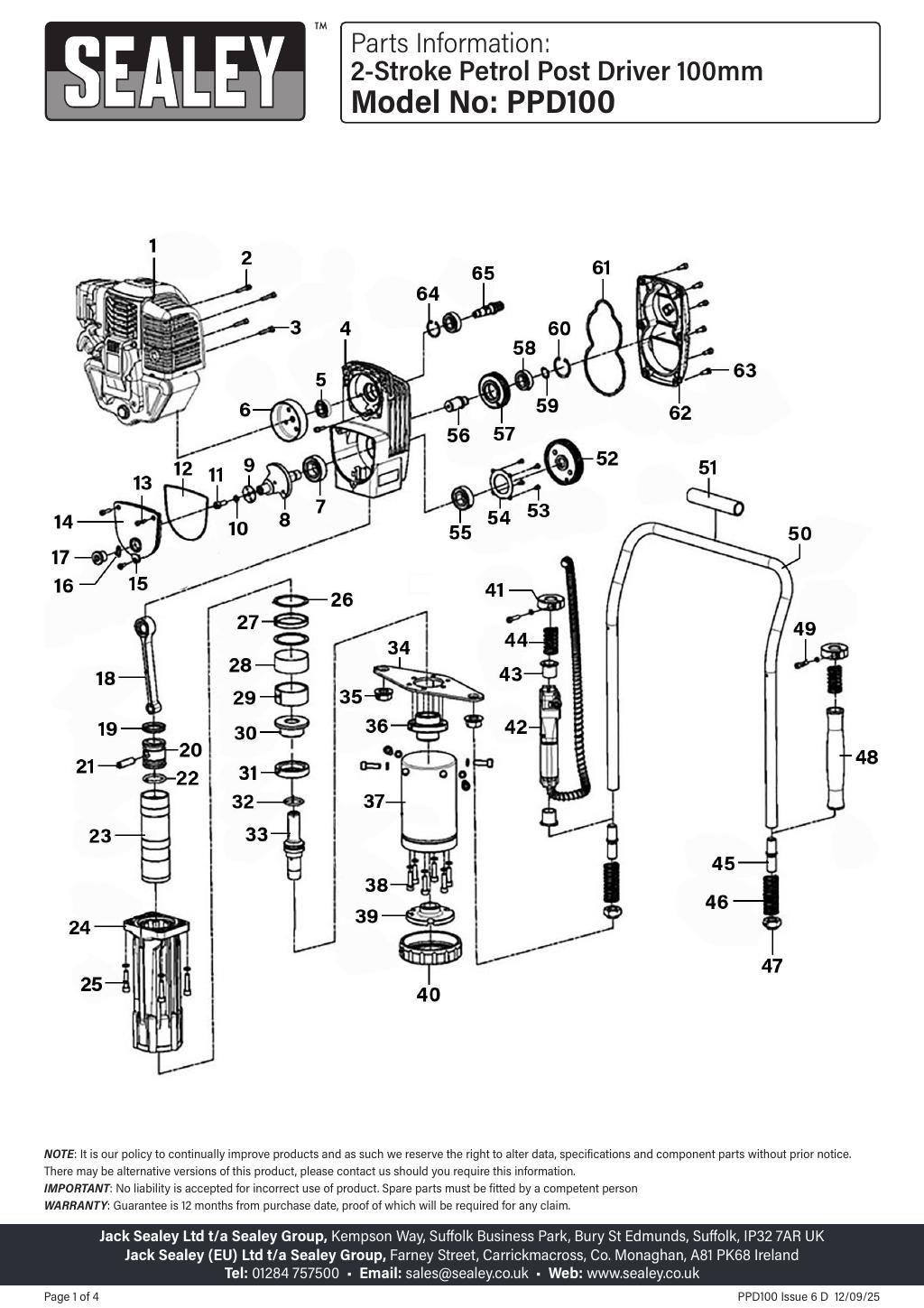
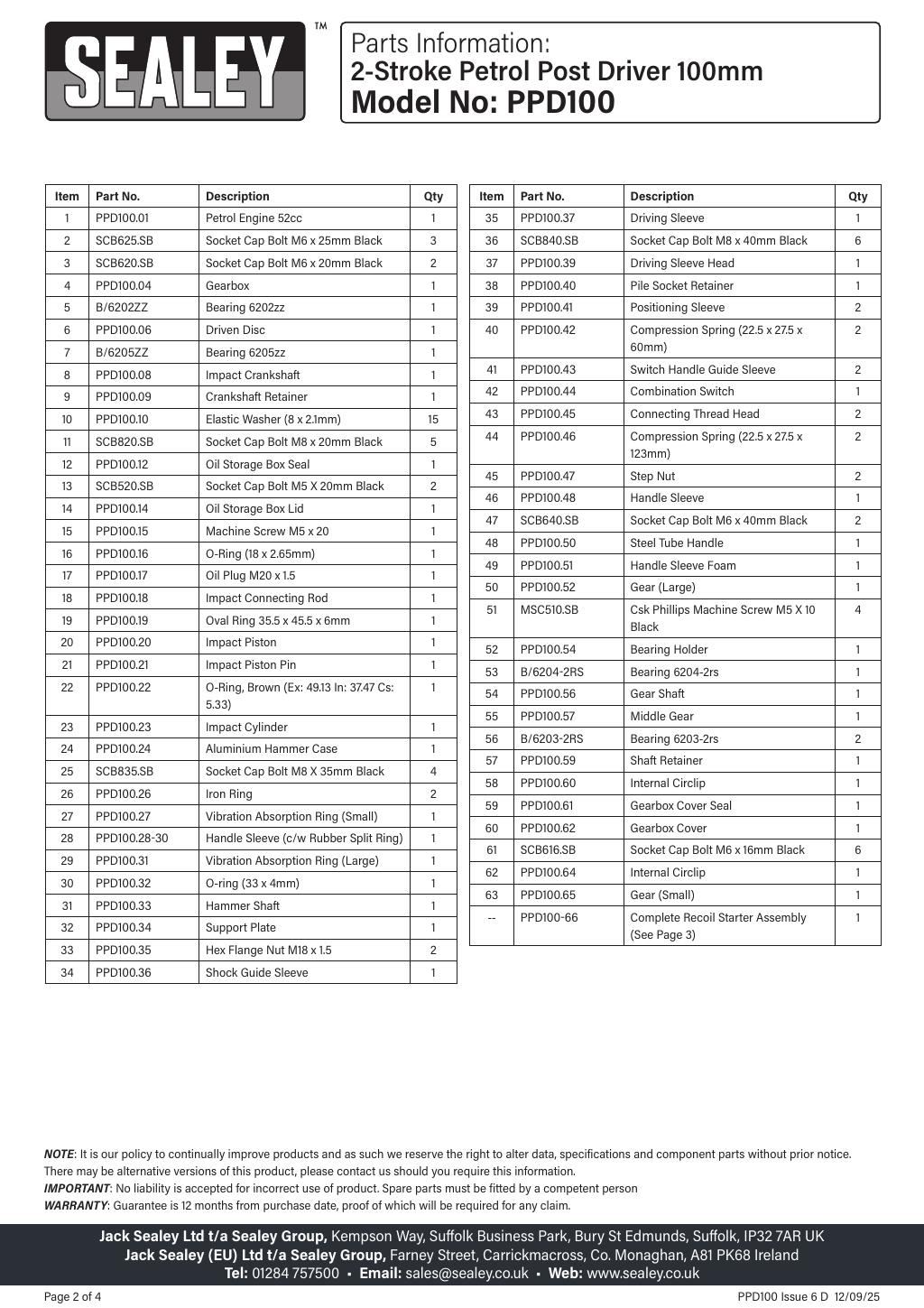
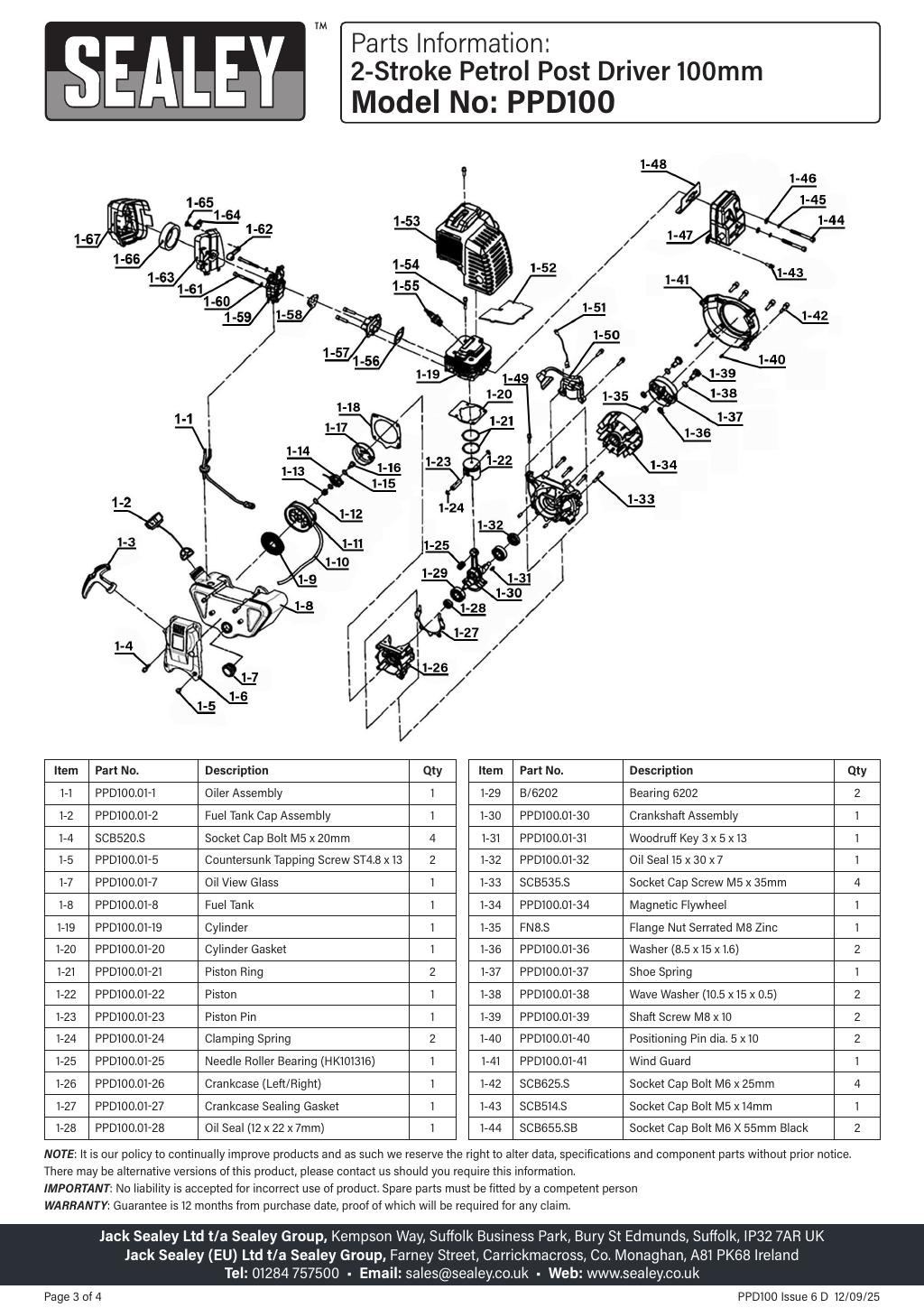
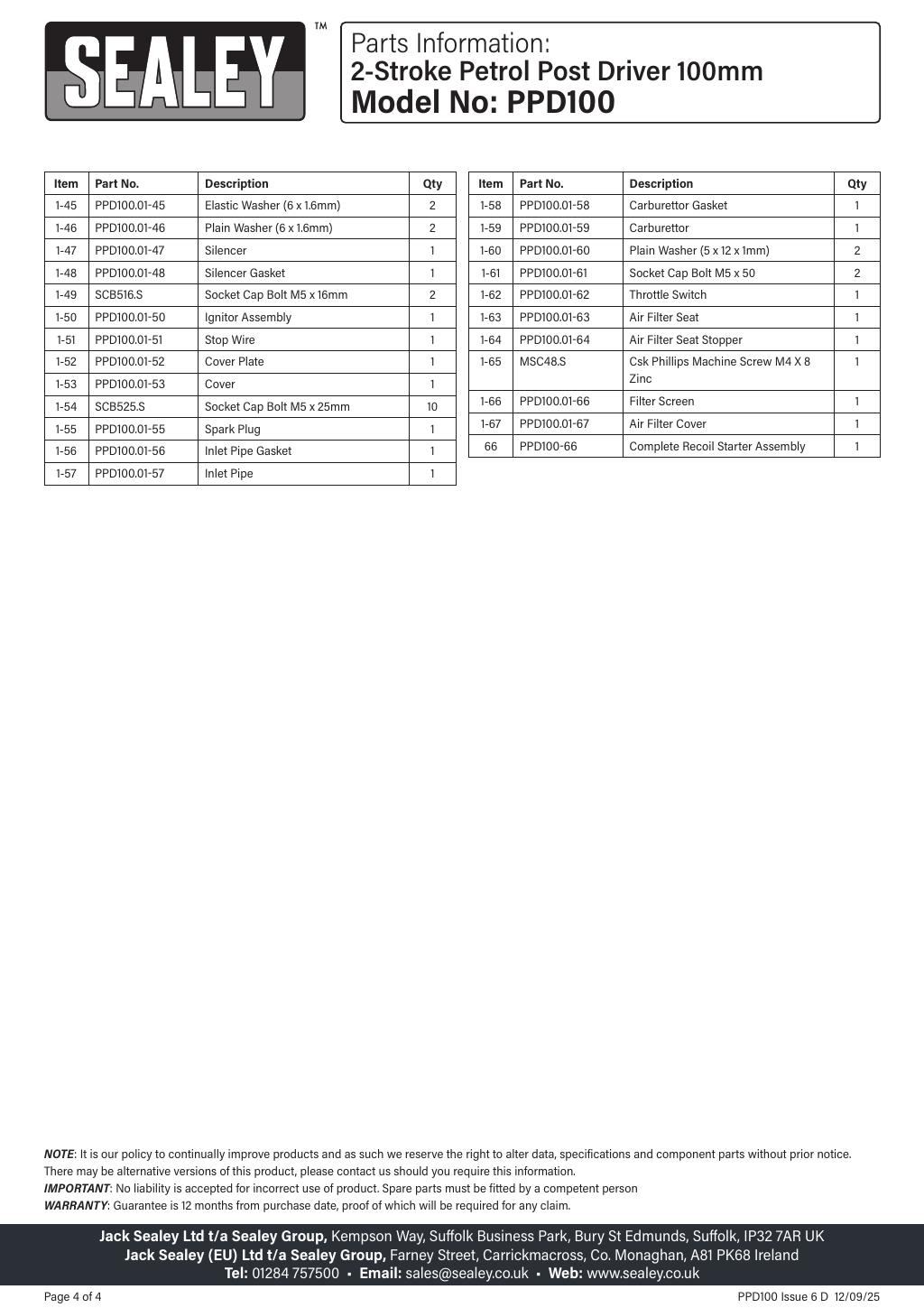
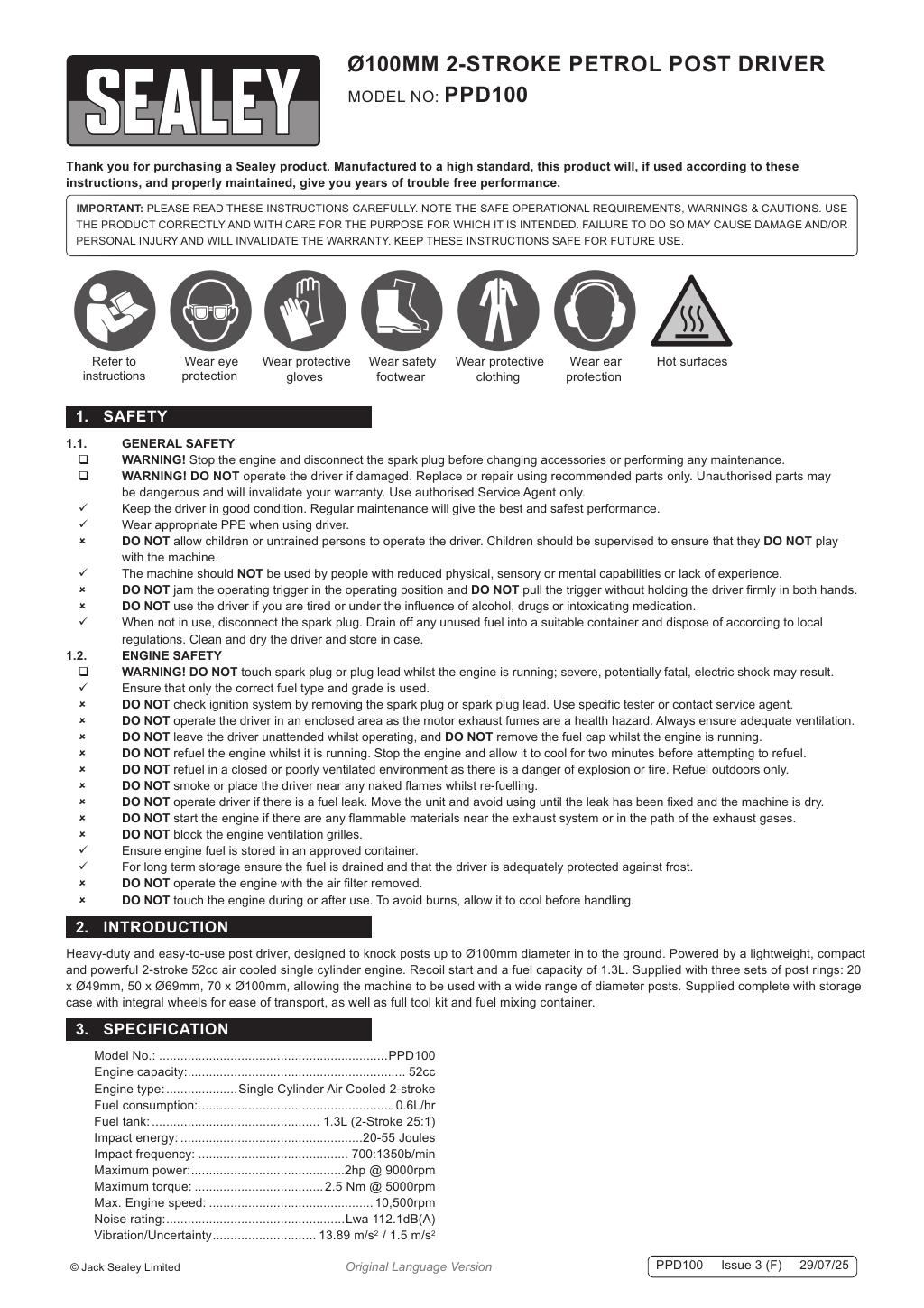
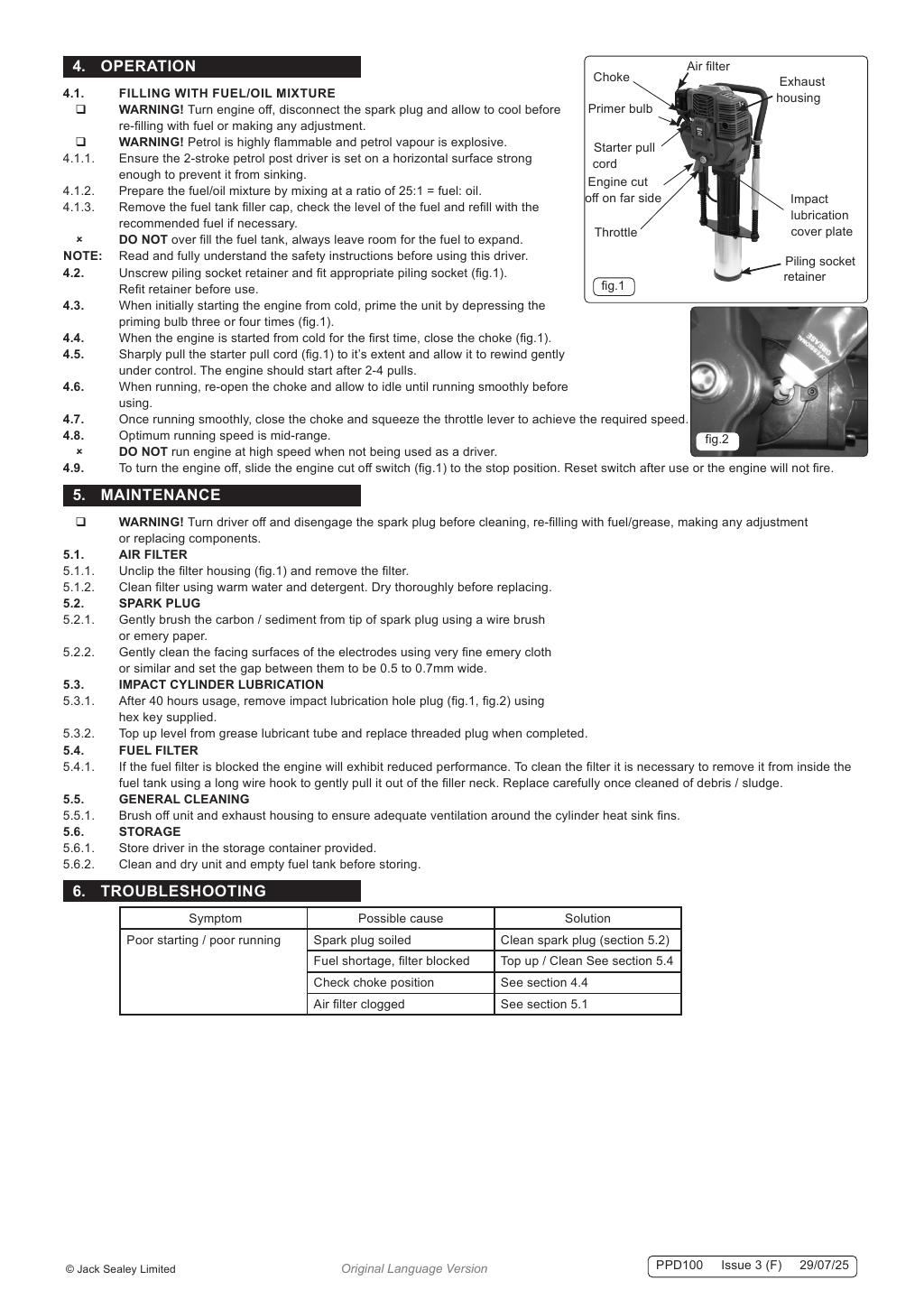

Click any page above to enlarge. Once enlarged, right-click and choose "Save image as" to save the datasheet to your device. Use ‹ / › to flip pages, × to close. Rendered from the manufacturer's official datasheet supplied with the product.