 |
|
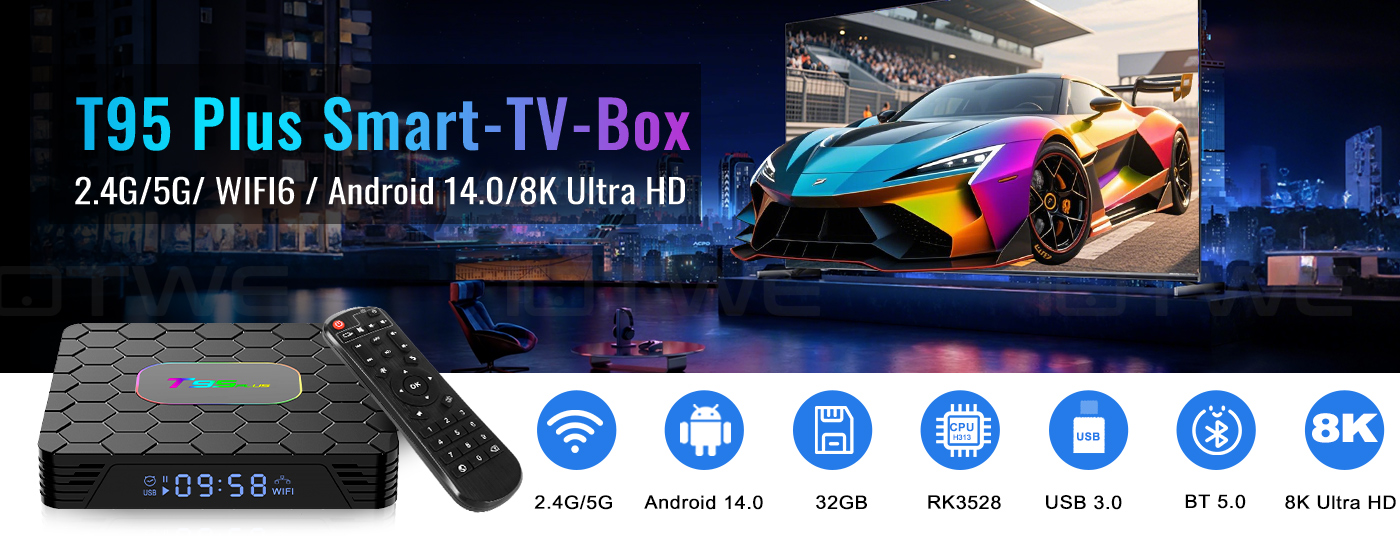
【Android 14.0】 Die Android-TV-Box mit Android 14.0 sorgt für Stabilität und reibungsloses Laden von Filmen, Bildern und Spielen ohne Puffer. Erleben Sie eine verbesserte Leistung und Benutzerfreundlichkeit mit einer glatten und stabilen Oberfläche. Mit dem leistungsstarken RK3528 Quad-Core-Prozessor und fortschrittlicher Bildverarbeitungstechnologie genießen Sie ein herausragendes Erlebnis mit schneller Laufgeschwindigkeit und professioneller Bildqualität. 【4 GB RAM /32/64/128 GB ROM】 Die Android 14.0 TV-Box bietet eine beeindruckende Leistung mit 32/64/128 GB ROM, um ein reibungsloses Betriebssystem zu gewährleisten und eine höhere Laufgeschwindigkeit ohne Pufferung oder Abstürze zu ermöglichen. Mit ausreichend Speicherplatz für Apps, Spiele und mehr. Zusätzlich können Sie den Speicher über den Micro-SD-Kartenslot erweitern, sodass Ihnen nie der Speicherplatz ausgeht.【2.4/5G Wi-Fi 6 und Bluetooth 5.0】 Die Smart-TV-Box bietet eine schnelle und stabile 2,4G/5G WiFi 6-Verbindung mit Übertragungsraten von bis zu 9,6 Gbit/s. Mit dem neuen WIFI6 können Sie ein schnelles Netzwerk mit Stabilität genießen und reibungsloses Streaming, Spiele usw. genießen. Darüber hinaus verfügt es über HDMI 2.0, 10/100M Ethernet LAN und Bluetooth 5.0 für mehrere Konnektivitätsoptionen und eine verbesserte drahtlose Audioübertragung. 【8K + 3D und H.265】 Die TV-Box unterstützt die Wiedergabe aller gängigen Audio- und Videoformate und ermöglicht Ihnen das Genießen von 8K HD-Videos mit klarerer Auflösung als 4K. Erleben Sie Tausende von Android-Spielen auf einem großzügigen 8K-Bildschirm und profitieren Sie von einem reibungslosen Spielerlebnis mit weniger Pufferung. Darüber hinaus bietet die Android 14.0 TV-Box auch 3D-Unterstützung für ein beeindruckendes visuelles Fest. (*Hinweis: Die 8K- und 3D-Funktionen erfordern auch kompatible Geräte.) 【Komfort und Bequemlichkeit】 Der T95 PLUS ist die ideale Lösung für diejenigen, die keinen Smart-TV besitzen oder nicht viel Geld für einen teuren Fernseher ausgeben möchten. Verbinden Sie Ihr Smartphone drahtlos mit dem Fernseher und genießen Sie Bilder und Ton auf dem großen Bildschirm. Mit der Android 14.0 TV-Box können Sie einen Webbrowser nutzen, soziale Netzwerk-Apps verwenden, Musik, Videos, Fotos und vieles mehr abspielen. Machen Sie Ihren Fernseher zu einem vielseitigen Entertainment-Hub mit dem T95 PLUS. |
|
|
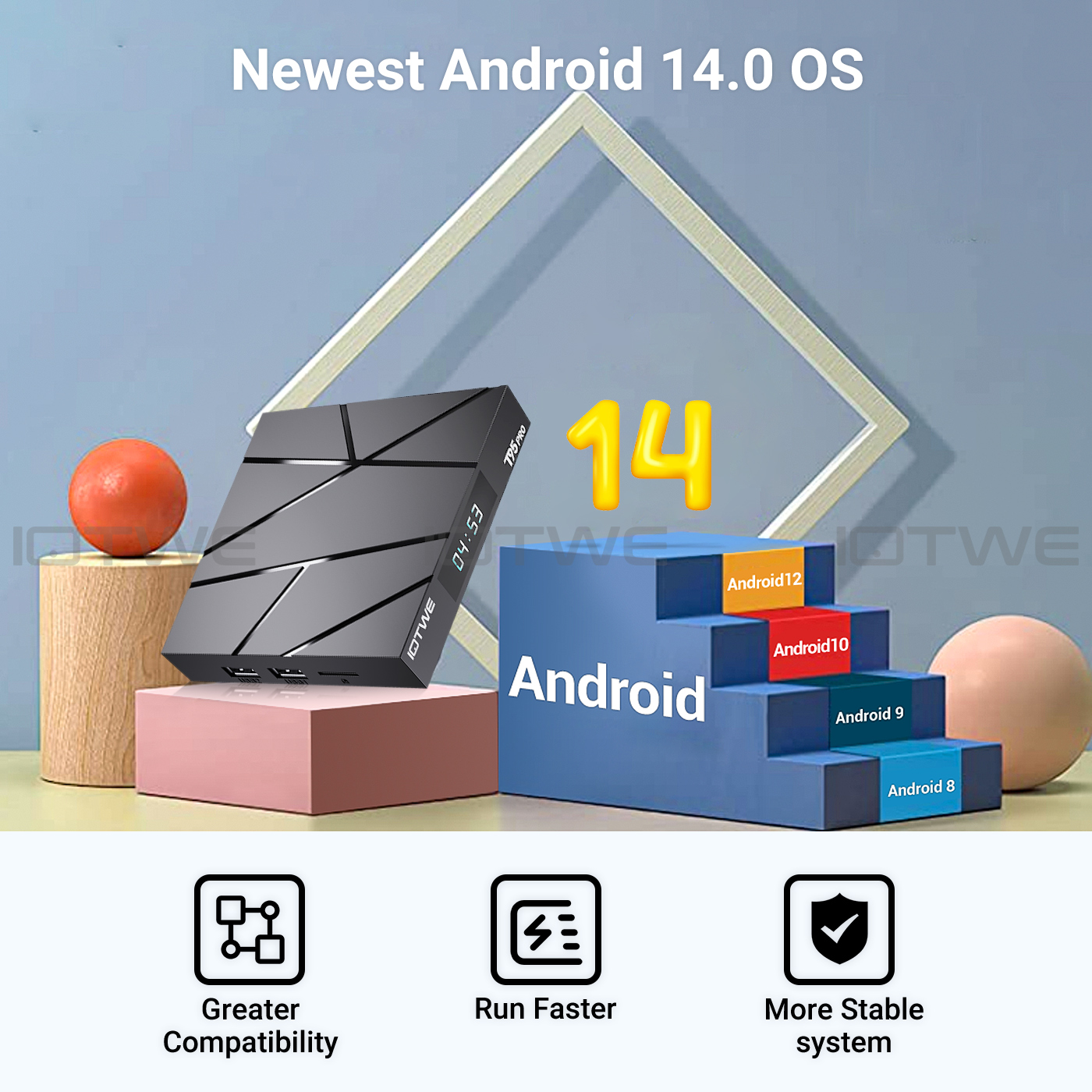
| • Die T95 PLUS Smart TV Box mit Android 14.0 OS bietet Ihnen ein verbessertes Betriebssystem im Vergleich zu Android 13.0. Genießen Sie die Vorteile eines schnelleren, stabileren Systems, einer verbesserten Softwarekompatibilität sowie einer optimierten Benutzeroberfläche und -erfahrung. Erleben Sie bessere Spiele, Anwendungen und insgesamt eine verbesserte Leistung mit der T95 PLUS Android 14.0 TV Box. |
 |
 |
 |
|
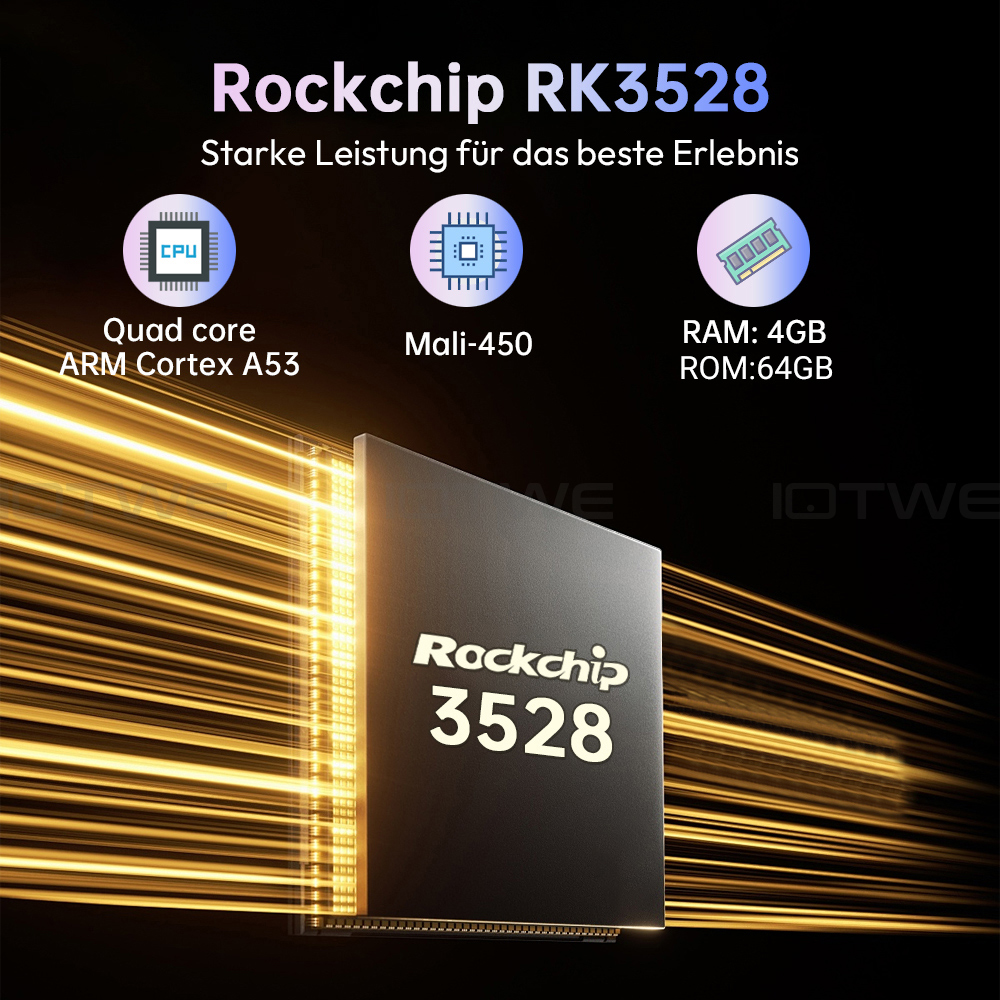
• Die Android 14.0 TV-Box ist mit dem leistungsstarken Quad-Core-Cortex-A53-CPU-Chip RK3528 ausgestattet, der eine reibungslose und verzögerungsfreie Leistung gewährleistet. Und mit 128 GB ROM bietet es ausreichend Speicherplatz für Ihre Apps und Inhalte. Sie können den Speicherplatz auch erweitern, mit einer maximalen Erweiterungskapazität von 64 GB (*ohne SD-Karte). Sorgen Sie für ausreichend Speicherplatz, um Videos und Spiele in kristallklarer Qualität herunterzuladen und abzuspielen. |
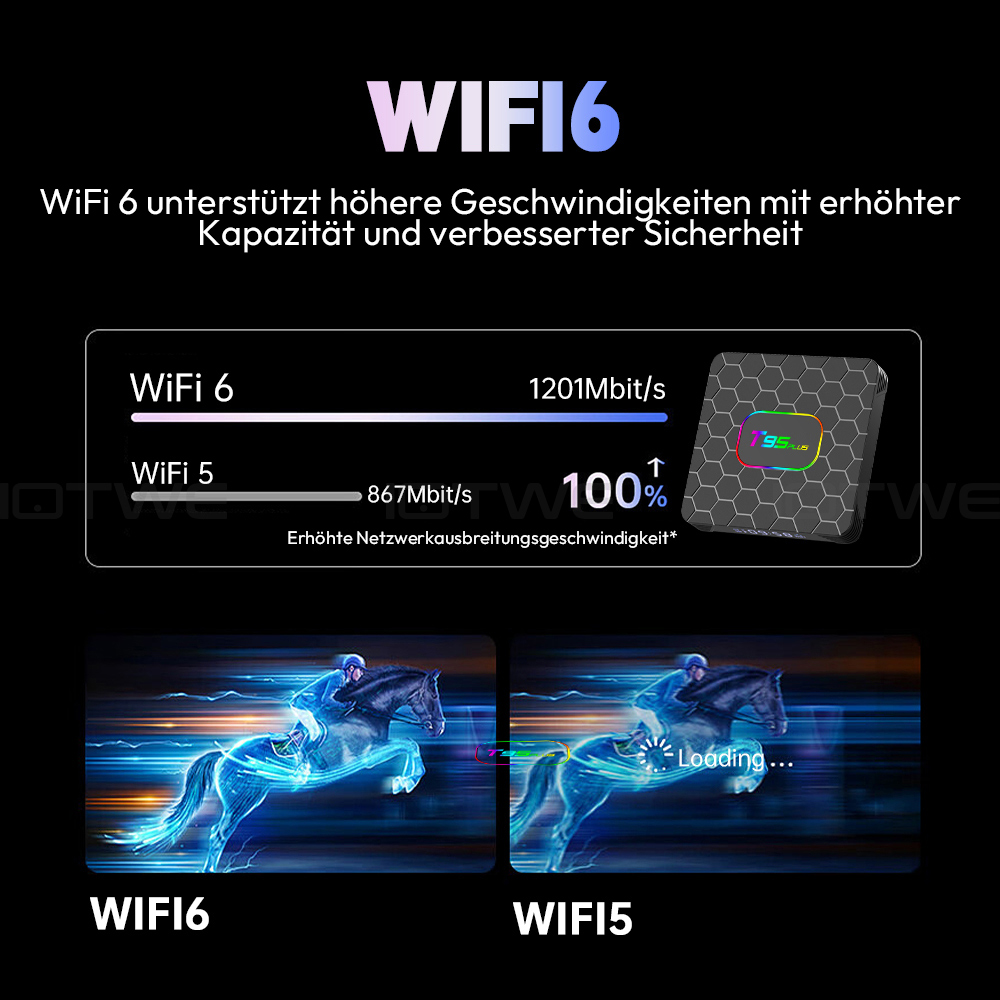
• Die mit Android 14.0 betriebene TV-Box unterstützt 2,4G/5G WiFi 6 und BT 5.0, was die Verwendung einer Minitastatur und Kopfhörer bequemer macht. Mit WiFi 6 können Sie von bis zu 12 gleichzeitigen Datenströmen im 2,4-GHz- und 5-GHz-Band profitieren, im Vergleich zu den 8 Streams, die WiFi 5 in einer Dualband-Konfiguration bietet. Nutzen Sie die App und schauen Sie sich Filme an. Sie müssen lediglich das Netzwerkkabel in die entsprechende Buchse stecken und schon können Sie loslegen. |
• Mit dieser Android-TV-Box können Sie ganz einfach und ohne komplizierte Kabelinstallation eine Vielzahl von Inhalten, darunter Videos, Musik, Spiele und Dokumente, auf Ihren Fernsehbildschirm streamen. Durch die Verbindung können Sie Bildschirminteraktionen auf mehreren Geräten realisieren und so Ihr Benutzererlebnis auf ein höheres Niveau heben. |
 |
|
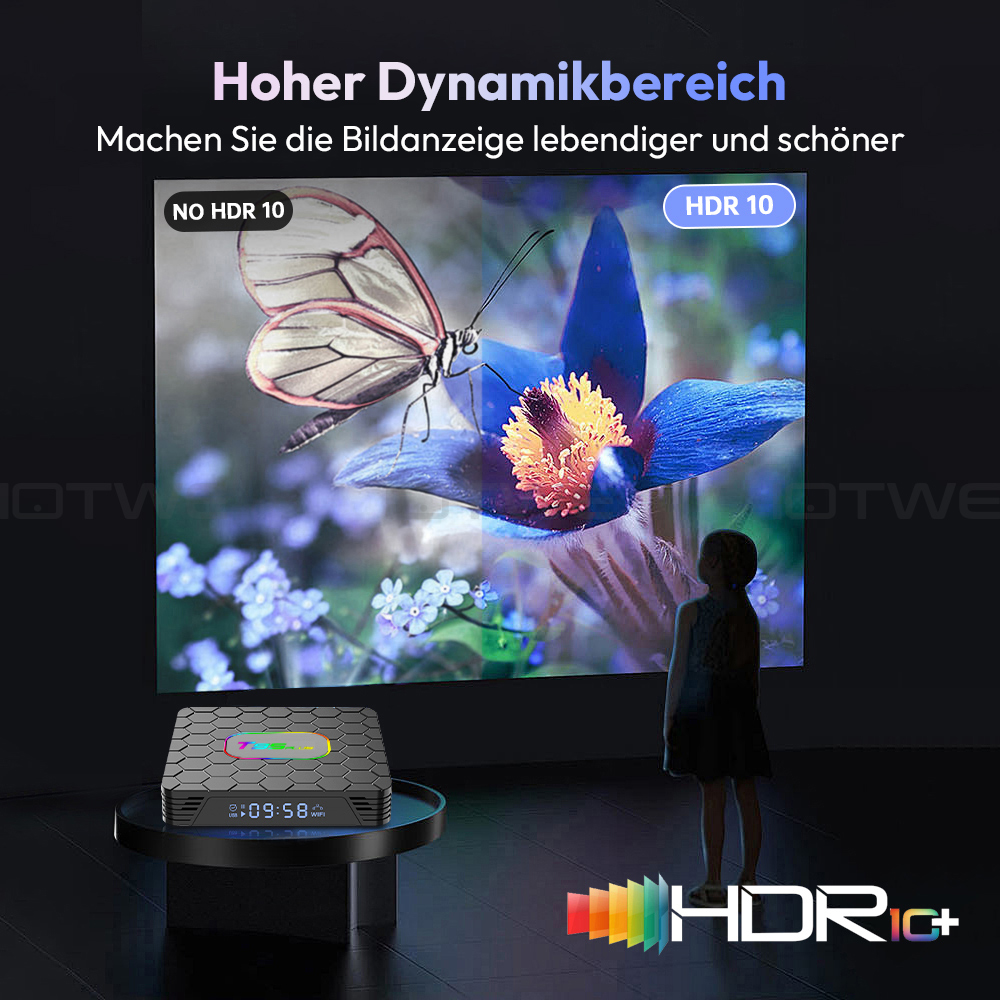
Android-TV-Box mit 8K-HD-Auflösung. Die Farben sind auf dem HDR10+-Display lebendiger und lebendiger. Die Ultra-HD-Bildqualität sorgt für ein ultimatives Seherlebnis, sodass Sie jeden Tag Blockbuster-Filme ansehen können. Die Android-Box unterstützt die Dekodierung und Anzeige aller Video- und Audioformate. |
 |
|
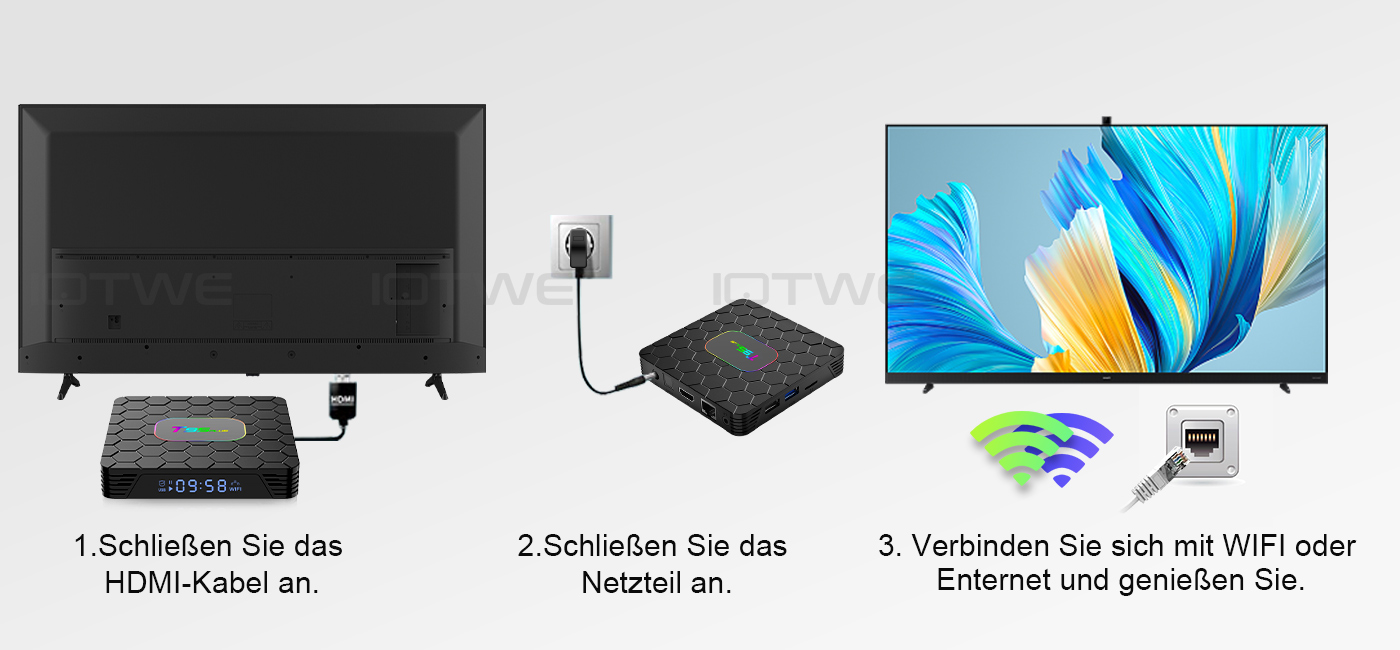
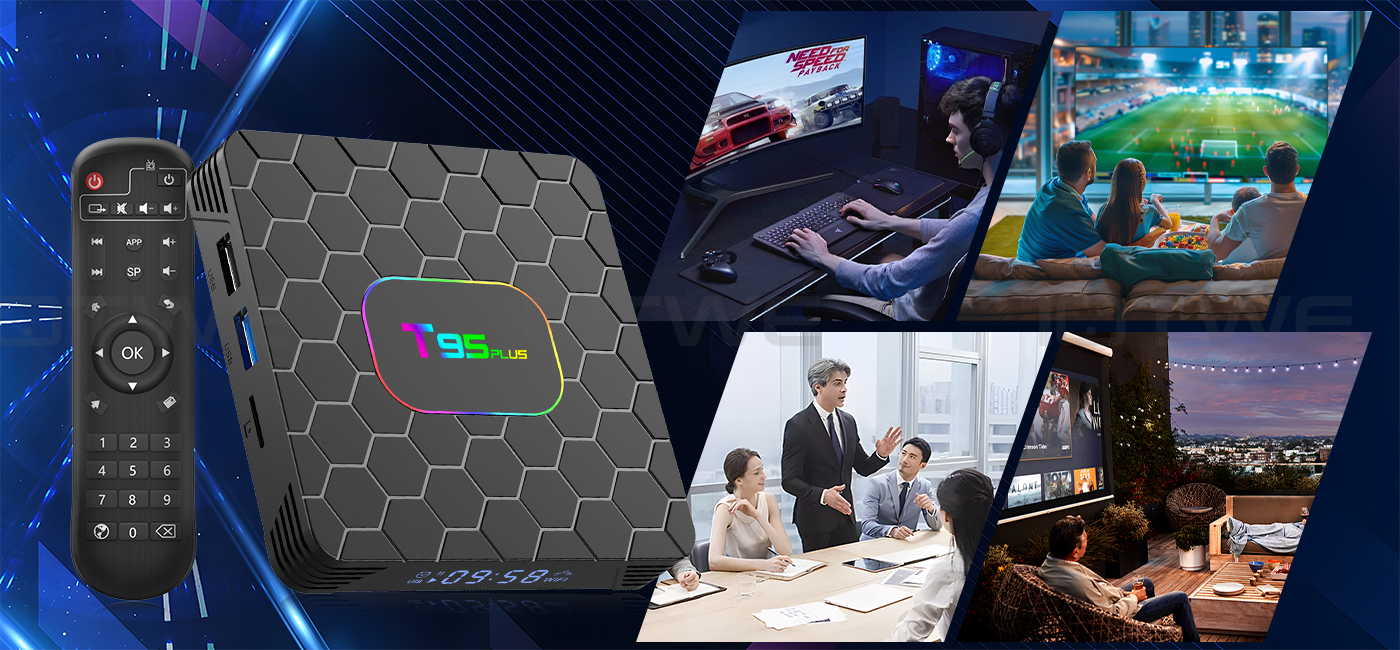
Die T95 PLUS Android 14.0 TV BOX bietet hervorragende Leistung und Funktionalität sowie eine einfach zu bedienende, benutzerfreundliche Oberfläche. Schließen Sie es an Ihren Fernseher oder Monitor an und genießen Sie das Surfen in Apps, das Ansehen von Filmen, das Spielen von Spielen und mehr. |
|
|

|
Frage: Kann nicht booten/zum ersten Mal öffnen? Antwort:Unser QC-Team hat den Artikel im Detail getestet, bevor wir ihn ausliefern, daher glaube ich, dass wir das Problem gemeinsam lösen können. In dieser Situation versuchen Sie bitte Folgendes: 1.hier ist Schritt, wie man die TV-Box einrichten A. Schließen Sie das Ladegerät an die TV-Box und die Steckdose an B. Verbinden Sie das HDMI-Kabel zwischen der TV-Box und dem Fernseher C. Stellen Sie Ihren Fernseher auf den HDMI-Modus ein. Bitte überprüfen Sie, ob Sie die Kabel richtig angeschlossen haben. 2. Prüfen Sie, ob ein rotes oder blaues Licht leuchtet, oder ob gar kein Licht leuchtet und melden Sie sich bei mir. |
|
Frage:Wie löst man die Videounschärfe der TV-Box? Antwort: Wenn es in einigen von ihnen passiert ist, kann es das Problem für die Videoqualität, ist es nicht auf die Box abhängen, können Sie versuchen, die Auflösung auf max (1080P oder mehr), dann prüfen, ob es gut funktioniert.Oder Sie können es in anderen app. 1.Wenn es in der alle Videos passiert, hier ist der Schritt: A.Wenn Sie ein anderes HDMI-Kabel haben, könnten Sie es bitte mit einem anderen HDMI-Kabel versuchen? B.Verbinden Sie den Fernseher mit der TV-Box über Av-Out-Kabel richtig (es gibt verschiedene Farbe Port. Bitte überprüfen und richtig setzen), oder Sie können wählen, um die HDMI-Kabel zu verwenden, um es auch zu verbinden. C.Wenn das Problem immer noch da ist, versuchen Sie bitte, die Werkseinstellungen wie unten wiederherzustellen: Drücken Sie Einstellung - Backup & Reset ---- Werksdaten zurücksetzen ----- TV-Box zurücksetzen ---- Alles löschen . D.Stellen Sie die Auflösung der TV-Box auf 1080P, hier ist der Schritt: Einstellung--Anzeige--Automatische Auflösung ausschalten--Auflösung auf 1080P einstellen. |
|
Frage: Probleme bei der WiFi-Einstellung oder Verbindung? Antwort:1. Versuchen Sie bitte, das Gerät zurückzusetzen: ( Einstellung )-( Backup & Reset )---- ( Werksdaten zurücksetzen )-----( Gerät zurücksetzen )----( Alles löschen ) 2. überprüfen Sie bitte, ob Sie das Gerät erfolgreich mit Ihrem WLAN-Router verbunden haben und ob das Signal stark ist? Wenn das Signal ist sehr schwach oder es ist außerhalb der Reichweite, dann versuchen Sie es in der Nähe von Ihrem WLAN-Router zu verwenden; wenn es nicht in der Lage ist, eine Verbindung herzustellen, dann überprüfen Sie bitte Ihre WLAN-Router-Einstellung und versuchen Sie auch, eine Verbindung zu einem anderen Router. 3. könnten Sie bitte stecken Sie Ihr Netzwerkkabel direkt in den RJ45-Anschluss, um zu sehen, ob es funktionieren kann. |
|
Frage: Wie kann ich die Sprache der XGODY TV Box einstellen? Antwort:1.In dieser Situation, überprüfen Sie bitte die Einstellung /Setting-Sprache/Language-Englisch/English 2.wenn es immer noch nicht funktionieren kann, gehen Sie bitte wie folgt vor: A:Drücken Sie : Einstellung - Sichern & Zurücksetzen ---- Werksdaten zurücksetzen ----- TV-Box zurücksetzen ---- Alles löschen (oder:Einstellungen--andere---mehr Einstellungen-- Backup & Reset ---- Werksdaten zurücksetzen ----- TV-Box zurücksetzen ---- Alles löschen ) B: und dann beim ersten Einschalten des Geräts, wählen Sie bitte die gewünschte Sprache. 3 Sie können auch in den Apps eingeben, und es gibt ein Symbol wie ein Kompass, bitte klicken Sie darauf, um die Sprache zu ändern. |
 |
【Android 14.0 & H618】 The Android TV box, equipped with Android 14.0, guarantees a stable and seamless loading of films, images, and games without any buffering. It offers an enhanced performance and usability, presenting a smooth and steady interface. Powered by the robust Allwinner H618 quad-core processor and advanced image processing technology, you can relish an extraordinary experience with rapid operation speed and professional-grade image quality. 【4GB RAM 32/64/128GB ROM】 The Android 14.0 TV Box delivers remarkable performance, furnished with 32/64/128GB ROM. This not only ensures the seamless operation of the system but also enables a swifter running speed, free from buffering or crashes. There is ample storage space available for various applications, games, and other content. Moreover, the micro SD card slot allows for storage expansion, ensuring that you will never face a shortage of storage space.【5G Wi-Fi 6 & Bluetooth 5.0】 The state-of-the-art smart TV box provides rapid and reliable 5G WiFi 6 connections, boasting a remarkable transfer rate of up to 9.6 Gbit/s. This enables users to relish in seamless streaming experiences and engaging gaming sessions with ease. In addition, it is equipped with HDMI 2.0, a 10/100M Ethernet LAN port, and Bluetooth 5.0, presenting a wide array of versatile connectivity alternatives and enhancing the quality of wireless audio transmission for a more immersive audiovisual encounter. 【6K HD & H.265】 The TV box is engineered to support the playback of all prevalent audio and video formats, affording you the pleasure of indulging in 6K HD videos that possess a far sharper resolution compared to 4K. Immerse yourself in a vast array of thousands of Android games on an expansive 6K screen, savoring a fluid gaming experience with minimal buffering. Additionally, the Android 14.0 TV box extends 3D support, thereby creating a truly captivating and impressive visual extravaganza. (*Please note: The full utilization of 6K and 3D features is contingent upon the use of compatible devices.) 【Comfort and convenience】 The T95 Pro presents an ideal solution for individuals who either lack a Smart TV or are reluctant to make a significant investment in an expensive television. Seamlessly connect your smartphone wirelessly to the TV and relish images and sound on the expansive big screen. Powered by the Android 13.0 TV box, you can effortlessly navigate a web browser, engage with social network applications, play music, stream videos, view photos, and perform a multitude of other functions. Transform your ordinary TV into a multifaceted and highly versatile entertainment hub with the remarkable T95 Pro. |
|
• The T95 Pro emerges as an optimal choice for those who are devoid of a Smart TV BOX or have an aversion to splurging on a costly television set. It enables you to wirelessly couple your smartphone with the TV, thereby allowing you to luxuriate in vivid images and immersive sound on the capacious large screen. Thanks to the Android 14.0 TV box, you can fluidly operate a web browser, interact with social network apps, stream music and videos, peruse photos, and engage in a plethora of other activities. With the T95 Pro, you can metamorphose your mundane TV into a comprehensive and highly adaptable entertainment nexus. |
 |
|
|
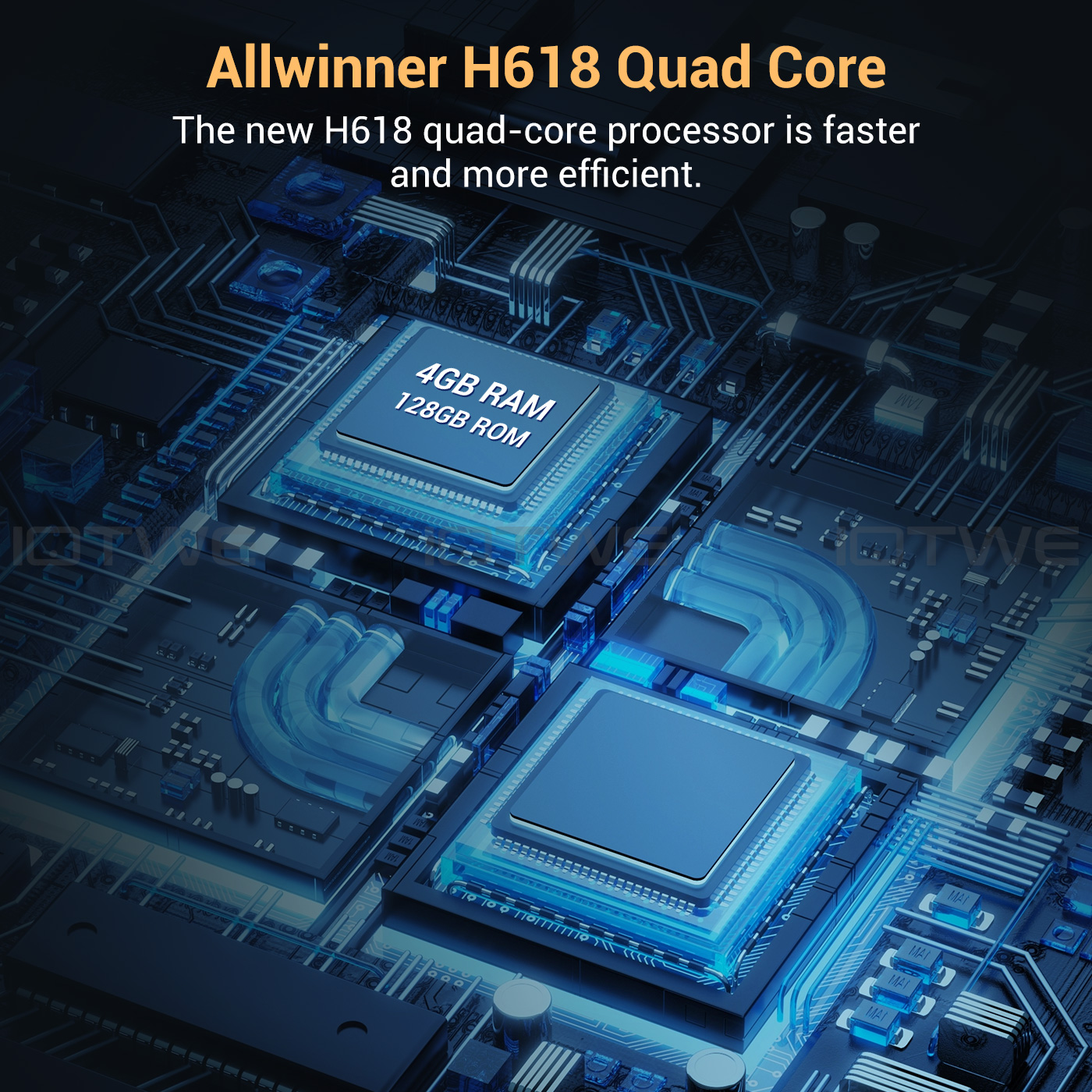
• The Android 14.0 TV Box is outfitted with the robust Allwinner H618 quad-core Cortex-A53 CPU chip, which guarantees seamless and lag-free operation. Boasting 16/32/64/128 GB of ROM, the T95 Pro Smart TV Box affords copious storage space for your various applications and content. In the event that this capacity still falls short of your requirements, you have the option to expand the storage space up to a maximum of 64GB (*SD card not provided). Revel in the pleasure of downloading and playing high-definition videos and engaging games with the abundant ROM storage at your disposal. |
|
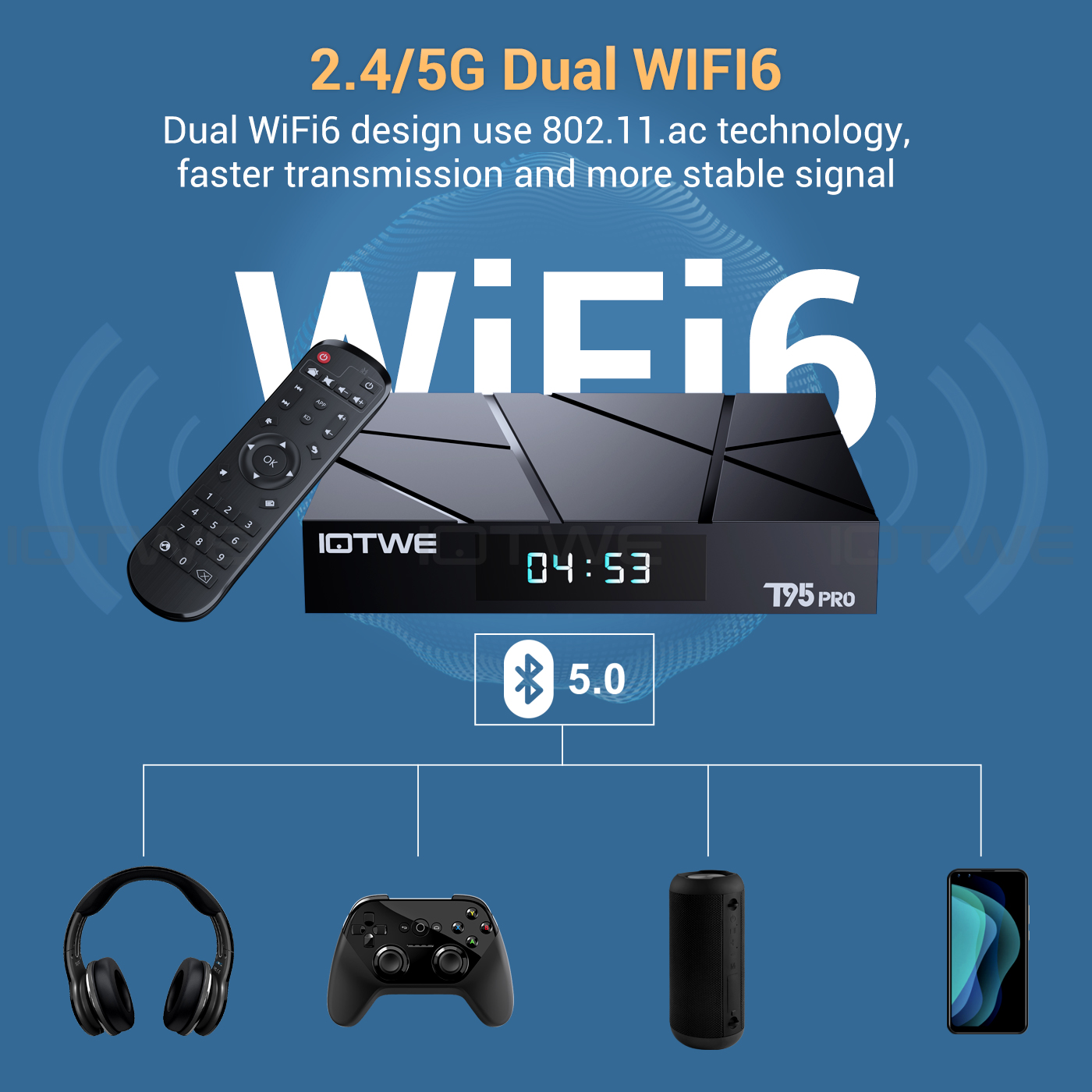
• The Android 14.0 TV Box is engineered to support 2.4G/5G WiFi 6 and BT 5.0, thereby enhancing the user experience when paired with mini keyboards and headphones. With the adoption of WiFi 6, a significant advantage is reaped as it permits an augmented number of up to 12 concurrent streams within both the 2.4 and 5 GHz frequency bands, in contrast to the mere 8 streams that WiFi 5 could manage in a dual-band setup. Indulge in a rapid and top-notch WiFi 6 signal, which bestows upon you an elevated quality during web browsing, gaming escapades, application executions, and movie viewings. |
|
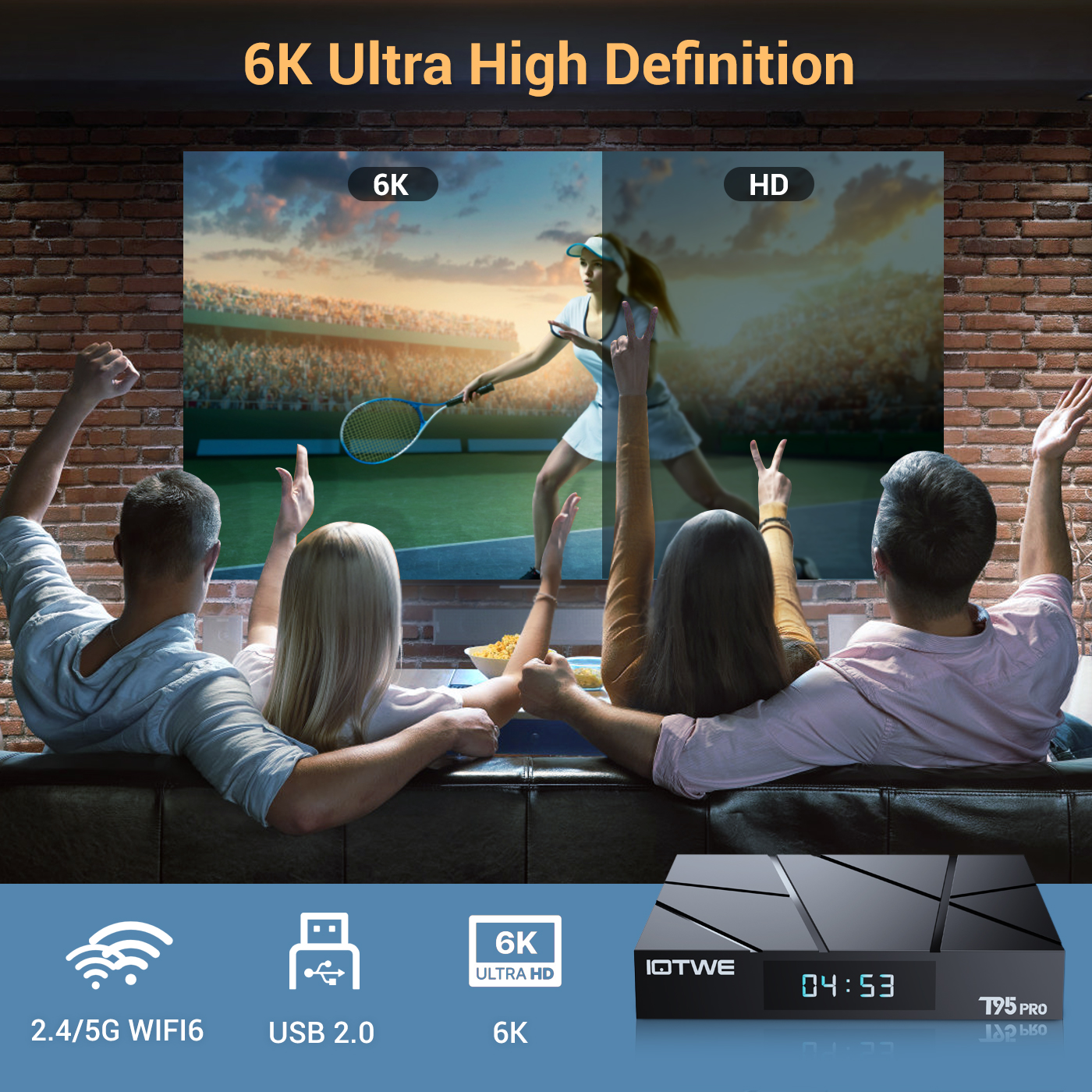 |
• The T95 Android TV Box empowers users with the ability to decode and play back nearly all prevalent audio and video formats. Immerse yourself in the vividness of crisp 6K HD videos, which flaunt a resolution that surpasses even that of 4K. Engage in playing thousands of Android games on a generously sized 6K screen, and relish a top-notch experience with negligible buffering. Moreover, this remarkable TV box extends support for 3D playback, presenting you with a sumptuous visual extravaganza. (*Kindly note that for a seamless 6K and 3D experience, your other associated devices must also possess corresponding support capabilities.) |
|
|
|
|
|
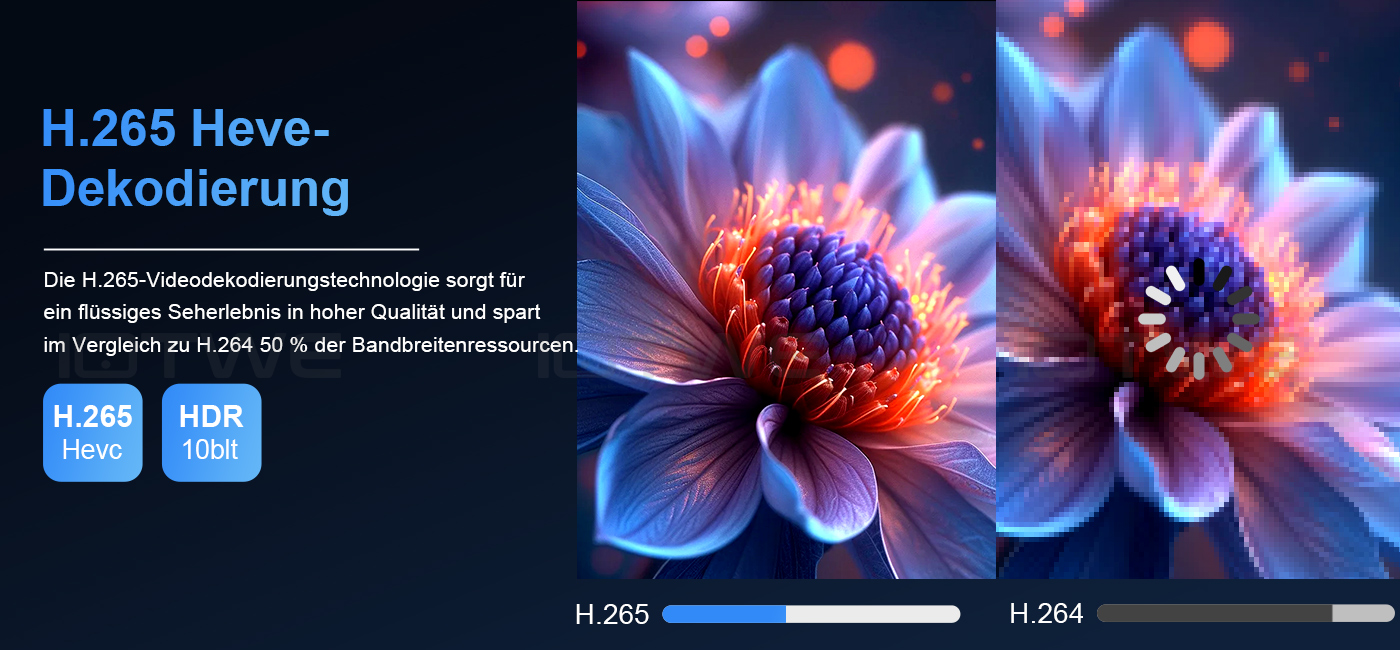
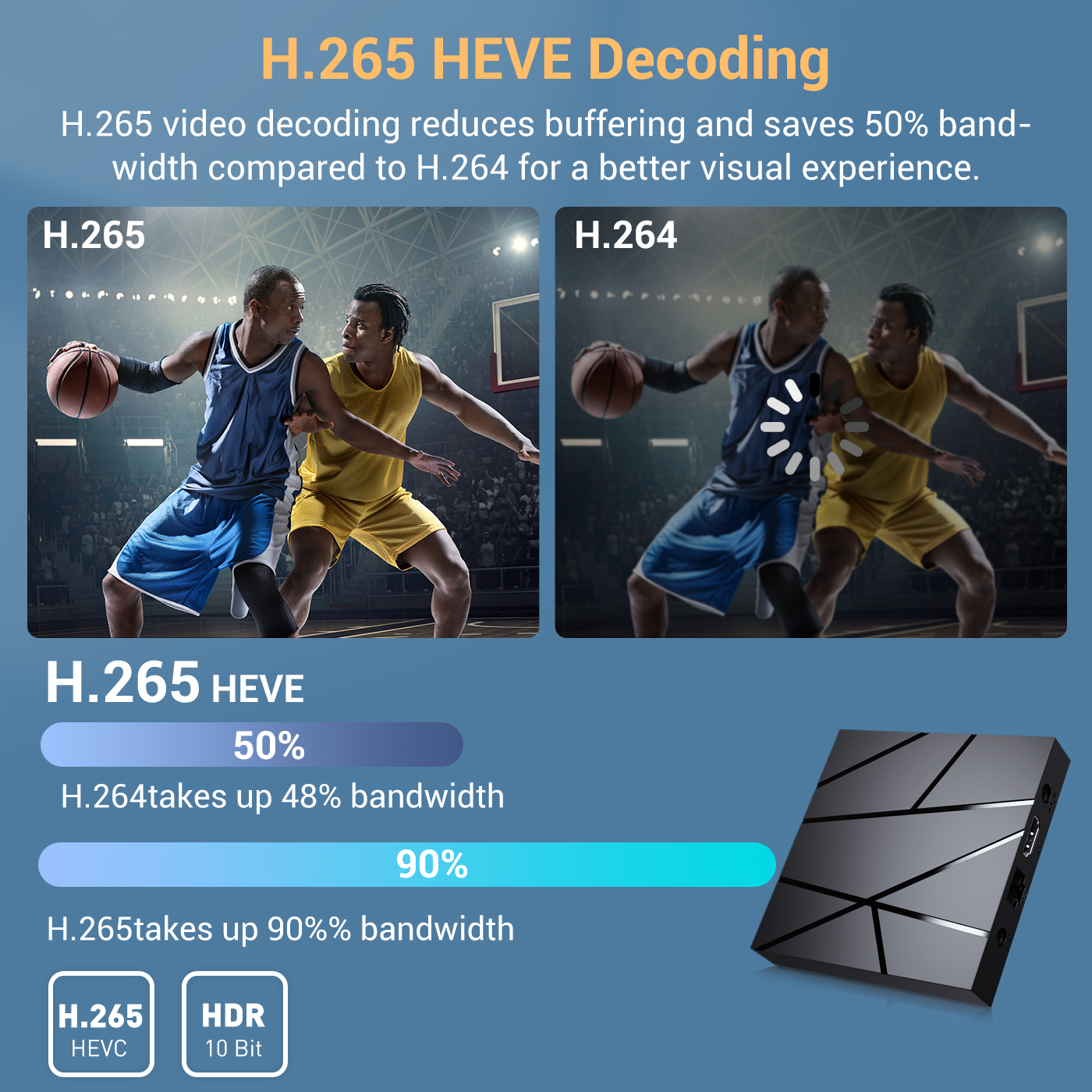
•The device receives signals via H.265 video decoding, thereby outputting remarkably realistic 6K image quality and promptly restoring every minute detail of the image. It not only endows you with a more seamless HD video experience but also economizes 50% of broadband resources, ensuring an optimal combination of visual excellence and efficient data utilization. |
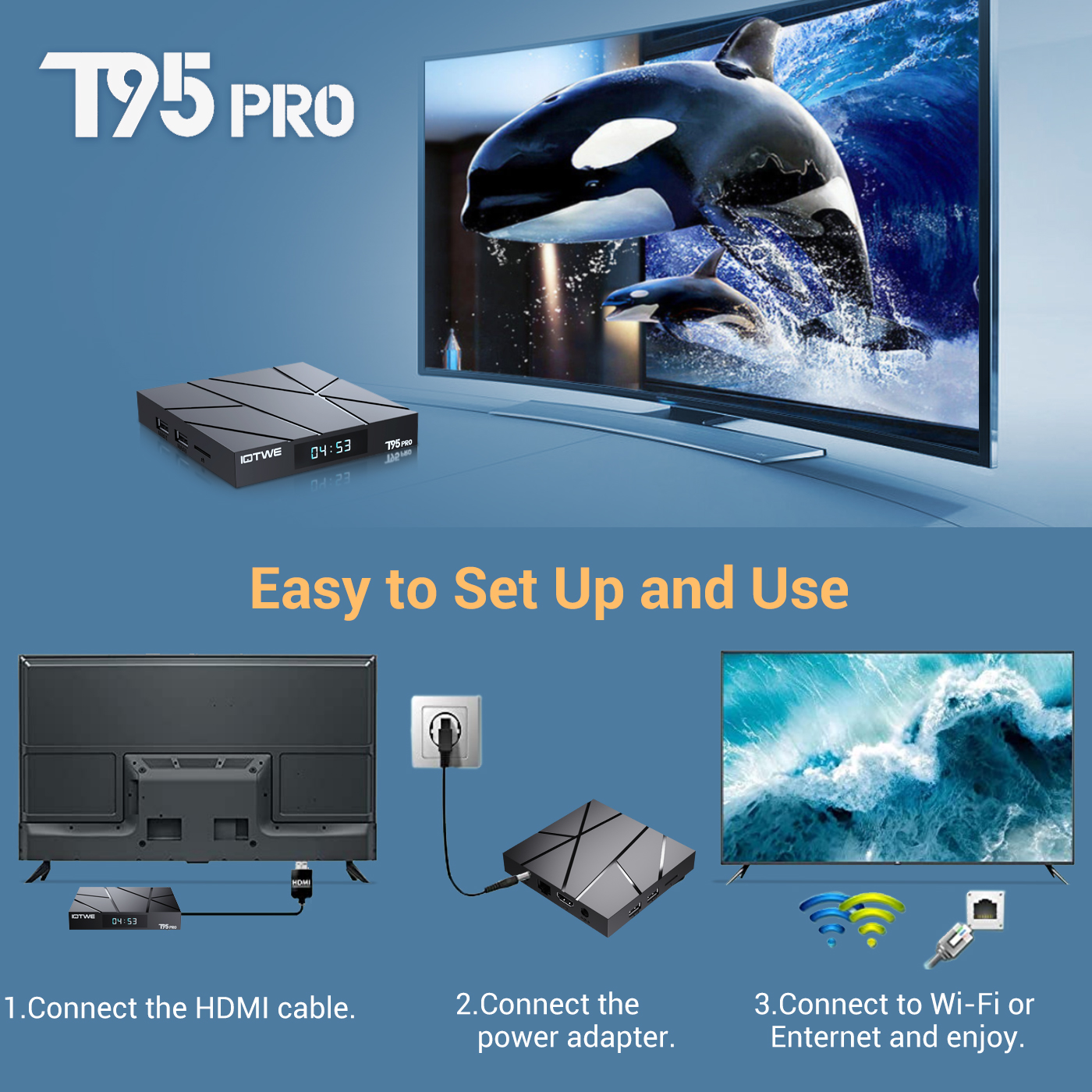
• The T95 Pro Android 14.0 TV BOX delivers outstanding performance and a diverse range of functionalities, accompanied by an intuitive and user-friendly interface. Simply connect it to your TV or monitor, and you can relish the pleasures of exploring various apps, indulging in movie marathons, engaging in immersive gaming sessions, and so much more. |
 |
|
• Dating • Music • Games • Match |

|
Question: Unable to boot/Open for the first time? Answer: Our QC team has tested the product in detail before we shipped it, so I believe we can solve the problem together. In this situation, please try the following: 1.Here are the steps on how to set up the TV box:A. Connect the power adapter to the TV box and then to the power socket. B. Connect the HDMI cable between the TV box and the TV. C. Set your TV to the HDMI mode.Please check whether you have connected the cables properly. 2. Check whether a red or blue light is on,or whether there is no light on at all, and then let me know. |
Question:How do you solve the video blurriness of a TV box? Answer: If it has happened in some of them, it might be the problem regarding the video quality. It doesn't depend on the box. You can try setting the resolution to the maximum (1080P or higher), and then check whether it works well. Or you can try it in other apps.If it happens to all the videos, here are the steps: A.If you have another HDMI cable, could you please try using a different HDMI cable?B.Connect the TV to the TV box properly using the AV-Out cable (there are different colored ports. Please check and set them correctly), or you can choose to use the HDMI cable to connect them as well. C.If the problem still persists, please try restoring the factory settings as follows: Press "Settings" - "Backup & Reset" ---- "Reset factory data" ----- "Reset TV box" ---- "Erase everything". D.Set the resolution of the TV box to 1080P. Here are the steps: "Settings"--"Display"--"Turn off automatic resolution"--"Set resolution to 1080P". |
|
|
Question: Problems with WiFi settings or connection. Answer: 2. Please check whether your TV box has been successfully connected to your Wi-Fi router and whether the signal is strong. If the signal is very weak or it is out of range, then try using it near your Wi-Fi router; if it is unable to establish a connection, then please check your Wi-Fi router settings and also try to connect to another router. 3. Could you please plug your networkcable directly into the RJ45 port to see if it can work. |
Question: How can I set the language of the XGODY TV Box? Answer: 2.If it still doesn't work, please follow these steps:A: Press: "Settings - Backup & Reset" ---- "Reset factory data" ----- "Reset TV box" ---- "Erase everything" (Or: "Settings - Other - More Settings - Backup & Reset" ---- "Reset factory data" ----- "Reset TV box" ---- "Erase everything") B: And then when you turn on the device for the first time, please choose the desired language. 3.You can also enter the apps,and there is a symbol like a compass. Please click on it to change the language. |