
- 1 x 6040Z-2200W USB 4 AXIS CNC Router machine 220V
- 1 x Control box(4 axis) 220V
- 1 x USB cable
- 1 x Power cable(EU/US/AU Plug)
- 1 x Tool box with tools
- 3 x Aixs stepper motors
- 1 x 2.2Kw water cooled spindle
- 1 x 2.2Kw Inverter 220V AC
- 2 x connect wires
- 1 x the rotary axis
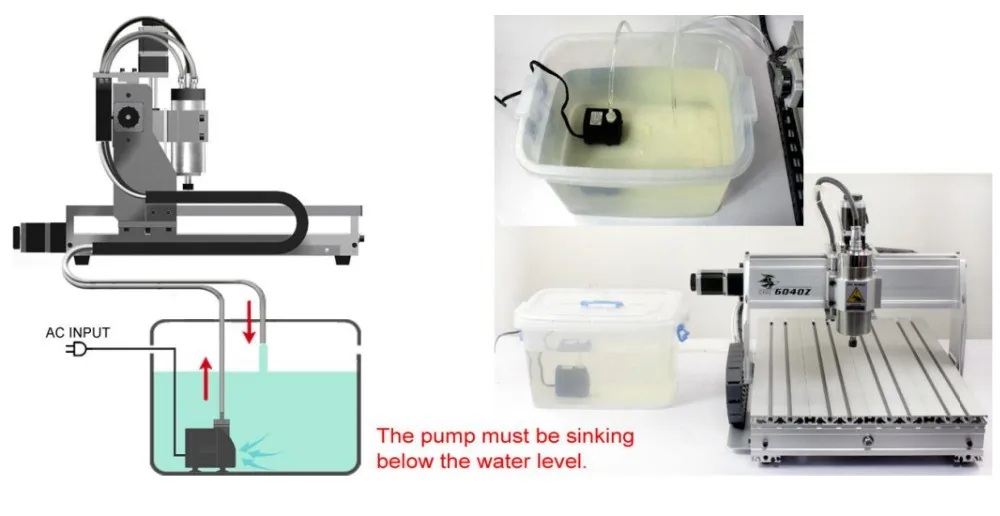
- 1 x Water pump
- English User manual will send by email.
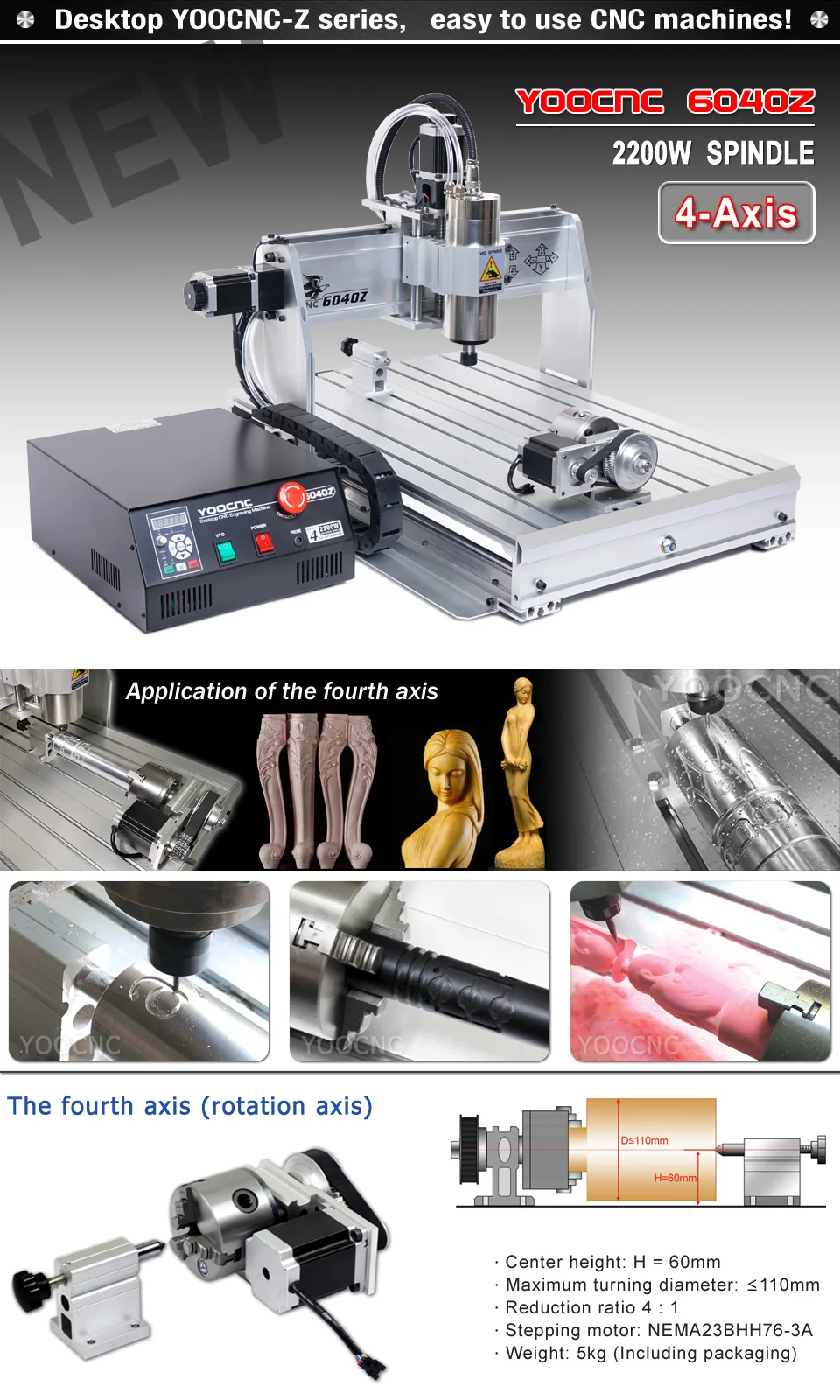
Specifications:
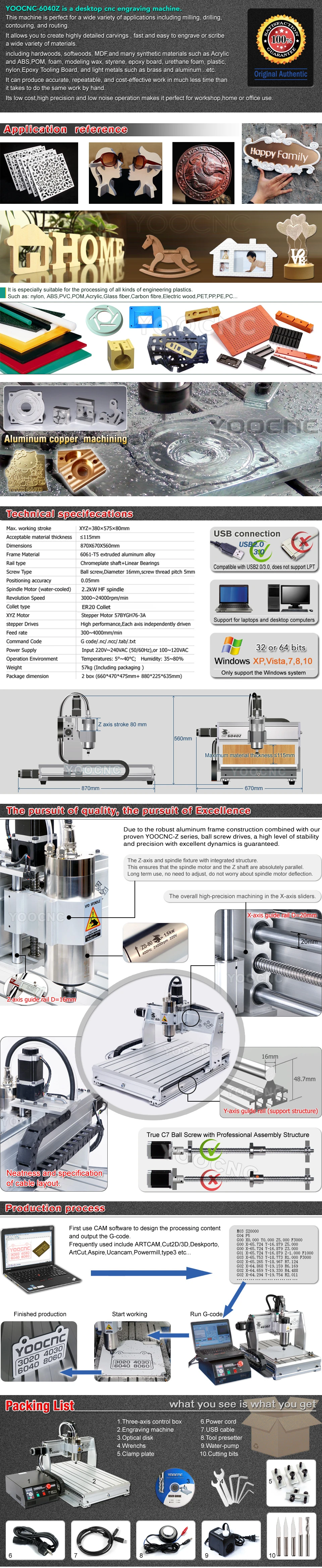
Max. working stroke: XYZ=375×575×68mm
Acceptable material thickness: ≤95mm
Dimensions: 870X660X520mm
Frame Material: 6061-T5 extruded aluminum alloy
Rail type: Chromeplate shaft+Linear Bearings
Screw Type: Ball screw,Diameter 16mm,screw thread pitch 5mm
Mechanical Resolution: X Y Z-axis : 0.0025 mm/step
Positioning accuracy: 0.05mm
Spindle Motor: Powerful Brushless frequency spindle,2200W
Revolution Speed: 3000~24000rpm/min
Collet type: ER20(equipped with 6mm collet)
X Y Z Motor: Stepper Motor 57BYGH76-3A
Stepper Drives: High performance,Each axis independently driven
Feed rate: 300~5000mm/min
Communication Interface: USB2.0 (Please use Mach3 control)
Command Code: G code/.nc/.ncc/.tab/.txt
Operation Environment: Temp: 5°~40° C; Humidity: 35 to 80%
Weight: 59kg (Including package ) .
Application:
The 6040Z-2200W/USB CNC engraving machines make it fast and easy to engrave or scribe a wide variety of materials. Spindle speed can be varied between 3,000 and 24,000 rpm for engraving a wide variety of materials, including wood, urethane foam, plastic, acrylic, and light metals such as brass and aluminum.


Notice:
How to use:
Please read the English user manual to see how to set up the software and how to use this machine.
1.Assembling and locating the CNC machine on steady desk well.
2.Make sure that your computer has a on-board parallel port output.
3.Installing a CNC control software and Drive such as the MACH 3 or EMC2 on your computer.
4.Connecting the control box with the CNC machine and you computer.
5.Fllowing our manual or guideline to set uo the software.
6.You can enjoy making you dream with using our CNC machine now.
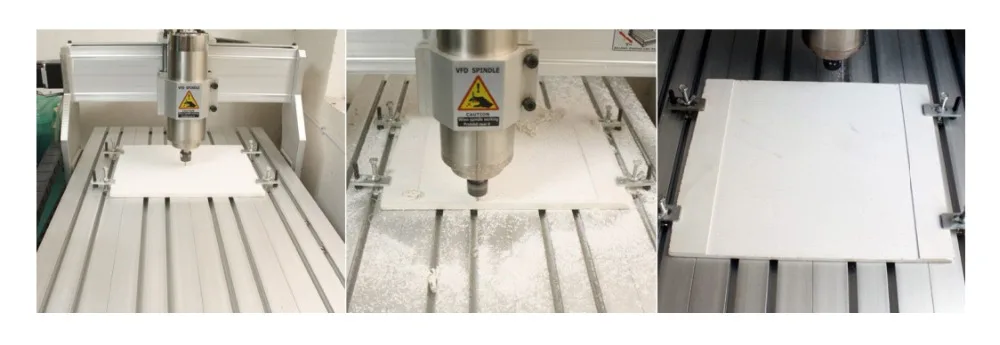
How to install:


Shipping
Please open the package and check if there are some damages before sign, if there are some damages,please do not sign and contact us immediately.
We ship to worldwide,but if your country’s custom is strict,please contact us before you bid to check detail and confirmed.
Payment
Import duties,taxes and charges are not included in the item price or shipping charges.These charges are the buyer responsibility.
Payment must be made within 48hours of the auction end time.
Problem&Feedback
Please give us the opportunityto resolve any problem when you have,we concern your problem and we will try our best to resolve it.
We are a new member in ebay now,and need understand both of sides.
Pls email us before you want to leave any negative feedback.
Refund
Any reason required for all refund. Item must be in it's original condition and no physical damage,buyer responsible for all shipping cost.
When you have the parcel,and not satisfied the goods or it is other problem like as broken,pls tell us the detail reason and provide the photos.
Contact us
Welcome worldwide customer inquire and questions.If you have any problems after receive the package,pls contact us first,do not leave a negative feedback,we will try to do our best to feedback customer’s email within 1-2 business days,Customer’s satisfaction is very important to us.
