🏆 64TB New USB 3.2 Flash Drive 520MB/s High Speed 2in1 TypeC OTG Pen Drive Waterproof Large Storage for Phone Computer PC Data Storage, USB 3.2 Flash Drive 520MB/s Dual USB-A & Type-C OTG High-Speed Portable Storage
🌟 Introduction
Discover a convenient way to store, transfer, and manage your digital files with the DIXSG USB 3.2 Dual USB-A and USB-C Flash Drive. Designed for users who need flexible storage and convenient connectivity, this compact portable memory device offers a practical solution for moving documents, photos, videos, music, presentations, and other digital files between compatible devices.
⚡ Featuring a USB 3.2 interface, this flash drive is advertised with transfer speeds of up to 520 MB/s under suitable conditions. Its dual-connector design combines USB-A and USB-C connectivity, helping you transfer files between compatible computers, laptops, tablets, and smartphones without carrying separate storage devices for each connector type.
📱 Whether you need to move work documents from your laptop to your phone, carry important presentations, organize digital media, or maintain a convenient copy of your files, this portable USB drive is designed to support everyday digital storage needs.
✨ With a compact metal enclosure, a lightweight construction, and a plug-and-play design on supported systems, the DIXSG flash drive is a practical companion for work, study, travel, and everyday file management.
Important: The advertised maximum speed and available capacities depend on the actual hardware configuration, device compatibility, file types, and operating conditions. Please verify the selected capacity and USB connector configuration before purchasing.
⚡ Key Features
🚀 1. High-Speed USB 3.2 Interface
Enjoy efficient file transfers with a USB 3.2 interface designed to support fast data communication with compatible devices.
⚡ Advertised maximum transfer speed: up to 520 MB/s.
📂 Suitable for transferring documents, presentations, music, photos, and compatible video files.
💻 Designed for use with compatible desktop computers and laptops.
🔄 Helps simplify routine file transfers between supported devices.
⏱️ Can reduce waiting time when transferring large files compared with slower USB storage devices, depending on the actual performance of the drive and host device.
Performance note: The 520 MB/s figure is an advertised maximum, not a guaranteed continuous read or write speed. Actual performance depends on the flash memory, controller, USB implementation, host port, file size, file system, and other conditions. Confirm independently tested performance if a specific transfer rate is essential.
🔌 2. Dual USB-A and USB-C Connectivity
Enjoy the convenience of a dual-connector storage design intended to support two common USB connection types.
🔌 USB-A: Suitable for compatible computers, laptops, and other devices with a USB-A port.
📱 USB-C: Intended for compatible devices equipped with a USB-C port.
🔄 Convenient for moving files between different device types.
🎒 Reduces the need to carry separate storage drives for USB-A and USB-C connections.
💼 Useful for everyday office work, study, presentations, and travel.
Compatibility note: Connector shape alone does not guarantee compatibility. USB-C smartphones and tablets must support USB host functionality or USB OTG, and the device's operating system must support the drive's file system and capacity.
💽 3. Multiple Storage Capacity Options
Choose from the advertised capacity options to suit different storage requirements.
💾 1 TB
💾 2 TB
💾 4 TB
💾 8 TB
💾 16 TB
💾 32 TB
💾 64 TB
📁 Depending on the verified capacity selected, portable storage can help organize documents, spreadsheets, presentations, photos, videos, music, project files, and backups.
⚠️ Capacity verification is strongly recommended. These are advertised options, and their actual availability and usable storage have not been independently verified. Extremely high-capacity flash drives may be misrepresented in some listings. Before storing important files, verify the drive's actual capacity using a reputable storage-testing utility and confirm that the selected variant matches your requirements.
🛡️ 4. Compact Metal Enclosure
The product specifications describe a metal enclosure intended to provide a practical, portable exterior.
🧱 Metal construction for everyday handling.
🎒 Compact form for carrying in a pocket, backpack, or laptop bag.
💼 Suitable for office, school, home, and travel use.
🔐 A convenient physical format for keeping digital files close at hand.
The metal enclosure should not be interpreted as a guarantee of complete impact resistance, dustproofing, or waterproofing.
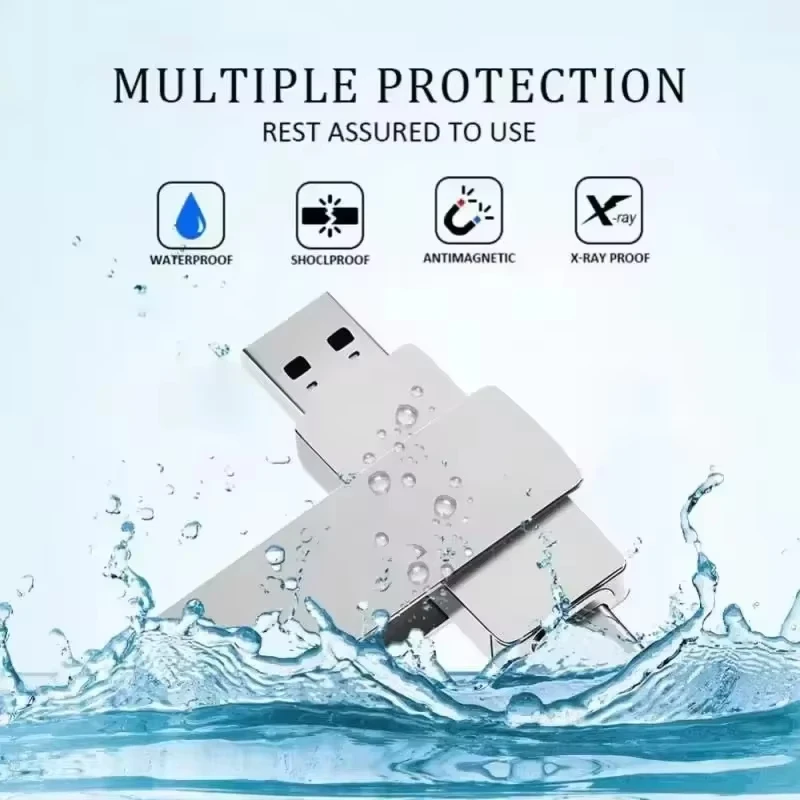
💧 5. Waterproof Design — Verify Before Exposure
The product listing advertises waterproof construction.
💧 Intended to offer additional convenience in environments where incidental moisture may be a concern.
🎒 Suitable for portable storage use when handled according to the manufacturer's instructions.
🛡️ No specific IP waterproof rating has been provided.
Important: Do not intentionally submerge the drive or connect it while wet unless the manufacturer explicitly confirms that the exact model is rated for those conditions. Waterproof performance cannot be guaranteed without a verified rating and test documentation.
🔋 6. Plug-and-Play Convenience
The product is described as supporting plug-and-play operation on compatible systems.
🔌 Connect the drive to a compatible USB port.
💻 Allow the operating system to recognize the device.
📂 Open the available storage volume through your device's file manager.
🔄 Copy, move, or organize files as needed.
⏏️ Safely eject the drive before disconnecting it.
No separate power adapter is specified as necessary for normal operation. The device receives power through a compatible USB connection.
Some older operating systems or devices may require additional configuration, drivers, formatting, or file-system support.
🪶 7. Lightweight and Portable Design
The detailed product specifications state a net weight of approximately 24 g (0.85 oz).
🎒 Easy to carry with everyday personal belongings.
💼 Suitable for mobile professionals, students, and frequent travelers.
📁 Useful for transporting files between home, school, and the workplace.
🧳 Takes up relatively little space in a laptop bag or travel organizer.
Portability makes the drive convenient for everyday use, but its small size also means it should be stored securely to avoid loss.
📋 Technical Specifications
| Specification | Product Details |
|---|---|
| Brand | DIXSG |
| Product Type | Portable USB Flash Drive |
| USB Interface | USB 3.2, as advertised |
| Advertised Maximum Speed | Up to 520 MB/s |
| Connector Configuration | USB-A and USB-C, as advertised |
| Advertised Capacity Options | 1 TB, 2 TB, 4 TB, 8 TB, 16 TB, 32 TB, 64 TB |
| Dimensions | 69 × 19 × 5.5 mm |
| Dimensions in Inches | Approximately 2.72 × 0.75 × 0.22 in |
| Net Weight | Approximately 24 g |
| Net Weight in Ounces | Approximately 0.85 oz |
| Enclosure Material | Metal, as specified |
| Color Options | Silver, Black |
| Power Supply | USB-powered; no separate power adapter specified |
| Connection Type | USB |
| Bluetooth | Not applicable |
| Cable | No separate cable included or specified |
| Portability | Portable |
| Operating Mode | Plug-and-play on supported systems |
| Advertised Water Resistance | Waterproof; rating not provided |
| Customization | Not specified as customizable |
| Origin | Mainland China |
| Package Quantity | 1 piece |
📌 Specification clarification: Some preliminary listing information gives different measurements and weights. This description uses the detailed specification of 69 × 19 × 5.5 mm and 24 g. Confirm the actual product variant with the seller before ordering.
💻 Operating System and Device Compatibility
The product information lists support for several Windows, Mac OS, and Linux environments.
🖥️ Desktop and Laptop Computers
Potentially compatible devices include:
💻 Windows desktop computers and laptops.
🍎 Mac computers with compatible USB connectivity and file-system support.
🐧 Linux computers supporting USB mass storage.
🖥️ Other compatible computers with supported USB host ports.
The listing references Windows 98, ME, 2000, XP, Vista, Windows 7, Windows 8, Windows 10, Mac OS 9.x, and Linux kernel versions 2.4 or later.
⚠️ These legacy compatibility claims are not independently verified. Current operating systems may support standard USB storage, but compatibility depends on the drive controller, connector, file system, and available drivers. The listed support does not establish official certification for every operating system or version.
📱 Smartphones and Tablets
USB-C connectivity may allow file transfers with compatible Android phones and tablets.
📱 Transfer supported documents and media between a phone and a computer.
🎬 Move compatible video files between supported devices.
📂 Keep selected files accessible without relying exclusively on cloud storage.
🔄 Manage files using the device's supported file manager or a compatible application.
Before connecting: Confirm that your phone supports USB OTG or USB host mode, that the connector matches, and that the selected capacity and file system are supported. Some phones may require a particular format or may not support very large drives.
🍎 Apple Devices
USB-C Apple devices may support compatible external storage, depending on the model, operating system, connector configuration, and file system.
Older devices with Lightning connectors may require a suitable adapter and compatible external-storage support. USB-C compatibility should not be assumed for every Apple device.
📦 Package Includes
💾 1 × DIXSG USB Flash Drive
Please check the selected product variant and package details before purchasing. A separate cable, adapter, carrying case, or additional accessory is not specified as included.
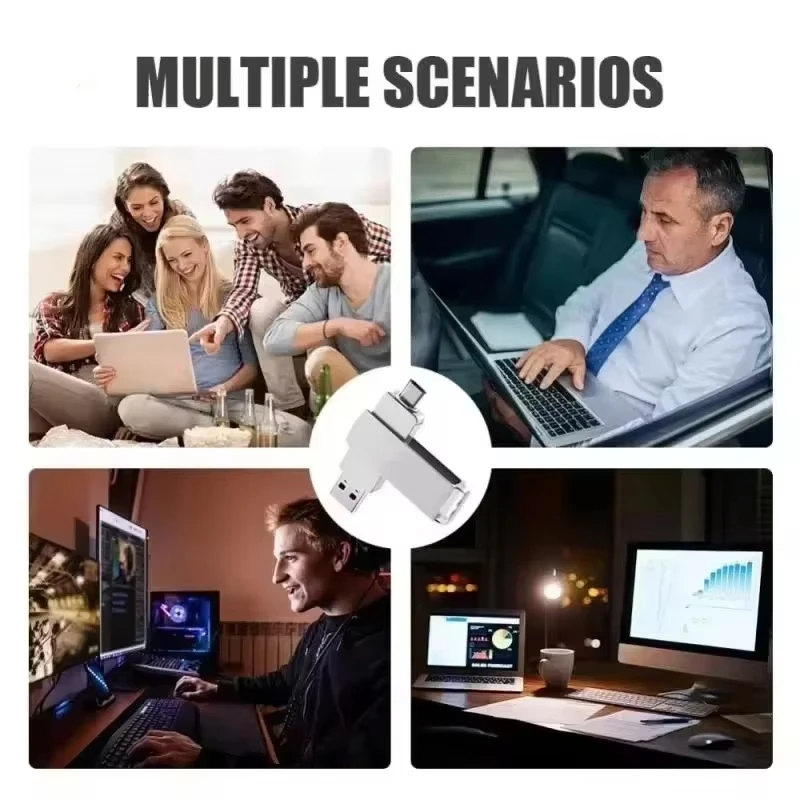
🏡 Where and How Can You Use It?
🏢 1. Office and Business
Keep work-related files organized and portable.
📊 Carry presentations, spreadsheets, and reports.
📄 Transfer documents between compatible workplace computers.
🤝 Share non-sensitive files with colleagues where permitted.
💼 Maintain an additional copy of selected work materials.
For confidential business information, follow your organization's security policies. This drive is not specified as having hardware encryption or password protection.
🎓 2. School and University
A practical storage option for students and educators.
📝 Store assignments, essays, and research documents.
📚 Carry lecture notes and study materials.
📊 Transfer presentations between compatible devices.
🧑🎓 Keep project files organized across different computers.
Always retain a separate backup of important coursework.
📱 3. Smartphone File Management
On compatible smartphones, the drive may help transfer files between mobile devices and computers.
📂 Copy supported documents.
🎬 Move compatible media files.
📁 Organize files without relying entirely on an internet connection.
🔄 Transfer selected files between USB-A and USB-C devices.
Actual functionality depends on your phone's operating system and USB host capabilities.
🎥 4. Digital Media Storage
Portable storage can help you organize digital media collections.
🎵 Music files.
📷 Photos and image collections.
🎬 Compatible video files.
📂 Personal projects and digital documents.
Playback depends on the target device's supported formats, file system, and available capacity.
✈️ 5. Travel and Mobile Work
Keep selected files accessible while traveling.
🧳 Carry itineraries, documents, and travel records.
💼 Transport presentations for meetings.
📁 Keep offline copies of selected reference materials.
🔄 Transfer files when an internet connection is unavailable.
Protect the drive from loss, excessive heat, moisture, and unauthorized access.
🗄️ 6. Backup and File Organization
Use the drive as one component of a sensible data-management routine.
📂 Keep secondary copies of selected documents.
📊 Separate project files from everyday computer storage.
🔄 Transfer files between compatible computers.
🗃️ Organize archives and non-sensitive reference materials.
A single flash drive should not be your only backup. For important information, maintain additional copies on separate storage devices or a reputable backup service.
🌟 Key Benefits
✨ Flexible connectivity: The advertised USB-A and USB-C configuration is designed for use with different compatible devices.
⚡ Convenient file transfers: The advertised speed of up to 520 MB/s may provide efficient transfers when supported by the actual drive and host hardware.
🎒 Portable storage: A compact form and approximately 24 g listed weight make it suitable for everyday carrying.
💾 Capacity choices: Multiple advertised variants provide options for different storage needs, subject to verification of the actual capacity.
🔋 No separate power adapter specified: The drive is designed to receive power through a compatible USB connection.
💼 Everyday versatility: Suitable for documents, media, project files, and other supported data.
🧱 Metal enclosure: Provides a metal exterior as described in the product specifications.
🔄 Reusable storage: Files can be added, removed, and reorganized within the drive's supported operating limits.
🛠️ Ease of Use
The drive is intended to make routine file transfers straightforward.
🔌 Connect it to a compatible USB-A or USB-C port.
💻 Wait for the connected device to recognize the storage volume.
📂 Open the device's file manager.
📄 Copy or move the files you need.
⏳ Wait until transfers have completely finished.
⏏️ Use the operating system's safe-eject function.
🔌 Disconnect the drive only after it has been safely ejected.
If the drive does not appear, check the connection, device compatibility, file-system support, and drive status before attempting to format it.
⚠️ Important Precautions
🔐 Protect Your Data
💾 Back up irreplaceable files to another storage location.
🔒 Do not store sensitive information without appropriate security measures.
🛡️ Scan files for malware when transferring data between unfamiliar computers.
📂 Keep important documents organized and maintain multiple copies.
🔌 Avoid Disconnecting During Transfers
⏳ Wait until all read and write operations have finished.
🚫 Do not remove the drive while files are being copied.
⚡ Avoid interrupting the computer's power during active transfers.
⏏️ Safely eject the drive before unplugging it.
Interrupting a transfer may corrupt files or damage the file system.
💧 Moisture and Physical Protection
💧 Keep the drive dry unless its specific waterproof rating has been verified.
🧱 Avoid dropping, crushing, or bending the drive.
🌡️ Keep it away from extreme heat and direct sources of moisture.
🔌 Do not insert a wet or visibly damaged drive into a device.
🗂️ Formatting and File-System Compatibility
⚠️ Formatting erases existing data in the selected volume.
📁 Choose a file system compatible with the devices you intend to use.
🔄 Avoid unnecessary repeated formatting.
🛑 Never format the drive before confirming that important files have been backed up.
Repeated formatting is not inherently guaranteed to damage a flash drive, but unnecessary write operations and improper handling should be avoided.
💽 Verify Advertised Capacity
Before relying on the drive for important files:
🔍 Check the actual capacity using a reputable storage-testing utility.
📂 Confirm that files can be written, read back, and verified.
🧪 Test newly purchased high-capacity storage before using it for backups.
⚠️ Do not assume that a displayed capacity proves the physical memory has that capacity.
A drive that reports a larger capacity than it physically contains may overwrite existing data or cause file corruption.
📌 Important Notes About Storage Capacity
Storage manufacturers commonly advertise capacity using decimal units:
📏 1 KB = 1,000 bytes.
📏 1 MB = 1,000,000 bytes.
📏 1 GB = 1,000,000,000 bytes.
📏 1 TB = 1,000,000,000,000 bytes.
Some operating systems display capacity using binary units, where:
💻 1 KiB = 1,024 bytes.
💻 1 MiB = 1,024 KiB.
💻 1 GiB = 1,024 MiB.
💻 1 TiB = 1,024 GiB.
Consequently, the displayed capacity may be lower than the advertised decimal capacity. File-system formatting and system-reserved space may also reduce the usable space available to store files.
🔎 Key Bullet Points
⚡ USB 3.2 interface, as advertised.
🚀 Maximum advertised transfer speed of up to 520 MB/s.
🔌 Dual USB-A and USB-C connectivity, as advertised.
💾 Multiple advertised capacity options, subject to verification.
🧱 Metal enclosure.
🎒 Compact dimensions of approximately 2.72 × 0.75 × 0.22 inches.
⚖️ Listed net weight of approximately 0.85 oz.
🔋 USB-powered operation.
💻 Intended for compatible computers and other supported USB devices.
📱 Smartphone connectivity depends on USB OTG or USB host support.
💧 Waterproof performance requires confirmation of the exact model's rating.
📦 One flash drive included per package.
🏆 Why Buy This USB Flash Drive?
Choose the DIXSG USB 3.2 Dual USB-A and USB-C Flash Drive if you want a portable storage device designed to simplify file transfers between compatible devices.
Its advertised dual-connector configuration offers flexibility, while its compact metal construction makes it convenient to carry. The listed speed specification and selection of advertised capacities may appeal to users who need a practical way to move documents, photos, videos, and project files.
Whether you are a student, office professional, frequent traveler, or everyday computer user, this drive is designed to provide a convenient approach to portable digital storage.
Before ordering, confirm the selected capacity, connector configuration, actual transfer performance, and waterproof rating with the seller. These details are particularly important if you intend to store large amounts of valuable data.
❓ Frequently Asked Questions
Q1: Does this drive support both USB-A and USB-C?
The product is advertised with both connector types. Confirm the exact configuration of the selected variant before purchasing.
Q2: Is the transfer speed guaranteed to reach 520 MB/s?
No. This is the advertised maximum speed. Actual read and write performance depends on the drive hardware, connected USB port, device, file size, and operating conditions.
Q3: Can I use it with my smartphone?
Potentially, if your phone supports USB host functionality or OTG and recognizes the drive's file system and capacity.
Q4: Are all listed capacities guaranteed to be available?
No. The listing advertises several capacity options, but availability and actual physical capacity should be verified for the specific variant.
Q5: Is the drive waterproof?
Waterproofing is advertised, but no IP rating or independent test documentation is supplied in the provided specifications. Avoid exposure to water until the rating is confirmed.
Q6: Does it need an external power adapter?
No separate power adapter is specified. The drive is intended to operate using power from a compatible USB port.
Q7: Can it store videos, photos, and documents?
Yes, provided the files are supported by the device and the drive has sufficient verified capacity and compatible formatting.
Q8: What is included in the package?
The listed package includes one USB flash drive. Additional accessories are not specified.
Q9: Is the drive compatible with every computer?
Not necessarily. Compatibility depends on the USB port, operating system, file system, hardware support, and other device-specific requirements.
Q10: Should I use it as my only backup?
No. Maintain additional copies of important files on separate storage devices or a trusted backup service.
🛍️ Final Product Summary
The DIXSG USB 3.2 Dual USB-A and USB-C Flash Drive is advertised as a compact, reusable portable storage solution for transferring and organizing digital files across compatible devices.
✨ Highlights: Dual-connector convenience, an advertised maximum speed of 520 MB/s, a metal enclosure, lightweight portability, and multiple advertised capacity options.
📌 Recommended practice: Verify the exact model and capacity, test the drive before storing important information, maintain separate backups, and safely eject the device after use.
📦 Package: 1 × USB Flash Drive.
💾 A practical storage companion for compatible computers, mobile devices, work, study, and everyday file management.