
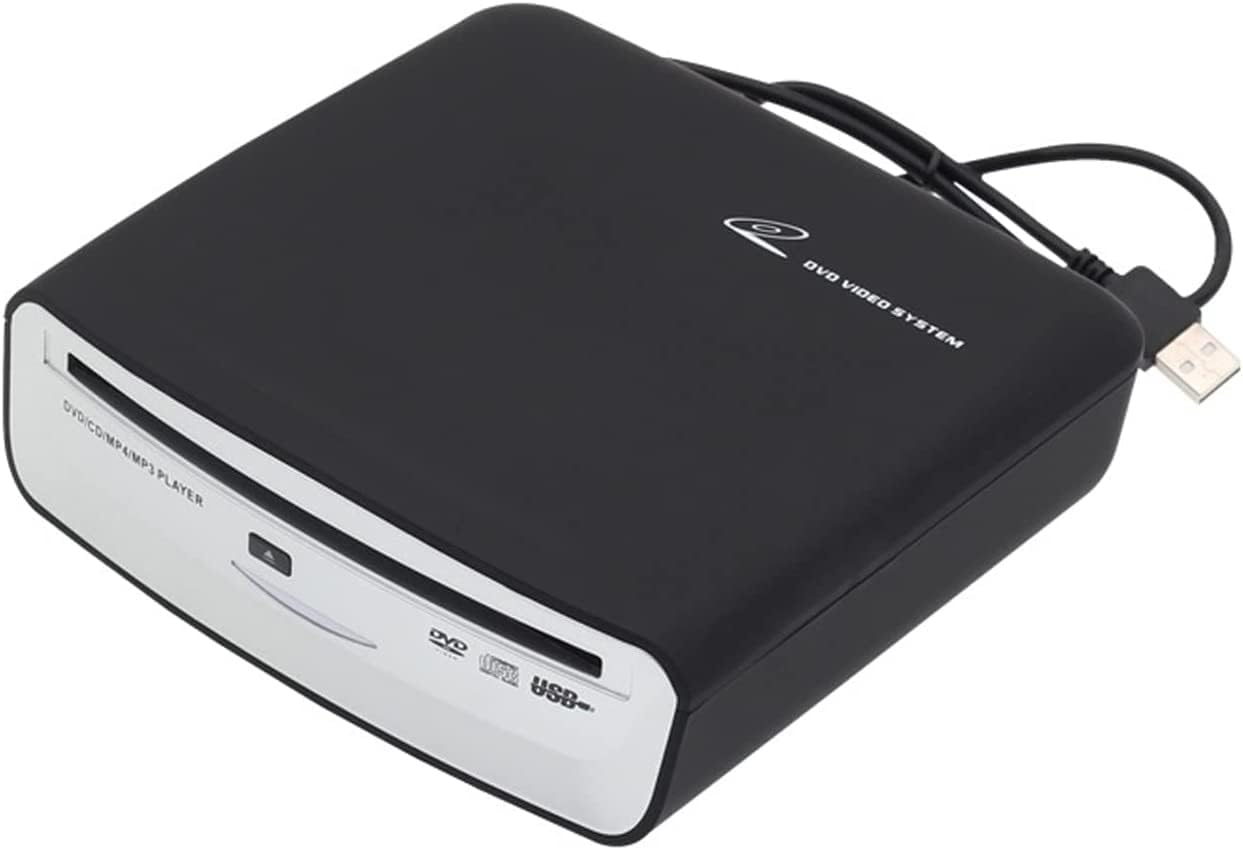
Car External Universal CD Player USB External Car Slot-Load CD Player Compatible with Android Navigation (Android Version 4.4 and Above)/Pc/Tv-Plug and Play
Description
| Item model number | 6543688675 |
| Hardware Platform | PC |
| Operating System | Linux, Mac OS X 10.0 Cheetah, Windows 10, Windows Vista, Windows XP |
| Item Dimensions LxWxH | 5.79 x 5.63 x 0.63 inches |
| Color | Blue |
| Is Discontinued By Manufacturer | No |
| Color | Blue |
| Optical Storage Read Speed | 8x |
| Item Weight | 1.54 pounds |
| Optical Storage Write Speed | 8M |
| Hardware Interface | USB |
| Special Feature | Portable |
| Product Dimensions | 5.79 x 5.63 x 0.63 inches |
- 【Universal Compatibility】: The car CD player uses the USB 2.0 interface, which is widely used in the car Android multimedia navigation large screen with USB interface. The usage method is the same as that of the U disk. Also compatible with both Windows PCs and Android Smart TVs
- 【Easy to use, plug and play】: This external CD player supports Android large-screen navigation, no additional drivers and power supplies are required, only USB connection is required, no power cord is required, and the installation is easy, just insert the CD player into the car The USB interface of the Android navigation host, the CD player will automatically recognize and display the data on your screen. CD sound quality is good
- 【Widely Compatible with Various Media】: Play CD-ROM, CD-R, CD-RW disc media. (TVs and cars need to support the ability to read USB flash drives in order to play CDs with this device. The device must have a player capable of supporting the format of the disc being played to use an optical drive.)
- 【Electronic shock resistance, strong error correction】: The vehicle-mounted CD player adopts the vehicle-specific movement. Can be placed horizontally, vertically, obliquely, slapped, and bumped without affecting disc reading
- 【Customer Service Guarantee】: We believe in the quality of our products, after receiving the products, if you have any questions, please contact us via Amazon email in time. In order to provide you with the best customer service! We back it with a 180-day warranty.
Product description
Welcome to tengertang Car External CD Player
- This portable car external CD player is compatible with most models on the market, supports Android large-screen navigation, only needs USB connection, no power cord, easy installation, non-destructive installation. CD sound quality is good, DVD picture is clear. Not only for car Android system, but also compatible with Windows computer and Android smart TV.
- This external car DVD player is the ideal solution for playing CD music in the car. The explosive music will make you no longer tired and lonely in the process of driving
Widely Compatible
- This external car DVD player is the ideal solution for playing CD music in the car. The explosive music will make you no longer tired and lonely in the process of driving
- Plug in the USB interface to use, no external power supply required. Small in size, it can be placed in the glove box or fixed in other locations.(Please note Unit can be mounted either vertical or horizontal, but not upside down or past the zero-degree vertical)
- Note:TVs and cars need to support the ability to read USB flash drives before they can use this device to play CD.The device using the optical drive must have a player capable of supporting the format of the disc being played.
Specification:
- Voltage / Current: DC5V Min1A
- Weight:About 700g
- Operating temperature:-10 ℃ ~ + 70 ℃
- Android Version: For Android Version 4.0 or more
- Player Disc Format: DVD/CD/CD-R/CD-RW
- External interface : USB 2.0
- Disc access mode: suction-type
- Placement angle: Place horizontally/left up/dish mouth up
- Signal-to-noise ratio: 30(dB)
- Video output: 2 RCA
About Vehicle Compatibility:
- Open your car system and locate the "Settings" option. If your car system does not have a "Settings" option, Check your vehicle manual to determine if this feature is supported.
- Once inside the "Settings" menu, scroll down until you find the "About" option. Click on the "About" option to see more information about your car system.
- In the "About" menu, you should be able to see an option labeled "Android version" or something similar. Click on that option to see the Android version your car system is running.
- If your in-vehicle system does not have an "About" option or does not display the Android version, consult your vehicle manual for more information.
The method of connecting the CD player to the car Android navigation:
method one:
- Please connect the disc box to the USB of the host;
- Put the installation CD into the disc box and wait for the installation CD to be read;
- Find "ES File Browser" or "File Manager" in the navigation, click to open, find the installation file "DVD Player.APK", and then click to install;
- After the installation is complete, return to the main interface, and the "DVD Player" icon will appear in the application;
- Exit the installation CD, put in the disc to be played, wait for the words "Preparing USB storage" to appear in the upper left corner of the screen, click the DVD Player" icon, and then you can enjoy DVD video or CD music.
The second method:
without installing the APP, the USB can be used directly by plugging in, insert the CD disc and click the music icon on the large screen machine interface.Or connect the CD player to the USB interface of most cars, insert the CD music disc, and wait for a while to automatically read and play.
Package:
- 1 x Car CD Player
- 1 x Cable Manual
Notes:
1.It does not support playback of Blu-ray and vinyl records. If you want to connect to other devices for playback, it only supports navigation above Android 4.4.
2.For Android Navigation on some models you have to go into the menu to get and select the USB port to recognize the CD player and play music.
3.Make sure you are attempting the initial installation and connection WITHOUT the USB extensions (This is crucial)
4.How to detect the performance of the disc drive, you can connect the disc drive to the USB port of the PC computer and put it on the disc. If you can read the contents of the disc, the disc drive will perform normally.
Applicable Car Models — Keep Updating More Models
Troubleshooting Method :
Q:Some cd's work, most don't or skips?
A:If some CDS can be played, the quality of the product is fine. Maybe your car does not support one of the music file formats WAV, cda, or mp3, so some of them cannot be used. The music skip should be caused by scratches on the disc, and when the song cannot be read, it will automatically skip to the next one. This is normal. If you change to a new CD, this situation will not occur.
Q:The cd player is not reading the disc.
A:The disc formats supported by our products are: DVD-ROM, DVD±R, DVD±RW, CD-ROM, CD-R,CD-RW. Cannot support Blu-ray CD, vinyl record. Please check.
Q:This item does not seem to work with my car.
A:Please check that your car is compatible with the models we have listed. If it is one of them, please try the product can work on the notebook? If it works properly, there is no problem with the product
Q:The external car CD player plays the first CD music CD but does not play subsequent music CDs that are put into it
A:The external car CD player waits a few seconds to read the media and the first CD loaded plays immediately. When another CD is played, you actually have to go into audio and select another CD to play it. Chances are it doesn't play as directly as the first one.
ABOUT US
We offer the best prices around on high quality products. Our E-store includes media such as books, movies, music and games while offering electronics, toys, sporting apparel, clothing, tools, general home, garden items and more.
SHIPPING
We are always working hard to ensure your package arrives as soon as possible. Please understand that some factors like weather, high postal traffic, and the performance of shipping companies are outside of our control.
We offer free shipping to the lower 48 states and ship within 2 business days of payment, usually sooner. We do not accept P.O. Boxes. Please provide a physical address.
RETURNS
We offer a 30-Day Return Policy on items which you are not completely satisfied with. You have the option for a full-refund or an exchange of the item. No returns are available on items shipped outside of the USA.
PAYMENT
We accept PayPal.
CONTACT US
This page content is yet to come
Please ad us to your favorite seller and visit again later
Thank You