GULLU LTD
Premium Car Electronics & Accessories
Universal External Car CD Player
Dual-Mode USB / Bluetooth CD Player for Compatible Car Audio Systems
|
💿
CD PlaybackExternal Car Player |
🔌
USB ModeDefault Connection |
📶
Bluetooth ModeAlternative Connection |
🚗
Car Audio UseCompatible Systems |
|
🚚
Fast Dispatch
|
🇬🇧
UK Seller
|
⭐
Quality Checked
|
📦
Secure Packaging
|
PRODUCT OVERVIEW
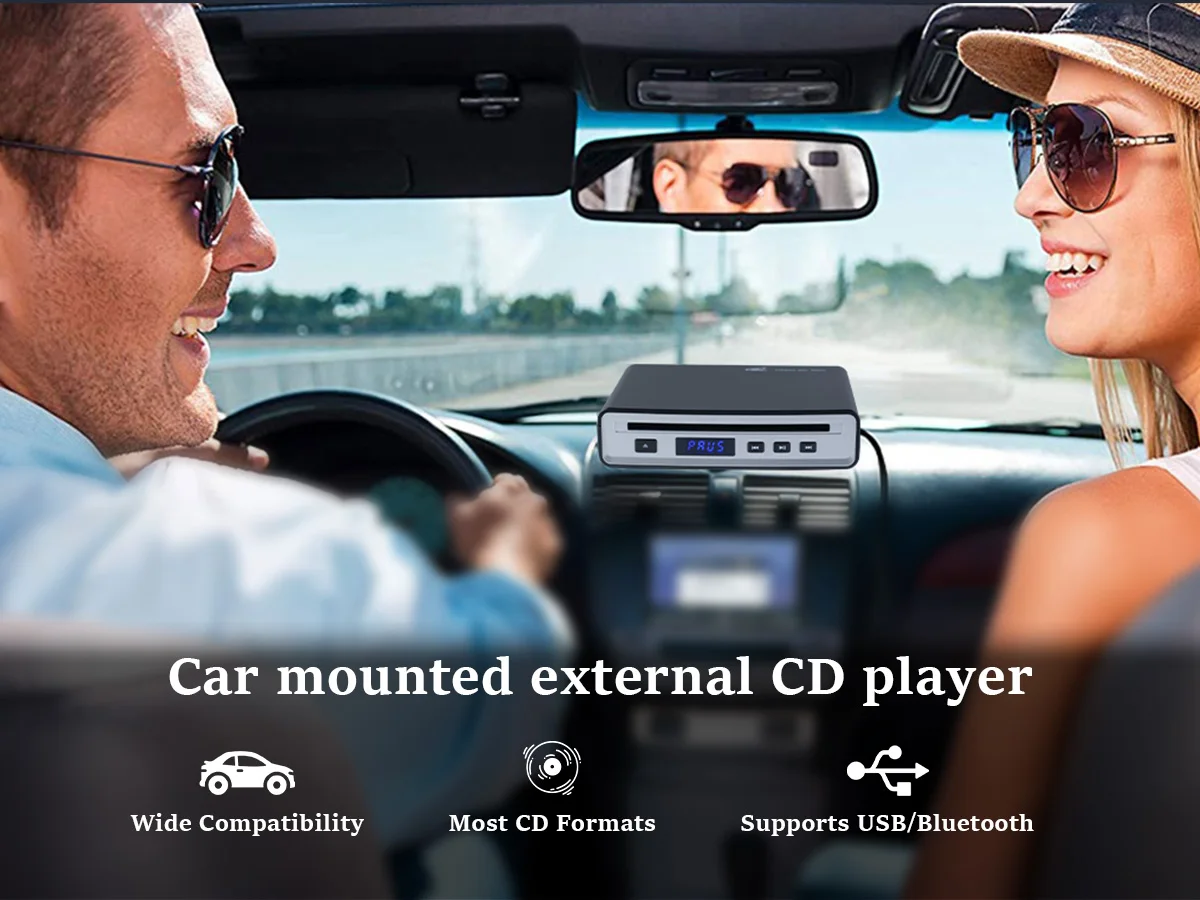
Bring CD playback back to compatible modern car audio systems with this compact external car CD player. Designed with dual USB-CD and Bluetooth connection modes, it provides a practical solution for vehicles that no longer include a built-in CD drive.
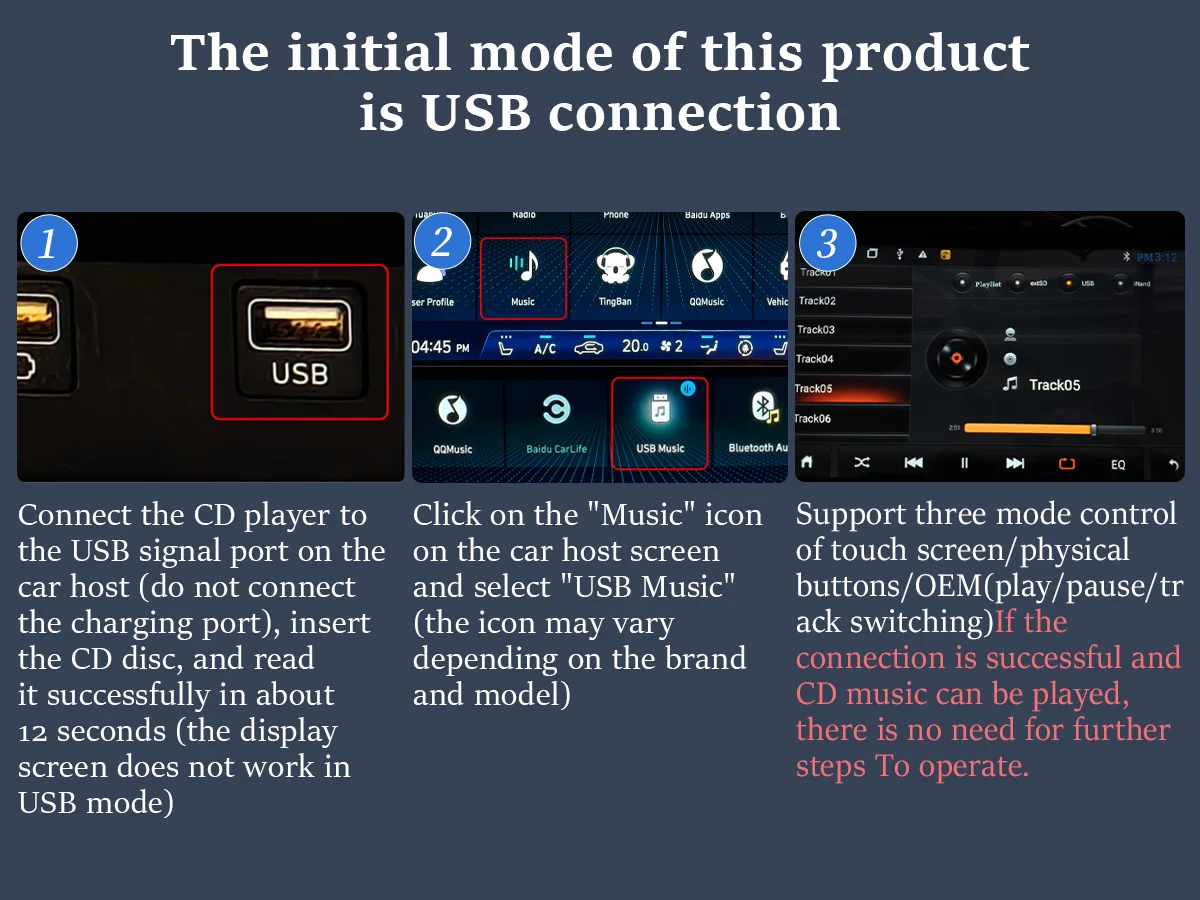
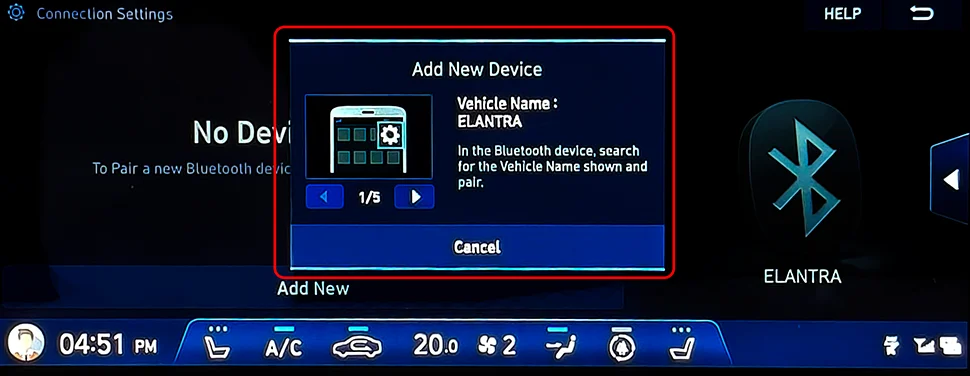
The default operating mode is USB-CD. Connect the player to a compatible USB data port on the vehicle audio system, insert a supported disc and allow the system time to recognise the audio files. Where USB recognition is not available, the player can also operate using Bluetooth audio mode with compatible vehicle systems.
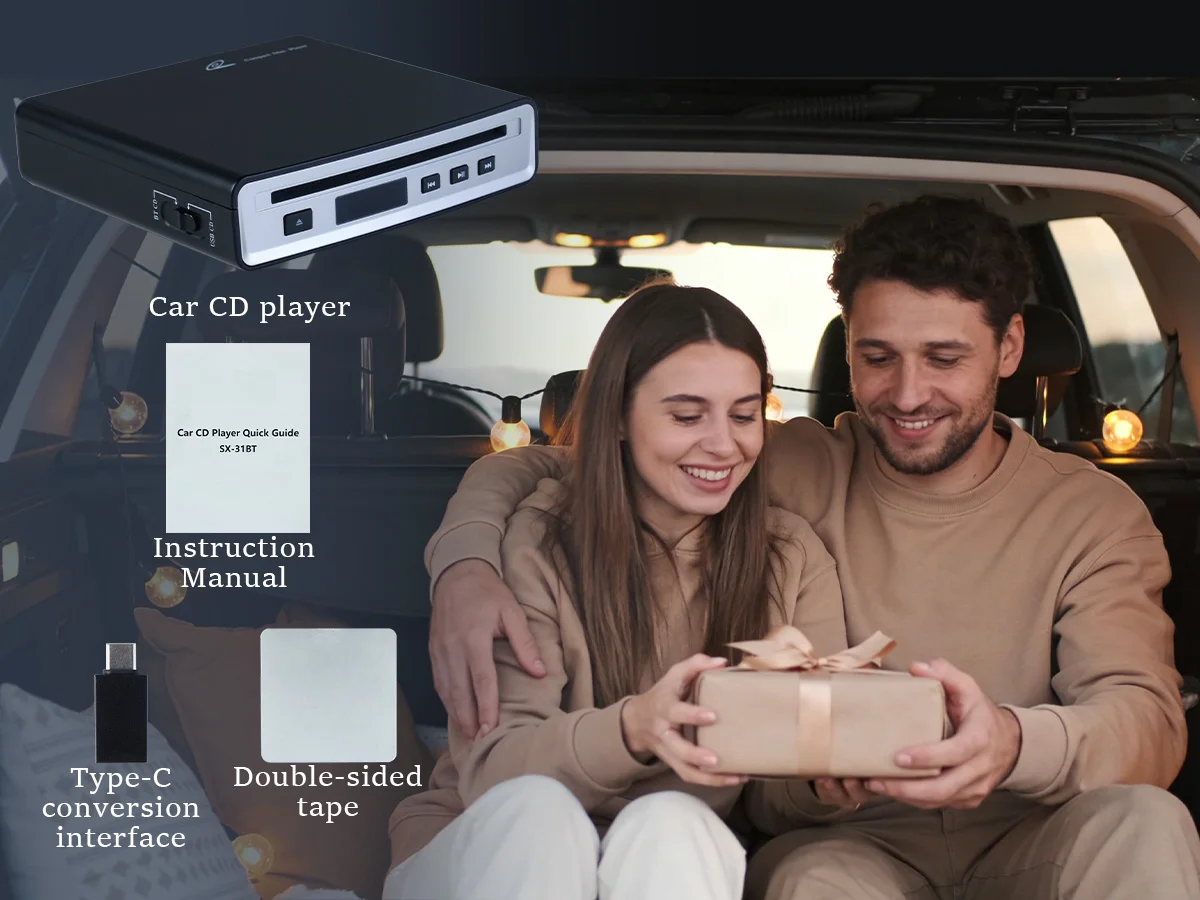
With a compact black housing, physical playback buttons and a front disc slot, the SX-31BT is designed to sit neatly inside the vehicle while offering convenient access to CD music during journeys.
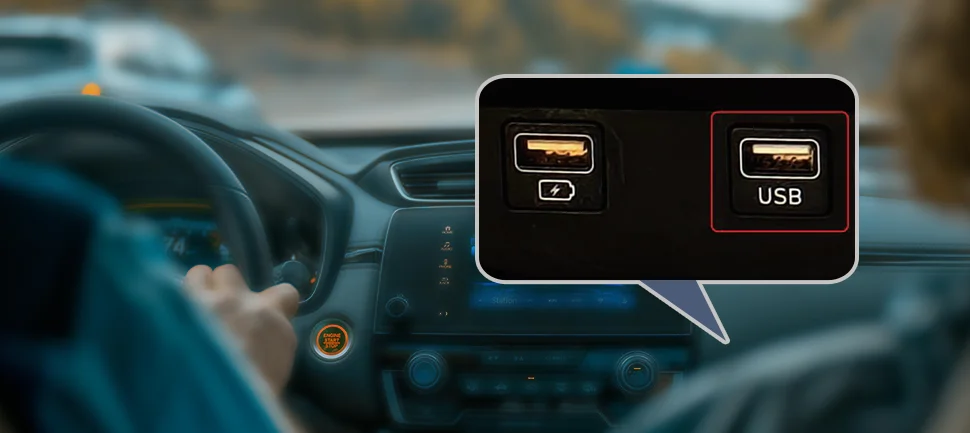
This product is not guaranteed to work with every vehicle. Your car stereo must support either a USB data/audio port capable of recognising compatible audio files or Bluetooth audio streaming. A USB charging-only port is not sufficient for USB-CD mode.
KEY FEATURES
|
💿
External CD PlaybackAdds external CD playback functionality to compatible car audio systems without a built-in CD drive. |
🔌
USB-CD ConnectionDefault operating mode connects through a compatible vehicle USB data/audio port. |
|
📶
Bluetooth Audio ModeAlternative Bluetooth connection mode can be used when compatible USB-CD recognition is unavailable. |
🎛️
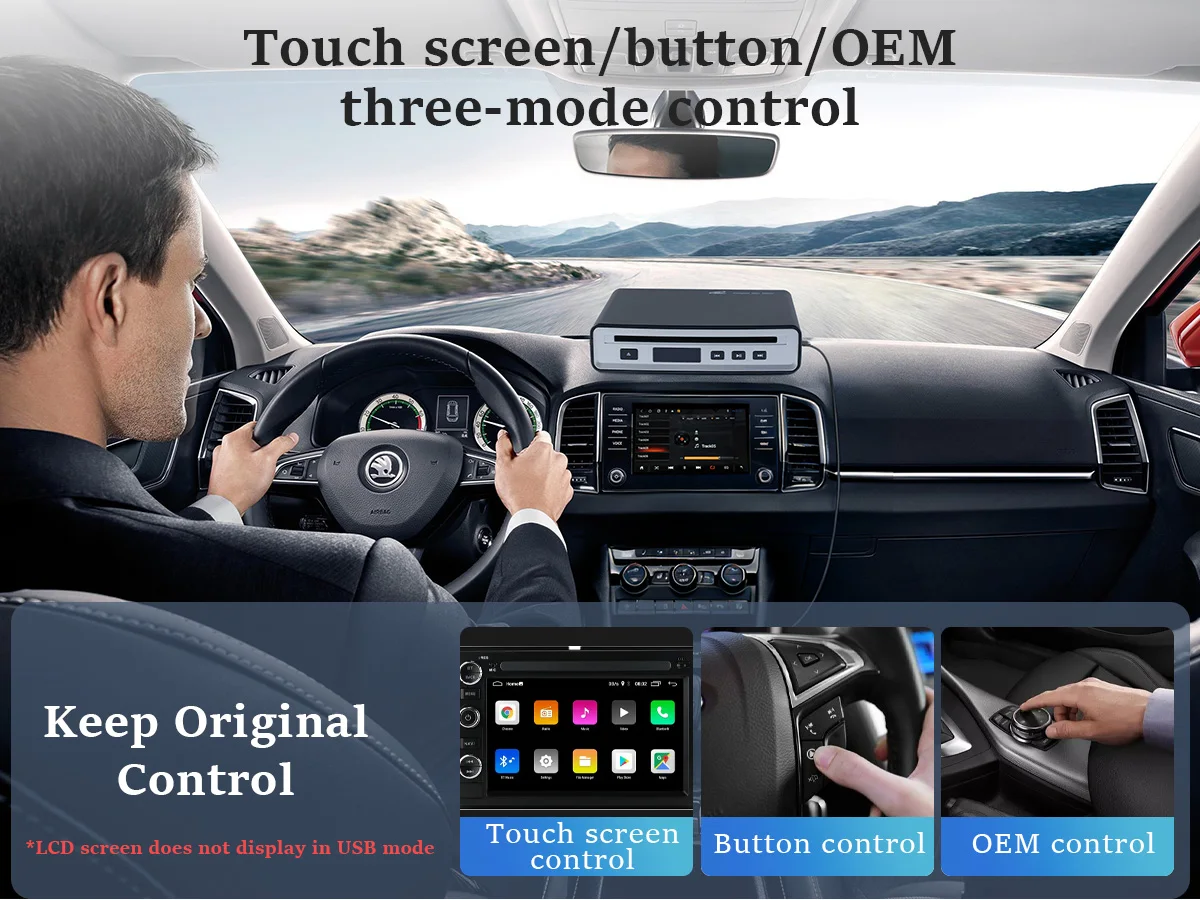
Physical ControlsBuilt-in controls provide convenient access to playback functions when operating in supported modes. |
|
⚡
5V OperationDesigned for 5V operation through compatible USB connections. |
📐
Compact DesignApprox. 6.3 × 6.1 × 1.5 inches for convenient placement inside compatible vehicles. |
PRODUCT DETAILS
WHY YOU'LL LOVE IT
|
✔ USB-CD Mode Simple wired connection for compatible systems. |
✔ Bluetooth Backup Mode Alternative connection option when supported. |
✔ Compact Size Designed for convenient in-car placement. |
|
✔ Multiple Disc Formats Supports compatible CD formats listed below. |
✔ Physical Controls Easy access to playback controls. |
✔ Modern Car Solution Useful for vehicles without an integrated CD drive. |
DUAL CONNECTION MODES
|
🔌
USB-CD MODEThis is the default connection mode. Connect the player to the vehicle's compatible USB data/audio port rather than a charging-only port. Insert a supported CD and allow approximately 12 seconds for the system to attempt recognition. On the vehicle display, open the relevant music menu and select USB Music or the equivalent option provided by your car audio system. |
📶
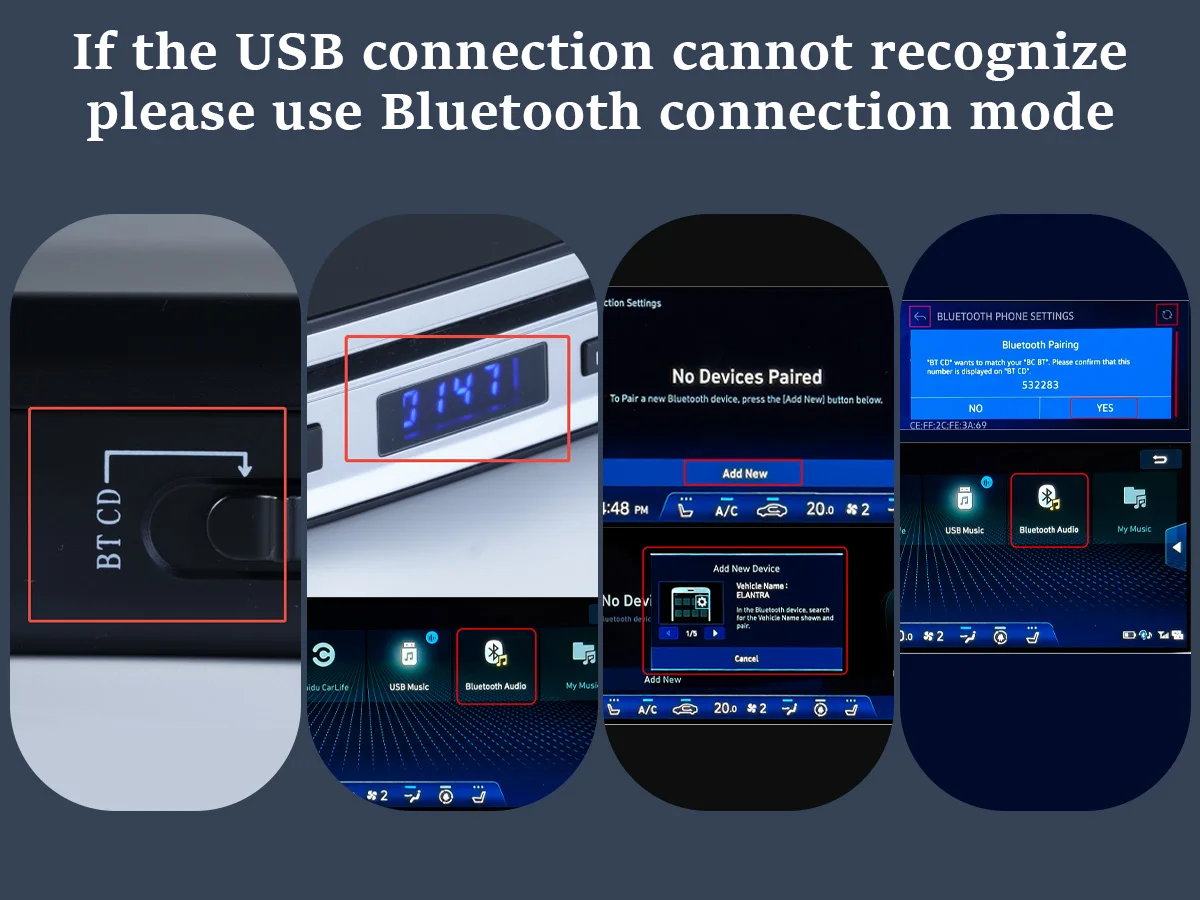
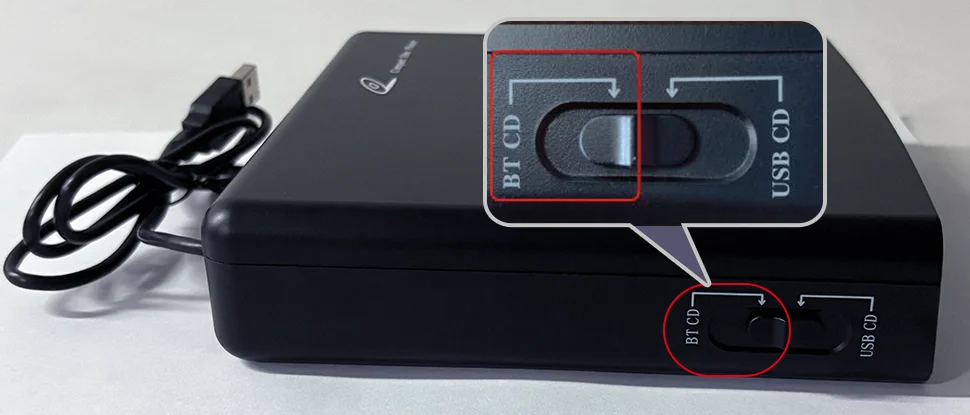
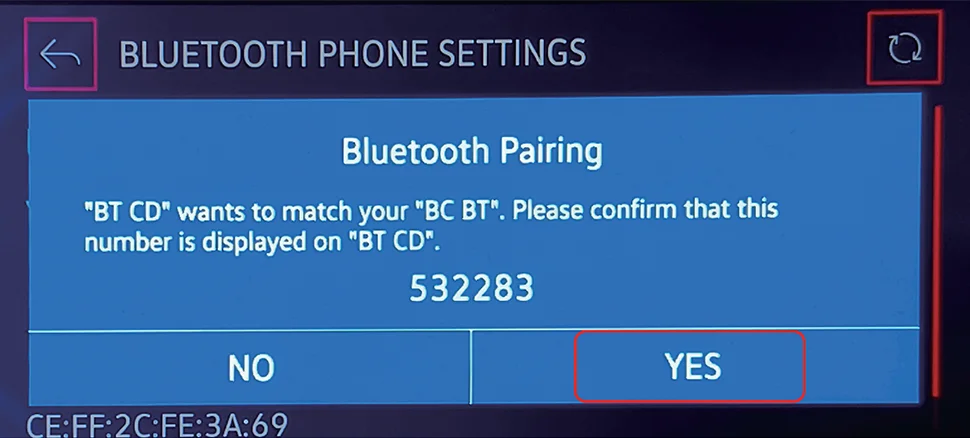
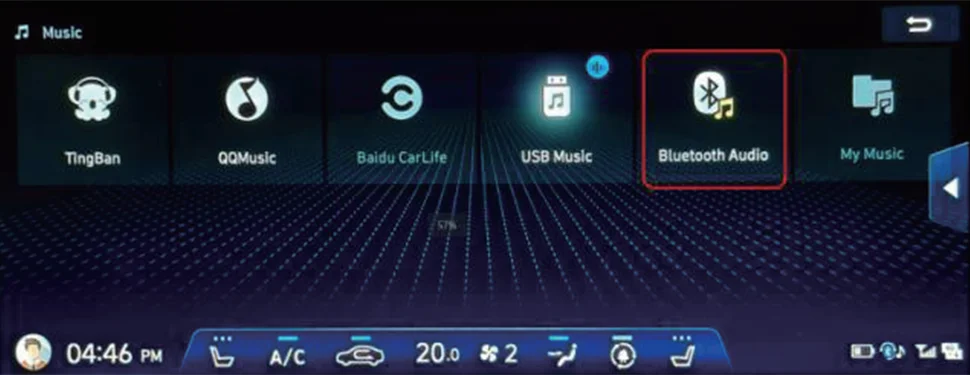
BLUETOOTH MODEUse Bluetooth mode if the vehicle does not recognise the player through USB-CD mode but supports Bluetooth audio streaming. Switch the player to BT-CD mode, insert a disc and pair the vehicle audio system with the device shown as BT CD where supported. Select Bluetooth Audio or the equivalent option on the vehicle head unit to begin playback. |
USB MODE DISPLAY NOTE
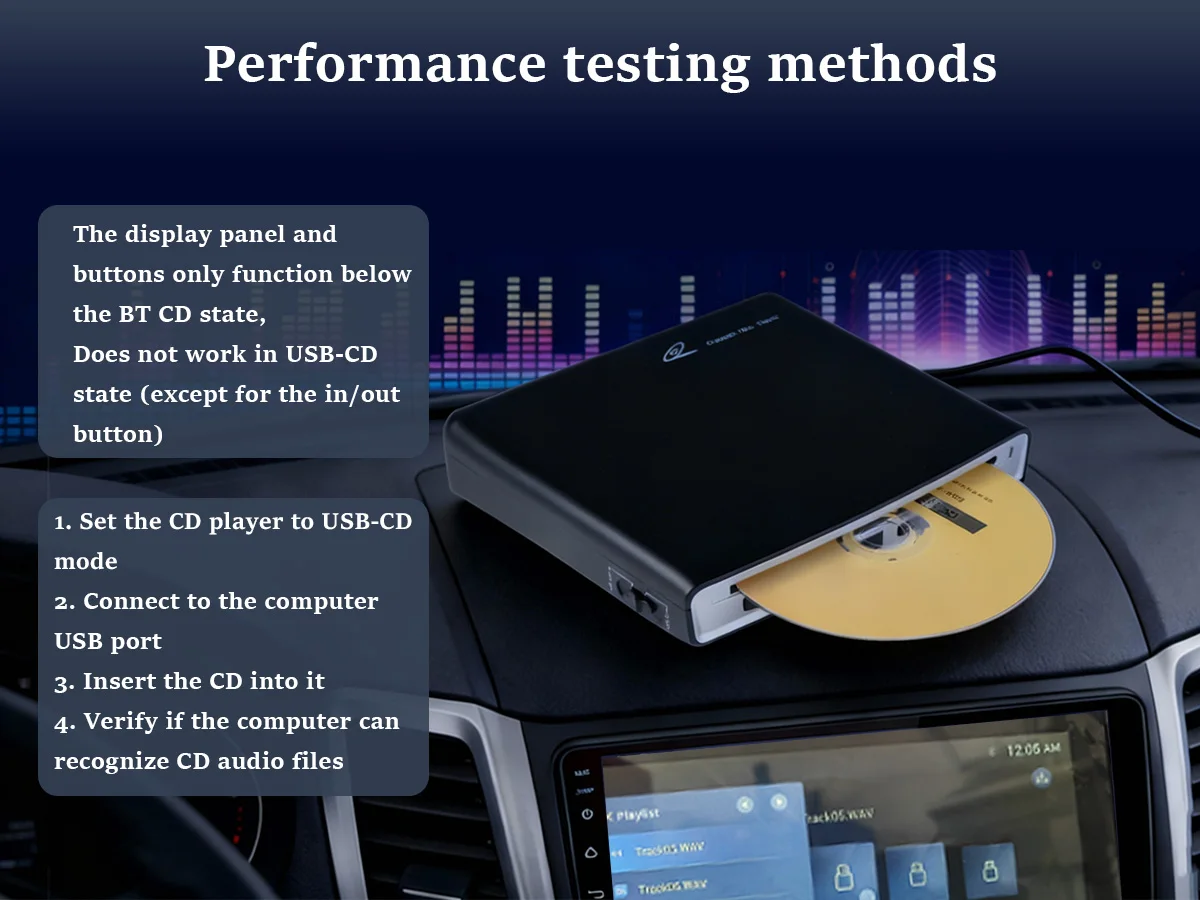
The player's display panel and playback buttons do not operate normally while the unit is in USB-CD mode, except for the disc insert/eject function where applicable.
The display panel and physical playback buttons are primarily functional in BT-CD mode.
BEFORE YOU BUY – COMPATIBILITY
For successful operation, your vehicle audio system should support at least one of the following:
✔ USB Data / Audio Port: The car USB port must support data transfer/audio playback and compatible audio files. Charging-only USB ports are not suitable for USB-CD mode.
✔ Bluetooth Audio Streaming: The vehicle stereo must support Bluetooth audio playback, not only Bluetooth hands-free calling.
Because vehicle multimedia systems vary by manufacturer, model and software version, compatibility cannot be guaranteed with every vehicle.
SUPPORTED DISC / MEDIA FORMATS
|
💿 Standard CD |
🎵 HQ-CD |
💿 MQA-CD |
|
📀 CD-R |
📀 CD-RW |
🎶 MP3 |
PERFECT FOR
|
🚗 Cars Without CD Drives |
💿 CD Collections |
🎵 Music Playback |
🛣️ Road Trips |
|
🔌 USB Audio Systems |
📶 Bluetooth Audio |
🎧 Everyday Listening |
🎶 In-Car Entertainment |
QUICK TROUBLESHOOTING
| Issue | Suggested Check |
|---|---|
| USB Not Recognised | Confirm the port supports data/audio transfer and is not charging-only. |
| Still No USB Playback | Try Bluetooth mode if your vehicle supports Bluetooth audio streaming. |
| Bluetooth Pairing Fails | Make sure the vehicle Bluetooth is discoverable and restart both devices before trying again. |
| Interference During Pairing | Disconnect other nearby Bluetooth devices where practical before attempting pairing. |
PRODUCT SPECIFICATIONS
| Specification | Details |
|---|---|
| Product Type | External Car CD Player |
| Model | SX-31BT |
| Colour | Black |
| Connection Modes | USB-CD / Bluetooth |
| Voltage | 5V |
| Material | Plastic |
| Approx. Size | 6.3" L × 6.1" W × 1.5" H |
| Approx. Weight | 0.52kg |
| Digital Media Format | CD |
| Supported Formats | Standard CD, HQ-CD, MQA-CD, CD-R, CD-RW, MP3 |
| High-Concerned Chemical | None |
| Origin | Mainland China |
MORE PRODUCT INFORMATION
PACKAGE INCLUDES
Supplied with the accessories shown in the selected product package. Please refer to the listing images for exact included cable/accessory configuration.
IMPORTANT INFORMATION
Please check your vehicle audio system compatibility before ordering.
USB-CD mode requires a compatible USB data/audio port. A charging-only USB port will not provide the required connection.
Bluetooth mode requires the vehicle stereo to support Bluetooth audio streaming.
Vehicle menu names, icons and pairing procedures vary between manufacturers, models and software versions.
The display and most physical playback buttons are intended to operate in BT-CD mode and may not function in USB-CD mode.
Allow the player time to read the inserted disc before troubleshooting the connection.
Actual product appearance may vary slightly due to photography, lighting and monitor settings.
WHY BUY FROM GULLU LTD?
|
🚚
Fast Dispatch
|
⭐
Quality Checked
|
🇬🇧
Trusted UK Seller
|
📦
Secure Packaging
|
THANK YOU FOR SHOPPING WITH
GULLU LTD
Car Electronics & Accessories • Trusted UK Seller • Quality Checked • Customer Satisfaction