
0.1-99999Hz Schumann Resonance Frequency Pulse Sine Wave Generator Antenna Board
Popular
Product Introduction
Features
1. Wide frequency adjustable range (0.1Hz-99999Hz), precisely meet different needs.
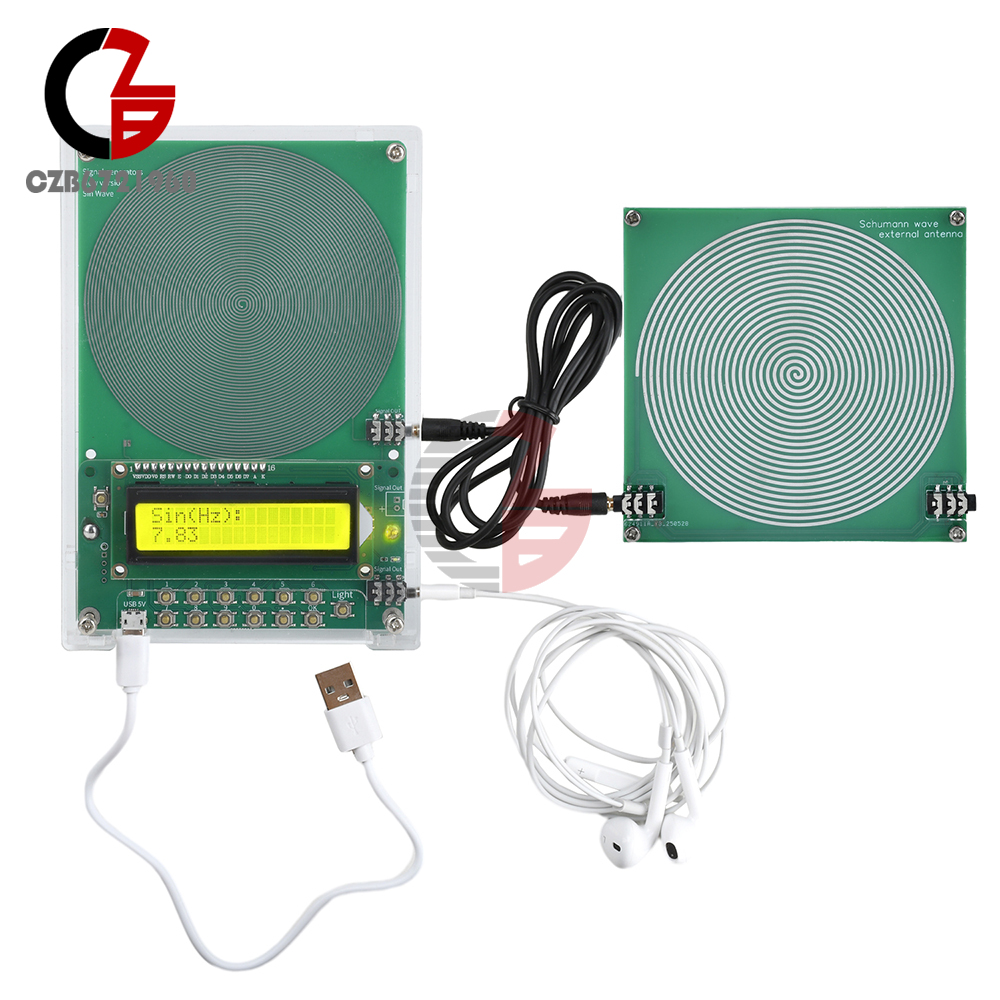
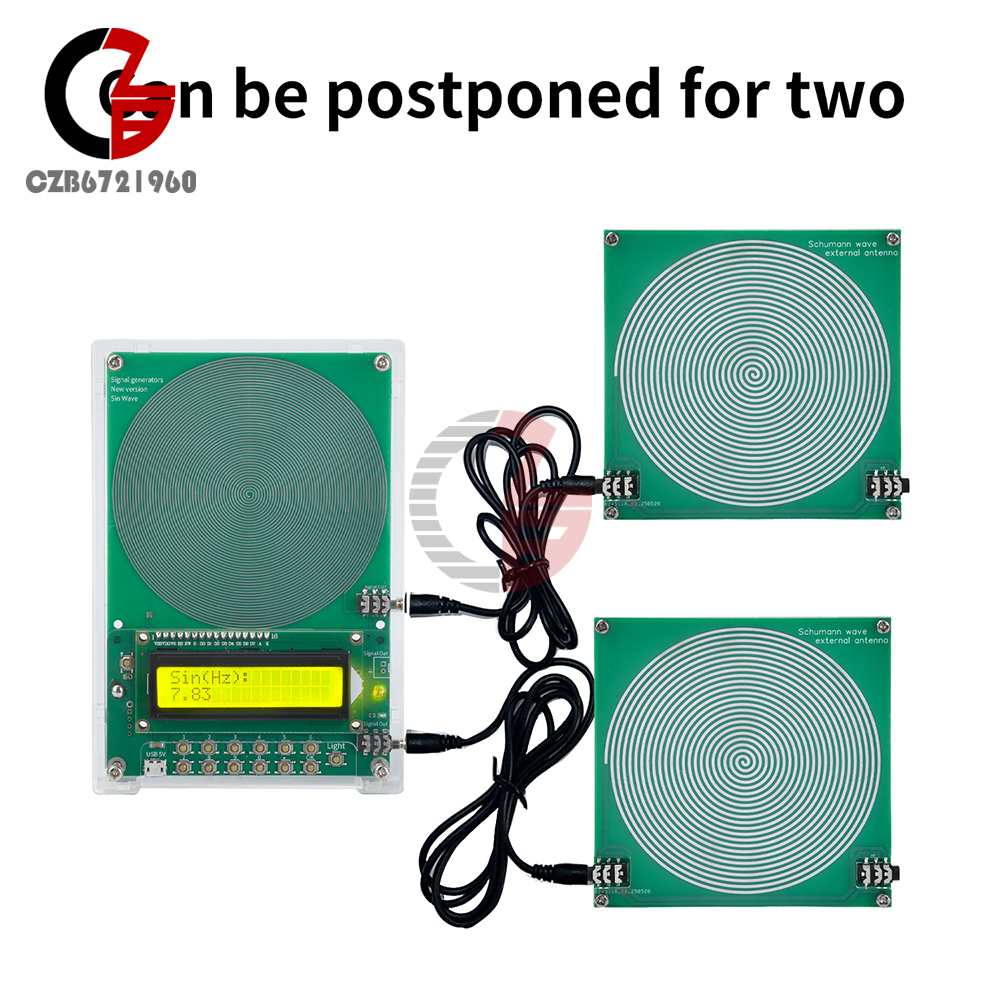
2.Dual-channel output supports external antenna board to realize multi-device serial expansion.
3. Default frequency 7.83Hz, one key to set the desired frequency, simple and convenient operation.
4. Push-button operation, simple and convenient design, even a novice can easily get started, the operation is no pressure.
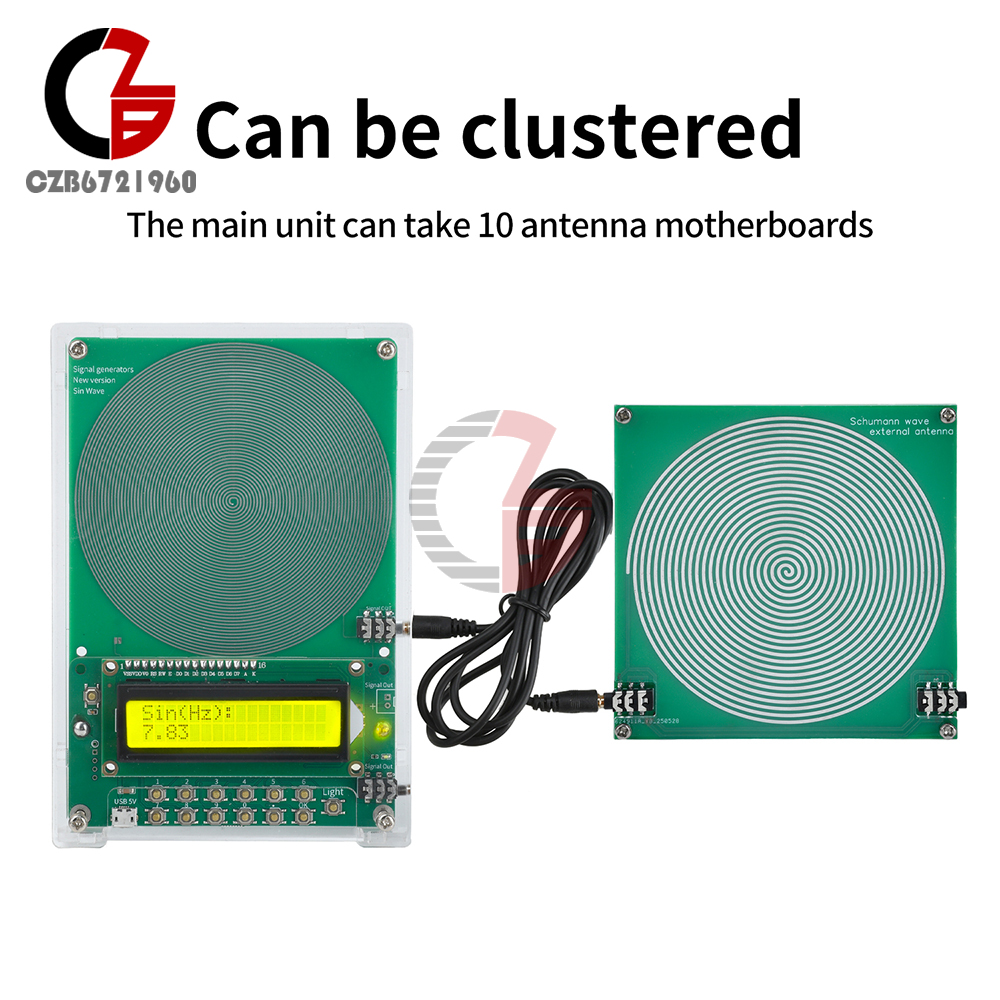
5. The host can connect up to 10 antenna motherboards, suitable for a variety of scenarios application needs.
1. Wide frequency adjustable range (0.1Hz-99999Hz), precisely meet different needs.
2.Dual-channel output supports external antenna board to realize multi-device serial expansion.
3. Default frequency 7.83Hz, one key to set the desired frequency, simple and convenient operation.
4. Push-button operation, simple and convenient design, even a novice can easily get started, the operation is no pressure.
5. The host can connect up to 10 antenna motherboards, suitable for a variety of scenarios application needs.
Specifications
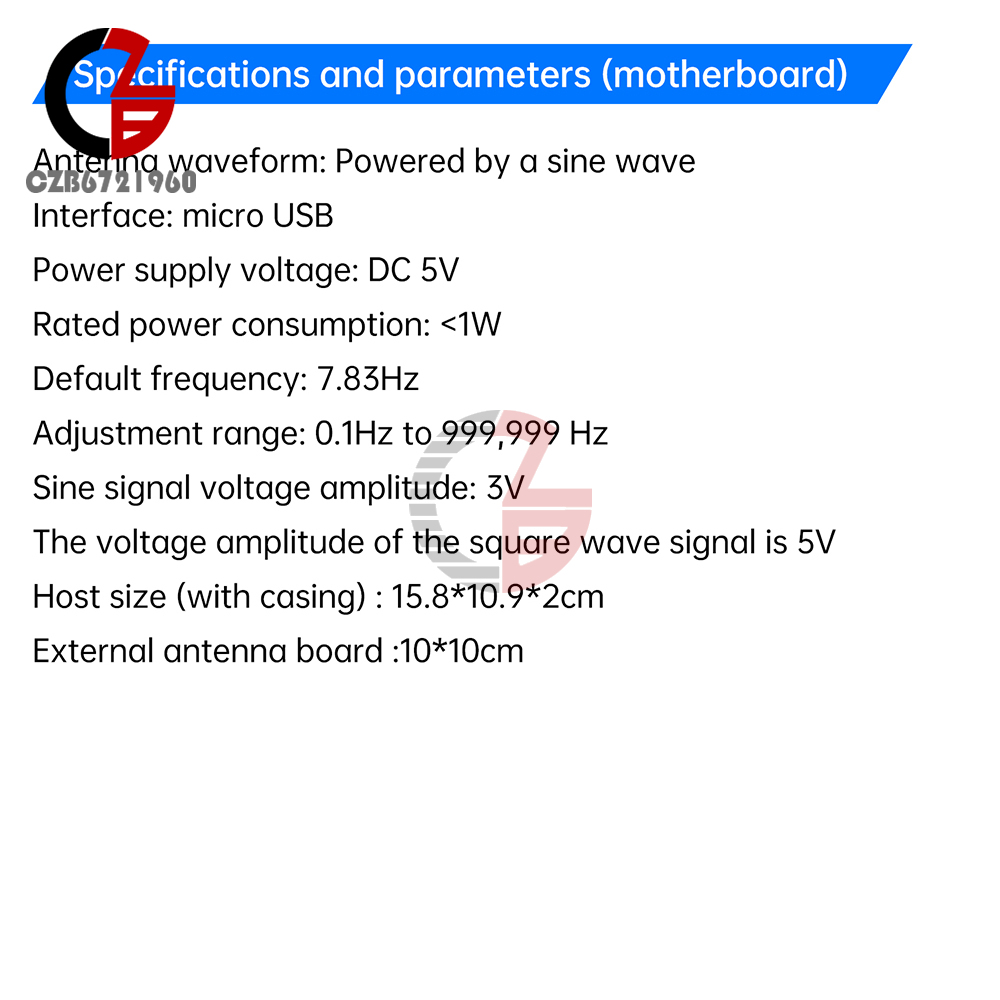
Antenna Waveform: Sine Wave
Power Supply Interface: Android Interface
Power Supply Voltage: DC 5V
Rated Power Consumption: <1W
Default Frequency: 7.83Hz
Adjustment Range: 0.1Hz~99999Hz
Sine Signal Voltage Amplitude: 3V
Square Wave Signal Voltage Amplitude: 5V
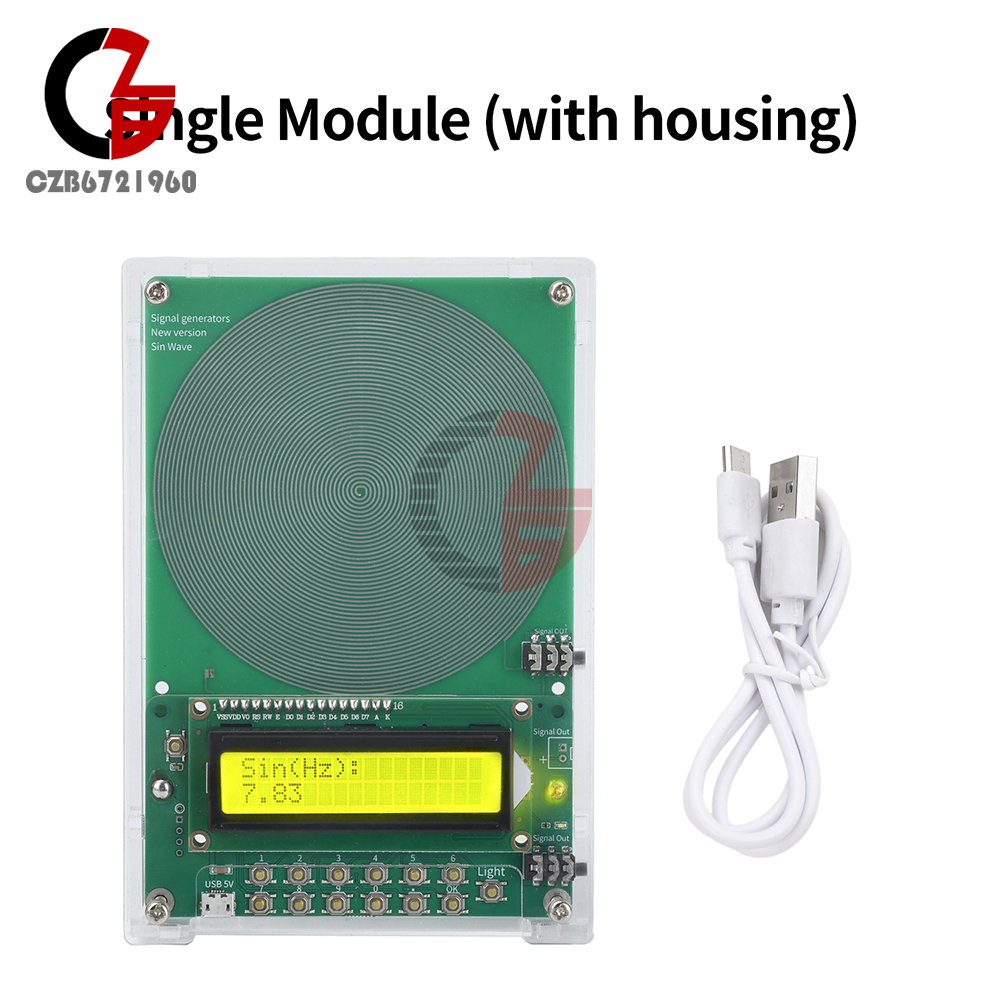
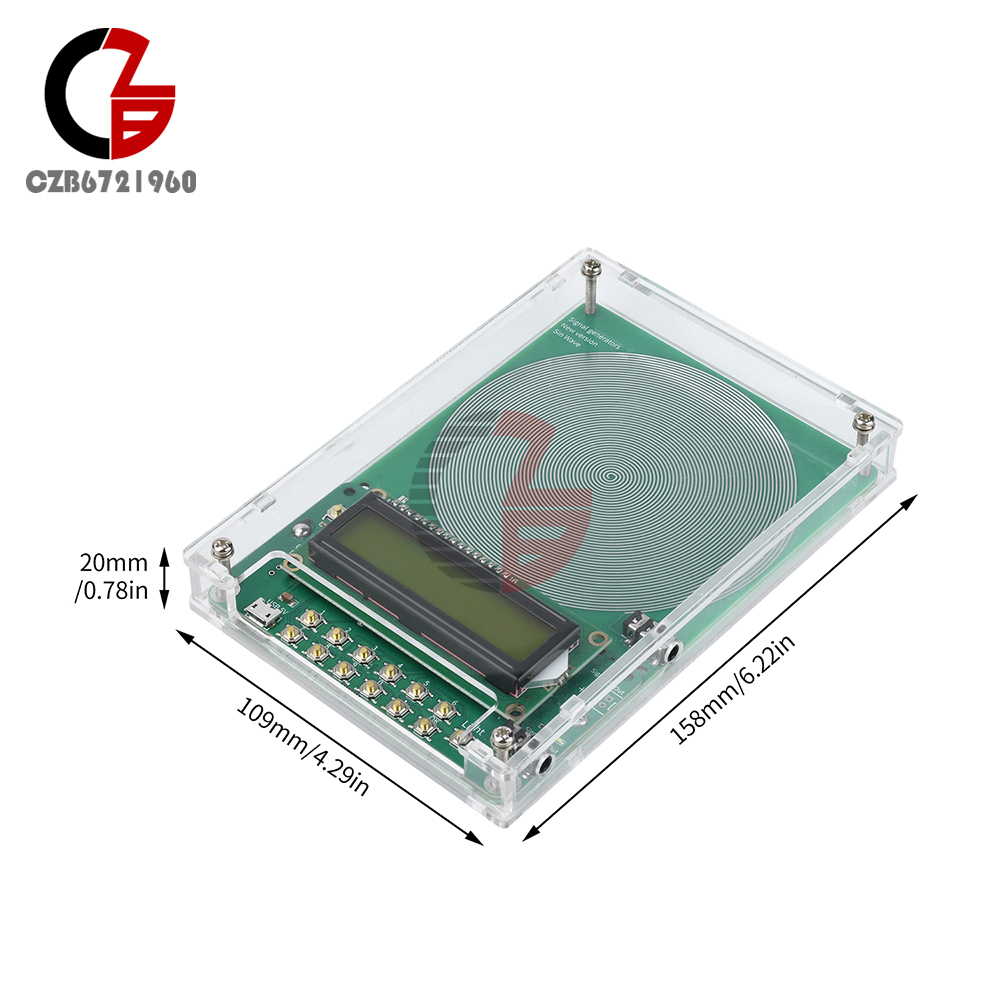
Mainframe Dimension (with case): 15.8*10.9*2cm
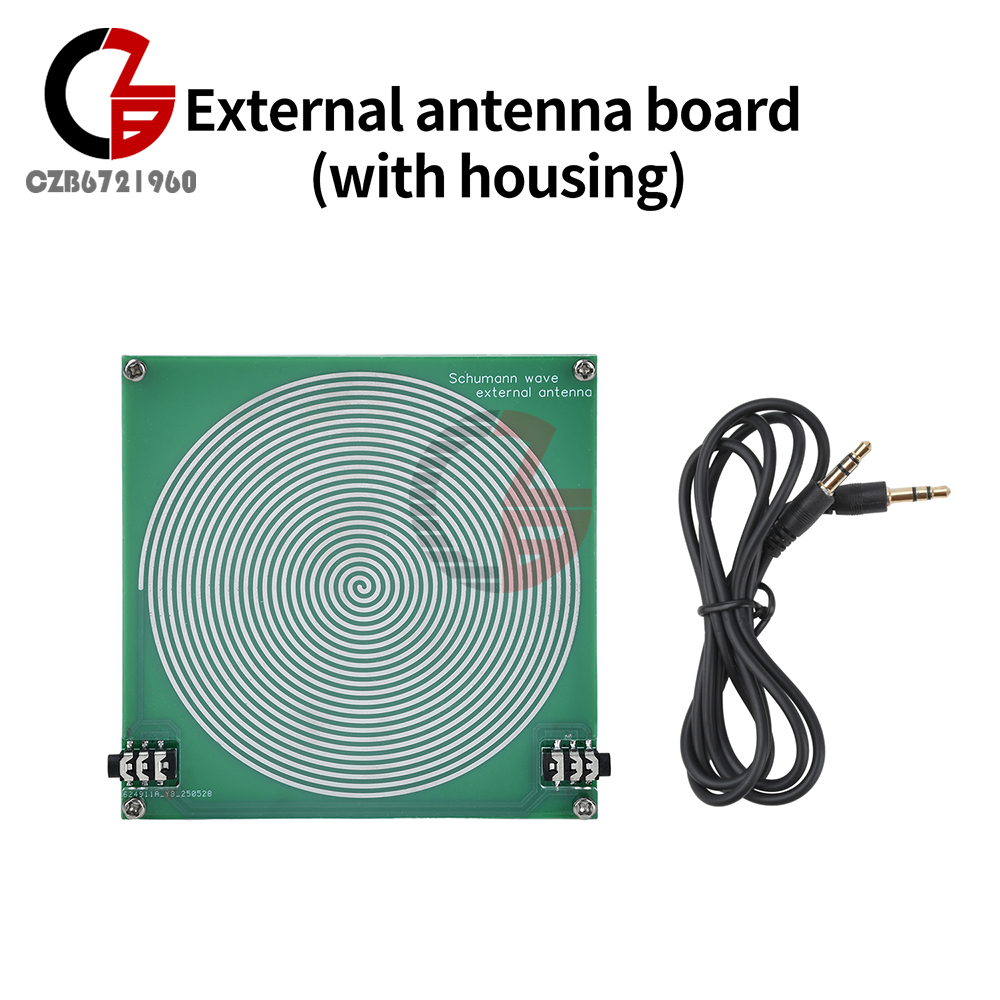
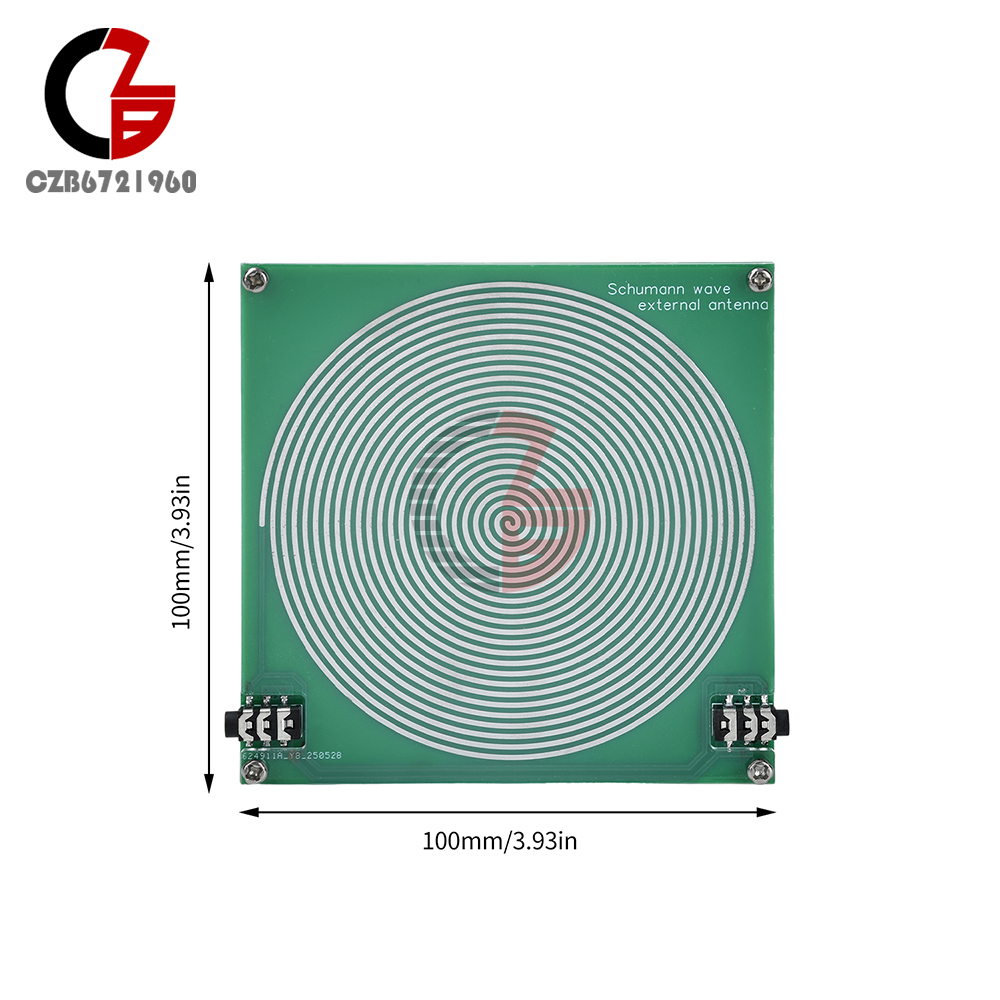
External Antenna Board:10*10cm
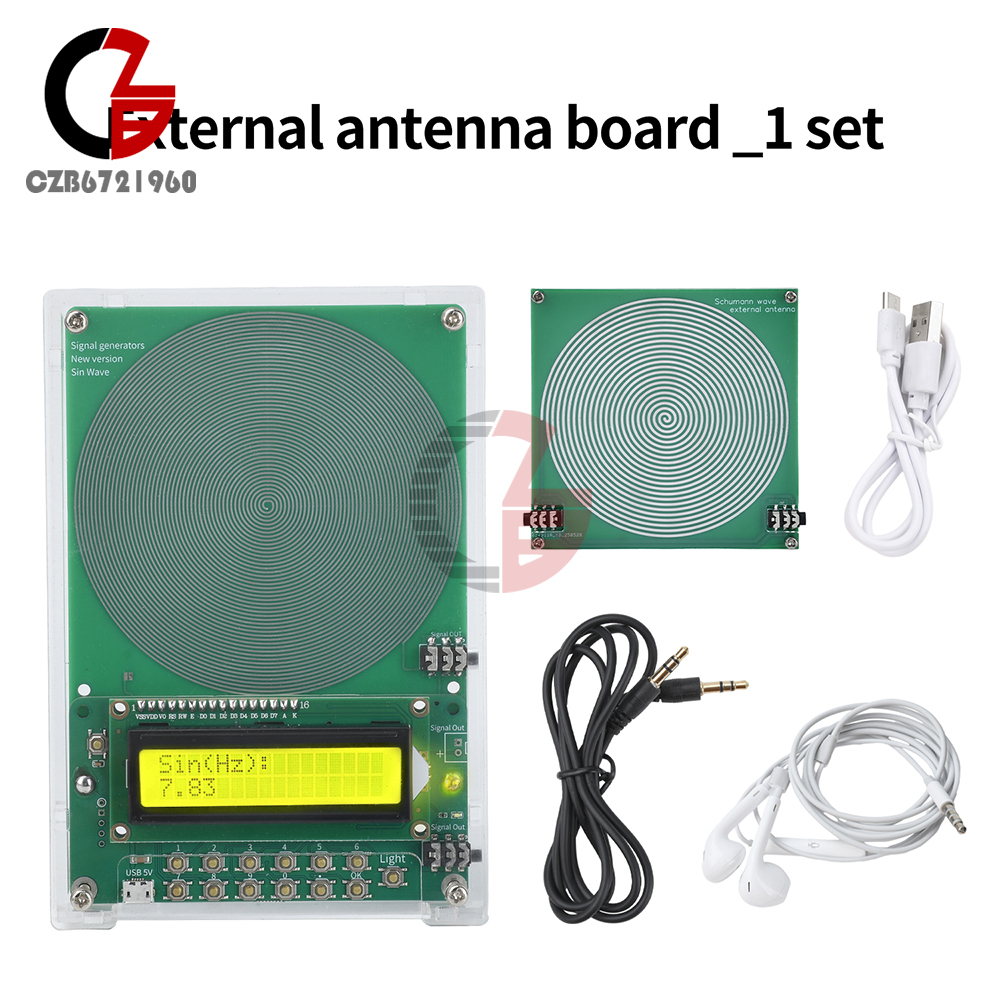
Description: Dual Channel Output interface can be external antenna board, can be combined can be cascaded, can be set to link the host can take 10 antenna motherboard.
Antenna Waveform: Sine Wave
Power Supply Interface: Android Interface
Power Supply Voltage: DC 5V
Rated Power Consumption: <1W
Default Frequency: 7.83Hz
Adjustment Range: 0.1Hz~99999Hz
Sine Signal Voltage Amplitude: 3V
Square Wave Signal Voltage Amplitude: 5V
Mainframe Dimension (with case): 15.8*10.9*2cm
External Antenna Board:10*10cm
Description: Dual Channel Output interface can be external antenna board, can be combined can be cascaded, can be set to link the host can take 10 antenna motherboard.
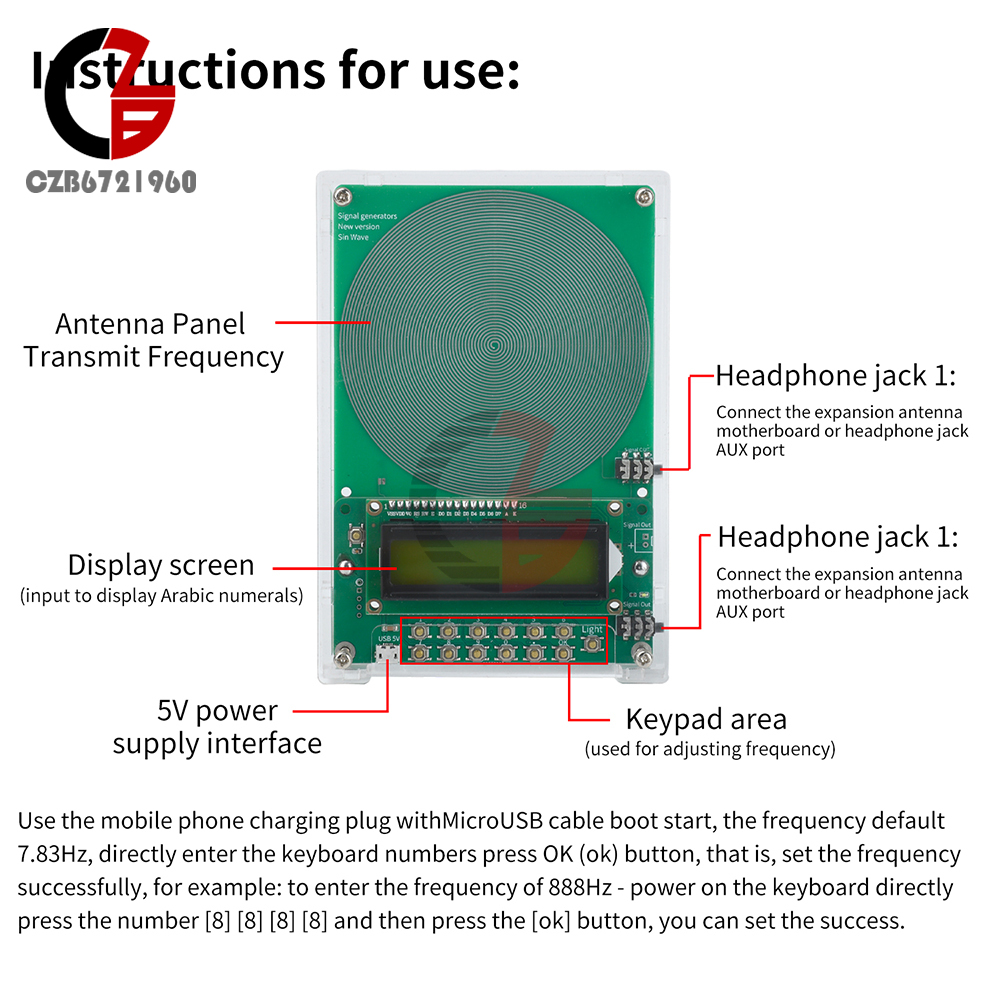
Usage: use the phone charging plug with Android cable boot start, the frequency default 7.83Hz, directly enter the keyboard number press OK (ok) button, that is, set the frequency successfully, for example: to enter the frequency of 888Hz - power on the keyboard directly press the number [8] [8] [8] [8] and then press the [ok] button, you can set the success.
External antenna usage:
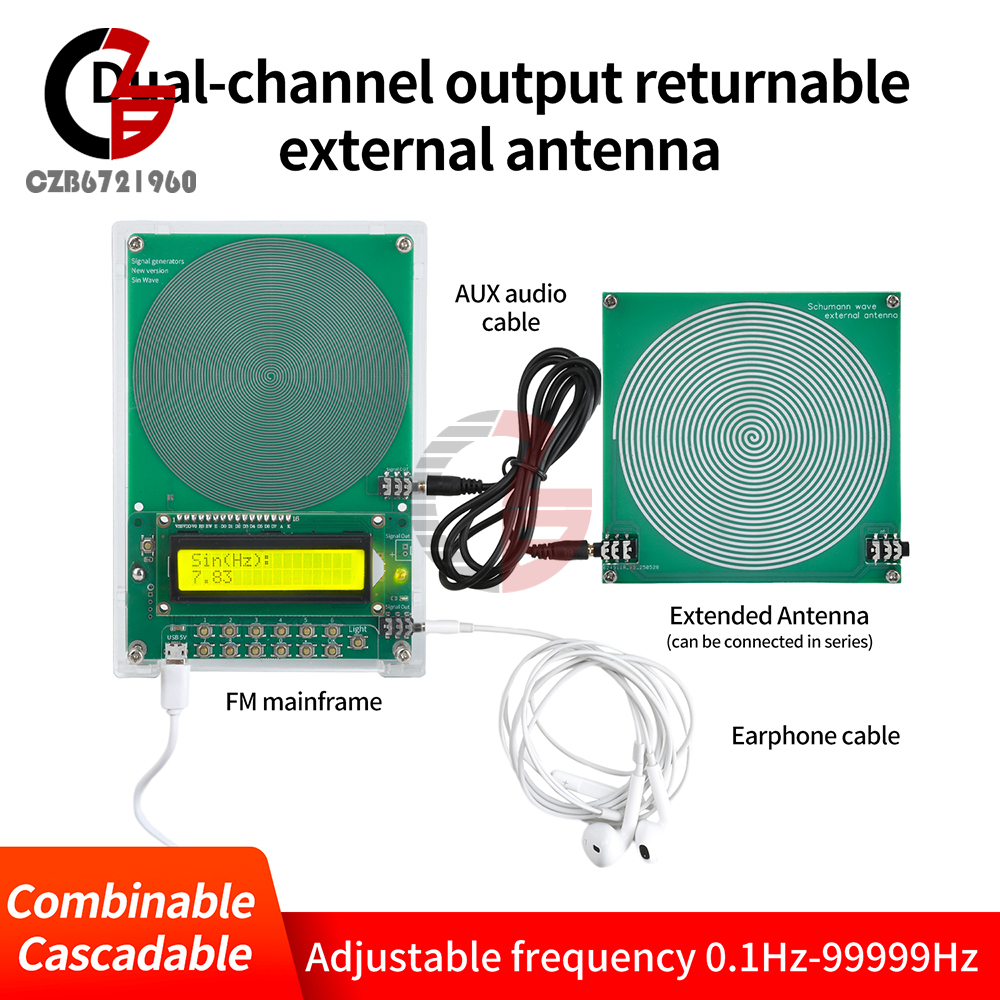
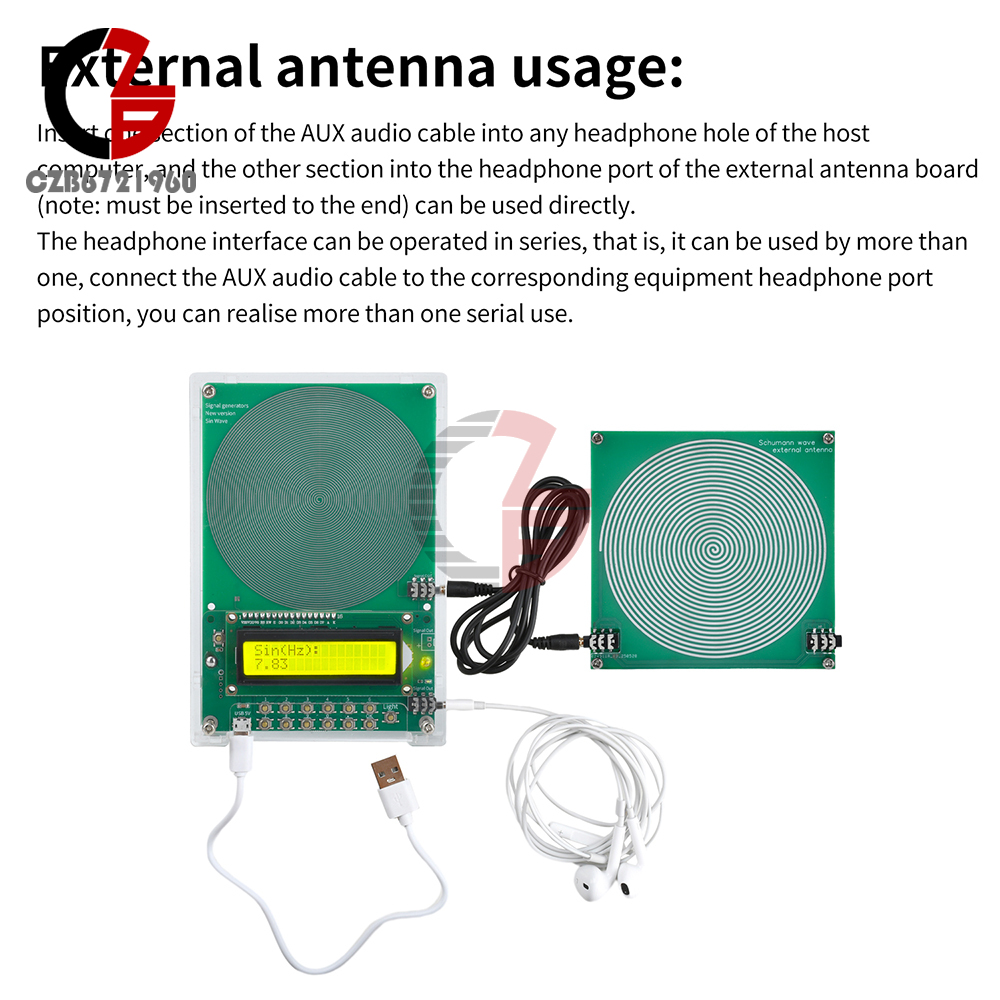
Insert one section of AUX audio cable into any headphone hole of the host, and the other section into the headphone interface of the external antenna board (Note: must be inserted to the end) to use directly.
The headphone interface can be operated in series, that is, it can be used by more than one, connect the AUX audio cable to the headphone port position of the corresponding equipment, you can realize more than one serial use.
External antenna usage:
Insert one section of AUX audio cable into any headphone hole of the host, and the other section into the headphone interface of the external antenna board (Note: must be inserted to the end) to use directly.
The headphone interface can be operated in series, that is, it can be used by more than one, connect the AUX audio cable to the headphone port position of the corresponding equipment, you can realize more than one serial use.
Package includes
According to your choice
According to your choice
- We accept PayPal only. But we only Accept your Ebay Address,Please Make sure it's 100% right.
- Payment must be received in 5 business days of auction closing.
- Please leave note for your special request (e.g. Colors or Size) in PayPal when you pay the order.
- Any special request cannot be accepted after 24 hours of payment, because most of orders will be processed instantly and same day dispatched.
- We maintain high standards of excellence and strive for 100% customer satisfaction! Feedback is very important to us. We request that you contact us immediately BEFORE you give us neutral or negative feedback, so that we can satisfactorily address your concerns.
- All package need to wait 30 days(US only need 7-10 days),Please take care it.Less than 30 days,we can't take a refund.
- If the item is defect when you receive it or you are not satisfied with it, please return it within 14 days for a replacement or money back. But the items must be back in factory condition. Please contact us and double check the return address before you return it.
- If is item is defective in 12 months, you can return it to us. We will send you a new replacement after receiving the defective item.
0.1-99999Hz Schumann Resonance Frequency Pulse Sine Wave Generator Antenna Board
Product Introduction
Features
1. Wide frequency adjustable range (0.1Hz-99999Hz), precisely meet different needs.
2.Dual-channel output supports external antenna board to realize multi-device serial expansion.
3. Default frequency 7.83Hz, one key to set the desired frequency, simple and convenient operation.
4. Push-button operation, simple and convenient design, even a novice can easily get started, the operation is no pressure.
5. The host can connect up to 10 antenna motherboards, suitable for a variety of scenarios application needs.
1. Wide frequency adjustable range (0.1Hz-99999Hz), precisely meet different needs.
2.Dual-channel output supports external antenna board to realize multi-device serial expansion.
3. Default frequency 7.83Hz, one key to set the desired frequency, simple and convenient operation.
4. Push-button operation, simple and convenient design, even a novice can easily get started, the operation is no pressure.
5. The host can connect up to 10 antenna motherboards, suitable for a variety of scenarios application needs.
Specifications
Antenna Waveform: Sine Wave
Power Supply Interface: Android Interface
Power Supply Voltage: DC 5V
Rated Power Consumption: <1W
Default Frequency: 7.83Hz
Adjustment Range: 0.1Hz~99999Hz
Sine Signal Voltage Amplitude: 3V
Square Wave Signal Voltage Amplitude: 5V
Mainframe Dimension (with case): 15.8*10.9*2cm
External Antenna Board:10*10cm
Description: Dual Channel Output interface can be external antenna board, can be combined can be cascaded, can be set to link the host can take 10 antenna motherboard.
Antenna Waveform: Sine Wave
Power Supply Interface: Android Interface
Power Supply Voltage: DC 5V
Rated Power Consumption: <1W
Default Frequency: 7.83Hz
Adjustment Range: 0.1Hz~99999Hz
Sine Signal Voltage Amplitude: 3V
Square Wave Signal Voltage Amplitude: 5V
Mainframe Dimension (with case): 15.8*10.9*2cm
External Antenna Board:10*10cm
Description: Dual Channel Output interface can be external antenna board, can be combined can be cascaded, can be set to link the host can take 10 antenna motherboard.
Usage: use the phone charging plug with Android cable boot start, the frequency default 7.83Hz, directly enter the keyboard number press OK (ok) button, that is, set the frequency successfully, for example: to enter the frequency of 888Hz - power on the keyboard directly press the number [8] [8] [8] [8] and then press the [ok] button, you can set the success.
External antenna usage:
Insert one section of AUX audio cable into any headphone hole of the host, and the other section into the headphone interface of the external antenna board (Note: must be inserted to the end) to use directly.
The headphone interface can be operated in series, that is, it can be used by more than one, connect the AUX audio cable to the headphone port position of the corresponding equipment, you can realize more than one serial use.
External antenna usage:
Insert one section of AUX audio cable into any headphone hole of the host, and the other section into the headphone interface of the external antenna board (Note: must be inserted to the end) to use directly.
The headphone interface can be operated in series, that is, it can be used by more than one, connect the AUX audio cable to the headphone port position of the corresponding equipment, you can realize more than one serial use.
Package includes
According to your choice
According to your choice
- We accept PayPal only. But we only Accept your Ebay Address,Please Make sure it's 100% right.
- Payment must be received in 5 business days of auction closing.
- Please leave note for your special request (e.g. Colors or Size) in PayPal when you pay the order.
- Any special request cannot be accepted after 24 hours of payment, because most of orders will be processed instantly and same day dispatched.
- We maintain high standards of excellence and strive for 100% customer satisfaction! Feedback is very important to us. We request that you contact us immediately BEFORE you give us neutral or negative feedback, so that we can satisfactorily address your concerns.
- All package need to wait 30 days(US only need 7-10 days),Please take care it.Less than 30 days,we can't take a refund.
- If the item is defect when you receive it or you are not satisfied with it, please return it within 14 days for a replacement or money back. But the items must be back in factory condition. Please contact us and double check the return address before you return it.
- If is item is defective in 12 months, you can return it to us. We will send you a new replacement after receiving the defective item.