Kindly Note:
This item located in Czech Republic and only shipped to European countries,
If you need to return the item for some reasons, please contact us via eBay message firstly to get the RMA#,and return address instead of sending iit back directly without permission,thank you!
Product description
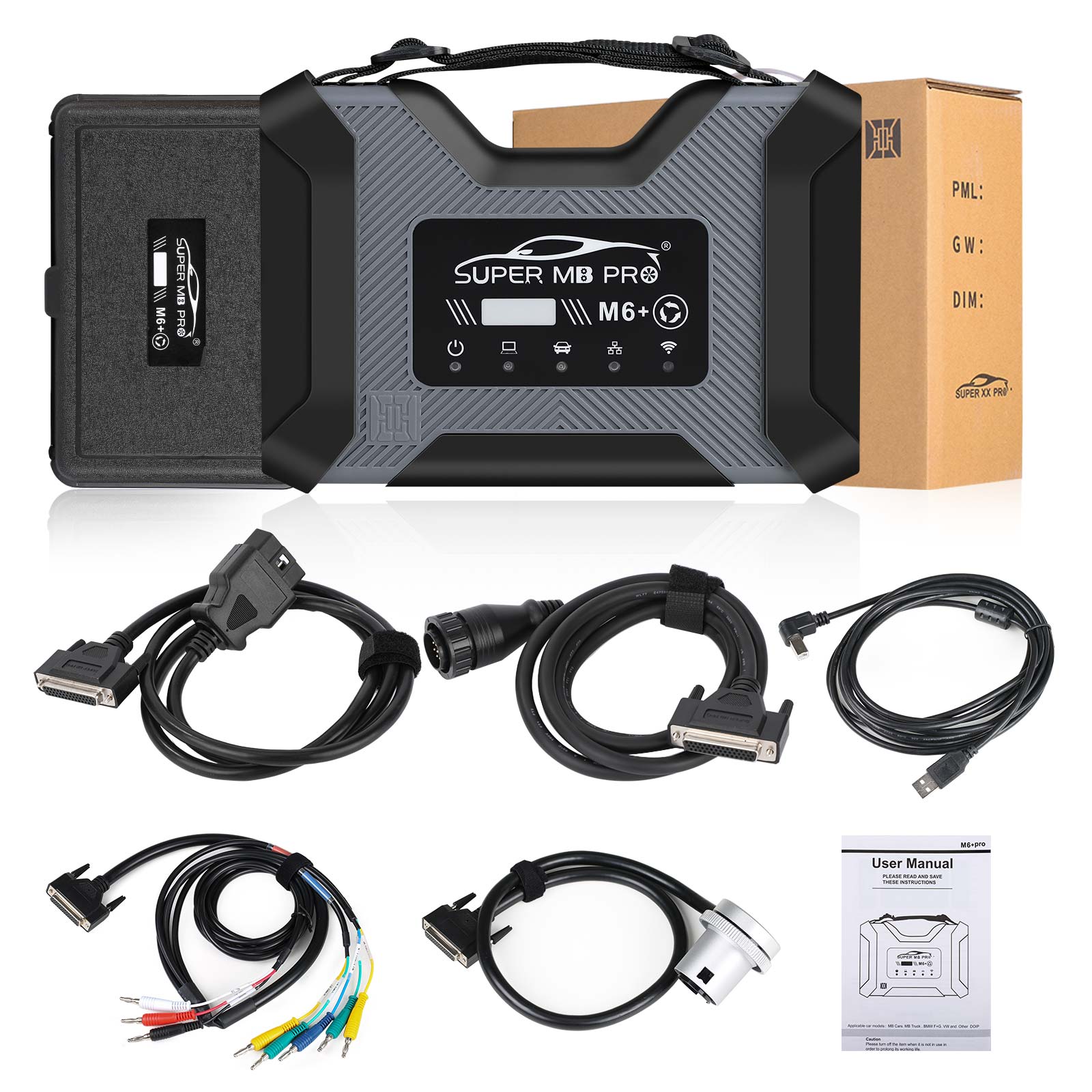
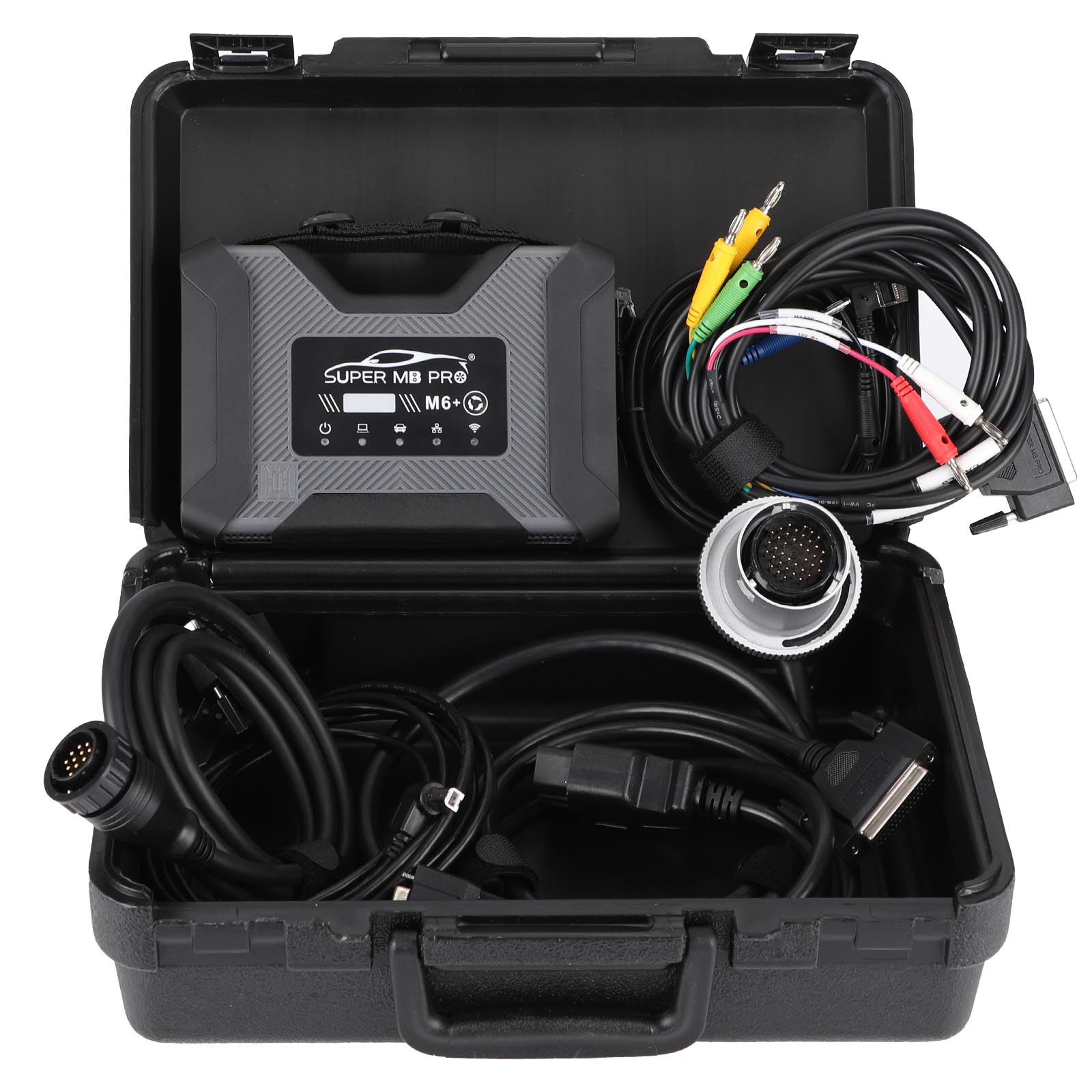
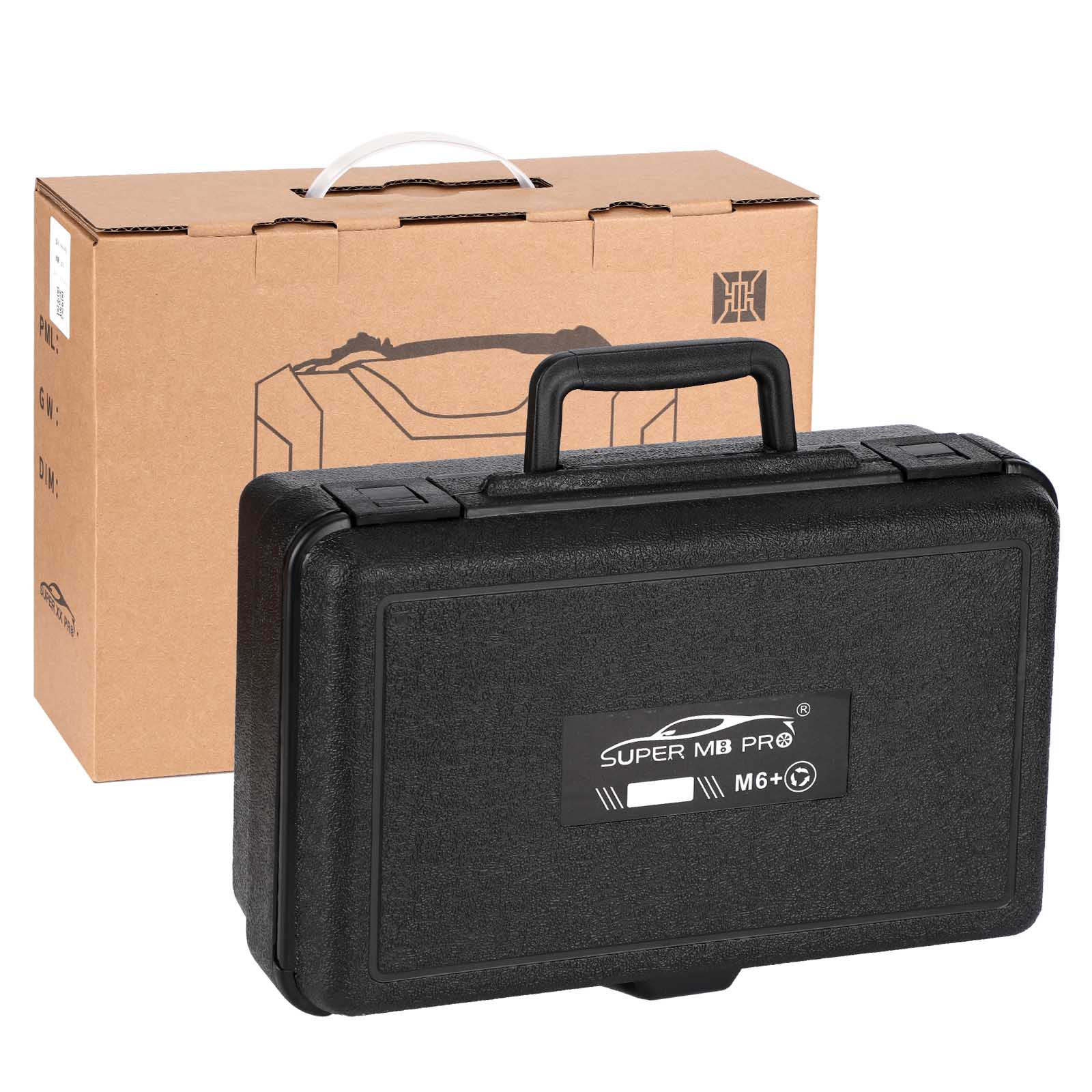
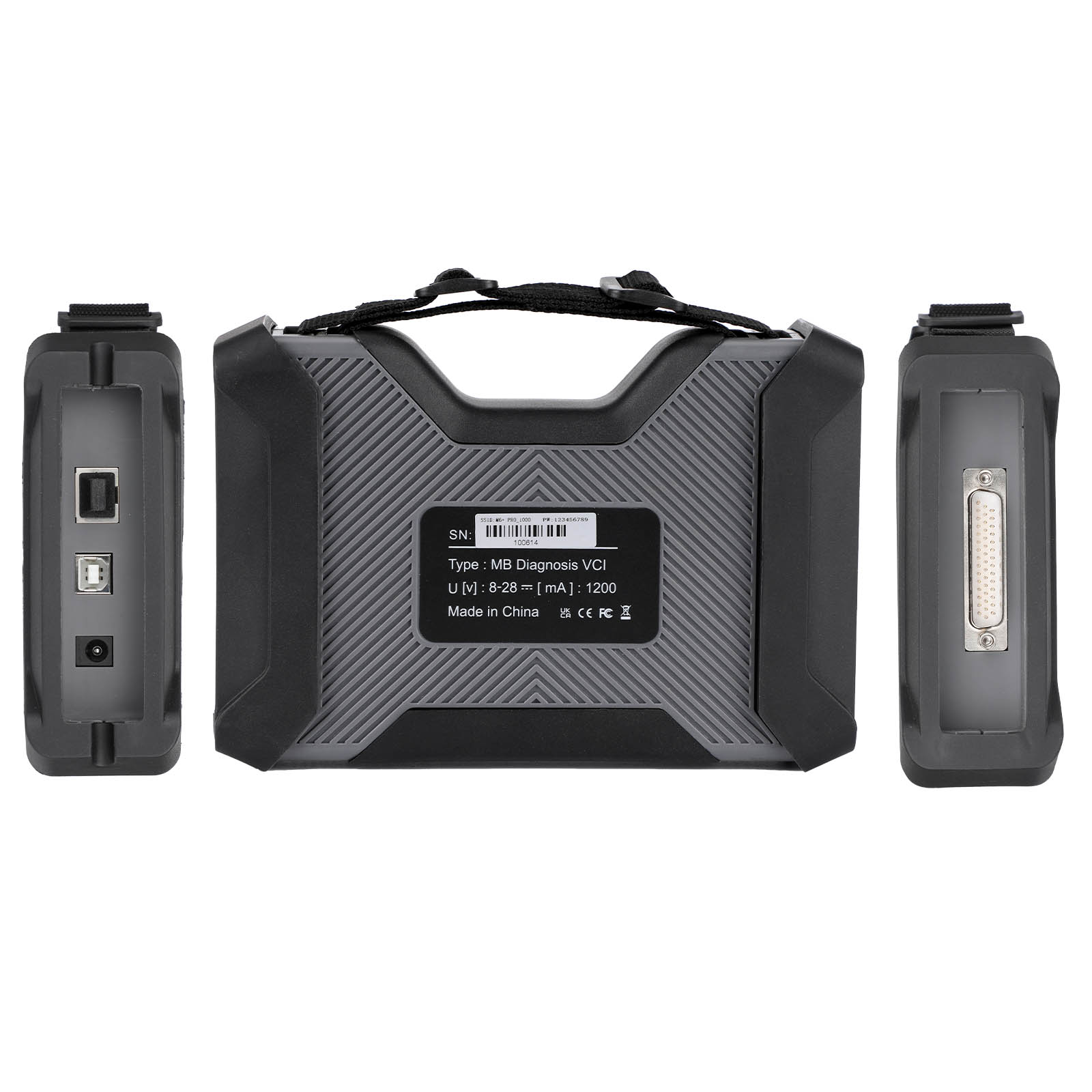
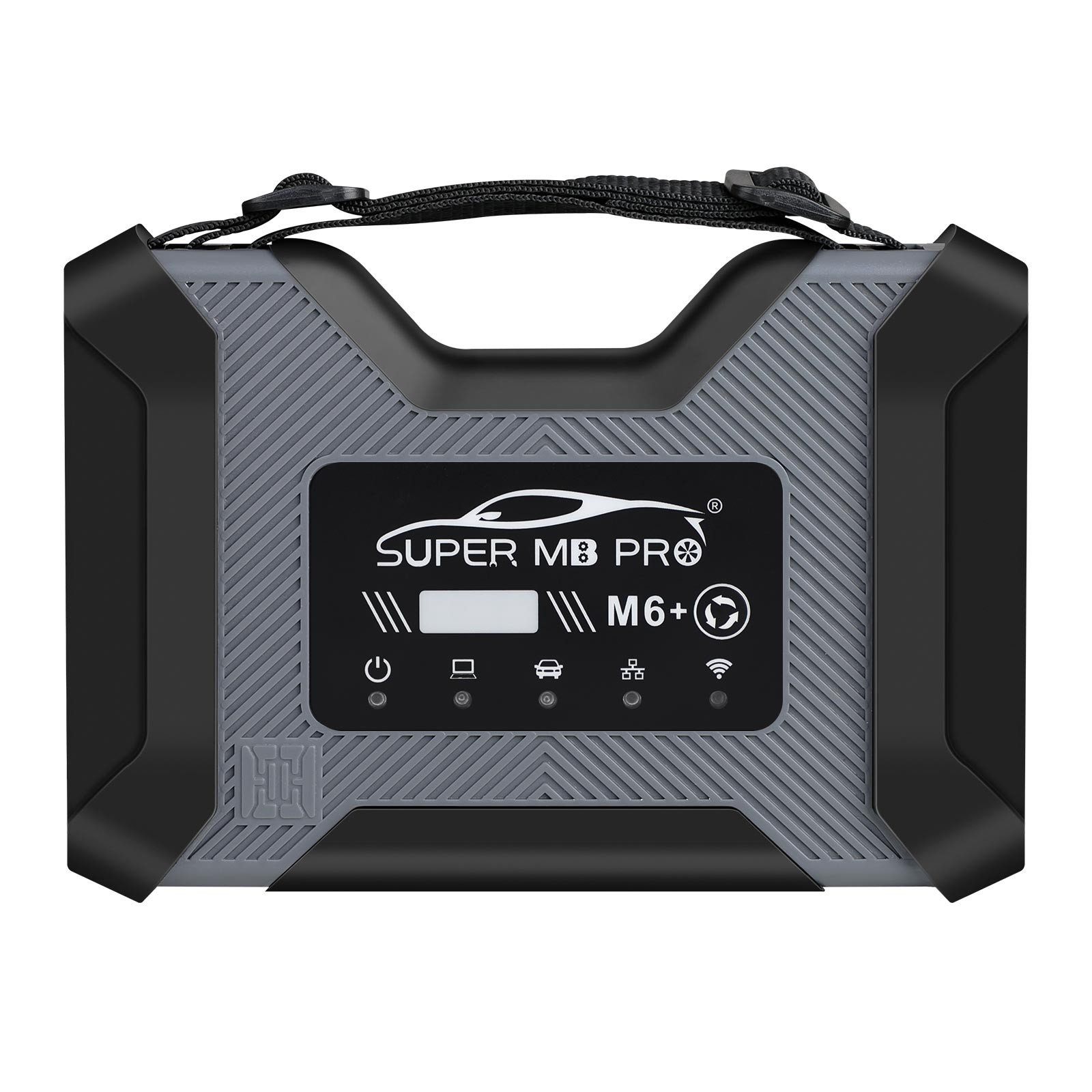
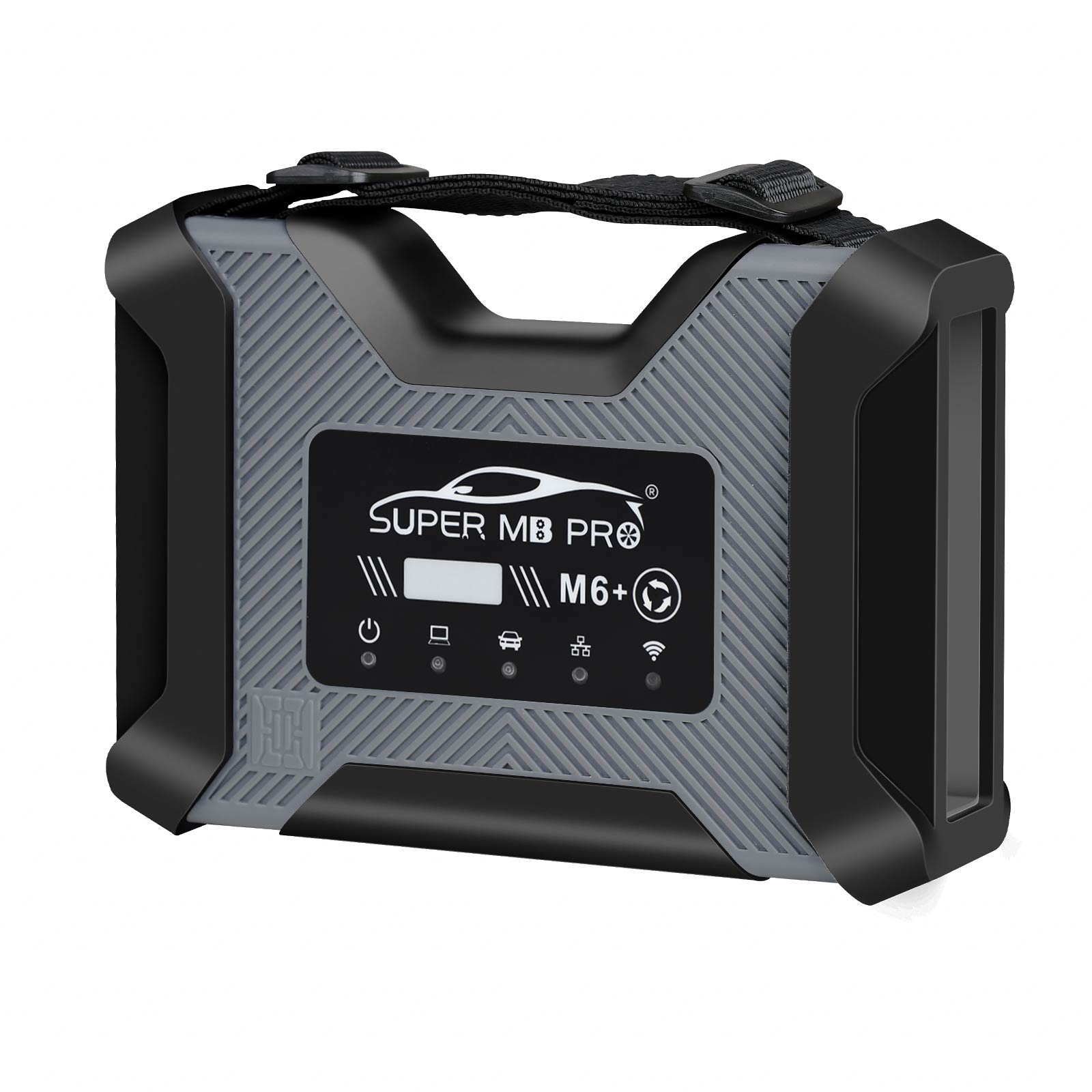
SUPER MB PRO M6+ PRO Diagnosis Tool Full Package
Product Introduction:
Based on Super MB PRO M6+, Super MB PRO M6+ Pro has greatly improved product functions and compatibility. It has added real-time display of vehicle voltage and is 100% compatible with the original Mercedes-Benz software.
Product Features:
1.100% compatible with the original Mercedes-Benz software.
2.The front label of the M6+ Pro uses a design with trademark rights and art copyrights to improve product recognition. It has dded a multi-function switch button to switch to BWM test with one click.
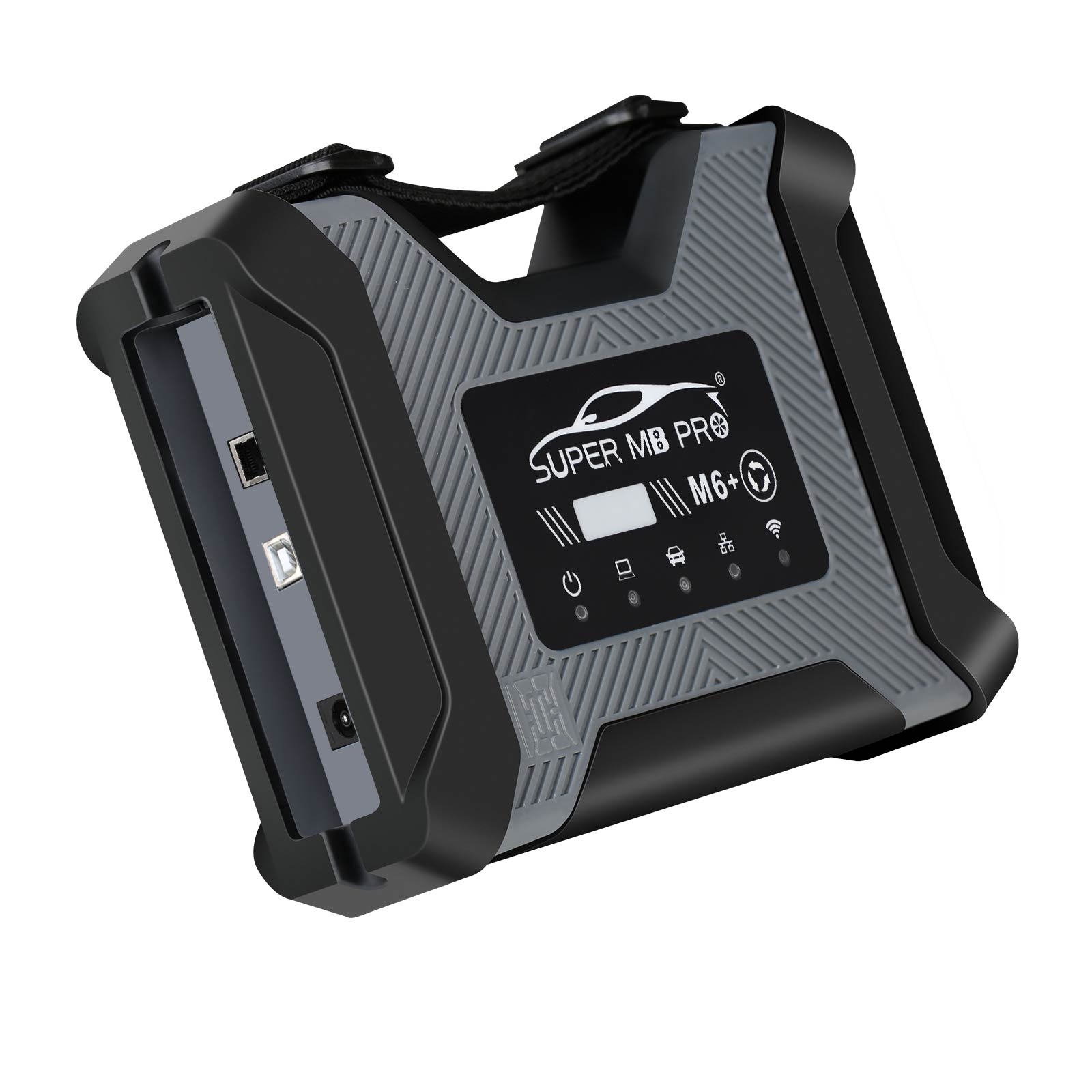
3.The communication between the M6+ Pro and the computer is through a USB3.0 cable or a ethernet cable, which improves the compatibility of the product with computers and tablets. (Compatible with both old and new computers and tablets, no need to choose old-fashioned computers and tablets with network ports.)
4.M6+ Pro supports remote C-side operation. The client does not need to install special diagnostic testing software. Just connect the M6+ Pro to a local computer that can access the Internet, and we can remotely provide customers with paid diagnosis and detection services of vehicle failure. Customers can also set up a local remote diagnostic test in the local area network. The above ways greatly improve the product flexibility.
5. M6+ Pro supports vehicles with DOIP communication protocol, such as the new for V0lks-wagen, for Audi, for Skoda, for Bent-ley, for Lambo, etc. A dedicated transition button is provided.
6. Support new models such as W223 c206 213 167.
Product Functions:
M6+ Pro, M6+ and M6 product function comparison chart
| M6 Product Functions | M6+ Product Functions | M6+ Pro Functions | |
| X-E-NTRY | √ | √ | √ |
| X-E-NTRY Truck | √ | √ | √ |
| D-TS | √ | √ | √ |
| VIDEO | √ | √ | √ |
| MB DOIP | √ | √ | √ |
| MB WIFI | √ | √ | √ |
| PC USB | × | √ | √ |
| PC RJ45 | √ | × | √ |
| Vehicle Voltage Real-time Display | × | × | √ |
| for BWM Aic-oder | × | √ | √ |
| for BWM E-S-YS | × | √ | √ |
| for BWM APP | × | √ | √ |
| Other DOIP | × | √ | √ |
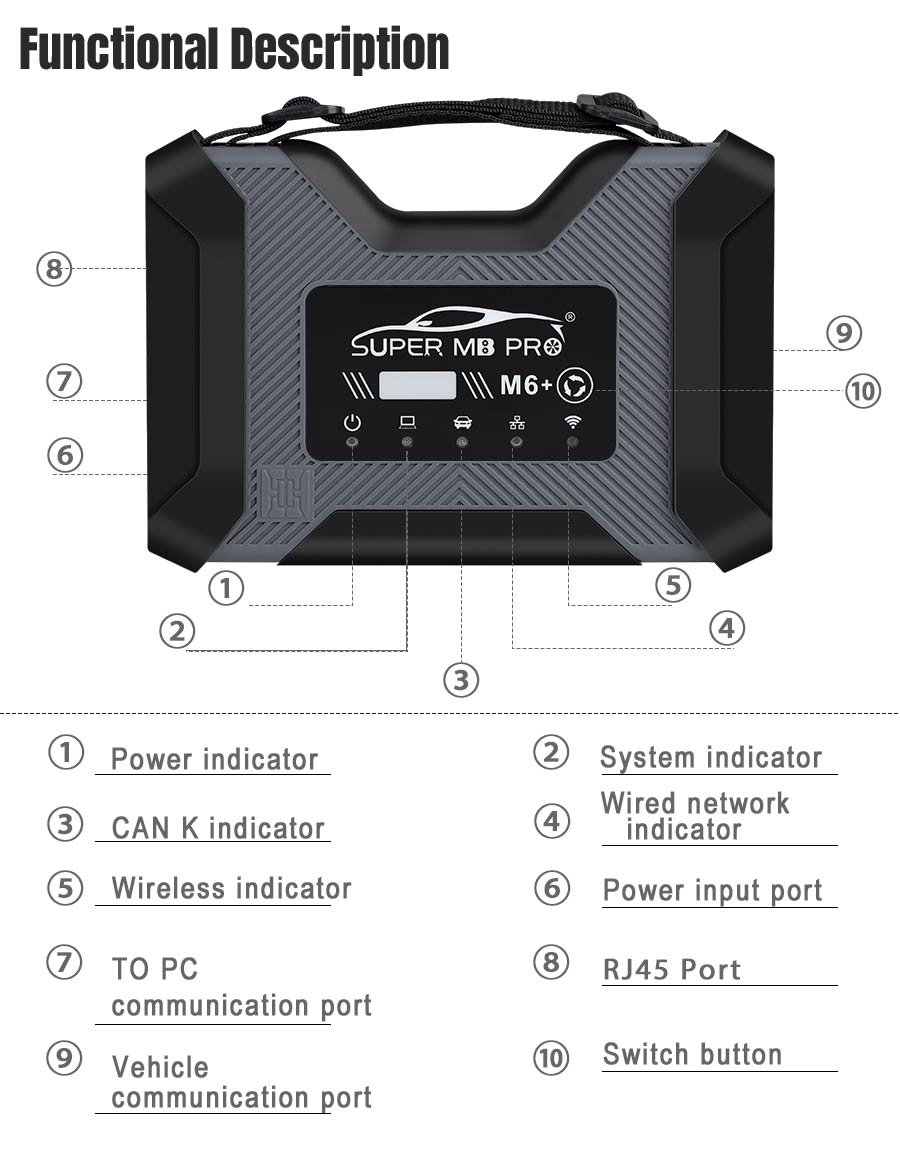
M6+ PRO for Mercedes-Benz and for BMW configuration
1. Plug the M6+PRO into the power supply or connect the OBD to the test vehicle, and plug in the USB/LAN cable of the M6+PRO.
2. Turn on the computer and plug in the computer USB/LAN cable.
3. Open the computer network configuration interface and find the Realtek USB FE Family Controller network/the network adapter that comes with the PC.

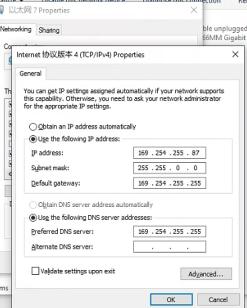
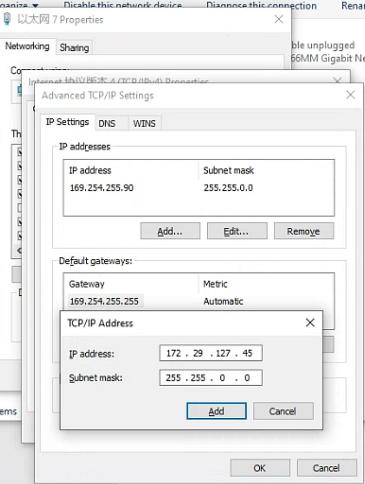
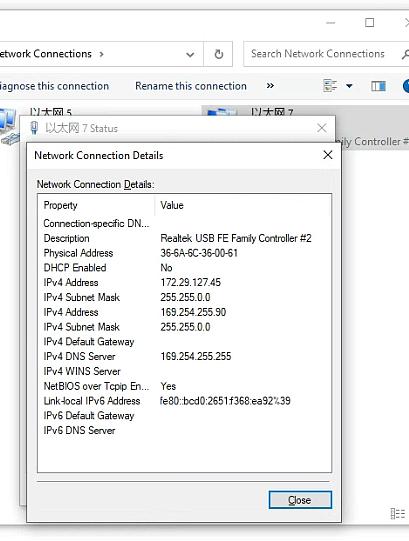
7.For the same computer, if you replace a new M6+PRO, you need to reset the IP address. After the setting is completed, the computer is successfully bound to the M6+PRO and there is no need to set the IP address again for wired and wireless Internet access. (Use LAN port connection mode, no need to re-set IP when changing devices).
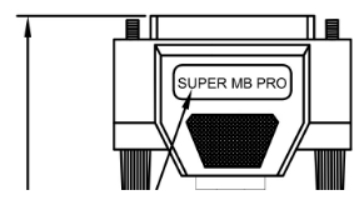
8.You can test Mercedes-Benz normally. Please connect the diagnostic cable with SUPER MB PRO logo.
9. for BMW wireless BMWAiC-ode configuration(only for F+G chassis)
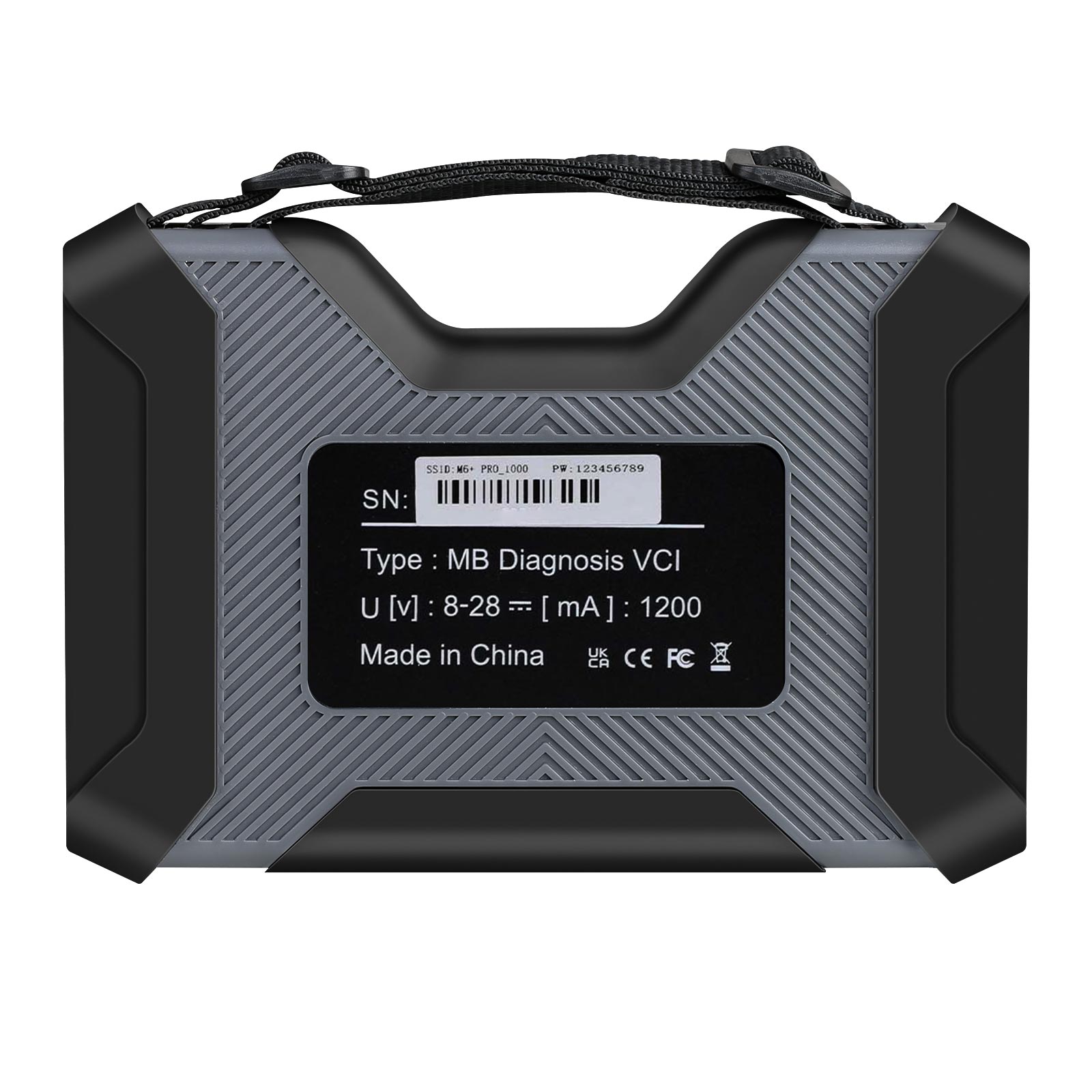
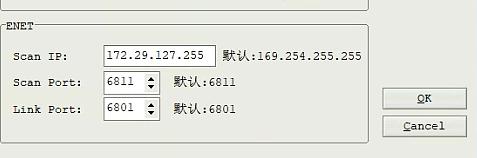
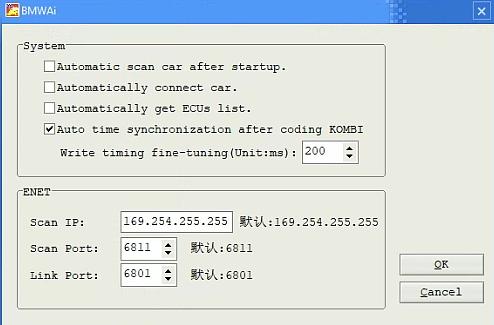
Connect to the M6+PRO -***, password:123456789, wirelessly, press and hold the M6+PRO switch button for 3 seconds, and the M6+PRO host wireless indicator will flash. The computer-side BMWAiC-oder configuration is as follows:
11. for BMW wired and wireless E-Sys configuration(only for F+G chassis)
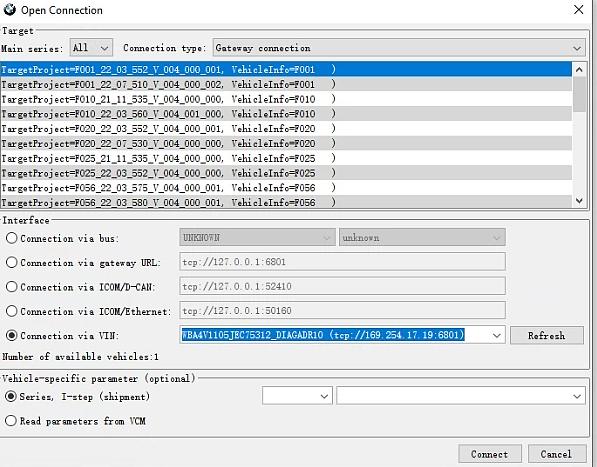
Connect to the M6+PRO -*** wirelessly, press and hold the M6+PRO switch button for 3 seconds, and the M6+PRO host wireless indicator will flash. On the computer side, select the following for direct connection. Wired is similar, no setup required.
12. for BMW wired I-S-T-A configuration(only for F+G chassis)
Connect the USB cable, press and hold the M6+PRO switch button for 3S, and the M6+PRO host wired indicator light will flash. The computer I-S-T-A configuration is as follows:
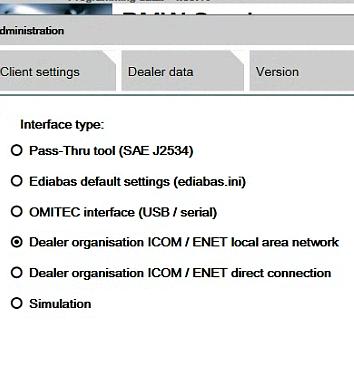
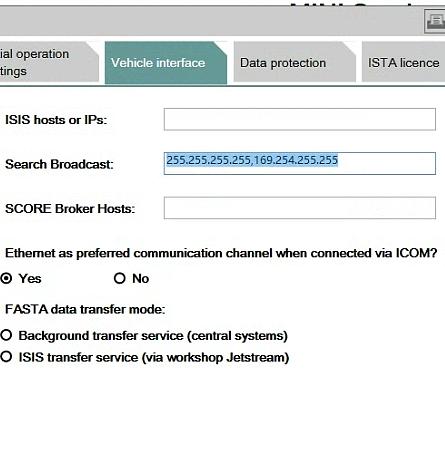
13. for BMW Wireless I-S-T-A configuration(only for F+G chassis)
Connect to the M6+PRO -*** wirelessly, press and hold the M6+PRO switch button for 3 seconds, and the M6+PRO host wireless indicator will flash. The computer side is selected as follows:
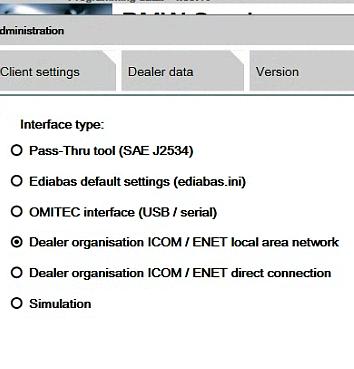
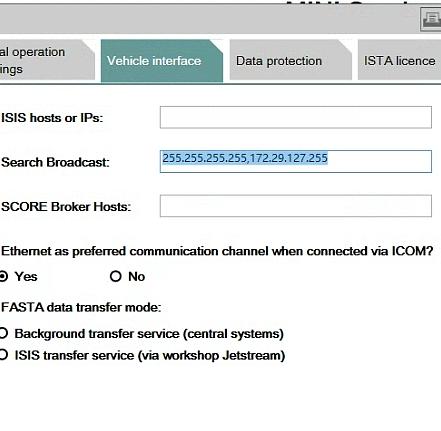
14.The mobile phone for BWM APP adopts wireless connection. (only for F+G chassis)
Connect to the M6+PRO -***, password: 123456789, press and hold the M6+PRO switch button for 3 seconds, and the M6+PRO host wireless indicator will flash.
15. Supported BMW models and years.
| Model Year | 2019 | 2018 | 2017 | 2016 | 2015 | 2014 | 2013 | 2012 | 2011 | 2010 | 2009 |
| X1 | √ | √ | √ | √ | |||||||
| X3 | √ | √ | √ | √ | √ | √ | √ | × | |||
| X4 | √ | √ | √ | √ | √ | √ | |||||
| X5 | √ | √ | √ | √ | √ | √ | × | ||||
| X6 | √ | √ | √ | √ | √ | × | |||||
| 1 Series | √ | √ | √ | √ | √ | √ | √ | √ | × | ||
| 2 Series | √ | √ | √ | √ | √ | √ | √ | √ | |||
| 3 Series | √ | √ | √ | √ | √ | √ | √ | × | |||
| 4 Series | √ | √ | √ | √ | √ | √ | √ | ||||
| 5 Series | √ | √ | √ | √ | √ | √ | √ | √ | √ | √ | × |
| 6 Series | √ | √ | √ | √ | √ | √ | √ | √ | × | ||
| 7 Series | √ | √ | √ | √ | √ | √ | √ | √ | √ | √ | √ |
Product Accessories Comparison Chart
| SKU | Accessories |
| SP586 | 1pc x SUPER MB PRO M6+ Pro Host 1pc x OBD2 16pin Cable 1pc x USB Cable 1pc x 38PIN Cable 1pc x 14PIN Cable 1pc x 4PIN Cable |
| SP586-C | 1pc x SUPER MB PRO M6+ Pro Host 1pc x OBD2 16pin Cable 1pc x USB cable |
| SP586-B | 1pc x SUPER MB PRO M6+ Pro Host 1pc x OBD2 16pin Cable 1pc x USB cable 1pc x 14PIN Cable |
Package Includes:
1pc x SUPER MB PRO M6+ Pro Host
1pc x OBD2 16pin Cable
1pc x USB Cable
1pc x 38PIN Cable
1pc x 14PIN Cable
1pc x 4PIN Cable
1pc x manual

 100% Genuine
 High Quality
 Fast Shipping