| Hardwareschnittstelle | USB 3.2 Gen 2, USB-C |
| Marke | ORICO |
| Farbe | Grau |
| Hardware-Plattform | PC/Mac/Linux |
| Material | Aluminium, Kunststoff |
About this article
【Support of the offline cloning function】 The docking station can perform offline cloning independently of a computer. Please back up the files on the target hard disk before cloning. All files on the target hard disk will be overwritten during offline cloning. The target hard disk must be larger than the source hard disk.
【High quality aluminum alloy material】 This HDD docking station is made of sturdy and durable aluminum alloy material with vertical design, which provides high performance and fast heat dissipation. The dust-proof socket cover keeps the docking station always clean and safe. Supports Windows XP/Vista/7/8.1/8/10, Mac OS 10 or higher
【Supports USB-C and USB-A devices】 The SSD docking station comes with a robust USB 3.2 G2 type C-C data cable, which can support a variety of USB-C and USB-A devices such as laptops, computers, tablets, desktops, routers, projectors, etc. 10Gbps cable to ensure the security and stability of data transfer to large capacity hard disks. 【USB-A adapter included】
【6 Gbps with UASP acceleration】 Our hard disk docking station with USB 3.2 Type-C to C interface supports up to 6 Gbps maximum transfer speed and UASP-accelerated transfer protocol, 70% faster than traditional USB 3.0, supports S.M.A.R.T and TRIM.
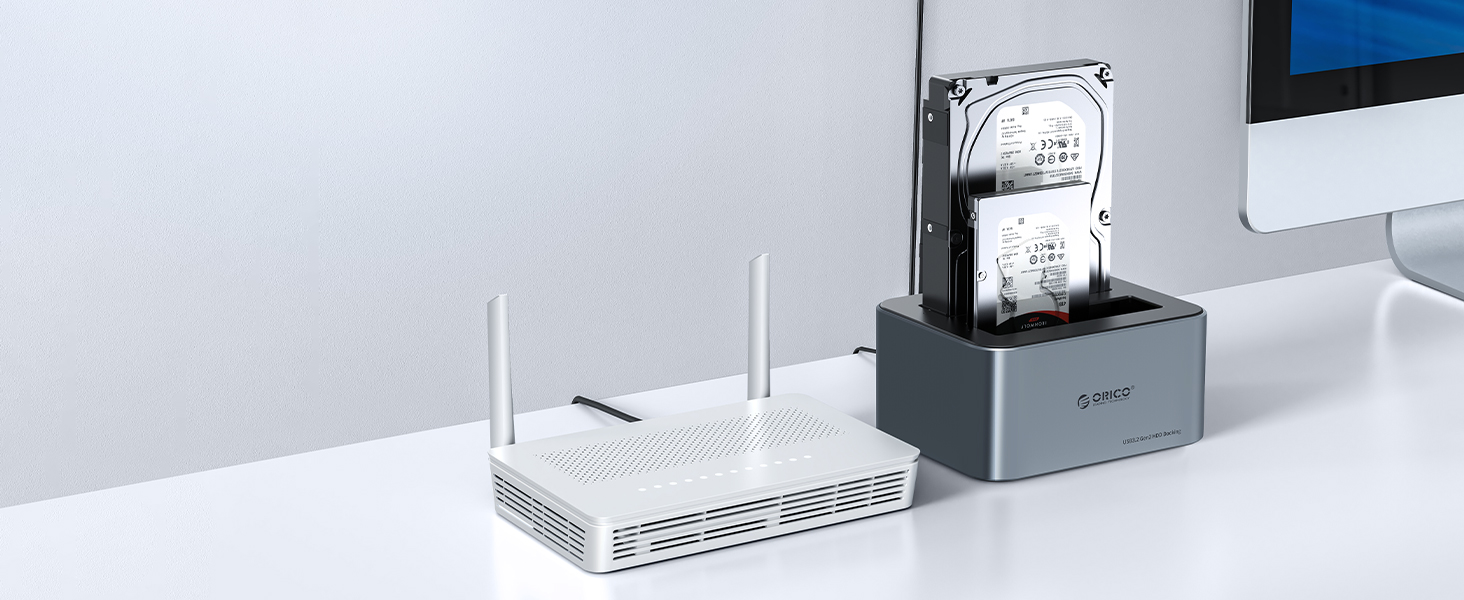
【Dual-bay docking station】 Widely compatible with all 2.5/3.5-inch SATAⅠⅡ
【High quality aluminum alloy material】 This HDD docking station is made of sturdy and durable aluminum alloy material with vertical design, which provides high performance and fast heat dissipation. The dust-proof socket cover keeps the docking station always clean and safe. Supports Windows XP/Vista/7/8.1/8/10, Mac OS 10 or higher
【Supports USB-C and USB-A devices】 The SSD docking station comes with a robust USB 3.2 G2 type C-C data cable, which can support a variety of USB-C and USB-A devices such as laptops, computers, tablets, desktops, routers, projectors, etc. 10Gbps cable to ensure the security and stability of data transfer to large capacity hard disks. 【USB-A adapter included】
【6 Gbps with UASP acceleration】 Our hard disk docking station with USB 3.2 Type-C to C interface supports up to 6 Gbps maximum transfer speed and UASP-accelerated transfer protocol, 70% faster than traditional USB 3.0, supports S.M.A.R.T and TRIM.
【Dual-bay docking station】 Widely compatible with all 2.5/3.5-inch SATAⅠⅡ
Translated with DeepL.com (free version)
So bedienen Sie die Offline-Klonfunktion?
1. insert the source hard disk into the source slot (A) of the hard disk and then insert the destination hard disk (B) into the destination slot of the hard disk.
2. make sure that the capacity of the destination hard disk is larger than that of the source hard disk (B>A)
3. make sure that the USB cable is disconnected from your computer
4. connect the power supply and switch on.
5. press the button to the clone side and then press the start button for 3 seconds. When the cloning lights flash, the cloning process starts.
6. 4 LED indicators flash and light up one after another to indicate the cloning progress of 25%-50%-75%-100%.
7. when the offline clone is 100% complete, 4 LED lights remain on until the device is switched off.
8. finally, press the power switch to the OFF position and eject your drives.
Produktinformation
ORICO USB C Dual Festplatten Dockingstation mit Offline Klon


Kapazitätsanforderung B ≥ A
Einfaches Klonen zwischen Festplatten
LED-Licht zeigt den Klonvorgang an


Automatic sleep mode
Automatically switches to sleep mode when there is no data activity within 10 minutes, extending the life of your hard drive

Type C connector
ORICO is equipped with USB 3.2 Gen 2 Type C ports and offers 6 Gbit/s high-speed transfer and supports UASP/TRIM.

Shockproof pads
Non-slip silicone foot pads on all four corners of the underside provide shock and vibration resistance.

Supports USB-C/USB-A devices
Advanced 10 Gbps Type-C cable with USB-A adapter that allows you to easily connect your PC or laptop directly without a converter.