



Note: There are two different versions: USB port and original N64 port.Make sure you select the correct version you need.
For USB Port Controller:
♪ Generic USB controller, this uses a standard USB port, if your program or application accepts USB controller input, it can be used natively without drivers or patches, JUST PLUG AND PLAY! Cord is approx. 5.9 ft. Long. Super sensitive buttons for precision control. Third party controller, not original Nintendo 64 controller. But it works phenomenal with the Raspberry Pi game emulation and so on.
♪ Supported Operating system: Windows 98, ME, Vista, 2000, 2003, XP, 7, 8, 8.1, 10; Linux UBUNTU, Linux Mint, Android Linux (via an USB OTG cable); Mac OS X and beyond; Retrogaming operating systems: RetroPie, Recalbox, Happi Game Center, Lakka, ChameleonPi, Piplay
♪ Supported Device (With USB storage device): PC, Notebook Computer, Laptop Computer; Android Smartphone: connect via an USB OTG cable; Raspberry Pi (RPI, Raspberry pie): Raspberry Pi 1 Model B, Model A, Raspberry Pi 1 Model B+, Raspberry Pi Zero, Raspberry Pi 2, Raspberry Pi 3 Model B, Raspberry Pi 3, Retro Pie. --- Note: NOT SUPPORT Android TV BOX.
♪ Supported Game Emulators: Current: Project64, 1964, MAME (MESS), Mupen64Plus, Sixtyforce, CEN64; Historical: Project Unreality, Corn, UltraHLE, Nemu64
♪ Reliable Warranty: 100% Money Back Guarantee; hassle free 6-month replacement warranty with friendly and professional customer service. If you have any problem, kindly please feel free to contact us, we will do our best to help you!
Q: 1. What can of application do I need to download to use this controller?
A: No application needed. Plug it in and your PC or Respberry Pi will recognize it.
Q: 2. Work with steam games on pc?
A: No, not support steam games.
Q: 3. Will this work for Tesla Atari games?
A: If you're using an Atari emulator on PC or Mac, then it will.
Q: 4. Can I use it to play online games?
A: No, this controller doesn't support online games because you couldn't map the buttons.
Q: 5. Why my controller inputting both joystick and keyboard buttons?
A: What emulator are you using? Difficulty on mapping the buttons depends on the emulator. We recommend using Project 64 on PC, OpenEmu on Mac, Retropie on Respberry Pi.
Q: 6. After running a configuration through retroarch,when i connect the controller to my retropie/raspberry pi 2,the pi doesn't detect it.what's wrong?
A: You can try powering down and booting back up with the controllers connected. or rebuild retropie.
Q: 7. How long is the USB Cable?
A: Cord is approx. 5.9 ft. Long.
Q: 8. Can you configure the buttons to specific keys? I want to program buttons for shortcut commands like CTRL+Z, for example.
A: This can be accomplished with 3rd party software that maps joystick buttons to keyboard controls such as Xpadder, AutoHotKey, or EventGhost.
Q: 9. Is it Plug and Play?
A: Yes! You just need to go into controller settings and map each button. It's so easy!
1. Plug in the controller first before open the emulator or power on the raspberry pi, so your device could detect the controller easily.
2. Project 64 is perfect emulator for Windows PC.
3. If you couldn't configure input correctly, please contact us and tell us your device and emulator, we could help to solve it.
- 1 x USB N64 Controller
For N64 Port Controller:
Feature:
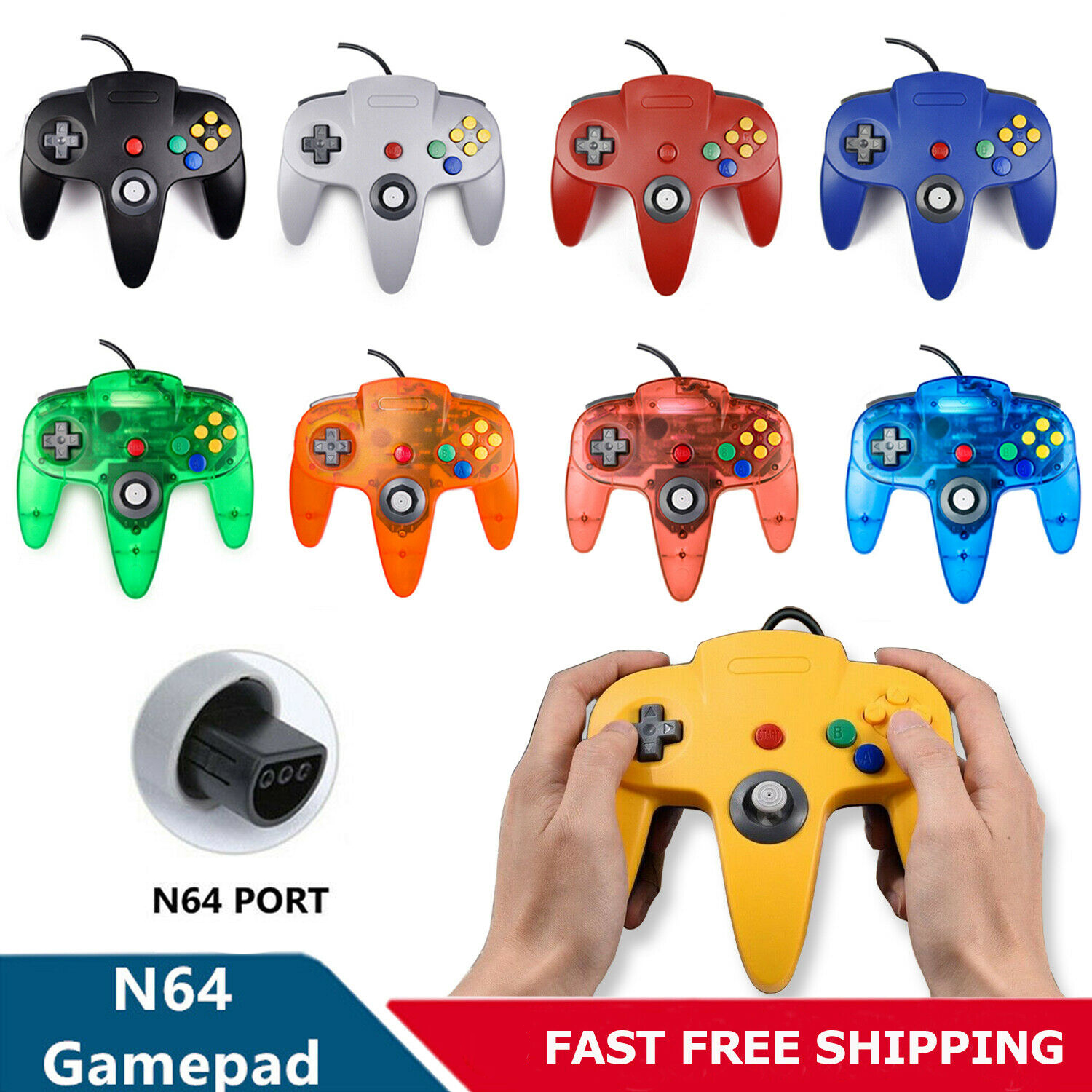
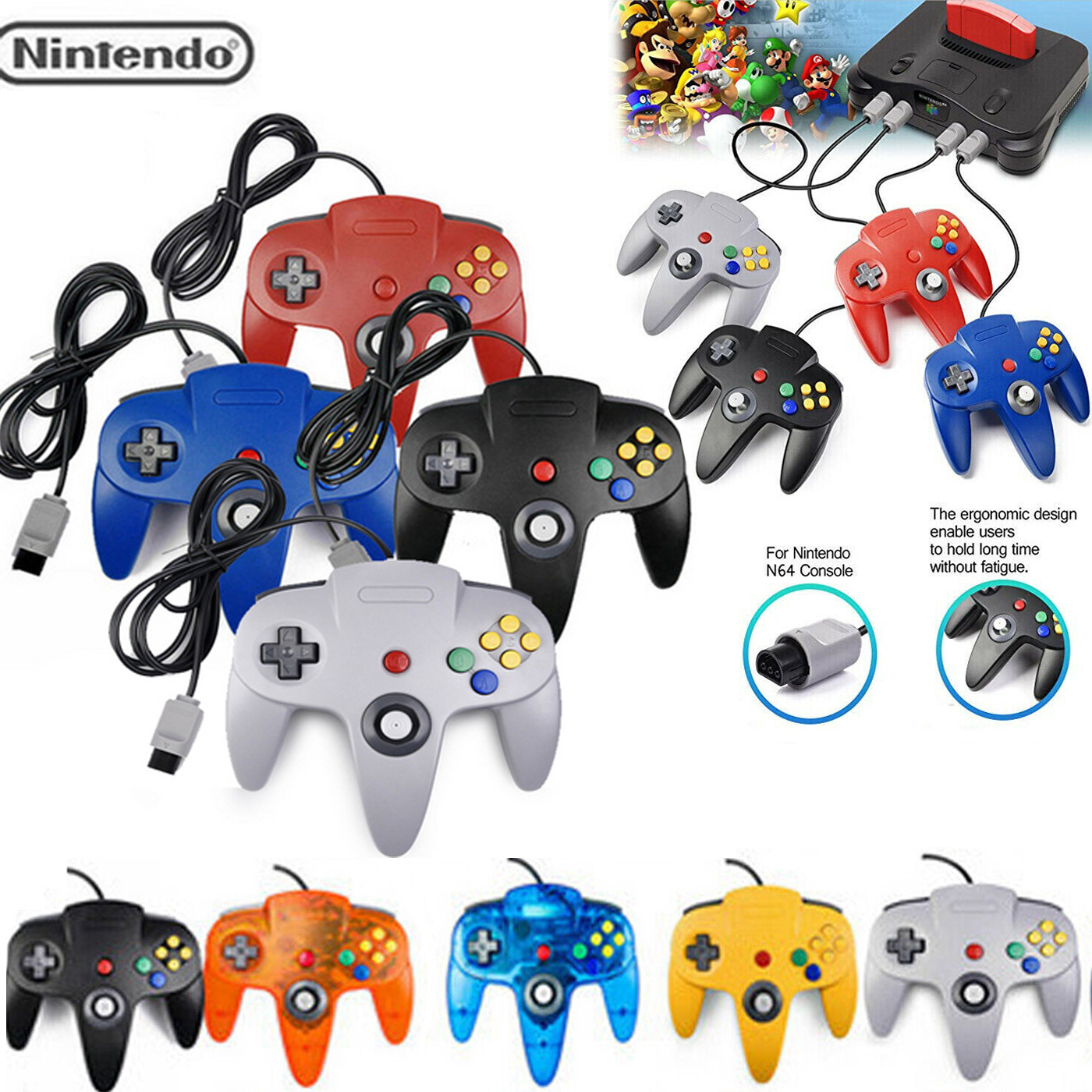
- This classic N64 controller has the same shape and feel as Nintendo's original design.
- Featuring 14 active buttons (including Left and Right shoulder functions, and Z-trigger)
- The analog stick is as precise as it gets while the legendary D-pad offers a classic gaming feel.
- The controller's data port is compatible with any N64 Rumble or Memory Pak, Our controller Sports 6-foot long cord.
- This is the perfect replacement for your broken or lost Nintendo 64 controller.
Specification:
- N64 Games Classic Gamepad Controller
- Material: Plastic
- Type: Wired
- Port: N64 Port
- Color: 4 Colors
- Allows Seamless Control when Playing the Titles on the Nintendo N64's Virtual Console
- The controls you're familiar with in your favourite classic games, all on one controller
- Stylish Controller is Comfortable to Hold, even during extended gaming sessions
- The N64 controller has 14 buttons, including 4 key and 6 function keys, 1 keys start, L, R key, an analog joysticks
- Let you in the game in the process of the operation of each of the perfect 360 degree control.
- 1 x N64 Port Controller
Item ship in 48 hours after receiving payment.
Copyright©2018 datacaciques

Note: There are two different versions: USB port and original N64 port.Make sure you select the correct version you need.
For USB Port Controller:
♪ Generic USB controller, this uses a standard USB port, if your program or application accepts USB controller input, it can be used natively without drivers or patches, JUST PLUG AND PLAY! Cord is approx. 5.9 ft. Long. Super sensitive buttons for precision control. Third party controller, not original Nintendo 64 controller. But it works phenomenal with the Raspberry Pi game emulation and so on.
♪ Supported Operating system: Windows 98, ME, Vista, 2000, 2003, XP, 7, 8, 8.1, 10; Linux UBUNTU, Linux Mint, Android Linux (via an USB OTG cable); Mac OS X and beyond; Retrogaming operating systems: RetroPie, Recalbox, Happi Game Center, Lakka, ChameleonPi, Piplay
♪ Supported Device (With USB storage device): PC, Notebook Computer, Laptop Computer; Android Smartphone: connect via an USB OTG cable; Raspberry Pi (RPI, Raspberry pie): Raspberry Pi 1 Model B, Model A, Raspberry Pi 1 Model B+, Raspberry Pi Zero, Raspberry Pi 2, Raspberry Pi 3 Model B, Raspberry Pi 3, Retro Pie. --- Note: NOT SUPPORT Android TV BOX.
♪ Supported Game Emulators: Current: Project64, 1964, MAME (MESS), Mupen64Plus, Sixtyforce, CEN64; Historical: Project Unreality, Corn, UltraHLE, Nemu64
♪ Reliable Warranty: 100% Money Back Guarantee; hassle free 6-month replacement warranty with friendly and professional customer service. If you have any problem, kindly please feel free to contact us, we will do our best to help you!
Q: 1. What can of application do I need to download to use this controller?
A: No application needed. Plug it in and your PC or Respberry Pi will recognize it.
Q: 2. Work with steam games on pc?
A: No, not support steam games.
Q: 3. Will this work for Tesla Atari games?
A: If you're using an Atari emulator on PC or Mac, then it will.
Q: 4. Can I use it to play online games?
A: No, this controller doesn't support online games because you couldn't map the buttons.
Q: 5. Why my controller inputting both joystick and keyboard buttons?
A: What emulator are you using? Difficulty on mapping the buttons depends on the emulator. We recommend using Project 64 on PC, OpenEmu on Mac, Retropie on Respberry Pi.
Q: 6. After running a configuration through retroarch,when i connect the controller to my retropie/raspberry pi 2,the pi doesn't detect it.what's wrong?
A: You can try powering down and booting back up with the controllers connected. or rebuild retropie.
Q: 7. How long is the USB Cable?
A: Cord is approx. 5.9 ft. Long.
Q: 8. Can you configure the buttons to specific keys? I want to program buttons for shortcut commands like CTRL+Z, for example.
A: This can be accomplished with 3rd party software that maps joystick buttons to keyboard controls such as Xpadder, AutoHotKey, or EventGhost.
Q: 9. Is it Plug and Play?
A: Yes! You just need to go into controller settings and map each button. It's so easy!
1. Plug in the controller first before open the emulator or power on the raspberry pi, so your device could detect the controller easily.
2. Project 64 is perfect emulator for Windows PC.
3. If you couldn't configure input correctly, please contact us and tell us your device and emulator, we could help to solve it.
- 1 x USB N64 Controller
For N64 Port Controller:
Feature:
- This classic N64 controller has the same shape and feel as Nintendo's original design.
- Featuring 14 active buttons (including Left and Right shoulder functions, and Z-trigger)
- The analog stick is as precise as it gets while the legendary D-pad offers a classic gaming feel.
- The controller's data port is compatible with any N64 Rumble or Memory Pak, Our controller Sports 6-foot long cord.
- This is the perfect replacement for your broken or lost Nintendo 64 controller.
Specification:
- N64 Games Classic Gamepad Controller
- Material: Plastic
- Type: Wired
- Port: N64 Port
- Color: 4 Colors
- Allows Seamless Control when Playing the Titles on the Nintendo N64's Virtual Console
- The controls you're familiar with in your favourite classic games, all on one controller
- Stylish Controller is Comfortable to Hold, even during extended gaming sessions
- The N64 controller has 14 buttons, including 4 key and 6 function keys, 1 keys start, L, R key, an analog joysticks
- Let you in the game in the process of the operation of each of the perfect 360 degree control.
- 1 x N64 Port Controller
1.Please note that we will send the goods within 1-2 working days after receipt of payment.
2.The unpaid situation will automatically open after 7 days. Please be assured that your eBay account is not affected and the order will be automatically closed within 3 days.
3. If you want to cancel the transaction, please contact us within 7 days and please correct your eBay address. If not, please correct it before paying.
1.We just accept via Payoneer payment.
2.Thank you for please make sure the “Ship To” address you input in PayPal is correct.
3.Email us if you don't received more than 7 working days after full payment sent.
1. If you are not satisfied when you receive your item, please return it within 30 days for a replacement or money back.
2.Please do not leave negative feedback before contacting us. Nothing would be the trouble. You can email a message or pictures to us,full refund or reshipment would be arranged according to your favor soon.
3. In all cases, buyers pay shipping fees at their own cost to return products for exchange or refund. We will be responsible for the postage of replacements. Refund will be made upon receipt of the returned item.
4.Customer satisfaction is important to us. Most problem would be solved well on the base of friendly communicate.
About FeedbackPlease give us your 5-Star positive feedback. Thank you!
1.Our Goal is 100% Customer Satisfaction Guarantee.
Please read the item description and see if the item fits your vehicle exactly.
2.If you found any questions, feel free to email us by ebay message, and we will try our best to reply your question within 24 hours.
3.Please understand that we are closed during weekends or holidays,
so there might be little delay during weekends or holidays, we will try our best to reply all emails in the next business day.
4.Office Hours are Monday - Friday : 9:00 AM - 5:00 PM (PST)
Saturday, Sunday, and Holiday : Closed
Copyright©2018 datacaciques