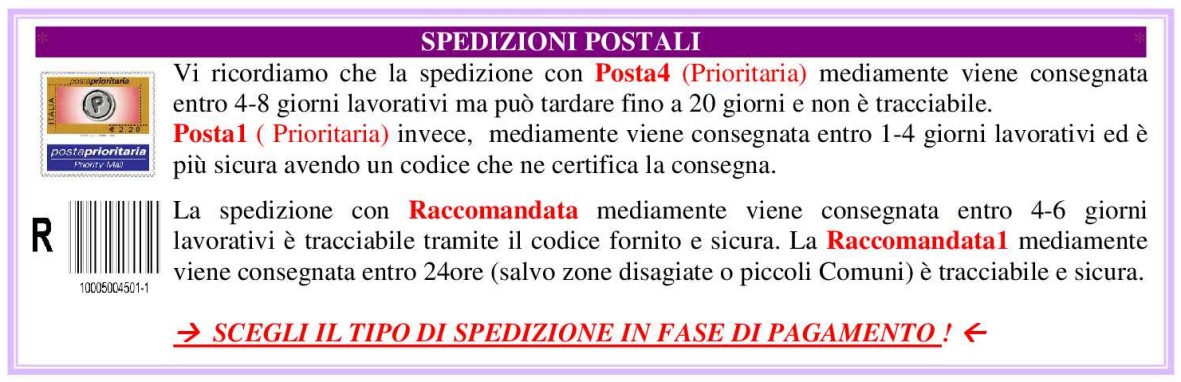
Se acquisti più pezzi di questo articolo, potresti risparmiare sulla spedizione!
Riempi il carrello e clicca sul pulsante 'RICHIEDI IL TOTALE AL VENDITORE' o contattaci per offerta personalizzata!
LCD KEYPAD SHIELD 16X2 BLU + 6 PULSANTI per ARDUINO
STANDARD LCD CONTROLLER : HD44780
2 righe da 16 caratteri bianchi su sfondo Blu (retroilluminato) ad alto contrasto ( regolabile)
Pin usati da LCD : PIN4 ( DB4), 5( DB5), 6( DB6), 7( DB7), 8( RS ), 9( E ), 10( backlight control )
I 5 pulsanti usano unico ingresso analogico : A0
+ Pulsante RESET per Arduino
Specifications:
LCD Keypad Shield input / output expansion board using 2 lines of16 characters LCD,
having a contrast adjustment and backlight lamp,
Using 1 simulated export completed5key input, a 1 reset button,
does not use the IO export are extended out the spare, make full use of IO export.
Occupy the digital port: PIN4( DB4),5( DB5),6( DB6),7( DB7),8( RS ),9( E ),10( backlight control ), analog key port A0.
Used in conjunction with the Arduino
ARDUINO TEST CODE EXAMPLE:
//Sample using LiquidCrystal library
#include
/*******************************************************
This program will test the LCD panel and the buttons
Mark Bramwell, July 2010
********************************************************/
// select the pins used on the LCD panel
LiquidCrystal lcd(8, 9, 4, 5, 6, 7);
// define some values used by the panel and buttons
int lcd_key = 0;
int adc_key_in = 0;
#define btnRIGHT 0
#define btnUP 1
#define btnDOWN 2
#define btnLEFT 3
#define btnSELECT 4
#define btnNONE 5
// read the buttons
int read_LCD_buttons()
{
adc_key_in = analogRead(0); // read the value from the sensor
// my buttons when read are centered at these valies: 0, 144, 329, 504, 741
// we add approx 50 to those values and check to see if we are close
if (adc_key_in > 1000) return btnNONE; // We make this the 1st option for speed reasons since it will be the most likely result
// For V1.1 us this threshold
if (adc_key_in < 50) return btnRIGHT;
if (adc_key_in < 250) return btnUP;
if (adc_key_in < 300) return btnDOWN;
if (adc_key_in < 500) return btnLEFT;
if (adc_key_in < 700) return btnSELECT;
// For V1.0 comment the other threshold and use the one below:
/*
if (adc_key_in < 50) return btnRIGHT;
if (adc_key_in < 195) return btnUP;
if (adc_key_in < 380) return btnDOWN;
if (adc_key_in < 555) return btnLEFT;
if (adc_key_in < 790) return btnSELECT;
*/
return btnNONE; // when all others fail, return this...
}
void setup()
{
lcd.begin(16, 2); // start the library
lcd.setCursor(0,0);
lcd.print("Push the buttons"); // print a simple message
}
void loop()
{
lcd.setCursor(12,1); // move cursor to second line "1" and 9 spaces over
lcd.print(millis()/1000); // display seconds elapsed since power-up
lcd.setCursor(0,1); // move to the begining of the second line
lcd_key = read_LCD_buttons(); // read the buttons
switch (lcd_key) // depending on which button was pushed, we perform an action
{
case btnRIGHT:
{
lcd.print("RIGHT ");
lcd.print (adc_key_in);
break;
}
case btnLEFT:
{
lcd.print("LEFT ");
lcd.print (adc_key_in);
break;
}
case btnUP:
{
lcd.print("UP ");
lcd.print (adc_key_in);
break;
}
case btnDOWN:
{
lcd.print("DOWN ");
lcd.print (adc_key_in);
break;
}
case btnSELECT:
{
lcd.print("SELECT");
lcd.print (adc_key_in);
break;
}
case btnNONE:
{
lcd.print("NONE ");
lcd.print (adc_key_in);
break;
}
}
}
Total weight: 54g