|
|
|||||||||||||||||||||||||||||||||||||||||||||||||||||||||
















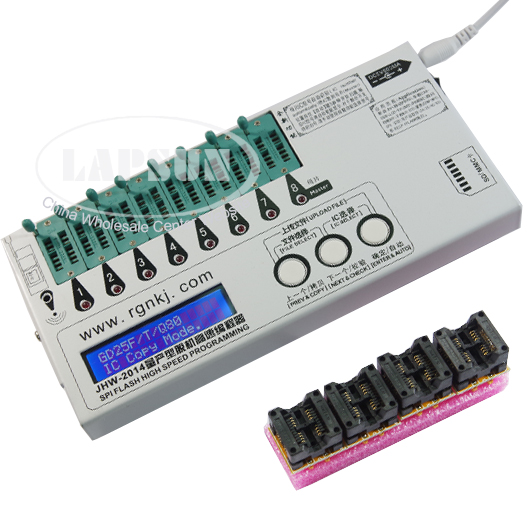
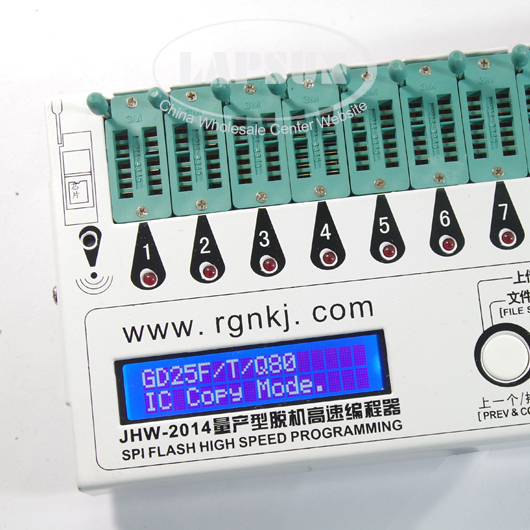
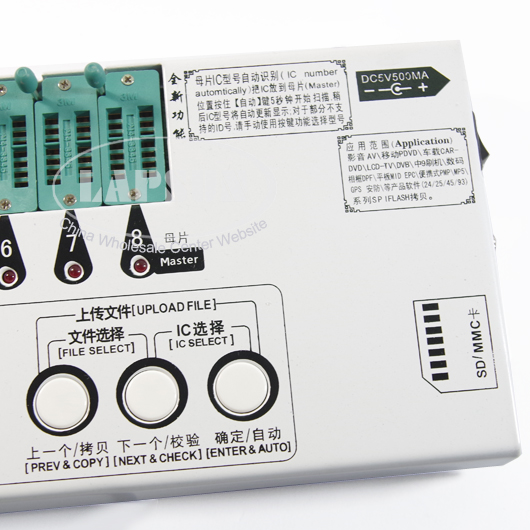
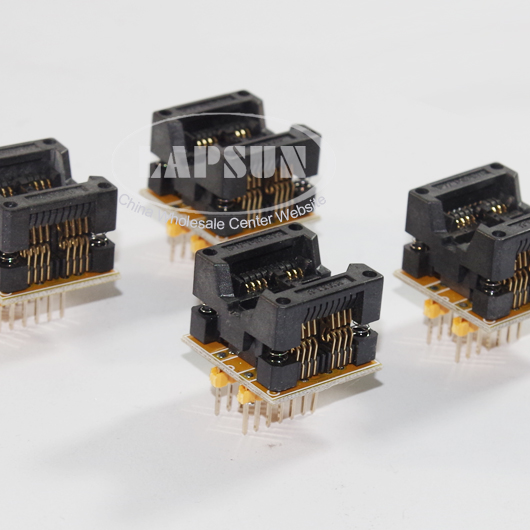
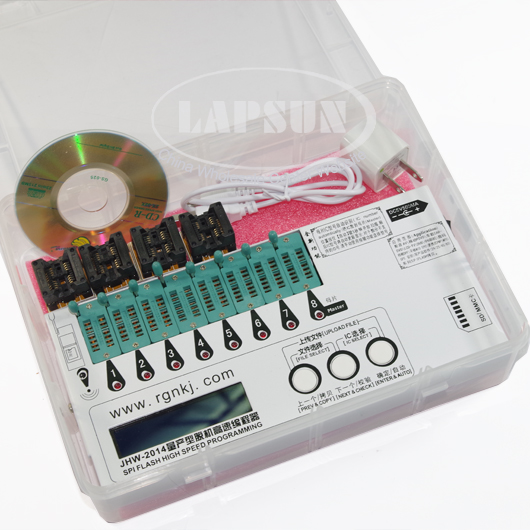
JHW2014 8 in 1 SPI FLASH High Speed programming with 4pcs IC Chip Chips Devices Socket
1. From the programmer to use SD \ MMC card readers and the paper's unique programming programming, omit the step-mother production; At the same time can also work in the IC 1-7 copy mode.
2. Automatic software upgrades through in SD \ MMC Add document completed work on upgrading the software update products, add new models of SPI Flash support.
3. This machine provides a "Versatile" naming million by IC models for the majority of SPI Flash card in order to the data source, the use of this model can be copied.
4. Convenient file upload function, SPI Flash directly to the data saved to SD \ MMC card.
5. Total number of copies of the success of IC display function to facilitate mass production counts
Key functions:
- 1. OK & Automatically: Press this button to copy automatically when in the free mode, the work step is erase—program—checking. If there's error in the checking, the LED light of the concerned IC will light. When finish the inspection, there will show the amount of successful checking IC on the under right of the display.
- 2. Next & Check: Press this button to copy automatically when in the free mode, the work step is erase—program—checking. If there's error in the checking, the LED light of the concerned IC will light. (If use the mother flake, the instruction light will always light.) "Check" function does not affect the counting of copy the successful IC
- 3. Previous & copy: Press this key to start copy when in the free mode. The machine will check if the IC is vacant before the copy. If the IC is not vacant, the machine will erase the data automatically. When finish the copy, the machine will check the current file again to avoid the file damaged problem if the file is the first time to copy. When finish the inspection, there will show the amount off successful checking IC on the under right of the display.The amount will become zero when choose "file selection" function each time.
- 4. Document Choice: Press Previous and next key to enter the "file selection "mode when at the free mode and the card is inserted. Then the display will show (confirm) to carry out the command in the first line. One the second line, there will show the menu of the last file was used. The first line including: "Enter DIR" :Press "OK" to enter the current menu. "Select file" :Press "OK" to select the current file as the programming data source. "UP…" :press "OK" to return to the last menu. Press Previous or next key to view the file of the current menu when at the file selection mode. After passing all of the files you can return to the last menu. If want to return the lst menu quickly, press the Previous and the next button at the same time. If want to back to the original menu, press next and the confirm key at the same time.
- 5. IC Choice: Press next and confirm key to enter the IC selection mode when in the free situation, at this time there will show the IC model in the first line, the second line will display the information. Press next or previous key to find the IC you want then press confirm key to confirm then exit the free mode. In IC choose mode you can choose at the same time - according to [previous] and [next] or [next] and [confirm] button rapidly in various inter-switch chip manufacturers.
- 6. Upload file & cancel: At the free mode and the card is inserted to press Previous and confirm key , then the display will show "File "FLASHPRO.BIN" will overlay"? That means the "FLASHPRO.BIN" file which is in the original menu will be covered. At that time press confirm key to read the data from the mother flake and save it to the "FLASHPRO.BIN" file of the original menu. If press this key at the non-free mode, that will abolish the proceeding work strongly and come back to the free mode.
Support Chip:
- As all of the manufacturers making the unitive SPI Flash programme port, there just
have different problems on the capacity for the chip. When use the save card as the data
source, the capacity problem can be ignored. Because we just need to write the file into
the Flash. So that we offer an IC named “Versatile”, you can use it to copy all of the SPI
Flash chip.
We also provide the model named by the chip. When use the mother flake and save
the files, just select the model No. according to the capacity of the SPI Flash chip.
If there’s the possibility of happening the different programming port command in the
future, we will provide the expanding function. Putting a file which has the programming
port command inside the save card to solve the problem. The file can be downloading on
the production forum. If you can search the suitable file for your machine, please contact
us.
Built-in support chip list:
AMIC:
A25L05P,A25L10P,A25L20P,A25L40P,A25L80P,A25L16P
Atmel: http://www.atmel.com/products/Sflash/
AT25DF041A,AT25DF321,AT25F004,AT25F512A,AT25F2048,
AT25F4096,AT25F1024A,AT25FS010,AT25FS040,AT26DF081A,
AT26DF161A,AT26DF321,AT26F004
EON:http://www.eonsdi.com/
EN25B05,EN25P05,EN25B10,EN25P10,EN25BF20,EN25P20,
EN25F20,EN25B40,EN25P40,EN25F40,EN25B80,EN25P80,
EN25F80,EN25T80,EN25B16,EN25P16,EN25B32,EN25P32,
EN25B64, EN25P64
Excel Semiconductor Inc.
http://www.excelsemi.com/sub_2_1.htm
ES25P10,ES25P20,ES25P40,ES25P80,ES25P16,ES25P32
ESMT: http://www.esmt.com.tw/
F25L04UA,F25L004A,F25L008A,F25L016A,F25L032A,F25L064A
ST: http://www.stmicroelectronics.com.cn/
M25P05A,M25P10A,M25P20,M25P40,M25P80,M25P16,M25P32,
M25P64,M25PE10,M25PE20,M25PE40,M25PE80,M25PE16,
M25PE32,M45PE10,M45PE20,M45PE40,M45PE80,M45PE16,
M45PE32
MXIC: http://www.mxic.com.tw/
MX25L512,MX25L1005,MX25L2005,MX25L4005,MX25L8005,
MX25L1605,MX25L3205,MX25L6405
NexFlash:
NX25P80,NX25P16,NX25P32
Chingis Technology Corporation http://www.chingistek.com/
Pm25LV512,Pm25LV010,Pm25LV020,Pm25LV040,Pm25LV080,
Pm25LV016,Pm25LV032,Pm25LV064
Saifun Semiconductors http://www.saifun.com/
SA25F005,SA25F010,SA25F020,SA25F040,SA25F080,SA25F160,
SA25F320,
Silicon Storage Technology SST http://www.sst.com/
SST25VF512A,SST25LF010A,SST25VF010A,SST25LF020A,
SST25VF020,SST25LF040A,SST25VF040B,SST25LF080A,
SST25VF080B,SST25VF016B,SST25VF032B
Winbond http://www.winbond.com/hq/chs/
W25P10,W25X10,W25Q10,W25P20,W25X20,W25Q20,W25P40,
W25X40,W25Q40,W25P80,W25X80,W25Q80,W25P16,W25X16,
W25Q16,W25P32,W25X32,W25Q32,W25P64,W25X64,W25Q64
Package content:
- 1 x Programmer
- 1 x CD
- 1 x 5V Power Supper
- 4 x OTS-20-1.27-01 Socket





 gmail
gmail com
com